audio TOYOTA AURIS HYBRID 2017 Service Manual
[x] Cancel search | Manufacturer: TOYOTA, Model Year: 2017, Model line: AURIS HYBRID, Model: TOYOTA AURIS HYBRID 2017Pages: 664, PDF Size: 27.42 MB
Page 376 of 664
3765-6. Using Bluetooth® devices
AURIS Touring Sports_EE (12L13E)
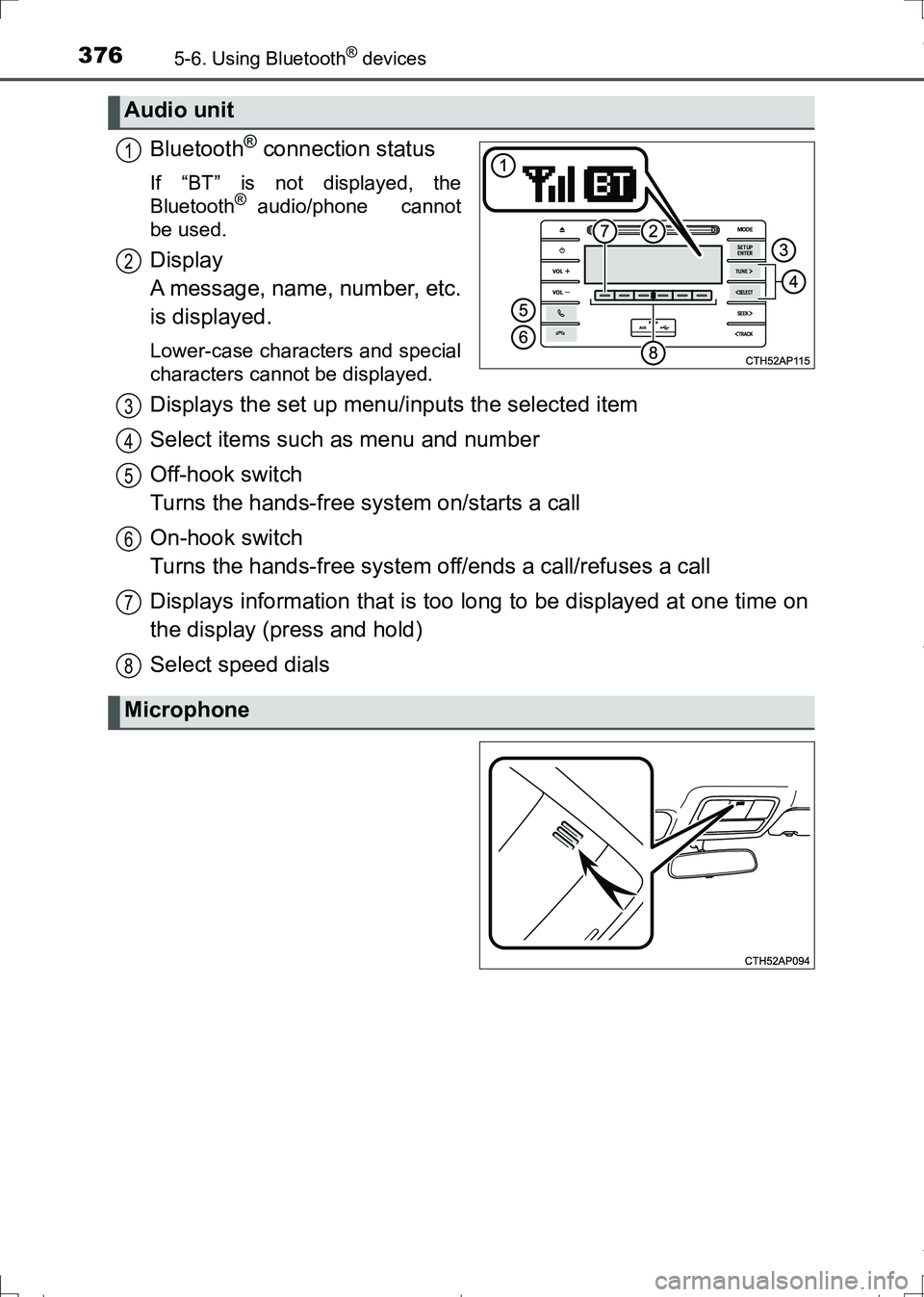
Bluetooth® connection status
If “BT” is not displayed, the
Bluetooth® audio/phone cannot
be used.
Display
A message, name, number, etc.
is displayed.
Lower-case characters and special
characters cannot be displayed.
Displays the set up menu/inputs the selected item
Select items such as menu and number
Off-hook switch
Turns the hands-free system on/starts a call
On-hook switch
Turns the hands-free system off/ends a call/refuses a call
Displays information that is too long to be displayed at one time on
the display (press and hold)
Select speed dials
Audio unit
1
2
Microphone
3
4
5
6
7
8
AURIS Touring Sports_OM_Europe_OM12L13E.book 376 ページ 2016年6月27日 月曜日 午後5時21分
Page 377 of 664
3775-6. Using Bluetooth® devices
AURIS Touring Sports_EE (12L13E)
5
Audio system
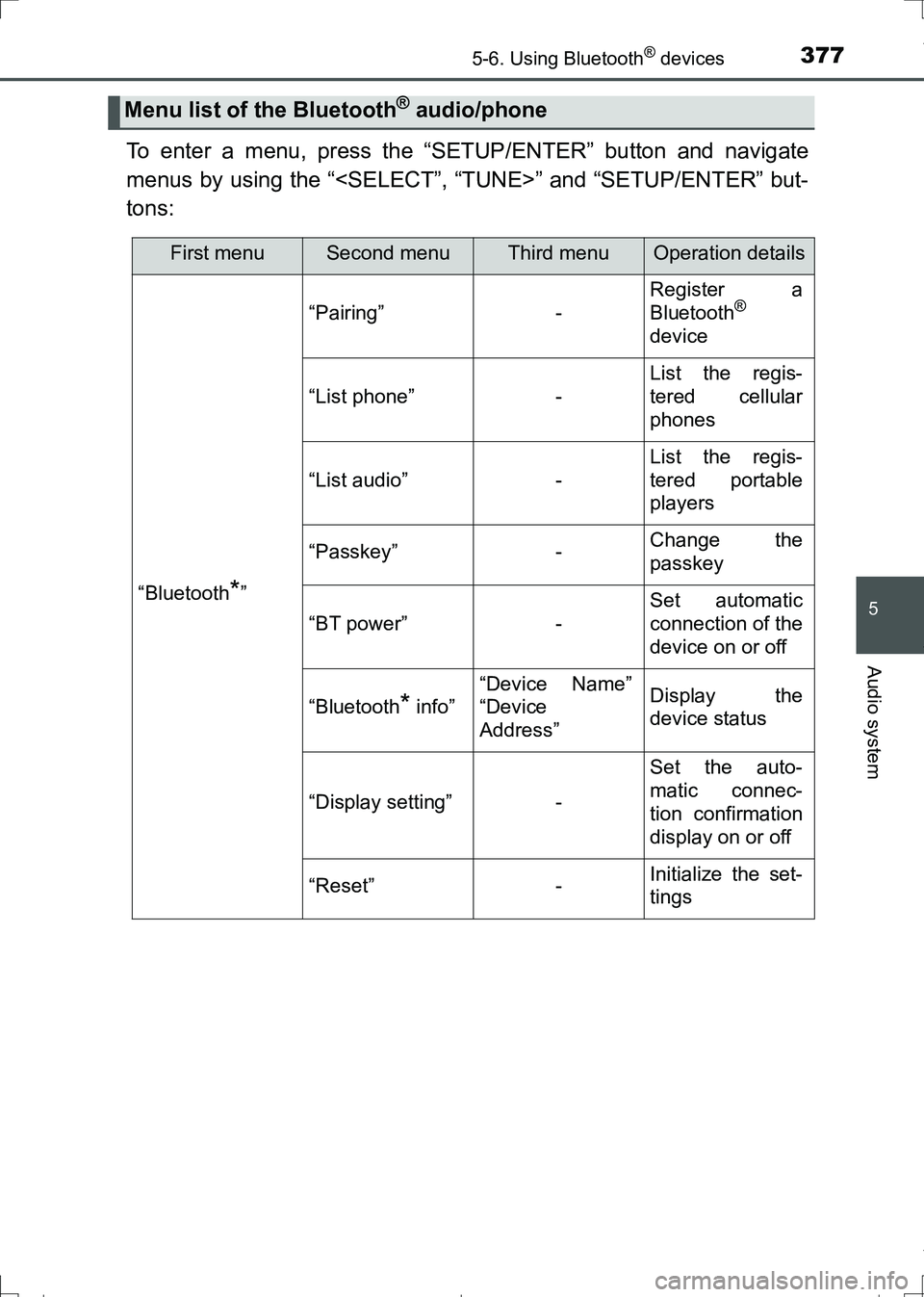
To enter a menu, press the “SETUP/ENTER” button and navigate
menus by using the “
tons:
Menu list of the Bluetooth® audio/phone
First menuSecond menuThird menuOperation details
“Bluetooth*”
“Pairing”-
Register a
Bluetooth®
device
“List phone”-
List the regis-
tered cellular
phones
“List audio”-
List the regis-
tered portable
players
“Passkey”-Change the
passkey
“BT power”-
Set automatic
connection of the
device on or off
“Bluetooth* info”
“Device Name”
“Device
Address”Display the
device status
“Display setting”-
Set the auto-
matic connec-
tion confirmation
display on or off
“Reset”-Initialize the set-
tings
AURIS Touring Sports_OM_Europe_OM12L13E.book 377 ページ 2016年6月27日 月曜日 午後5時21分
Page 378 of 664
3785-6. Using Bluetooth® devices
AURIS Touring Sports_EE (12L13E)
*: Bluetooth is a registered trademark of Bluetooth SIG, Inc.
■Bluetooth® audio/phone system functions
Depending on the Bluetooth® device, certain functions may not be available.
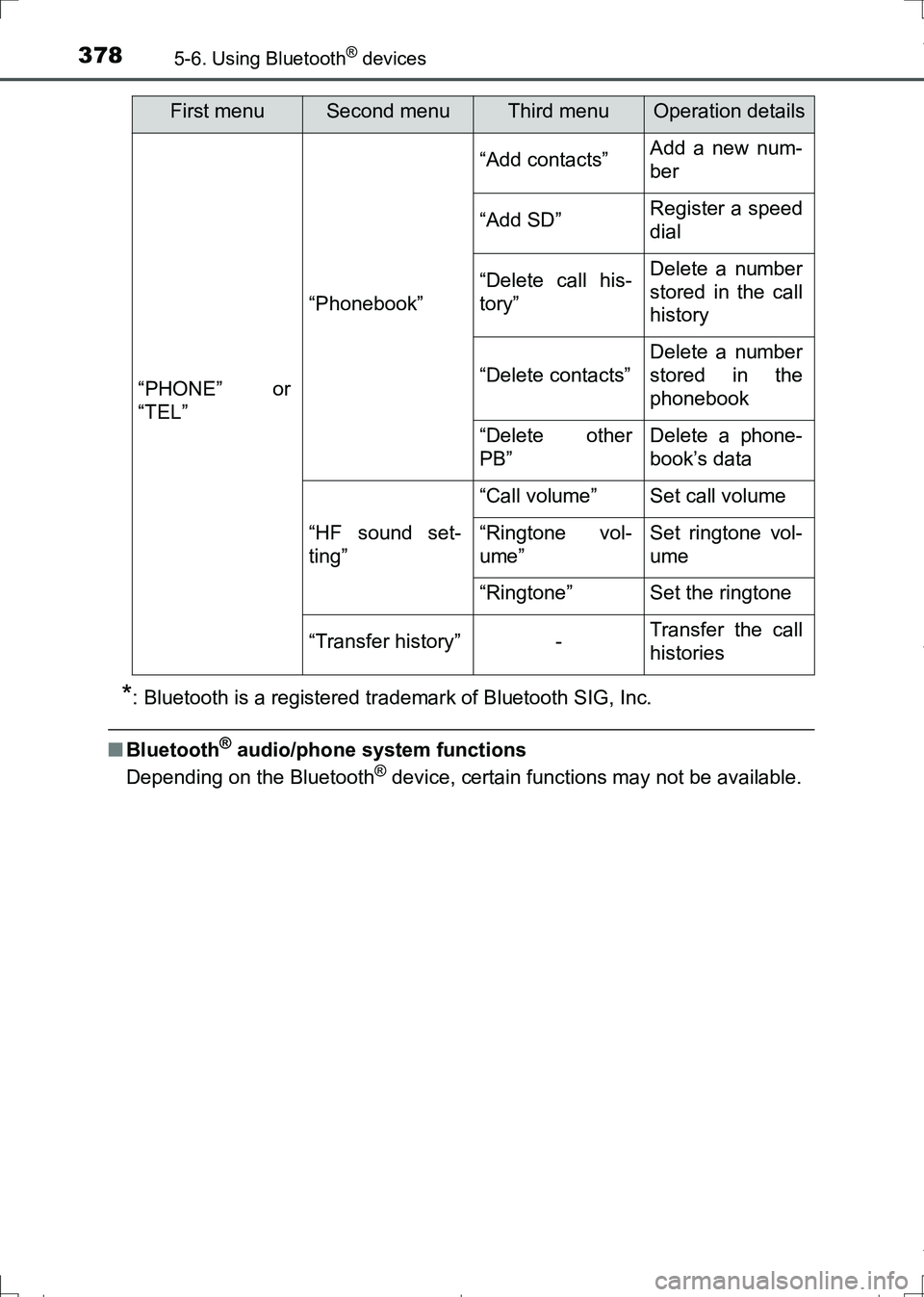
“PHONE” or
“TEL”
“Phonebook”
“Add contacts”Add a new num-
ber
“Add SD”Register a speed
dial
“Delete call his-
tory”Delete a number
stored in the call
history
“Delete contacts”
Delete a number
stored in the
phonebook
“Delete other
PB”Delete a phone-
book’s data
“HF sound set-
ting”
“Call volume”Set call volume
“Ringtone vol-
ume”Set ringtone vol-
ume
“Ringtone”Set the ringtone
“Transfer history”-Transfer the call
histories
First menuSecond menuThird menuOperation details
AURIS Touring Sports_OM_Europe_OM12L13E.book 378 ページ 2016年6月27日 月曜日 午後5時21分
Page 379 of 664
3795-6. Using Bluetooth® devices
AURIS Touring Sports_EE (12L13E)
5
Audio system
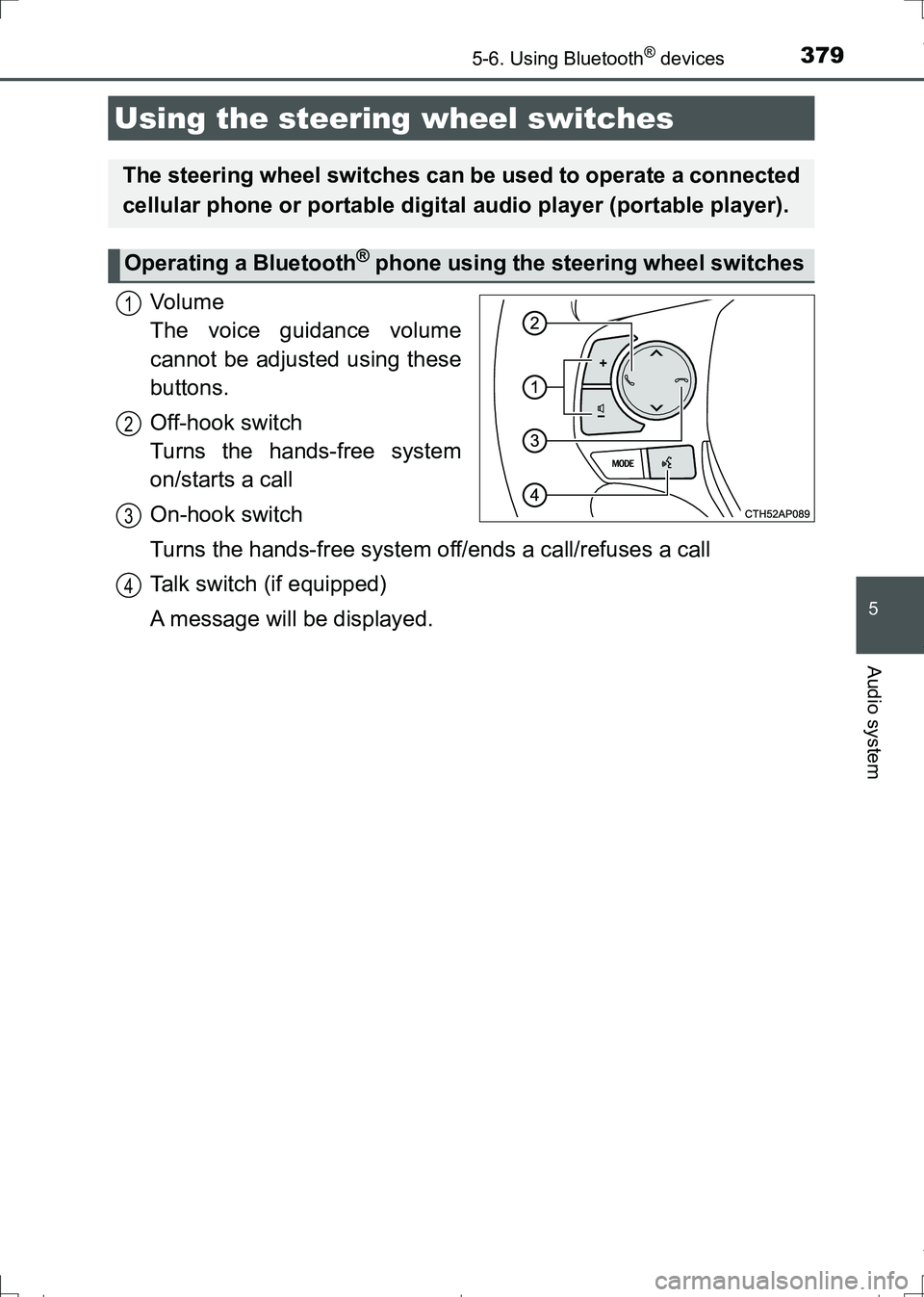
Vo l u m e
The voice guidance volume
cannot be adjusted using these
buttons.
Off-hook switch
Turns the hands-free system
on/starts a call
On-hook switch
Turns the hands-free system off/ends a call/refuses a call
Talk switch (if equipped)
A message will be displayed.
Using the steering wheel switches
The steering wheel switches can be used to operate a connected
cellular phone or portable digital audio player (portable player).
Operating a Bluetooth® phone using the steering wheel switches
1
2
3
4
AURIS Touring Sports_OM_Europe_OM12L13E.book 379 ページ 2016年6月27日 月曜日 午後5時21分
Page 380 of 664
3805-6. Using Bluetooth® devices
AURIS Touring Sports_EE (12L13E)
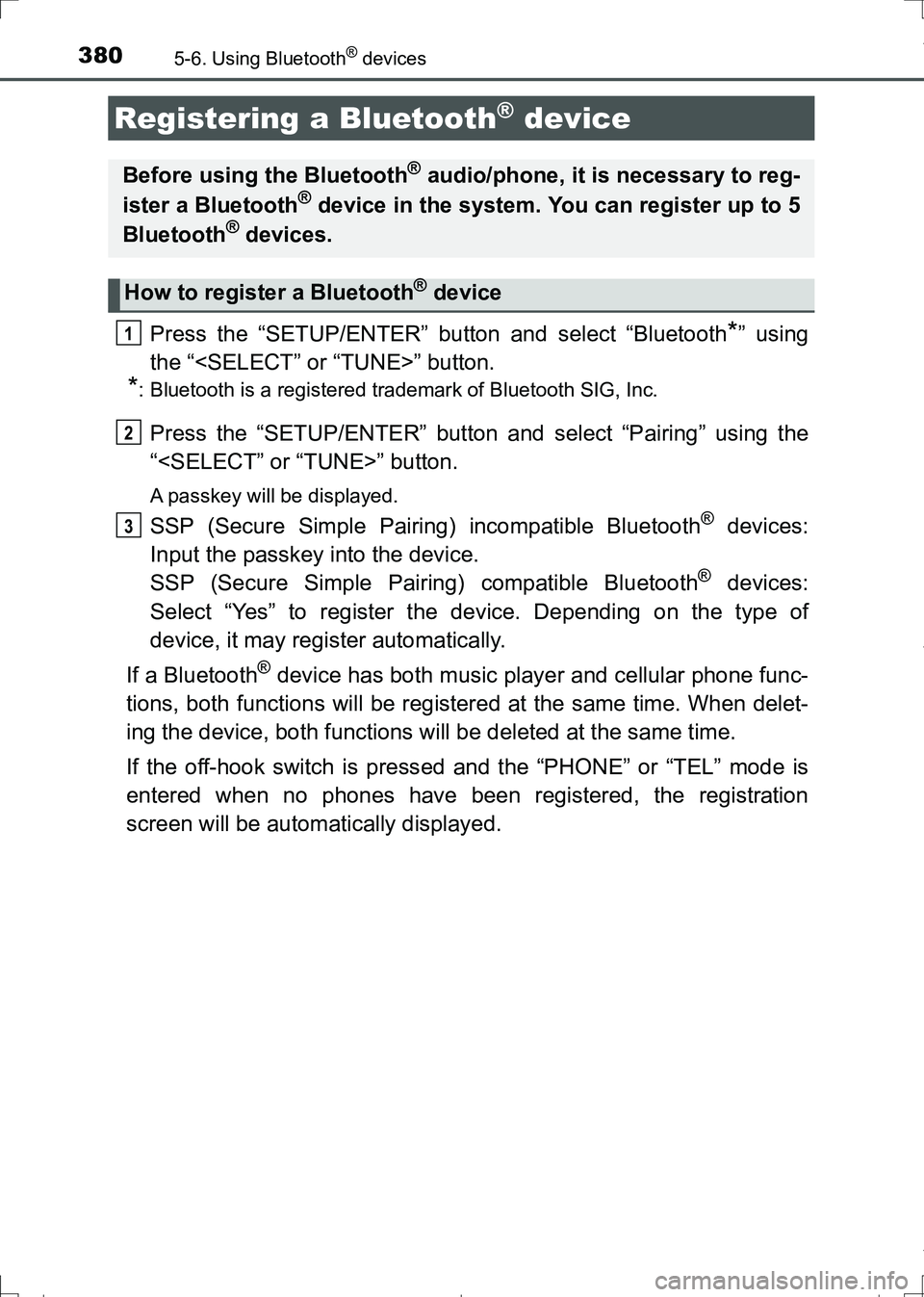
Press the “SETUP/ENTER” button and select “Bluetooth*” using
the “
*: Bluetooth is a registered trademark of Bluetooth SIG, Inc.
Press the “SETUP/ENTER” button and select “Pairing” using the
“
A passkey will be displayed.
SSP (Secure Simple Pairing) incompatible Bluetooth® devices:
Input the passkey into the device.
SSP (Secure Simple Pairing) compatible Bluetooth
® devices:
Select “Yes” to register the device. Depending on the type of
device, it may register automatically.
If a Bluetooth
® device has both music player and cellular phone func-
tions, both functions will be registered at the same time. When delet-
ing the device, both functions will be deleted at the same time.
If the off-hook switch is pressed and the “PHONE” or “TEL” mode is
entered when no phones have been registered, the registration
screen will be automatically displayed.
Registering a Bluetooth® device
Before using the Bluetooth® audio/phone, it is necessary to reg-
ister a Bluetooth® device in the system. You can register up to 5
Bluetooth® devices.
How to register a Bluetooth® device
1
2
3
AURIS Touring Sports_OM_Europe_OM12L13E.book 380 ページ 2016年6月27日 月曜日 午後5時21分
Page 381 of 664
381
AURIS Touring Sports_EE (12L13E)
5
Audio system
5-7. “SET UP” menu
*: Bluetooth is a registered trademark of Bluetooth SIG, Inc.
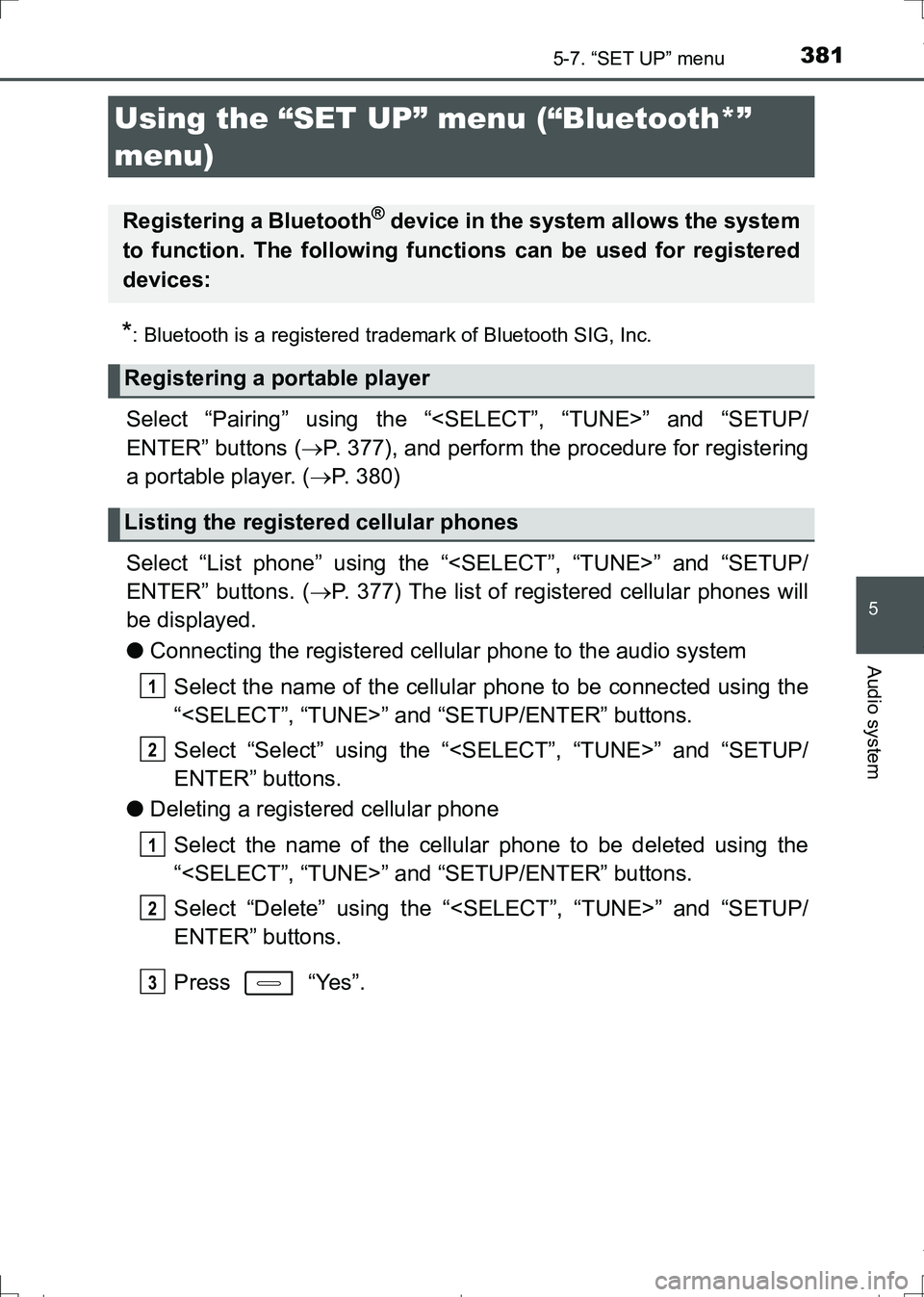
Select “Pairing” using the “
ENTER” buttons (P. 377), and perform the procedure for registering
a portable player. (P. 380)
Select “List phone” using the “
ENTER” buttons. (P. 377) The list of registered cellular phones will
be displayed.
●Connecting the registered cellular phone to the audio system
Select the name of the cellular phone to be connected using the
“
Select “Select” using the “
ENTER” buttons.
●Deleting a registered cellular phone
Select the name of the cellular phone to be deleted using the
“
Select “Delete” using the “
ENTER” buttons.
Press “Yes”.
Using the “SET UP” menu (“Bluetooth*”
menu)
Registering a Bluetooth® device in the system allows the system
to function. The following functions can be used for registered
devices:
Registering a portable player
Listing the registered cellular phones
1
2
1
2
3
AURIS Touring Sports_OM_Europe_OM12L13E.book 381 ページ 2016年6月27日 月曜日 午後5時21分
Page 382 of 664
3825-7. “SET UP” menu
AURIS Touring Sports_EE (12L13E)
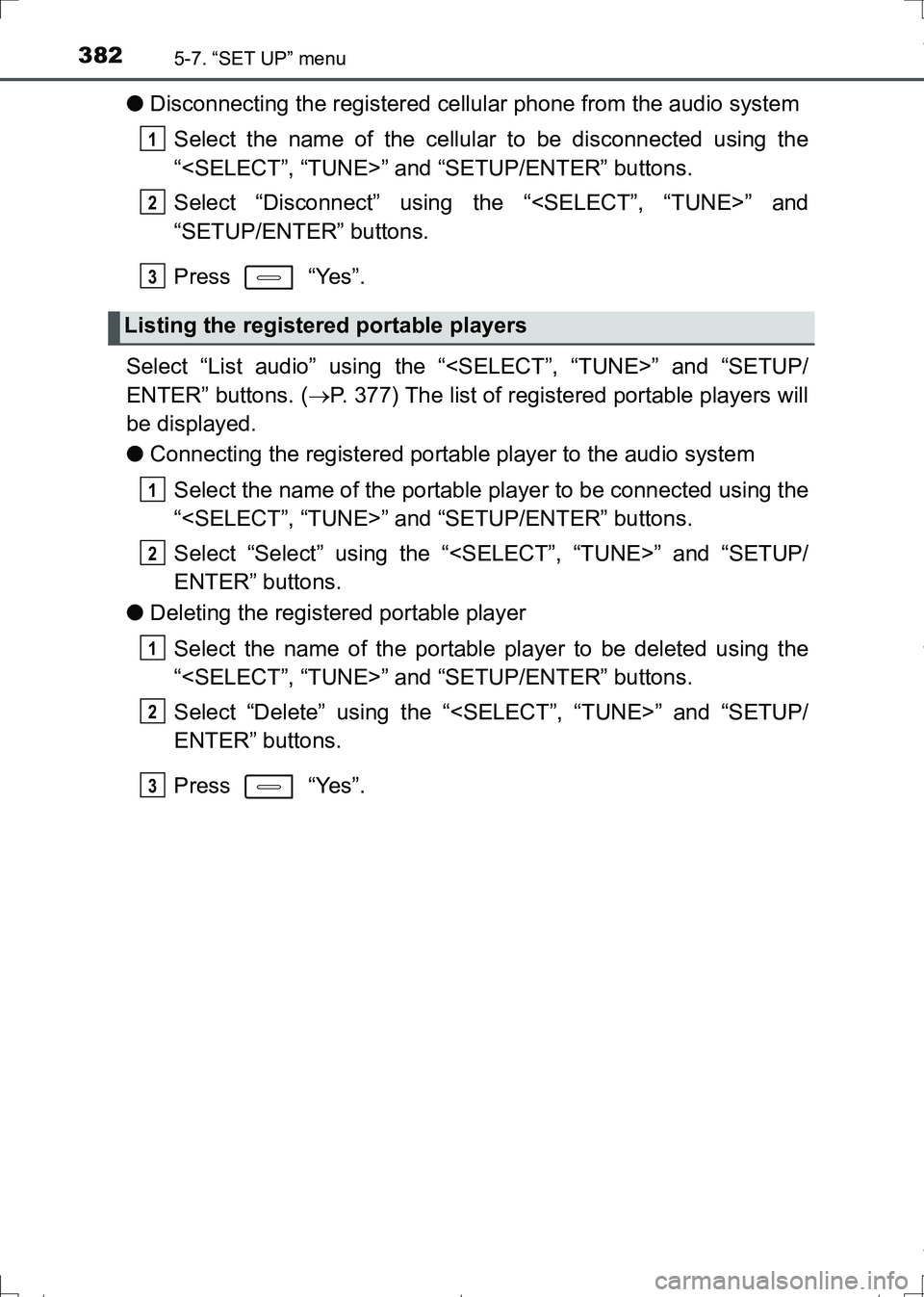
●Disconnecting the registered cellular phone from the audio system
Select the name of the cellular to be disconnected using the
“
Select “Disconnect” using the “
“SETUP/ENTER” buttons.
Press “Yes”.
Select “List audio” using the “
ENTER” buttons. (P. 377) The list of registered portable players will
be displayed.
●Connecting the registered portable player to the audio system
Select the name of the portable player to be connected using the
“
Select “Select” using the “
ENTER” buttons.
●Deleting the registered portable player
Select the name of the portable player to be deleted using the
“
Select “Delete” using the “
ENTER” buttons.
Press “Yes”.
Listing the registered portable players
1
2
3
1
2
1
2
3
AURIS Touring Sports_OM_Europe_OM12L13E.book 382 ページ 2016年6月27日 月曜日 午後5時21分
Page 383 of 664
3835-7. “SET UP” menu
AURIS Touring Sports_EE (12L13E)
5
Audio system
●Disconnecting the registered portable player from the audio system
Select the name of the portable player to be disconnected using
the “
Select “Disconnect” using the “
“SETUP/ENTER” buttons.
Press “Yes”.
●Selecting the connection method
Select the name of the desired portable player using the
“
Select “Connection method” using the “
“SETUP/ENTER” buttons.
Select “From vehicle” or “From audio” using the “
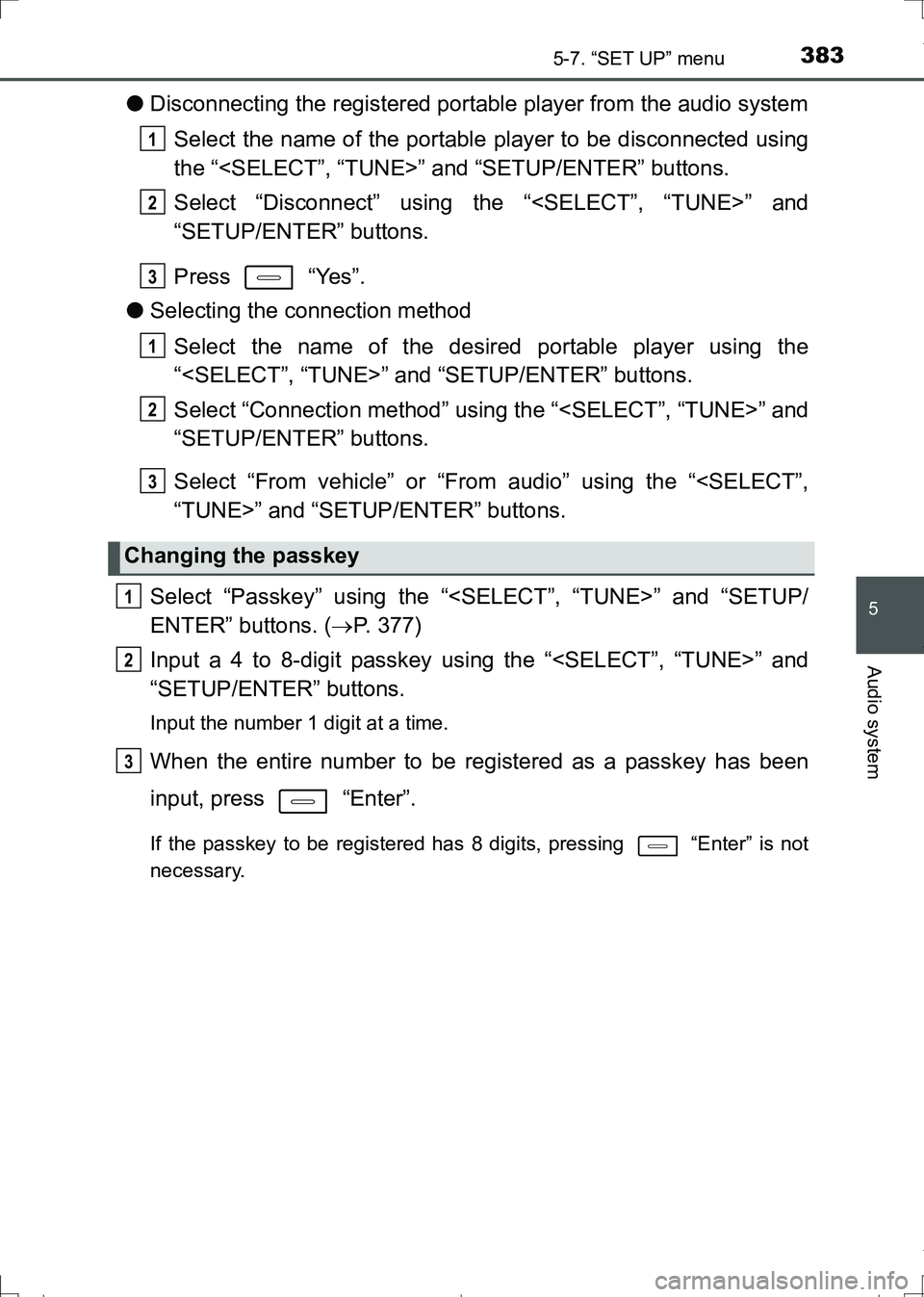
Select “Passkey” using the “
ENTER” buttons. (P. 377)
Input a 4 to 8-digit passkey using the “
“SETUP/ENTER” buttons.
Input the number 1 digit at a time.
When the entire number to be registered as a passkey has been
input, press “Enter”.
If the passkey to be registered has 8 digits, pressing “Enter” is not
necessary.
Changing the passkey
1
2
3
1
2
3
1
2
3
AURIS Touring Sports_OM_Europe_OM12L13E.book 383 ページ 2016年6月27日 月曜日 午後5時21分
Page 385 of 664
3855-7. “SET UP” menu
AURIS Touring Sports_EE (12L13E)
5
Audio system
If the “Display setting” is set to on, the portable player connection sta-
tus will be displayed when the engine switch is turned to the “ACC” or
“ON” position.
Select “Display setting” using the “
“SETUP/ENTER” buttons. (P. 377)
Select “On” or “Off” using the “SETUP/ENTER” button.
Select “Reset” using the “
buttons. (P. 377)
●Initializing the sound settings
Select “Sound settings” using the “
“SETUP/ENTER” buttons and press “Yes”.
For details about sound settings: P. 389
●Initializing the device information
Select “Car Device Info” using the “
“SETUP/ENTER” buttons and press “Yes”.
The user set passkey and automatic confirmation display will be returned
to their default settings.
●Initializing all the settings
Select “Reset all” using the “
ENTER” buttons and press “Yes”.
Setting the automatic connection confirmation display to on or
off
Initialization
1
2
AURIS Touring Sports_OM_Europe_OM12L13E.book 385 ページ 2016年6月27日 月曜日 午後5時21分
Page 387 of 664
3875-7. “SET UP” menu
AURIS Touring Sports_EE (12L13E)
5
Audio system
Select “Delete call history” using the “
“SETUP/ENTER” buttons. (P. 377)
●Deleting outgoing call history
Select “Outgoing calls” using the “
“SETUP/ENTER” buttons.
Select the desired phone number using the “
To delete all outgoing call history data, press “All” and then
press “Yes”.
●Deleting incoming call history
Select “Incoming calls” using the “
“SETUP/ENTER” buttons.
Select the desired phone number using the “
To delete all incoming call history data, press “All” and then
press “Yes”.
Deleting call histories
1
2
1
2
AURIS Touring Sports_OM_Europe_OM12L13E.book 387 ページ 2016年6月27日 月曜日 午後5時21分