battery TOYOTA AURIS HYBRID 2017 Owners Manual
[x] Cancel search | Manufacturer: TOYOTA, Model Year: 2017, Model line: AURIS HYBRID, Model: TOYOTA AURIS HYBRID 2017Pages: 664, PDF Size: 27.42 MB
Page 6 of 664
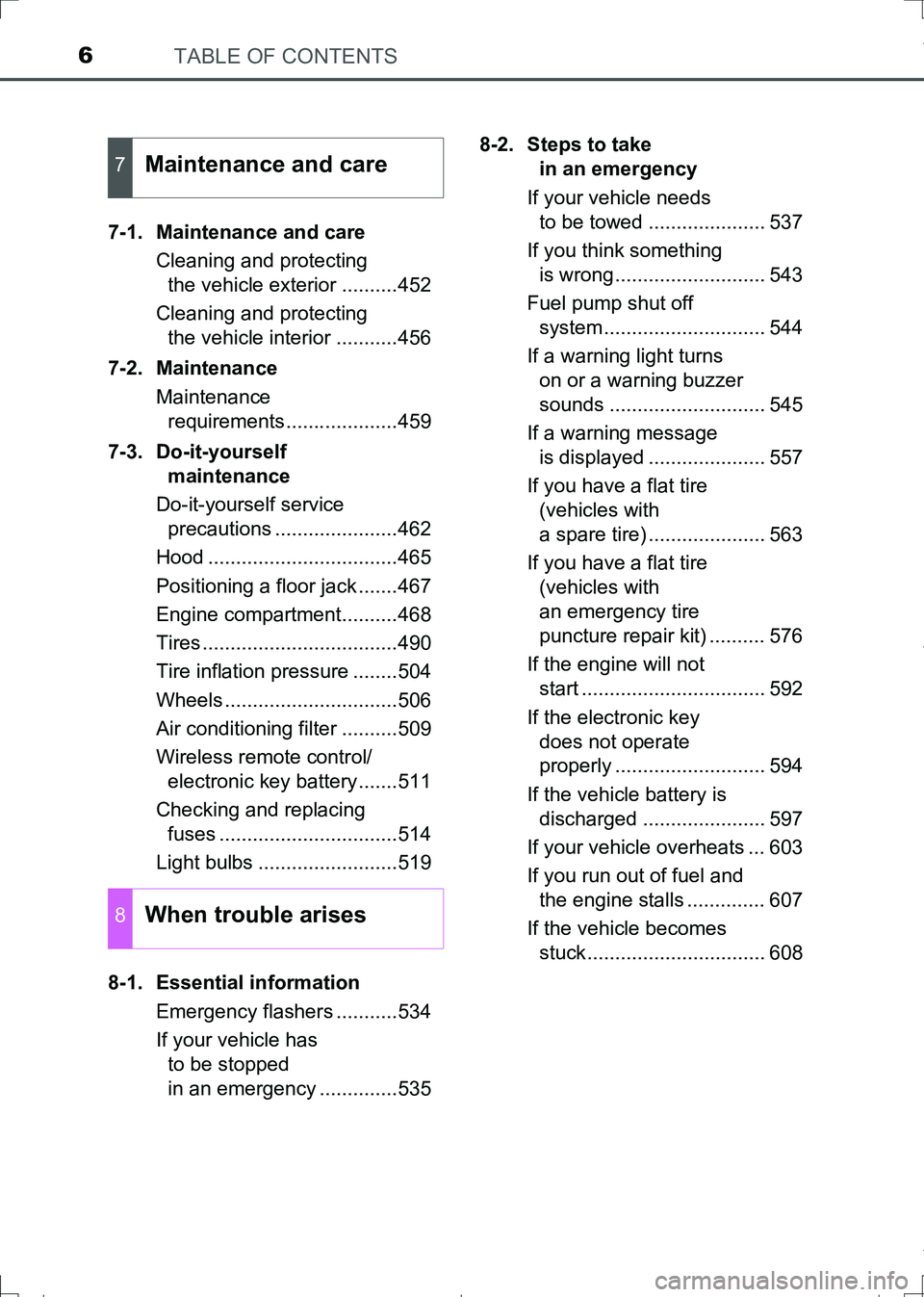
TABLE OF CONTENTS6
AURIS Touring Sports_EE (12L13E)7-1. Maintenance and care
Cleaning and protecting
the vehicle exterior ..........452
Cleaning and protecting
the vehicle interior ...........456
7-2. Maintenance
Maintenance
requirements....................459
7-3. Do-it-yourself
maintenance
Do-it-yourself service
precautions ......................462
Hood ..................................465
Positioning a floor jack .......467
Engine compartment..........468
Tires ...................................490
Tire inflation pressure ........504
Wheels ...............................506
Air conditioning filter ..........509
Wireless remote control/
electronic key battery .......511
Checking and replacing
fuses ................................514
Light bulbs .........................519
8-1. Essential information
Emergency flashers ...........534
If your vehicle has
to be stopped
in an emergency ..............5358-2. Steps to take
in an emergency
If your vehicle needs
to be towed ..................... 537
If you think something
is wrong........................... 543
Fuel pump shut off
system............................. 544
If a warning light turns
on or a warning buzzer
sounds ............................ 545
If a warning message
is displayed ..................... 557
If you have a flat tire
(vehicles with
a spare tire) ..................... 563
If you have a flat tire
(vehicles with
an emergency tire
puncture repair kit) .......... 576
If the engine will not
start ................................. 592
If the electronic key
does not operate
properly ........................... 594
If the vehicle battery is
discharged ...................... 597
If your vehicle overheats ... 603
If you run out of fuel and
the engine stalls .............. 607
If the vehicle becomes
stuck................................ 608
7Maintenance and care
8When trouble arises
AURIS Touring Sports_OM_Europe_OM12L13E.book 6 ページ 2016年6月27日 月曜日 午後5時21分
Page 89 of 664
891-2. Theft deterrent system
1
For safety and security
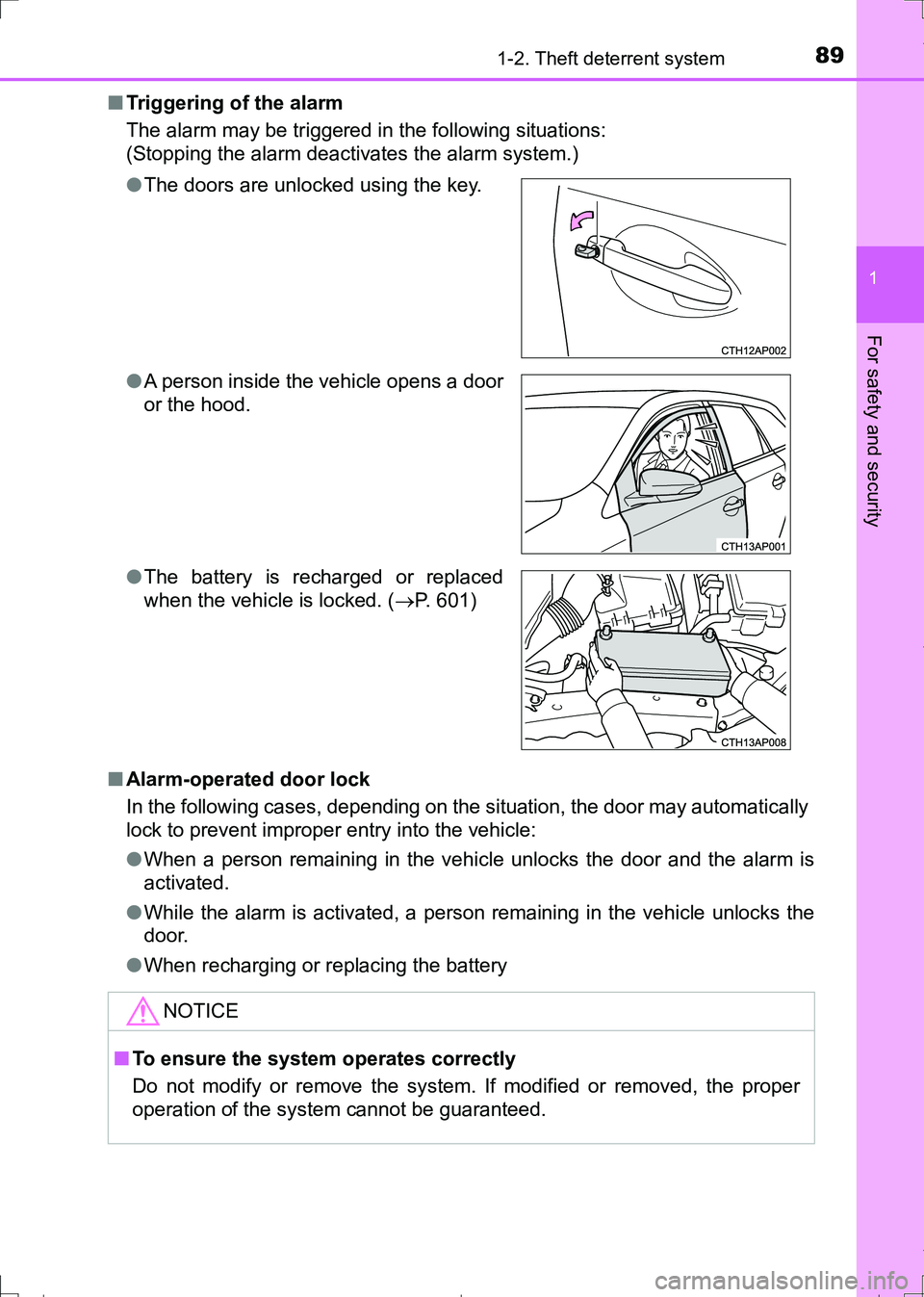
AURIS Touring Sports_EE (12L13E)■Triggering of the alarm
The alarm may be triggered in the following situations:
(Stopping the alarm deactivates the alarm system.)
■Alarm-operated door lock
In the following cases, depending on the situation, the door may automatically
lock to prevent improper entry into the vehicle:
●When a person remaining in the vehicle unlocks the door and the alarm is
activated.
●While the alarm is activated, a person remaining in the vehicle unlocks the
door.
●When recharging or replacing the battery ●The doors are unlocked using the key.
●A person inside the vehicle opens a door
or the hood.
●The battery is recharged or replaced
when the vehicle is locked. (P. 601)
NOTICE
■To ensure the system operates correctly
Do not modify or remove the system. If modified or removed, the proper
operation of the system cannot be guaranteed.
AURIS Touring Sports_OM_Europe_OM12L13E.book 89 ページ 2016年6月27日 月曜日 午後5時21分
Page 105 of 664
1052. Instrument cluster
AURIS Touring Sports_EE (12L13E)
2
Instrument cluster
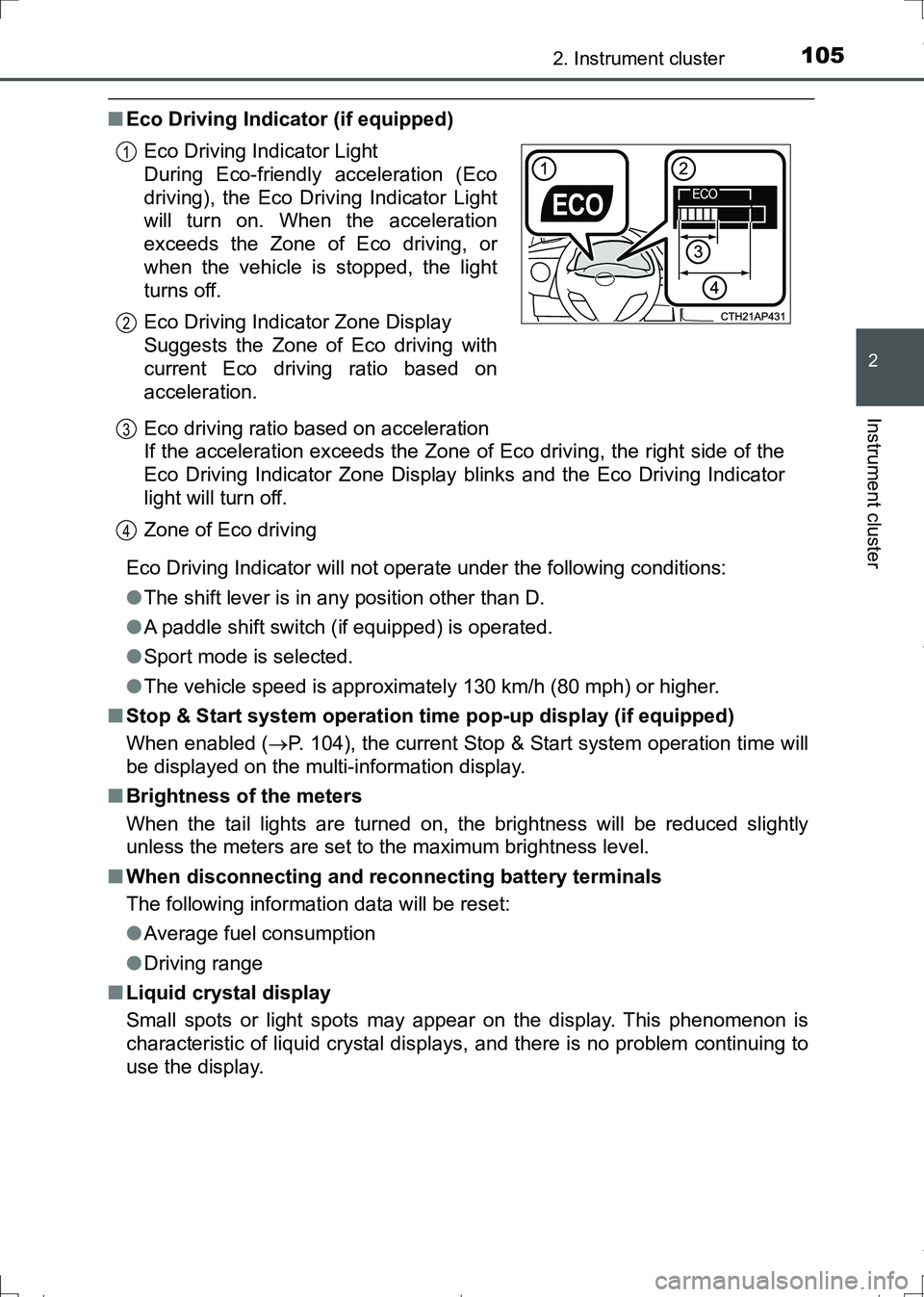
■Eco Driving Indicator (if equipped)
Eco Driving Indicator will not operate under the following conditions:
●The shift lever is in any position other than D.
●A paddle shift switch (if equipped) is operated.
●Sport mode is selected.
●The vehicle speed is approximately 130 km/h (80 mph) or higher.
■Stop & Start system operation time pop-up display (if equipped)
When enabled (P. 104), the current Stop & Start system operation time will
be displayed on the multi-information display.
■Brightness of the meters
When the tail lights are turned on, the brightness will be reduced slightly
unless the meters are set to the maximum brightness level.
■When disconnecting and reconnecting battery terminals
The following information data will be reset:
●Average fuel consumption
●Driving range
■Liquid crystal display
Small spots or light spots may appear on the display. This phenomenon is
characteristic of liquid crystal displays, and there is no problem continuing to
use the display.Eco Driving Indicator Light
During Eco-friendly acceleration (Eco
driving), the Eco Driving Indicator Light
will turn on. When the acceleration
exceeds the Zone of Eco driving, or
when the vehicle is stopped, the light
turns off.
Eco Driving Indicator Zone Display
Suggests the Zone of Eco driving with
current Eco driving ratio based on
acceleration.
Eco driving ratio based on acceleration
If the acceleration exceeds the Zone of Eco driving, the right side of the
Eco Driving Indicator Zone Display blinks and the Eco Driving Indicator
light will turn off.
Zone of Eco driving
1
2
3
4
AURIS Touring Sports_OM_Europe_OM12L13E.book 105 ページ 2016年6月27日 月曜日 午後5時21分
Page 116 of 664
1162. Instrument cluster
AURIS Touring Sports_EE (12L13E)■Brightness of the meters (day mode and night mode)
●The brightness of the meters is changed between day mode and night
mode.
Vehicles without automatic light control system
• Day mode: When the tail lights are off
• Night mode: When the tail lights are on
Vehicles with automatic light control system
• Day mode: When the tail lights are off or when the tail lights are on but
the surrounding area is bright
• Night mode: When the tail lights are on and the surrounding area is dark
●When in night mode, the brightness will be reduced slightly unless the
meters are set to the maximum brightness level.
■Suspension of the settings display
●While driving, the multi-information display cannot be changed to setting
mode. Before changing the settings, stop the vehicle in a safe place.
●In the following situations, operation of some of the settings display may be
temporarily suspended.
• When a warning message appears on the multi-information display
• When the vehicle begins to move
■When disconnecting and reconnecting battery terminals
The drive information data
* will be reset.
*: Except Stop & Start system operation time
■Liquid crystal display
Small spots or light spots may appear on the display. This phenomenon is
characteristic of liquid crystal displays, and there is no problem continuing to
use the display.
■Ending display
When the engine switch is turned off, the following information about the cur-
rent trip will be temporarily displayed on the multi-information display.
●Elapsed time (after start)
●Distance (after start)
●Average fuel economy (after start)
AURIS Touring Sports_OM_Europe_OM12L13E.book 116 ページ 2016年6月27日 月曜日 午後5時21分
Page 117 of 664
1172. Instrument cluster
AURIS Touring Sports_EE (12L13E)
2
Instrument cluster
WARNING
■Caution for use while driving
●When operating the multi-information display while driving, pay extra
attention to the safety of the area around the vehicle.
●Do not look continuously at the multi-information display while driving as
you may fail to see pedestrians, objects on the road, etc. ahead of the
vehicle.
■The information display at low temperatures
Allow the interior of the vehicle to warm up before using the liquid crystal
information display. At extremely low temperatures, the information display
monitor may respond slowly, and display changes may be delayed.
For example, there is a lag between the driver’s shifting and the new gear
number appearing on the display. This lag could cause the driver to down-
shift again, causing rapid and excessive engine braking and possibly an
accident resulting in death or injury.
■Cautions during setting up the display
As the engine needs to be running during setting up the display, ensure that
the vehicle is parked in a place with adequate ventilation. In a closed area
such as a garage, exhaust gases including harmful carbon monoxide (CO)
may collect and enter the vehicle. This may lead to death or a serious
health hazard.
NOTICE
■While setting up the display
To prevent battery discharge, ensure that the engine is running while setting
up the display features.
AURIS Touring Sports_OM_Europe_OM12L13E.book 117 ページ 2016年6月27日 月曜日 午後5時21分
Page 125 of 664
1253-1. Key information
AURIS Touring Sports_EE (12L13E)
3
Operation of each component
■Conditions affecting the operation of the smart entry & start system or
wireless remote control
Vehicles without a smart entry & start system
The wireless remote control function may not operate normally in the follow-
ing situations:
●When the wireless key battery is depleted
●Near a TV tower, radio station, electric power plant, airport or other facility
that generates strong radio waves
●When carrying a portable radio, cellular phone or other wireless communi-
cation devices
●When multiple wireless keys are in the vicinity
●When the wireless key is in contact with, or is covered by a metallic object
●When a wireless key (that emits radio waves) is being used nearby
●When the wireless key has been left near an electrical appliance such as a
personal computer
●If window tint with a metallic content or metallic objects are attached to the
rear window
Vehicles with a smart entry & start system
P. 148
AURIS Touring Sports_OM_Europe_OM12L13E.book 125 ページ 2016年6月27日 月曜日 午後5時21分
Page 126 of 664
1263-1. Key information
AURIS Touring Sports_EE (12L13E)■Key battery depletion
Vehicles without a smart entry & start system
If the wireless remote control function does not operate, the battery may be
depleted. Replace the battery when necessary. (P. 511)
Vehicles with a smart entry & start system
●The standard battery life is 1 to 2 years.
●If the battery becomes low, an alarm will sound in the cabin when the engine
stops. (P. 551)
●As the electronic key always receives radio waves, the battery will become
depleted even if the electronic key is not used. The following symptoms indi-
cate that the electronic key battery may be depleted. Replace the battery
when necessary. (P. 511)
• The smart entry & start system or the wireless remote control does not
operate.
• The detection area becomes smaller.
• The LED indicator on the key surface does not turn on.
●To avoid serious deterioration, do not leave the electronic key within 1 m (3
ft.) of the following electrical appliances that produce a magnetic field:
•TVs
• Personal computers
• Cellular phones, cordless phones and battery chargers
• Recharging cellular phones or cordless phones
• Table lamps
• Induction cookers
■When the key battery is fully depleted
P. 511
■Confirmation of the registered key number (vehicles with a smart entry &
start system)
The number of keys already registered to the vehicle can be confirmed. Ask
any authorized Toyota dealer or repairer, or another duly qualified and
equipped professional for details.
■If a wrong key is used (except left-hand drive vehicles without a smart
entry & start system)
The key cylinder rotates freely, isolated from the internal mechanism.
■Customization
Settings (e.g. wireless remote control system) can be changed.
(Customizable features: P. 635)
AURIS Touring Sports_OM_Europe_OM12L13E.book 126 ページ 2016年6月27日 月曜日 午後5時21分
Page 136 of 664
1363-2. Opening, closing and locking the doors
AURIS Touring Sports_EE (12L13E)
■Operation signals
The emergency flashers flash to indicate that the doors have been locked/
unlocked using the entry function or wireless remote control. (Locked: Once;
Unlocked: Twice)
■Security feature
Vehicles without a smart entry & start system
If a door is not opened within approximately 30 seconds after the vehicle is
unlocked using the wireless remote control, the security feature automatically
locks the vehicle again.
Vehicles with a smart entry & start system
If a door is not opened within approximately 30 seconds after the vehicle is
unlocked using the entry function or wireless remote control, the security fea-
ture automatically locks the vehicle again. (However, depending on the loca-
tion of the electronic key, the key may be detected as being in the vehicle. In
this case, vehicle may be unlocked.)
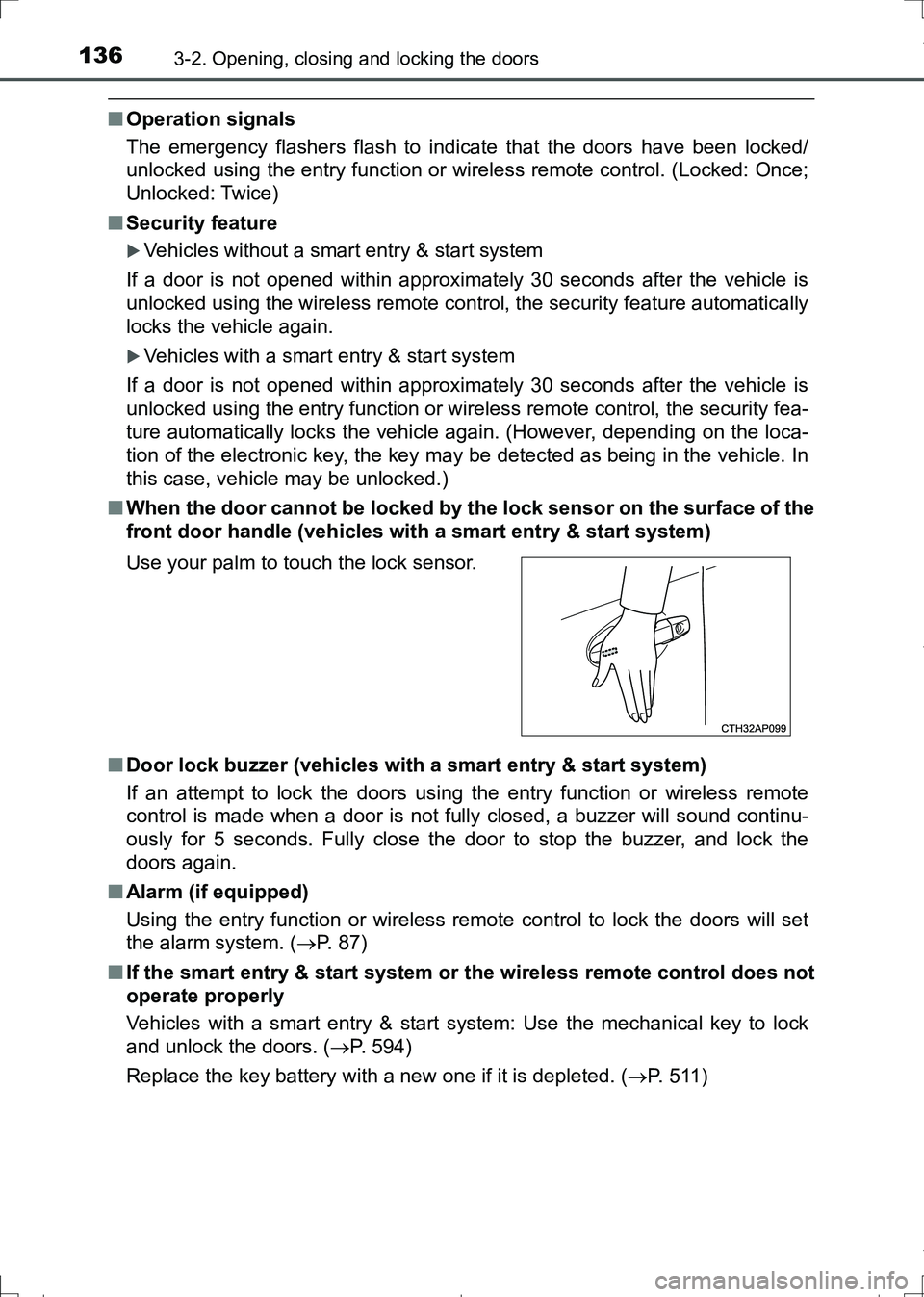
■When the door cannot be locked by the lock sensor on the surface of the
front door handle (vehicles with a smart entry & start system)
■Door lock buzzer (vehicles with a smart entry & start system)
If an attempt to lock the doors using the entry function or wireless remote
control is made when a door is not fully closed, a buzzer will sound continu-
ously for 5 seconds. Fully close the door to stop the buzzer, and lock the
doors again.
■Alarm (if equipped)
Using the entry function or wireless remote control to lock the doors will set
the alarm system. (P. 87)
■If the smart entry & start system or the wireless remote control does not
operate properly
Vehicles with a smart entry & start system: Use the mechanical key to lock
and unlock the doors. (P. 594)
Replace the key battery with a new one if it is depleted. (P. 511) Use your palm to touch the lock sensor.
AURIS Touring Sports_OM_Europe_OM12L13E.book 136 ページ 2016年6月27日 月曜日 午後5時21分
Page 147 of 664
1473-2. Opening, closing and locking the doors
AURIS Touring Sports_EE (12L13E)
3
Operation of each component
*: Vehicles with a Multidrive
■When the smart entry & start system indicator flashes in yellow (vehicles
with a 3-ring meter) or “Check entry & start system.” is displayed on the
multi-information display (vehicles with a 2-ring meter)
The system may be malfunctioning. Have the vehicle inspected by any autho-
rized Toyota dealer or repairer, or another duly qualified and equipped profes-
sional immediately.
■Battery-saving function
The battery-saving function will be activated in order to prevent the electronic
key battery and the vehicle battery from being discharged while the vehicle is
not operated for a long time.
●In the following situations, the smart entry & start system may take some
time to unlock the doors.
• The electronic key has been left within approximately 2 m (6 ft.) of the
outside of the vehicle for 10 minutes or longer.
• The smart entry & start system has not been used for 5 days or longer.
●If the smart entry & start system has not been used for 14 days or longer,
the doors cannot be unlocked from any door except the driver’s door. In this
case, hold the driver’s door handle, or use the wireless remote control or
mechanical key to unlock the doors.
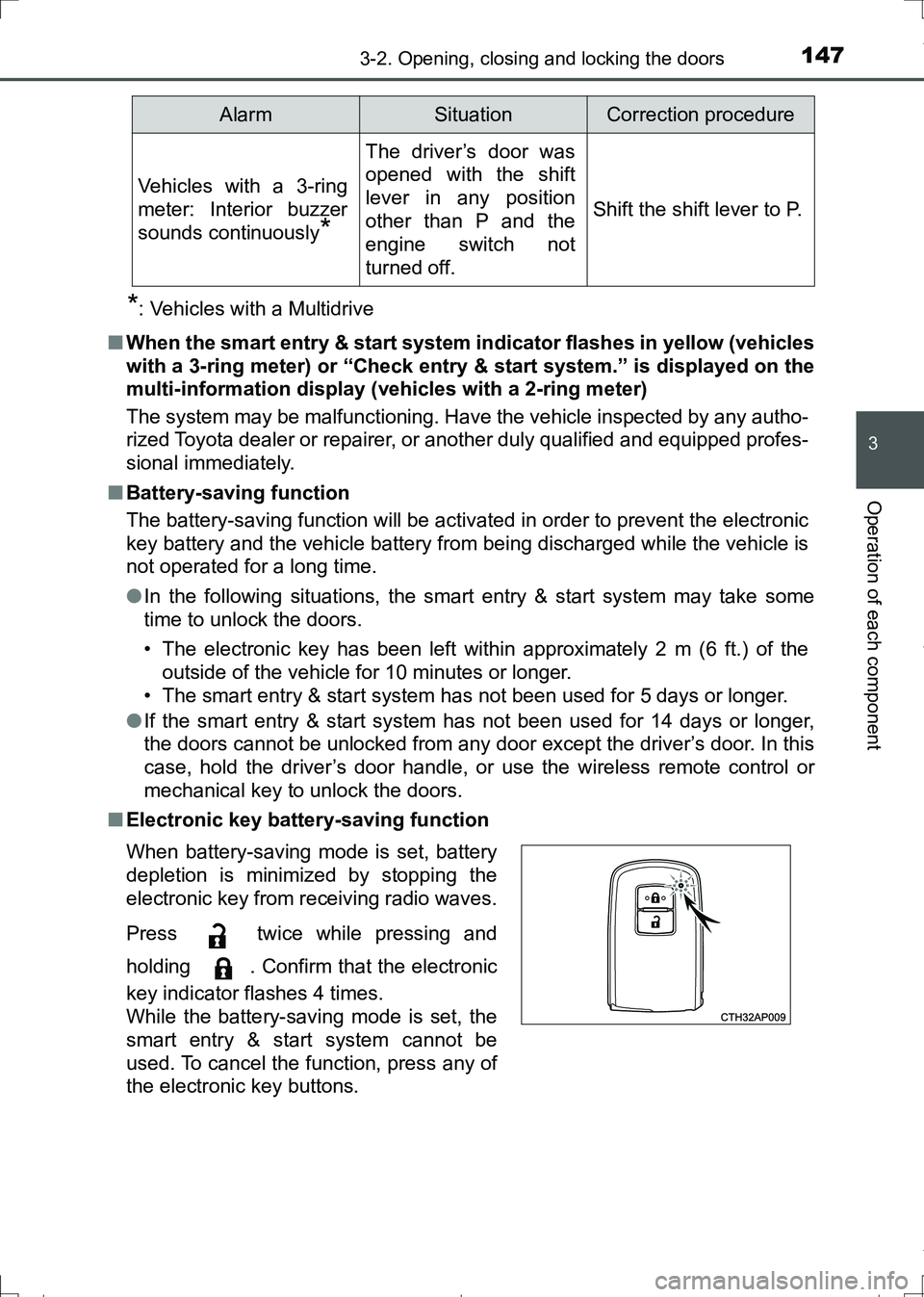
■Electronic key battery-saving function
Vehicles with a 3-ring
meter: Interior buzzer
sounds continuously
*
The driver’s door was
opened with the shift
lever in any position
other than P and the
engine switch not
turned off.
Shift the shift lever to P.
When battery-saving mode is set, battery
depletion is minimized by stopping the
electronic key from receiving radio waves.
Press twice while pressing and
holding . Confirm that the electronic
key indicator flashes 4 times.
While the battery-saving mode is set, the
smart entry & start system cannot be
used. To cancel the function, press any of
the electronic key buttons.
AlarmSituationCorrection procedure
AURIS Touring Sports_OM_Europe_OM12L13E.book 147 ページ 2016年6月27日 月曜日 午後5時21分
Page 148 of 664
1483-2. Opening, closing and locking the doors
AURIS Touring Sports_EE (12L13E)■Conditions affecting operation
The smart entry & start system uses weak radio waves. In the following situa-
tions, the communication between the electronic key and the vehicle may be
affected, preventing the smart entry & start system, wireless remote control
and engine immobilizer system from operating properly.
(Ways of coping: P. 594)
●When the electronic key battery is depleted
●Near a TV tower, electric power plant, gas station, radio station, large dis-
play, airport or other facility that generates strong radio waves or electrical
noise
●When carrying a portable radio, cellular phone, cordless phone or other
wireless communication device
●When the electronic key is in contact with, or is covered by the following
metallic objects
• Cards to which aluminum foil is attached
• Cigarette boxes that have aluminum foil inside
• Metallic wallets or bags
• Coins
• Hand warmers made of metal
• Media such as CDs and DVDs
●When other wireless keys (that emit radio waves) are being used nearby
●When carrying the electronic key together with the following devices that
emit radio waves
• Another vehicle’s electronic key or a wireless key that emits radio waves
• Personal computers or personal digital assistants (PDAs)
• Digital audio players
• Portable game systems
●If window tint with a metallic content or metallic objects are attached to the
rear window
●When the electronic key is placed near a battery charger or electronic
devices
AURIS Touring Sports_OM_Europe_OM12L13E.book 148 ページ 2016年6月27日 月曜日 午後5時21分