change time TOYOTA AURIS HYBRID 2017 Owners Manual
[x] Cancel search | Manufacturer: TOYOTA, Model Year: 2017, Model line: AURIS HYBRID, Model: TOYOTA AURIS HYBRID 2017Pages: 664, PDF Size: 27.42 MB
Page 8 of 664
8
AURIS Touring Sports_EE (12L13E)Please note that this manual applies to all models and explains all equipment,
including options. Therefore, you may find some explanations for equipment
not installed on your vehicle.
All specifications provided in this manual are current at the time of printing.
However, because of the Toyota policy of continual product improvement, we
reserve the right to make changes at any time without notice.
Depending on specifications, the vehicle shown in the illustrations may differ
from your vehicle in terms of equipment.
Both genuine Toyota and a wide variety of other spare parts and accessories
for Toyota vehicles are currently available on the market. Should it be deter-
mined that any of the genuine Toyota parts or accessories supplied with the
vehicle need to be replaced, Toyota recommends that genuine Toyota parts
or accessories, be used to replace them. Other parts or accessories of
matching quality can also be used. Toyota cannot accept any liability or guar-
antee spare parts and accessories which are not genuine Toyota products,
nor for replacement or installation involving such parts. In addition, damage
or performance problems resulting from the use of non-genuine Toyota spare
parts or accessories may not be covered under warranty.
For your information
Main Owner’s Manual
Accessories, spare parts and modification of your Toyota
AURIS Touring Sports_OM_Europe_OM12L13E.book 8 ページ 2016年6月27日 月曜日 午後5時21分
Page 102 of 664
1022. Instrument cluster
AURIS Touring Sports_EE (12L13E)
◆Changing the display
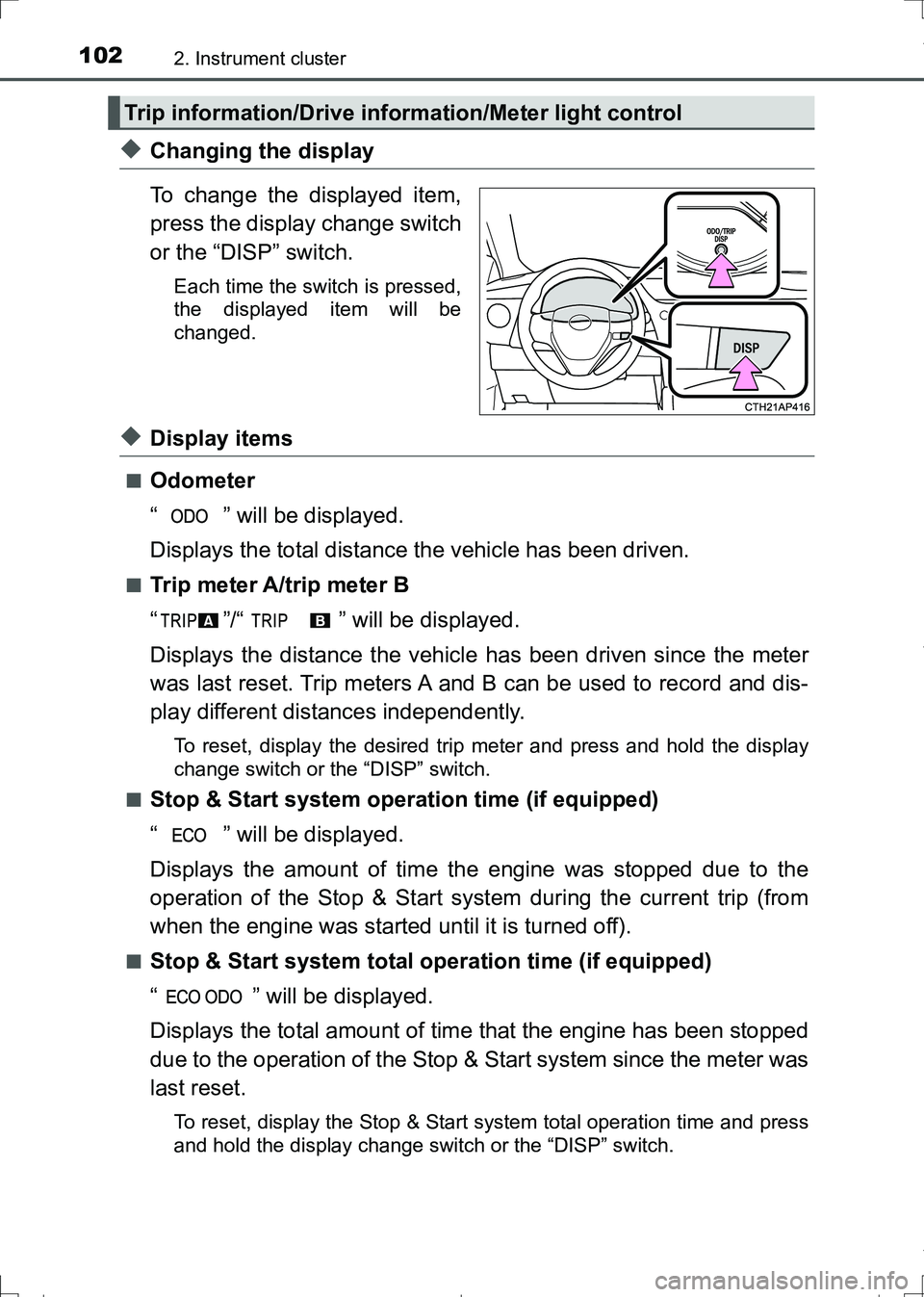
To change the displayed item,
press the display change switch
or the “DISP” switch.
Each time the switch is pressed,
the displayed item will be
changed.
◆Display items
■Odometer
“ ” will be displayed.
Displays the total distance the vehicle has been driven.
■Trip meter A/trip meter B
“ ”/“ ” will be displayed.
Displays the distance the vehicle has been driven since the meter
was last reset. Trip meters A and B can be used to record and dis-
play different distances independently.
To reset, display the desired trip meter and press and hold the display
change switch or the “DISP” switch.
■
Stop & Start system operation time (if equipped)
“ ” will be displayed.
Displays the amount of time the engine was stopped due to the
operation of the Stop & Start system during the current trip (from
when the engine was started until it is turned off).
■Stop & Start system total operation time (if equipped)
“ ” will be displayed.
Displays the total amount of time that the engine has been stopped
due to the operation of the Stop & Start system since the meter was
last reset.
To reset, display the Stop & Start system total operation time and press
and hold the display change switch or the “DISP” switch.
Trip information/Drive information/Meter light control
AURIS Touring Sports_OM_Europe_OM12L13E.book 102 ページ 2016年6月27日 月曜日 午後5時21分
Page 104 of 664
1042. Instrument cluster
AURIS Touring Sports_EE (12L13E)
The following display items can be customized:
◆Customizable items
■Eco Driving Indicator Light (if equipped)
Can be enabled or disabled
■Stop & Start system operation time pop-up display (if
equipped)
Current Stop & Start system operation time can be enabled or dis-
abled.
◆Customizing the display
To change to the customizing mode screen, display the odometer
and then press and hold the display change switch or the “DISP”
switch for 5 seconds or more.
To change the setting, press the display change switch or the
“DISP” switch.
Each time the switch is pressed, the setting will be changed.
After customization, press the display change switch or “DISP”
switch for 2 seconds or more to return to the odometer.
Display customization
1
2
AURIS Touring Sports_OM_Europe_OM12L13E.book 104 ページ 2016年6月27日 月曜日 午後5時21分
Page 109 of 664
1092. Instrument cluster
AURIS Touring Sports_EE (12L13E)
2
Instrument cluster
◆Changing the display
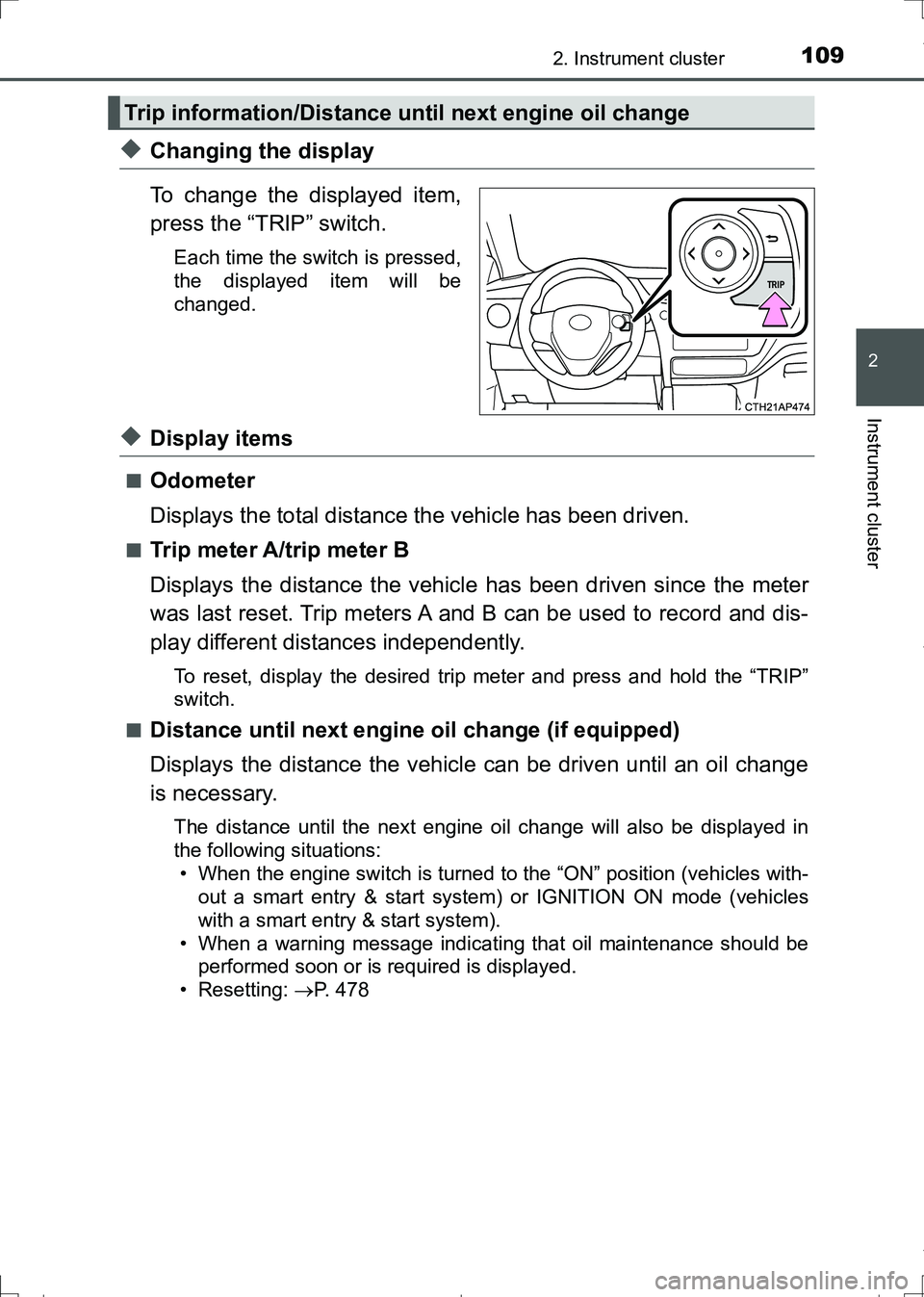
To change the displayed item,
press the “TRIP” switch.
Each time the switch is pressed,
the displayed item will be
changed.
◆Display items
■Odometer
Displays the total distance the vehicle has been driven.
■Trip meter A/trip meter B
Displays the distance the vehicle has been driven since the meter
was last reset. Trip meters A and B can be used to record and dis-
play different distances independently.
To reset, display the desired trip meter and press and hold the “TRIP”
switch.
■
Distance until next engine oil change (if equipped)
Displays the distance the vehicle can be driven until an oil change
is necessary.
The distance until the next engine oil change will also be displayed in
the following situations:
• When the engine switch is turned to the “ON” position (vehicles with-
out a smart entry & start system) or IGNITION ON mode (vehicles
with a smart entry & start system).
• When a warning message indicating that oil maintenance should be
performed soon or is required is displayed.
• Resetting: P. 478
Trip information/Distance until next engine oil change
AURIS Touring Sports_OM_Europe_OM12L13E.book 109 ページ 2016年6月27日 月曜日 午後5時21分
Page 111 of 664
1112. Instrument cluster
AURIS Touring Sports_EE (12L13E)
2
Instrument cluster
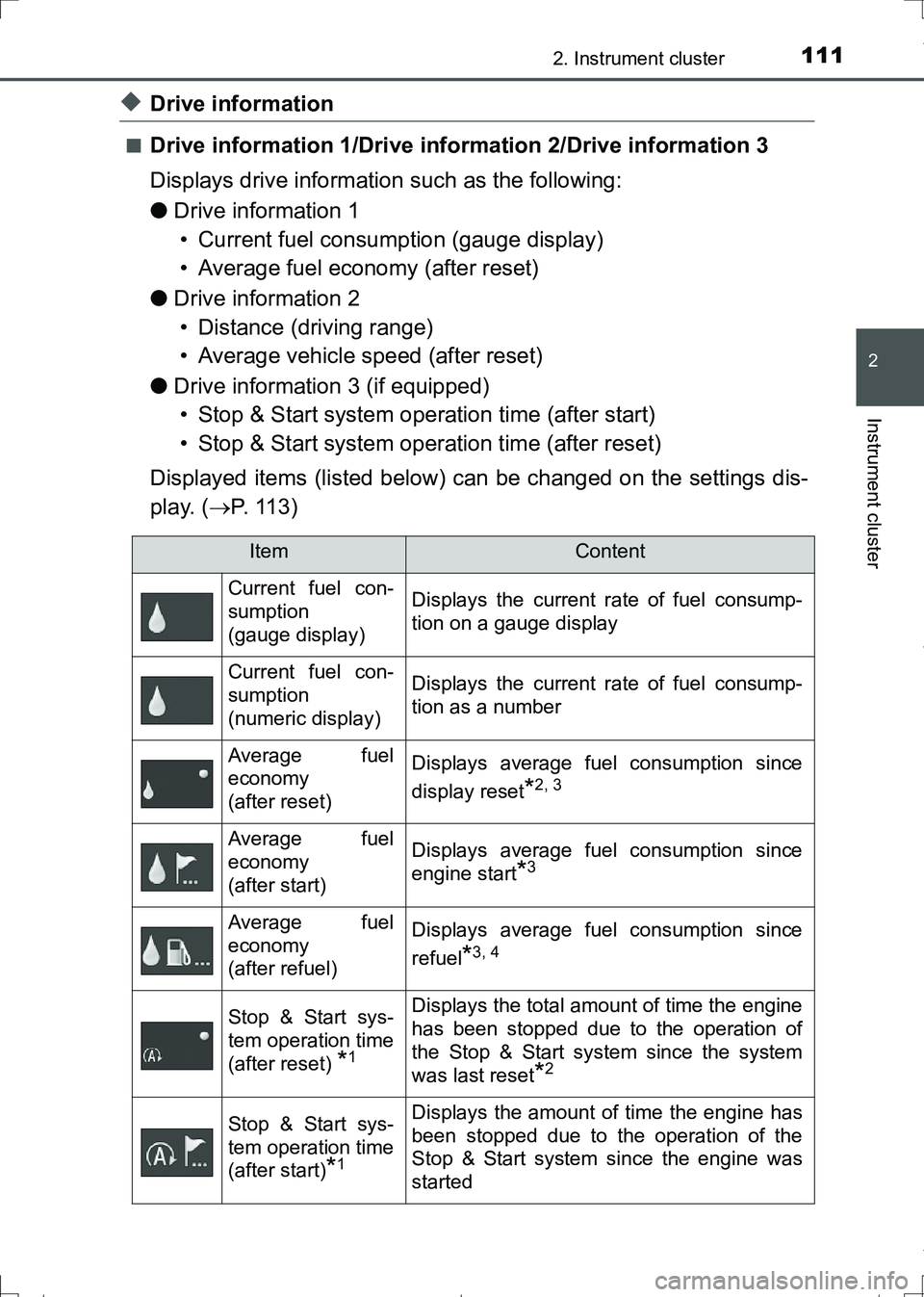
◆Drive information
■Drive information 1/Drive information 2/Drive information 3
Displays drive information such as the following:
●Drive information 1
• Current fuel consumption (gauge display)
• Average fuel economy (after reset)
●Drive information 2
• Distance (driving range)
• Average vehicle speed (after reset)
●Drive information 3 (if equipped)
• Stop & Start system operation time (after start)
• Stop & Start system operation time (after reset)
Displayed items (listed below) can be changed on the settings dis-
play. (P. 113)
ItemContent
Current fuel con-
sumption
(gauge display)Displays the current rate of fuel consump-
tion on a gauge display
Current fuel con-
sumption
(numeric display)Displays the current rate of fuel consump-
tion as a number
Average fuel
economy
(after reset)Displays average fuel consumption since
display reset
*2, 3
Average fuel
economy
(after start)Displays average fuel consumption since
engine start
*3
Average fuel
economy
(after refuel)Displays average fuel consumption since
refuel
*3, 4
Stop & Start sys-
tem operation time
(after reset)
*1
Displays the total amount of time the engine
has been stopped due to the operation of
the Stop & Start system since the system
was last reset
*2
Stop & Start sys-
tem operation time
(after start)
*1
Displays the amount of time the engine has
been stopped due to the operation of the
Stop & Start system since the engine was
started
AURIS Touring Sports_OM_Europe_OM12L13E.book 111 ページ 2016年6月27日 月曜日 午後5時21分
Page 113 of 664
1132. Instrument cluster
AURIS Touring Sports_EE (12L13E)
2
Instrument cluster
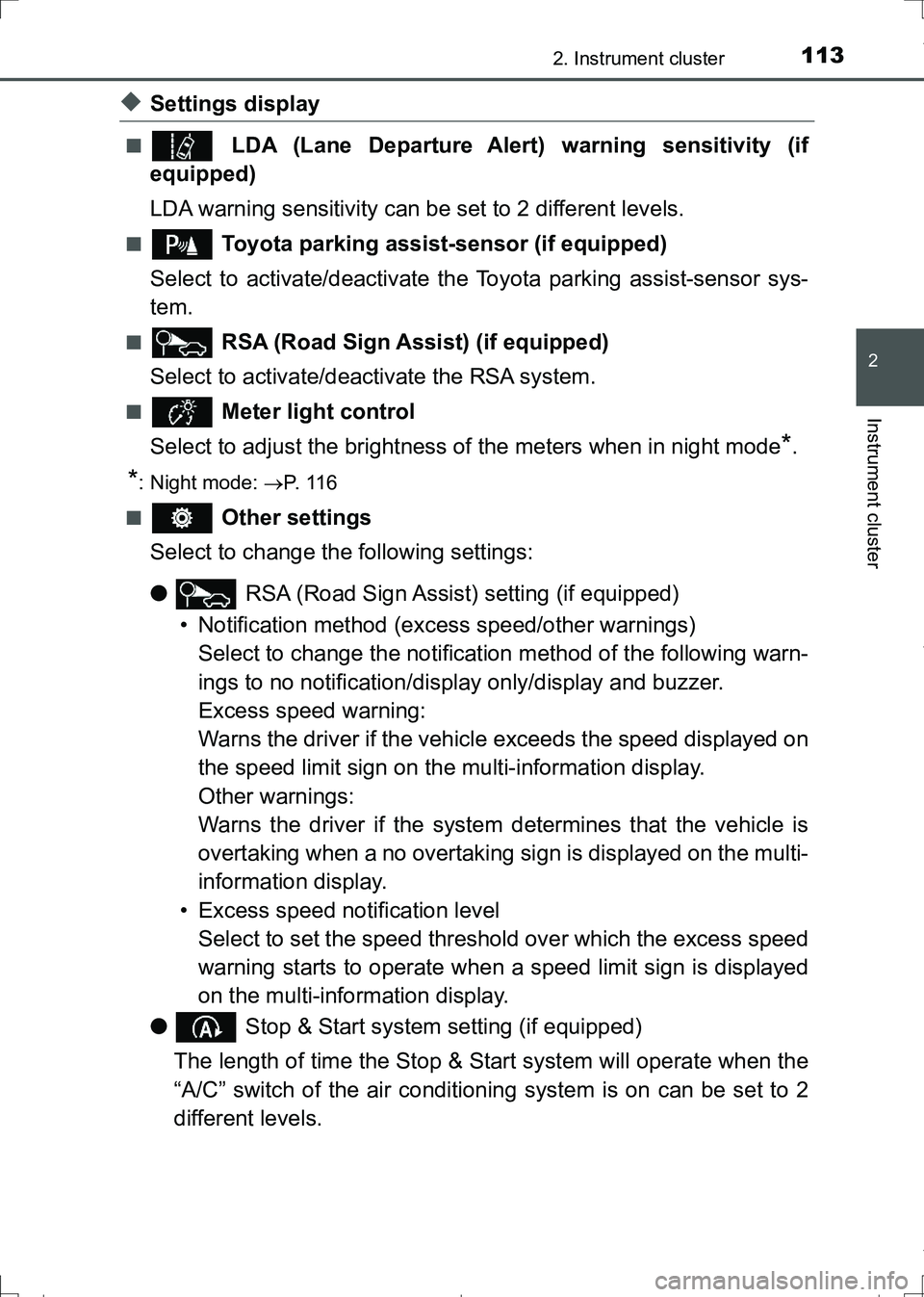
◆Settings display
■ LDA (Lane Departure Alert) warning sensitivity (if
equipped)
LDA warning sensitivity can be set to 2 different levels.
■ Toyota parking assist-sensor (if equipped)
Select to activate/deactivate the Toyota parking assist-sensor sys-
tem.
■ RSA (Road Sign Assist) (if equipped)
Select to activate/deactivate the RSA system.
■ Meter light control
Select to adjust the brightness of the meters when in night mode
*.
*: Night mode: P. 1 1 6
■
Other settings
Select to change the following settings:
● RSA (Road Sign Assist) setting (if equipped)
• Notification method (excess speed/other warnings)
Select to change the notification method of the following warn-
ings to no notification/display only/display and buzzer.
Excess speed warning:
Warns the driver if the vehicle exceeds the speed displayed on
the speed limit sign on the multi-information display.
Other warnings:
Warns the driver if the system determines that the vehicle is
overtaking when a no overtaking sign is displayed on the multi-
information display.
• Excess speed notification level
Select to set the speed threshold over which the excess speed
warning starts to operate when a speed limit sign is displayed
on the multi-information display.
● Stop & Start system setting (if equipped)
The length of time the Stop & Start system will operate when the
“A/C” switch of the air conditioning system is on can be set to 2
different levels.
AURIS Touring Sports_OM_Europe_OM12L13E.book 113 ページ 2016年6月27日 月曜日 午後5時21分
Page 116 of 664
1162. Instrument cluster
AURIS Touring Sports_EE (12L13E)■Brightness of the meters (day mode and night mode)
●The brightness of the meters is changed between day mode and night
mode.
Vehicles without automatic light control system
• Day mode: When the tail lights are off
• Night mode: When the tail lights are on
Vehicles with automatic light control system
• Day mode: When the tail lights are off or when the tail lights are on but
the surrounding area is bright
• Night mode: When the tail lights are on and the surrounding area is dark
●When in night mode, the brightness will be reduced slightly unless the
meters are set to the maximum brightness level.
■Suspension of the settings display
●While driving, the multi-information display cannot be changed to setting
mode. Before changing the settings, stop the vehicle in a safe place.
●In the following situations, operation of some of the settings display may be
temporarily suspended.
• When a warning message appears on the multi-information display
• When the vehicle begins to move
■When disconnecting and reconnecting battery terminals
The drive information data
* will be reset.
*: Except Stop & Start system operation time
■Liquid crystal display
Small spots or light spots may appear on the display. This phenomenon is
characteristic of liquid crystal displays, and there is no problem continuing to
use the display.
■Ending display
When the engine switch is turned off, the following information about the cur-
rent trip will be temporarily displayed on the multi-information display.
●Elapsed time (after start)
●Distance (after start)
●Average fuel economy (after start)
AURIS Touring Sports_OM_Europe_OM12L13E.book 116 ページ 2016年6月27日 月曜日 午後5時21分
Page 149 of 664
1493-2. Opening, closing and locking the doors
AURIS Touring Sports_EE (12L13E)
3
Operation of each component
■Note for the entry function
●Even when the electronic key is within the effective range (detection areas),
the system may not operate properly in the following cases:
• The electronic key is too close to the window or outside door handle, near
the ground, or in a high place when the doors are locked or unlocked.
• The electronic key is near the ground or in a high place, or too close to
the rear bumper center when the back door is opened.
• The electronic key is on the instrument panel, luggage cover or floor, or in
the door pockets or glove box when the engine is started or engine switch
modes are changed.
●Do not leave the electronic key on top of the instrument panel or near the
door pockets when exiting the vehicle. Depending on the radio wave recep-
tion conditions, it may be detected by the antenna outside the cabin and the
door will become lockable from the outside, possibly trapping the electronic
key inside the vehicle.
●As long as the electronic key is within the effective range, the doors may be
locked or unlocked by anyone. However, only the doors detecting the elec-
tronic key can be used to unlock the vehicle.
●Even if the electronic key is not inside the vehicle, it may be possible to start
the engine if the electronic key is near the window.
●The doors may unlock or lock if a large amount of water splashes on the
door handle, such as in the rain or in a car wash when the electronic key is
within the effective range. (The doors will automatically be locked after
approximately 30 seconds if the doors are not opened and closed.)
●If the wireless remote control is used to lock the doors when the electronic
key is near the vehicle, there is a possibility that the door may not be
unlocked by the entry function. (Use the wireless remote control to unlock
the doors.)
●Touching the door lock or unlock sensor while wearing gloves may prevent
lock or unlock operation.
●When the lock operation is performed using the lock sensor, recognition sig-
nals will be shown up to two consecutive times. After this, no recognition
signals will be given.
●If the door handle becomes wet while the electronic key is within the effec-
tive range, the door may lock and unlock repeatedly. In that case, follow the
following correction procedures to wash the vehicle:
• Place the electronic key in a location 2 m (6 ft.) or more away from the
vehicle. (Take care to ensure that the key is not stolen.)
• Set the electronic key to battery-saving mode to disable the smart entry &
start system. (P. 147)
AURIS Touring Sports_OM_Europe_OM12L13E.book 149 ページ 2016年6月27日 月曜日 午後5時21分
Page 216 of 664
2164-2. Driving procedures
AURIS Touring Sports_EE (12L13E)
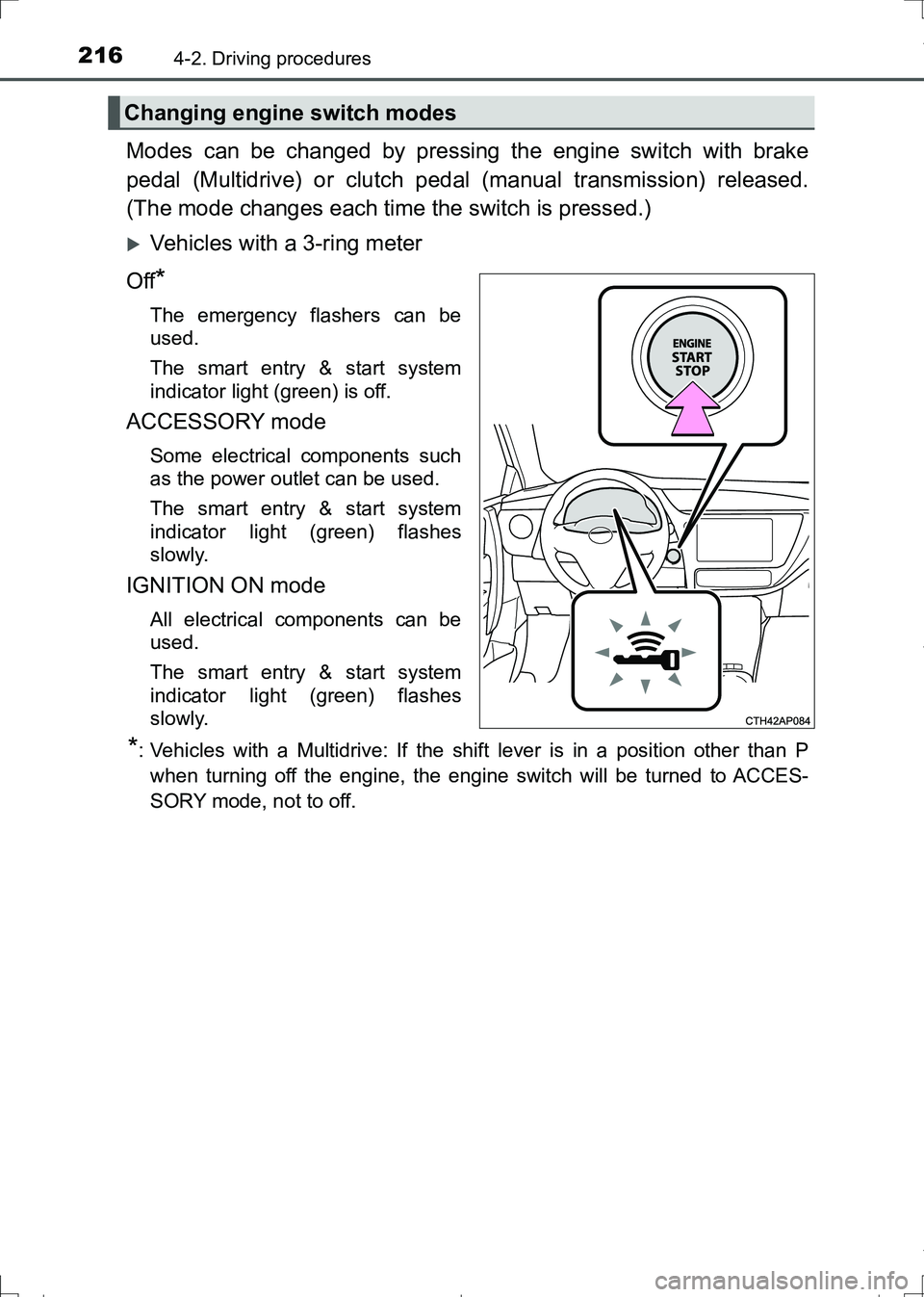
Modes can be changed by pressing the engine switch with brake
pedal (Multidrive) or clutch pedal (manual transmission) released.
(The mode changes each time the switch is pressed.)
Vehicles with a 3-ring meter
Off
*
The emergency flashers can be
used.
The smart entry & start system
indicator light (green) is off.
ACCESSORY mode
Some electrical components such
as the power outlet can be used.
The smart entry & start system
indicator light (green) flashes
slowly.
IGNITION ON mode
All electrical components can be
used.
The smart entry & start system
indicator light (green) flashes
slowly.
*: Vehicles with a Multidrive: If the shift lever is in a position other than P
when turning off the engine, the engine switch will be turned to ACCES-
SORY mode, not to off.
Changing engine switch modes
AURIS Touring Sports_OM_Europe_OM12L13E.book 216 ページ 2016年6月27日 月曜日 午後5時21分
Page 220 of 664
2204-2. Driving procedures
AURIS Touring Sports_EE (12L13E)■When the steering lock cannot be released
■Steering lock motor overheating prevention
To prevent the steering lock motor from overheating, the motor may be sus-
pended if the engine is turned on and off repeatedly in a short period of time.
In this case, refrain from operating the engine. After about 10 seconds, the
steering lock motor will resume functioning.
■When the smart entry & start system indicator flashes in yellow (vehicles
with a 3-ring meter) or “Check entry & start system.” is displayed on the
multi-information display (vehicles with a 2-ring meter)
The system may be malfunctioning. Have the vehicle inspected by any autho-
rized Toyota dealer or repairer, or another duly qualified and equipped profes-
sional immediately.
■If the key battery is depleted
P. 511
■Operation of the engine switch
●If the switch is not pressed shortly and firmly, the engine switch mode may
not change or the engine may not start.
●If attempting to restart the engine immediately after turning the engine
switch off, the engine may not start in some cases. After turning the engine
switch off, please wait a few seconds before restarting the engine.
■If the smart entry & start system has been deactivated in a customized
setting
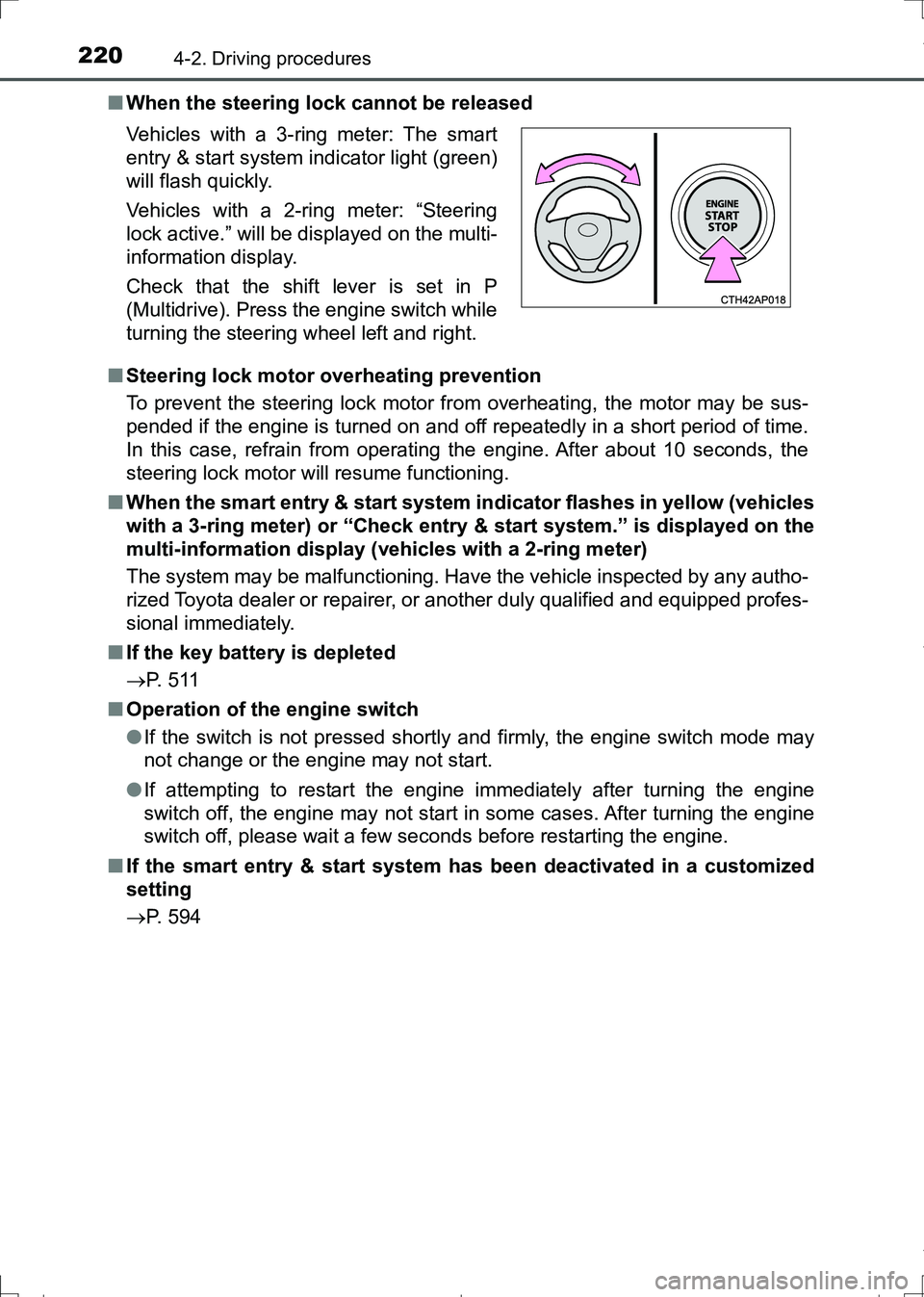
P. 594 Vehicles with a 3-ring meter: The smart
entry & start system indicator light (green)
will flash quickly.
Vehicles with a 2-ring meter: “Steering
lock active.” will be displayed on the multi-
information display.
Check that the shift lever is set in P
(Multidrive). Press the engine switch while
turning the steering wheel left and right.
AURIS Touring Sports_OM_Europe_OM12L13E.book 220 ページ 2016年6月27日 月曜日 午後5時21分