engine TOYOTA AVALON 2009 XX30 / 3.G Workshop Manual
[x] Cancel search | Manufacturer: TOYOTA, Model Year: 2009, Model line: AVALON, Model: TOYOTA AVALON 2009 XX30 / 3.GPages: 468, PDF Size: 7.05 MB
Page 149 of 468
149
2
When driving
AVALON_U_OM41430U
2-3. Operating the lights and windshield wipers
Headlight switch
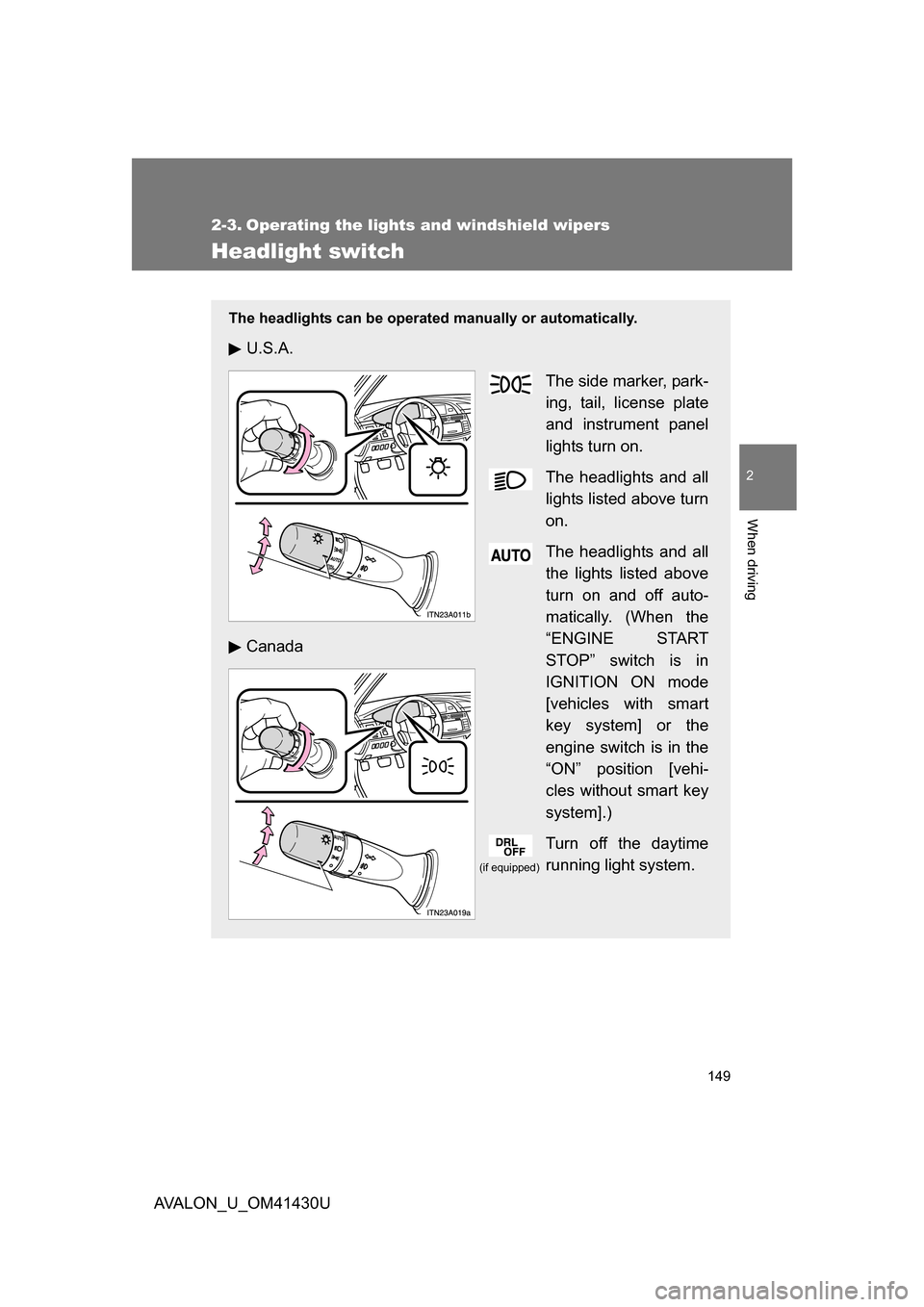
The headlights can be operated manually or automatically.
U.S.A.
The side marker, park-
ing, tail, license plate
and instrument panel
lights turn on.
The headlights and all
lights listed above turn
on.
The headlights and all
the lights listed above
turn on and off auto-
matically. (When the
“ENGINE START
STOP” switch is in
IGNITION ON mode
[vehicles with smart
key system] or the
engine switch is in the
“ON” position [vehi-
cles without smart key
system].)
Turn off the daytime
running light system.
Canada
(if equipped)
Page 150 of 468
150 2-3. Operating the lights and windshield wipers
AVALON_U_OM41430U
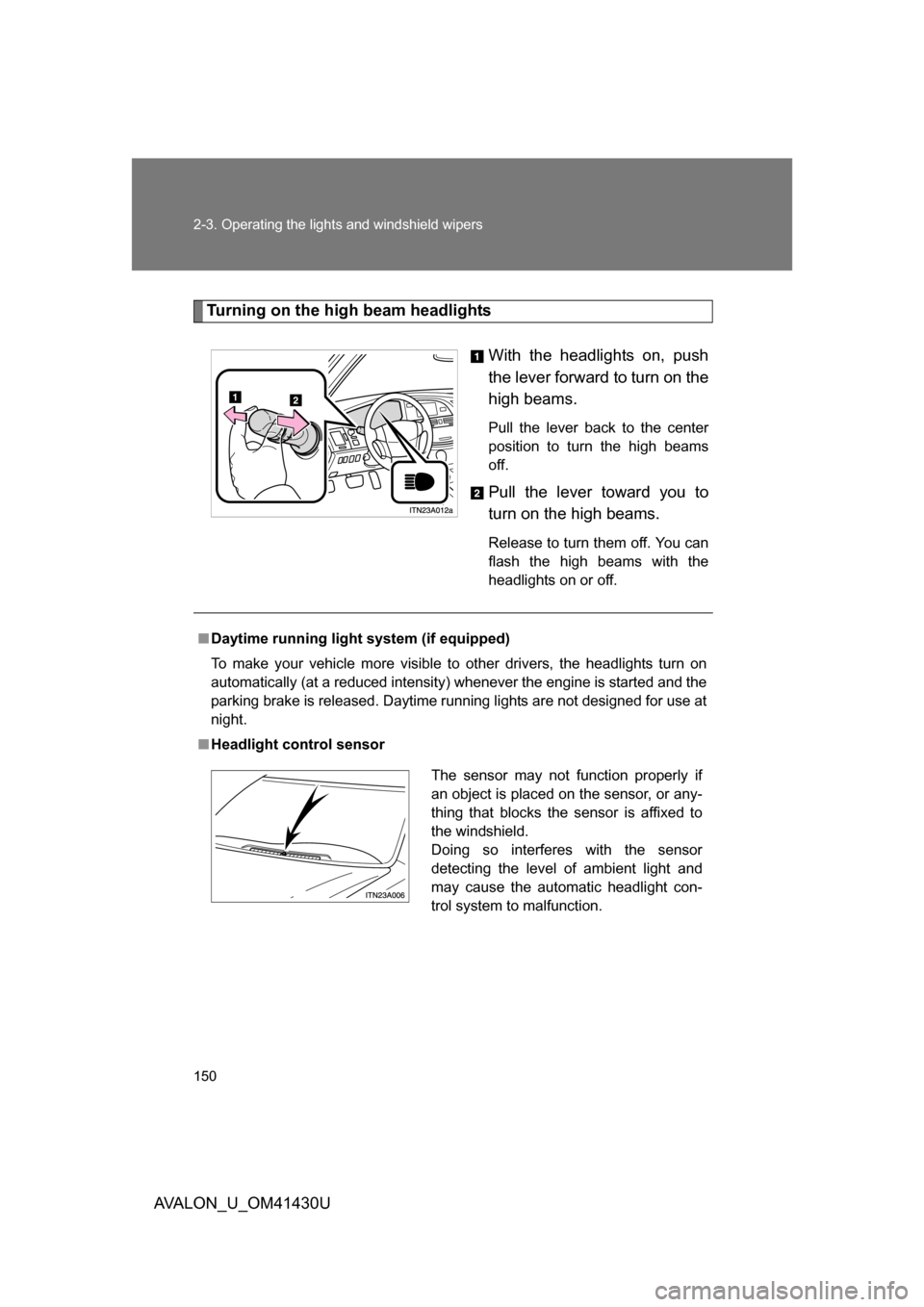
Turning on the high beam headlights
With the headlights on, push
the lever forward to turn on the
high beams.
Pull the lever back to the center
position to turn the high beams
off.
Pull the lever toward you to
turn on the high beams.
Release to turn them off. You can
flash the high beams with the
headlights on or off.
■Daytime running light system (if equipped)
To make your vehicle more visible to other drivers, the headlights turn on
automatically (at a reduced intensity) whenever the engine is started and the
parking brake is released. Daytime running lights are not designed for use at
night.
■ Headlight control sensor
The sensor may not function properly if
an object is placed on the sensor, or any-
thing that blocks the sensor is affixed to
the windshield.
Doing so interferes with the sensor
detecting the level of ambient light and
may cause the automatic headlight con-
trol system to malfunction.
Page 151 of 468
151
2-3. Operating the lights and windshield wipers
2
When driving
AVALON_U_OM41430U
■
Automatic light off system
Vehicles with smart key system
The headlights and tail lights turn off 30 seconds after a door is opened or
closed if the “ENGINE START STOP ” switch has been turned to ACCES-
SORY or turned OFF while the headlights are turned on. (The lights turn off
immediately if the button on the key is pressed after all doors are
locked.)
To turn the lights on again, turn the “ENGINE START STOP” switch to IGNI-
TION ON mode, or turn the light switch OFF once and then back to the or position.
Vehicles without smart key system
The headlights and tail lights turn off 30 seconds after a door is opened or
closed if the engine switch has been turned to the “ACC” or “LOCK” position
while the headlights are turned on. (The lights turn off immediately if the
button on the key is pressed after all doors are locked.)
To turn the lights on again, turn the engine switch to the “ON” position, or
turn the light switch OFF once and then back to the or position.
■ Customization that can be co nfigured at Toyota dealer
Settings (e.g. light sensor sensitivity) can be changed.
(Customizable features P. 445)
NOTICE
■To prevent battery discharge
Do not leave the lights on longer than necessary if the engine is not running.
Page 156 of 468
156 2-3. Operating the lights and windshield wipers
AVALON_U_OM41430U
■The windshield wiper and washer can be operated when
Vehicles with smart key system
The “ENGINE START STOP” switch is in IGNITION ON mode. Vehicles without smart key system
The engine switch is in the “ON” position.
■ Dripping prevention wiper sweep
After washing and wiping operation several times, the wipers operate one
more time after a short delay to prevent dripping.
However, the last sweep will not happen if the vehicle is traveling above 106
mph (170 km/h).
■ Effects of vehicle speed on wiper operation
Vehicle speed affects the following even when the wipers are not in “AUTO”
mode.
● Intermittent wiper interval ( mode)
● Wiper operation when the washer is being used (delay until drip preven-
tion wiper sweep occurs)
With low speed mode, wiper operation will be switched from low speed to
intermittent wiper operation only when the vehicle is stationary.
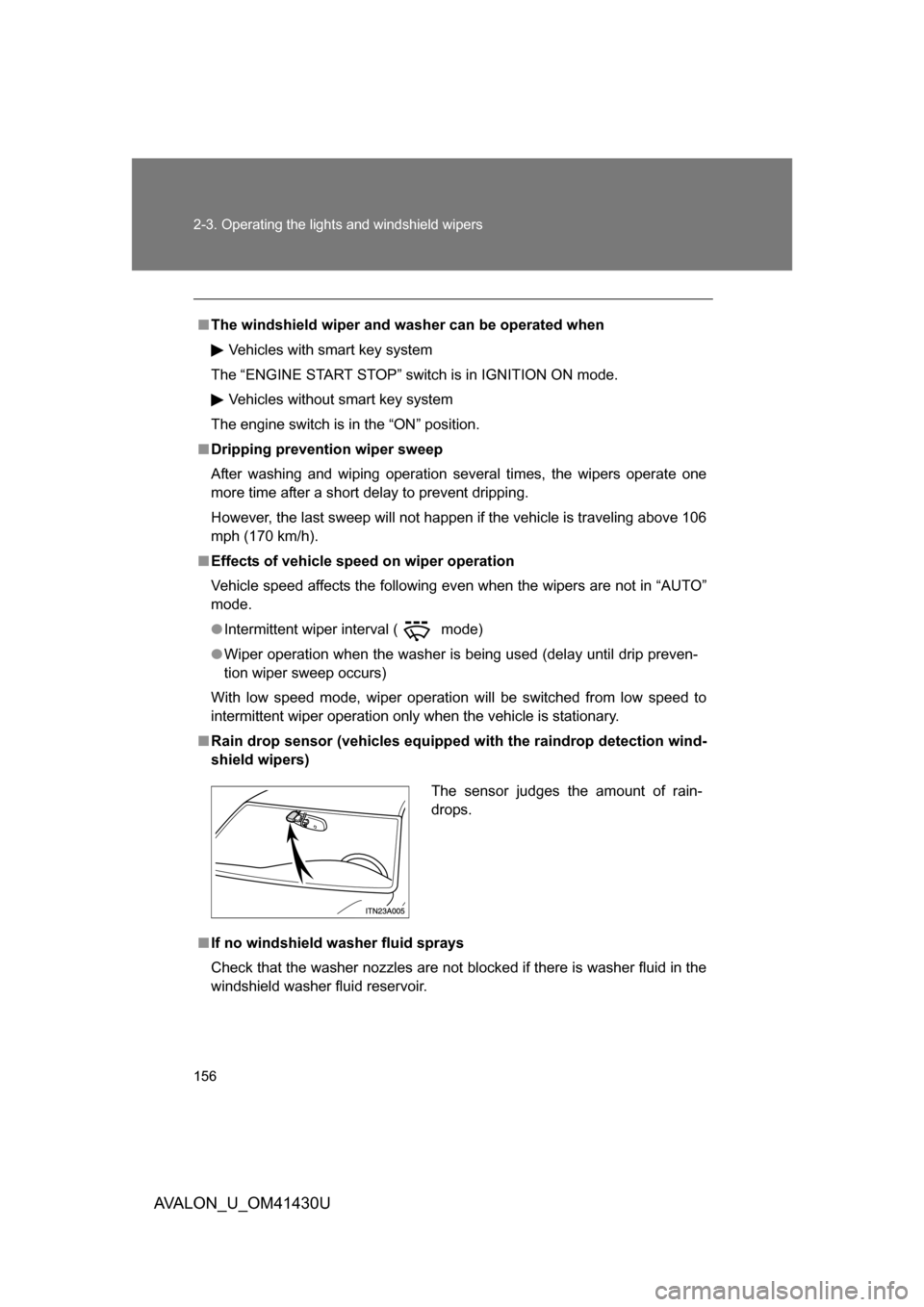
■ Rain drop sensor (vehicles equipped with the raindrop detection wind-
shield wipers)
■ If no windshield washer fluid sprays
Check that the washer nozzles are not blocked if there is washer fluid in the
windshield washer fluid reservoir.
The sensor judges the amount of rain-
drops.
Page 163 of 468
163
2-4. Using other
driving systems
2
When driving
AVALON_U_OM41430U
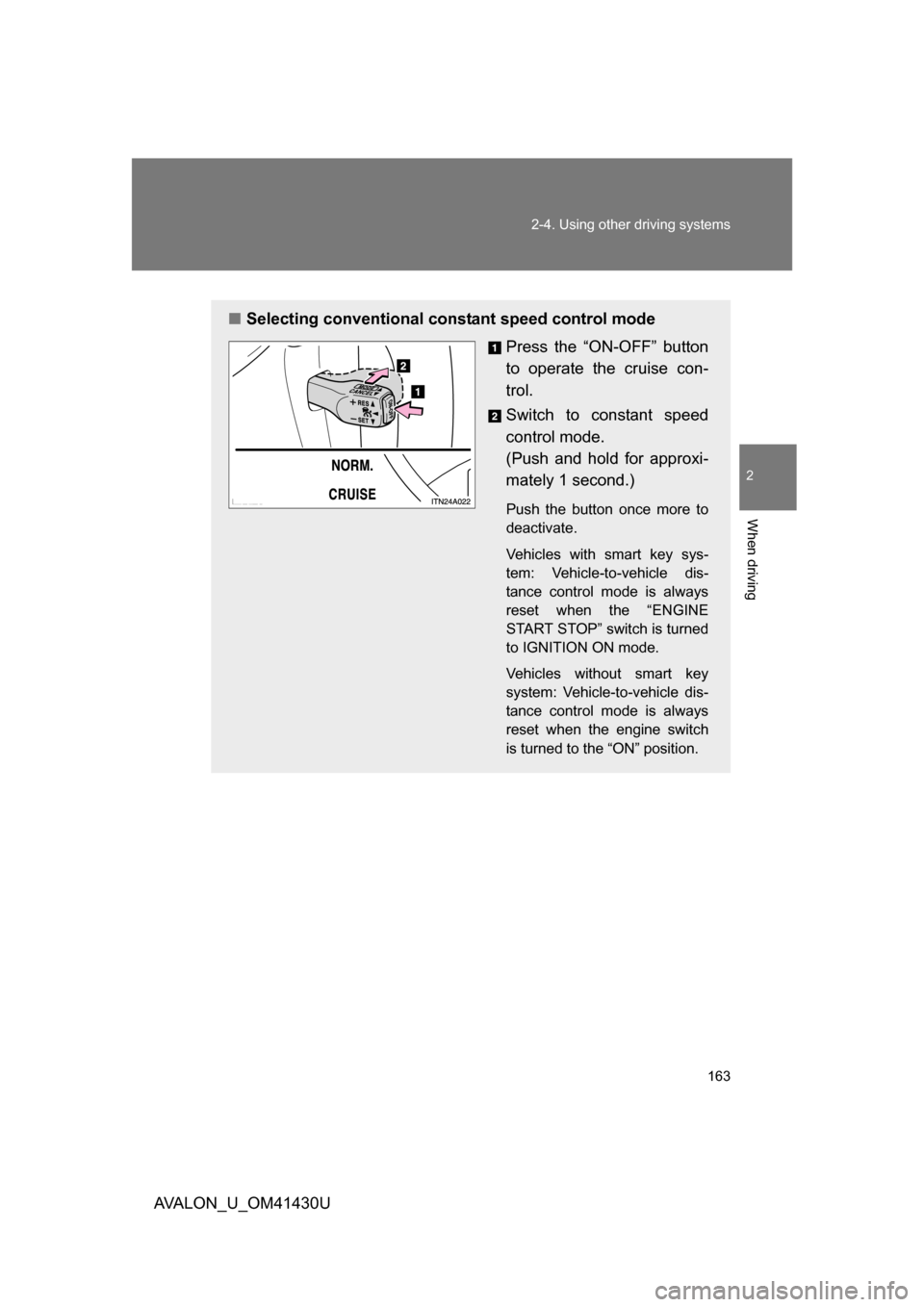
■Selecting conventional constant speed control mode
Press the “ON-OFF” button
to operate the cruise con-
trol.
Switch to constant speed
control mode.
(Push and hold for approxi-
mately 1 second.)
Push the button once more to
deactivate.
Vehicles with smart key sys-
tem: Vehicle-to-vehicle dis-
tance control mode is always
reset when the “ENGINE
START STOP” switch is turned
to IGNITION ON mode.
Vehicles without smart key
system: Vehicle-to-vehicle dis-
tance control mode is always
reset when the engine switch
is turned to the “ON” position.
Page 165 of 468
165
2-4. Using other
driving systems
2
When driving
AVALON_U_OM41430U
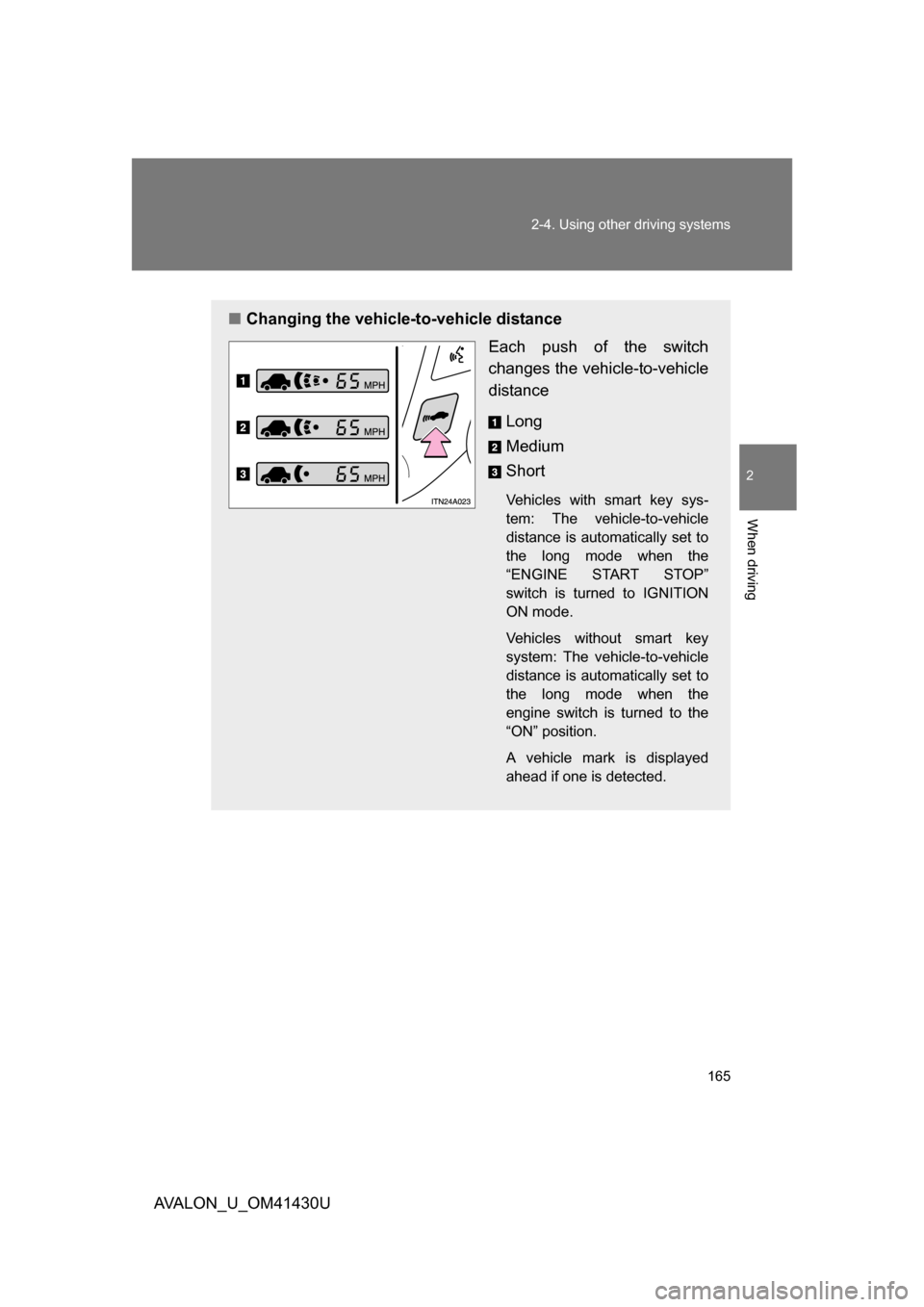
■Changing the vehicle -to-vehicle distance
Each push of the switch
changes the vehi cle-to-vehicle
distance
Long
Medium
Short
Vehicles with smart key sys-
tem: The vehicle-to-vehicle
distance is automatically set to
the long mode when the
“ENGINE START STOP”
switch is turned to IGNITION
ON mode.
Vehicles without smart key
system: The vehicle-to-vehicle
distance is automatically set to
the long mode when the
engine switch is turned to the
“ON” position.
A vehicle mark is displayed
ahead if one is detected.
Page 168 of 468
168 2-4. Using other driving systems
AVALON_U_OM41430U
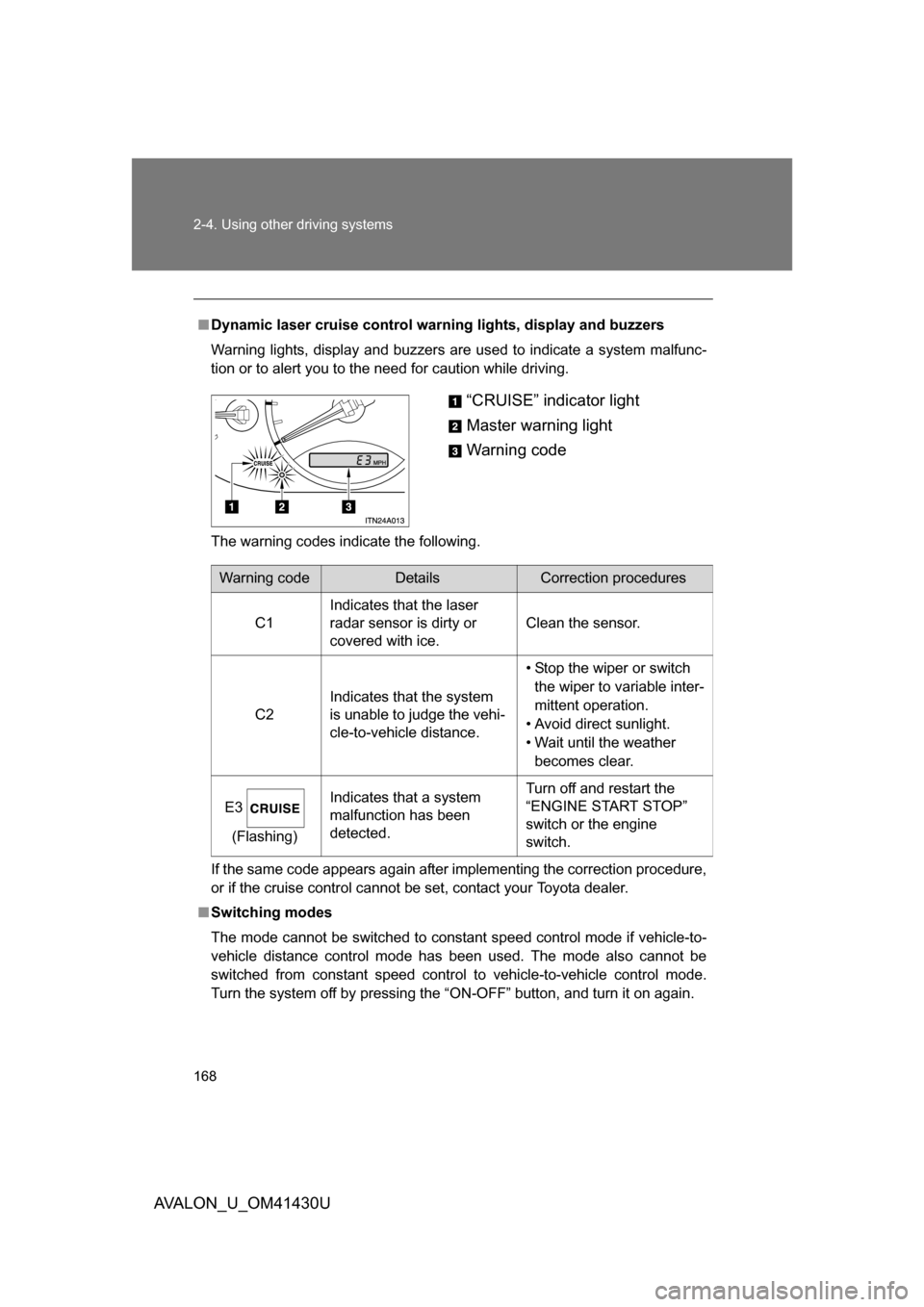
■Dynamic laser cruise control warning lights, display and buzzers
Warning lights, display and buzzers are used to indicate a system malfunc-
tion or to alert you to the need for caution while driving.
The warning codes indicate the following.
If the same code appears again after implementing the correction procedure,
or if the cruise control cannot be set, contact your Toyota dealer.
■ Switching modes
The mode cannot be switched to constant speed control mode if vehicle-to-
vehicle distance control mode has been used. The mode also cannot be
switched from constant speed control to vehicle-to-vehicle control mode.
Turn the system off by pressing the “ON-OFF” button, and turn it on again.
“CRUISE” indicator light
Master warning light
Warning code
Warning codeDetailsCorrection procedures
C1 Indicates that the laser
radar sensor is dirty or
covered with ice. Clean the sensor.
C2 Indicates that the system
is unable to judge the vehi-
cle-to-vehicle distance. • Stop the wiper or switch
the wiper to variable inter-
mittent operation.
• Avoid direct sunlight.
• Wait until the weather becomes clear.
E3 (Flashing) Indicates that a system
malfunction has been
detected. Turn off and restart the
“ENGINE START STOP”
switch or the engine
switch.
Page 175 of 468
175
2-4. Using other
driving systems
2
When driving
AVALON_U_OM41430U
■Sounds and vibrati ons caused by the ABS, brake assist, VSC and
TRAC
● A sound may be heard from the engine compartment when the engine is
started or just after the vehicle begins to move. This sound does not indi-
cate that a malfunction has occurred in any of these systems.
● Any of the following conditions may occur when the above systems are
operating. None of these indicates that a malfunction has occurred.
• Vibrations may be felt through the vehicle body and steering.
• A motor sound may be heard after the vehicle comes to a stop.
• The brake pedal may pulsate slightly after the ABS is activated.
• The brake pedal may move down slightly after the ABS is activated.
CAUTION
■The ABS does not opera te effectively when
● The limits of tire gripping performance have been exceeded.
● The vehicle hydroplanes while driving at high speed on the wet or slick
road.
■ Stopping distance when the ABS is ope rating on the wet or slick roads
The ABS is not designed to shorten the vehicle’s stopping distance. Always
maintain a sufficient distance from the vehicle in front of you in the following
situations.
● When driving on dirt, gravel or snow-covered roads
● When driving with tire chains
● When driving over bumps in the road
● When driving over roads with potholes or roads with uneven pavement
Page 181 of 468
181
2-5. Driving information
2
When driving
AVALON_U_OM41430U
Winter driving tips
Carry out the necessary preparations and inspections before driving
the vehicle in winter. Always drive the vehicle in a manner appropri-
ate to the prevailing weather conditions.
■ Pre-winter preparations
●Use fluids that are appropriate to the prevailing outside tem-
peratures.
• Engine oil
• Engine coolant
• Washer fluid
● Have a service technician inspect the level and specific grav-
ity of battery electrolyte.
● Have the vehicle fitted with four snow tires or purchase a set
of tire chains for the front tires.
Ensure that all tires are the same size and brand, and that chains
match the size of the tires.
Page 197 of 468
197
3-1. Using the air conditioning system
and defogger
3
Interior features
AVALON_U_OM41430U
NOTICE
■To prevent battery discharge
Do not leave the automatic air conditioning system on longer than necessary
when the engine is not running.