display TOYOTA AVALON 2010 XX30 / 3.G User Guide
[x] Cancel search | Manufacturer: TOYOTA, Model Year: 2010, Model line: AVALON, Model: TOYOTA AVALON 2010 XX30 / 3.GPages: 476, PDF Size: 6.77 MB
Page 168 of 476
168
2-4. Using other driving systems
AVALON_U (OM41437U)
Dynamic laser cruise control
: If equipped
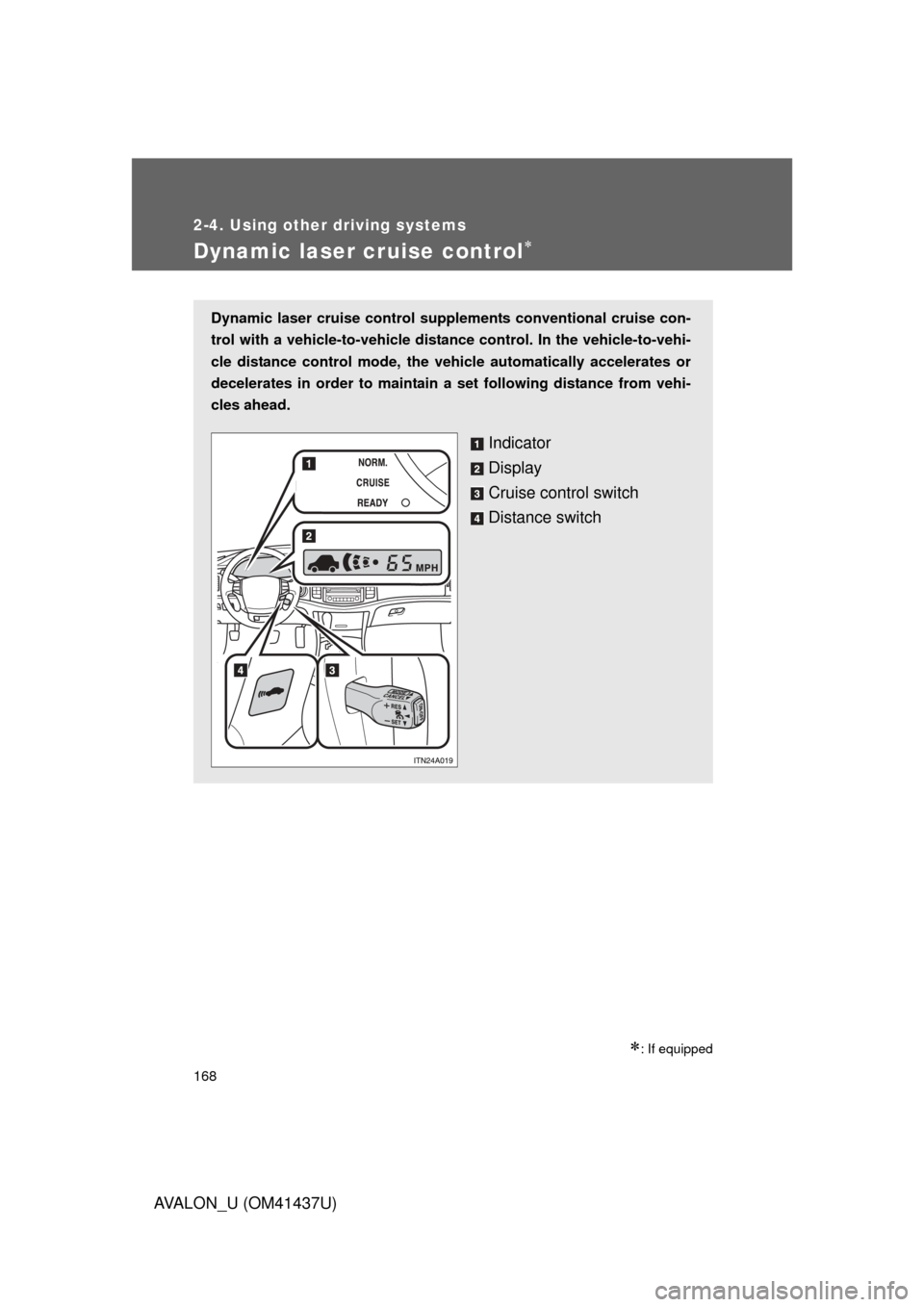
Dynamic laser cruise control supplements conventional cruise con-
trol with a vehicle-to-vehicle distan ce control. In the vehicle-to-vehi-
cle distance control mode, the vehicle automatically accelerates or
decelerates in order to maintain a set following distance from vehi-
cles ahead.
Indicator
Display
Cruise control switch
Distance switch
Page 171 of 476
171
2-4. Using other
driving systems
2
When driving
AVALON_U (OM41437U)
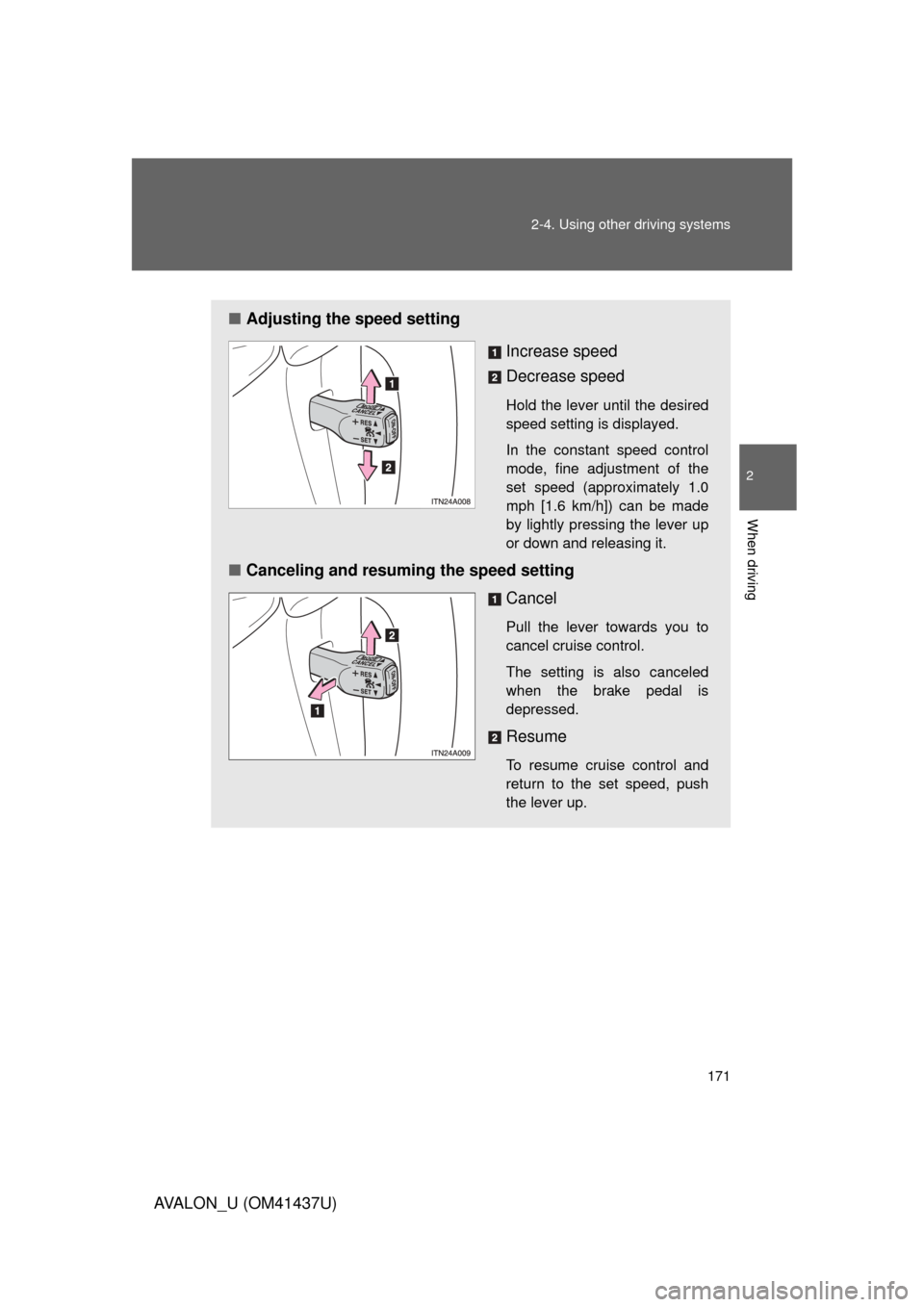
■Adjusting the speed setting
Increase speed
Decrease speed
Hold the lever until the desired
speed setting is displayed.
In the constant speed control
mode, fine adjustment of the
set speed (approximately 1.0
mph [1.6 km/h]) can be made
by lightly pressing the lever up
or down and releasing it.
■Canceling and resuming the speed setting
Cancel
Pull the lever towards you to
cancel cruise control.
The setting is also canceled
when the brake pedal is
depressed.
Resume
To resume cruise control and
return to the set speed, push
the lever up.
Page 172 of 476
172 2-4. Using other driving systems
AVALON_U (OM41437U)
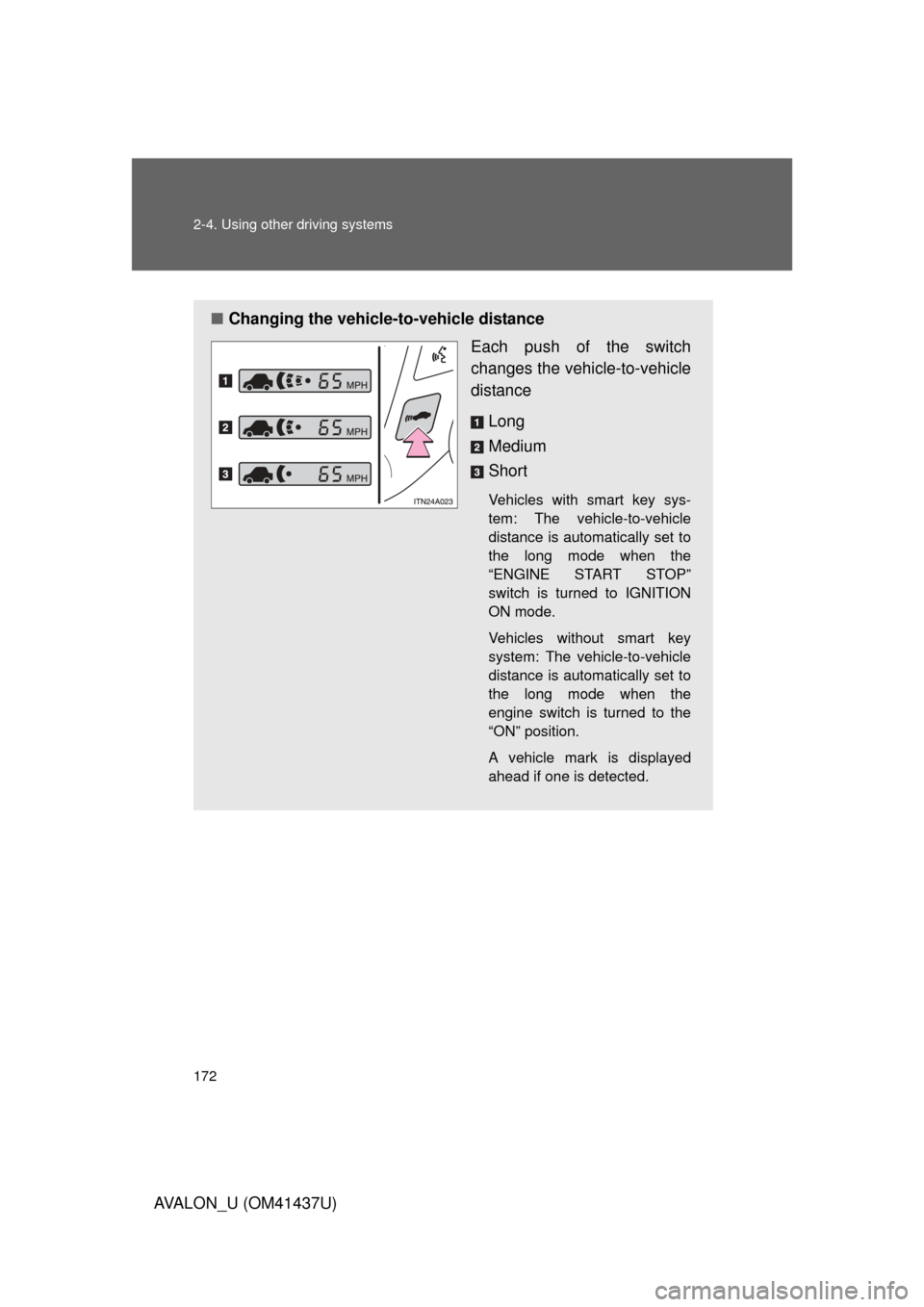
■Changing the vehicle -to-vehicle distance
Each push of the switch
changes the vehi cle-to-vehicle
distance
Long
Medium
Short
Vehicles with smart key sys-
tem: The vehicle-to-vehicle
distance is automatically set to
the long mode when the
“ENGINE START STOP”
switch is turned to IGNITION
ON mode.
Vehicles without smart key
system: The vehicle-to-vehicle
distance is automatically set to
the long mode when the
engine switch is turned to the
“ON” position.
A vehicle mark is displayed
ahead if one is detected.
Page 175 of 476
175
2-4. Using other
driving systems
2
When driving
AVALON_U (OM41437U)
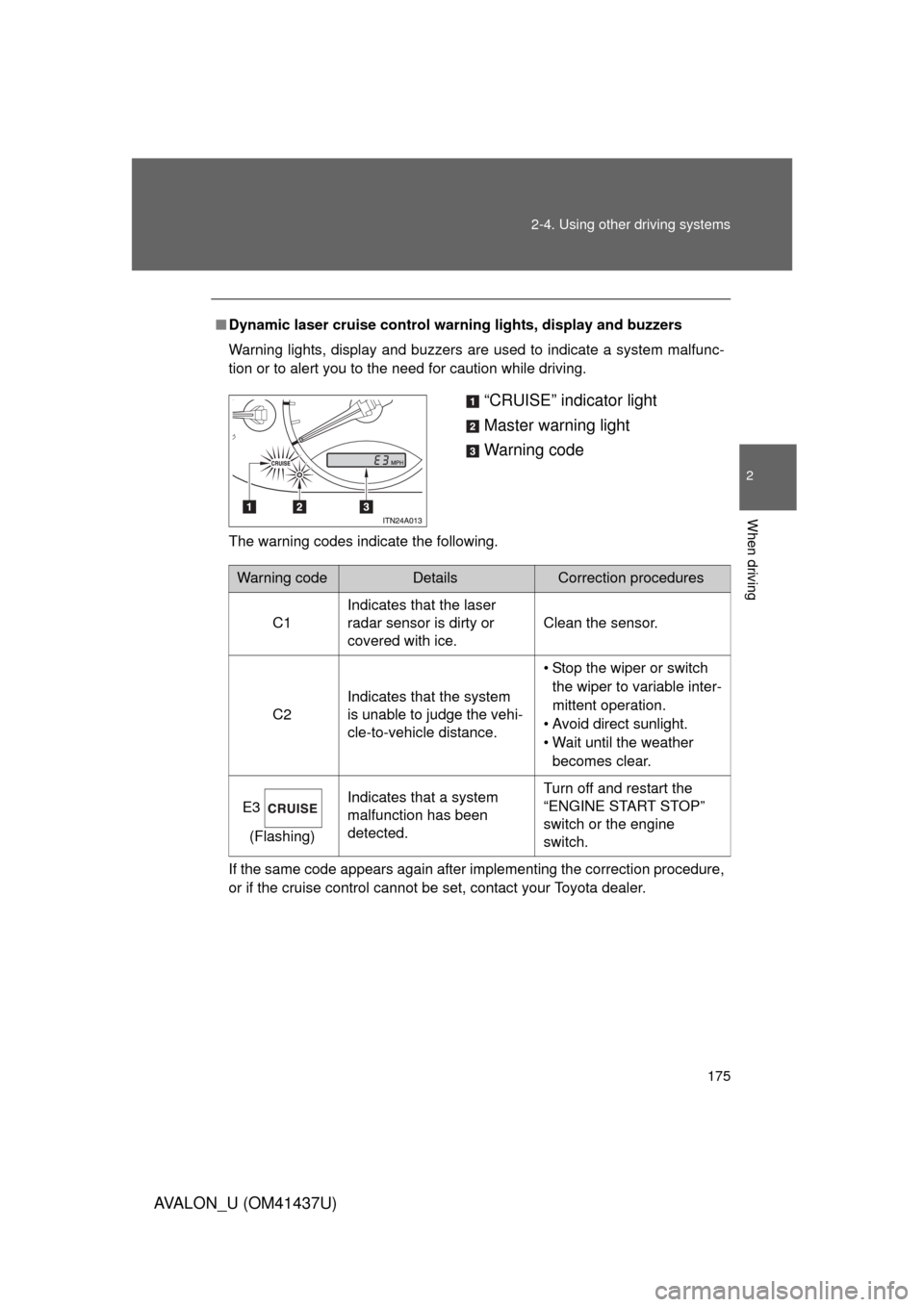
■Dynamic laser cruise control warning lights, display and buzzers
Warning lights, display and buzzers are used to indicate a system malfunc-
tion or to alert you to the need for caution while driving.
The warning codes indicate the following.
If the same code appears again after implementing the correction procedure,
or if the cruise control cannot be set, contact your Toyota dealer.
“CRUISE” indicator light
Master warning light
Warning code
Warning codeDetailsCorrection procedures
C1 Indicates that the laser
radar sensor is dirty or
covered with ice. Clean the sensor.
C2 Indicates that the system
is unable to judge the vehi-
cle-to-vehicle distance. • Stop the wiper or switch
the wiper to variable inter-
mittent operation.
• Avoid direct sunlight.
• Wait until the weather becomes clear.
E3 (Flashing) Indicates that a system
malfunction has been
detected. Turn off and restart the
“ENGINE START STOP”
switch or the engine
switch.
Page 197 of 476
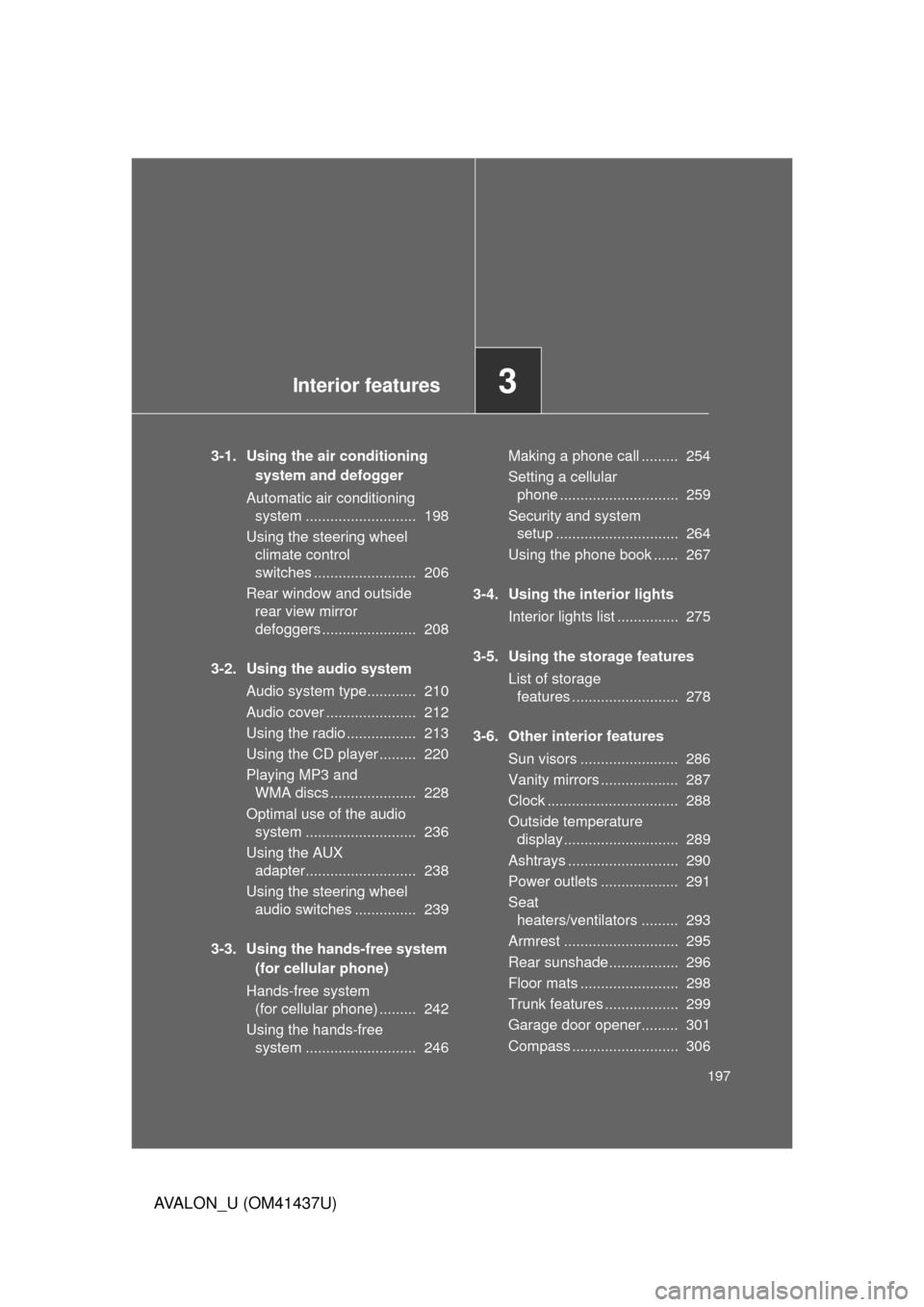
Interior features3
197
AVALON_U (OM41437U)
3-1. Using the air conditioning system and defogger
Automatic air conditioning system ........................... 198
Using the steering wheel climate control
switches ......................... 206
Rear window and outside rear view mirror
defoggers ....................... 208
3-2. Using the audio system Audio system type............ 210
Audio cover ...................... 212
Using the radio ................. 213
Using the CD player ......... 220
Playing MP3 and WMA discs ..................... 228
Optimal use of the audio system ........................... 236
Using the AUX adapter........................... 238
Using the steering wheel audio switches ............... 239
3-3. Using the hands-free system (for cellular phone)
Hands-free system (for cellular phone) ......... 242
Using the hands-free system ........................... 246 Making a phone call ......... 254
Setting a cellular
phone ............................. 259
Security and system setup .............................. 264
Using the phone book ...... 267
3-4. Using the interior lights Interior lights list ............... 275
3-5. Using the storage features List of storage features .......................... 278
3-6. Other interior features Sun visors ........................ 286
Vanity mirrors ................... 287
Clock ................................ 288
Outside temperature display............................ 289
Ashtrays ........................... 290
Power outlets ................... 291
Seat heaters/ventilators ......... 293
Armrest ............................ 295
Rear sunshade................. 296
Floor mats ........................ 298
Trunk features .................. 299
Garage door opener......... 301
Compass .......................... 306
Page 200 of 476
200 3-1. Using the air conditioning system and defogger
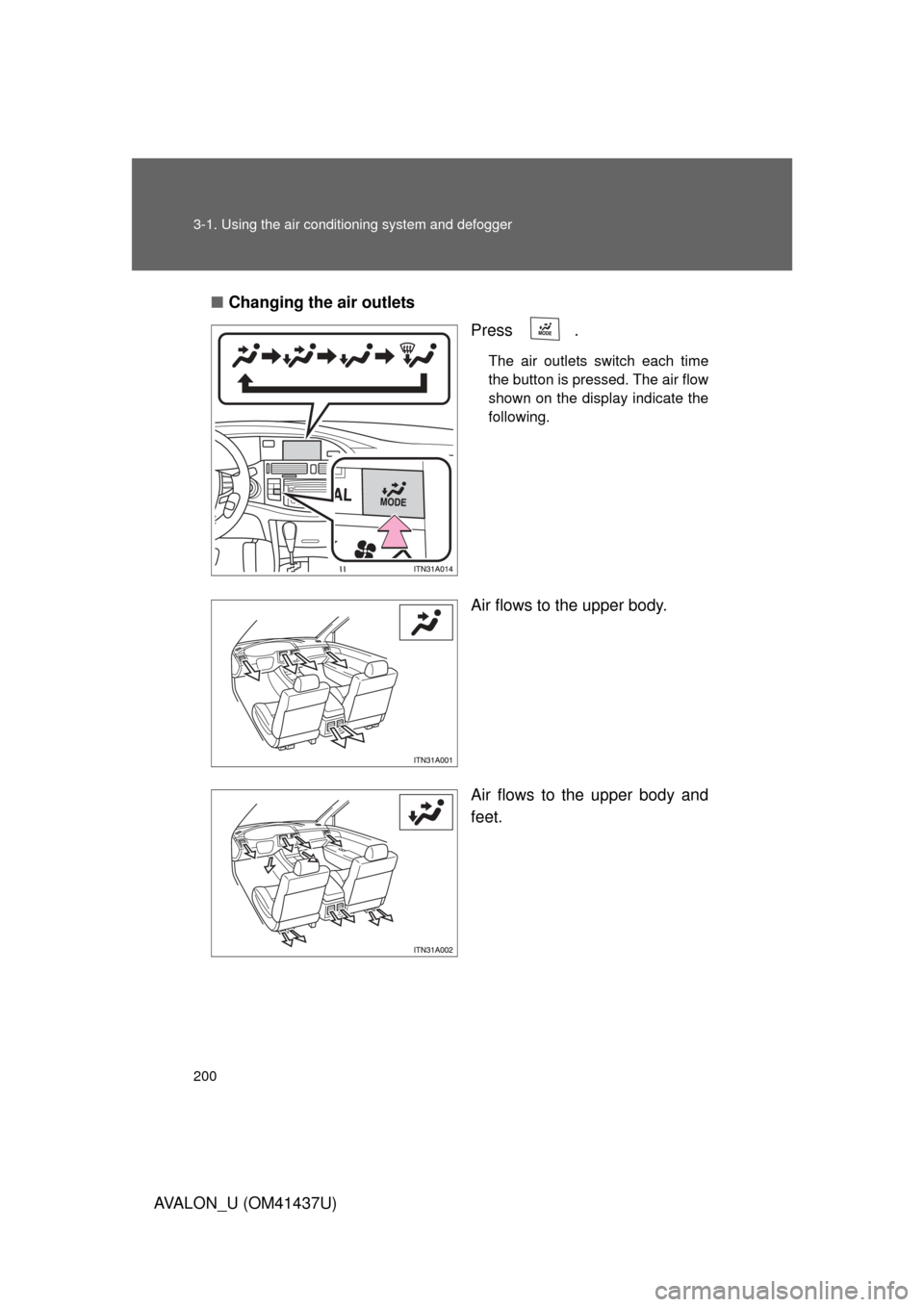
AVALON_U (OM41437U)■
Changing the air outlets
Press .
The air outlets switch each time
the button is pressed. The air flow
shown on the display indicate the
following.
Air flows to the upper body.
Air flows to the upper body and
feet.
Page 215 of 476
215
3-2. Using the audio system
3
Interior features
AVALON_U (OM41437U)
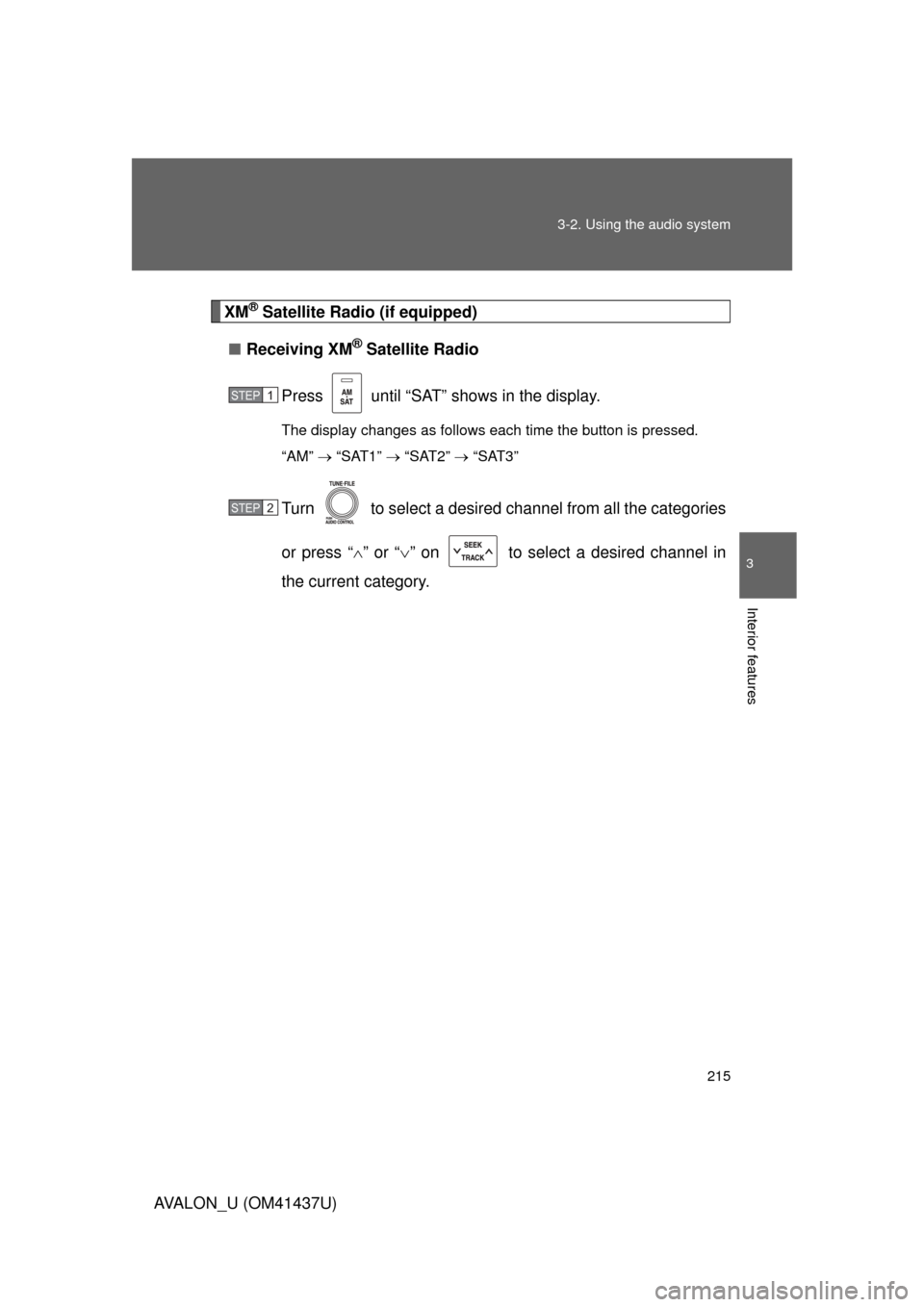
XM® Satellite Radio (if equipped)
■ Receiving XM
® Satellite Radio
Press until “SAT” shows in the display.
The display changes as follows each time the button is pressed.
“AM” “SAT1” “SAT2” “SAT3”
Turn to select a desired channel from all the categories
or press “ ” or “ ” on to select a desired channel in
the current category.
STEP1
STEP2
Page 216 of 476
216 3-2. Using the audio system
AVALON_U (OM41437U)■
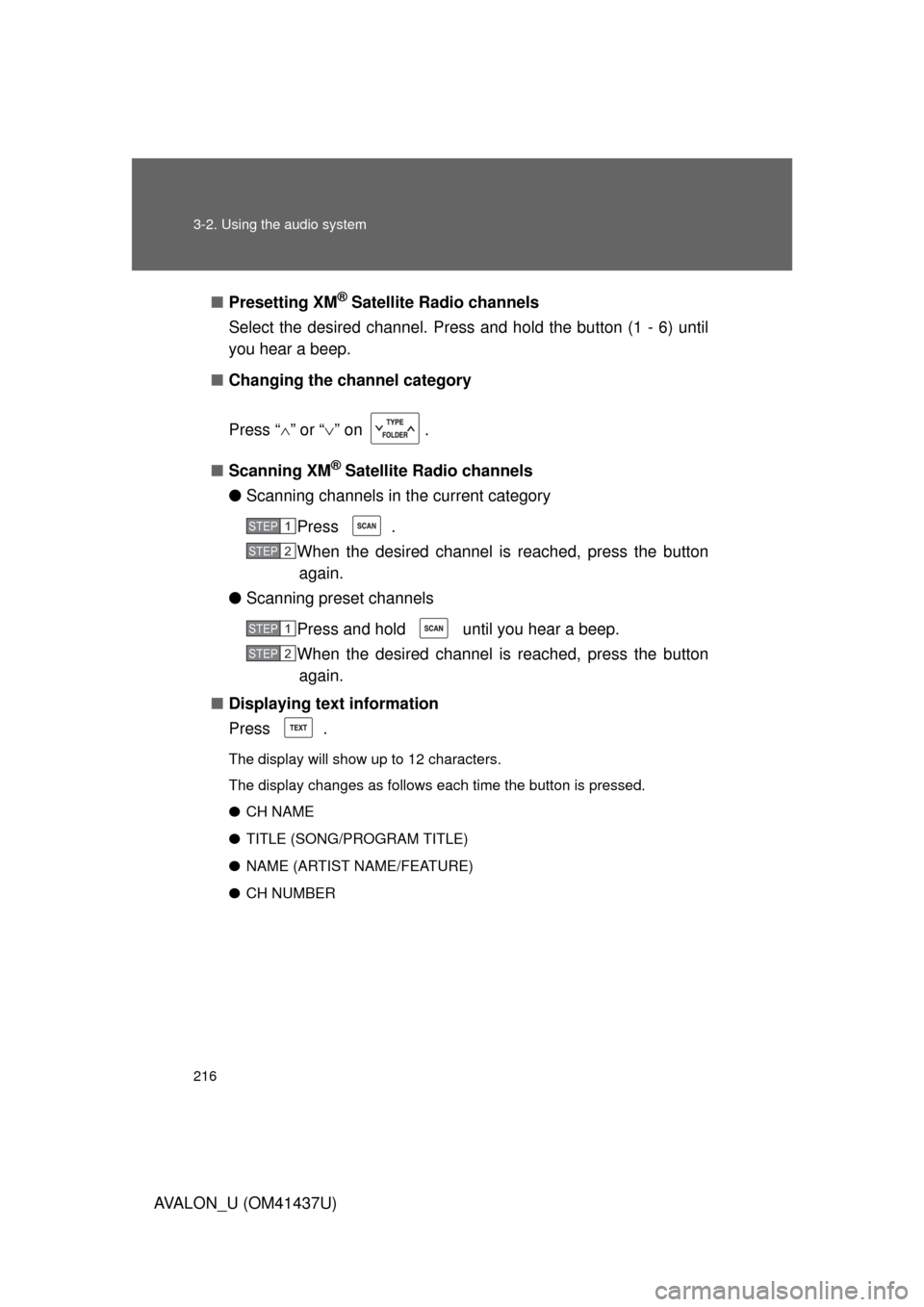
Presetting XM
® Satellite Radio channels
Select the desired channel. Press and hold the button (1 - 6) until
you hear a beep.
■ Changing the channel category
Press “ ” or “ ” on .
■ Scanning XM
® Satellite Radio channels
● Scanning channels in the current category
Press .
When the desired channel is reached, press the buttonagain.
● Scanning preset channels
Press and hold until you hear a beep.
When the desired channel is reached, press the buttonagain.
■ Displaying text information
Press .
The display will show up to 12 characters.
The display changes as follows each time the button is pressed.
● CH NAME
● TITLE (SONG/PROGRAM TITLE)
● NAME (ARTIST NAME/FEATURE)
● CH NUMBER
STEP1
STEP2
STEP1
STEP2
Page 220 of 476
220
3-2. Using the audio system
AVALON_U (OM41437U)
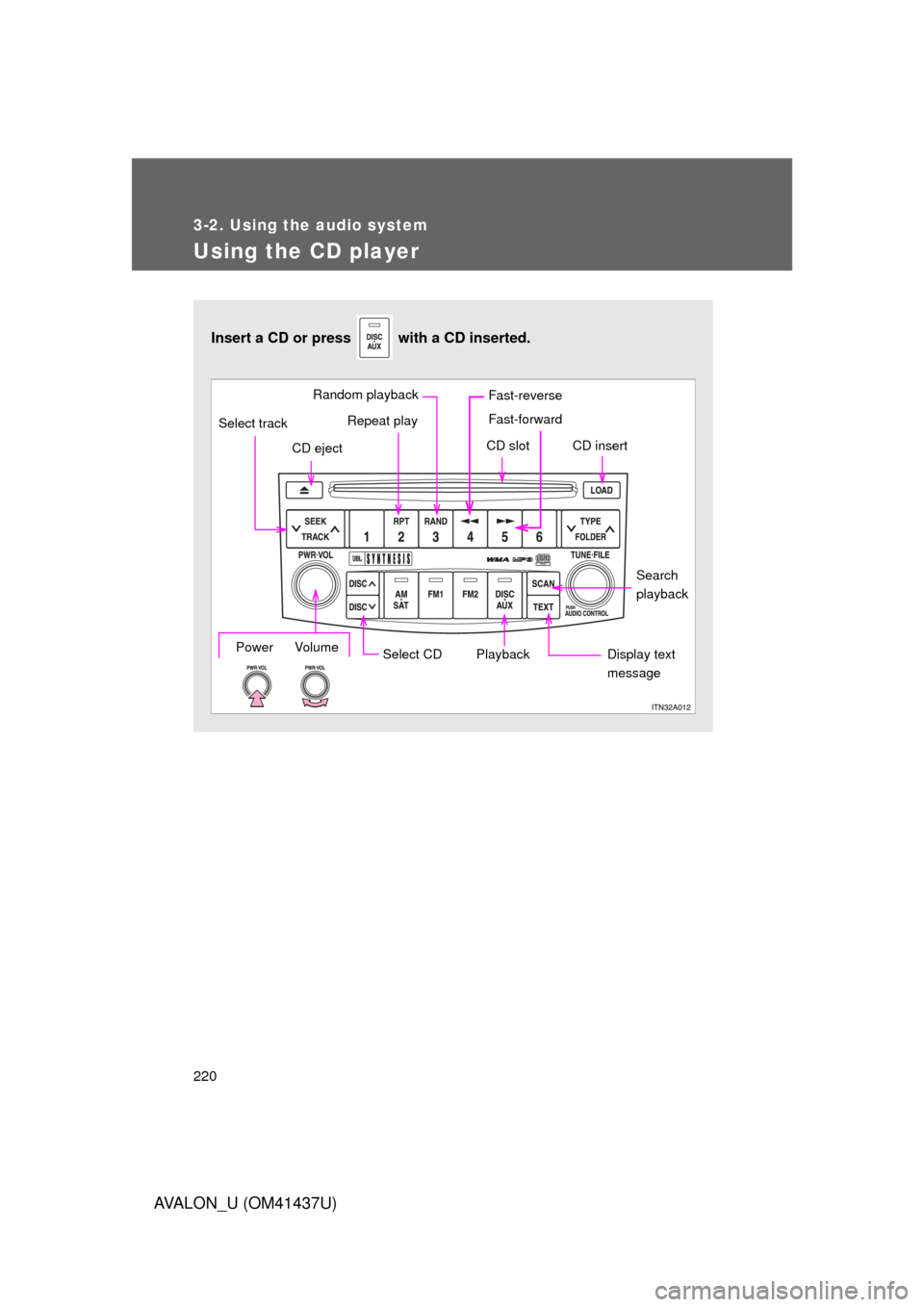
Using the CD player
Insert a CD or press with a CD inserted.
Select CDSearch
playback
Repeat play
CD eject
Playback
Select track
CD slot CD insert
Display text
messagePower Volume
Random playback Fast-reverse
Fast-forward
Page 222 of 476
222 3-2. Using the audio system
AVALON_U (OM41437U)
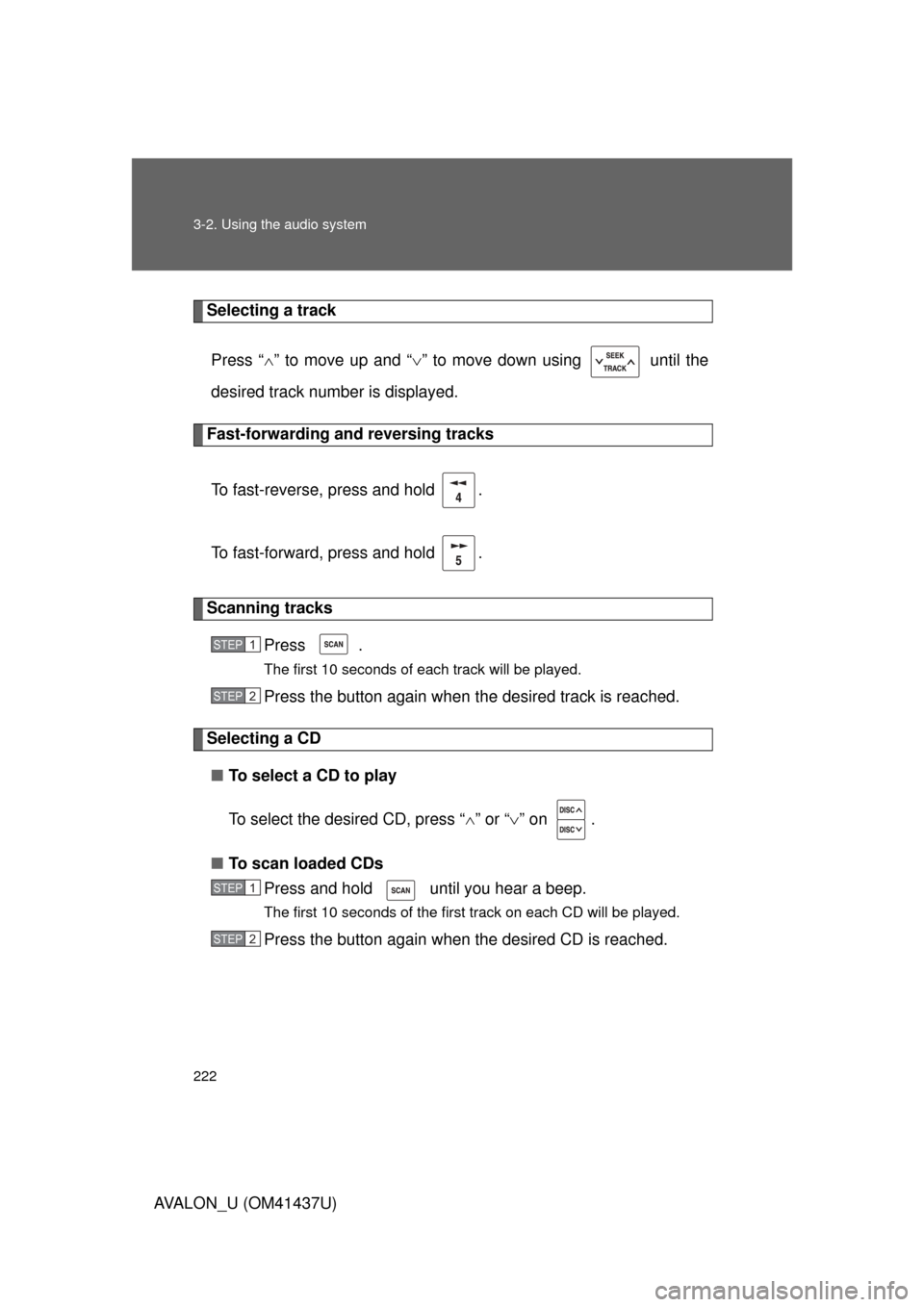
Selecting a trackPress “ ” to move up and “ ” to move down using until the
desired track number is displayed.
Fast-forwarding and reversing tracks
To fast-reverse, press and hold .
To fast-forward, press and hold .
Scanning tracks Press .
The first 10 seconds of each track will be played.
Press the button again when the desired track is reached.
Selecting a CD
■ To select a CD to play
To select the desired CD, press “ ” or “ ” on .
■ To scan loaded CDs
Press and hold until you hear a beep.
The first 10 seconds of the first track on each CD will be played.
Press the button again when the desired CD is reached.
STEP1
STEP2
STEP1
STEP2