light TOYOTA AVALON 2010 XX30 / 3.G Manual PDF
[x] Cancel search | Manufacturer: TOYOTA, Model Year: 2010, Model line: AVALON, Model: TOYOTA AVALON 2010 XX30 / 3.GPages: 476, PDF Size: 6.77 MB
Page 235 of 476
235
3-2. Using the audio system
3
Interior features
AVALON_U (OM41437U)
■
CD-R and CD-RW discs
● CD-R/CD-RW discs that have not been subject to the “finalizing process”
(a process that allows discs to be played on a conventional CD player)
cannot be played.
● It may not be possible to play CD-R/CD-RW discs recorded on a music
CD recorder or a personal computer because of disc characteristics,
scratches or dirt on the disc, or dirt, condensation, etc. on the lens of the
unit.
● It may not be possible to play discs recorded on a personal computer
depending on the application settings and the environment. Record with
the correct format. (For details, contact the appropriate application manu-
facturers of the applications.)
● CD-R/CD-RW discs may be damaged by direct exposure to sunlight,
high temperatures or other storage conditions. The unit may be unable to
play damaged discs.
● If you insert a CD-RW disc into the MP3/WMA player, playback will begin
more slowly than with a conventional CD or CD-R disc.
● Recordings on CD-R/CD-RW cannot be played using the DDCD (Double
Density CD) system.
■ Unsuitable discs, and player precautions
P. 226
Page 275 of 476
275
3
Interior features
AVALON_U (OM41437U)
3-4. Using the interior lights
Interior lights list
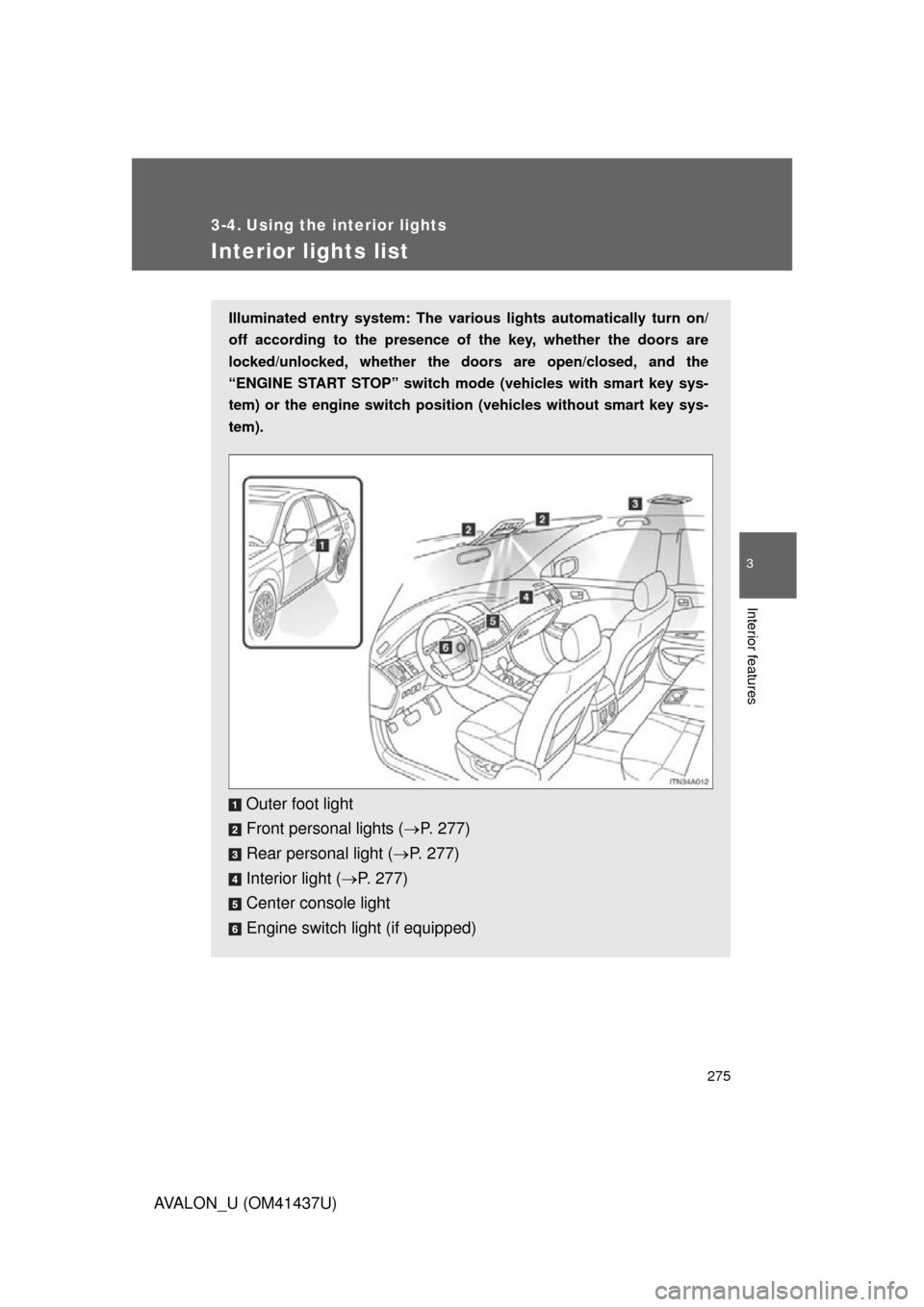
Illuminated entry system: The various lights automatically turn on/
off according to the presence of the key, whether the doors are
locked/unlocked, whether the doors are open/closed, and the
“ENGINE START STOP” switch mode (vehicles with smart key sys-
tem) or the engine switch position (vehicles without smart key sys-
tem).
Outer foot light
Front personal lights ( P. 277)
Rear personal light ( P. 277)
Interior light ( P. 277)
Center console light
Engine switch light (if equipped)
Page 276 of 476

276 3-4. Using the interior lights
AVALON_U (OM41437U)
■To prevent battery discharge
If the interior lights, personal lights and engine switch light (if equipped)
remain on when the door is not fully closed or the interior light switch in
“DOOR” position, the lights will go off automatically after 20 minutes.
■ Customization that can be co nfigured at Toyota dealer
Setting (e.g. The time elapsed before lights turn off) can be changed.
(Customizable features
P. 457)
Page 277 of 476
277
3-4. Using the interior lights
3
Interior features
AVALON_U (OM41437U)
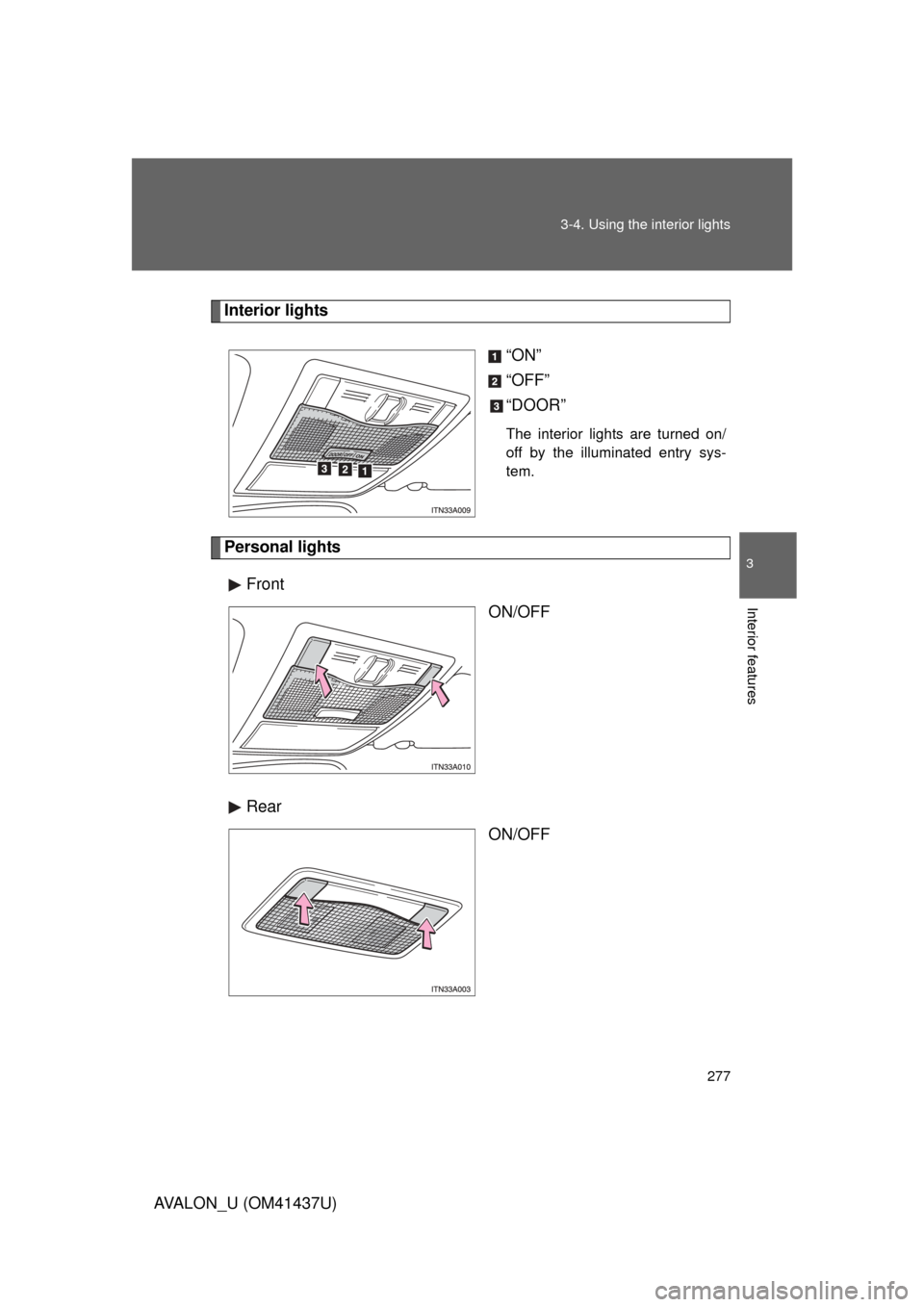
Interior lights
“ON”
“OFF”
“DOOR”
The interior lights are turned on/
off by the illuminated entry sys-
tem.
Personal lightsFront ON/OFF
Rear ON/OFF
Page 279 of 476
279
3-5. Using the
storage features
3
Interior features
AVALON_U (OM41437U)
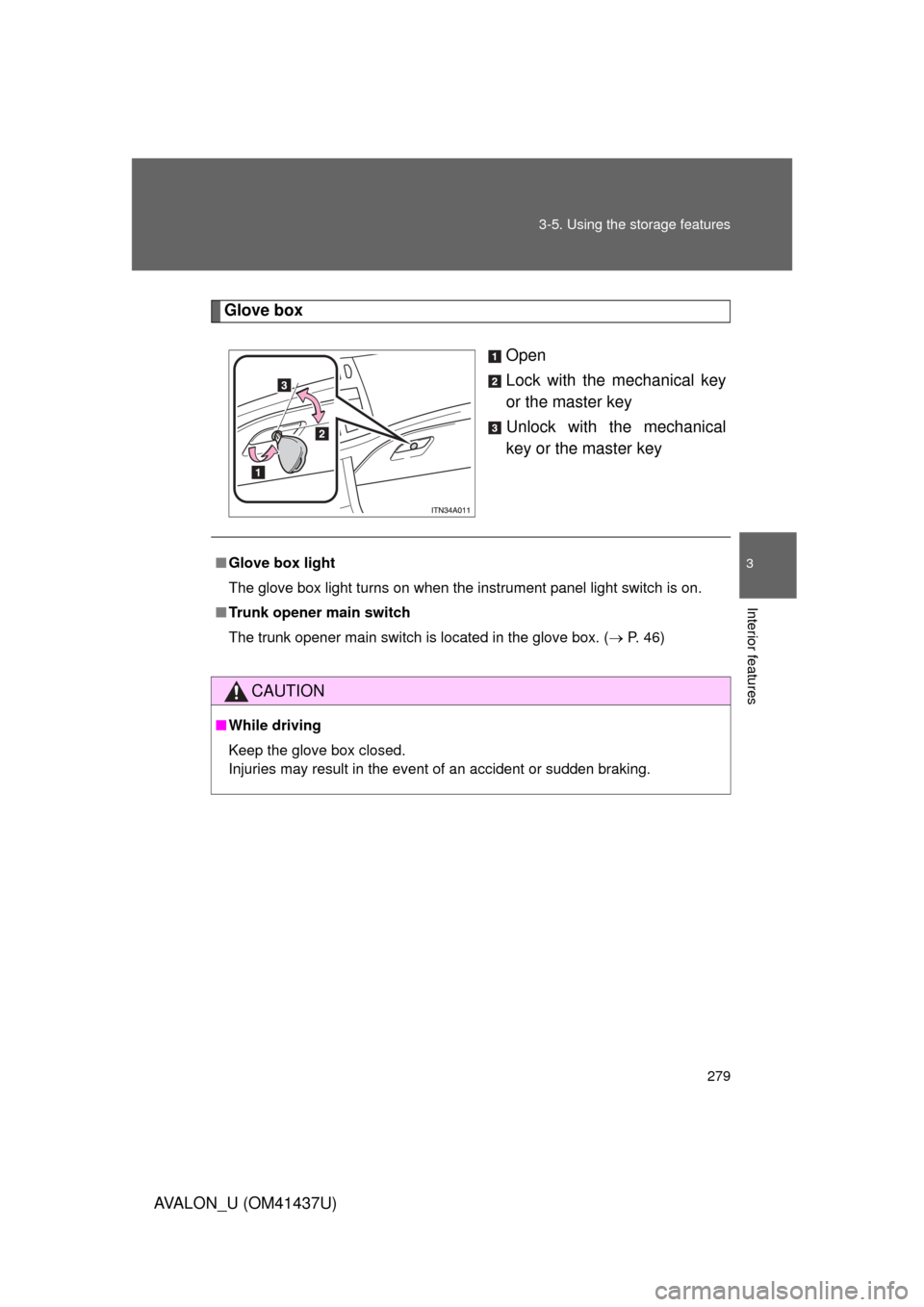
Glove box
Open
Lock with the mechanical key
or the master key
Unlock with the mechanical
key or the master key
■Glove box light
The glove box light turns on when the instrument panel light switch is on.
■ Trunk opener main switch
The trunk opener main switch is located in the glove box. ( P. 46)
CAUTION
■While driving
Keep the glove box closed.
Injuries may result in the event of an accident or sudden braking.
Page 282 of 476

282 3-5. Using the storage features
AVALON_U (OM41437U)
CAUTION
■Items that should not be le ft in the overhead console
Do not leave glasses or lighters in the console.
If the interior of the vehicle becomes hot, lighters may explode and glasses
may warp or become cracked.
■ While driving
Do not leave the overhead console open. Items may fall out and cause
injury.
Page 287 of 476
287
3-6. Other interior features
3
Interior features
AVALON_U (OM41437U)
Vanity mirrors
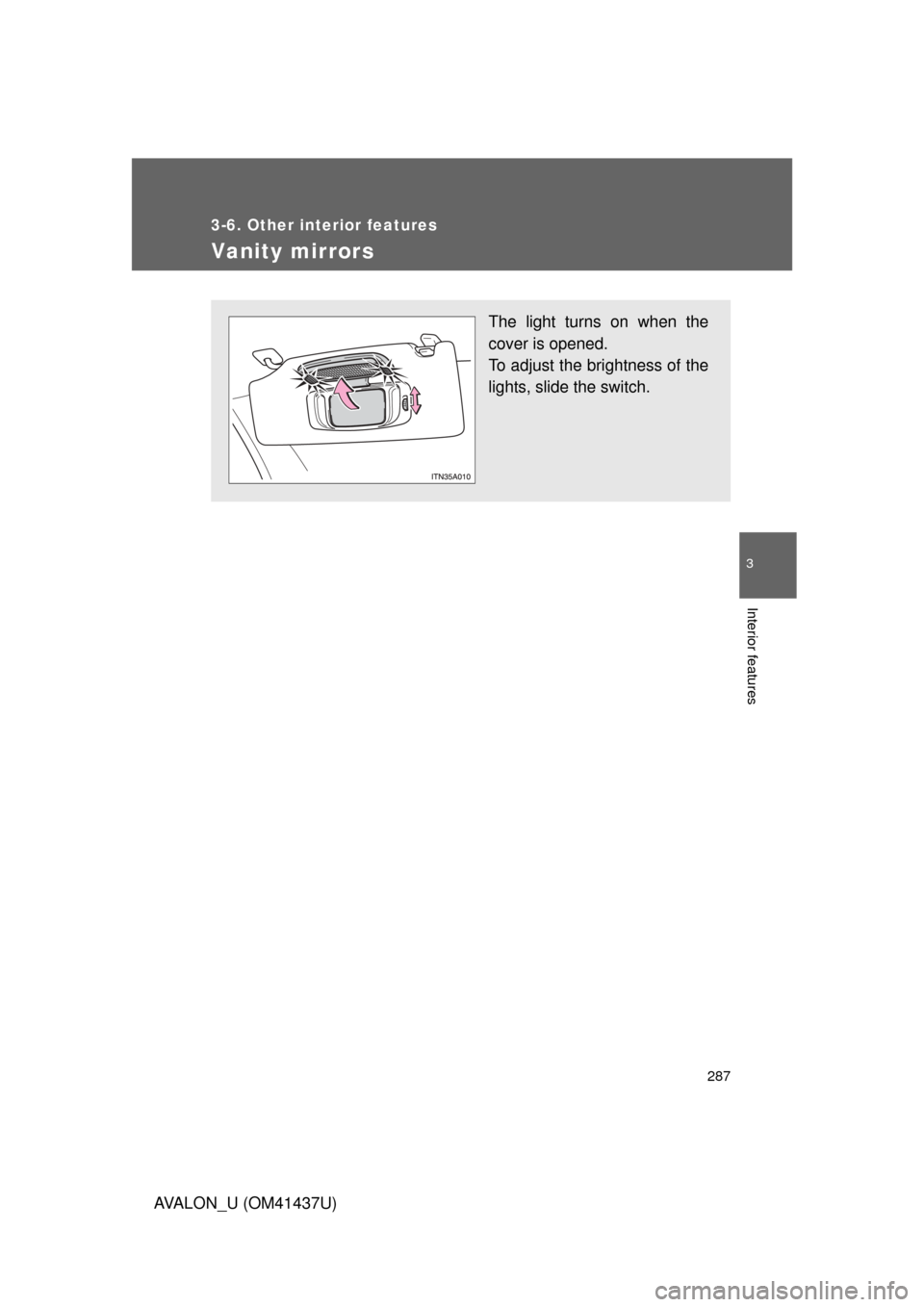
The light turns on when the
cover is opened.
To adjust the brightness of the
lights, slide the switch.
Page 301 of 476
301
3-6. Other interior features
3
Interior features
AVALON_U (OM41437U)
Garage door opener
The garage door opener (HomeLink Universal Transceiver) is manufac-
tured under license from HomeLink.
Programming the HomeLink (for U.S.A. owners)
The HomeLink
compatible transceiver in your vehicle has 3 buttons
which can be programmed to operate 3 different devices. Refer to the
programming method below appropriate for the device.
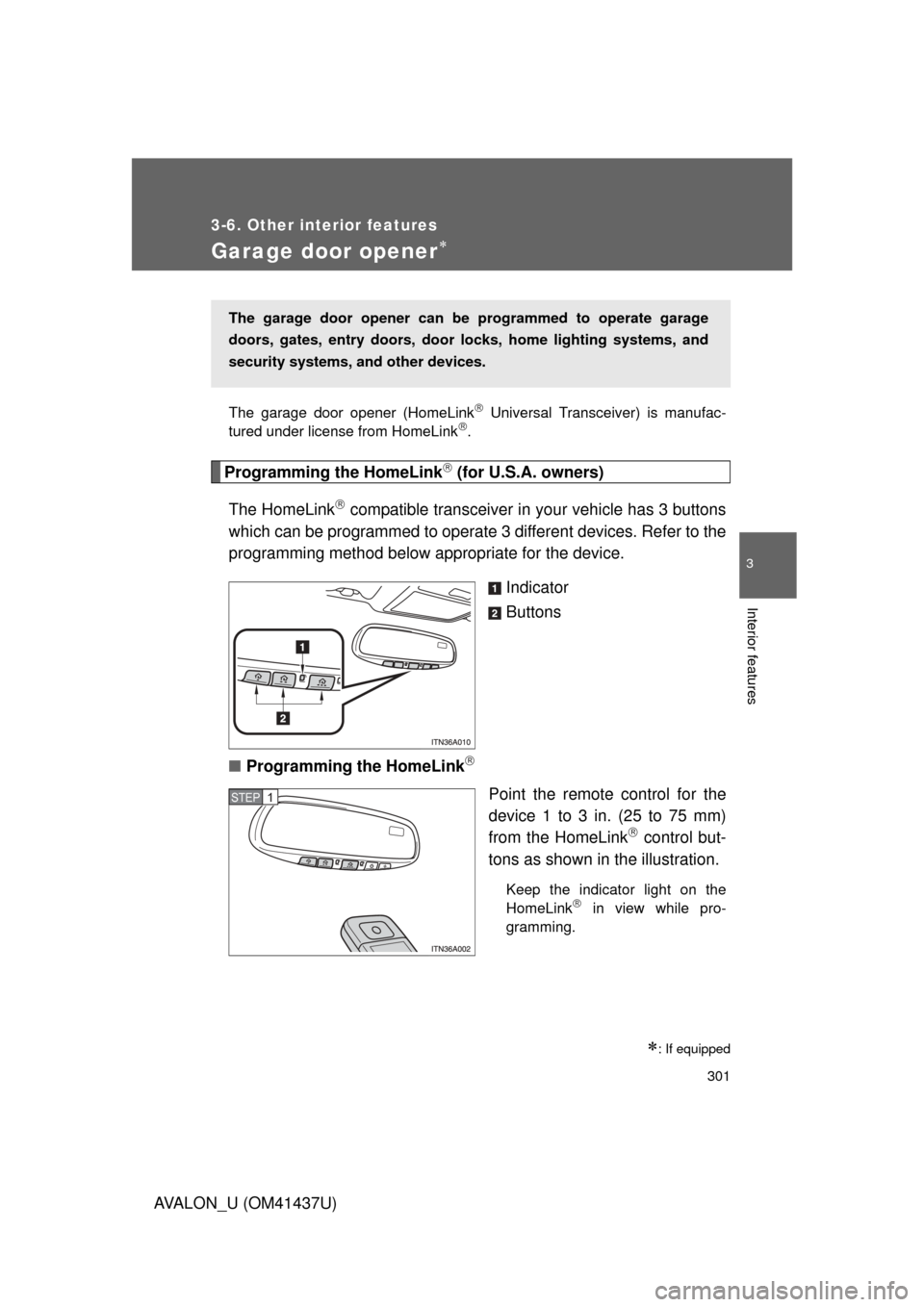
Indicator
Buttons
■ Programming the HomeLink
Point the remote control for the
device 1 to 3 in. (25 to 75 mm)
from the HomeLink
control but-
tons as shown in the illustration.
Keep the indicator light on the
HomeLink in view while pro-
gramming.
: If equipped
The garage door opener can be programmed to operate garage
doors, gates, entry doors, door locks, hom e lighting systems, and
security systems, and other devices.
STEP1
Page 302 of 476
302 3-6. Other interior features
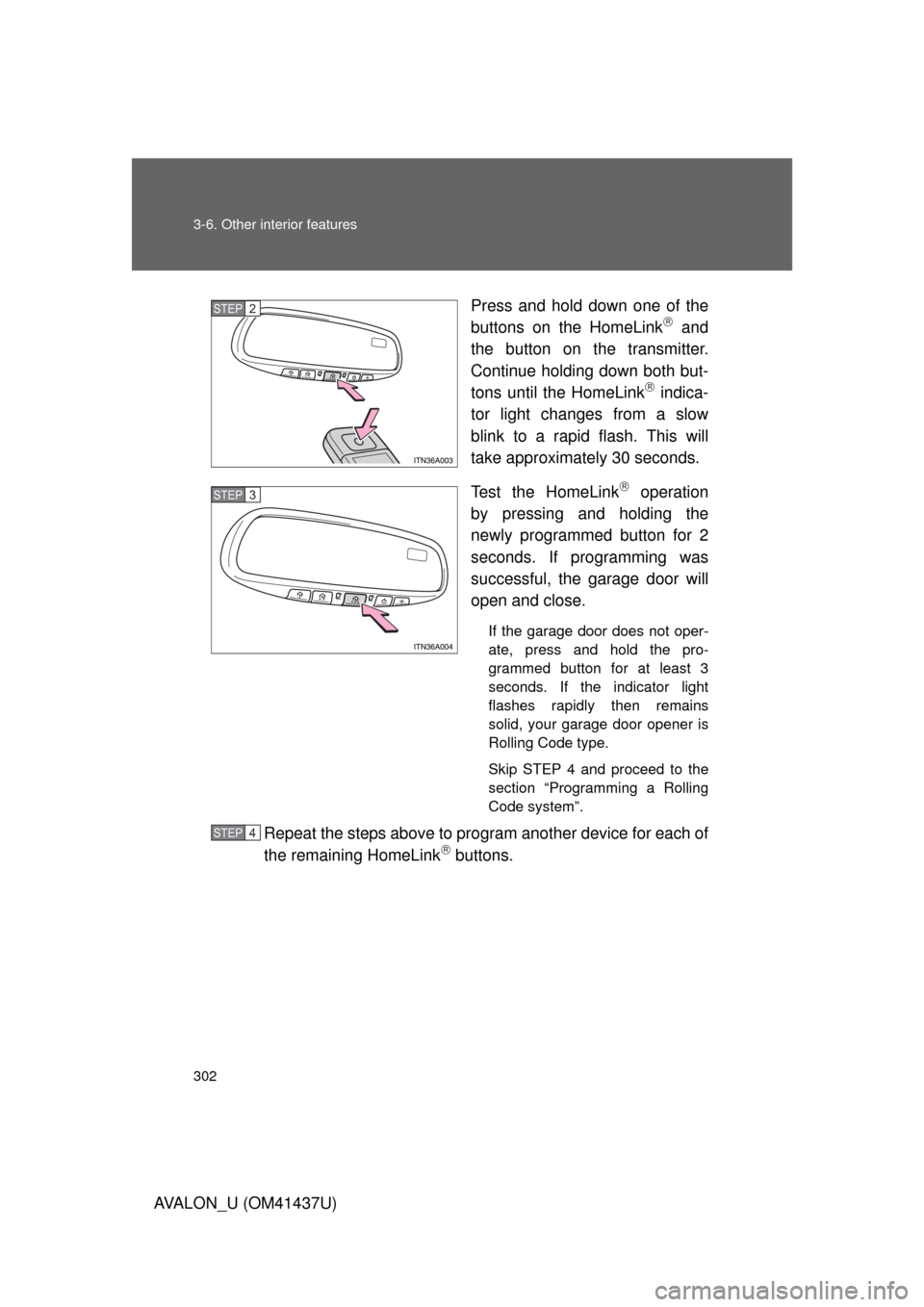
AVALON_U (OM41437U)Press and hold down one of the
buttons on the HomeLink
and
the button on the transmitter.
Continue holding down both but-
tons until the HomeLink
indica-
tor light changes from a slow
blink to a rapid flash. This will
take approximately 30 seconds.
Test the HomeLink
operation
by pressing and holding the
newly programmed button for 2
seconds. If programming was
successful, the garage door will
open and close.
If the garage door does not oper-
ate, press and hold the pro-
grammed button for at least 3
seconds. If the indicator light
flashes rapidly then remains
solid, your garage door opener is
Rolling Code type.
Skip STEP 4 and proceed to the
section “Programming a Rolling
Code system”.
Repeat the steps above to program another device for each of
the remaining HomeLink buttons.
STEP2
STEP3
STEP4
Page 303 of 476
303
3-6. Other interior features
3
Interior features
AVALON_U (OM41437U)
■
Programming a Rolling Code sys tem (for U.S.A. owners)
If your device is Rolling Code equipped, follow the steps under the
heading “Programming the HomeLink
” before proceeding with
the steps listed below.
Locate the learn button on t he ceiling mounted garage door
opener motor. The exact location and color of the button may
vary by brand of garage door opener.
Refer to the operation manual supplied with the garage door opener
for the location of the learn button.
Press and release the learn button.
Press and hold the vehicle’s programmed HomeLink
button
for 2 seconds and release it. Repeat this step once again. The
garage door may open.
If the garage door opens, the programming process is complete. If
the door does not open, press and release the button a third time.
This third press and release will complete the programming process
by opening the garage door.
The ceiling mounted garage door opener motor should now recog-
nize the HomeLink
transceiver and operate the garage door.
Repeat the steps above to prog ram another rolling code sys-
tem for any of the remaining HomeLink buttons.
■ Programming an entry gate (f or U.S.A. owners)/Programming
all devices in the Canadian market
Place your transmitter 1 to 3 in. (25 to 75 mm) away from the
surface of the HomeLink
.
Keep the indicator light on the HomeLink in view while program-
ming.
Press and hold the selected HomeLink button.
Repeatedly press and releas e (cycle) the device’s remote
control button for two seconds each until step 4 is completed.
When the indicator light on the HomeLink
compatible trans-
ceiver starts to flash rapidly, release the buttons.
STEP1
STEP2
STEP3
STEP4
STEP1
STEP2
STEP3
STEP4