phone TOYOTA AVALON 2010 XX30 / 3.G Owners Manual
[x] Cancel search | Manufacturer: TOYOTA, Model Year: 2010, Model line: AVALON, Model: TOYOTA AVALON 2010 XX30 / 3.GPages: 476, PDF Size: 6.77 MB
Page 3 of 476

1
2
3
4
5
6
7
3
AVALON_U (OM41437U)
2-3. Operating the lights and windshield wipers
Headlight switch .................. 156
Fog light switch ................... 159
Windshield wipers and washer .............................. 160
2-4. Using other driving systems Cruise control ...................... 165
Dynamic laser cruise control ............................... 168
Driving assist systems ........ 181
2-5. Driving information Cargo and luggage ............. 184
Vehicle load limits ............... 188
Winter driving tips ............... 189
Trailer towing ...................... 194
Dinghy towing ..................... 195
3-1. Using the air conditioning system and defogger
Automatic air conditioning system .............................. 198
Using the steering wheel climate control
switches ............................ 206
Rear window and outside rear view mirror
defoggers .......................... 208 3-2. Using the audio system
Audio system type .............. 210
Audio cover ........................ 212
Using the radio ................... 213
Using the CD player ........... 220
Playing MP3 and WMA discs ....................... 228
Optimal use of the audio system .............................. 236
Using the AUX adapter....... 238
Using the steering wheel audio switches.................. 239
3-3. Using the hands-free system (for cellular phone)
Hands-free system (for cellular phone) ........... 242
Using the hands-free system .............................. 246
Making a phone call ........... 254
Setting a cellular phone ...... 259
Security and system setup ................................ 264
Using the phone book ........ 267
3-4. Using the interior lights Interior lights list ................. 275
3-5. Using the storage features List of storage features ....... 278
3Interior features
Page 13 of 476
13
AVALON_U (OM41437U)
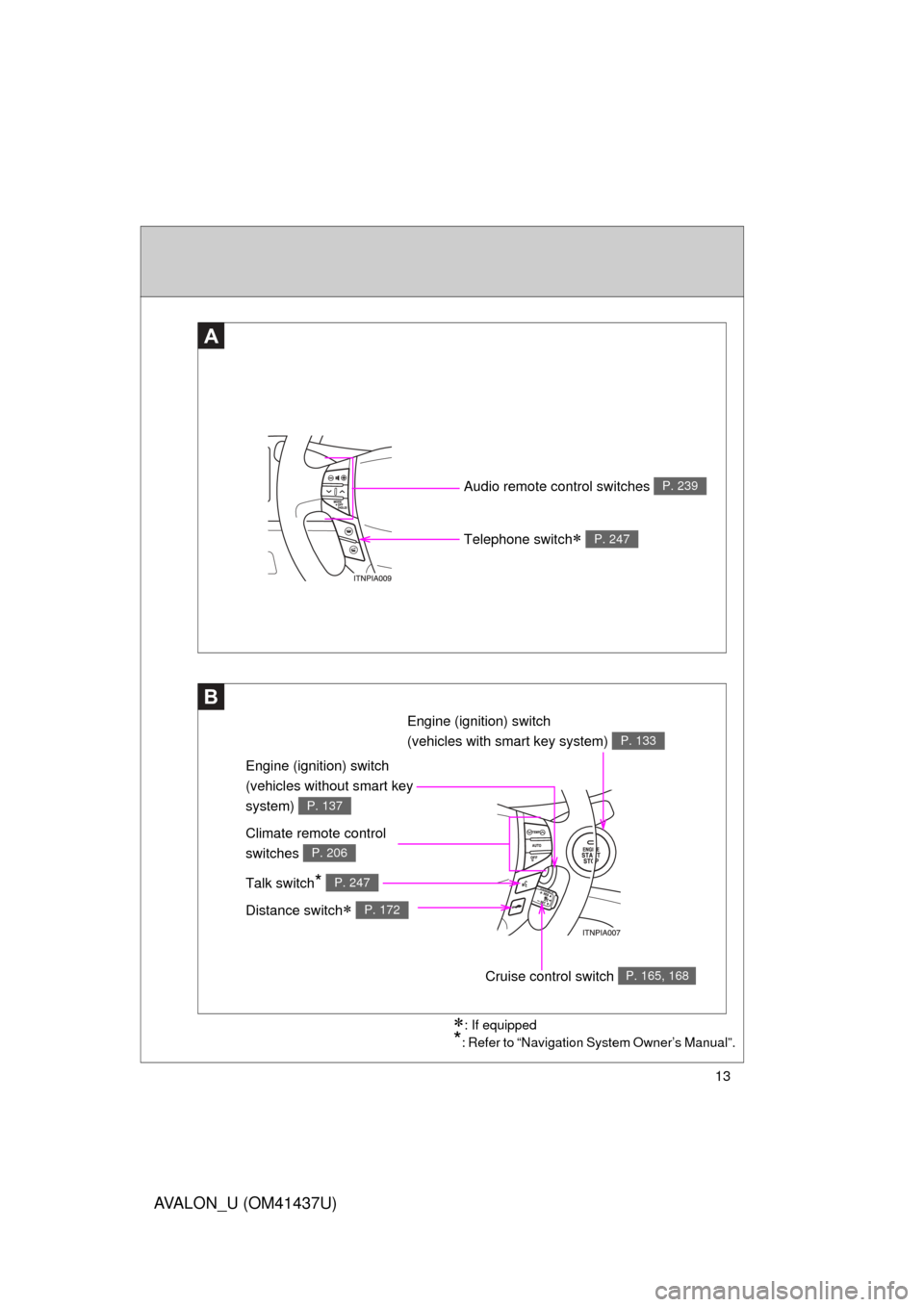
Audio remote control switches P. 239
Engine (ignition) switch
(vehicles without smart key
system)
P. 137
: If equipped
*: Refer to “Navigation System Owner’s Manual”.
A
B
Telephone switch P. 247
Engine (ignition) switch
(vehicles with smart key system)
P. 133
Climate remote control
switches
P. 206
Talk switch* P. 247
Distance switch P. 172
Cruise control switch P. 165, 168
Page 18 of 476

18
AVALON_U (OM41437U)
CAUTION
■General precautions while driving
Driving under the influence: Never drive your vehicle when under the influ-
ence of alcohol or drugs that have impaired your ability to operate your vehi-
cle. Alcohol and certain drugs delay reaction time, impair judgment and
reduce coordination, which could lead to an accident that will hurt or kill you,
your occupants or others.
Defensive driving: Always drive defensively. Anticipate mistakes that other
drivers or pedestrians might make and be ready to avoid accidents.
Driver distraction: Always give your full attention to driving. Anything that dis-
tracts the driver, such as adjusting controls, talking on a cellular phone or
reading can result in a collision with resulting death or serious injury to you,
your occupants or others.
■ General precautions regarding children’s safety
Never leave children unattended in the vehicle, and never allow children to
have or use the key.
Children may be able to start the vehicle or shift the vehicle into neutral.
There is also a danger that children may injure themselves by playing with
the cigarette lighter, the windows, the moon roof, or other features of the
vehicle. In addition, heat build-up or extremely cold temperatures inside the
vehicle can be fatal to children.
Page 28 of 476

28 1-2. Opening, closing and locking the doors and trunk
AVALON_U (OM41437U)
■Operation signals
A buzzer sounds and the emergency flashers flash to indicate that the doors
have been locked/unlocked. (Locked: Once; Unlocked: Twice)
■ Conditions affecting operation
The smart key system uses weak radio waves. In the following situations,
the communication between the electronic key and the vehicle may be
affected, preventing the smart key system and wireless remote control from
operating properly. (Way of coping:
P. 418)
● When the electronic key battery is depleted
● Near a TV tower, electric power plant, gas station, radio station, large dis-
play, airport or other facility that generates strong radio waves or electri-
cal noise
● When carrying a portable radio, ce llular phone, cordless phone or other
wireless communication devices
● When the electronic key has come into contact with, or is covered by a
metallic object
● When multiple electronic keys are in the vicinity
● When carrying or using the electronic key together with the following
devices that emit radio waves
• Another vehicle’s electronic key
• A wireless key that emits radio waves
• Personal computer
● If window tint with a metallic content or metallic objects are attached to
the rear window
Page 30 of 476

30 1-2. Opening, closing and locking the doors and trunk
AVALON_U (OM41437U)
■Battery-saving function
In the following circumstances, the entry function is disabled in order to pre-
vent the vehicle and electronic key batteries from discharging.
● When the entry function has not been used for 2 weeks or more
● When the electronic key has been left within approximately 3 ft. (1 m) of
the vehicle for 10 minutes or more
The system will resume operation when...
● The vehicle is locked using the door handle lock switch
● The vehicle is locked/unlocked using the wireless remote control function
(P. 36) or the mechanical key ( P. 418)
■ Electronic key battery depletion
● The standard battery life is 1 to 2 years. (The battery becomes depleted
even if the electronic key is not used.) If the smart key system or the
wireless remote control function does not operate, or the detection area
becomes smaller, the battery may be depleted. Replace the battery when
necessary. ( P. 363)
● To avoid serious deterioration, do not leave the electronic key within 3 ft.
(1 m) of the following electrical appliances that produce a magnetic field.
•TVs
• Personal computers
• Recharging cellular phones or cordless phones
• Table lamps
■ To operate the system properly
Make sure to carry the electronic key when operating the system. Do not get
the electronic key too close to the vehicle when operating the system from
the outside of the vehicle.
Depending on the position and holding condition of the electronic key, the
key may not be detected correctly and the system may not operate properly.
(The alarm may go off accidentally, or the door lock prevention may not func-
tion.)
Page 37 of 476

37
1-2. Opening, closing and locking the doors and trunk
1
Before driving
AVALON_U (OM41437U)
■
Operation indicator
Doors: A buzzer sounds and the emergency flashers flash to indicate that
the doors have been locked/unlocked. (Locked: Once; Unlocked:
Twice)
Trunk: A buzzer sounds to indicate that the trunk has been unlocked.
■ Door lock buzzer (vehicle s with smart key system)
If a door is not fully closed, a buzzer sounds continuously for 10 seconds if
an attempt to lock the door is made. Fully close the door to stop the buzzer,
and lock the vehicle once more.
■ Security feature
P. 3 1
■ When the key battery is fully depleted
P. 363
■ Conditions aff ecting operation
Vehicles with smart key system
P. 2 8
Vehicles without smart key system The wireless remote control function may not operate normally in the fol-
lowing situations.
●Near a TV tower, radio station, electric power plant, airport or other facility that generates strong radio waves
●When carrying a portable radio, cellular phone or other wireless com- munication device
●When multiple wireless keys are in the vicinity
●When the wireless key has come into contact with, or is covered by a metallic object
●When a wireless key (that emits radio waves) is being used nearby
●When the wireless key has been left near an electrical appliance such as a personal computer
Page 197 of 476
Interior features3
197
AVALON_U (OM41437U)
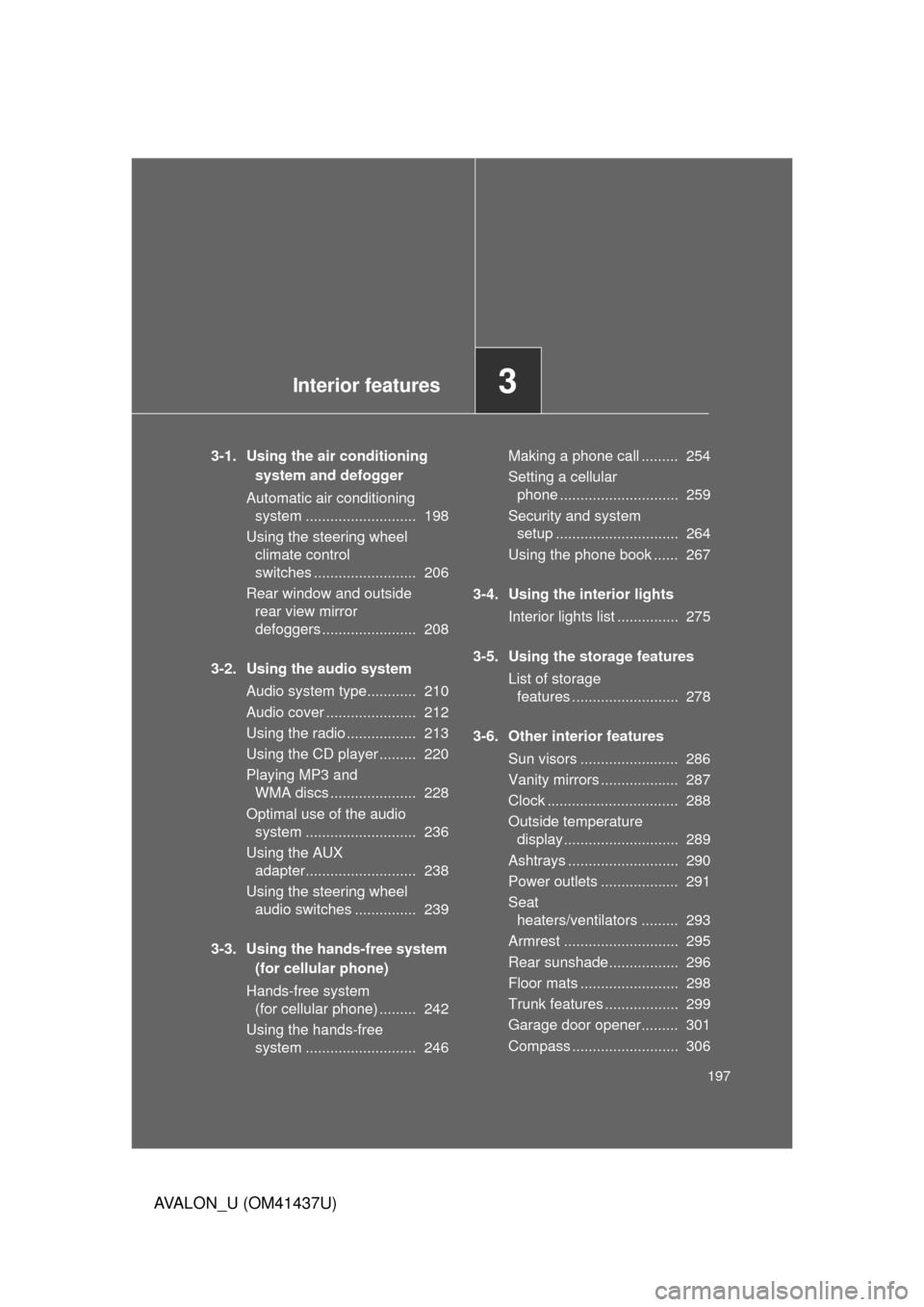
3-1. Using the air conditioning system and defogger
Automatic air conditioning system ........................... 198
Using the steering wheel climate control
switches ......................... 206
Rear window and outside rear view mirror
defoggers ....................... 208
3-2. Using the audio system Audio system type............ 210
Audio cover ...................... 212
Using the radio ................. 213
Using the CD player ......... 220
Playing MP3 and WMA discs ..................... 228
Optimal use of the audio system ........................... 236
Using the AUX adapter........................... 238
Using the steering wheel audio switches ............... 239
3-3. Using the hands-free system (for cellular phone)
Hands-free system (for cellular phone) ......... 242
Using the hands-free system ........................... 246 Making a phone call ......... 254
Setting a cellular
phone ............................. 259
Security and system setup .............................. 264
Using the phone book ...... 267
3-4. Using the interior lights Interior lights list ............... 275
3-5. Using the storage features List of storage features .......................... 278
3-6. Other interior features Sun visors ........................ 286
Vanity mirrors ................... 287
Clock ................................ 288
Outside temperature display............................ 289
Ashtrays ........................... 290
Power outlets ................... 291
Seat heaters/ventilators ......... 293
Armrest ............................ 295
Rear sunshade................. 296
Floor mats ........................ 298
Trunk features .................. 299
Garage door opener......... 301
Compass .......................... 306
Page 211 of 476
211
3-2. Using the audio system
3
Interior features
AVALON_U (OM41437U)
■
Using cellular phones
Interference may be heard through the audio system’s speakers if a cellular
phone is being used inside or close to the vehicle while the audio syste\
m is
operating.
CAUTION
■For vehicles sold in the U.S.A. and Canada
● Part 15 of the FCC Rules
FCC Warning:
Any unauthorized changes or modifications to this equipment will void the
user’s authority to operate this device.
● Laser products
• Do not take this unit apart or attempt to make any changes yourself.
This is an intricate unit that uses a laser pickup to retrieve information
from the surface of compact discs. The laser is carefully shielded so
that its rays remain inside the cabinet. Therefore, never try to disas-
semble the player or alter any of its parts since you may be exposed to
laser rays and dangerous voltages.
• This product utilizes a laser. Use of controls or adjustments or performance of procedures other
than those specified herein may result in hazardous radiation expo-
sure.
NOTICE
■To prevent battery discharge
Do not leave the audio system on longer than necessary with the engine o\
ff.
■ To avoid damaging the audio system
Take care not to spill drinks or other fluids over the audio system.
Page 242 of 476
242
AVALON_U (OM41437U)
3-3. Using the hands-free system (for cellular phone)
Hands-free system (for cellular phone)
: If equipped
■Hands-free System Addi tional Information
For additional information pairing and connecting cellular phone or for phone
compatibility with vehicle’s Bluetooth
® system, please visit the following
website: http://www.toyota.letstalk.com
■ Conditions under which th e system will not operate
● If using a cellular phone that does not support Bluetooth
®.
● If the cellular phone is switched off.
● If you are outside service range.
● If the cellular phone is not connected.
● If the cellular phone’s battery is low.
■ When transferring ownership of the vehicle
Be sure to initialize the system to prevent the personal data from being
improperly accessed.
This system supports Bluetooth®, which allows you to make or
receive calls without using cables to connect a cellular phone and
the system, and without oper ating the cellular phone.
TitlePage
Using the hands-free systemP. 246
Making a phone callP. 254
Setting a cellular phoneP. 259
Security and system setupP. 264
Using the phone bookP. 267
Page 243 of 476
243
3-3. Using the hands-free
system (for cellular phone)
3
Interior features
AVALON_U (OM41437U)
■About Bluetooth®
■Compatible models
Compatible with HFP (Hands Free Profile) Ver. 1.0 and OPP (Object Push
Profile) Ver. 1.1.
If your cellular phone does not support HFP, you cannot enter the Bluetooth
®
phone, and take OPP service individually.
■ Certification for the hands-free system
FCC ID: HYQBTAU01A
IC ID: 1551A-BTAU01A
MADE IN JAPAN
NOTE:
This device complies with Part 15 of the FCC Rules and RSS-210. Opera-
tion is subject to the following two conditions: (1) This device may not cause
harmful interference, and (2) This device must accept any interference
received, including interference that may cause undesired operation.
Bluetooth is a registered trademark of
Bluetooth SIG. Inc.