engine TOYOTA AVALON 2013 XX40 / 4.G Manual Online
[x] Cancel search | Manufacturer: TOYOTA, Model Year: 2013, Model line: AVALON, Model: TOYOTA AVALON 2013 XX40 / 4.GPages: 496, PDF Size: 6.77 MB
Page 263 of 496
2635-4. Using the storage features
5
Interior features
AVALON (U)_(OM41440U)■
When using wireless charger (if equipped)
A mobile device can be charged wirelessly on the tray.
Charging can only be performed with the engine switch in ACCESSORY or
IGNITION ON mode and only on mobile devices with the “ ” logo.
■ If the wireless charger LED indicators flash
If the wireless charging surface of the tray becomes too hot, the LED indica-
tors will flash and charging is canceled. The LED indicators will be illuminated
if the surface of the tray cools down.
If the LED indicators flash even though the surface of the tray is not hot, the
wireless charger may be malfunctioning. Consult your Toyota dealer.
■ When charging of the wirel ess charger stops temporarily
If any of the following operations ar e performed with the electronic key
present, charging may stop temporarily . Charging will start again after a
while.
● Locking/unlocking the doors by touching the door handle
● Opening/closing the doors
● Pressing the trunk opener switch
● Closing the trunk lid
● Starting the engine
● Locking the doors by pressing the lock button on the electronic key
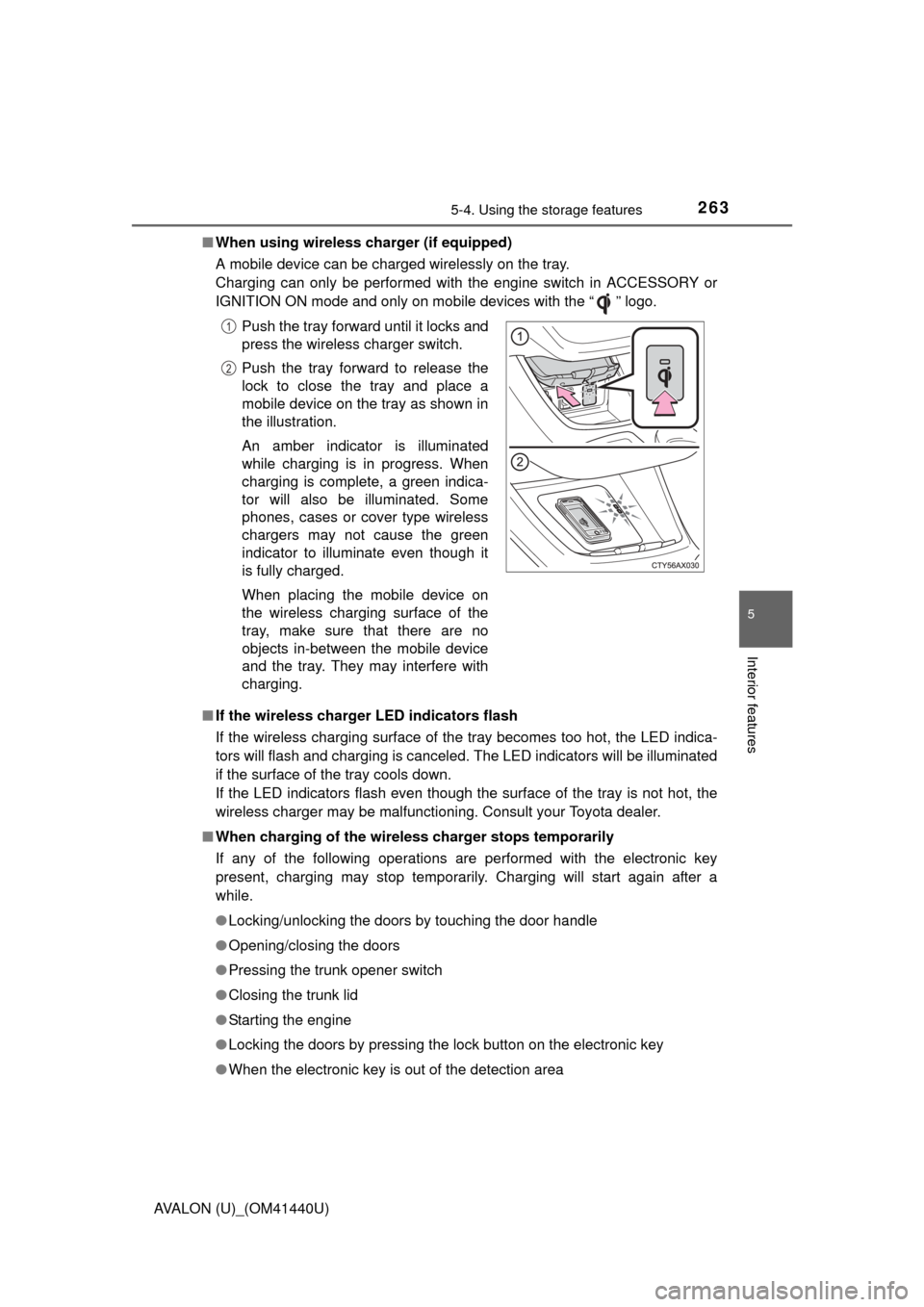
● When the electronic key is out of the detection area Push the tray forward until it locks and
press the wireless charger switch.
Push the tray forward to release the
lock to close the tray and place a
mobile device on the tray as shown in
the illustration.
An amber indicator is illuminated
while charging is in progress. When
charging is complete, a green indica-
tor will also be illuminated. Some
phones, cases or cover type wireless
chargers may not cause the green
indicator to illuminate even though it
is fully charged.
When placing the mobile device on
the wireless charging surface of the
tray, make sure that there are no
objects in-between the mobile device
and the tray. They may interfere with
charging.
1
2
Page 268 of 496
268
AVALON (U)_(OM41440U)
5-5. Other interior features
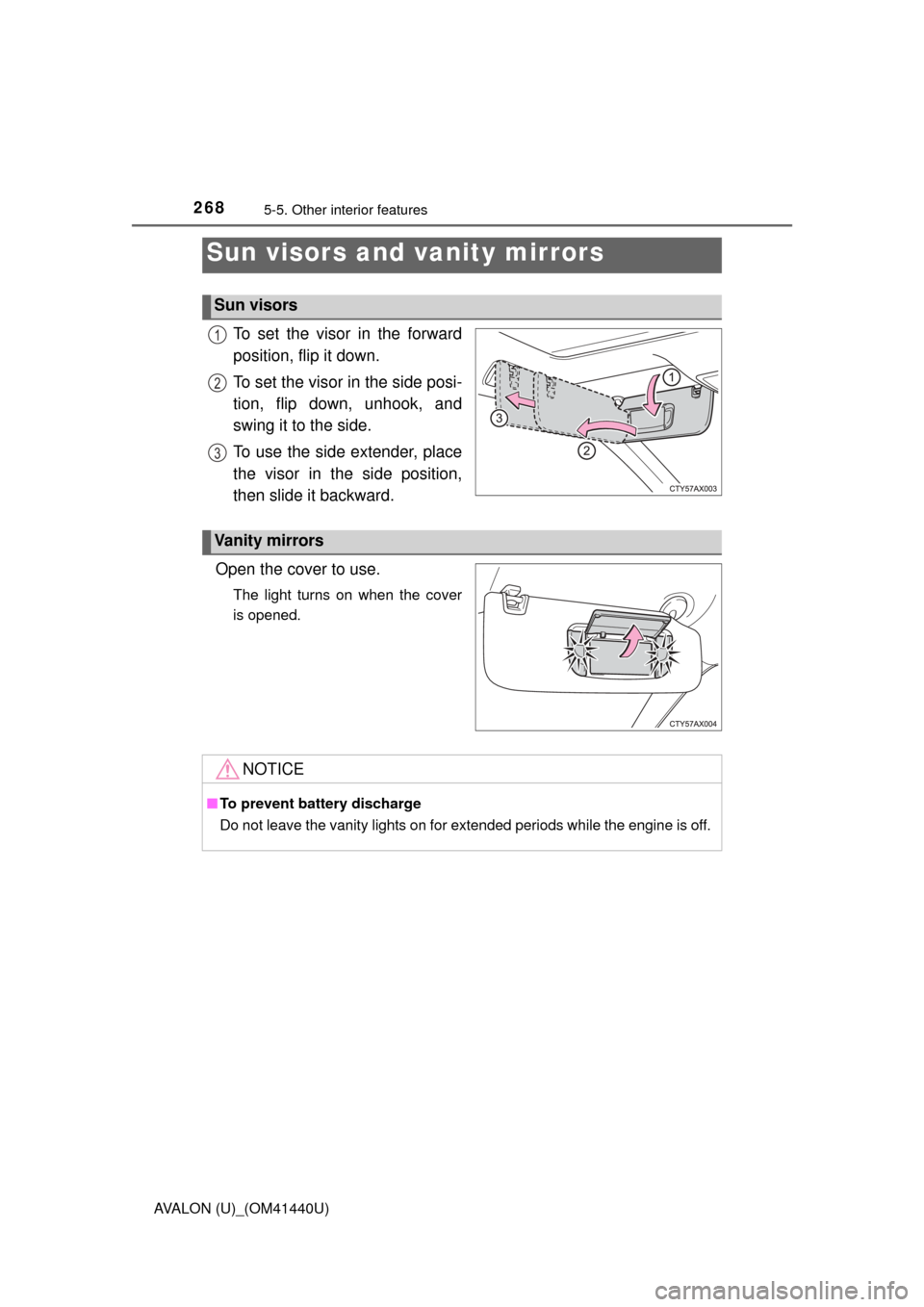
To set the visor in the forward
position, flip it down.
To set the visor in the side posi-
tion, flip down, unhook, and
swing it to the side.
To use the side extender, place
the visor in the side position,
then slide it backward.
Open the cover to use.
The light turns on when the cover
is opened.
Sun visors and vanity mirrors
Sun visors
1
2
3
Vanity mirrors
NOTICE
■ To prevent battery discharge
Do not leave the vanity lights on for extended periods while the engine is off.
Page 270 of 496

2705-5. Other interior features
AVALON (U)_(OM41440U)
■The clock is displayed when
The engine switch is in ACCESSORY or IGNITION ON mode.
■ When disconnecting and reco nnecting battery terminals
Type A
The time display will automatically be set to 12:00 AM.
Type B
The time display will automatically be set to 12:00.
■ Time display (Type B)
After pressing “H” or “M” to show the setting screen, press “H” and “M” at the
same time to change between the analog and digital displays.
Page 271 of 496
2715-5. Other interior features
5
Interior features
AVALON (U)_(OM41440U)
■The outside temperature is displayed when
The engine switch is in IGNITION ON mode.
■ Display
In the following situations, the correct outside temperature may not be dis-
played, or the display may take longer than normal to change.
●When the vehicle is stopped, or moving at low speeds (less than 16 mph [25
km/h]).
● When the outside temperature has changed suddenly (at the entrance/exit
of a garage, tunnel, etc.)
■ When “--- F” is displayed
The system may be malfunctioning. Take your vehicle to your Toyota dealer.
Outside temperature display
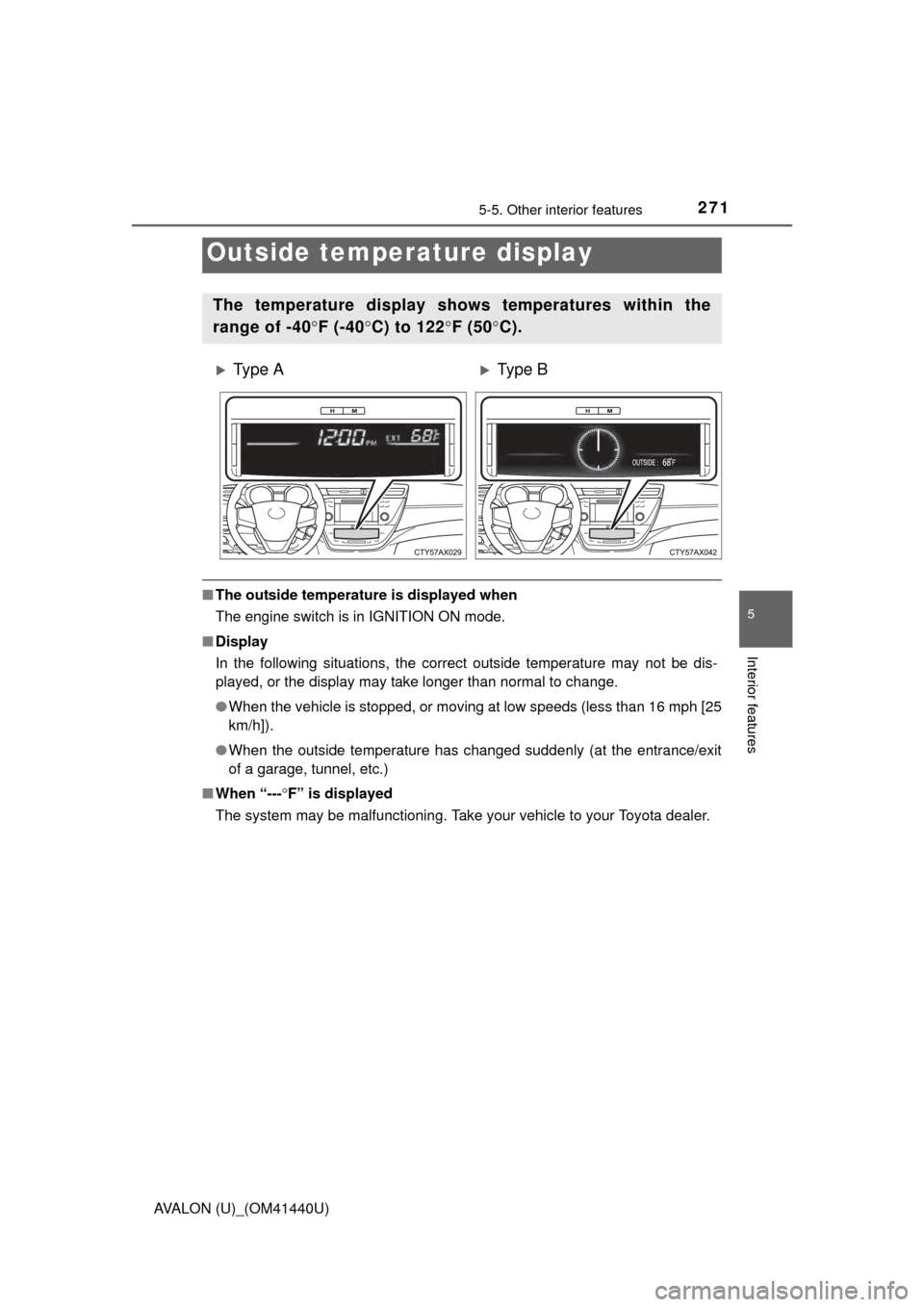
The temperature display shows temperatures within the
range of -40 F (-40 C) to 122 F (50 C).
Ty p e AType B
9ò
Page 273 of 496
2735-5. Other interior features
5
Interior features
AVALON (U)_(OM41440U)■
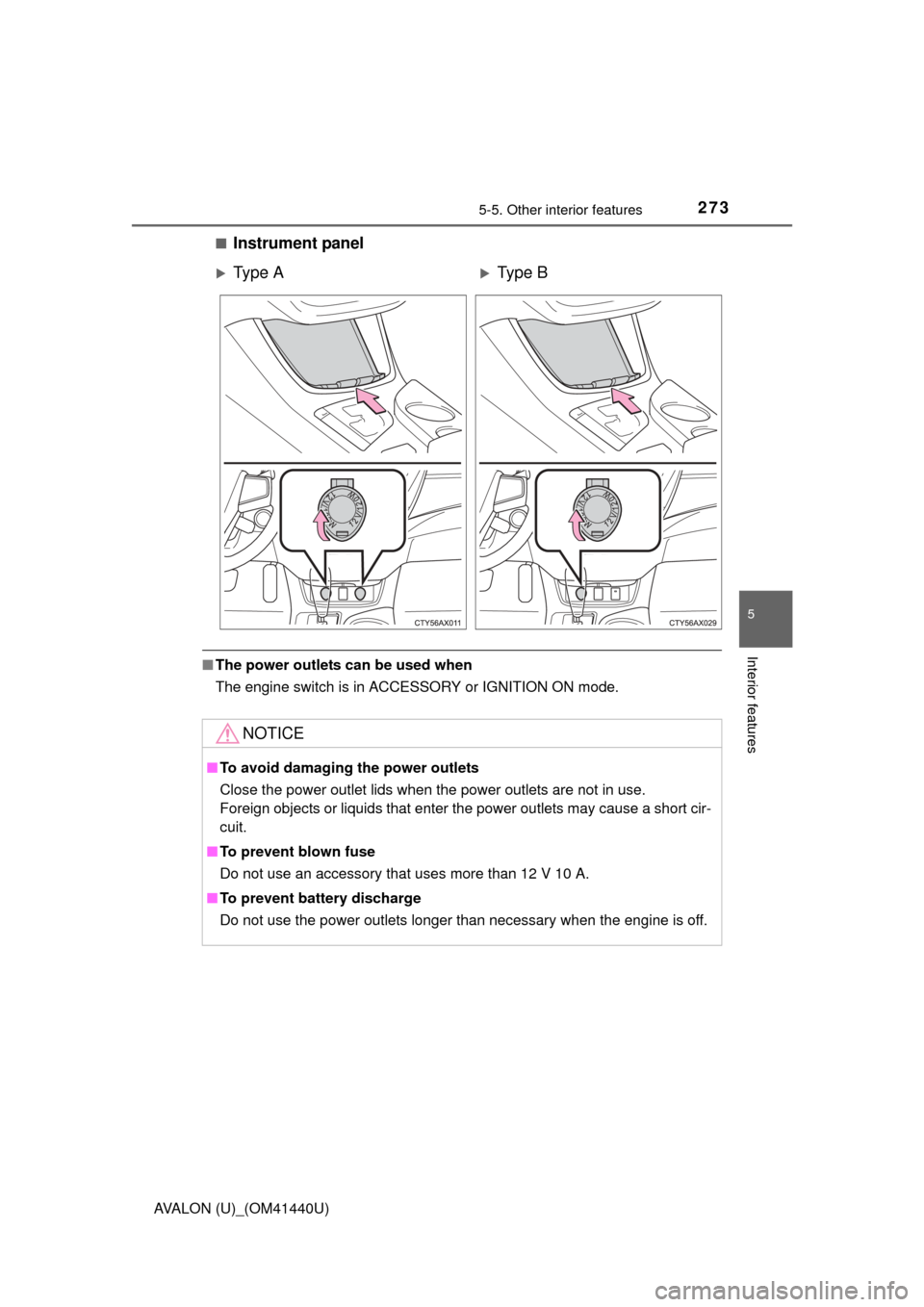
Instrument panel
■
The power outlets can be used when
The engine switch is in ACCESSORY or IGNITION ON mode.
Ty p e AType B
NOTICE
■To avoid damaging the power outlets
Close the power outlet lids when the power outlets are not in use.
Foreign objects or liquids that enter the power outlets may cause a short cir-
cuit.
■ To prevent blown fuse
Do not use an accessory that uses more than 12 V 10 A.
■ To prevent battery discharge
Do not use the power outlets longer than necessary when the engine is off.
Page 275 of 496
2755-5. Other interior features
5
Interior features
AVALON (U)_(OM41440U)■
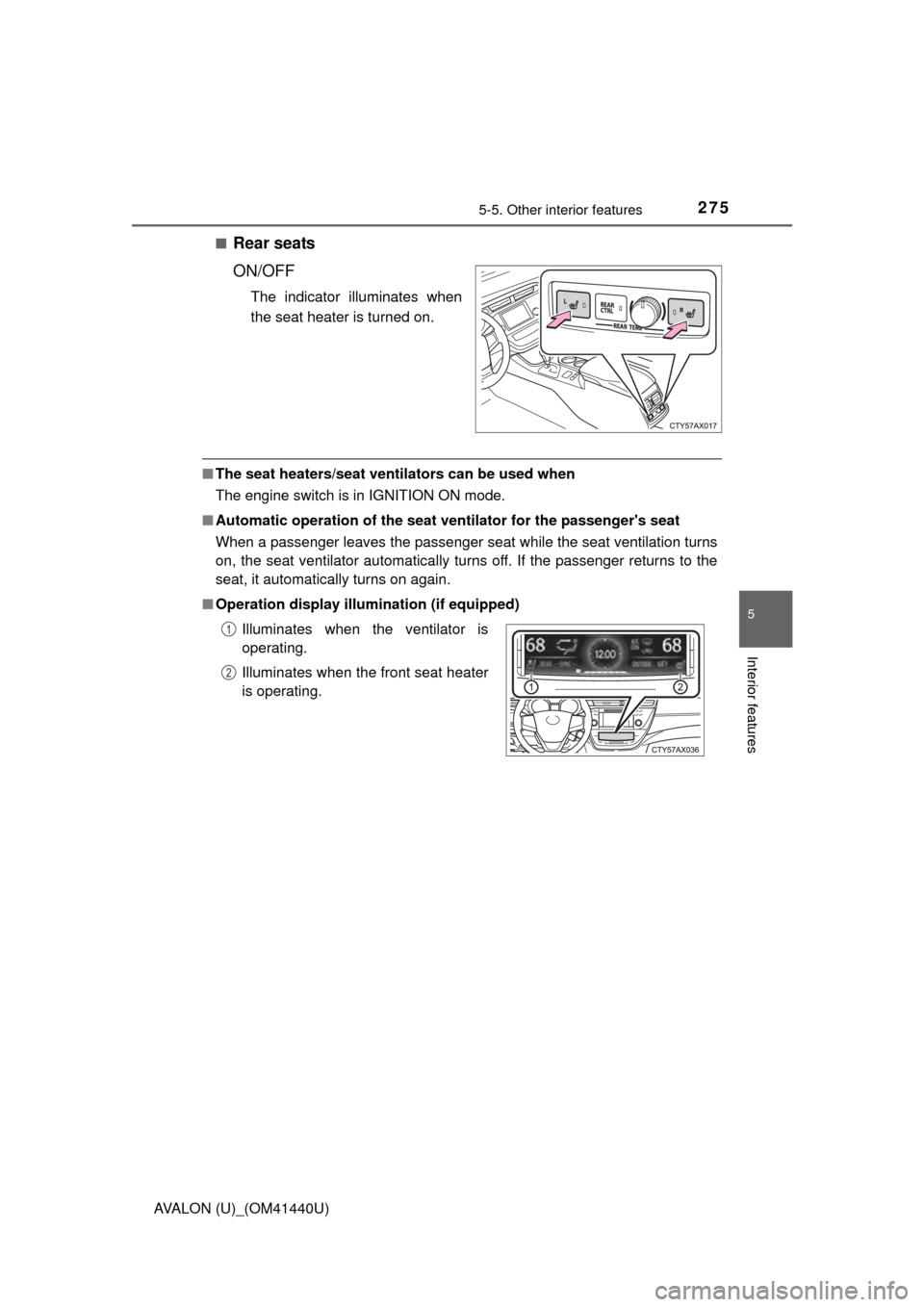
Rear seats
ON/OFF
The indicator illuminates when
the seat heater is turned on.
■
The seat heaters/seat ventilators can be used when
The engine switch is in IGNITION ON mode.
■ Automatic operation of the seat ventilator for the passenger's seat
When a passenger leaves the passenger seat while the seat ventilation turns
on, the seat ventilator automatically turns off. If the passenger returns to the
seat, it automatically turns on again.
■ Operation display illumination (if equipped)
Illuminates when the ventilator is
operating.
Illuminates when the front seat heater
is operating. 1
2
Page 276 of 496
2765-5. Other interior features
AVALON (U)_(OM41440U)
CAUTION
■Burns
●Use caution when seating the following persons in a seat with the seat
heater on to avoid the possibility of burns:
• Babies, small children, the elderly, the sick and the physically chal-
lenged
• Persons with sensitive skin
• Persons who are fatigued
• Persons who have taken alcohol or drugs that induce sleep (sleeping drugs, cold remedies, etc.)
● Do not cover the seat with anything when using the seat heater.
Using the seat heater with a blanket or cushion increases the temperature
of the seat and may lead to overheating.
● Do not use seat heater more than necessary. Doing so may cause minor
burns or overheating.
NOTICE
■To prevent damage to the seat heaters/seat ventilators
Do not put heavy objects that have an uneven surface on the seat and do
not stick sharp objects (needles, nails, etc.) into the seat.
■ To prevent battery discharge
Turn the seat heaters/seat ventilators off when the engine is off.
Page 278 of 496
2785-5. Other interior features
AVALON (U)_(OM41440U)
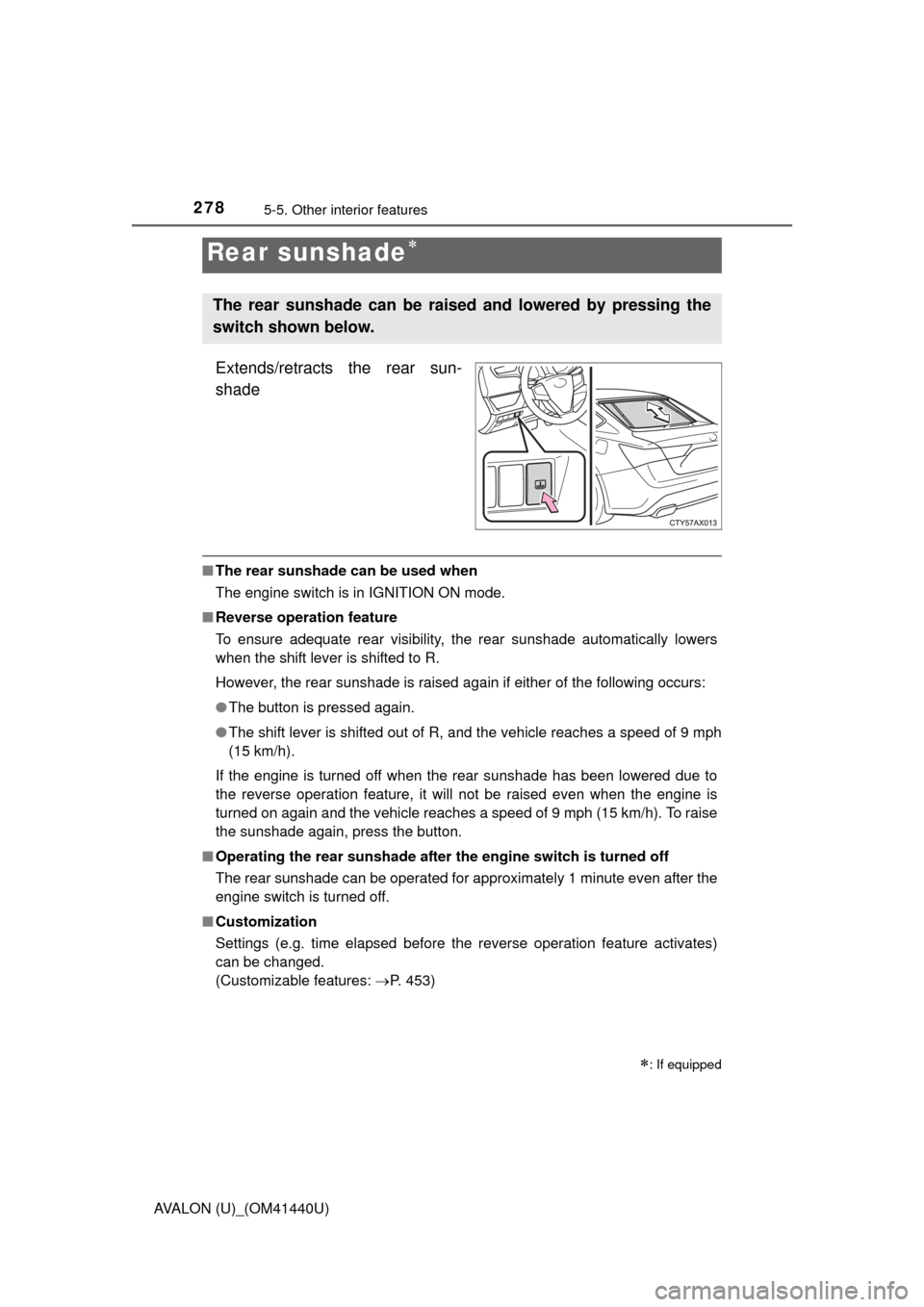
Extends/retracts the rear sun-
shade
■The rear sunshade can be used when
The engine switch is in IGNITION ON mode.
■ Reverse operation feature
To ensure adequate rear visibility, the rear sunshade automatically lowers
when the shift lever is shifted to R.
However, the rear sunshade is raised again if either of the following occurs:
●The button is pressed again.
● The shift lever is shifted out of R, and the vehicle reaches a speed of 9 mph
(15 km/h).
If the engine is turned off when the rear sunshade has been lowered due to
the reverse operation feature, it will not be raised even when the engine is
turned on again and the vehicle reaches a speed of 9 mph (15 km/h). To raise
the sunshade again, press the button.
■ Operating the rear sunshade after the engine switch is turned off
The rear sunshade can be operated for approximately 1 minute even after the
engine switch is turned off.
■ Customization
Settings (e.g. time elapsed before the reverse operation feature activates)
can be changed.
(Customizable features: P. 453)
Rear sunshade
: If equipped
The rear sunshade can be rais ed and lowered by pressing the
switch shown below.
Page 279 of 496
2795-5. Other interior features
5
Interior features
AVALON (U)_(OM41440U)
CAUTION
■When the rear sunshade is being raised or lowered
Do not place fingers or other objects in the fastener section or in the open-
ing. They may get caught, causing injury.
NOTICE
■To prevent battery discharge
Do not operate the rear sunshade when the engine is not running.
■ To ensure normal operation of the sunshade
Observe the following precautions.
●Do not place excessive load on the motor or other components.
● Do not place objects where they may hinder opening and closing opera-
tions.
● Do not attach items to the rear sunshade.
● Keep the opening clean and clear of obstructions.
● Do not operate the rear sunshade continuously for long periods of time.
Page 293 of 496
2935-5. Other interior features
5
Interior features
AVALON (U)_(OM41440U)
When the engine switch is turned to IGNITION ON mode, the red indi-
cator light comes on for 2 seconds then turns off. Afterward, the green
indicator light comes on, indicating that the service is active.
The following indicator light patterns indicate specific system usage
conditions:
● Green indicator light on = Active service
● Green indicator light flashing = Sa fety Connect call in process
● Red indicator light (except at vehi cle start-up) = System malfunction
(contact your Toyota dealer)
● No indicator light (off) = Safety Connect service not active
■Automatic Collision Notification
In case of either airbag deployment or severe rear-end collision, the
system is designed to automatical ly call the response center. The
responding agent receives the vehicle’s location and attempts to
speak with the vehicle occupants to assess the level of emergency.
If the occupants are unable to communicate, the agent automati-
cally treats the call as an emergency, contacts the nearest emer-
gency services provider to descri be the situation, and requests that
assistance be sent to the location.
Safety Connect LE D light Indicators
Safety Connect services