sensor TOYOTA AVALON 2016 XX40 / 4.G Owner's Manual
[x] Cancel search | Manufacturer: TOYOTA, Model Year: 2016, Model line: AVALON, Model: TOYOTA AVALON 2016 XX40 / 4.GPages: 492, PDF Size: 7.02 MB
Page 192 of 492
1924-5. Using the driving support systems
AVALON (U)_(01999-07001)
WARNING
■To avoid malfunction of the camera sensor
Observe the following precautions.
Otherwise, the camera sensor may not operate properly, possibly leading to
an accident resulting in death or serious injury.
●Keep the windshield clean at all times.
If the windshield is dirty or covered with an oily film, water droplets, snow,
etc., clear the windshield.
If the inner side of the windshield where the camera sensor is installed is
dirty, contact your Toyota dealer.
● If the part of the windshield in front of the camera sensor is fogged up or
covered with condensation or ice, use the windshield defogger to remove
the fog, condensation or ice. ( P. 262)
● Glass coating agents can be applied to the windshield. However, it will still
be necessary to use the wipers if the area of the windshield in front of the
camera sensor is covered with water droplets.
● If water droplets cannot be properly removed from the area of the wind-
shield in front of the camera sensor by the windshield wipers, replace the
wiper insert or wiper blade.
If the wiper inserts or the wiper blades need to be replaced, contact your
Toyota dealer.
● Do not attach window tinting to the windshield.
● Replace the windshield if it is damaged or cracked.
If the windshield needs to be replaced, contact your Toyota dealer.
● Do not get the camera sensor wet.
● Do not allow bright lights to shine into the camera sensor.
● Do not dirty or damage the camera sensor.
When cleaning the inside of the windshield, do not allow glass cleaner to
contact the lens. Also, do not touch the lens.
If the lens is dirty or damaged, contact your Toyota dealer.
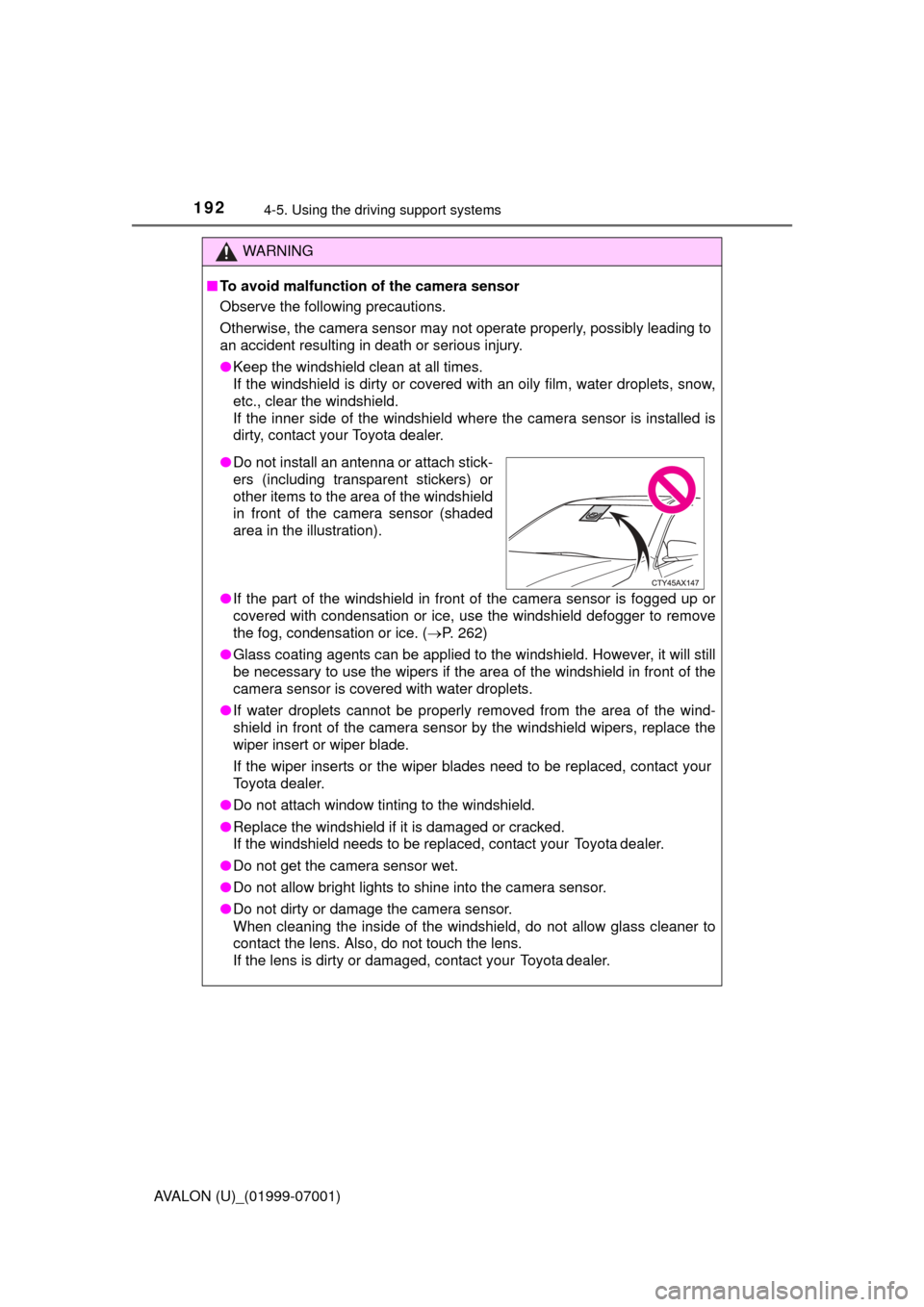
●Do not install an antenna or attach stick-
ers (including transparent stickers) or
other items to the area of the windshield
in front of the camera sensor (shaded
area in the illustration).
Page 193 of 492
1934-5. Using the driving support systems
4
Driving
AVALON (U)_(01999-07001)
WARNING
●Do not subject the camera sensor to a strong impact.
● Do not change the installation position or direction of the camera sensor or
remove it.
● Do not disassemble the camera sensor.
● Do not install an electronic device or device that emits strong electric
waves near the camera sensor.
● Do not modify any components of the vehicle around the camera sensor
(inside rear view mirror, sun visors, etc.) or ceiling.
● Do not attach any accessories that may obstruct the camera sensor to the
hood, front grille or front bumper. Contact your Toyota dealer for details.
● If a surfboard or other long object is to be mounted on the roof, make sure
that it will not obstruct the camera sensor.
● Do not modify the headlights or other lights.
Page 196 of 492
1964-5. Using the driving support systems
AVALON (U)_(01999-07001)
PCS (Pre-Collision System)
: If equipped
The pre-collision system uses a radar sensor and camera sen-
sor to detect vehicles and pedestrians
*1 in front of your vehicle.
When the system determines that the possibility of a frontal col-
lision with a vehicle or pedestrian is high, a warning operates to
urge the driver to take evasive action and the potential brake
pressure is increased to help the dr iver avoid the collision. If the
system determines that the possibility of a frontal collision with
a vehicle or pedestrian is extremely high, the brakes are auto-
matically applied
*2 to help avoid the collision or help reduce the
impact to the vehicle occupants and the vehicle in the collision.
The pre-collision system can be disabled/enabled and the warning
timing can be changed. ( P. 200)
*1: Depending on the region in which the vehicle was sold, the pedestrian
detection function may not be available. Contact your Toyota dealer for
details.
*2: Depending on the region in which the vehicle was sold, the pre-collisionbraking function (automatic braking function) may not be available. Con-
tact your Toyota dealer for details.
Page 205 of 492
2054-5. Using the driving support systems
4
Driving
AVALON (U)_(01999-07001)• When rapidly closing on an electric toll gate barrier, parking area barrier,
or other barrier that opens and closes
• When using an automatic car wash
• When the vehicle is hit by water, snow, dust, etc. from a vehicle ahead
• When driving through steam or smoke
• When there are patterns or paint on the road or a wall that may be mis- taken for a vehicle or pedestrian
*5
• When driving near an object that reflects radio waves, such as a large
truck or guardrail
• When driving near a TV tower, broadcasting station, electric power plant, or other location where strong radio waves or electrical noise may be
present
*5: Depending on the region in which the vehicle was sold, the pedestrian
detection function may not be available.
■ Situations in which the system may not operate properly
●In some situations such as the following, a vehicle may not be detected by
the radar sensor and camera sensor, preventing the system from operating
properly:
• If an oncoming vehicle is approaching your vehicle
• If a vehicle ahead is a motorcycle or bicycle
• When approaching the side of a vehicle
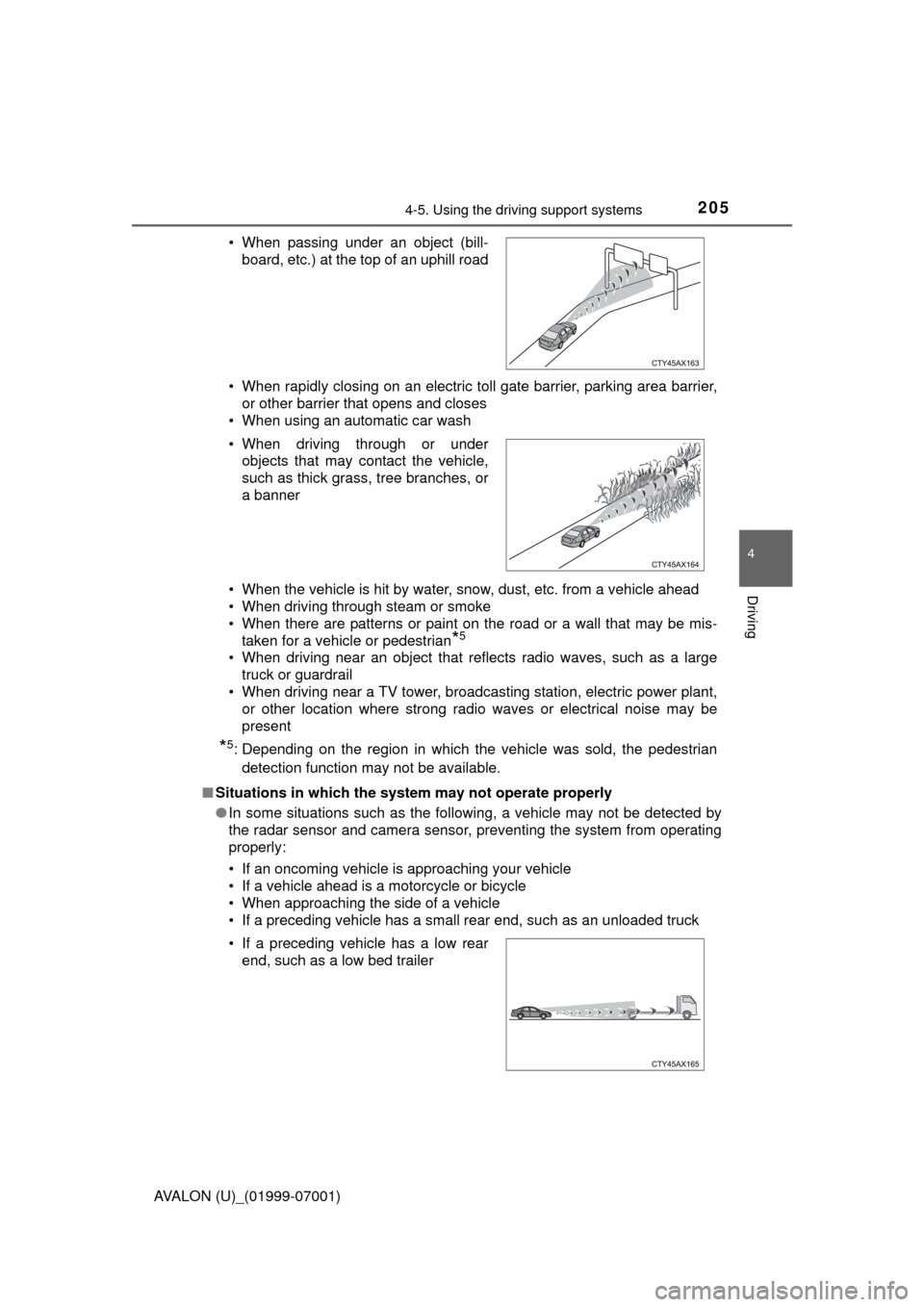
• If a preceding vehicle has a small rear end, such as an unloaded truck • When passing under an object (bill-
board, etc.) at the top of an uphill road
• When driving through or under objects that may contact the vehicle,
such as thick grass, tree branches, or
a banner
• If a preceding vehicle has a low rear end, such as a low bed trailer
Page 206 of 492
2064-5. Using the driving support systems
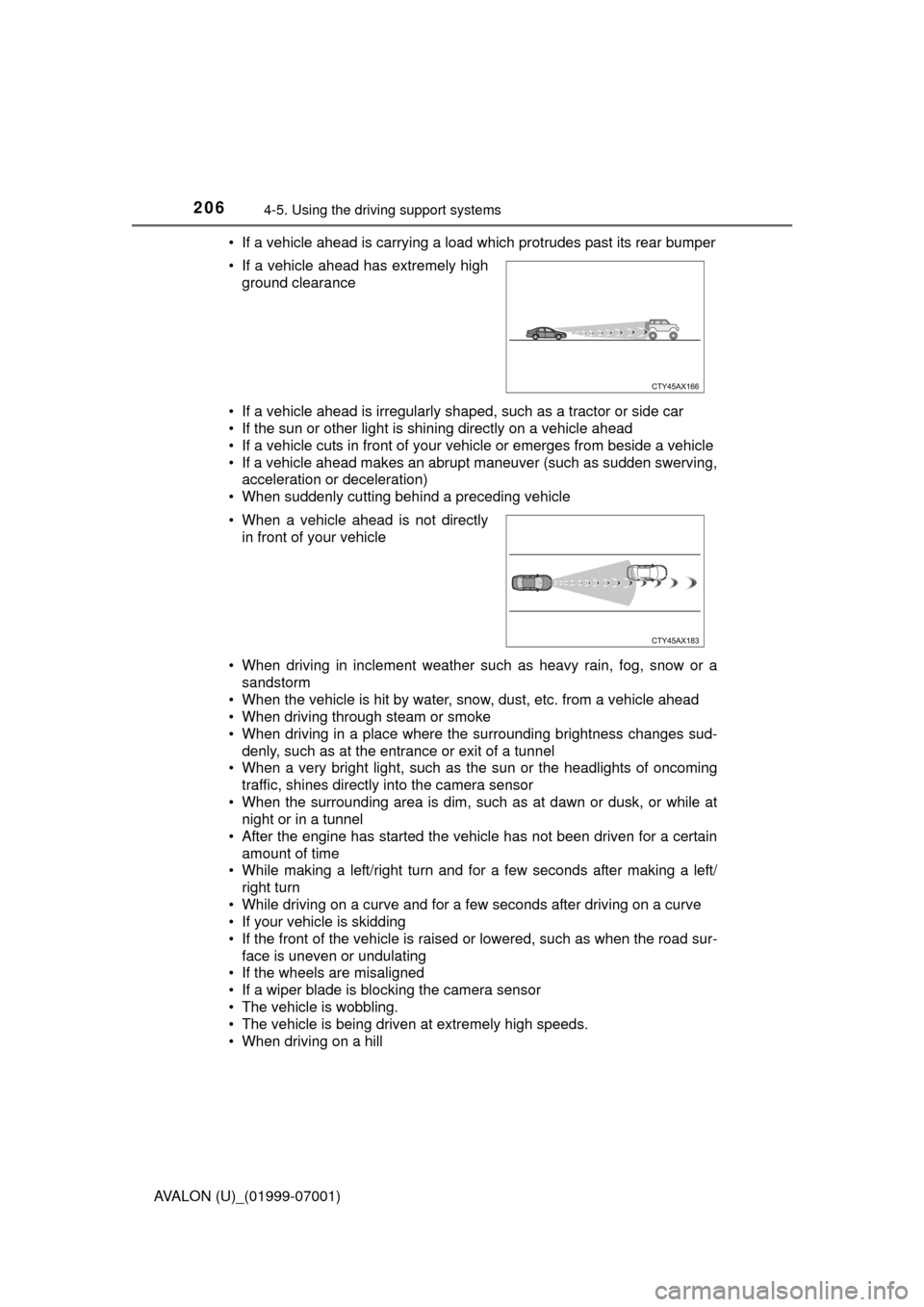
AVALON (U)_(01999-07001)• If a vehicle ahead is carrying a load which protrudes past its rear bumper
• If a vehicle ahead is irregularly shaped, such as a tractor or side car
• If the sun or other light is shining directly on a vehicle ahead
• If a vehicle cuts in front of your v
ehicle or emerges from beside a vehicle
• If a vehicle ahead makes an abrupt maneuver (such as sudden swerving, acceleration or deceleration)
• When suddenly cutting behind a preceding vehicle
• When driving in inclement weather such as heavy rain, fog, snow or a sandstorm
• When the vehicle is hit by water, snow, dust, etc. from a vehicle ahead
• When driving through steam or smoke
• When driving in a place where the surrounding brightness changes sud-
denly, such as at the entrance or exit of a tunnel
• When a very bright light, such as the sun or the headlights of oncoming traffic, shines directly into the camera sensor
• When the surrounding area is dim, such as at dawn or dusk, or while at night or in a tunnel
• After the engine has started the vehicle has not been driven for a certain
amount of time
• While making a left/right turn and for a few seconds after making a left/ right turn
• While driving on a curve and for a few seconds after driving on a curve
• If your vehicle is skidding
• If the front of the vehicle is raised or lowered, such as when the road sur- face is uneven or undulating
• If the wheels are misaligned
• If a wiper blade is blocking the camera sensor
• The vehicle is wobbling.
• The vehicle is being driven at extremely high speeds.
• When driving on a hill • If a vehicle ahead has extremely high
ground clearance
• When a vehicle ahead is not directly in front of your vehicle
Page 207 of 492

2074-5. Using the driving support systems
4
Driving
AVALON (U)_(01999-07001)●
In some situations such as the following, sufficient braking force may not be
obtained, preventing the system from performing properly:
• If the braking functions cannot operate to their full extent, such as when
the brake parts are extremely cold, extremely hot, or wet
• If the vehicle is not properly maintained (brakes or tires are excessively worn, improper tire inflation pressure, etc.)
• When the vehicle is being driven on a gravel road or other slippery sur-
face
● Some pedestrians such as the following may not be detected by the radar
sensor and camera sensor, preventing the system from operating prop-
erly
*5:
• Pedestrians shorter than approximately 3.2 ft. (1 m) or taller than approx- imately 6.5 ft. (2 m)
• Pedestrians wearing oversized clothing (a rain coat, long skirt, etc.), mak-
ing their silhouette obscure
• Pedestrians who are carrying large baggage, holding an umbrella, etc., hiding part of their body
• Pedestrians who are bending forward or squatting
• Pedestrians who are pushing a stroller, wheelchair, bicycle or other vehi-
cle
• Groups of pedestrians which are close together
• Pedestrians who are wearing white and look extremely bright
• Pedestrians in the dark, such as at night or while in a tunnel
• Pedestrians whose clothing appears to be nearly the same color or brightness as their surroundings
• Pedestrians near walls, fences, guardrails, or large objects
• Pedestrians who are on a metal object (manhole cover, steel plate, etc.) on the road
• Pedestrians who are walking fast
• Pedestrians who are changing speed abruptly
• Pedestrians running out from behind a vehicle or a large object
• Pedestrians who are extremely close to the side of the vehicle (outside rear view mirror, etc.)
*5: Depending on the region in which the vehicle was sold, the pedestrian
detection function may not be available.
Page 208 of 492

2084-5. Using the driving support systems
AVALON (U)_(01999-07001)■
If the PCS warning light flashes a nd a warning message is displayed on
the multi-information display
The pre-collision system may be temporarily unavailable or there may be a
malfunction in the system.
● In the following situations, the warning light will turn off, the message will
disappear and the system will become operational when normal operating
conditions return:
• When the radar sensor or camera sensor or the area around either sen-
sor is hot, such as in the sun
• When the radar sensor or camera sensor or the area around either sen- sor is cold, such as in an extremely cold environment
• When the radar sensor or front grille emblem is dirty or covered with
snow, etc.
• If the camera sensor is obstructed, such as when the hood is open or a sticker is attached to the windshield near the camera sensor
● If the PCS warning light continues to flash or the warning message does not
disappear, the system may be malfunctioning. Have the vehicle inspected
by your Toyota dealer immediately.
■ If VSC is disabled
●If VSC is disabled ( P. 250), the pre-collision brake assist and pre-collision
braking functions are also disabled.
● The PCS warning light will turn on and “Pre-Collision Brake is Disabled Due
to VSC OFF” will be displayed on the multi-information display.
Page 209 of 492
2094-5. Using the driving support systems
4
Driving
AVALON (U)_(01999-07001)
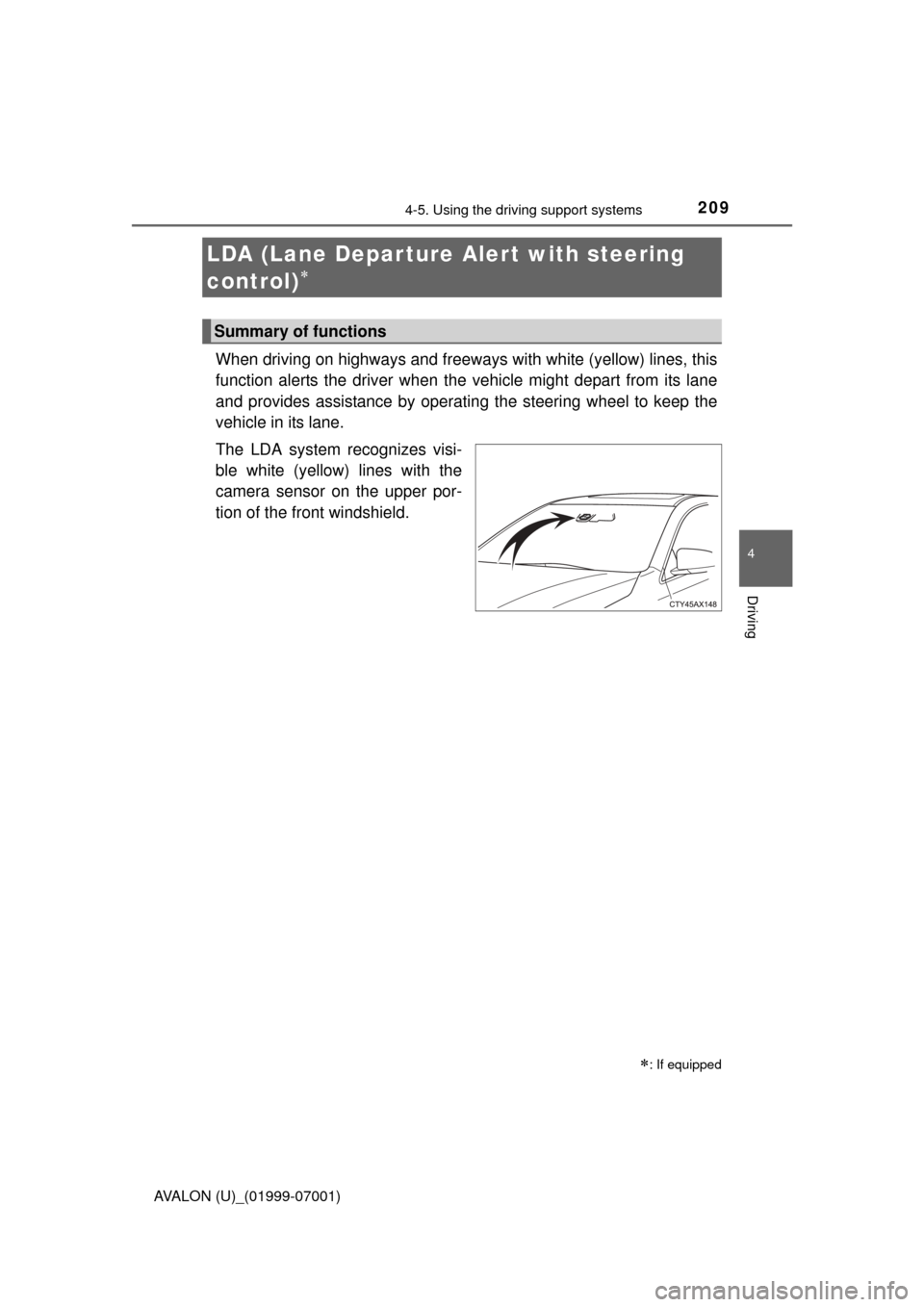
When driving on highways and freeways with white (yellow) lines, this
function alerts the driver when the vehicle might depart from its lane
and provides assistance by operating the steering wheel to keep the
vehicle in its lane.
The LDA system recognizes visi-
ble white (yellow) lines with the
camera sensor on the upper por-
tion of the front windshield.
LDA (Lane Depar ture Al ert with steering
control)
: If equipped
Summary of functions
Page 217 of 492
2174-5. Using the driving support systems
4
Driving
AVALON (U)_(01999-07001)■
Conditions in which functions may not operate properly
In the following situations, the camera sensor may not detect white (yellow)
lines and various functions may not operate normally.
●There are shadows on the road that run parallel with, or cover, the white
(yellow) lines.
● The vehicle is driven in an area without white (yellow) lines, such as in front
of a tollgate or checkpoint, or at an intersection, etc.
● The white (yellow) lines are cracked, “Botts’ dots”, “Raised pavement
marker” or stones are present.
● The white (yellow) lines cannot be seen or are difficult to see due to sand,
etc.
● The vehicle is driven on a road surface that is wet due to rain, puddles, etc.
● The traffic lines are yellow (which may be more difficult to recognize than
lines that are white).
● The white (yellow) lines cross over a curb, etc.
● The vehicle is driven on a bright surface, such as concrete.
● The vehicle is driven on a surface that is bright due to reflected light, etc.
● The vehicle is driven in an area where the brightness changes suddenly,
such as at the entrances and exits of tunnels, etc.
● Light from the headlights of an oncoming vehicle, the sun, etc., enters the
camera.
● The vehicle is driven where the road diverges, merges, etc.
● The vehicle is driven on a slope.
● The vehicle is driven on a road which tilts left or right, or a winding road.
● The vehicle is driven on an unpaved or rough road.
● The vehicle is driven around a sharp curve.
● The traffic lane is excessively narrow or wide.
● The vehicle is extremely tilted due to carrying heavy luggage or having
improper tire pressure.
● The distance to the preceding vehicle is extremely short.
● The vehicle is moving up and down a large amount due to road conditions
during driving (poor roads or road seams).
● The headlight lenses are dirty and emit a faint amount of light at night, or the
beam axis has deviated.
● The vehicle is struck by a crosswind.
● The vehicle has just changed lanes or crossed an intersection.
● Snow tires, etc., are equipped.
Page 218 of 492
2184-5. Using the driving support systems
AVALON (U)_(01999-07001)■
Warning message
If the following warning message is displayed on the multi-information display
and the LDA indicator illuminates in amber, follow the appropriate trouble-
shooting procedure.
If a different warning message is displayed, follow the instructions displayed
on the screen.
Warning messageDetails/Actions
“Check LDA System”
The system may not be operating
properly.
Have the vehicle inspected at your
Toyota dealer.
“Forward Camera
System
Unavailable
Clean Windshield”
Dirt, rain, condensation, ice, snow,
etc., are present on the windshield in
front of the camera sensor.
Turn the LDA system off, remove
any dirt, rain, condensation, ice,
snow, etc., from the windshield, and
then turn the LDA system back on.
“Forward Camera
System
Unavailable”
The LDA system is temporarily can-
celed because the operating condi-
tions of the camera sensor
(temperature, et c.) are not met.
The LDA system can be operated
when the operating conditions of
the camera sensor (temperature,
etc.) are met. Turn the LDA system
off, wait for a while, and then turn
the LDA system back on.
“LDA Not Available”
The LDA system is temporarily can-
celed due to a malfunction in a sensor
other than the camera sensor.
Turn the LDA system off and follow
the appropriate troubleshooting
procedures for other warning mes-
sages. Afterward, drive the vehicle
for a short time, and then turn the
LDA system back on.
“LDA Unavailable Below
Approx. 32 MPH”
The LDA system cannot be used as
the vehicle speed is approximately 32
mph (50 km/h) or less.
Drive the vehicle at approximately
32 mph (50 km/h) or more.