air conditioning TOYOTA AVALON 2017 XX40 / 4.G Owners Manual
[x] Cancel search | Manufacturer: TOYOTA, Model Year: 2017, Model line: AVALON, Model: TOYOTA AVALON 2017 XX40 / 4.GPages: 492, PDF Size: 7.17 MB
Page 4 of 492

TABLE OF CONTENTS4
5-1. Using the air conditioning system
and defogger
Automatic air conditioning system ........ 260
Seat heaters/ seat ventilators ................ 269
5-2. Using the interior lights Interior lights list ................ 272
• Personal/interior light main switch ................... 273
• Personal/ interior lights ................. 273
• Ambient lights ............... 274
5-3. Using the storage features
List of storage features...... 275
• Glove box...................... 276
• Console box .................. 276
• Cup holders .................. 277
• Auxiliary boxes .............. 278
Trunk features ................... 283 5-4. Other interior features
Other interior features........ 285
• Sun visors ..................... 285
• Vanity mirrors ................ 285
• Clock ............................. 286
• Outside temperature display ........................... 287
• Power outlets ................ 288
• Armrest.......................... 290
• Rear sunshade .............. 291
• Trunk storage extension ....................... 292
• Coat hooks .................... 293
• Assist grips .................... 293
Garage door opener .......... 294
Safety Connect .................. 301
Compass ........................... 307
5Interior features
Page 5 of 492

5
1
8 7
6
5
4
3
2
9
6-1. Maintenance and careCleaning and protecting the vehicle exterior .......... 312
Cleaning and protecting the vehicle interior ........... 316
6-2. Maintenance Maintenance requirements ................... 319
General maintenance ........ 321
Emission inspection and maintenance (I/M)
programs ......................... 325
6-3. Do-it-yourself maintenance
Do-it-yourself service precautions ..................... 326
Hood.................................. 328
Positioning a floor jack ...... 329
Engine compartment ......... 330
Tires .................................. 342
Tire inflation pressure........ 352
Wheels .............................. 355
Air conditioning filter .......... 358
Electronic key battery ........ 360
Checking and replacing fuses ............................... 362
Light bulbs ......................... 365 7-1. Essential information
Emergency flashers ........... 380
If your vehicle has to be stopped in
an emergency.................. 381
7-2. Steps to take in an emergency
If your vehicle needs to be towed .......................... 382
If you think something is wrong ........................... 386
Fuel pump shut off system ............................. 387
If a warning light turns on or a warning buzzer
sounds ............................. 388
If a warning message is displayed ......................... 396
If you have a flat tire .......... 397
If the engine will not start ................................. 409
If the electronic key does not operate
properly ........................... 411
If the vehicle battery is discharged ....................... 414
If your vehicle overheats......................... 418
If the vehicle becomes stuck ................................ 421
6Maintenance and care7When trouble arises
Page 17 of 492

17Pictorial index
Multi-information display . . . . . . . . . . . . . . . . . . . . . . . . . . . . P. 82
Display . . . . . . . . . . . . . . . . . . . . . . . . . . . . . . . . . . . . . . . . . . . . P. 82
When the warning messages are displayed . . . . . . . . . . . . . . P. 396
Turn signal lever . . . . . . . . . . . . . . . . . . . . . . . . . . . . . . . . . . P. 171
Headlight switch . . . . . . . . . . . . . . . . . . . . . . . . . . . . . . . . . . . . P. 173
Headlights/parking lights/tail lights/daytime running lights . . . . P. 173
Windshield wiper and washer switch . . . . . . . . . . . . . . . . . P. 180
Usage . . . . . . . . . . . . . . . . . . . . . . . . . . . . . . . . . . . . . . . . . . . P. 180
Adding washer fluid . . . . . . . . . . . . . . . . . . . . . . . . . . . . . . . . . P. 341
Hood lock release lever. . . . . . . . . . . . . . . . . . . . . . . . . . . . . P. 328
Tilt and telescopic steering lock release lever . . . . . . . . . . P. 128
Air conditioning system . . . . . . . . . . . . . . . . . . . . . . . . . . . . P. 260
Usage . . . . . . . . . . . . . . . . . . . . . . . . . . . . . . . . . . . . . . . . . . . P. 260
Rear window defogger . . . . . . . . . . . . . . . . . . . . . . . . . . . . . . . P. 264
Audio/Navigation system
*
Glove box . . . . . . . . . . . . . . . . . . . . . . . . . . . . . . . . . . . . . . . . P. 276
Clock . . . . . . . . . . . . . . . . . . . . . . . . . . . . . . . . . . . . . . . . . . . . P. 286
*: Refer to “NAVIGATION AND MULTIMEDIA SYSTEM OWNER’S MANUAL”.
4
5
6
7
8
9
10
11
12
Page 21 of 492
21Pictorial index
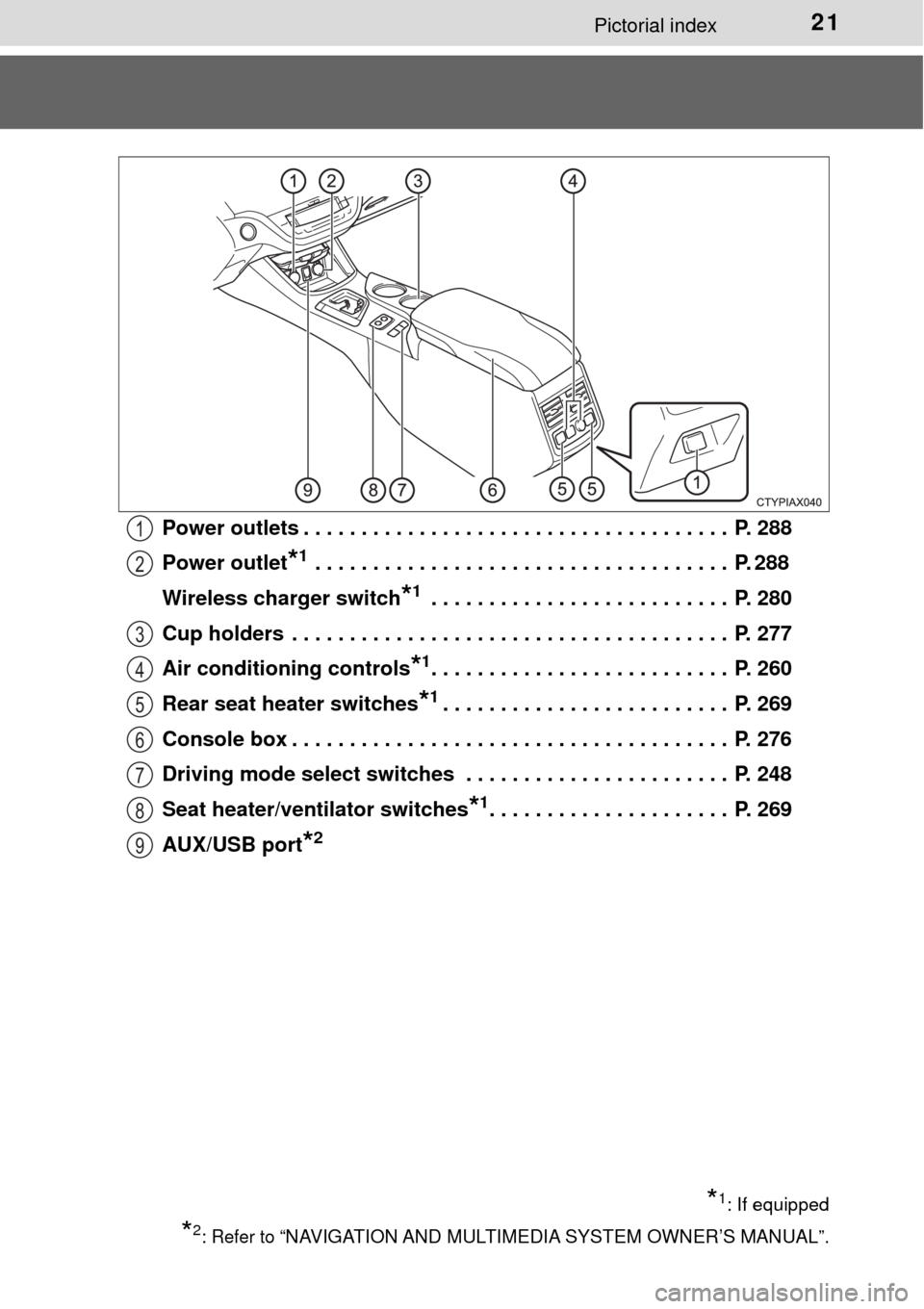
Power outlets . . . . . . . . . . . . . . . . . . . . . . . . . . . . . . . . . . . . . P. 288
Power outlet
*1 . . . . . . . . . . . . . . . . . . . . . . . . . . . . . . . . . . . . P. 288
Wireless charger switch
*1 . . . . . . . . . . . . . . . . . . . . . . . . . . P. 280
Cup holders . . . . . . . . . . . . . . . . . . . . . . . . . . . . . . . . . . . . . . P. 277
Air conditioning controls
*1. . . . . . . . . . . . . . . . . . . . . . . . . . P. 260
Rear seat heater switches
*1. . . . . . . . . . . . . . . . . . . . . . . . . P. 269
Console box . . . . . . . . . . . . . . . . . . . . . . . . . . . . . . . . . . . . . . P. 276
Driving mode select switches . . . . . . . . . . . . . . . . . . . . . . . P. 248
Seat heater/ven tilator switches
*1. . . . . . . . . . . . . . . . . . . . . P. 269
AUX/USB port
*2
*1: If equipped
*2: Refer to “NAVIGATION AND MULTIMEDIA SYSTEM OWNER’S MANUAL”.
1
2
3
4
5
6
7
8
9
Page 249 of 492

2494-5. Using the driving support systems
4
Driving
■Operation of the air conditio ning system in Eco drive mode
Eco drive mode controls the heating/cooling operations and fan speed of the
air conditioning system to enhance fuel efficiency ( →P. 260). To improve air
conditioning performance, adjust the fan speed or turn off Eco drive mode.
■ Sport mode automatic deactivation
Sport mode is automatically deactivated if the engine switch is turned off after
driving in sport mode.
Page 259 of 492

259
Interior features5
5-1. Using the air conditioning system
and defogger
Automatic air conditioning system............................. 260
Seat heaters/ seat ventilators ................ 269
5-2. Using the interior lights Interior lights list ................ 272
• Personal/interior light main switch ................... 273
• Personal/ interior lights ................. 273
• Ambient lights ............... 274
5-3. Using the storage features
List of storage features ..... 275
• Glove box...................... 276
• Console box .................. 276
• Cup holders .................. 277
• Auxiliary boxes.............. 278
Trunk features ................... 283 5-4. Other interior features
Other interior features ....... 285
• Sun visors ..................... 285
• Vanity mirrors................ 285
• Clock ............................. 286
• Outside temperature display........................... 287
• Power outlets ................ 288
• Armrest ......................... 290
• Rear sunshade ............. 291
• Trunk storage extension ...................... 292
• Coat hooks.................... 293
• Assist grips ................... 293
Garage door opener.......... 294
Safety Connect ................. 301
Compass ........................... 307
Page 260 of 492
2605-1. Using the air conditioning system and defogger
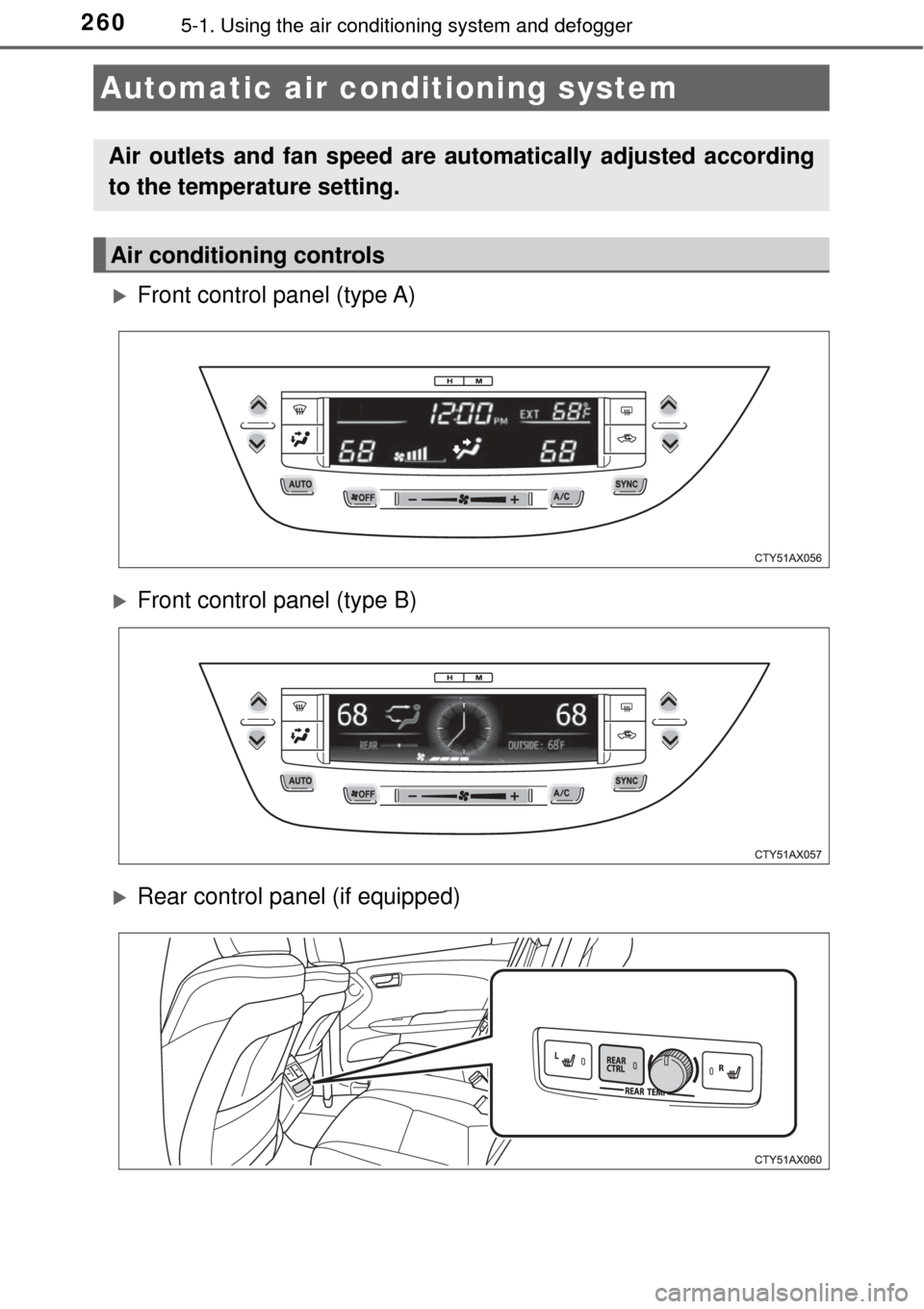
Front control panel (type A)
Front control panel (type B)
Rear control panel (if equipped)
Automatic air conditioning system
Air outlets and fan speed are automatically adjusted according
to the temperature setting.
Air conditioning controls
Page 261 of 492
2615-1. Using the air conditioning system and defogger
5
Interior features
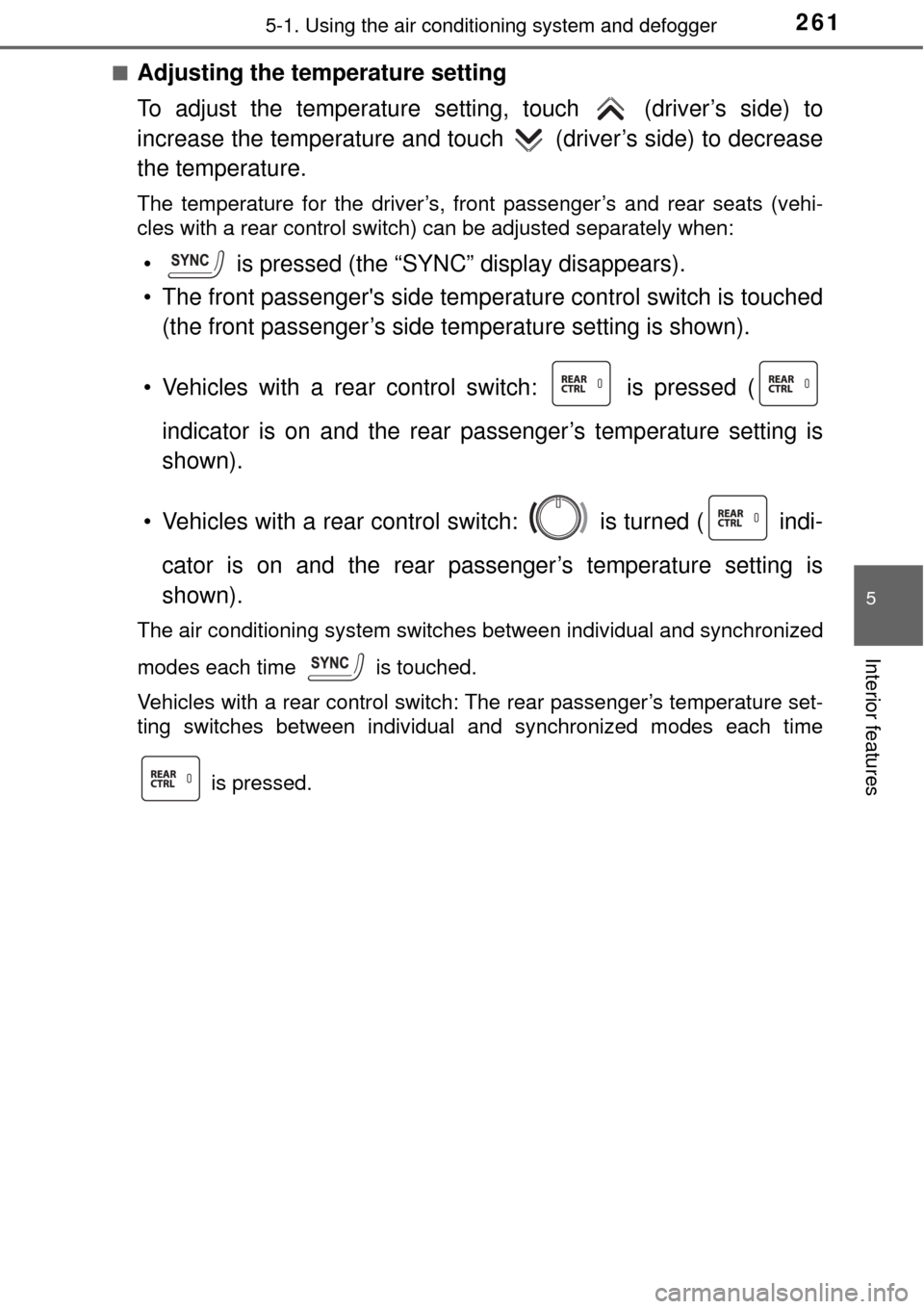
■Adjusting the temperature setting
To adjust the temperature setti ng, touch (driver’s side) to
increase the temperature and touch (driver’s side) to decrease
the temperature.
The temperature for the driver’s, front passenger’s and rear seats (vehi-
cles with a rear control switch) can be adjusted separately when:
• is pressed (the “SYNC” display disappears).
• The front passenger's side temper ature control switch is touched
(the front passenger’s side temperature setting is shown).
• Vehicles with a rear control switch: is pressed ( indicator is on and the rear passenger’s temperature setting is
shown).
• Vehicles with a rear control switch: is turned ( indi- cator is on and the rear passenger’s temperature setting is
shown).
The air conditioning system switches between individual and synchronized
modes each time is touched.
Vehicles with a rear control switch: The rear passenger’s temperature set-
ting switches between individual and synchronized modes each time
is pressed.
Page 262 of 492
2625-1. Using the air conditioning system and defogger
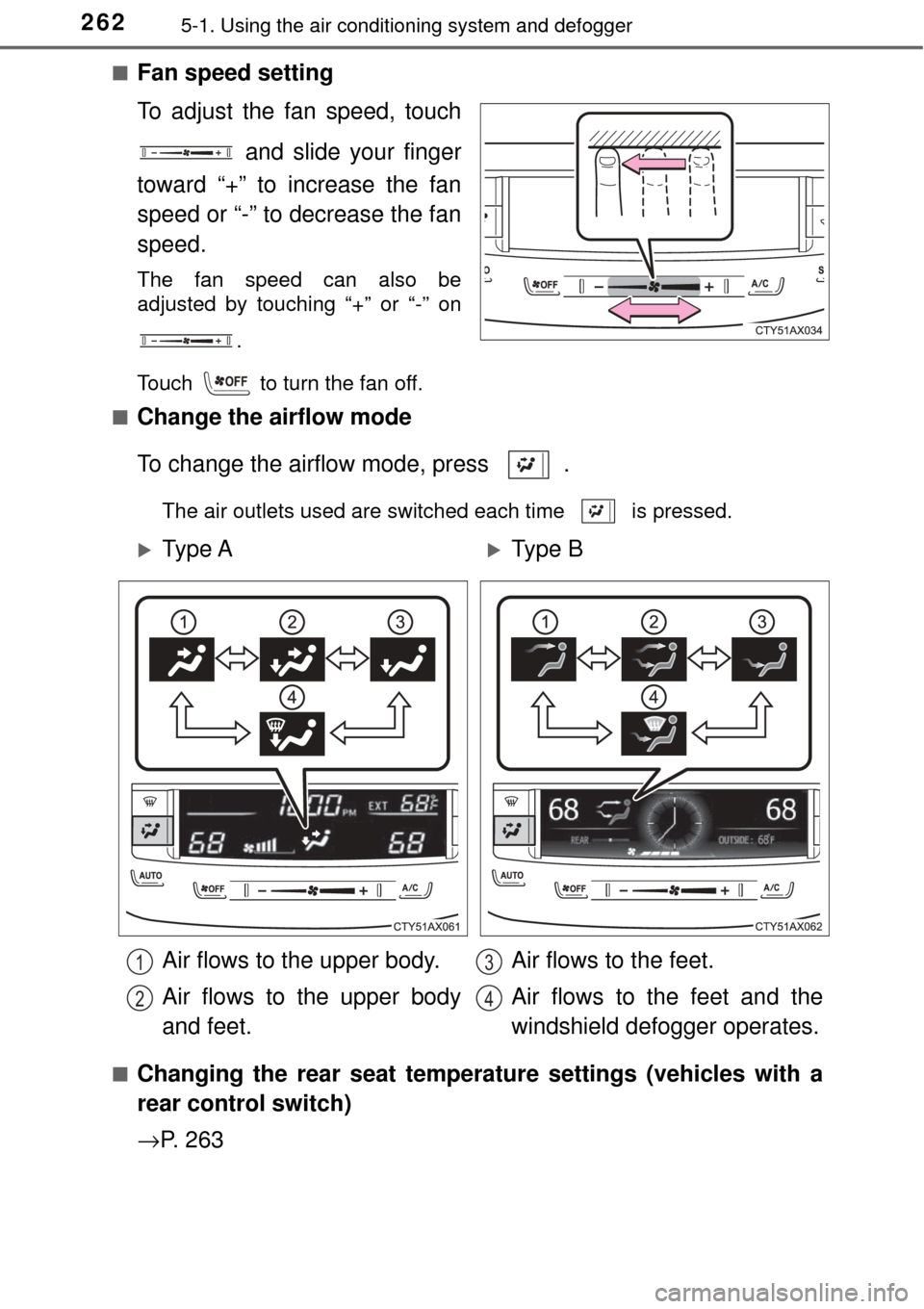
■Fan speed setting
To adjust the fan speed, touch
and slide your finger
toward “+” to increase the fan
speed or “-” to decrease the fan
speed.
The fan speed can also be
adjusted by touching “+” or “-” on
.
Touch to turn the fan off.
■
Change the airflow mode
To change the airflow mode, press .
The air outlets used are switched each time is pressed.
■
Changing the rear seat temperature settings (vehicles with a
rear control switch)
→ P. 2 6 3
Ty p e AType B
Air flows to the upper body.
Air flows to the upper body
and feet. Air flows to the feet.
Air flows to the feet and the
windshield defogger operates.
1
2
3
4
Page 263 of 492
2635-1. Using the air conditioning system and defogger
5
Interior features
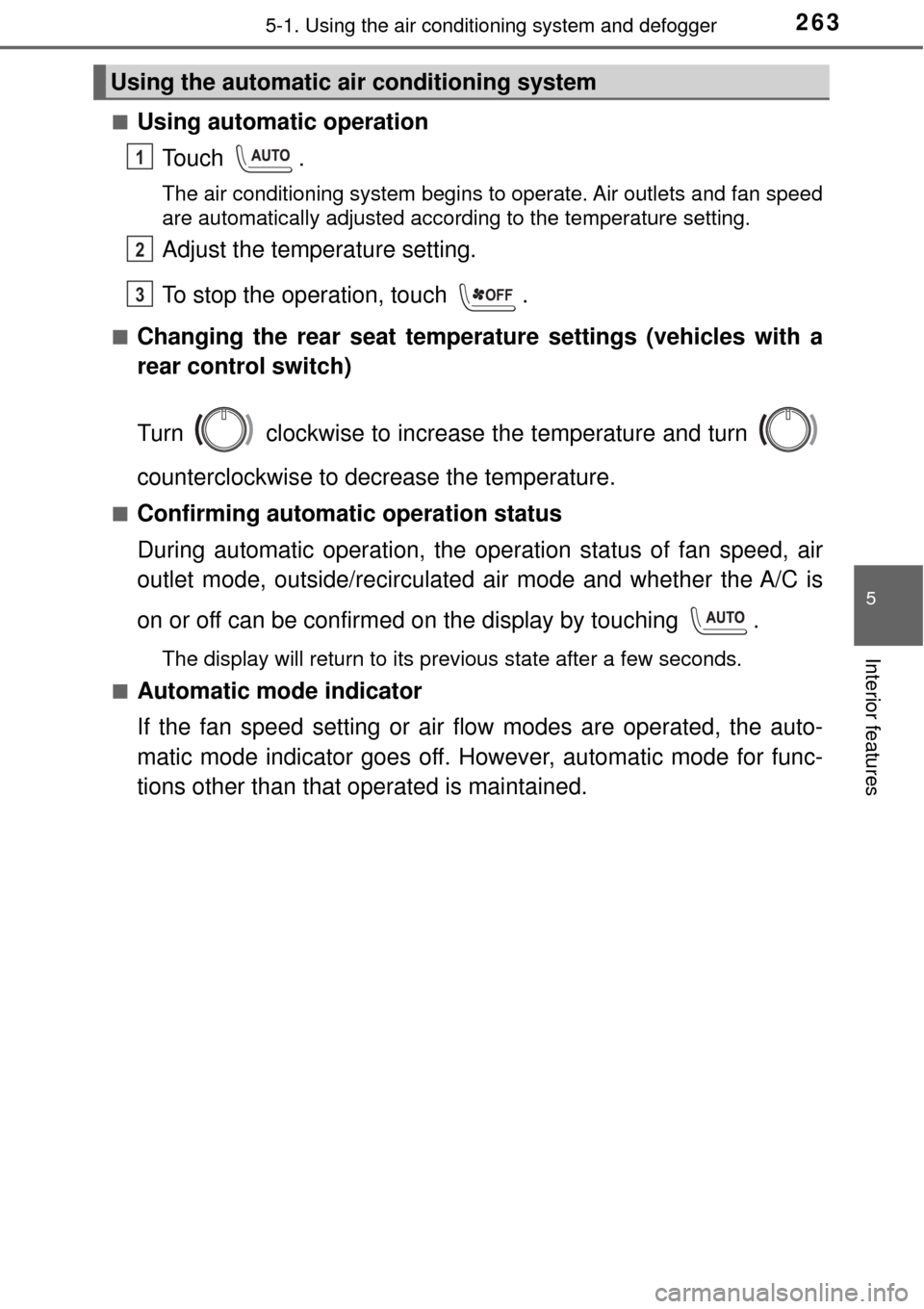
■Using automatic operation
Touch .
The air conditioning system begins to operate. Air outlets and fan speed
are automatically adjusted according to the temperature setting.
Adjust the temperature setting.
To stop the operation, touch .
■Changing the rear seat temperature settings (vehicles with a
rear control switch)
Turn clockwise to increase the temperature and turn
counterclockwise to decrease the temperature.
■Confirming automatic operation status
During automatic operati on, the operation status of fan speed, air
outlet mode, outside/recirculated air mode and whether the A/C is
on or off can be confirmed on the display by touching .
The display will return to its previous state after a few seconds.
■
Automatic mode indicator
If the fan speed setting or air fl ow modes are operated, the auto-
matic mode indicator goes off. However, automatic mode for func-
tions other than that operated is maintained.
Using the automatic air conditioning system
1
2
3OFF