engine TOYOTA AVALON 2022 Owner's Manual
[x] Cancel search | Manufacturer: TOYOTA, Model Year: 2022, Model line: AVALON, Model: TOYOTA AVALON 2022Pages: 572, PDF Size: 9.42 MB
Page 97 of 572
972. Instrument cluster
2
Instrument cluster
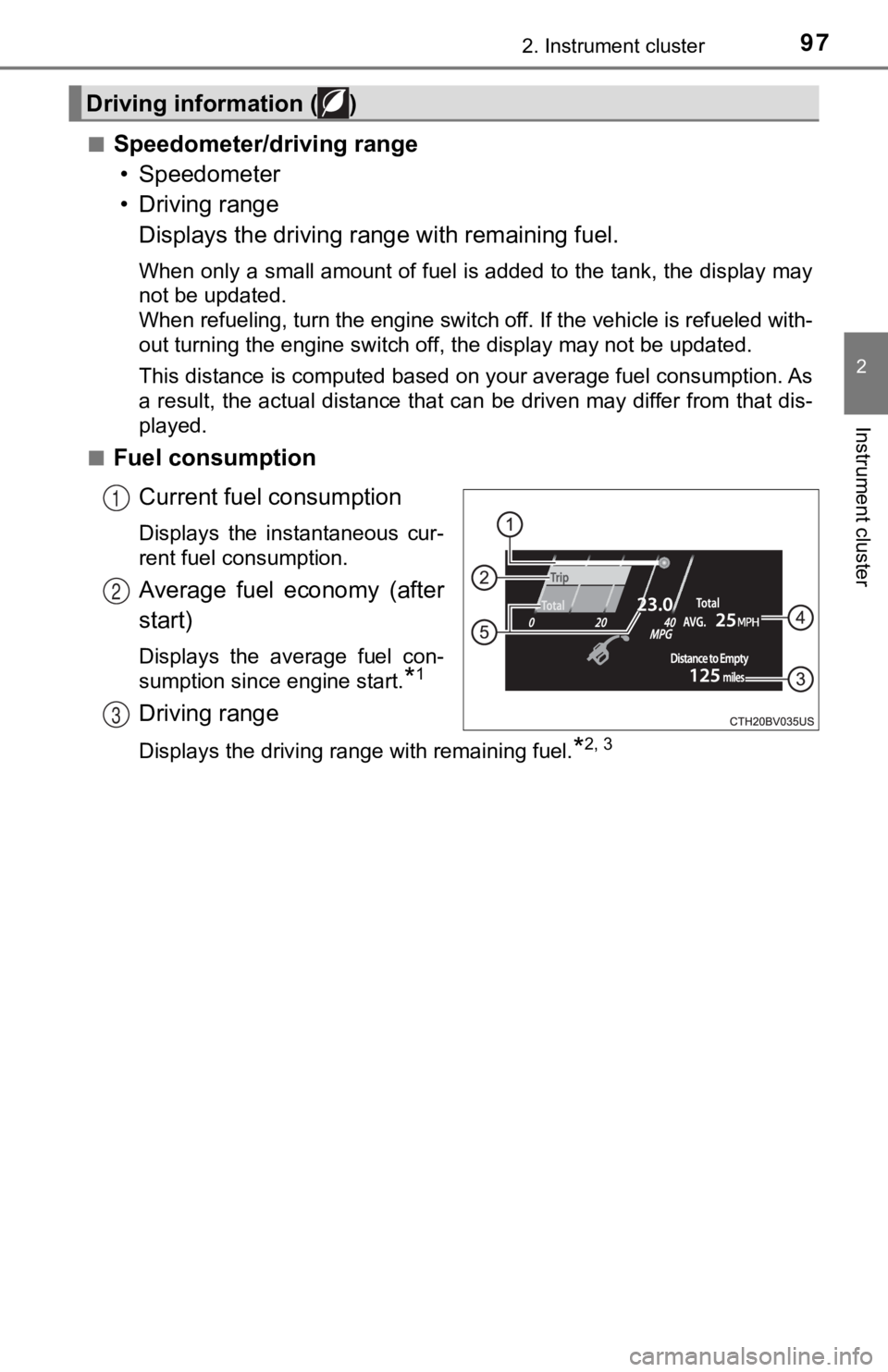
■Speedometer/driving range• Speedometer
• Driving range Displays the driving rang e with remaining fuel.
When only a small amount of fuel is added to the tank, the display may
not be updated.
When refueling, turn the engine switch off. If the vehicle is r efueled with-
out turning the engine switch off, the display may not be updat ed.
This distance is computed based on your average fuel consumption. As
a result, the actual distance that can be driven may differ fro m that dis-
played.
■
Fuel consumption
Current fuel consumption
Displays the instantaneous cur-
rent fuel consumption.
Average fuel economy (after
start)
Displays the average fuel con-
sumption since engine start.
*1
Driving range
Displays the driving range with remaining fuel.*2, 3
Driving information ( )
1
2
3
Page 98 of 572
982. Instrument cluster
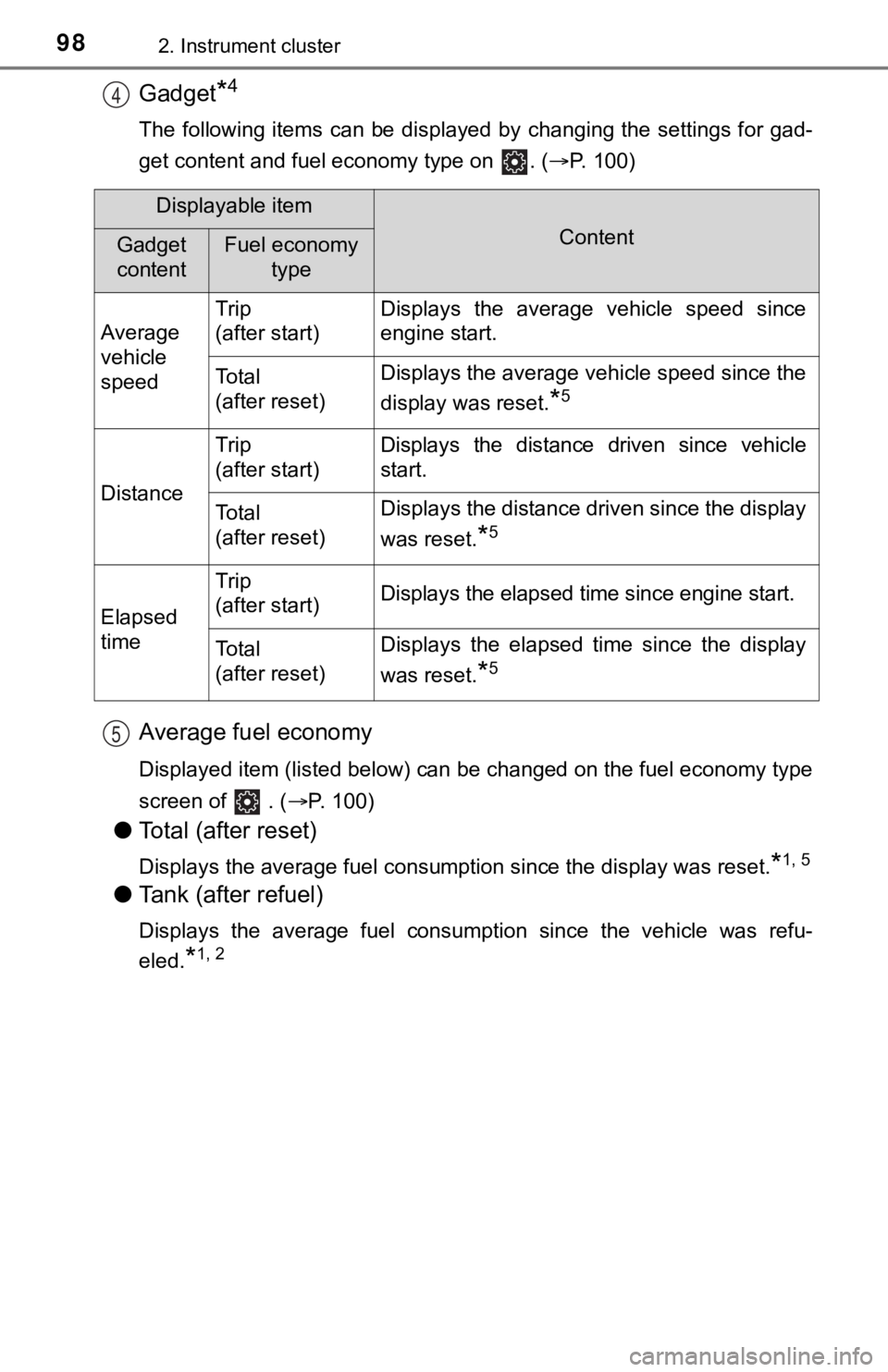
Gadget*4
The following items can be displayed by changing the settings for gad-
get content and fuel economy type on . ( P. 100)
Average fuel economy
Displayed item (listed below) can be changed on the fuel econom y type
screen of . (P. 100)
●Total (after reset)
Displays the average fuel consumption since the display was res et.*1, 5
●Tank (after refuel)
Displays the average fuel consumption since the vehicle was ref u-
eled.
*1, 2
4
Displayable item
ContentGadget
contentFuel economy type
Average
vehicle
speed Trip
(after start)
Displays the average vehicle speed since
engine start.
To t a l
(after reset)Displays the average vehicle speed since the
display was reset.
*5
Distance
Trip
(after start)Displays the distance driven since vehicle
start.
To t a l
(after reset)Displays the distance driven since the display
was reset.
*5
Elapsed
time
Trip
(after start)Displays the elapsed time since engine start.
To t a l
(after reset)Displays the elapsed time since the display
was reset.
*5
5
Page 99 of 572

992. Instrument cluster
2
Instrument cluster
*1: Use the displayed fuel consumption as a reference only.
*2: When only a small amount of fuel is added to the tank, the display may
not be updated.
When refueling, turn the engine switch off. If the vehicle is r efueled with-
out turning the engine switch off, the display may not be updat ed.
*3: This distance is computed based on your average fuel consumpti on. As
a result, the actual distance that can be driven may differ fro m that dis-
played.
*4: The default setting is no display.
*5: This display can be reset by pressing and holding while it is dis- played.
■
Eco Driving Indica tor/driving range
• Eco Driving Indicator P. 1 0 9
• Driving range Displays the driving rang e with remaining fuel.
When only a small amount of fuel is added to the tank, the display may
not be updated.
When refueling, turn the engine switch off. If the vehicle is r efueled with-
out turning the engine switch off, the display may not be updat ed.
This distance is computed based on your average fuel consumption. As
a result, the actual distance that can be driven may differ fro m that dis-
played.
Page 108 of 572
1082. Instrument cluster
■Odometer
Displays the total distance the vehicle has been driven.
■Trip meter A/trip meter B
Displays the distance the vehicl e has been driven since the met er
was last reset. Trip meters A and B can be used to record and d is-
play different distances independently.
To reset, display the desired trip meter and press and hold the “ODO/
TRIP” switch.
Displays suggestions to the drive r in the following situations. To select
a response to a displayed suggestion, use the meter control swi tches.
The suggestion function can be turned on/off.
(Customizable features:P. 525)
■
Suggestion to turn off the headlights
If the headlights are left on for a certain amount of time afte r the
engine switch has been turned of f, if the headlight switch is in the
“AUTO” position, a suggestion m essage will be displayed asking if
you wish to turn the headlights off. To turn the headlights off , select
“Yes”.
If a front door is opened after the engine switch is turned off, this sug-
gestion message will not be displayed.
Odometer/trip meter
Suggestion function
Page 109 of 572
1092. Instrument cluster
2
Instrument cluster
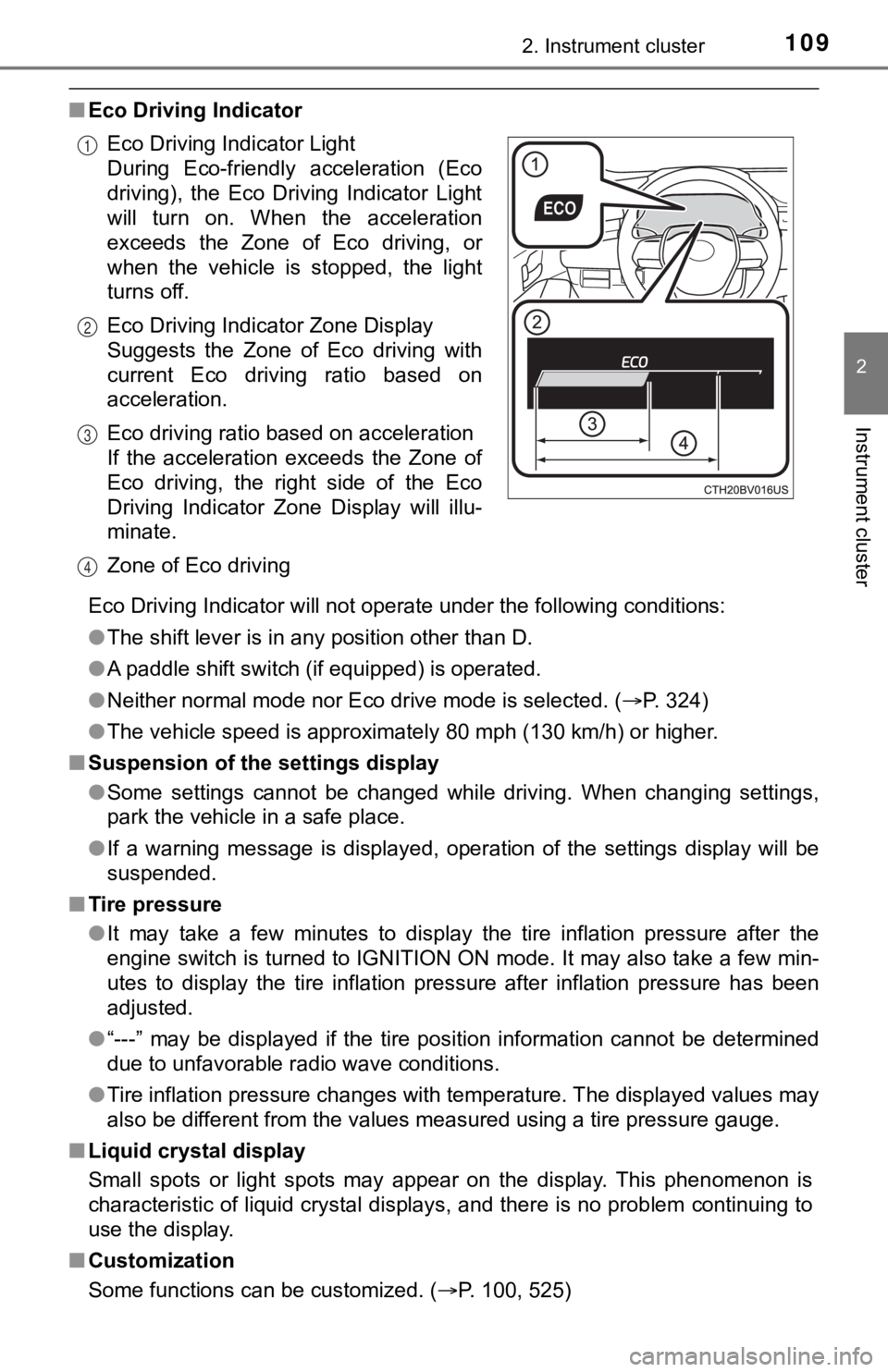
■Eco Driving Indicator
Eco Driving Indicator will not operate under the following cond itions:
● The shift lever is in any position other than D.
● A paddle shift switch (if equipped) is operated.
● Neither normal mode nor Eco drive mode is selected. ( P. 324)
● The vehicle speed is approximately 80 mph (130 km/h) or higher.
■ Suspension of the settings display
●Some settings cannot be changed while driving. When changing se ttings,
park the vehicle in a safe place.
● If a warning message is displayed, operation of the settings di splay will be
suspended.
■ Tire pressure
●It may take a few minutes to display the tire inflation pressur e after the
engine switch is turned to IGNITION ON mode. It may also take a few min-
utes to display the tire inflation pressure after inflation pre ssure has been
adjusted.
● “---” may be displayed if the tire position information cannot be determined
due to unfavorable radio wave conditions.
● Tire inflation pressure changes with temperature. The displayed values may
also be different from the values measured using a tire pressur e gauge.
■ Liquid crystal display
Small spots or light spots may appear on the display. This phen omenon is
characteristic of liquid crystal displays, and there is no prob lem continuing to
use the display.
■ Customization
Some functions can be customized. ( P. 100, 525)
Eco Driving Indicator Light
During Eco-friendly acceleration (Eco
driving), the Eco Driving Indicator Light
will turn on. When the acceleration
exceeds the Zone of Eco driving, or
when the vehicle is stopped, the light
turns off.
Eco Driving Indicator Zone Display
Suggests the Zone of Eco driving with
current Eco driving ratio based on
acceleration.
Eco driving ratio based on acceleration
If the acceleration exceeds the Zone of
Eco driving, the right side of the Eco
Driving Indicator Zone Display will illu-
minate.
Zone of Eco driving
1
2
3
4
Page 110 of 572
1102. Instrument cluster
WARNING
■Caution for use while driving
● When operating the multi-information display while driving, pay extra
attention to the safety of the area around the vehicle.
● Do not look continuously at the multi-information display while driving as
you may fail to see pedestrians, objects on the road, etc. ahea d of the
vehicle.
■ The information display at low temperatures
Allow the interior of the vehicle to warm up before using the liquid crystal
information display. At extremely low temperatures, the information display
monitor may respond slowly, and display changes may be delayed.
For example, there is a lag between the driver’s shifting and the new gear
number appearing on the display. This lag could cause the drive r to down-
shift again, causing rapid and excessive engine braking and pos sibly an
accident resulting in death or injury.
■ Cautions during setting up the display
As the engine needs to be running during setting up the display , ensure that
the vehicle is parked in a place with adequate ventilation. In a closed area
such as a garage, exhaust gases including harmful carbon monoxi de (CO)
may collect and enter the vehicle. This may lead to death or a serious
health hazard.
NOTICE
■ While setting up the display
To prevent battery discharge, ensure that the engine is running while setting
up the display features.
Page 114 of 572
1142. Instrument cluster
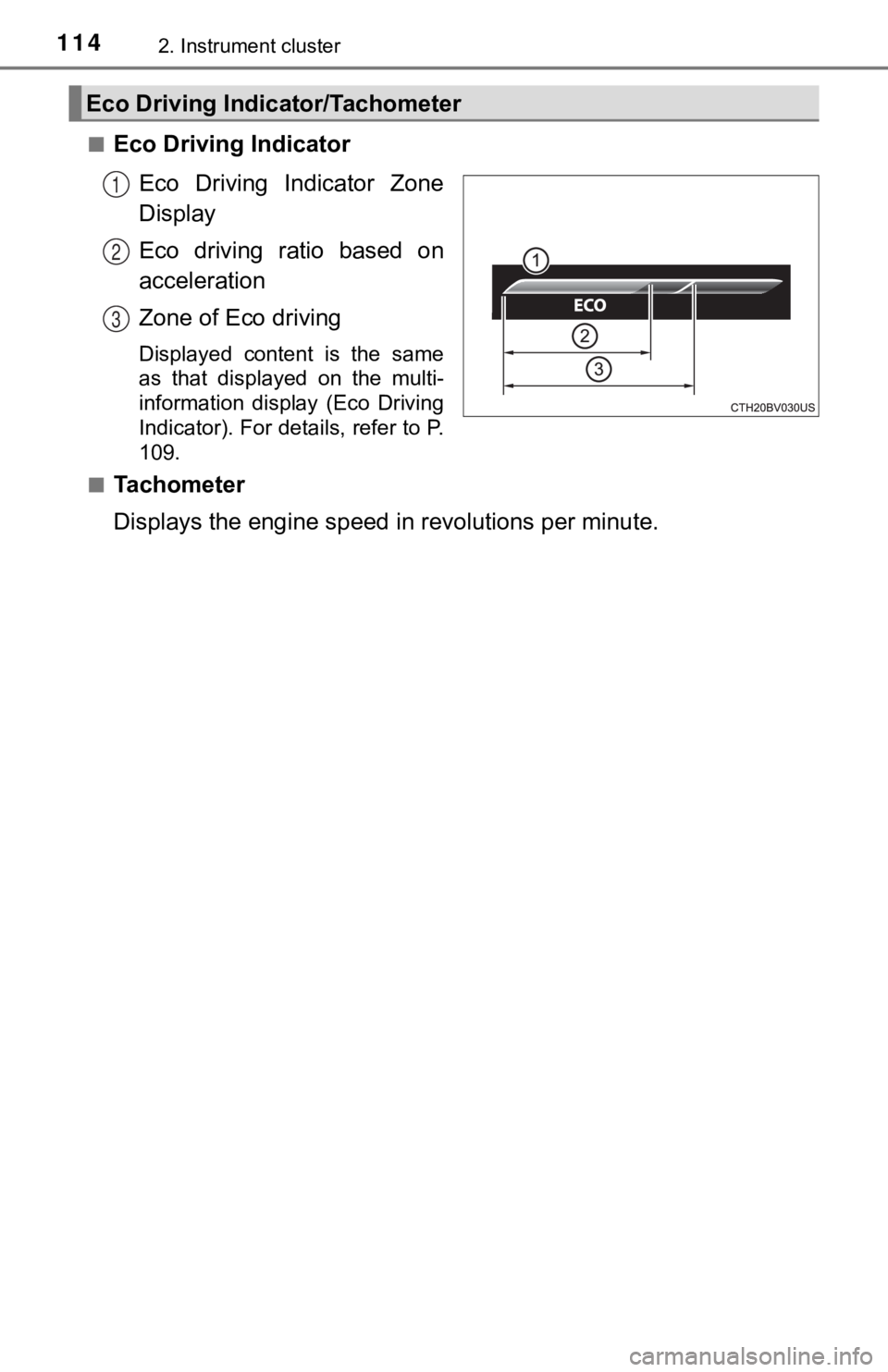
■Eco Driving IndicatorEco Driving Indicator Zone
Display
Eco driving ratio based on
acceleration
Zone of Eco driving
Displayed content is the same
as that displayed on the multi-
information display (Eco Driving
Indicator). For details, refer to P.
109.
■
Tachometer
Displays the engine speed in revolutions per minute.
Eco Driving Indicator/Tachometer
1
2
3
Page 115 of 572
1152. Instrument cluster
2
Instrument cluster
Displays the following items in the appropriate situation:
■Warning/Message
●Alert from the LTA (Lane Tracing Assist)
● Dynamic radar cruise control with full-speed range
● message
Displayed when a suggestion/advice pop-up display is displayed on the
multi-information display. ( P. 108)
● message
Displayed when a warning message is displayed on the multi-info rma-
tion display. ( P. 465)
● Outside temperature
Displayed in the following situations:
• When the engine switch is turned to IGNITION ON mode
• When the low outside temperature indicator is flashing
Displayed content is the same as that displayed on the multi-in formation
display. For details, refer to the explanation of the outside temperature
display on the multi-information display. ( P. 90)
■
Hands-free system status
Displayed when the hands-free system is operated.
■
Audio system operation status
Displayed when the audio system is operated.
Information display area
Page 116 of 572
1162. Instrument cluster
■Head-up display
The head-up display may seem dark or hard to see when viewed th rough
sunglasses, especially polarized sunglasses.
Adjust the brightness of the head-up display or remove your sunglasses.
■ Display brightness
The brightness of the head-up display can be adjusted on of the multi-
information display. Also, it is automatically adjusted accordi ng to the ambient
brightness.
■ Enabling/disabling of the head-up display
If the head-up display is disabled, it will remain disabled when the engine
switch is turned off then back to IGNITION ON mode.
■ Street name display
Only street names which are included in the map data will be displayed.
WARNING
■Before using the head-up display
● Check that the position and brightness of the head-up display i mage does
not interfere with safe driving. Incorrect adjustment of the image’s position
or brightness may obstruct the driver’s view and lead to an accident,
resulting in death or serious injury.
● Do not continuously look at the head-up display while driving a s you may
fail to see pedestrians, objects on the road, etc. ahead of the vehicle.
■ Caution for changing settings of the head-up display
As the engine needs to be running while changing the settings of the head-
up display, ensure that the vehicle is parked in a place with adequate venti-
lation. In a closed area such as a garage, exhaust gases includ ing harmful
carbon monoxide (CO) may collect and enter the vehicle. This may lead to
death or a serious health hazard.
Page 117 of 572
1172. Instrument cluster
2
Instrument cluster
NOTICE
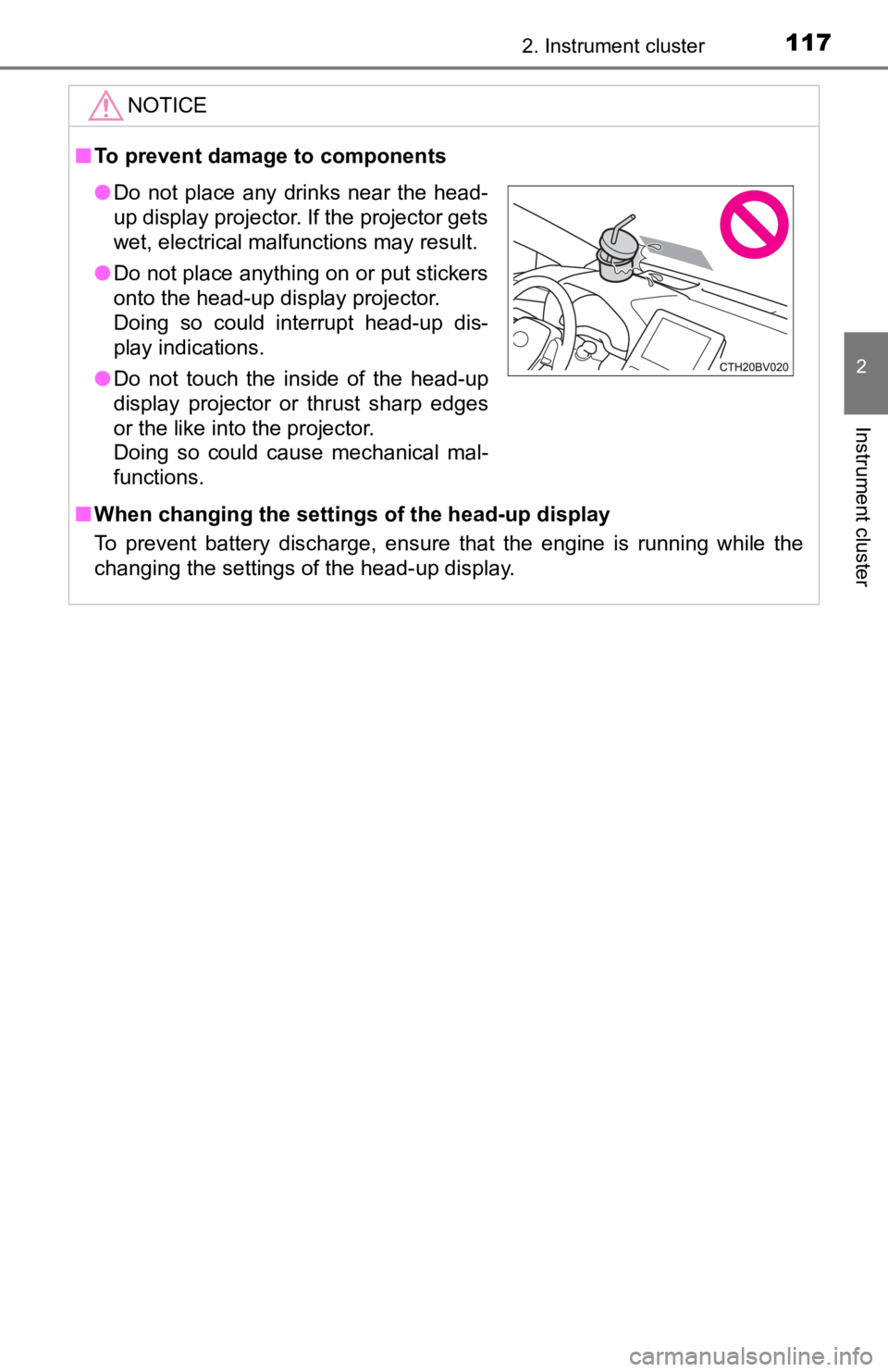
■To prevent damage to components
■ When changing the settings of the head-up display
To prevent battery discharge, ensure that the engine is running while the
changing the settings of the head-up display.
● Do not place any drinks near the head-
up display projector. If the projector gets
wet, electrical malfunctions may result.
● Do not place anything on or put stickers
onto the head-up display projector.
Doing so could interrupt head-up dis-
play indications.
● Do not touch the inside of the head-up
display projector or thrust sharp edges
or the like into the projector.
Doing so could cause mechanical mal-
functions.