tire pressure TOYOTA AVALON 2022 Owners Manual
[x] Cancel search | Manufacturer: TOYOTA, Model Year: 2022, Model line: AVALON, Model: TOYOTA AVALON 2022Pages: 572, PDF Size: 9.42 MB
Page 5 of 572

5
1
8 7 5 4
3
2
9
6
6-1. Maintenance and careCleaning and protecting the vehicle exterior .......... 386
Cleaning and protecting the vehicle interior ........... 389
6-2. Maintenance Maintenance requirements ................... 392
General maintenance ........ 394
Emission inspection and maintenance (I/M)
programs ......................... 398
6-3. Do-it-yourself maintenance
Do-it-yourself service precautions ..................... 399
Hood.................................. 401
Positioning a floor jack ...... 402
Engine compartment ......... 403
Tires .................................. 414
Tire inflation pressure........ 428
Wheels .............................. 431
Air conditioning filter .......... 433
Electronic key battery ........ 435
Checking and replacing fuses ............................... 438
Light bulbs ......................... 441 7-1. Essential information
Emergency flashers ........... 444
If your vehicle has to be stopped in
an emergency.................. 445
If the vehicle is submerged or water on the road is
rising ................................ 446
7-2. Steps to take in an emergency
If your vehicle needs to be towed ...................... 448
If you think something is wrong ........................... 453
Fuel pump shut off system ............................. 454
If a warning light turns on or a warning
buzzer sounds ................. 455
If a warning message is displayed...................... 465
If you have a flat tire .......... 470
If the engine will not start ................................. 482
If the electronic key does not operate properly ........ 484
If the vehicle battery is discharged ................... 487
If your vehicle overheats......................... 492
If the vehicle becomes stuck ................................ 495
6Maintenance and care7When trouble arises
Page 17 of 572
17Pictorial index
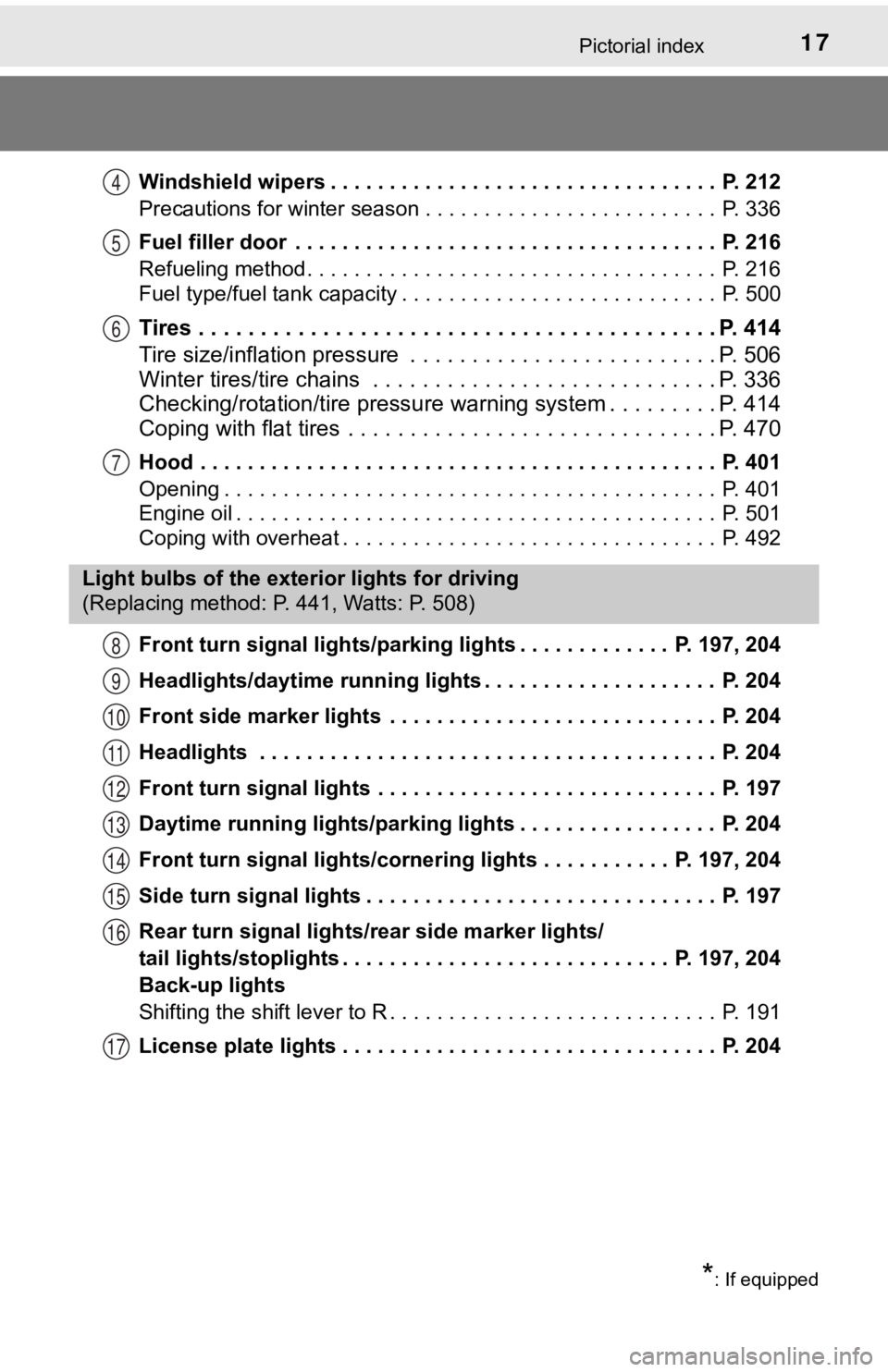
Windshield wipers . . . . . . . . . . . . . . . . . . . . . . . . . . . . . . . . . P. 212
Precautions for winter season . . . . . . . . . . . . . . . . . . . . . . . . . P. 336
Fuel filler door . . . . . . . . . . . . . . . . . . . . . . . . . . . . . . . . . . . . P. 216
Refueling method . . . . . . . . . . . . . . . . . . . . . . . . . . . . . . . . . . . P. 216
Fuel type/fuel tank capacity . . . . . . . . . . . . . . . . . . . . . . . . . . . P. 500
Tires . . . . . . . . . . . . . . . . . . . . . . . . . . . . . . . . . . . . . . . . . . P. 414
Tire size/inflation pressure . . . . . . . . . . . . . . . . . . . . . . . . . P. 506
Winter tires/tire chains . . . . . . . . . . . . . . . . . . . . . . . . . . . . P. 336
Checking/rotation/tire pressur e warning system . . . . . . . . .P. 414
Coping with flat tires . . . . . . . . . . . . . . . . . . . . . . . . . . . . . . P. 470
Hood . . . . . . . . . . . . . . . . . . . . . . . . . . . . . . . . . . . . . . . . . . . . P. 401
Opening . . . . . . . . . . . . . . . . . . . . . . . . . . . . . . . . . . . . . . . . . . P. 401
Engine oil . . . . . . . . . . . . . . . . . . . . . . . . . . . . . . . . . . . . . . . . . P. 501
Coping with overheat . . . . . . . . . . . . . . . . . . . . . . . . . . . . . . . . P. 492
Front turn signal lights/parking lights . . . . . . . . . . . . . P. 197, 204
Headlights/daytime running lights . . . . . . . . . . . . . . . . . . . . P. 204
Front side marker lights . . . . . . . . . . . . . . . . . . . . . . . . . . . . P. 204
Headlights . . . . . . . . . . . . . . . . . . . . . . . . . . . . . . . . . . . . . . . P. 204
Front turn signal lights . . . . . . . . . . . . . . . . . . . . . . . . . . . . . P. 197
Daytime running lights/parking lights . . . . . . . . . . . . . . . . . P. 204
Front turn signal lights/cornering lights . . . . . . . . . . . P. 197, 204
Side turn signal lights . . . . . . . . . . . . . . . . . . . . . . . . . . . . . . P. 197
Rear turn signal lights/r ear side marker lights/
tail lights/stoplights . . . . . . . . . . . . . . . . . . . . . . . . . . . . P. 197, 204
Back-up lights
Shifting the shift lever to R . . . . . . . . . . . . . . . . . . . . . . . . . . . . P. 191
License plate lights . . . . . . . . . . . . . . . . . . . . . . . . . . . . . . . . P. 204
4
5
6
7
Light bulbs of the exter ior lights for driving
(Replacing method: P. 441, Watts: P. 508)
*: If equipped
8
9
10
11
12
13
14
15
16
17
Page 86 of 572
862. Instrument cluster
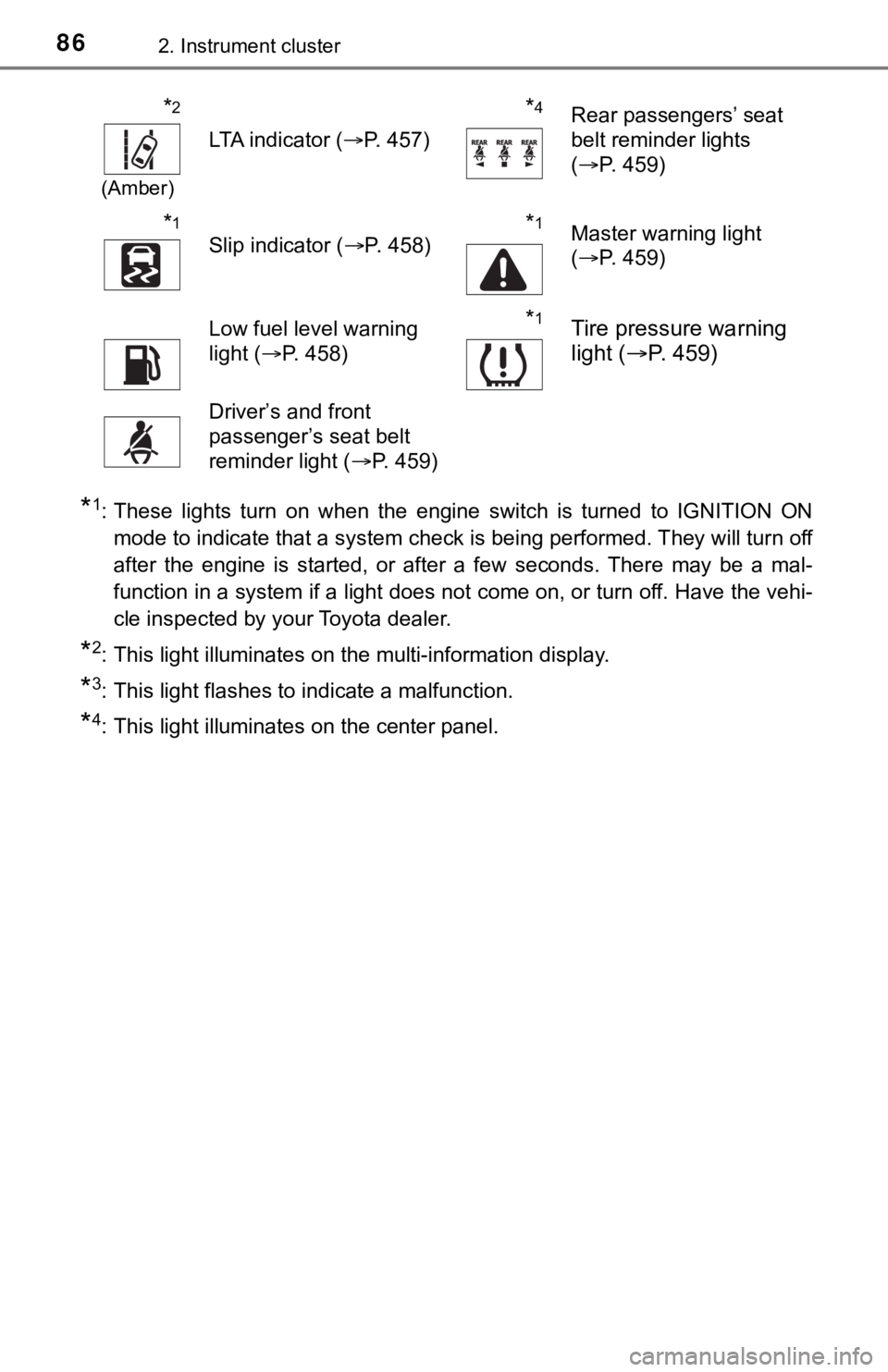
*1: These lights turn on when the engine switch is turned to IGNITION ON
mode to indicate that a system check is being performed. They will turn off
after the engine is started, or after a few seconds. There may be a mal-
function in a system if a light does not come on, or turn off. Have the vehi-
cle inspected by your Toyota dealer.
*2: This light illuminates on the multi-information display.
*3: This light flashes to indicate a malfunction.
*4: This light illuminates on the center panel.
*2
(Amber)
LTA indicator ( P. 457)
*4Rear passengers’ seat
belt reminder lights
(P. 459)
*1
Slip indicator ( P. 458)*1Master warning light
(P. 459)
Low fuel level warning
light ( P. 458)*1Tire pressure warning
light ( P. 459)
Driver’s and front
passenger’s seat belt
reminder light ( P. 459)
Page 96 of 572
962. Instrument cluster
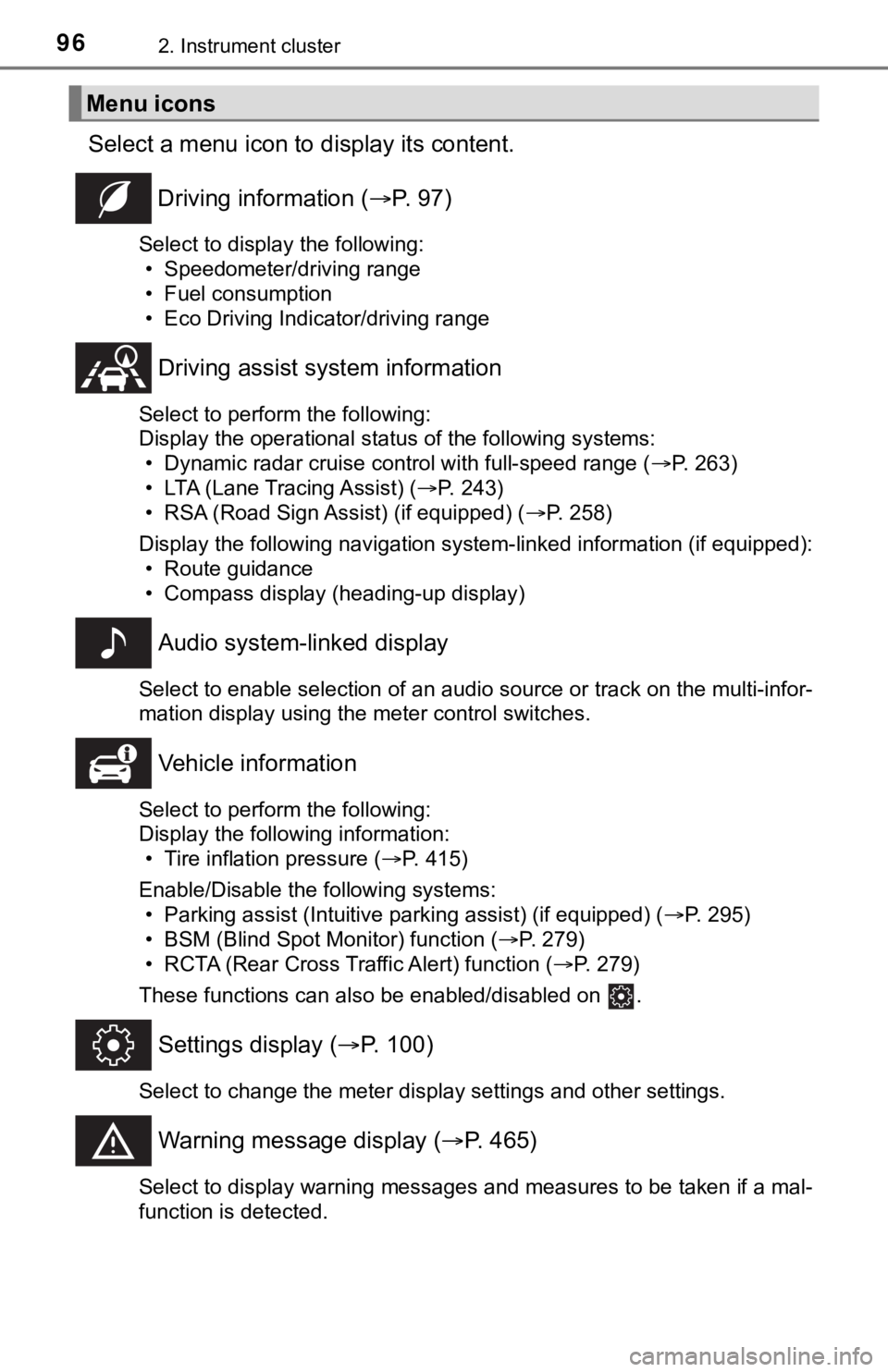
Select a menu icon to display its content.
Driving information ( P. 9 7 )
Select to display the following:
• Speedometer/driving range
• Fuel consumption
• Eco Driving Indicator/driving range
Driving assist sys tem information
Select to perform the following:
Display the operational status of the following systems:
• Dynamic radar cruise control with full-speed range ( P. 263)
• LTA (Lane Tracing Assist) ( P. 243)
• RSA (Road Sign Assist) (if equipped) ( P. 258)
Display the following navigation system-linked information (if equipped):
• Route guidance
• Compass display (heading-up display)
Audio system-linked display
Select to enable selection of an audio source or track on the multi-infor-
mation display using the meter control switches.
Vehicle information
Select to perform the following:
Display the following information: • Tire inflation pressure ( P. 415)
Enable/Disable the following systems: • Parking assist (Intuitive parking assist) (if equipped) ( P. 295)
• BSM (Blind Spot Monitor) function ( P. 279)
• RCTA (Rear Cross Traffic Alert) function ( P. 279)
These functions can also be enabled/disabled on .
Settings display ( P. 100)
Select to change the meter display settings and other settings.
Warning message display ( P. 465)
Select to display warning messages and measures to be taken if a mal-
function is detected.
Menu icons
Page 106 of 572
1062. Instrument cluster
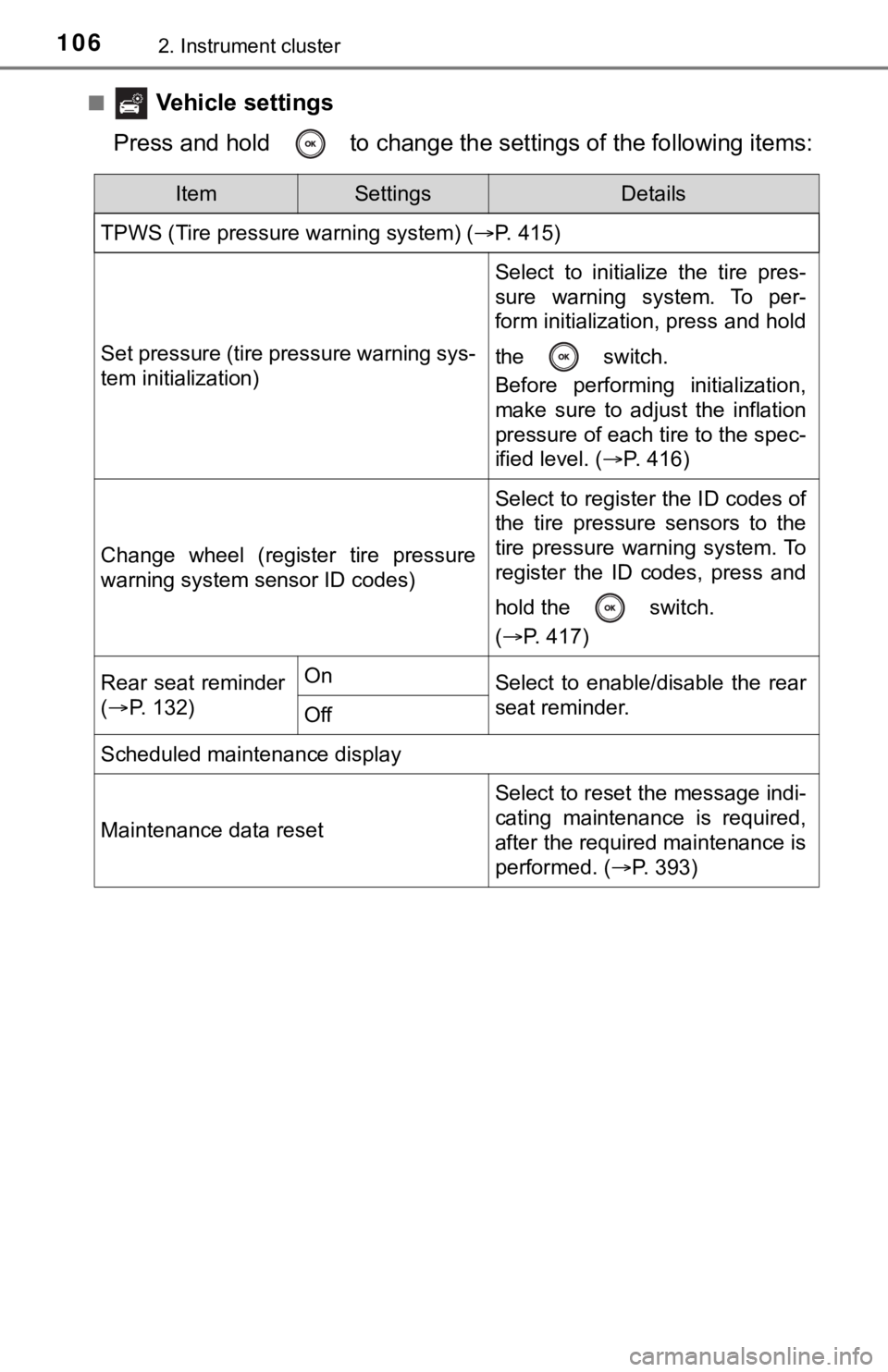
■ Vehicle settings
Press and hold to change the se ttings of the following items:
ItemSettingsDetails
TPWS (Tire pressure warning system) ( P. 415)
Set pressure (tire pressure warning sys-
tem initialization)
Select to initialize the tire pres-
sure warning system. To per-
form initialization, press and hold
the switch.
Before performing initialization,
make sure to adjust the inflation
pressure of each tire to the spec-
ified level. (P. 416)
Change wheel (register tire pressure
warning system sensor ID codes)
Select to register the ID codes of
the tire pressure sensors to the
tire pressure warning system. To
register the ID codes, press and
hold the switch.
(P. 417)
Rear seat reminder
( P. 132)OnSelect to enable/disable the rear
seat reminder.
Off
Scheduled maintenance display
Maintenance data reset
Select to reset the message indi-
cating maintenance is required,
after the required maintenance is
performed. ( P. 393)
Page 109 of 572
1092. Instrument cluster
2
Instrument cluster
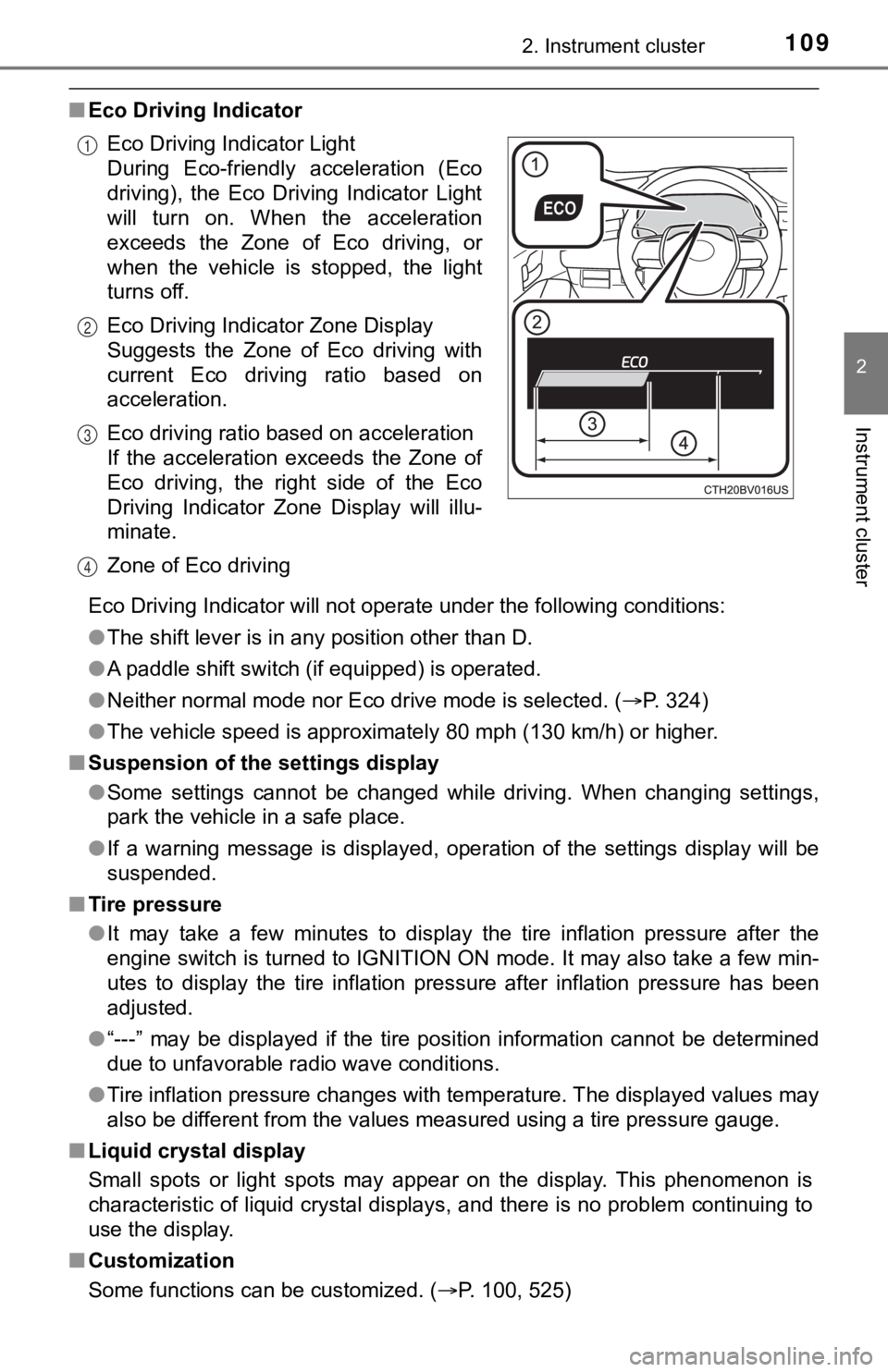
■Eco Driving Indicator
Eco Driving Indicator will not operate under the following cond itions:
● The shift lever is in any position other than D.
● A paddle shift switch (if equipped) is operated.
● Neither normal mode nor Eco drive mode is selected. ( P. 324)
● The vehicle speed is approximately 80 mph (130 km/h) or higher.
■ Suspension of the settings display
●Some settings cannot be changed while driving. When changing se ttings,
park the vehicle in a safe place.
● If a warning message is displayed, operation of the settings di splay will be
suspended.
■ Tire pressure
●It may take a few minutes to display the tire inflation pressur e after the
engine switch is turned to IGNITION ON mode. It may also take a few min-
utes to display the tire inflation pressure after inflation pre ssure has been
adjusted.
● “---” may be displayed if the tire position information cannot be determined
due to unfavorable radio wave conditions.
● Tire inflation pressure changes with temperature. The displayed values may
also be different from the values measured using a tire pressur e gauge.
■ Liquid crystal display
Small spots or light spots may appear on the display. This phen omenon is
characteristic of liquid crystal displays, and there is no prob lem continuing to
use the display.
■ Customization
Some functions can be customized. ( P. 100, 525)
Eco Driving Indicator Light
During Eco-friendly acceleration (Eco
driving), the Eco Driving Indicator Light
will turn on. When the acceleration
exceeds the Zone of Eco driving, or
when the vehicle is stopped, the light
turns off.
Eco Driving Indicator Zone Display
Suggests the Zone of Eco driving with
current Eco driving ratio based on
acceleration.
Eco driving ratio based on acceleration
If the acceleration exceeds the Zone of
Eco driving, the right side of the Eco
Driving Indicator Zone Display will illu-
minate.
Zone of Eco driving
1
2
3
4
Page 242 of 572

2424-5. Using the driving support systems
●In some situations such as the following, sufficient braking force or steering
force may not be obtained, preventing the system from performin g properly:
• If the braking functions cannot operate to their full extent, such as when
the brake parts are extremely cold, extremely hot, or wet
• If the vehicle is not properly maintained (brakes or tires are excessively
worn, improper tire inflation pressure, etc.)
• When the vehicle is being driven on a gravel road or other sli ppery sur-
face
• When the road surface has deep wheel tracks
• When driving on a hill road
• When driving on a road that has inclines to the left or right
■ If VSC is disabled
●If VSC is disabled ( P. 330), the pre-collision brake assist and pre-collision
braking functions are also disabled.
● The PCS warning light will turn on and “VSC Turned Off Pre-Coll ision Brake
System Unavailable” will be displayed on the multi-information display.
Page 247 of 572

2474-5. Using the driving support systems
4
Driving
WARNING
●Light from the headlights of an oncoming vehicle, the sun, etc. enters the
camera.
● The vehicle is driven on a slope.
● The vehicle is driven on a road which tilts left or right, or a winding road.
● The vehicle is driven on an unpaved or rough road.
● The traffic lane is excessively narrow or wide.
● The vehicle is extremely tilted due to carrying heavy luggage o r having
improper tire pressure.
● The distance to the preceding vehicle is extremely short.
● The vehicle is moving up and down a large amount due to road conditions
during driving (poor r oads or road seams).
● When driving in a tunnel or at night with the headlights off or when a head-
light is dim due to its lens being dirty or it being misaligned.
● The vehicle is struck by a crosswind.
● The vehicle is affected by wind from a vehicle driven in a nearby lane.
● The vehicle has just changed lanes or crossed an intersection.
● Tires which differ by structure, manufacturer, brand or tread p attern are
used.
● When tires of a size other than specified are installed.
● Snow tires, etc. are equipped.
● The vehicle is being driven at extremely high speeds.
Page 316 of 572

3164-5. Using the driving support systems
NOTICE
■To prevent the system from malfunctioning
● If the area around a sensor is subjected to an impact, the system may not
operate properly due to the sensor being misaligned. Have the vehicle
inspected by your Toyota dealer.
● When using a high pressure washer to wash the vehicle, do not spray the
sensors directly, as doing so may cause a sensor to malfunction .
● When using steam to clean the vehicle, do not direct steam too close to
the sensors as doing so may cause a sensor to malfunction.
■ To prevent a radar sensor from malfunctioning
● If the area around a radar sensor is subjected to an impact, the system
may not operate properly due to a sensor malfunction. Have the vehicle
inspected by your Toyota dealer.
● Observe the radar sensor handling precautions. ( P. 282)
■ To prevent unnecessary operation of the Intelligent Clearance S onar
system
In the following situations, disable the Intelligent Clearance Sonar system
as the system may operate even though there is no possibility of a collision.
● When inspecting the vehicle using a chassis roller, chassis dynamo or free
roller
● When loading the vehicle onto a boat, truck or other transport vessel
● If the suspension has been modified or tires of a size other than specified
are installed
● If the front of the vehicle is raised or lowered due to the carried load
● When equipment that may obstruct a sensor is installed, such as a towing
eyelet, bumper protector (an additional trim strip, etc.), bicycle carrier, or
snow plow
● When using an automatic car wash
Page 335 of 572

3354-5. Using the driving support systems
4
Driving
WARNING
■Hill- start assist control does not operate effectively when
● Do not overly rely on hill-start assist control. Hill-start assist control may
not operate effectively on steep inclines and roads covered wit h ice.
● Unlike the parking brake, hill-st art assist control is not intended to hold the
vehicle stationary for an extended period of time. Do not attempt to use
hill-start assist control to hold the vehicle on an incline, as doing so may
lead to an accident.
■ When the TRAC/VSC is activated
The slip indicator light flashes. Always drive carefully. Reckless driving may
cause an accident. Exercise particular care when the indicator light flashes.
■ When the TRAC/VSC systems are turned off
Be especially careful and drive at a speed appropriate to the r oad condi-
tions. As these are the systems to help ensure vehicle stability and driving
force, do not turn the TRAC/VSC systems off unless necessary.
■ Replacing tires
Make sure that all tires are of the specified size, brand, trea d pattern and
total load capacity. In addition, make sure that the tires are inflated to the
recommended tire inflation pressure level.
The ABS, TRAC and VSC systems will not function correctly if different tires
are installed on the vehicle.
Contact your Toyota dealer for further information when replaci ng tires or
wheels.
■ Handling of tires and the suspension
Using tires with any kind of problem or modifying the suspensio n will affect
the driving assist systems, and may cause a system to malfunction.
■ Secondary Collision Brake
Do not rely solely upon the Secondary Collision Brake. This system is
designed to help reduce the possibility of further damage due to a second-
ary collision, however, that effect changes according to variou s conditions.
Overly relying on the system may result in death or serious inj ury.