battery TOYOTA AVALON HYBRID 2016 XX40 / 4.G Owner's Guide
[x] Cancel search | Manufacturer: TOYOTA, Model Year: 2016, Model line: AVALON HYBRID, Model: TOYOTA AVALON HYBRID 2016 XX40 / 4.GPages: 492, PDF Size: 7.16 MB
Page 187 of 492

1874-3. Operating the lights and wipers
4
Driving
AVALON_HV_U (01999-07002)■
Automatic headlight leveling system (if equipped)
The level of the headlights is automatically adjusted according to the number
of passengers and the loading condition of the vehicle to ensure that the
headlights do not interfere with other road users.
■ Customization
Settings (e.g. light sensor sensitivity) can be changed.
(Customizable features: P. 461)
NOTICE
■To prevent 12-volt battery discharge
Do not leave the lights on longer than necessary when the hybrid system is
off.
Page 213 of 492

2134-5. Using the driving support systems
4
Driving
AVALON_HV_U (01999-07002)
■Operational conditions
For vehicles sold in regions where the pedestrian detection function and
pre-collision braking function are available
*4
The pre-collision system is enabled and the system determines that the pos-
sibility of a frontal collision with a vehicle or pedestrian is high.
Each function is operational at the following speeds:
●Pre-collision warning:
• Vehicle speed is approximately 7 mph (10 km/h) or more. (For detecting a
pedestrian, vehicle speed is between approximately 7 and 50 mph [10
and 80 km/h].)
• The relative speed between your vehicle and the vehicle or pedestrian ahead is approximately 7 mph (10 km/h) or more.
● Pre-collision brake assist:
• Vehicle speed is approximately 19 mph (30 km/h) or more. (For detecting
a pedestrian, vehicle speed is between approximately 19 and 50 mph [30
and 80 km/h].)
• The relative speed between your vehicle and the vehicle or pedestrian
ahead is approximately 19 mph (30 km/h) or more.
● Pre-collision braking:
• Vehicle speed is approximately 7 mph (10 km/h) or more. (For detecting a
pedestrian, vehicle speed is between approximately 7 and 50 mph [10
and 80 km/h].)
• The relative speed between your vehicle and the vehicle or pedestrian ahead is approximately 7 mph (10 km/h) or more.
The system may not operate in the following situations:
● If a battery terminal has been disconnected and reconnected and then the
vehicle has not been driven for a certain amount of time
● If the shift lever is in R
● If VSC is disabled (only the pre-collision warning function will be opera-
tional)
● If the PCS warning light is flashing or illuminated
For vehicles sold in regions where the pedestrian detection function is not
available and the pre-collision braking function is available
*4
The pre-collision system is enabled and the system determines that the pos-
sibility of a frontal collision with a vehicle is high.
Each function is operational at the following speeds:
●Pre-collision warning:
• Vehicle speed is approximately 10 mph (15 km/h) or more.
• The relative speed between your vehicle and the vehicle or pedestrian
ahead is approximately 7 mph (10 km/h) or more.
● Pre-collision brake assist:
• Vehicle speed is approximately 19 mph (30 km/h) or more.
• The relative speed between your vehicle and the vehicle or pedestrian
ahead is approximately 19 mph (30 km/h) or more.
Page 214 of 492

2144-5. Using the driving support systems
AVALON_HV_U (01999-07002)●
Pre-collision braking:
• Vehicle speed is approximately 10 mph (15 km/h) or more.
• The relative speed between your vehicle and the vehicle or pedestrian
ahead is approximately 7 mph (10 km/h) or more.
The system may not operate in the following situations:
● If a battery terminal has been disconnected and reconnected and then the
vehicle has not been driven for a certain amount of time
● If the shift lever is in R
● If VSC is disabled (only the pre-collision warning function will be opera-
tional)
● If the PCS warning light is flashing or illuminated
For vehicles sold in regions where the pedestrian detection function and
pre-collision braking function are not available
*4
The pre-collision system is enabled and the system determines that the pos-
sibility of a frontal collision with a vehicle is high.
Each function is operational at the following speeds:
●Pre-collision warning:
• Vehicle speed is approximately 10 mph (15 km/h) or more.
• The relative speed between your vehicle and the vehicle or pedestrian
ahead is approximately 7 mph (10 km/h) or more.
● Pre-collision brake assist:
• Vehicle speed is approximately 19 mph (30 km/h) or more.
• The relative speed between your vehicle and the vehicle or pedestrian
ahead is approximately 19 mph (30 km/h) or more.
The system may not operate in the following situations:
● If a battery terminal has been disconnected and reconnected and then the
vehicle has not been driven for a certain amount of time
● If the shift lever is in R
● If VSC is disabled (only the pre-collision warning function will be opera-
tional)
● If the PCS warning light is flashing or illuminated
*4: Depending on the region in which the vehicle was sold, the pedestrian
detection function and pre-collision braking function may not be available.
Page 265 of 492
265
4
Driving
AVALON_HV_U (01999-07002)
4-6. Driving tips
◆Using Eco drive mode
When using Eco drive mode, the torque corresponding to the accel-
erator pedal depression amount can be generated more smoothly
than it is in normal conditions. In addition, the operation of the air
conditioning system (h eating/cooling) will be minimized, improving
the fuel economy. ( P. 258)
◆Use of Hybrid System Indicator
The Eco-friendly driving is possible by keeping the Hybrid System
Indicator within Eco area. ( P. 92)
◆Shift lever operation
Shift the shift lever to D when stopped at a traffic light, or driving in
heavy traffic etc. Shift the shift lever to P when parking. When using
the N, there is no positive effect on fuel consumption. In the N, the
gasoline engine operates but el ectricity cannot be generated. Also,
when using the air conditioning s ystem, etc., the hybrid battery
(traction battery) power is consumed.
◆Accelerator pedal/brake pedal operation
● Drive your vehicle smoothly. Avoid abrupt acceleration and
deceleration. Gradual accelerati on and deceleration will make
more effective use of the electric motor (traction motor) without
having to use gasoline engine power.
● Avoid repeated acceleration. Repeated acceleration consumes
hybrid battery (traction battery) power, resulting in poor fuel con-
sumption. Battery power can be restored by driving with the
accelerator pedal slightly released.
Hybrid vehicle driving tips
For economical and ecological driv ing, pay attention to the fol-
lowing points:
Page 280 of 492
2805-1. Using the air conditioning system and defogger
AVALON_HV_U (01999-07002)■
Customization
Settings (e.g. air conditioning setting, touch switch sensitivity) can be
changed.
(Customizable features P. 461)
WARNING
■To prevent the windshield from fogging up
●Do not use during cool air operation in extremely humid weather.
The difference between the temperature of the outside air and that of the
windshield can cause the outer surface of the windshield to fog up, block-
ing your vision.
■ To prevent burns
Do not touch the rear view mirror surfaces when the outside rear view mirror
defoggers are on.
NOTICE
■Humidity sensor
■ To prevent 12-volt battery discharge
Do not leave the air conditioning system on longer than necessary when the
hybrid system is off.
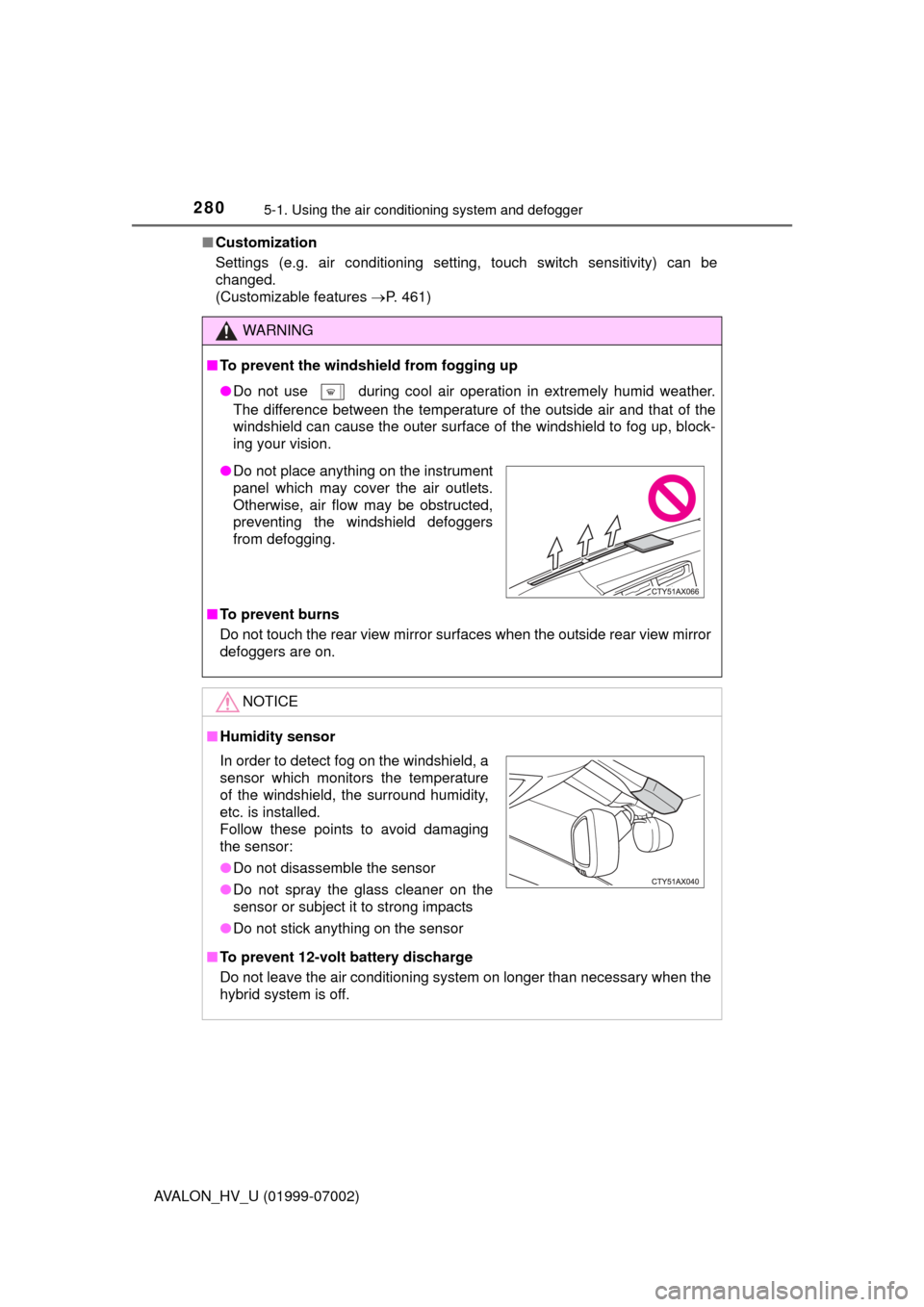
●Do not place anything on the instrument
panel which may cover the air outlets.
Otherwise, air flow may be obstructed,
preventing the windshield defoggers
from defogging.
In order to detect fog on the windshield, a
sensor which monitors the temperature
of the windshield, the surround humidity,
etc. is installed.
Follow these points to avoid damaging
the sensor:
●Do not disassemble the sensor
● Do not spray the glass cleaner on the
sensor or subject it to strong impacts
● Do not stick anything on the sensor
Page 281 of 492
2815-1. Using the air conditioning system and defogger
5
Interior features
AVALON_HV_U (01999-07002)
Seat heaters/seat ventilators
: If equipped
The seat heaters warm the seats and the seat ventilators main-
tain good airflow by blowing air through the seats.
WARNING
●Care should be taken to prevent injury if anyone in the following categories
comes in contact with the seats when the heater is on:
• Babies, small children, the elderly, the sick and the physically chal-
lenged
• Persons with sensitive skin
• Persons who are fatigued
• Persons who have taken alcohol or drugs that induce sleep (sleeping drugs, cold remedies, etc.)
● Observe the following precautions to prevent the minor burns or overheat-
ing
• Do not cover the seat with a blanket or cushion when using the seat
heater.
• Do not use seat heater more than necessary.
NOTICE
● Do not put heavy objects that have an uneven surface on the seat and do
not stick sharp objects (needles, nails, etc.) into the seat.
● To prevent 12-volt battery discharge, do not use the functions when the
power is off.
Page 286 of 492
2865-2. Using the interior lights
AVALON_HV_U (01999-07002)
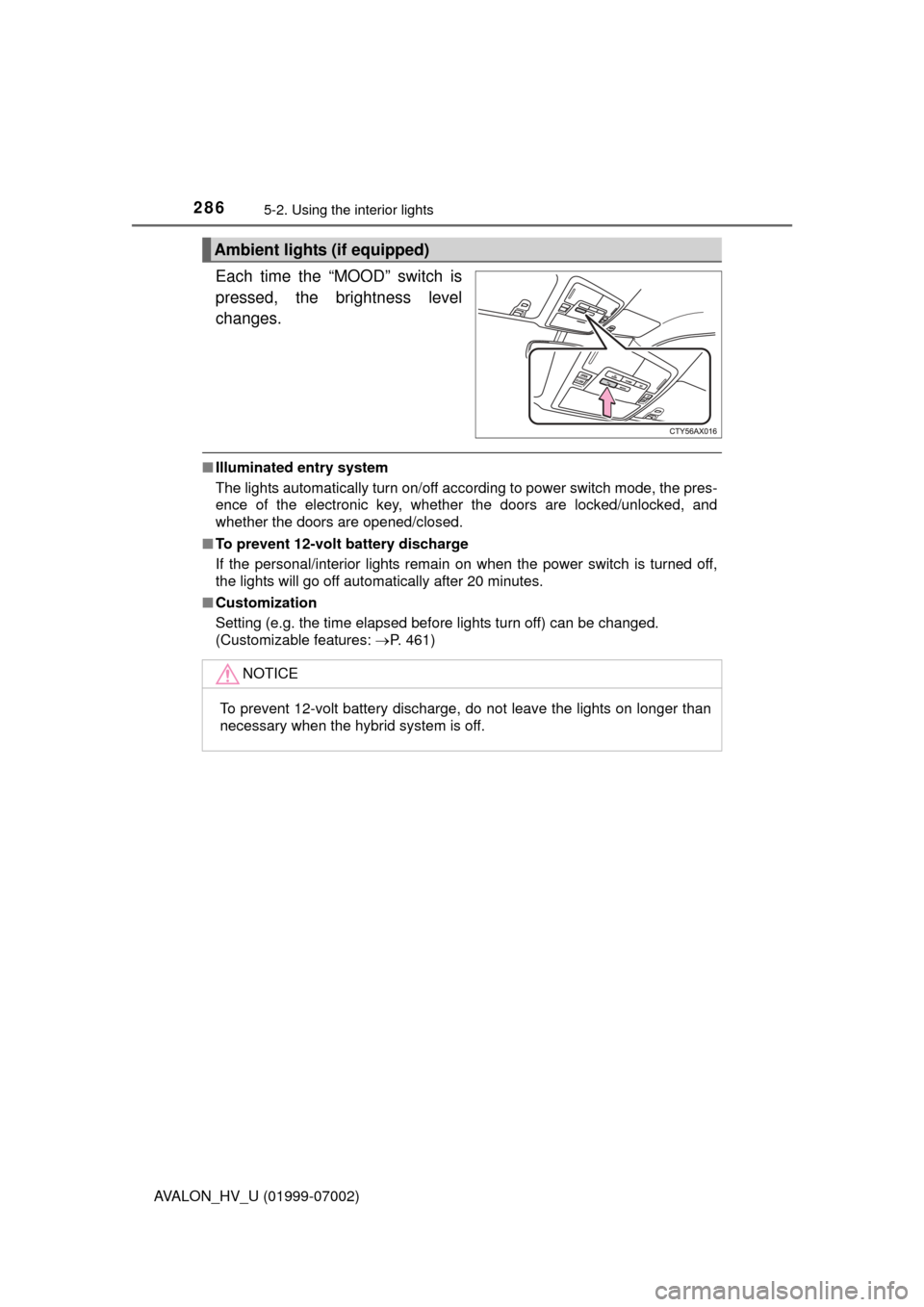
Each time the “MOOD” switch is
pressed, the brightness level
changes.
■Illuminated entry system
The lights automatically turn on/off according to power switch mode, the pres-
ence of the electronic key, whether the doors are locked/unlocked, and
whether the doors are opened/closed.
■ To prevent 12-volt battery discharge
If the personal/interior lights remain on when the power switch is turned off,
the lights will go off automatically after 20 minutes.
■ Customization
Setting (e.g. the time elapsed before lights turn off) can be changed.
(Customizable features: P. 461)
Ambient lights (if equipped)
NOTICE
To prevent 12-volt battery discharge, do not leave the lights on longer than
necessary when the hybrid system is off.
Page 297 of 492
297
5
Interior features
AVALON_HV_U (01999-07002)
5-4. Other interior features
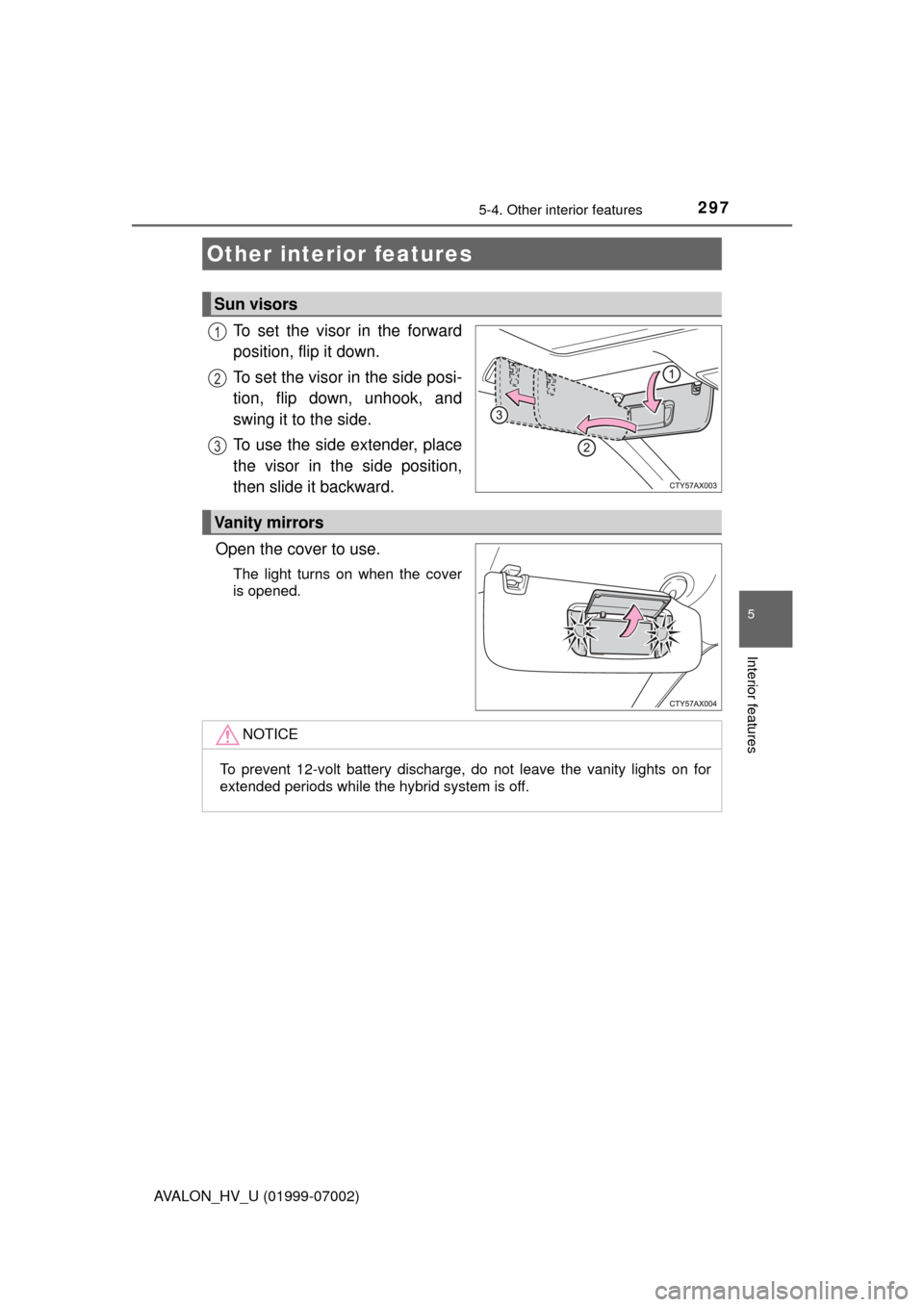
To set the visor in the forward
position, flip it down.
To set the visor in the side posi-
tion, flip down, unhook, and
swing it to the side.
To use the side extender, place
the visor in the side position,
then slide it backward.
Open the cover to use.
The light turns on when the cover
is opened.
Other interior features
Sun visors
1
2
3
Vanity mirrors
NOTICE
To prevent 12-volt battery discharge, do not leave the vanity lights on for
extended periods while the hybrid system is off.
Page 298 of 492
2985-4. Other interior features
AVALON_HV_U (01999-07002)
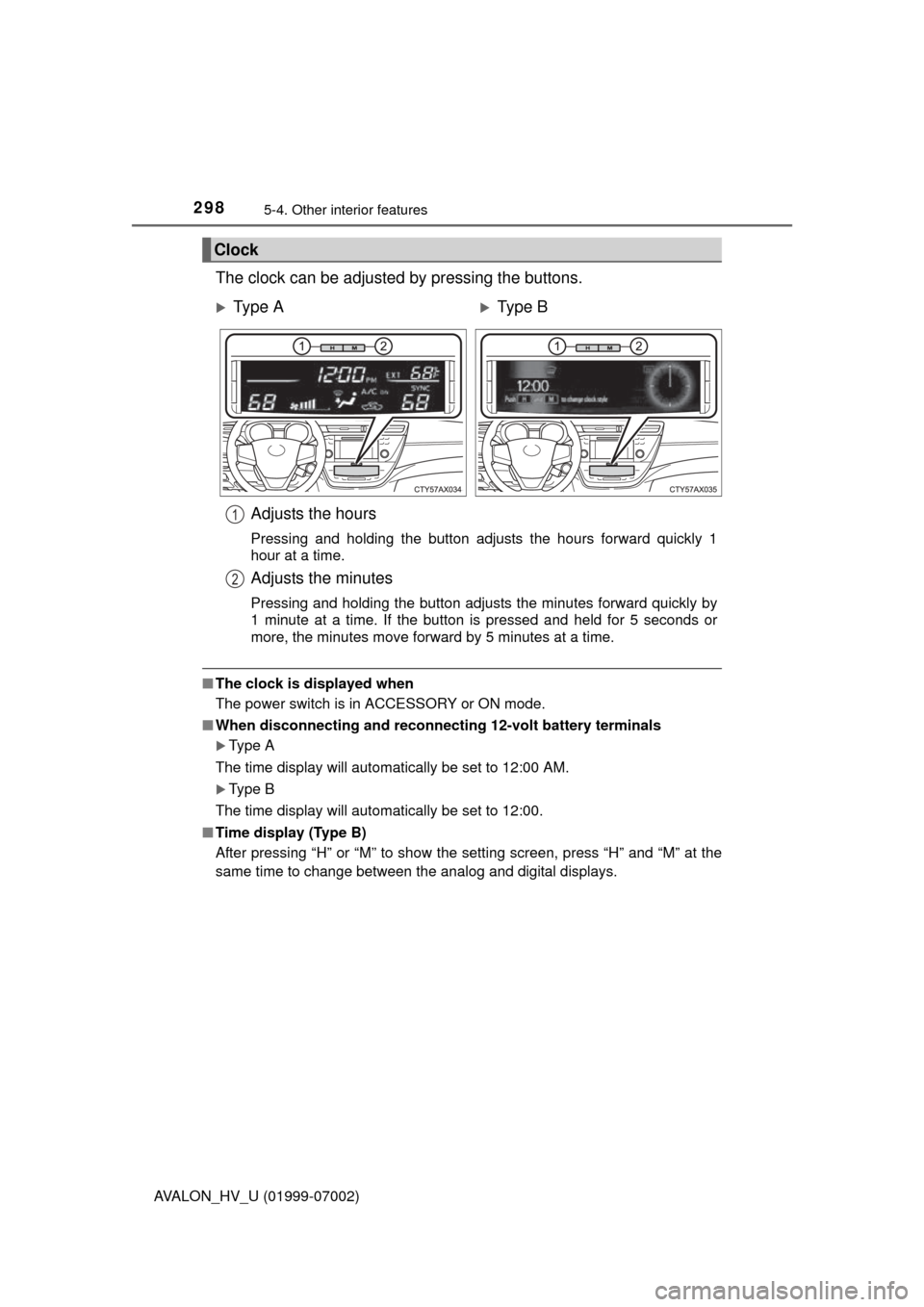
The clock can be adjusted by pressing the buttons.
■The clock is displayed when
The power switch is in ACCESSORY or ON mode.
■ When disconnecting and reconnect ing 12-volt battery terminals
Type A
The time display will automatically be set to 12:00 AM.
Type B
The time display will automatically be set to 12:00.
■ Time display (Type B)
After pressing “H” or “M” to show the setting screen, press “H” and “M” at the
same time to change between the analog and digital displays.
Clock
Ty p e AType B
Adjusts the hours
Pressing and holding the button adjusts the hours forward quickly 1
hour at a time.
Adjusts the minutes
Pressing and holding the button adjusts the minutes forward quickly by
1 minute at a time. If the button is pressed and held for 5 seconds or
more, the minutes move forward by 5 minutes at a time.
1
2
Page 301 of 492
3015-4. Other interior features
5
Interior features
AVALON_HV_U (01999-07002)■
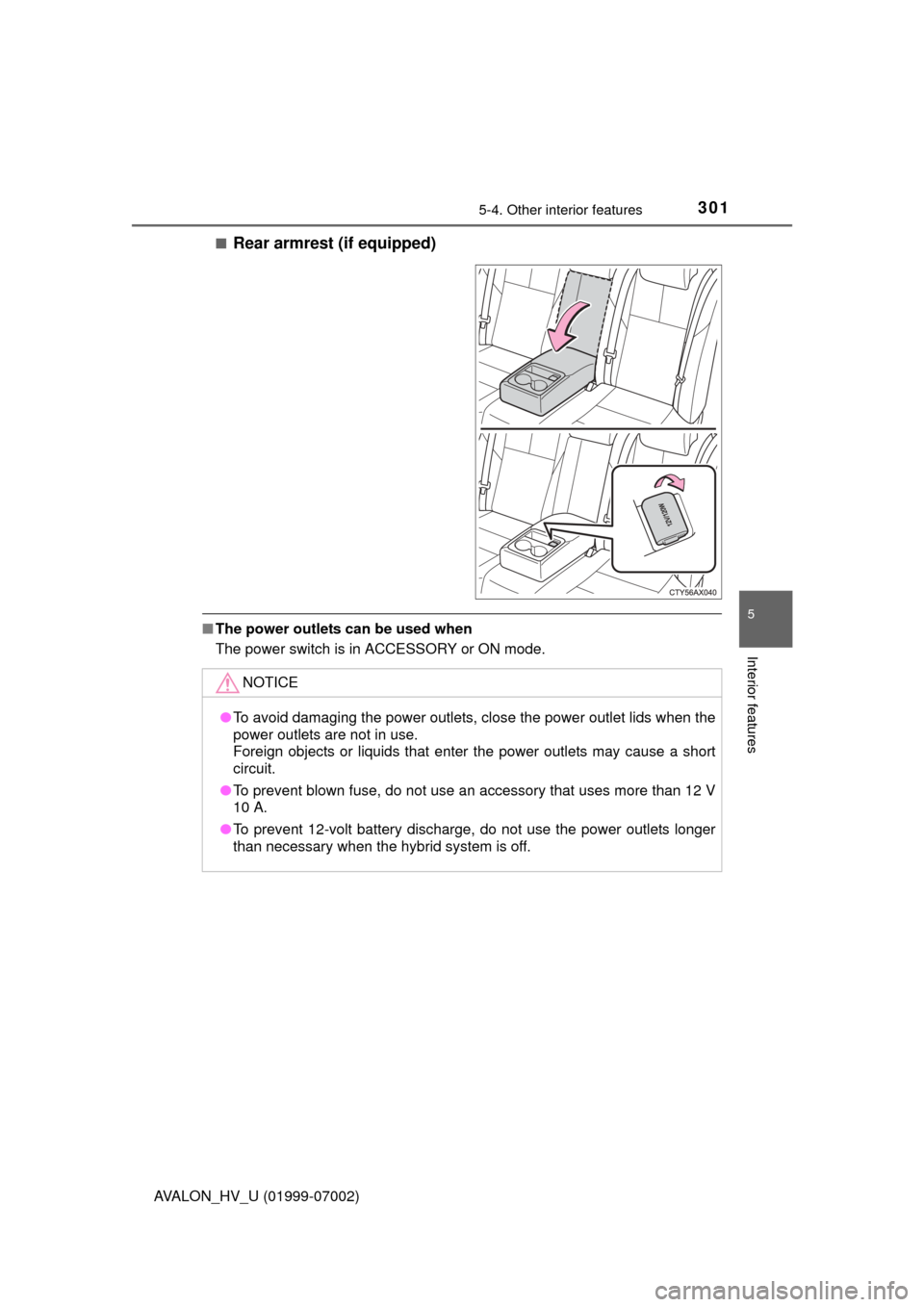
Rear armrest (if equipped)
■
The power outlets can be used when
The power switch is in ACCESSORY or ON mode.
NOTICE
●To avoid damaging the power outlets, close the power outlet lids when the
power outlets are not in use.
Foreign objects or liquids that enter the power outlets may cause a short
circuit.
● To prevent blown fuse, do not use an accessory that uses more than 12 V
10 A.
● To prevent 12-volt battery discharge, do not use the power outlets longer
than necessary when the hybrid system is off.