fog light TOYOTA AVALON HYBRID 2018 Owners Manual (in English)
[x] Cancel search | Manufacturer: TOYOTA, Model Year: 2018, Model line: AVALON HYBRID, Model: TOYOTA AVALON HYBRID 2018Pages: 492, PDF Size: 7.3 MB
Page 4 of 492

TABLE OF CONTENTS4
5-1. Using the air conditioning system
and defogger
Automatic air conditioning system............................. 274
Seat heaters/seat ventilators....................... 283
5-2. Using the interior lights Interior lights list ................ 286
• Personal/interior light main switch ................... 287
• Personal/interior lights ............................. 287
• Ambient lights ............... 288
5-3. Using the storage features
List of storage features...... 289
• Glove box...................... 290
• Console box .................. 291
• Cup holders .................. 292
• Auxiliary boxes .............. 293
Trunk features ................... 297 5-4. Other interior features
Other interior features........ 299
• Sun visors ..................... 299
• Vanity mirrors ................ 299
• Clock ............................. 300
• Outside temperature display ........................... 301
• Power outlets ................ 302
• Armrest.......................... 304
• Rear sunshade .............. 304
• Coat hooks .................... 306
• Assist grips .................... 306
Garage door opener .......... 307
Safety Connect .................. 314
Compass ........................... 320
5Interior features
Page 16 of 492
16Pictorial index
Pictorial index
■
Exterior
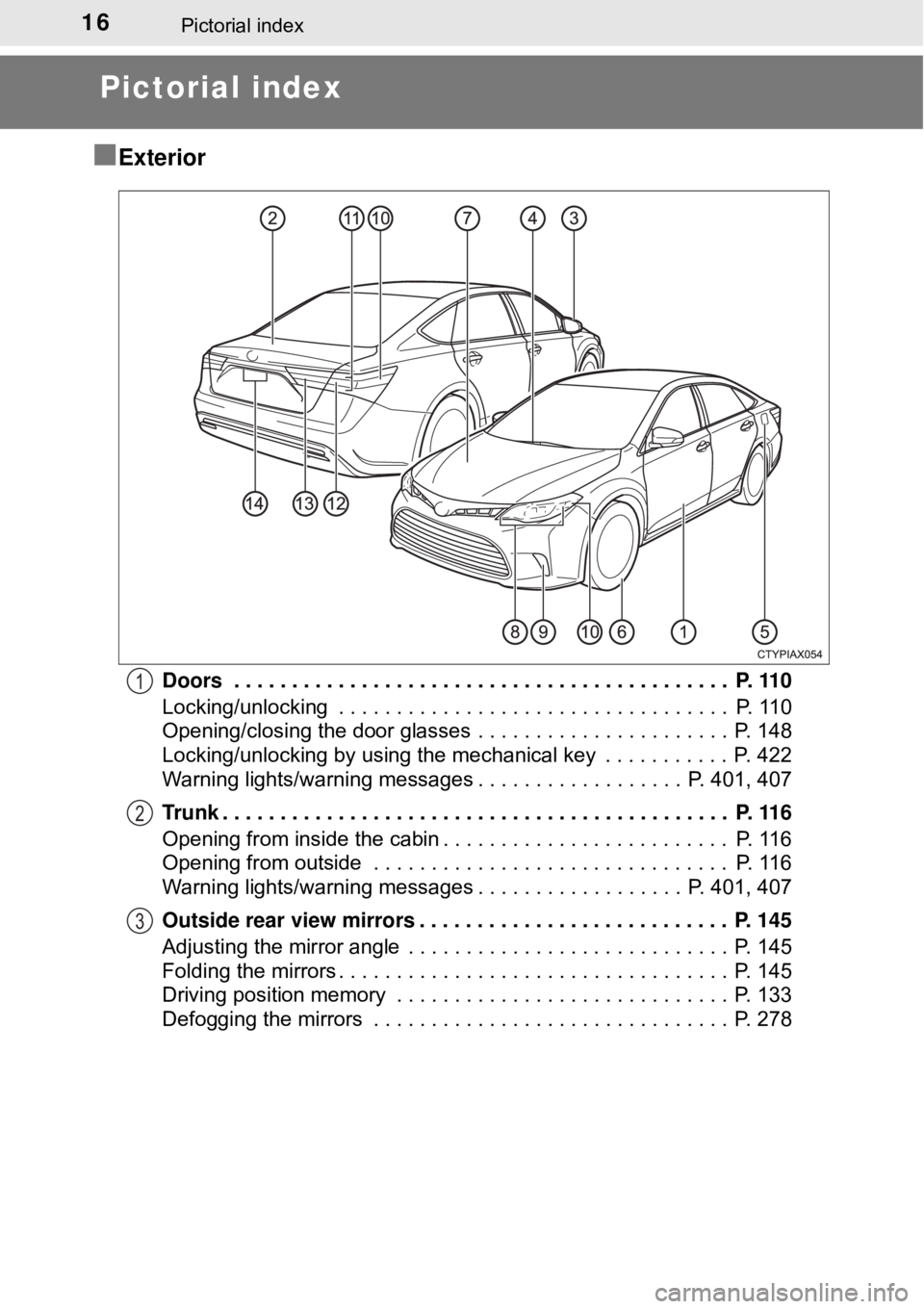
Doors . . . . . . . . . . . . . . . . . . . . . . . . . . . . . . . . . . . . . . . . . . . P. 110
Locking/unlocking . . . . . . . . . . . . . . . . . . . . . . . . . . . . . . . . . . P. 110
Opening/closing the door glasses . . . . . . . . . . . . . . . . . . . . . . P. 148
Locking/unlocking by using the mechanical key . . . . . . . . . . . P. 422
Warning lights/warning messages . . . . . . . . . . . . . . . . . . P. 401, 407
Trunk . . . . . . . . . . . . . . . . . . . . . . . . . . . . . . . . . . . . . . . . . . . . P. 116
Opening from inside the cabin . . . . . . . . . . . . . . . . . . . . . . . . . P. 116
Opening from outside . . . . . . . . . . . . . . . . . . . . . . . . . . . . . . . P. 116
Warning lights/warning messages . . . . . . . . . . . . . . . . . . P. 401, 407
Outside rear view mirrors . . . . . . . . . . . . . . . . . . . . . . . . . . . P. 145
Adjusting the mirror angle . . . . . . . . . . . . . . . . . . . . . . . . . . . . P. 145
Folding the mirrors . . . . . . . . . . . . . . . . . . . . . . . . . . . . . . . . . . P. 145
Driving position memory . . . . . . . . . . . . . . . . . . . . . . . . . . . . . P. 133
Defogging the mirrors . . . . . . . . . . . . . . . . . . . . . . . . . . . . . . . P. 2781
2
3
Page 19 of 492
19Pictorial index
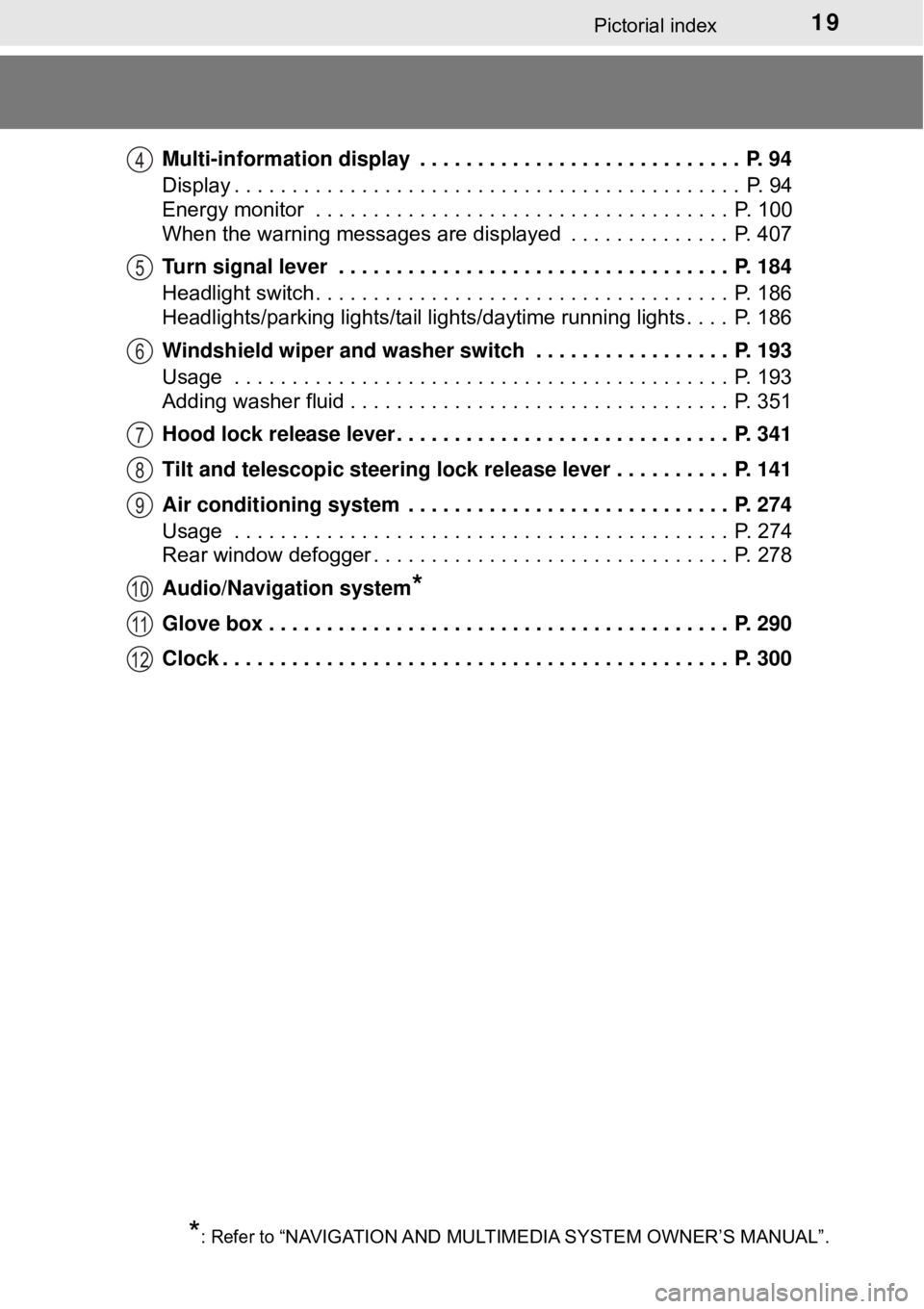
Multi-information display . . . . . . . . . . . . . . . . . . . . . . . . . . . . P. 94
Display . . . . . . . . . . . . . . . . . . . . . . . . . . . . . . . . . . . . . . . . . . . . P. 94
Energy monitor . . . . . . . . . . . . . . . . . . . . . . . . . . . . . . . . . . . . P. 100
When the warning messages are displayed . . . . . . . . . . . . . . P. 407
Turn signal lever . . . . . . . . . . . . . . . . . . . . . . . . . . . . . . . . . . P. 184
Headlight switch . . . . . . . . . . . . . . . . . . . . . . . . . . . . . . . . . . . . P. 186
Headlights/parking lights/tail lights/daytime running lights . . . . P. 186
Windshield wiper and washer switch . . . . . . . . . . . . . . . . . P. 193
Usage . . . . . . . . . . . . . . . . . . . . . . . . . . . . . . . . . . . . . . . . . . . P. 193
Adding washer fluid . . . . . . . . . . . . . . . . . . . . . . . . . . . . . . . . . P. 351
Hood lock release lever. . . . . . . . . . . . . . . . . . . . . . . . . . . . . P. 341
Tilt and telescopic steering lock release lever . . . . . . . . . . P. 141
Air conditioning system . . . . . . . . . . . . . . . . . . . . . . . . . . . . P. 274
Usage . . . . . . . . . . . . . . . . . . . . . . . . . . . . . . . . . . . . . . . . . . . P. 274
Rear window defogger . . . . . . . . . . . . . . . . . . . . . . . . . . . . . . . P. 278
Audio/Navigation system
*
Glove box . . . . . . . . . . . . . . . . . . . . . . . . . . . . . . . . . . . . . . . . P. 290
Clock . . . . . . . . . . . . . . . . . . . . . . . . . . . . . . . . . . . . . . . . . . . . P. 300
*: Refer to “NAVIGATION AND MULTIMEDIA SYSTEM OWNER’S MANUAL”.
4
5
6
7
8
9
10
11
12
Page 146 of 492
1463-4. Adjusting the steering wheel and mirrors
When the mirror select switch is in the L or R position, the outside rear
view mirrors will automatically angle downwards when the vehicle is
reversing in order to give a better view of the ground.
To disable this function, move the mirror select switch to the neutral
position (between L and R).
■Adjusting the mirror angle when the vehicle is reversing
With the shift lever in R, adjust the mirror angle at a desired posi-
tion. The adjusted angle will be me morized and the mirror will auto-
matically tilt to the memorized angle whenever the shift lever is
shifted to R from next time.
The memorized downward tilt position of the mirror is linked to the nor-
mal position (angle adjusted with the shift lever in other than R). There-
fore, if the normal position is changed after adjustment, the tilt position
will also change.
If the normal position is changed, readjust the tilt down angle.
■ Mirror angle can be adjusted when
The power switch is in ACCESSORY or ON mode.
■ When the mirrors are fogged up
The outside rear view mirrors can be cleared using the mirror defoggers. Turn
on the rear window defogger to turn on the outside rear view mirror defog-
gers. ( →P. 278)
■ Automatic adjustment of the mirror angle (vehicles with driving position
memory)
A desired mirror face angle can be entered to memory and recalled automati-
cally by the driving position memory. ( →P. 133)
■ Auto anti-glare function (vehicles with outer foot lights)
When the anti-glare inside rear view mirr or is set to automatic mode, the out-
side rear view mirrors will activate in conjunction with the anti-glare inside
rear view mirror to reduce reflected light. ( →P. 143)
Linked mirror function when reversing (vehicles with driving
position memory)
Page 191 of 492

1914-3. Operating the lights and wipers
4
Driving
■High beam automatic turning on or off conditions
●When all of the following conditions are fulfilled, the high beam will be auto-
matically turned on (after approximately 1 second):
• Vehicle speed is above approximately 25 mph (40 km/h).
• The area ahead of the vehicle is dark.
• There are no vehicles ahead with headlights or tail lights turned on.
• There are few streetlights on the road ahead.
● If any of the following conditions are fulfilled, the high beam will be automat-
ically turned off:
• Vehicle speed drops below approximately 19 mph (30 km/h).
• The area ahead of the vehicle is not dark.
• Vehicles ahead have headlights or tail lights turned on.
• There are many streetlights on the road ahead.
■ Camera sensor detection information
●The high beam may not be automatically turned off in the following situa-
tions:
• When oncoming vehicles suddenly appear from a curve
• When the vehicle is cut in front of by another vehicle
• When vehicles ahead are hidden from sight due to repeated curves, road
dividers or roadside trees
• When vehicles ahead appear from the faraway lane on wide road
• When vehicles ahead have no lights
● The high beam may be turned off if a vehicle ahead that is using fog lights
without using the headlights is detected.
● House lights, street lights, traffic signals, and illuminated billboards or signs
may cause the high beam to switch to the low beams, or the low beams to
remain on.
● The following factors may affect the amount of time taken to turn the high
beam on or off:
• The brightness of headlights, fog lights, and tail lights of vehicles ahe\
ad
• The movement and direction of vehicles ahead
• When a vehicle ahead only has operational lights on one side
• When a vehicle ahead is a two-wheeled vehicle
• The condition of the road (gradient, curve, condition of the road surface
etc.)
• The number of passengers and amount of luggage
● The high beam may be turned on or off when the driver does not expect it.
● Bicycles or similar objects may not be detected.
Page 192 of 492

1924-3. Operating the lights and wipers
●In the situations shown below, the system may not be able to accurately
detect surrounding brightness levels. This may cause the low beams to
remain on or the high beams to cause problems for pedestrians, vehicles
ahead or other parties. In these cases, manually switch between the high
and low beams.
• In bad weather (rain, snow, fog, sandstorms etc.)
• The windshield is obscured by fog, mist, ice, dirt etc.
• The windshield is cracked or damaged.
• The inside rear view mirror or ca mera sensor is deformed or dirty.
• The camera sensor temperature is extremely high.
• Surrounding brightness levels are equal to those of headlights, tail lights or fog lights.
• Vehicles ahead have headlights that are either switched off, dirty, are
changing color, or have are not aimed properly.
• When driving through an area of in termittently changing brightness and
darkness.
• When frequently and repeatedly driving ascending/descending roads, or roads with rough, bumpy or uneven surfaces (such as stone-paved
roads, gravel tracks etc.).
• When frequently and repeatedly taking curves or driving on a winding road.
• There is a highly reflective object ahead of the vehicle, such as a sign or
a mirror.
• The back of a vehicle ahead is highly reflective, such as a container on a truck.
• The vehicle’s headlights are damaged or dirty.
• The vehicle is listing or tilting, due to a flat tire, a trailer being towed etc.
• The high beam and low beam are repeatedly being switched between in an abnormal manner.
• The driver believes that the high beam may be causing problems or dis-
tress to other drivers or pedestrians nearby.
■ If the Automatic High Beam indicator flashes
It may indicate a malfunction in the system. Contact your Toyota dealer.
■ Customization
The automatic high beam can be deactivated.
(Customizable feature: →P. 461)
Page 206 of 492
2064-5. Using the driving support systems
WARNING
■To avoid malfunction of the camera sensor
Observe the following precautions.
Otherwise, the camera sensor may not operate properly, possibly leading to
an accident resulting in death or serious injury.
● Keep the windshield clean at all times.
• If the windshield is dirty or covered with an oily film, water droplets,
snow, etc., clear the windshield.
• If a glass coating agent is applied to the windshield, it will still be neces- sary to use the windshield wipers to remove water droplets, etc. from
the area of the windshield in front of the camera sensor.
• If the inner side of the windshield where the camera sensor is installed is dirty, contact your Toyota dealer.
● If the part of the windshield in front of the camera sensor is fogged up or
covered with condensation or ice, use the windshield defogger to remove
the fog, condensation or ice. ( →P. 278)
● If water droplets cannot be properly removed from the area of the wind-
shield in front of the camera sensor by the windshield wipers, replace the
wiper insert or wiper blade.
If the wiper inserts or wiper blades need to be replaced, contact your
Toyota dealer.
● Do not attach window tinting to the windshield.
● Replace the windshield if it is damaged or cracked.
If the windshield needs to be replaced, contact your Toyota dealer.
● Do not get the camera sensor wet.
● Do not allow bright lights to shine into the camera sensor.
● Do not dirty or damage the camera sensor.
When cleaning the inside of the windshield, do not allow glass cleaner to
contact the lens. Also, do not touch the lens.
If the lens is dirty or damaged, contact your Toyota dealer.
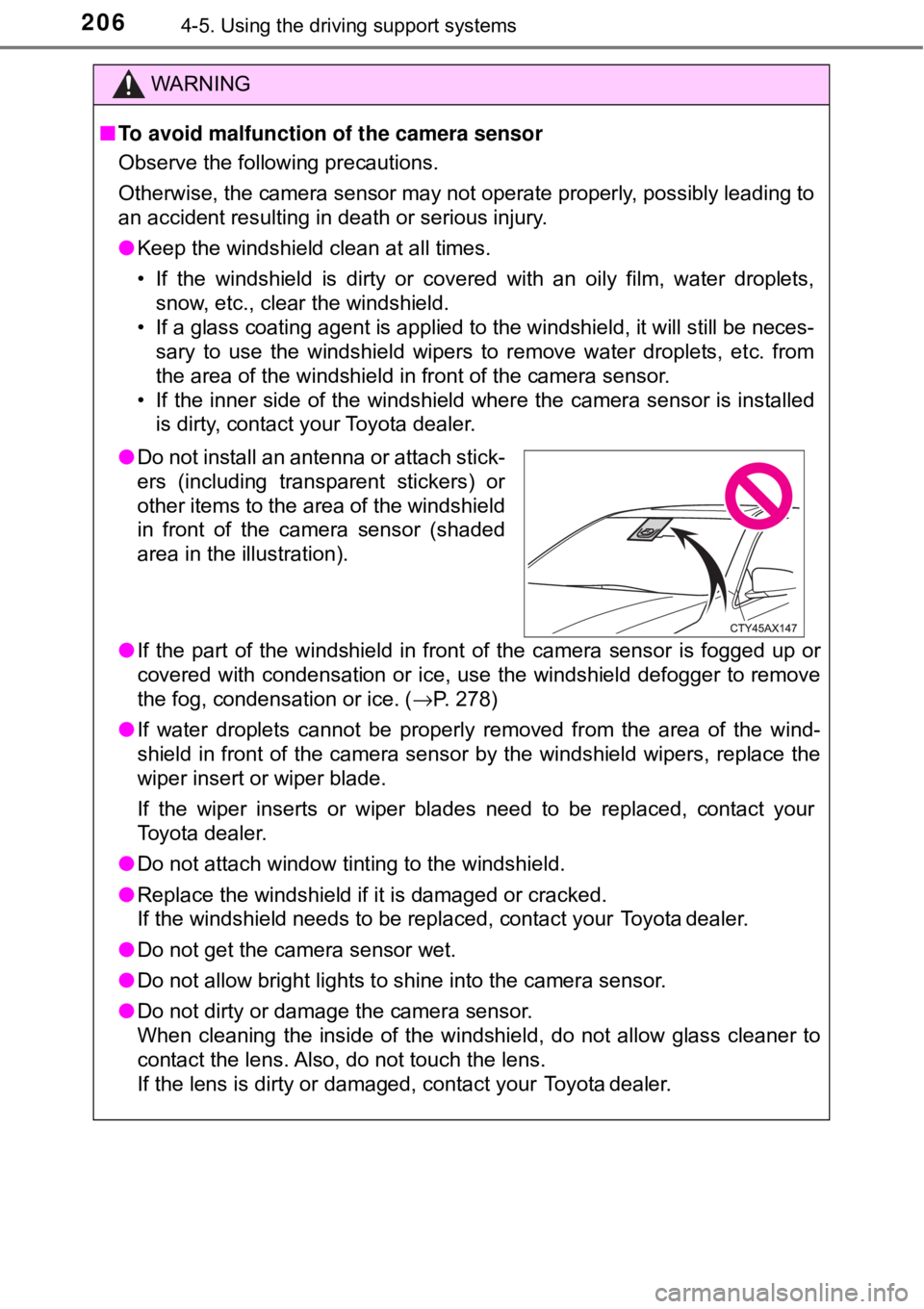
●Do not install an antenna or attach stick-
ers (including transparent stickers) or
other items to the area of the windshield
in front of the camera sensor (shaded
area in the illustration).
Page 219 of 492
2194-5. Using the driving support systems
4
Driving
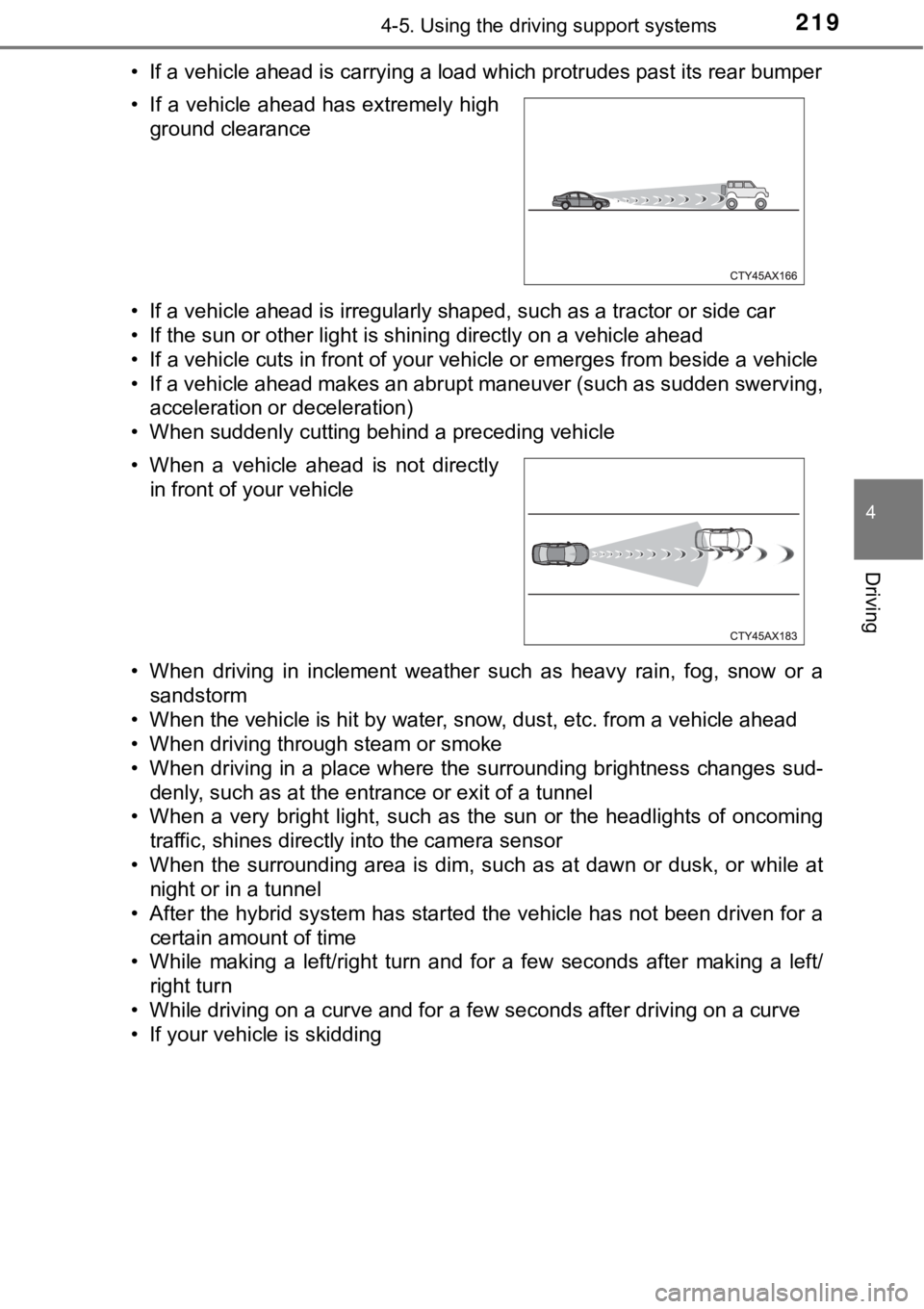
• If a vehicle ahead is carrying a load which protrudes past its rear bumper
• If a vehicle ahead is irregularly shaped, such as a tractor or side car
• If the sun or other light is shining directly on a vehicle ahead
• If a vehicle cuts in front of your vehicle or emerges from beside a vehicle
• If a vehicle ahead makes an abrupt maneuver (such as sudden swerving,acceleration or deceleration)
• When suddenly cutting behind a preceding vehicle
• When driving in inclement weather such as heavy rain, fog, snow or a sandstorm
• When the vehicle is hit by water, snow, dust, etc. from a vehicle ahead
• When driving through steam or smoke
• When driving in a place where the surrounding brightness changes sud-
denly, such as at the entrance or exit of a tunnel
• When a very bright light, such as the sun or the headlights of oncoming traffic, shines directly into the camera sensor
• When the surrounding area is dim, such as at dawn or dusk, or while at night or in a tunnel
• After the hybrid system has started the vehicle has not been driven for a
certain amount of time
• While making a left/right turn and for a few seconds after making a left/ right turn
• While driving on a curve and for a few seconds after driving on a curve
• If your vehicle is skidding • If a vehicle ahead has extremely high ground clearance
• When a vehicle ahead is not directly in front of your vehicle
Page 225 of 492
2254-5. Using the driving support systems
4
Driving
WARNING
■Situations unsuitable for LDA system
Do not use the LDA system in the following situations.
The system may not operate properly and lead to an accident, resulting in
death or serious injury.
● A spare tire, tire chains, etc. are equipped.
● When the tires have been excessively worn, or when the tire inflation pres-
sure is low.
● Tires which differ by structure, manufacturer, brand or tread pattern are
used.
● Objects or patterns that could be mistaken for white (yellow) lines are
present on the side of the road (guardrails, curbs, reflective poles, etc.).
● Vehicle is driven on a snow-covered road.
● White (yellow) lines are difficult to see due to rain, snow, fog, dust, etc.
● Asphalt repair marks, white (yellow) line marks, etc., are present due to
road repair.
● Vehicle is driven in a temporary lane or restricted lane due to construction
work.
● Vehicle is driven on a road surface which is slippery due to rainy weather,
fallen snow, freezing, etc.
● Vehicle is driven in traffic lanes other than on highways and freeways.
● Vehicle is driven in a construction zone.
■ Preventing LDA system malfunctio ns and operations performed by
mistake
● Do not modify the headlights or place stickers, etc. on the surface of t\
he
lights.
● Do not modify the suspension etc. If the suspension etc. needs to be
replaced, contact your Toyota dealer.
● Do not install or place anything on the hood or grille. Also, do not install a
grille guard (bull bars, kangaroo bar, etc.).
● If your windshield needs repairs, contact your Toyota dealer.
Page 273 of 492

273
Interior features5
5-1. Using the air conditioning system
and defogger
Automatic air conditioning system............................. 274
Seat heaters/seat ventilators........................ 283
5-2. Using the interior lights Interior lights list ................ 286
• Personal/interior light main switch ................... 287
• Personal/interior lights ............................. 287
• Ambient lights ............... 288
5-3. Using the storage features
List of storage features ..... 289
• Glove box...................... 290
• Console box .................. 291
• Cup holders .................. 292
• Auxiliary boxes.............. 293
Trunk features ................... 297 5-4. Other interior features
Other interior features ....... 299
• Sun visors ..................... 299
• Vanity mirrors................ 299
• Clock ............................. 300
• Outside temperature display........................... 301
• Power outlets ................ 302
• Armrest ......................... 304
• Rear sunshade ............. 304
• Coat hooks.................... 306
• Assist grips ................... 306
Garage door opener.......... 307
Safety Connect ................. 314
Compass ........................... 320