maintenance TOYOTA AVALON HYBRID 2018 Owners Manual (in English)
[x] Cancel search | Manufacturer: TOYOTA, Model Year: 2018, Model line: AVALON HYBRID, Model: TOYOTA AVALON HYBRID 2018Pages: 492, PDF Size: 7.3 MB
Page 1 of 492

Pictorial indexSearch by illustration
1For safety
and securityMake sure to read through them
2Instrument
clusterHow to read the gauges and meters, the variety of
warning lights and indicators, etc.
3Operation of
each componentOpening and closing the doors and windows,
adjustment before driving, etc.
4DrivingOperations and advice which are necessary for
driving
5Interior featuresUsage of the interior features, etc.
6Maintenance
and careCaring for your vehicle and maintenance
procedures
7When trouble
arisesWhat to do in case of malfunction or emergency
8Vehicle
specificationsVehicle specifications, customizable features, etc.
9For ownersReporting safety defects for U.S. owners
IndexSearch by symptom
Search alphabetically
Page 5 of 492

5
1
8 7
6
5
4
3
2
9
6-1. Maintenance and careCleaning and protecting the vehicle exterior .......... 326
Cleaning and protecting the vehicle interior ........... 329
6-2. Maintenance Maintenance requirements ................... 332
General maintenance ........ 334
Emission inspection and maintenance (I/M)
programs ......................... 338
6-3. Do-it-yourself maintenance
Do-it-yourself service precautions ..................... 339
Hood.................................. 341
Positioning a floor jack ...... 342
Engine compartment ......... 343
12-volt battery ................... 352
Tires .................................. 356
Tire inflation pressure........ 365
Wheels .............................. 368
Air conditioning filter .......... 371
Electronic key battery ........ 373
Checking and replacing fuses ............................... 375
Light bulbs ......................... 378 7-1. Essential information
Emergency flashers ........... 392
If your vehicle has to be stopped in an
emergency....................... 393
7-2. Steps to take in an emergency
If your vehicle needs to be towed ...................... 394
If you think something is wrong ........................... 397
If a warning light turns on or a warning buzzer
sounds ............................. 398
If a warning message is displayed...................... 407
If you have a flat tire .......... 408
If the hybrid system will not start ........................... 420
If the electronic key does not operate properly ........ 422
If the 12-volt battery is discharged ................... 424
If your vehicle overheats......................... 429
If the vehicle becomes stuck ................................ 433
6Maintenance and care7When trouble arises
Page 6 of 492
TABLE OF CONTENTS6
8-1. SpecificationsMaintenance data (fuel, oil level, etc.) .......... 436
Fuel information ................ 445
Tire information ................. 448
8-2. Customization Customizable features ...... 461
8-3. Items to initialize Items to initialize................ 468
Reporting safety defects for U.S. owners ........................ 470 What to do if...
(Troubleshooting) ..................... 472
Alphabetical index ...................... 476
8Vehicle specifications
9For owners
Index
For vehicles with a audio/navigati on system, refer to the “NAVIGA-
TION AND MULTIMEDIA SYSTEM OWNER’S MANUAL” for infor-
mation regarding the audio/navigation system.
Page 73 of 492

731-2. Hybrid system
1
For safety and security
■Sounds and vibrations specific to a hybrid vehicle
There may be no engine sound or vibration even though the vehicle is able to
move with the “READY” indicator is illuminated. For safety, apply the parking
brake and make sure to shift the shift lever to P when parked.
The following sounds or vibrations may occur when the hybrid system is
operating and are not a malfunction:
●Motor sounds may be heard from under the vehicle.
● Sounds may be heard from the hybrid battery (traction battery) behind the
rear seats when the hybrid system starts or stops.
● Relay operating sounds such as a snap or soft clank will be emitted from the
hybrid battery (traction battery), behind the rear seats, when the hybrid sys-
tem is started or stopped.
● Sounds from the hybrid system may be heard when the trunk lid is open.
● Sounds may be heard from the transmission when the gasoline engine
starts or stops, when driving at low speeds, or during idling.
● Engine sounds may be heard when accelerating sharply.
● Sounds may be heard due to regenerative braking when the brake pedal is
depressed or as the accelerator pedal is released.
● Operating sounds or motor sounds that occur when the brake pedal is oper-
ated.
● Vibration may be felt when the gasoline engine starts or stops.
● Cooling fan sounds may be heard from the air intake vents on the left side of
the rear seatback.
■ Vehicle proximity notification system
In the following cases, the vehicle proximity notification system may be diffi-
cult for surrounding people to hear.
●In very noisy areas
● In the wind or the rain
Also, as the vehicle proximity notification system is installed on the front of
the vehicle, it may be more difficult to hear from the rear of the vehicle com-
pared to the front.
■ Maintenance, repair, recycling, and disposal
Contact your Toyota dealer regarding maintenance, repair, recycling and dis-
posal. Do not dispose of the vehicle yourself.
Page 79 of 492
79
1
For safety and security
1-3. Theft deterrent system
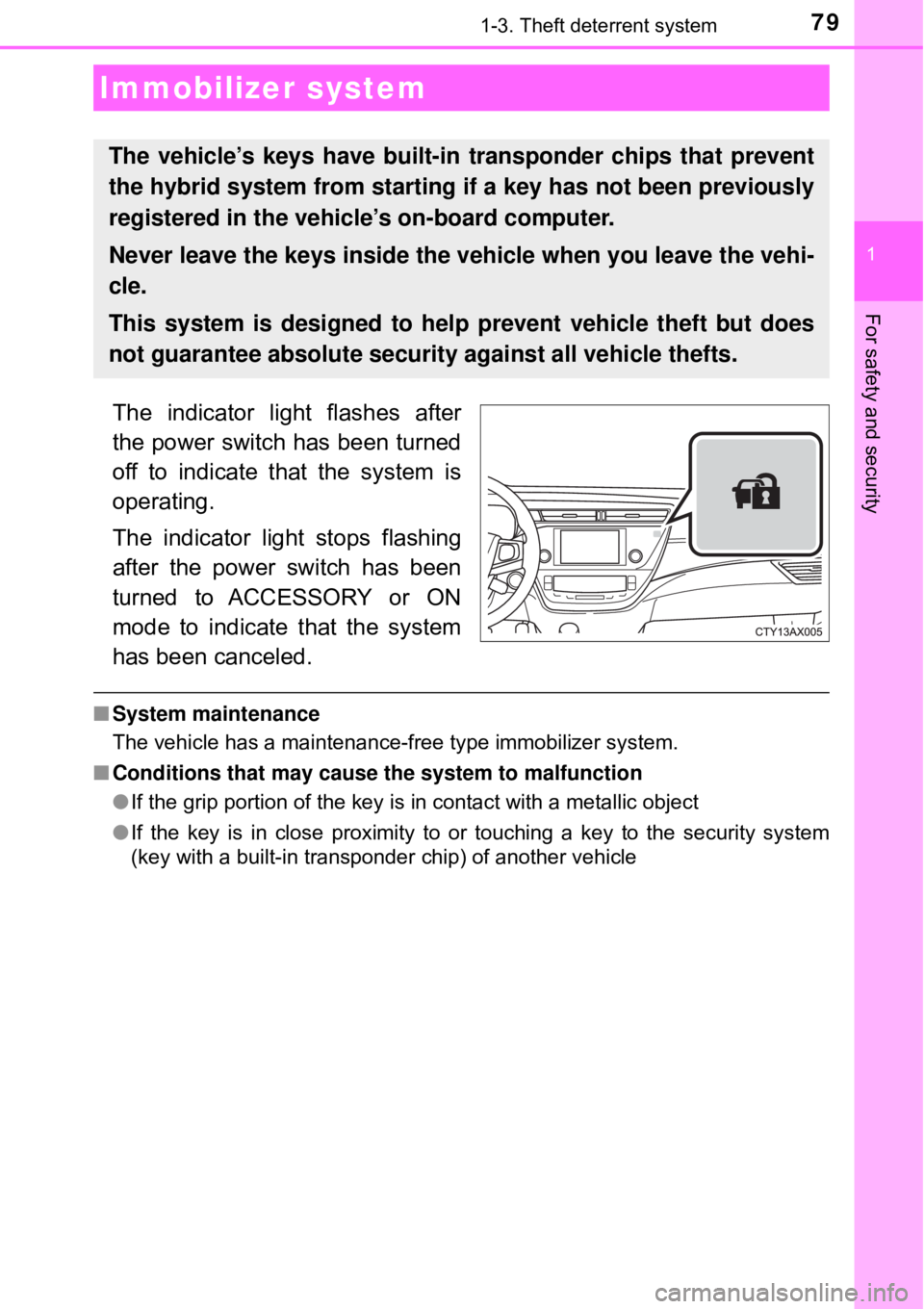
The indicator light flashes after
the power switch has been turned
off to indicate that the system is
operating.
The indicator light stops flashing
after the power switch has been
turned to ACCESSORY or ON
mode to indicate that the system
has been canceled.
■System maintenance
The vehicle has a maintenance-free type immobilizer system.
■ Conditions that may cause the system to malfunction
●If the grip portion of the key is in contact with a metallic object
● If the key is in close proximity to or touching a key to the security system
(key with a built-in transponder chip) of another vehicle
Immobilizer system
The vehicle’s keys have built-in transponder chips that prevent
the hybrid system from starting if a key has not been previously
registered in the vehi cle’s on-board computer.
Never leave the keys inside the vehicle when you leave the vehi-
cle.
This system is designed to help prevent vehicle theft but does
not guarantee absolute security against all vehicle thefts.
Page 82 of 492
821-3. Theft deterrent system
■System maintenance
The vehicle has a maintenance-free type alarm system.
■ Items to check before locking the vehicle
To prevent unexpected triggering of the alarm and vehicle theft, make sure of
the following:
●Nobody is in the vehicle.
● The windows and moon roof are closed before the alarm is set.
● No valuables or other personal items are left in the vehicle.
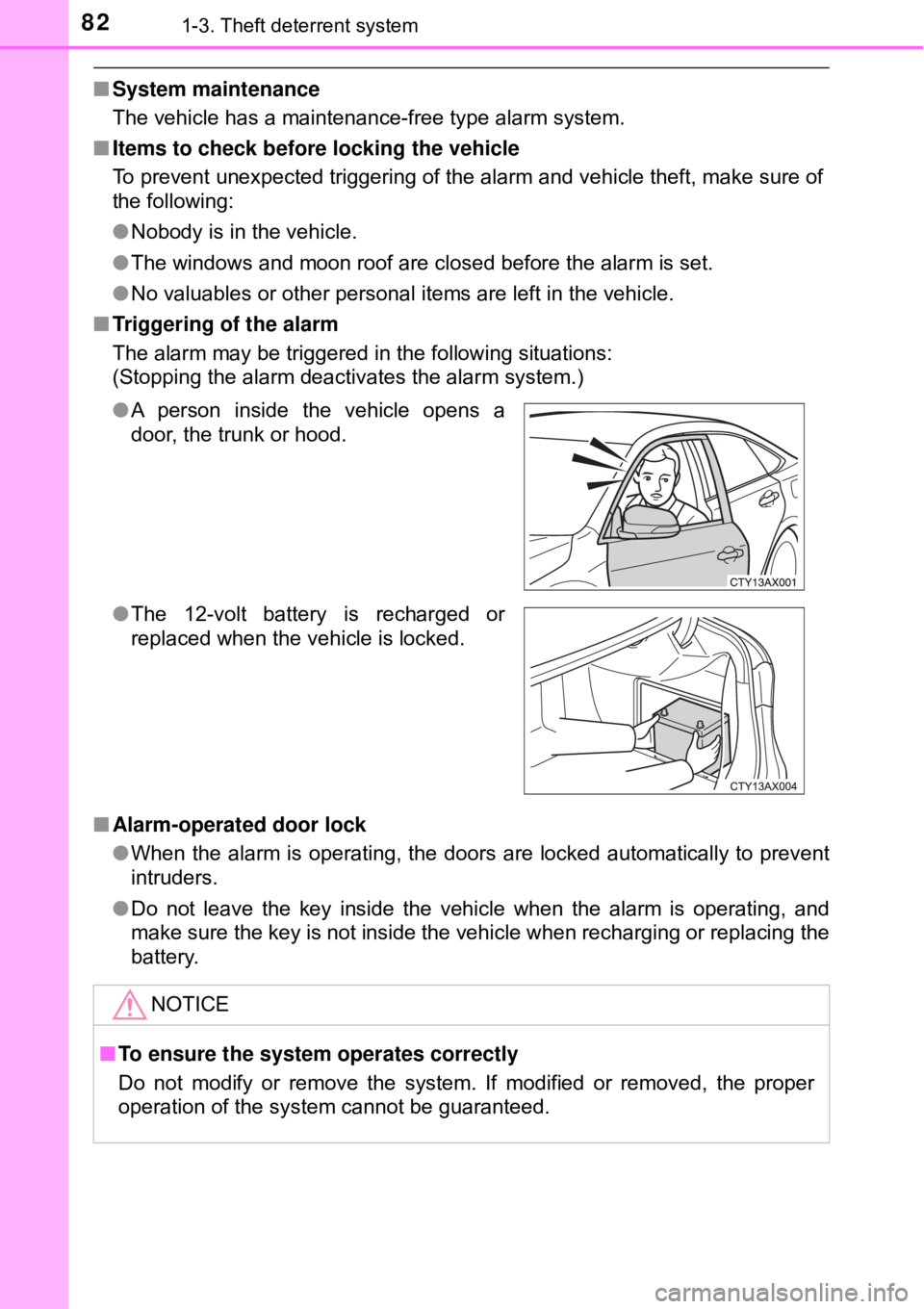
■ Triggering of the alarm
The alarm may be triggered in the following situations:
(Stopping the alarm deactivates the alarm system.)
■ Alarm-operated door lock
●When the alarm is operating, the doors are locked automatically to prevent
intruders.
● Do not leave the key inside the vehicle when the alarm is operating, and
make sure the key is not inside the vehicle when recharging or replacing the
battery.
●
A person inside the vehicle opens a
door, the trunk or hood.
● The 12-volt battery is recharged or
replaced when the vehicle is locked.
NOTICE
■To ensure the system operates correctly
Do not modify or remove the system. If modified or removed, the proper
operation of the system cannot be guaranteed.
Page 281 of 492

2815-1. Using the air conditioning system and defogger
5
Interior features
■When the outside temperature exceeds 75°F (24°C) and the air condition-
ing system is on
● In order to reduce the air conditioning power consumption, the air condition-
ing system may switch to recirculated air mode automatically. This may also
reduce fuel consumption.
● Recirculated air mode is selected as a default mode when the power switch
is turned to ON mode.
● It is possible to switch to outside air mode at any time by pressing
.
■When the outside temperat ure falls to nearly 32°F (0°C)
The dehumidification function may not operate even when is touched.
■ Ventilation and air conditioning odors
●To let fresh air in, set the air conditioning system to the outside air m\
ode.
● During use, various odors from inside and outside the vehicle may enter into
and accumulate in the air conditioning system. This may then cause odor to
be emitted from the vents.
● To reduce potential odors from occurring:
• This vehicle is equipped with a deodorizing charcoal air filter. This filter
should be inspected and replaced according to the maintenance sched-
ule. (Air conditioning filter: →P. 371)
• It is recommended that the air conditioning system be set to outside air mode prior to turning the vehicle off.
• The start timing of the blower may be delayed for a short period of time
immediately after the air conditioning system is started in automatic
mode.
■ Air conditioning filter
→P. 371
■ Handling of the air conditioning panel
The operating section of the air conditioning panel uses touch switch sensors.
In the following cases, incorrect operation or non-response may occur.
●If the surface of the touch switch is dirty or has liquid attached to it, incorrect
operation or non-response may occur.
● If the surface of the touch switch receives electromagnetic waves, incorrect
operation or non-response may occur.
● If wearing gloves during operation, non-response may occur.
● If fingernails are used to operate the system, non-response may occur.
● If a touch pen is used to operate the system, non-response may occur.
● If the palm of your hand touches the surface of the touch switch during oper-
ation, incorrect operation may occur.
● If the palm of your hand touches the surface of the touch switch, incorrect
operation may occur.
● If operations are performed quickly, non-response may occur.
Page 325 of 492

325
Maintenance and care6
6-1. Maintenance and careCleaning and protecting the vehicle exterior .......... 326
Cleaning and protecting the vehicle interior ........... 329
6-2. Maintenance Maintenance requirements ................... 332
General maintenance........ 334
Emission inspection and maintenance (I/M)
programs......................... 338
6-3. Do-it-yourself maintenance
Do-it-yourself service precautions ..................... 339
Hood ................................. 341
Positioning a floor jack ...... 342
Engine compartment ......... 343
12-volt battery ................... 352
Tires .................................. 356
Tire inflation pressure ....... 365
Wheels .............................. 368
Air conditioning filter.......... 371
Electronic key battery........ 373
Checking and replacing fuses ............................... 375
Light bulbs......................... 378
Page 326 of 492
3266-1. Maintenance and care
●Working from top to bottom, liber ally apply water to the vehicle
body, wheel wells and underside of the vehicle to remove any dirt
and dust.
● Wash the vehicle body using a sponge or soft cloth, such as a
chamois.
● For hard-to-remove marks, use car wash soap and rinse thoroughly
with water.
● Wipe away any water.
● Wax the vehicle when the wate rproof coating deteriorates.
If water does not bead on a clean surface, apply wax when the vehicle
body is cool.
■Automatic car washes
●Fold the mirrors before washing the vehicle. Start washing from the fron\
t of
the vehicle. Make sure to extend the mirrors before driving.
● Brushes used in automatic car washes may scratch the vehicle surface and
harm your vehicle’s paint.
■ High pressure car washes
●Do not allow the nozzles of the car wash to come within close proximity of
the windows.
● Before using the car wash, check that the fuel filler door on your vehicle is
closed properly.
■ When using a car wash
If the door handle becomes wet while the electronic key is within the ef\
fective
range, the door may lock and unlock repeatedly. In that case, follow the fol-
lowing correction procedures to wash the vehicle:
●Place the key in a position 6 ft. (2 m) or more separate from the vehicle
while the vehicle is being washed. (Take care to ensure that the key is not
stolen.)
● Set the electronic key to battery-saving mode to disable the smart key sys-
tem. ( →P. 125)
Cleaning and prot ecting the vehicle
exterior
Perform the following to protect the vehicle and maintain it in
prime condition:
Page 327 of 492
3276-1. Maintenance and care
6
Maintenance and care
■Aluminum wheels
●Remove any dirt immediately by using a neutral detergent.
● Wash detergent off with water immediately after use.
● To protect the paint from damage, make sure to observe the following pre-
cautions.
• Do not use acidic, alkaline or abrasive detergent
• Do not use hard brushes
• Do not use detergent on the wheels when they are hot, such as after driv-
ing or parking in hot weather
■ Bumpers
Do not scrub with abrasive cleaners.
WARNING
■When washing the vehicle
Do not apply water to the inside of the engine compartment. Doing so may
cause the electrical components etc. to catch fire.
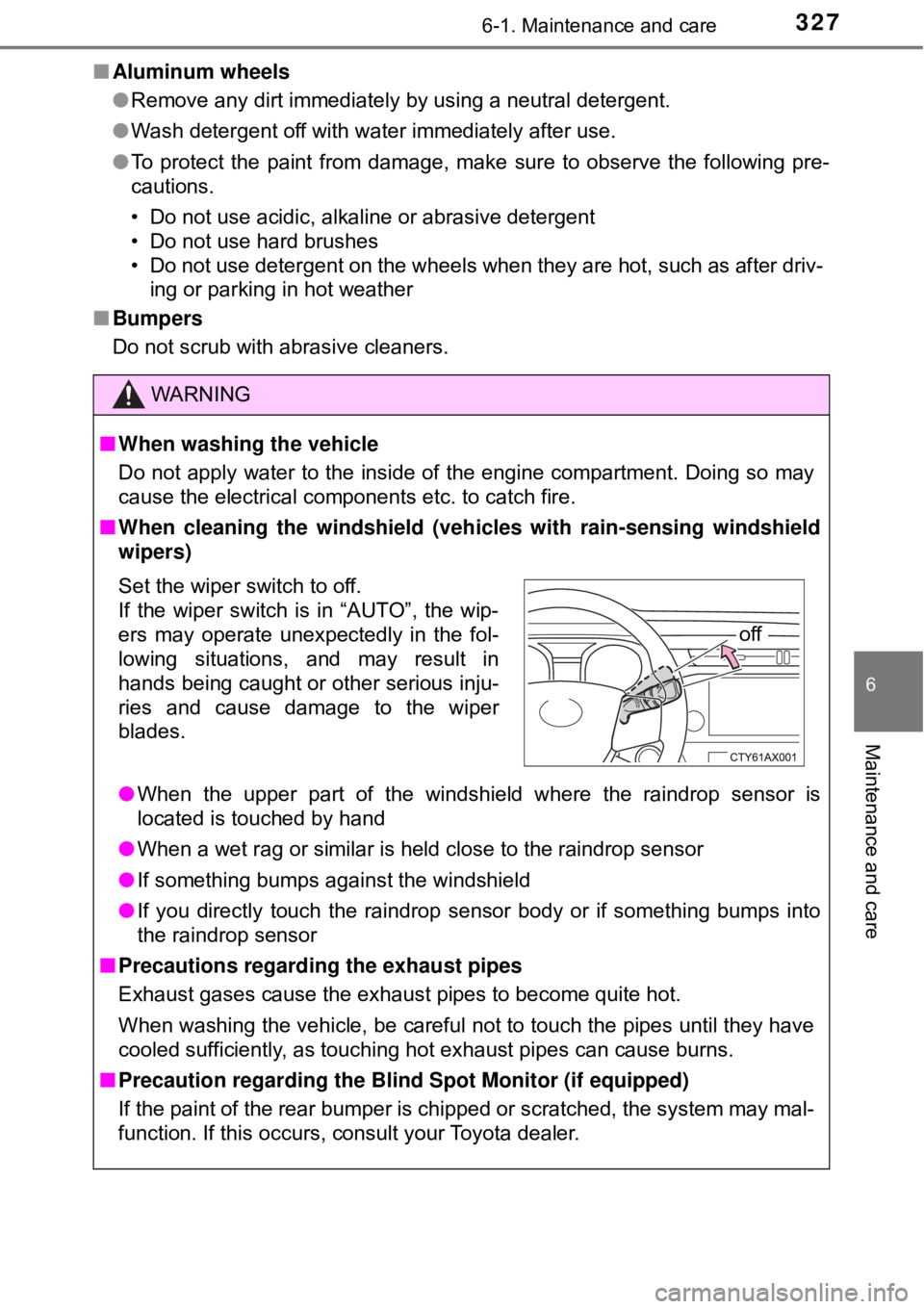
■ When cleaning the windshield (vehicles with rain-sensing windshield
wipers)
● When the upper part of the windshield where the raindrop sensor is
located is touched by hand
● When a wet rag or similar is held close to the raindrop sensor
● If something bumps against the windshield
● If you directly touch the raindrop sensor body or if something bumps into
the raindrop sensor
■ Precautions regarding the exhaust pipes
Exhaust gases cause the exhaust pipes to become quite hot.
When washing the vehicle, be careful not to touch the pipes until they have
cooled sufficiently, as touching hot exhaust pipes can cause burns.
■ Precaution regarding the Blind Spot Monitor (if equipped)
If the paint of the rear bumper is chipped or scratched, the system may mal-
function. If this occurs, consult your Toyota dealer.
Set the wiper switch to off.
If the wiper switch is in “AUTO”, the wip-
ers may operate unexpectedly in the fol-
lowing situations, and may result in
hands being caught or other serious inju-
ries and cause damage to the wiper
blades.
off