cruise control TOYOTA AVALON HYBRID 2022 Owners Manual
[x] Cancel search | Manufacturer: TOYOTA, Model Year: 2022, Model line: AVALON HYBRID, Model: TOYOTA AVALON HYBRID 2022Pages: 584, PDF Size: 9.53 MB
Page 3 of 584
3
1
9 7 6
5
4
3
2
8
4-1. Before drivingDriving the vehicle ............. 186
Cargo and luggage............ 194
Vehicle load limits ............. 197
Trailer towing..................... 198
Dinghy towing.................... 199
4-2. Driving procedures Power (ignition) switch ...... 200
EV drive mode................... 206
Hybrid transmission........... 209
Turn signal lever................ 215
Parking brake .................... 216
Brake Hold ........................ 220
4-3. Operating the lights and wipers
Headlight switch ................ 222
AHB (Automatic High Beam) ............................. 226
Windshield wipers and washer ............................ 230
4-4. Refueling Opening the fuel tank cap .................................. 234 4-5. Using the driving
support systems
Toyota Safety Sense 2.5+ ...................... 239
PCS (Pre-Collision System) ........................... 246
LTA (Lane Tracing Assist).............................. 261
RSA (Road Sign Assist) .... 276
Dynamic radar cruise control with full-speed
range ............................... 281
BSM (Blind Spot Monitor) ........................... 297
• BSM function ................. 301
• RCTA function ............... 304
Rear Camera Detection function (vehicles with
panoramic view
monitor) ........................... 309
Intuitive parking assist ....... 313
Intelligent Clearance Sonar (ICS) ..................... 321
Driving mode select switches........................... 342
Driving assist systems ....... 344
4-6. Driving tips Hybrid vehicle driving tips ................................... 351
Winter driving tips .............. 354
4Driving
Page 20 of 584
20Pictorial index
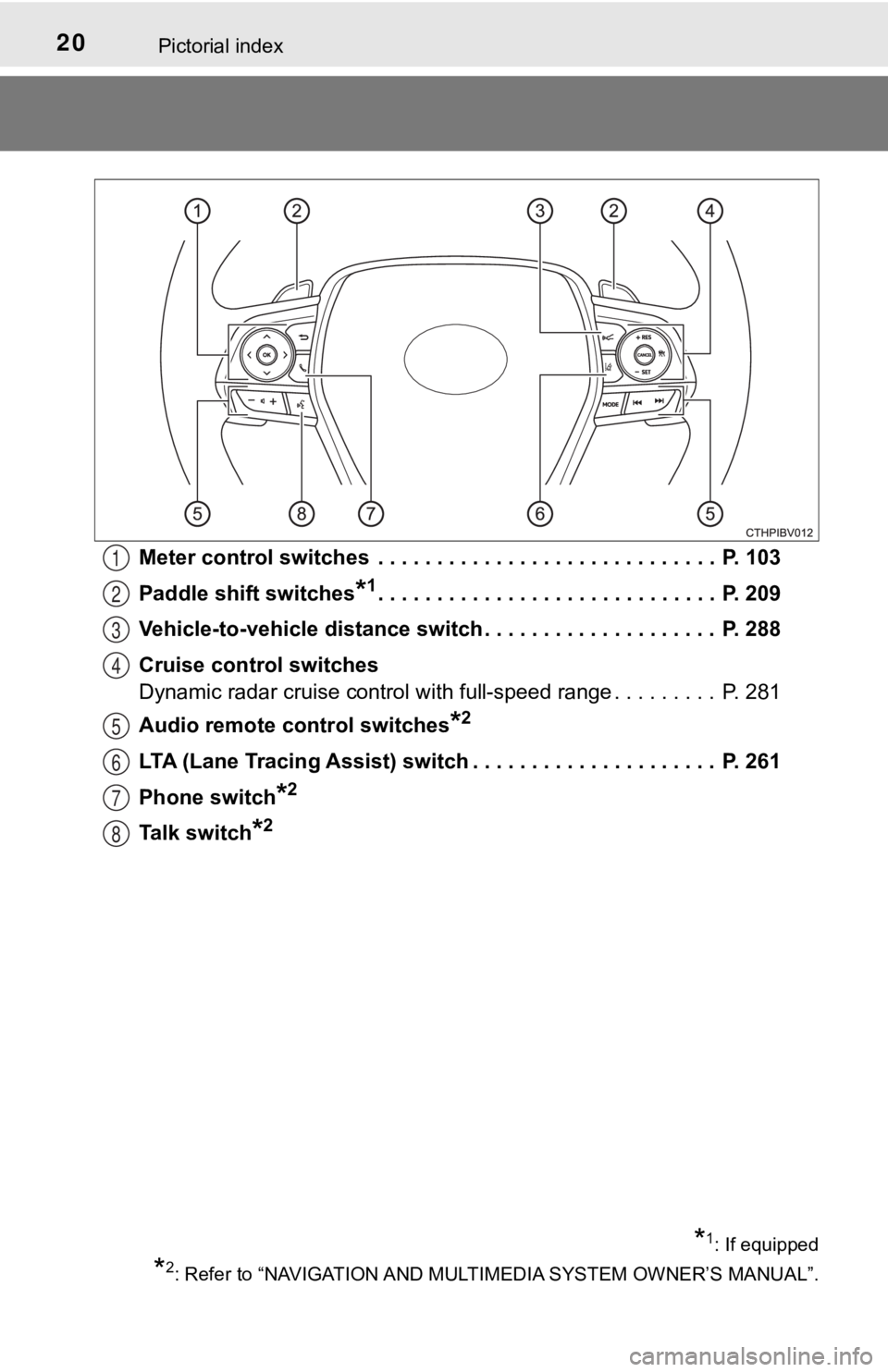
Meter control switches . . . . . . . . . . . . . . . . . . . . . . . . . . . . . P. 103
Paddle shift switches
*1. . . . . . . . . . . . . . . . . . . . . . . . . . . . . P. 209
Vehicle-to-vehicle distance switch . . . . . . . . . . . . . . . . . . . . P. 288
Cruise control switches
Dynamic radar cruise control with full-speed range . . . . . . . . . P. 281
Audio remote control switches
*2
LTA (Lane Tracing Assist) switch . . . . . . . . . . . . . . . . . . . . . P. 261
Phone switch
*2
Talk switch*2
1
2
3
4
5
6
7
8
*1: If equipped
*2: Refer to “NAVIGATION AND MULT IMEDIA SYSTEM OWNER’S MANUAL”.
Page 95 of 584
952. Instrument cluster
2
Instrument cluster
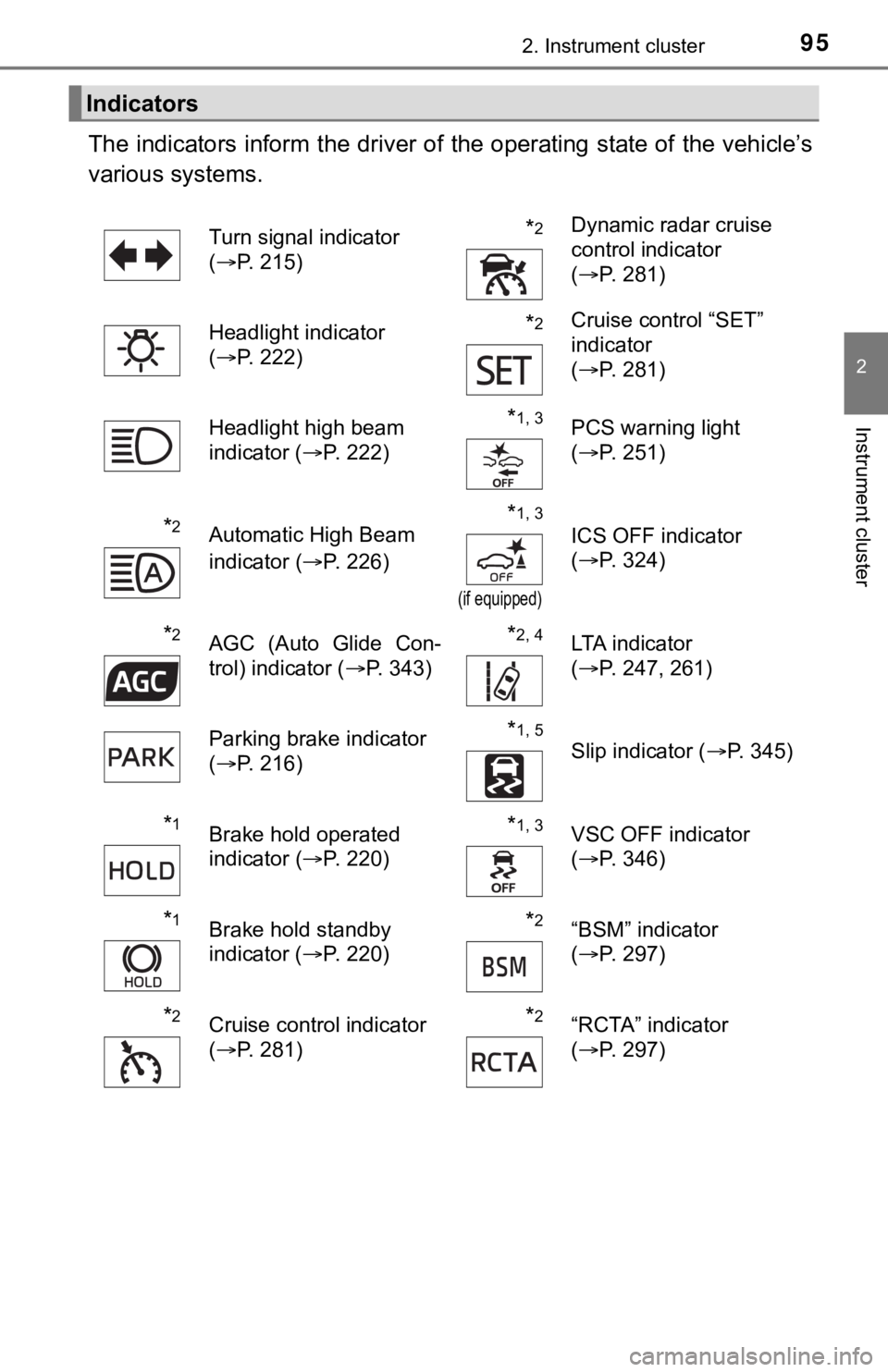
The indicators inform the driver of the operating state of the vehicle’s
various systems.
Indicators
Turn signal indicator
( P. 215)*2Dynamic radar cruise
control indicator
(P. 281)
Headlight indicator
( P. 222)
*2Cruise control “SET”
indicator
(P. 281)
Headlight high beam
indicator ( P. 222)
*1, 3PCS warning light
(P. 251)
*2Automatic High Beam
indicator ( P. 226)*1, 3
(if equipped)
ICS OFF indicator
(P. 324)
*2AGC (Auto Glide Con-
trol) indicator ( P. 343)*2, 4LTA indicator
(P. 247, 261)
Parking brake indicator
( P. 216)
*1, 5
Slip indicator ( P. 345)
*1Brake hold operated
indicator (P. 220)*1, 3VSC OFF indicator
(P. 346)
*1Brake hold standby
indicator ( P. 220)*2“BSM” indicator
(P. 297)
*2Cruise control indicator
(P. 281)*2“RCTA” indicator
(P. 297)
Page 102 of 584
1022. Instrument cluster
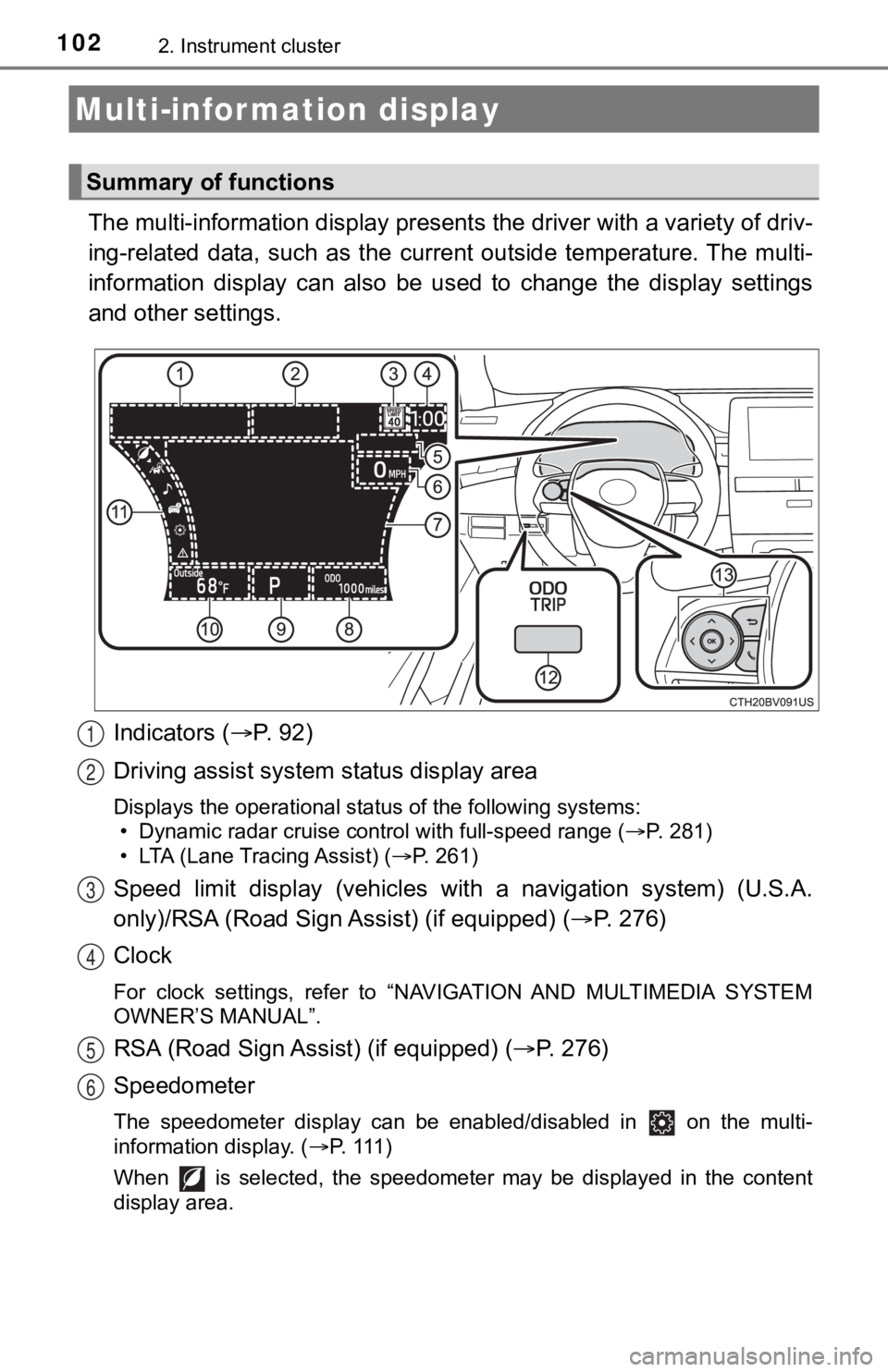
The multi-information display presents the driver with a variety of driv-
ing-related data, such as the cur rent outside temperature. The multi-
information display can also be used to change the display sett ings
and other settings.
Indicators ( P. 92)
Driving assist system status display area
Displays the operational status of the following systems:
• Dynamic radar cruise control with full-speed range ( P. 281)
• LTA (Lane Tracing Assist) ( P. 261)
Speed limit display (vehicles wit h a navigation system) (U.S.A.
only)/RSA (Road Sign Assist) (if equipped) ( P. 2 7 6 )
Clock
For clock settings, refer to “NAVIGATION AND MULTIMEDIA SYSTEM
OWNER’S MANUAL”.
RSA (Road Sign Assist) (if equipped) ( P. 276)
Speedometer
The speedometer display can be enabled/disabled in on the mult i-
information display. ( P. 111 )
When is selected, the speedometer may be displayed in the content
display area.
Multi-infor mation display
Summary of functions
1
2
3
4
5
6
Page 104 of 584
1042. Instrument cluster
◆Using the odometer/trip meter
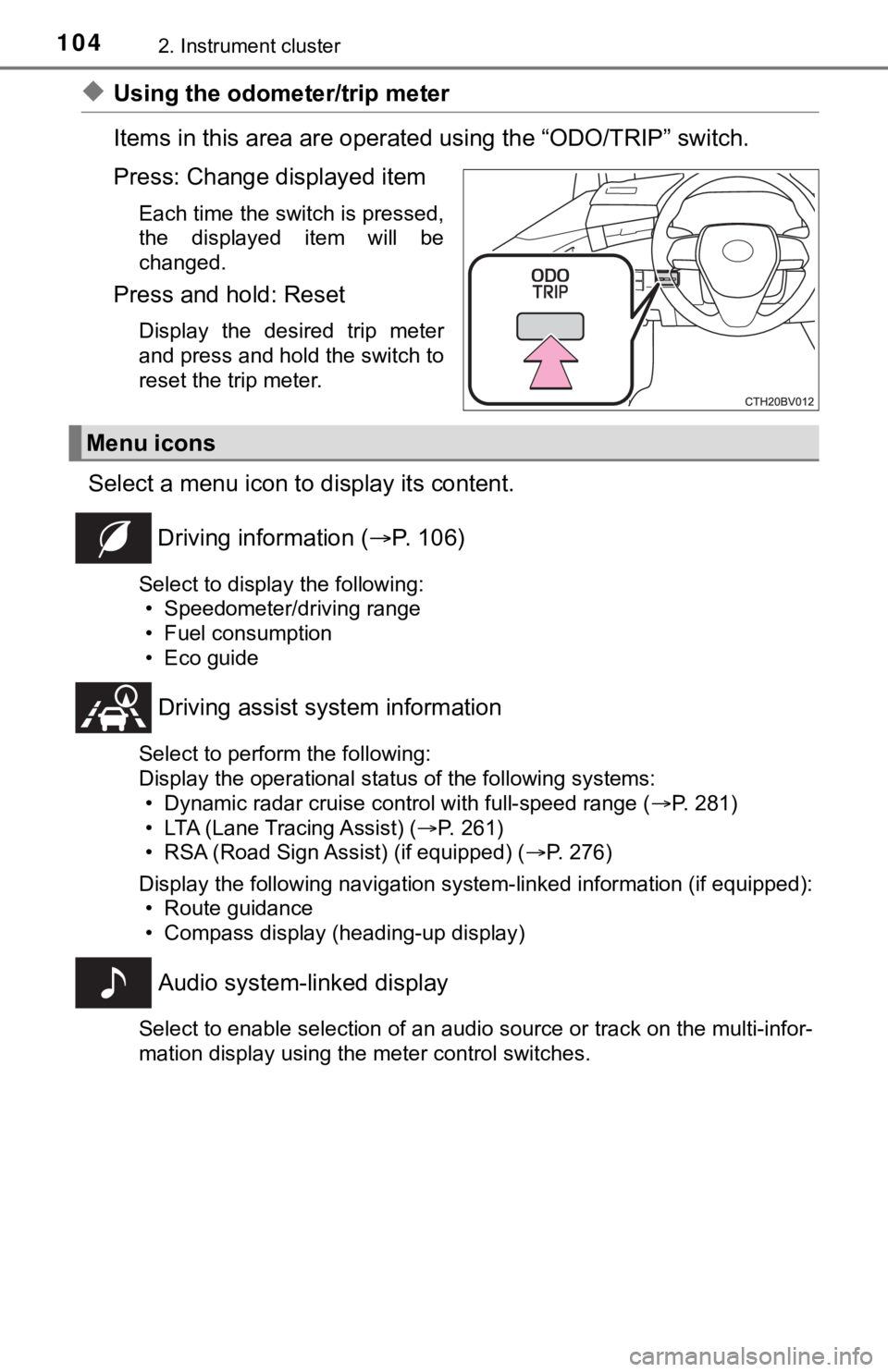
Items in this area are operated using the “ODO/TRIP” switch.
Press: Change displayed item
Each time the switch is pressed,
the displayed item will be
changed.
Press and hold: Reset
Display the desired trip meter
and press and hold the switch to
reset the trip meter.
Select a menu icon to display its content.
Driving information ( P. 106)
Select to display the following:
• Speedometer/driving range
• Fuel consumption
• Eco guide
Driving assist sys tem information
Select to perform the following:
Display the operational status of the following systems:
• Dynamic radar cruise control with full-speed range ( P. 281)
• LTA (Lane Tracing Assist) ( P. 261)
• RSA (Road Sign Assist) (if equipped) ( P. 276)
Display the following navigation system-linked information (if equipped):
• Route guidance
• Compass display (heading-up display)
Audio system-linked display
Select to enable selection of an audio source or track on the multi-infor-
mation display using the meter control switches.
Menu icons
Page 112 of 584
1122. Instrument cluster
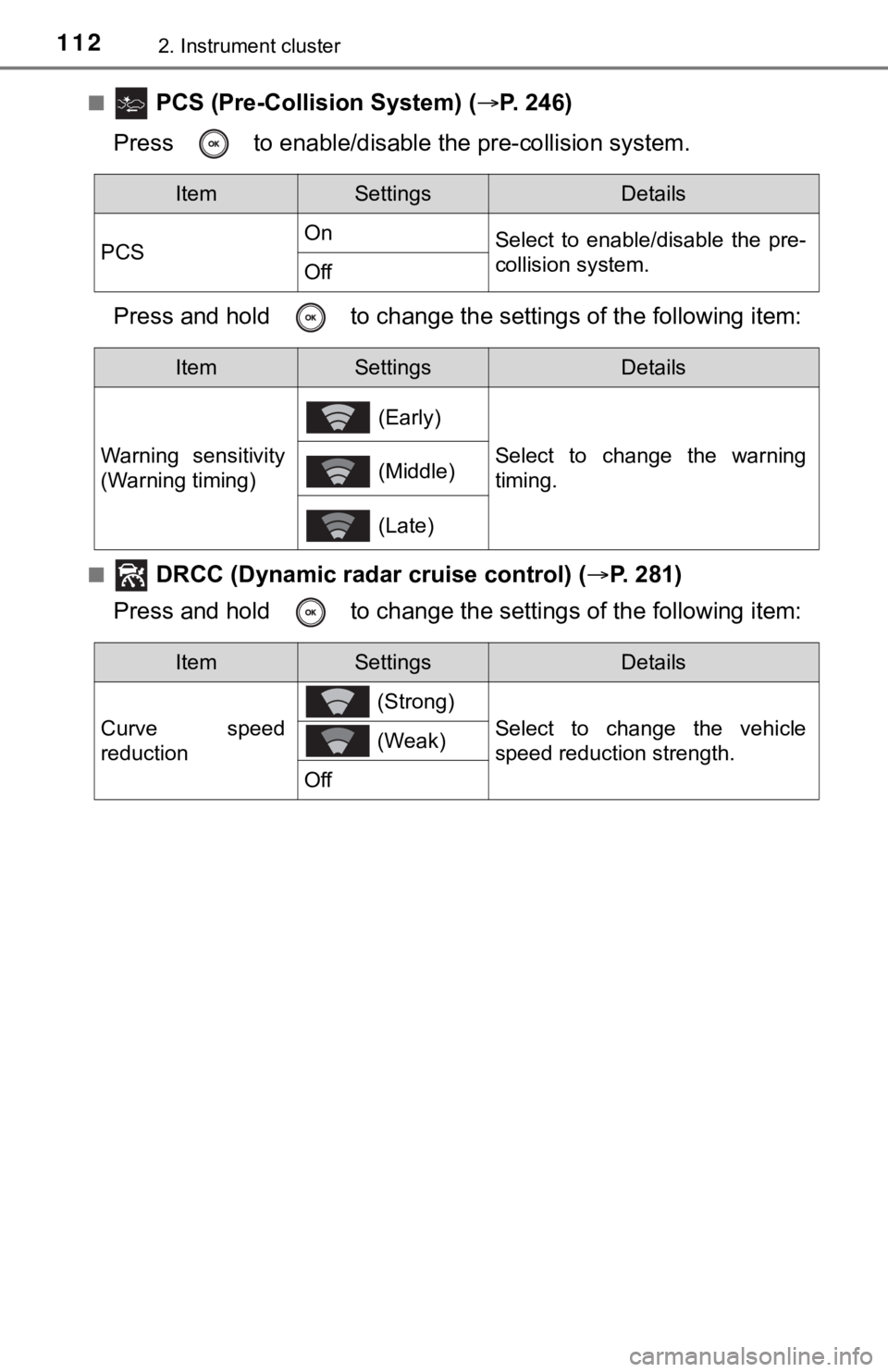
■ PCS (Pre-Collision System) (P. 246)
Press to enable/disable the pre-collision system.
Press and hold to c hange the settings of the following item:
■ DRCC (Dynamic radar cruise control) (P. 281)
Press and hold to c hange the settings of the following item:
ItemSettingsDetails
PCS On
Select to enable/disable the pre-
collision system.
Off
ItemSettingsDetails
Warning sensitivity
(Warning timing) (Early)
Select to change the warning
timing.
(Middle)
(Late)
ItemSettingsDetails
Curve speed
reduction (Strong)
Select to change the vehicle
speed reduction strength.
(Weak)
Off
Page 125 of 584
1252. Instrument cluster
2
Instrument cluster
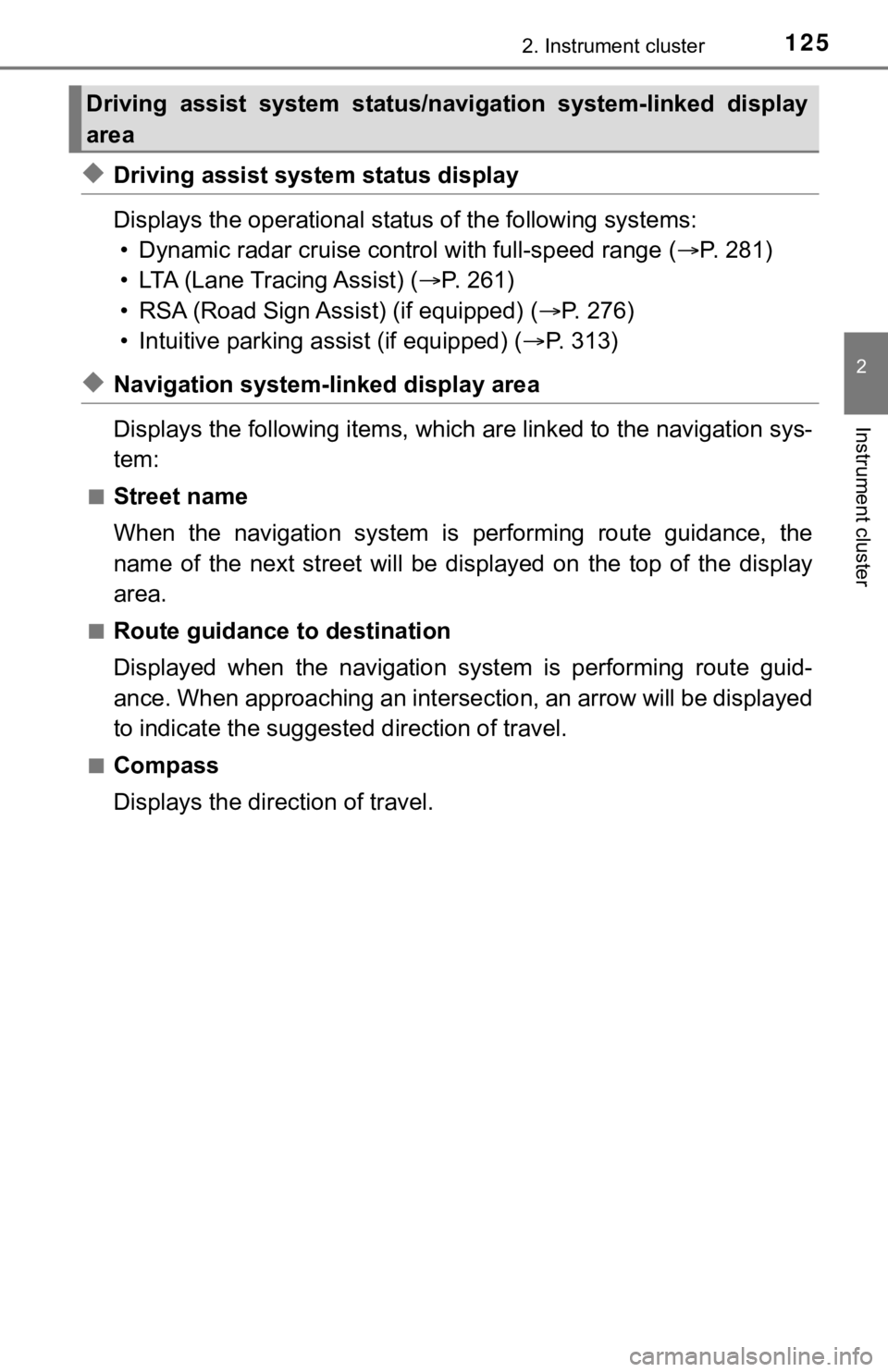
◆Driving assist system status display
Displays the operational status of the following systems:
• Dynamic radar cruise control with full-speed range ( P. 281)
• LTA (Lane Tracing Assist) ( P. 2 6 1 )
• RSA (Road Sign Assist) (if equipped) ( P. 276)
• Intuitive parking assist (if equipped) ( P. 313)
◆Navigation system-linked display area
Displays the following items, which are linked to the navigation sys-
tem:
■Street name
When the navigation system is performing route guidance, the
name of the next street will be displayed on the top of the dis play
area.
■Route guidance to destination
Displayed when the navigation s ystem is performing route guid-
ance. When approaching an intersection, an arrow will be displa yed
to indicate the suggeste d direction of travel.
■Compass
Displays the direction of travel.
Driving assist system status/navigation system-linked display
area
Page 127 of 584
1272. Instrument cluster
2
Instrument cluster
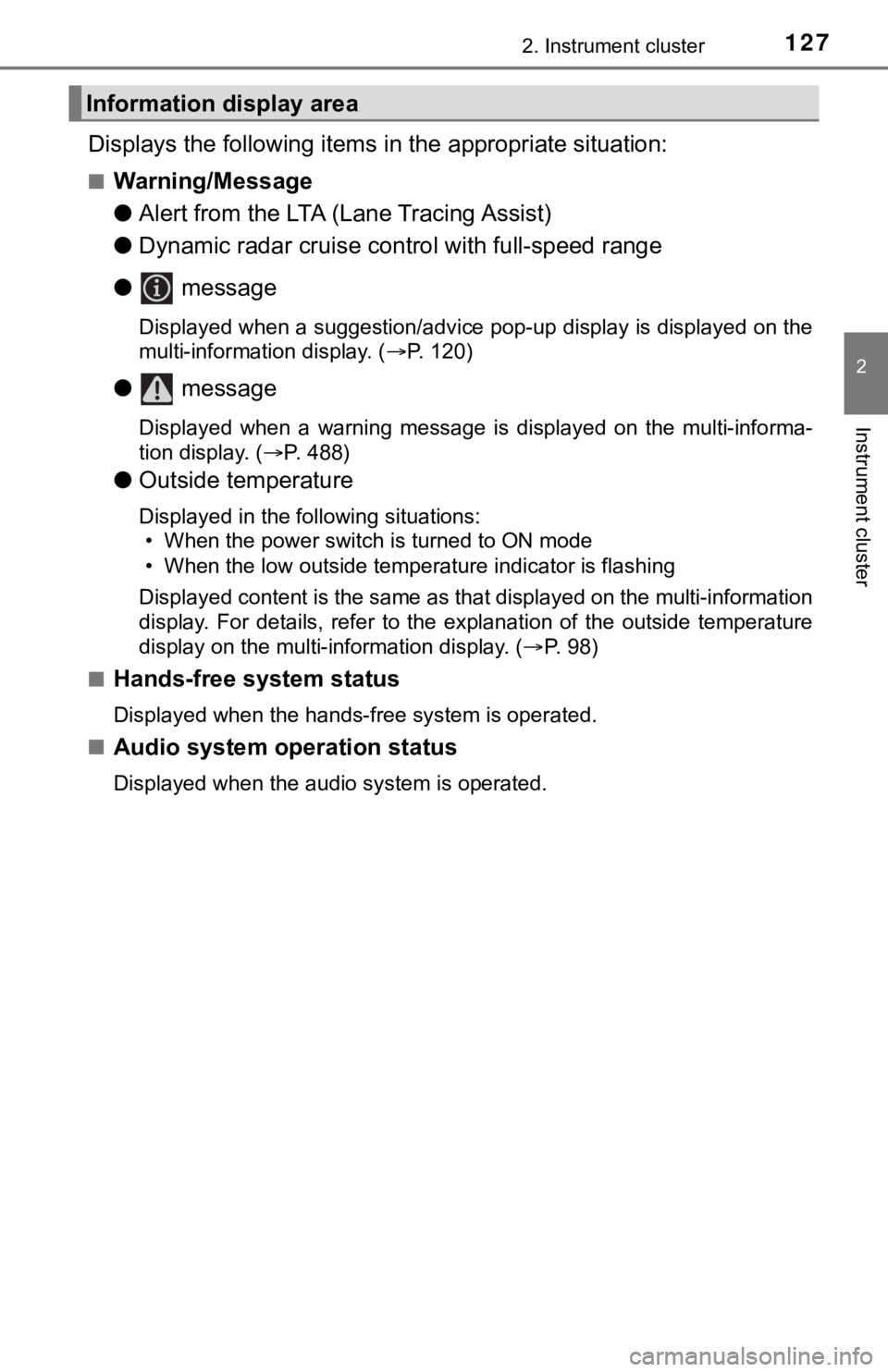
Displays the following items in the appropriate situation:
■Warning/Message
●Alert from the LTA (Lane Tracing Assist)
● Dynamic radar cruise control with full-speed range
● message
Displayed when a suggestion/advice pop-up display is displayed on the
multi-information display. ( P. 120)
● message
Displayed when a warning message is displayed on the multi-info rma-
tion display. ( P. 488)
● Outside temperature
Displayed in the following situations:
• When the power switch is turned to ON mode
• When the low outside temperature indicator is flashing
Displayed content is the same as that displayed on the multi-in formation
display. For details, refer to the explanation of the outside temperature
display on the multi-information display. ( P. 98)
■
Hands-free system status
Displayed when the hands-free system is operated.
■
Audio system operation status
Displayed when the audio system is operated.
Information display area
Page 185 of 584

185
4Driving
4-1. Before drivingDriving the vehicle ............. 186
Cargo and luggage ........... 194
Vehicle load limits ............. 197
Trailer towing..................... 198
Dinghy towing ................... 199
4-2. Driving procedures Power (ignition) switch ...... 200
EV drive mode .................. 206
Hybrid transmission........... 209
Turn signal lever................ 215
Parking brake .................... 216
Brake Hold ........................ 220
4-3. Operating the lights and wipers
Headlight switch ................ 222
AHB (Automatic High Beam) ............................. 226
Windshield wipers and washer ............................ 230
4-4. Refueling Opening the fuel tank cap .................................. 234 4-5. Using the driving
support systems
Toyota Safety Sense 2.5+...................... 239
PCS (Pre-Collision System)........................... 246
LTA (Lane Tracing Assist) ............................. 261
RSA (Road Sign Assist) ............................. 276
Dynamic radar cruise control with full-speed
range............................... 281
BSM (Blind Spot Monitor)........................... 297
• BSM function ................ 301
• RCTA function .............. 304
Rear Camera Detection function (vehicles with
panoramic view
monitor)........................... 309
Intuitive parking assist....... 313
Intelligent Clearance Sonar (ICS) ..................... 321
Driving mode select switches .......................... 342
Driving assist systems ...... 344
4-6. Driving tips Hybrid vehicle driving tips .................................. 351
Winter driving tips ............. 354
Page 188 of 584

1884-1. Before driving
■ECO Accelerator Guidance ( P. 109)
Eco-friendly driving may be achieved more easily by staying wit hin the zone
of Eco acceleration. Also, by staying within the zone of Eco ac celeration, it
will be easier to obtain a good Eco score.
● When starting off:
Gradually depress the accelerator pedal to stay within the zone of Eco accel-
eration and accelerate to the desired speed. By refraining from excessive
acceleration, a good eco start score will be obtained.
● When driving:
After accelerating to the desired speed, release the accelerator pedal and
drive at a stable speed while staying within the zone of Eco acceleration. By
staying within the zone of Eco acceleration, a good eco cruise score will be
obtained.
● When stopping:
By starting to release the accelerator pedal early before dece lerating, a good
eco stop score will be obtained.
■ Drive-Start Control (DSC)
When the TRAC is turned off ( P. 346), sudden start restraint control also
does not operate. If your vehicle have trouble escaping from th e mud or fresh
snow due to sudden start restraint control operation, deactivat e TRAC (P.
346) so that the vehicle may become able to escape from the mud or fresh
snow.
■ Breaking in your new Toyota
To extend the life of the vehicle, observing the following prec autions is recom-
mended:
● For the first 186 miles (300 km):
Avoid sudden stops.
● For the first 621 miles (1000 km):
• Do not drive at extremely high speeds.
• Avoid sudden acceleration.
• Do not drive continuously in low gears.
• Do not drive at a constant speed for extended periods.
■ Operating your vehicle in a foreign country
Comply with the relevant vehicle registration laws and confirm the availability
of the correct fuel. ( P. 526)
■ Eco-friendly driving
P. 100, 126