ignition TOYOTA AVENSIS 2012 Owner's Manual
[x] Cancel search | Manufacturer: TOYOTA, Model Year: 2012, Model line: AVENSIS, Model: TOYOTA AVENSIS 2012Pages: 772, PDF Size: 34.43 MB
Page 210 of 772
210
2-1. Driving procedures
AVENSIS_EE (OM20B44E)
Engine (ignition) switch (vehicles with smar t entr y & star t system)
Performing the following operations when carrying the electronic
key on your person starts the engine or changes “ENGINE START
STOP” modes.
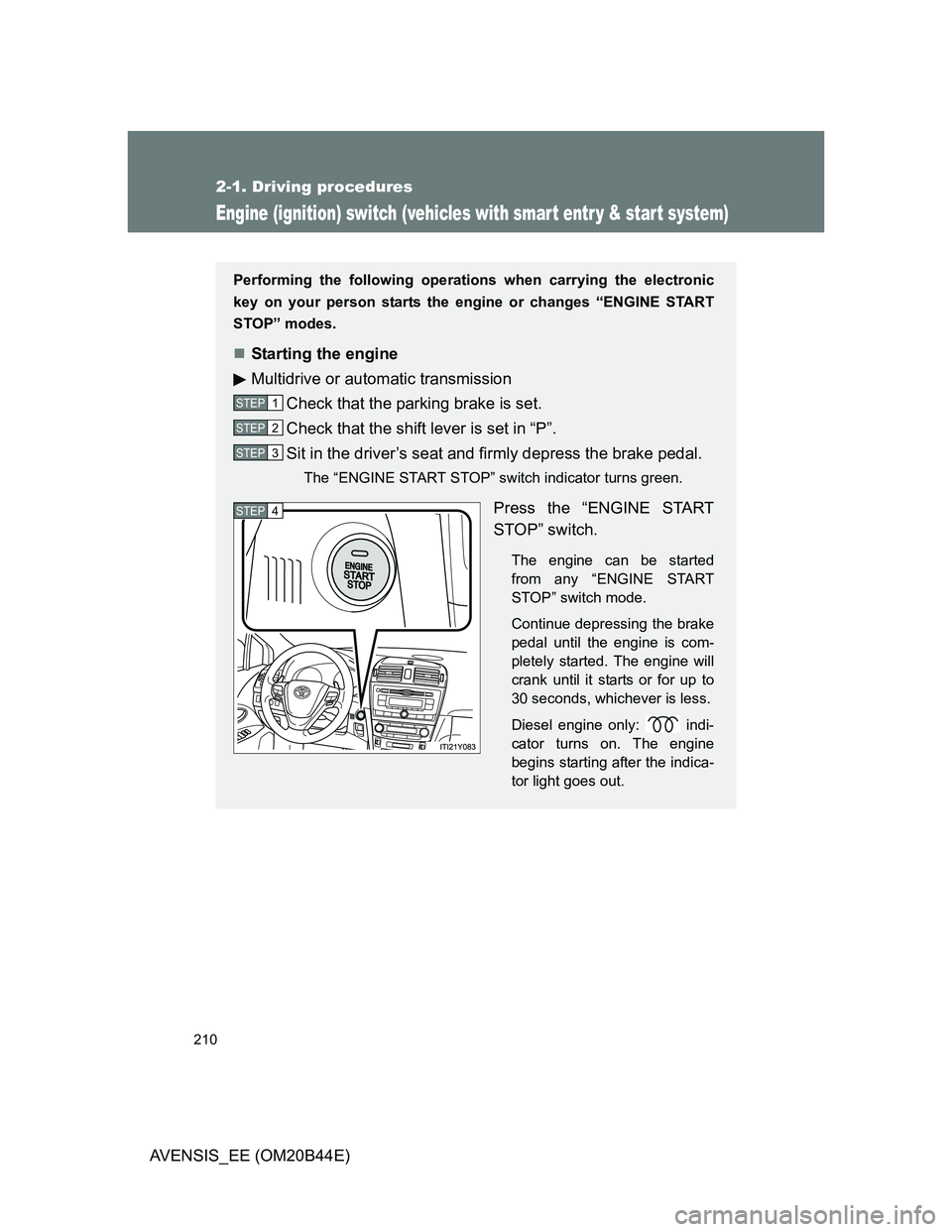
Starting the engine
Multidrive or automatic transmission
Check that the parking brake is set.
Check that the shift lever is set in “P”.
Sit in the driver’s seat and firmly depress the brake pedal.
The “ENGINE START STOP” switch indicator turns green.
Press the “ENGINE START
STOP” switch.
The engine can be started
from any “ENGINE START
STOP” switch mode.
Continue depressing the brake
pedal until the engine is com-
pletely started. The engine will
crank until it starts or for up to
30 seconds, whichever is less.
Diesel engine only: indi-
cator turns on. The engine
begins starting after the indica-
tor light goes out.
STEP1
STEP2
STEP3
STEP4
Page 212 of 772
212 2-1. Driving procedures
AVENSIS_EE (OM20B44E)
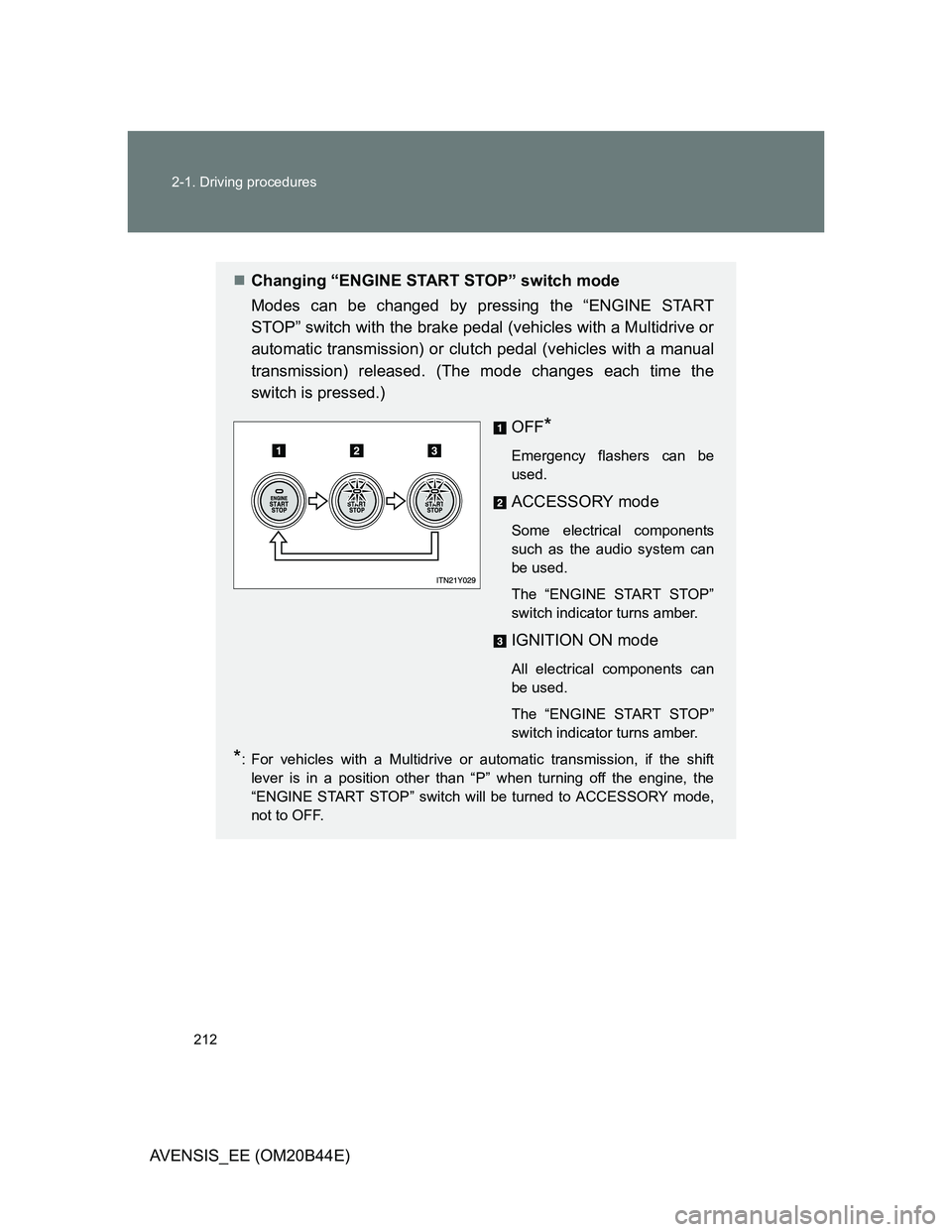
Changing “ENGINE START STOP” switch mode
Modes can be changed by pressing the “ENGINE START
STOP” switch with the brake pedal (vehicles with a Multidrive or
automatic transmission) or clutch pedal (vehicles with a manual
transmission) released. (The mode changes each time the
switch is pressed.)
OFF
*
Emergency flashers can be
used.
ACCESSORY mode
Some electrical components
such as the audio system can
be used.
The “ENGINE START STOP”
switch indicator turns amber.
IGNITION ON mode
All electrical components can
be used.
The “ENGINE START STOP”
switch indicator turns amber.
*: For vehicles with a Multidrive or automatic transmission, if the shift
lever is in a position other than “P” when turning off the engine, the
“ENGINE START STOP” switch will be turned to ACCESSORY mode,
not to OFF.
Page 215 of 772
215
2-1. Driving procedures
2
When driving
AVENSIS_EE (OM20B44E)
Engine (ignition) switch (vehicles without smart entr y & start system)
Starting the engine
Multidrive
Check that the parking brake is set.
Check that the shift lever is set in “P”.
Sit in the driver’s seat and firmly depress the brake pedal.
Turn the engine switch to the “START” position and start
the engine.
Automatic transmission (diesel engine)
Check that the parking brake is set.
Check that the shift lever is set in “P”.
Sit in the driver’s seat and firmly depress the brake pedal.
Turn the engine switch to the “ON” position.
indicator light turns on.
After indicator light goes out, turn the engine switch
to the “START” position and start the engine.
Manual transmission (gasoline engine)
Check that the parking brake is set.
Check that the shift lever is set in “N”.
Sit in the driver’s seat and firmly depress the clutch pedal.
Turn the engine switch to the “START” position and start
the engine.
STEP1
STEP2
STEP3
STEP4
STEP1
STEP2
STEP3
STEP4
STEP5
STEP1
STEP2
STEP3
STEP4
Page 216 of 772
216 2-1. Driving procedures
AVENSIS_EE (OM20B44E)
Manual transmission (diesel engine)
Check that the parking brake is set.
Check that the shift lever is set in “N”.
Sit in the driver’s seat and firmly depress the clutch pedal.
Turn the engine switch to the “ON” position.
indicator light turns on.
After indicator light goes out, turn the engine switch
to the “START” position and start the engine.
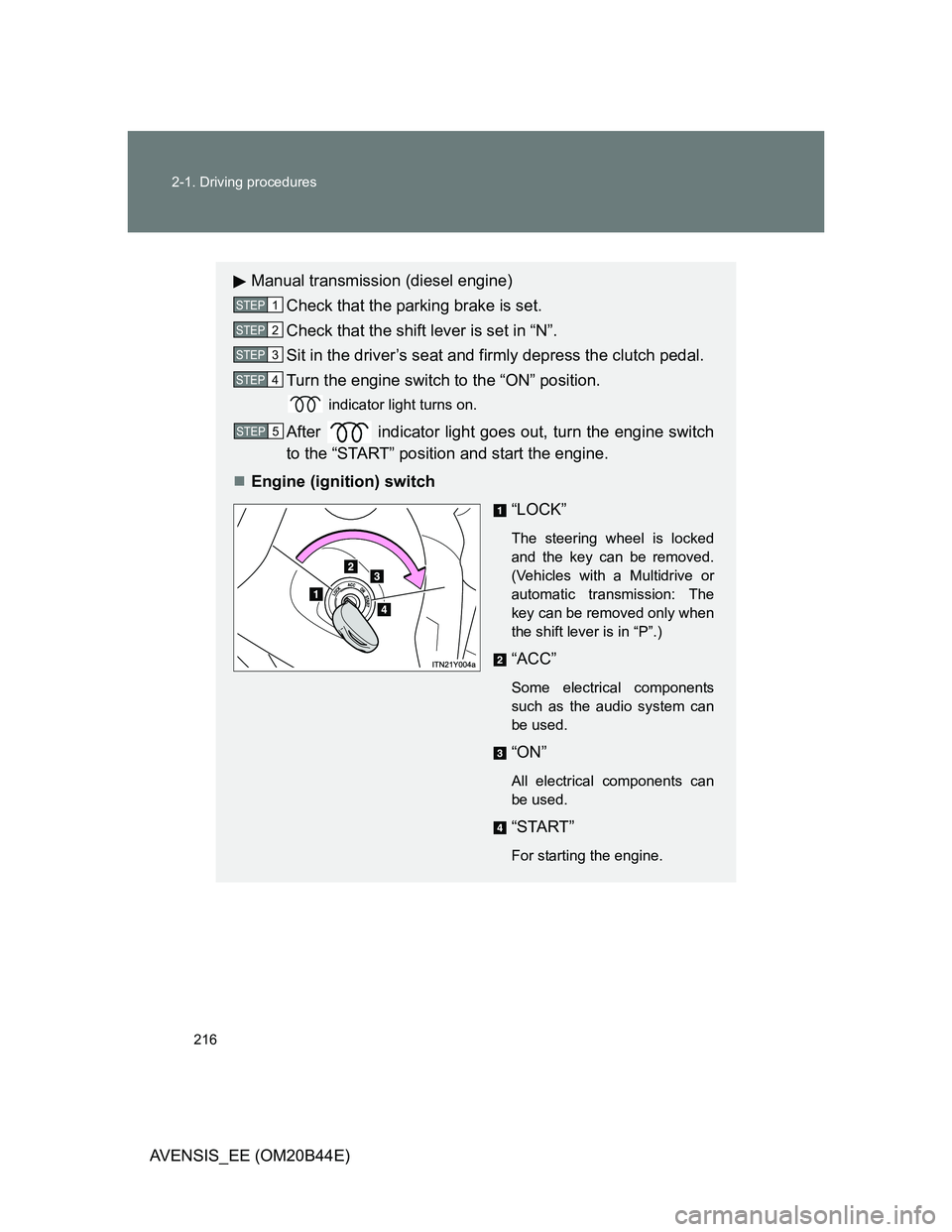
Engine (ignition) switch
“LOCK”
The steering wheel is locked
and the key can be removed.
(Vehicles with a Multidrive or
automatic transmission: The
key can be removed only when
the shift lever is in “P”.)
“ACC”
Some electrical components
such as the audio system can
be used.
“ON”
All electrical components can
be used.
“START”
For starting the engine.
STEP1
STEP2
STEP3
STEP4
STEP5
Page 219 of 772
219
2-1. Driving procedures
2
When driving
AVENSIS_EE (OM20B44E)
Multidrive
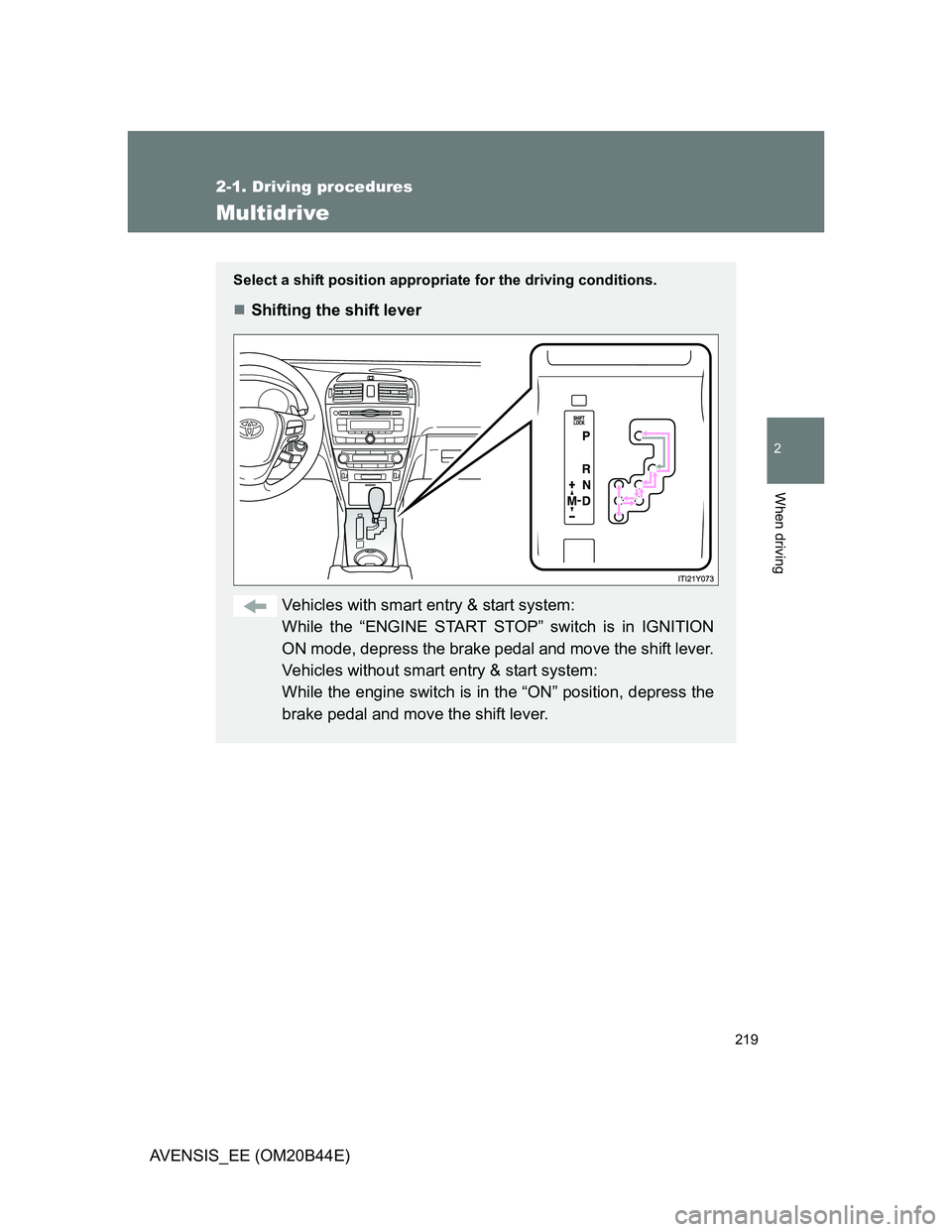
Select a shift position appropriate for the driving conditions.
Shifting the shift lever
Vehicles with smart entry & start system:
While the “ENGINE START STOP” switch is in IGNITION
ON mode, depress the brake pedal and move the shift lever.
Vehicles without smart entry & start system:
While the engine switch is in the “ON” position, depress the
brake pedal and move the shift lever.
Page 225 of 772
225
2-1. Driving procedures
2
When driving
AVENSIS_EE (OM20B44E)
Automatic transmission
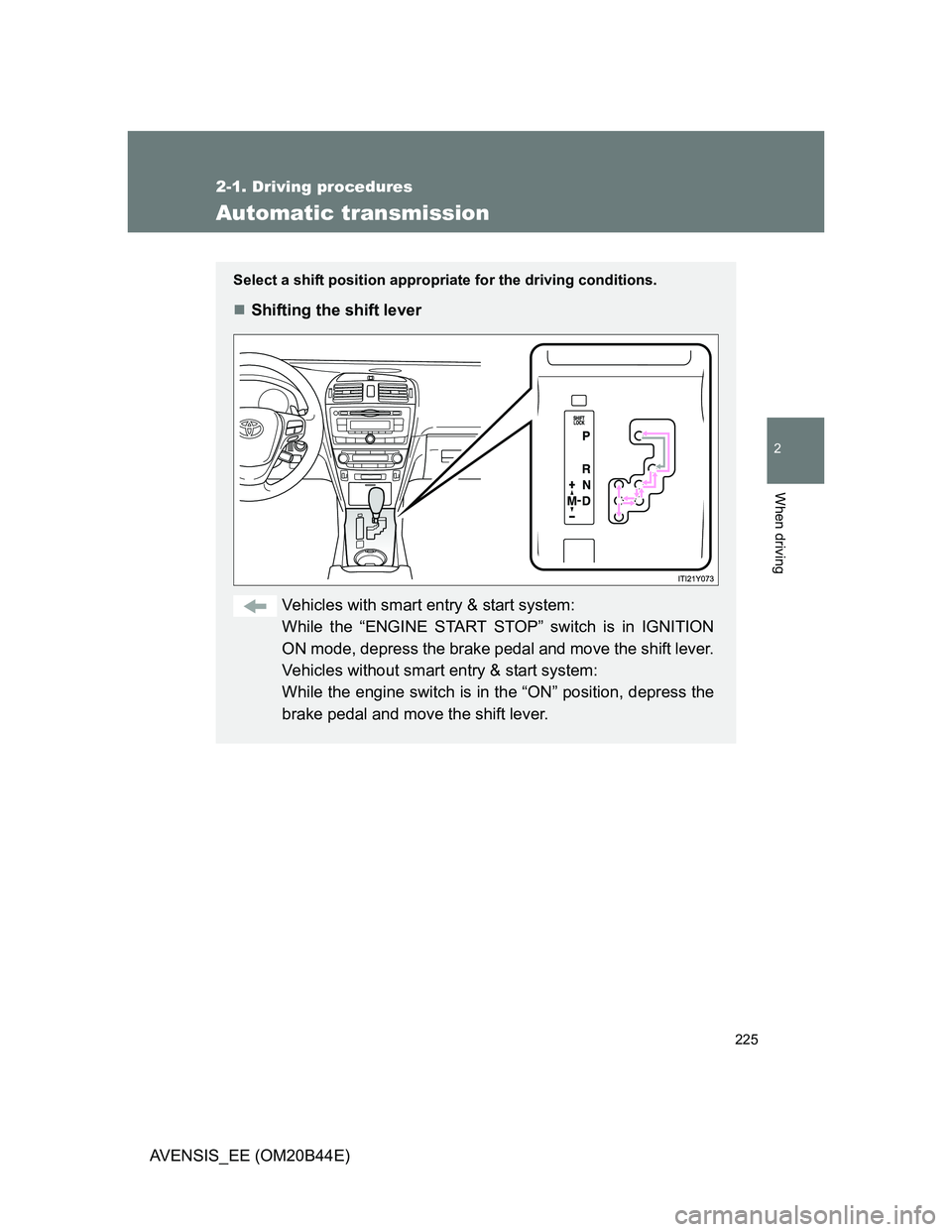
Select a shift position appropriate for the driving conditions.
Shifting the shift lever
Vehicles with smart entry & start system:
While the “ENGINE START STOP” switch is in IGNITION
ON mode, depress the brake pedal and move the shift lever.
Vehicles without smart entry & start system:
While the engine switch is in the “ON” position, depress the
brake pedal and move the shift lever.
Page 230 of 772
230 2-1. Driving procedures
AVENSIS_EE (OM20B44E)
Automatic deactivation of sport mode
Vehicles with smart entry & start system
If the “ENGINE START STOP” switch is turned OFF after driving in sport
mode, the mode is automatically deactivated.
Vehicles without smart entry & start system
If the engine switch is turned to the “LOCK” position after driving in sport
mode, the mode is automatically deactivated.
If the shift lever cannot be shifted from “P”
P. 692
If the “M” indicator is not displayed after shifting the shift lever to the
“M” position
Vehicles with smart entry & start system: Within a few seconds of turning
the “ENGINE START STOP” switch to IGNITION ON mode, the transmis-
sion will not go into “M” mode if the shift lever is moved to the “M” posi-
tion.
Vehicles without smart entry & start system: Within a few seconds of
turning the engine switch to the “ON” position, the transmission will not
go into “M” mode if the shift lever is moved to the “M” position.
This is because a system check is being performed. In this case, wait a
moment and then try moving the shift lever to the “M” position again.
If the display does not change to “M” on an occasion other than that
described above, it may indicate a malfunction in the transmission sys-
tem. Have your vehicle inspected by any authorized Toyota dealer or
repairer, or another duly qualified and equipped professional immedi-
ately.
Automatic gear selection
When the vehicle comes to a stop, the transmission will automatically down-
shift to allow you to start off in 1st gear.
Page 236 of 772
236
2-1. Driving procedures
AVENSIS_EE (OM20B44E)
Turn signal lever
Turn signals can be operated when
Vehicles with smart entry & start system
The “ENGINE START STOP” switch is in IGNITION ON mode.
Vehicles without smart entry & start system
The engine switch is in the “ON” position.
If the indicators flash faster than usual
Check that a light bulb in the front or rear turn signal lights has not burned
out.
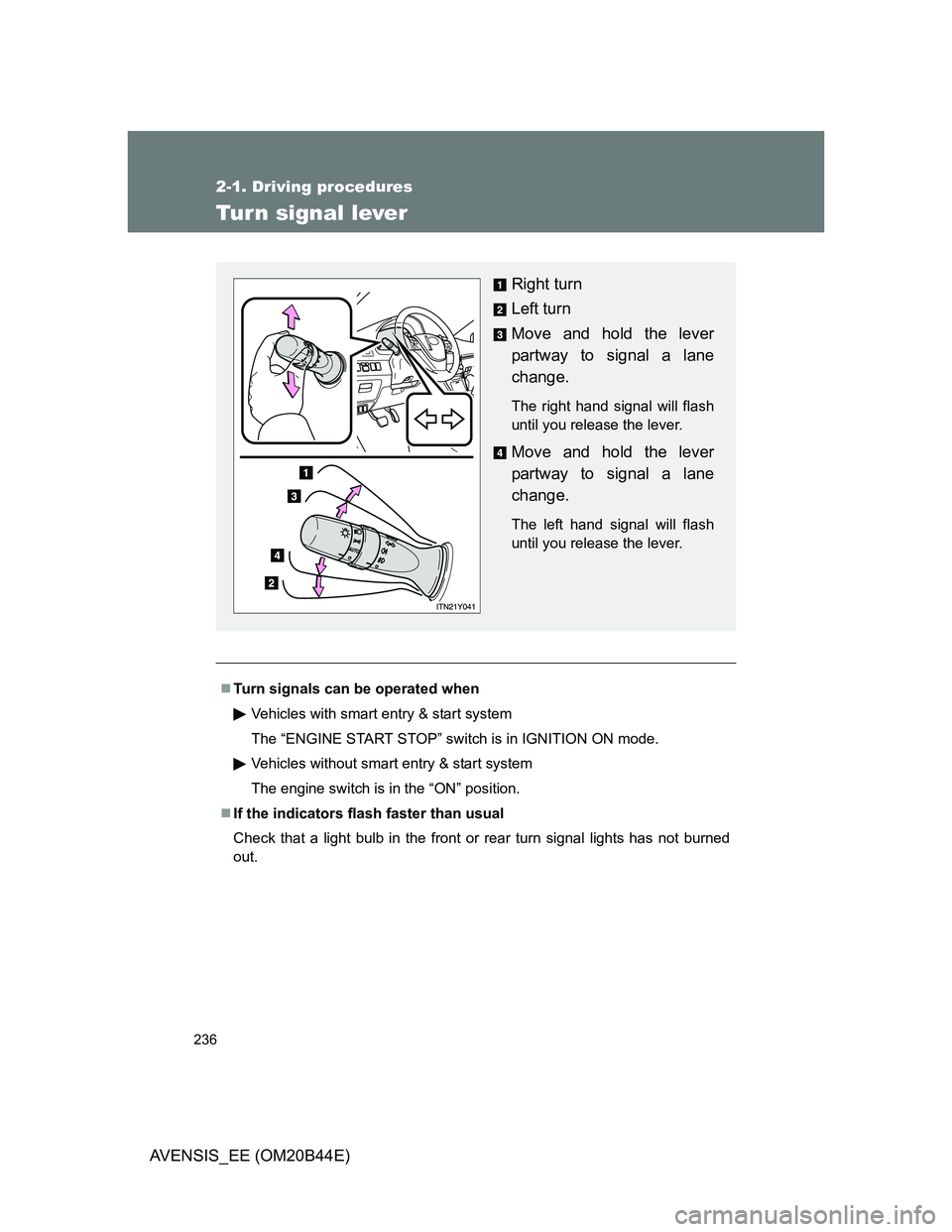
Right turn
Left turn
Move and hold the lever
partway to signal a lane
change.
The right hand signal will flash
until you release the lever.
Move and hold the lever
partway to signal a lane
change.
The left hand signal will flash
until you release the lever.
Page 237 of 772
237
2-1. Driving procedures
2
When driving
AVENSIS_EE (OM20B44E)
Parking brake
Parking brake operation
Vehicles with smart entry & start system
When the “ENGINE START STOP” switch is not in IGNITION ON mode,
the parking brake cannot be released using the parking brake switch.
Vehicles without smart entry & start system
When the engine switch is not in the “ON” position, the parking brake can-
not be released using the parking brake switch.
Automatic release function (vehicles with a manual transmission)
When starting, if the shift lever is engaged, the accelerator pedal and clutch
pedal are operated while the parking brake is applied, the parking brake will
be automatically released, thus making starting off easier.
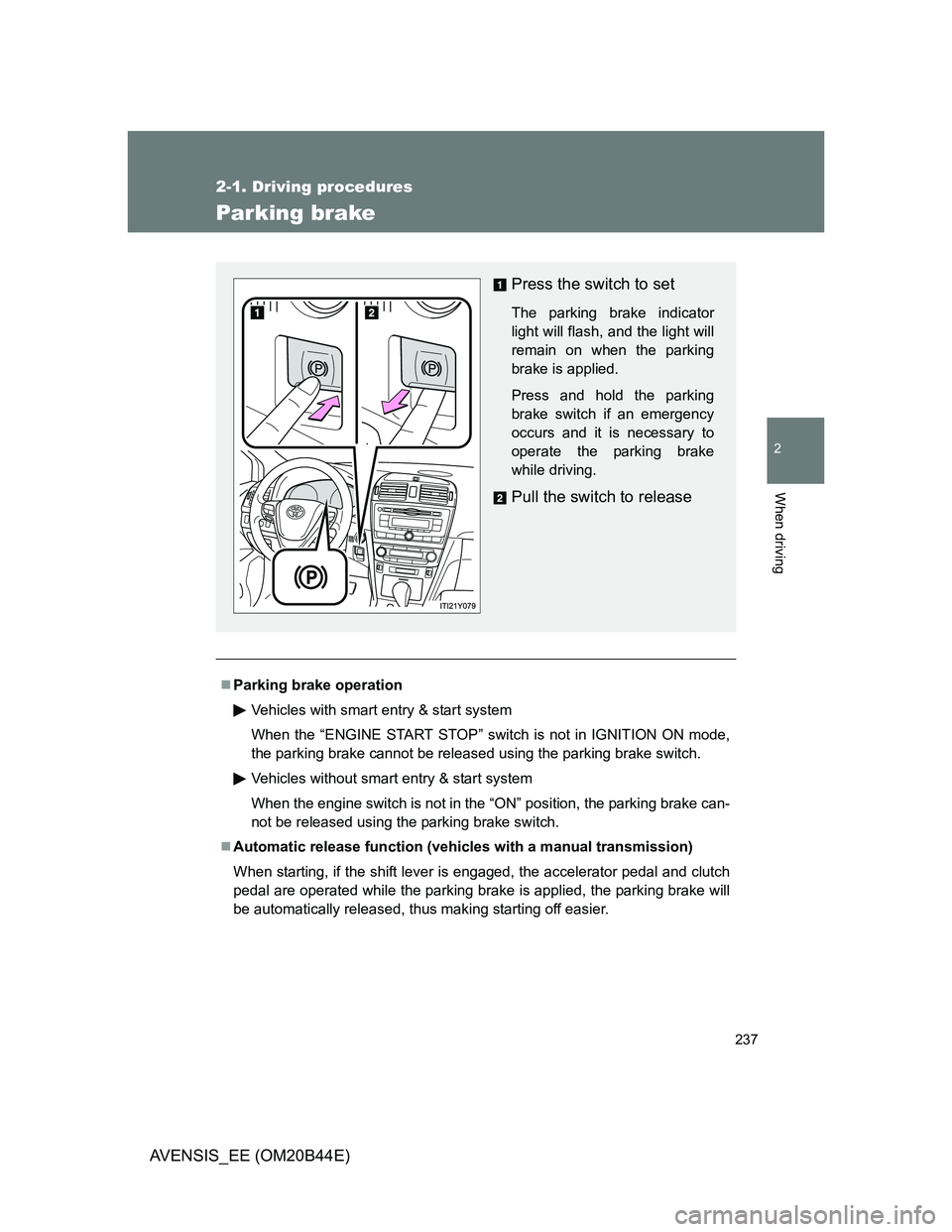
Press the switch to set
The parking brake indicator
light will flash, and the light will
remain on when the parking
brake is applied.
Press and hold the parking
brake switch if an emergency
occurs and it is necessary to
operate the parking brake
while driving.
Pull the switch to release
Page 238 of 772
238 2-1. Driving procedures
AVENSIS_EE (OM20B44E)
Automatic apply function (vehicles with a manual transmission)
To prevent the parking brake from being left accidentally unapplied, the
parking brake will be applied automatically under the following conditions
when the “ENGINE START STOP” switch is switched to ACCESSORY
mode (vehicles with smart entry & start system), or the engine switch is
switched to the “ACC” position (vehicles without smart entry & start sys-
tem):
• Automatic apply mode is ON
• The vehicle is stopped
Switching automatic apply mode
Automatic apply mode is initially set to ON, but it can be switched
between ON and OFF as the situation demands.
Stop the vehicle in a horizontal condition and switch the “ENGINE
START STOP” switch to IGNITION ON mode (vehicles with smart
entry & start system), or switch the engine switch to the “ON” posi-
tion (vehicles without smart entry and start system)
Temporary cancelation of the automatic apply function is available for
specific circumstances (car wash, towing vehicle, etc.).
To activate temporary cancelation, parking brake switch need to be
pulled when “ENGINE START STOP” switch is switched to ACCES-
SORY mode (vehicles with smart entry & start system), or the engine
switch is switched to the “ACC” position (vehicles without smart entry &
start system).
When switch is being pulled for 5 seconds or more, automatic apply
mode changes from ON to OFF.
STEP1
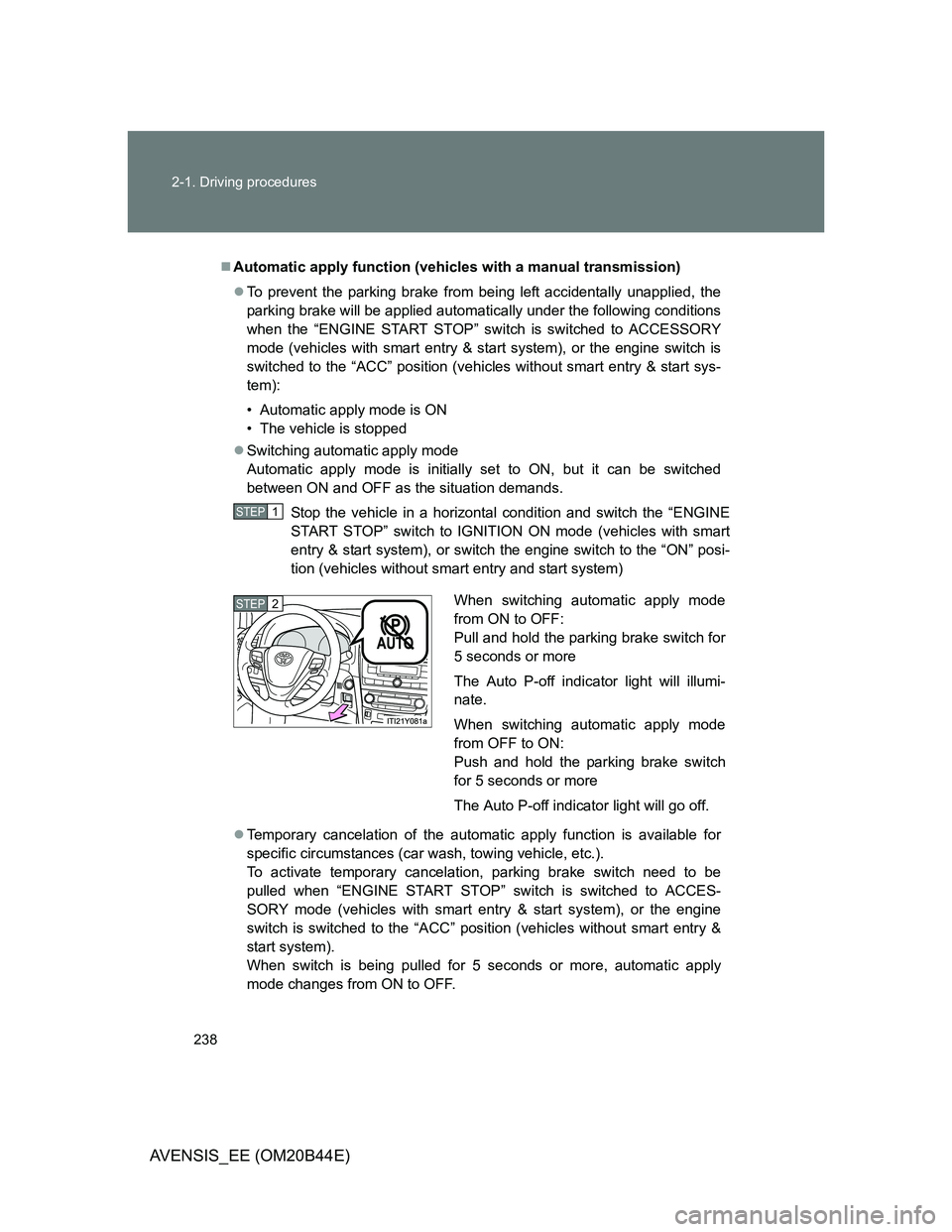
When switching automatic apply mode
from ON to OFF:
Pull and hold the parking brake switch for
5 seconds or more
The Auto P-off indicator light will illumi-
nate.
When switching automatic apply mode
from OFF to ON:
Push and hold the parking brake switch
for 5 seconds or more
The Auto P-off indicator light will go off.STEP2