headlights TOYOTA AVENSIS 2014 Owners Manual (in English)
[x] Cancel search | Manufacturer: TOYOTA, Model Year: 2014, Model line: AVENSIS, Model: TOYOTA AVENSIS 2014Pages: 776, PDF Size: 33.54 MB
Page 8 of 776
8
AVENSIS_OM_OM20B88E_(EE)
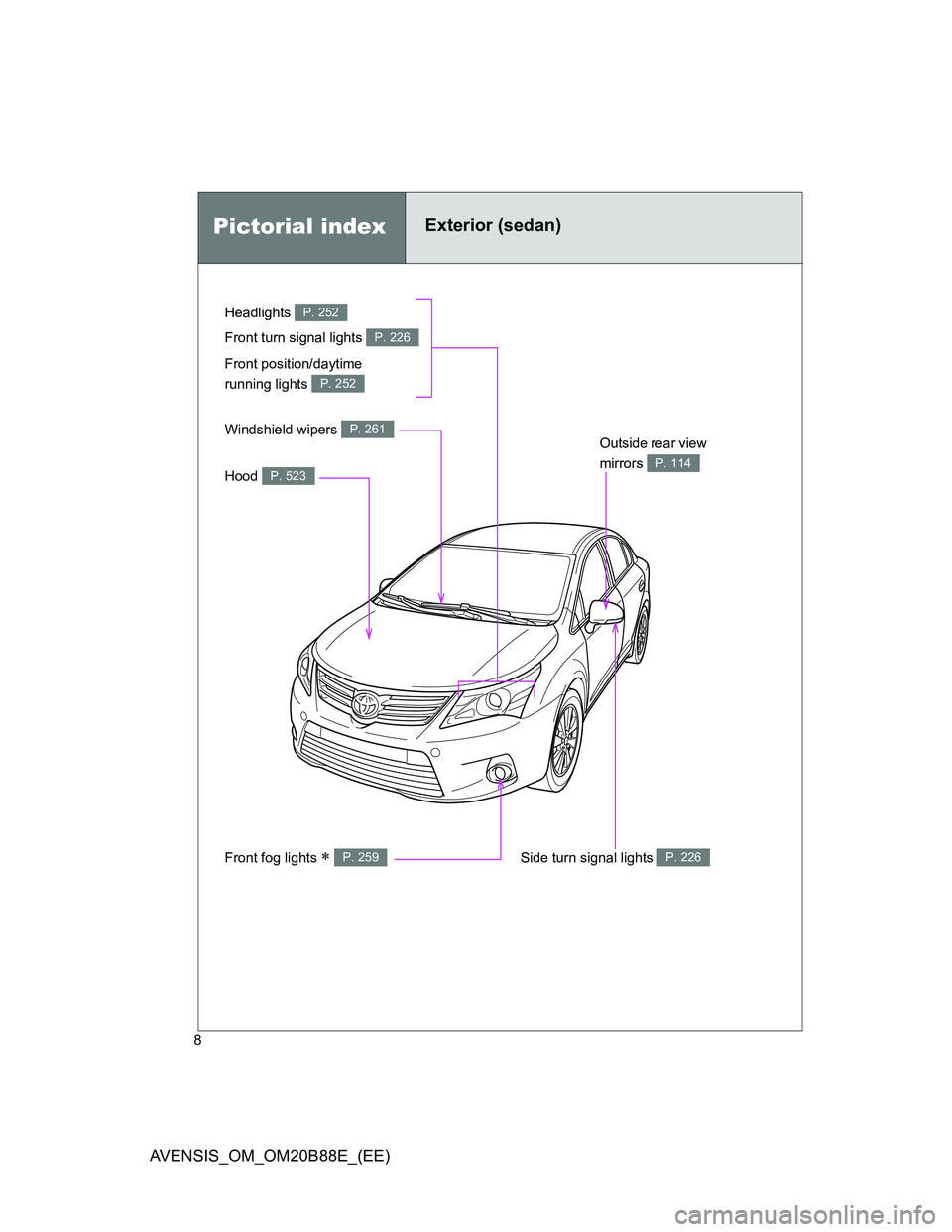
Headlights P. 252
Pictorial indexExterior (sedan)
Front fog lights P. 259
Front turn signal lights P. 226
Hood P. 523
Windshield wipers P. 261Outside rear view
mirrors
P. 114
Side turn signal lights P. 226
Front position/daytime
running lights
P. 252
Page 10 of 776
10
AVENSIS_OM_OM20B88E_(EE)
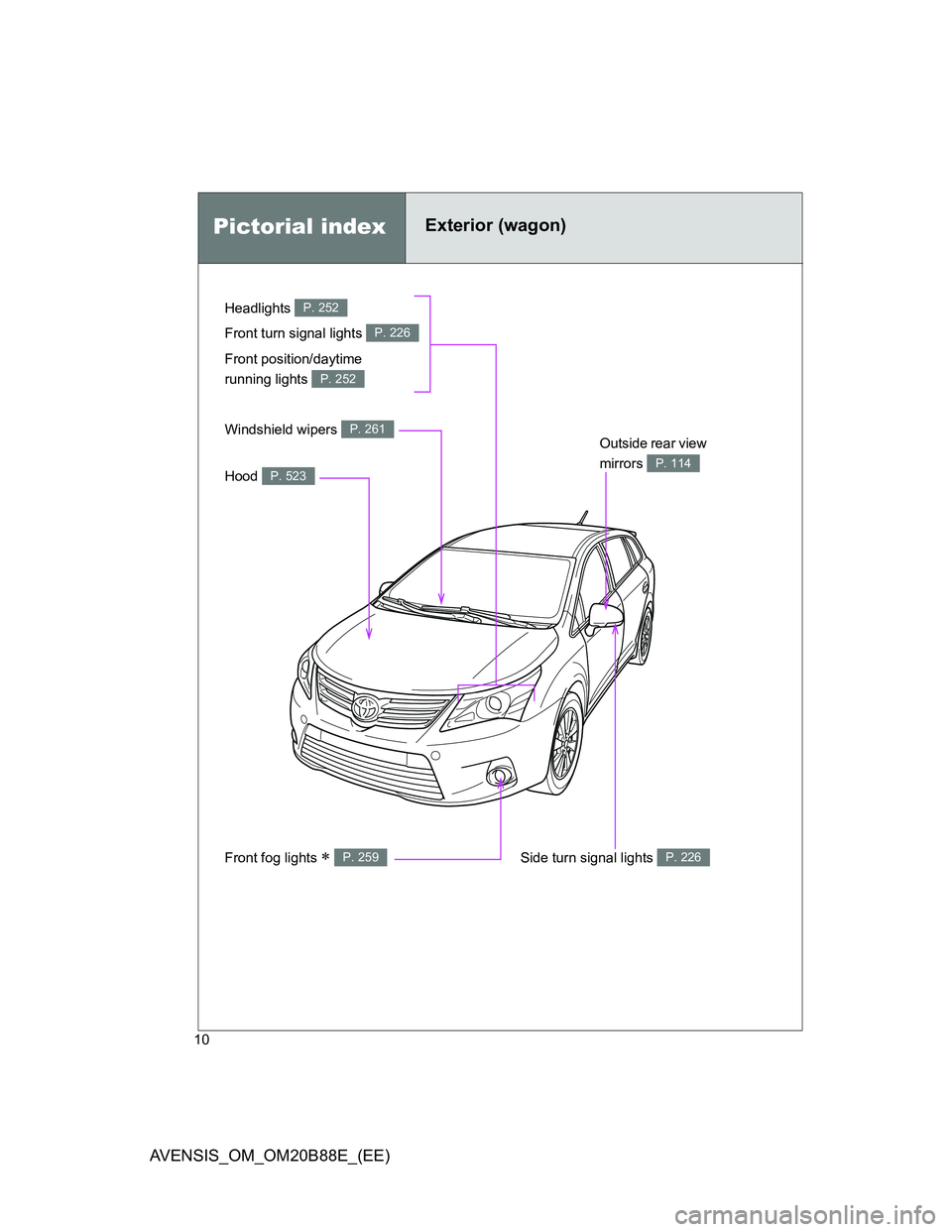
Pictorial indexExterior (wagon)
Headlights P. 252
Front fog lights P. 259
Front turn signal lights P. 226
Hood P. 523
Windshield wipers P. 261Outside rear view
mirrors
P. 114
Side turn signal lights P. 226
Front position/daytime
running lights
P. 252
Page 111 of 776
111
1
1-3. Adjustable components (seats, mirrors, steering wheel)
Before driving
AVENSIS_OM_OM20B88E_(EE)
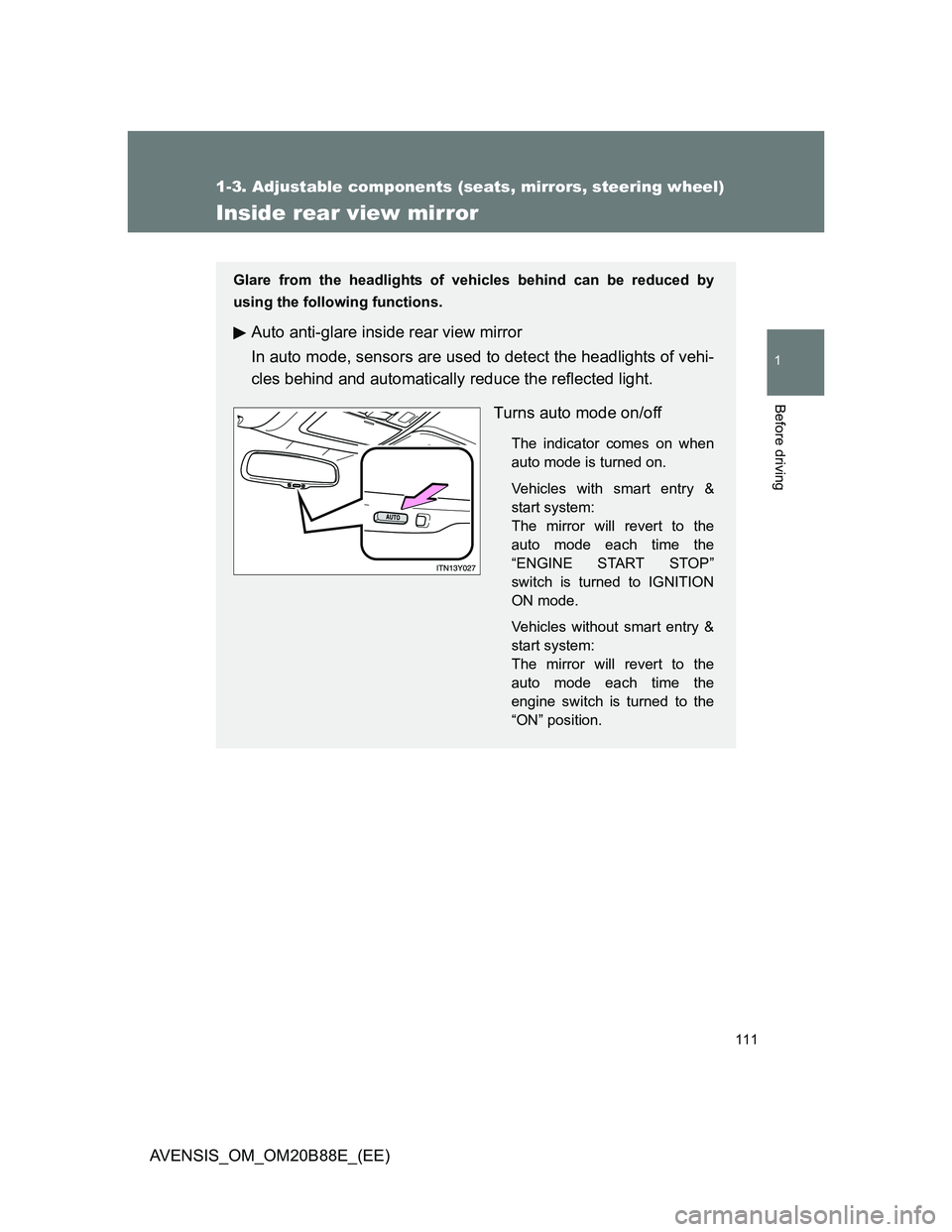
Inside rear view mirror
Glare from the headlights of vehicles behind can be reduced by
using the following functions.
Auto anti-glare inside rear view mirror
In auto mode, sensors are used to detect the headlights of vehi-
cles behind and automatically reduce the reflected light.
Turns auto mode on/off
The indicator comes on when
auto mode is turned on.
Vehicles with smart entry &
start system:
The mirror will revert to the
auto mode each time the
“ENGINE START STOP”
switch is turned to IGNITION
ON mode.
Vehicles without smart entry &
start system:
The mirror will revert to the
auto mode each time the
engine switch is turned to the
“ON” position.
Page 234 of 776
234 2-2. Instrument cluster
AVENSIS_OM_OM20B88E_(EE)
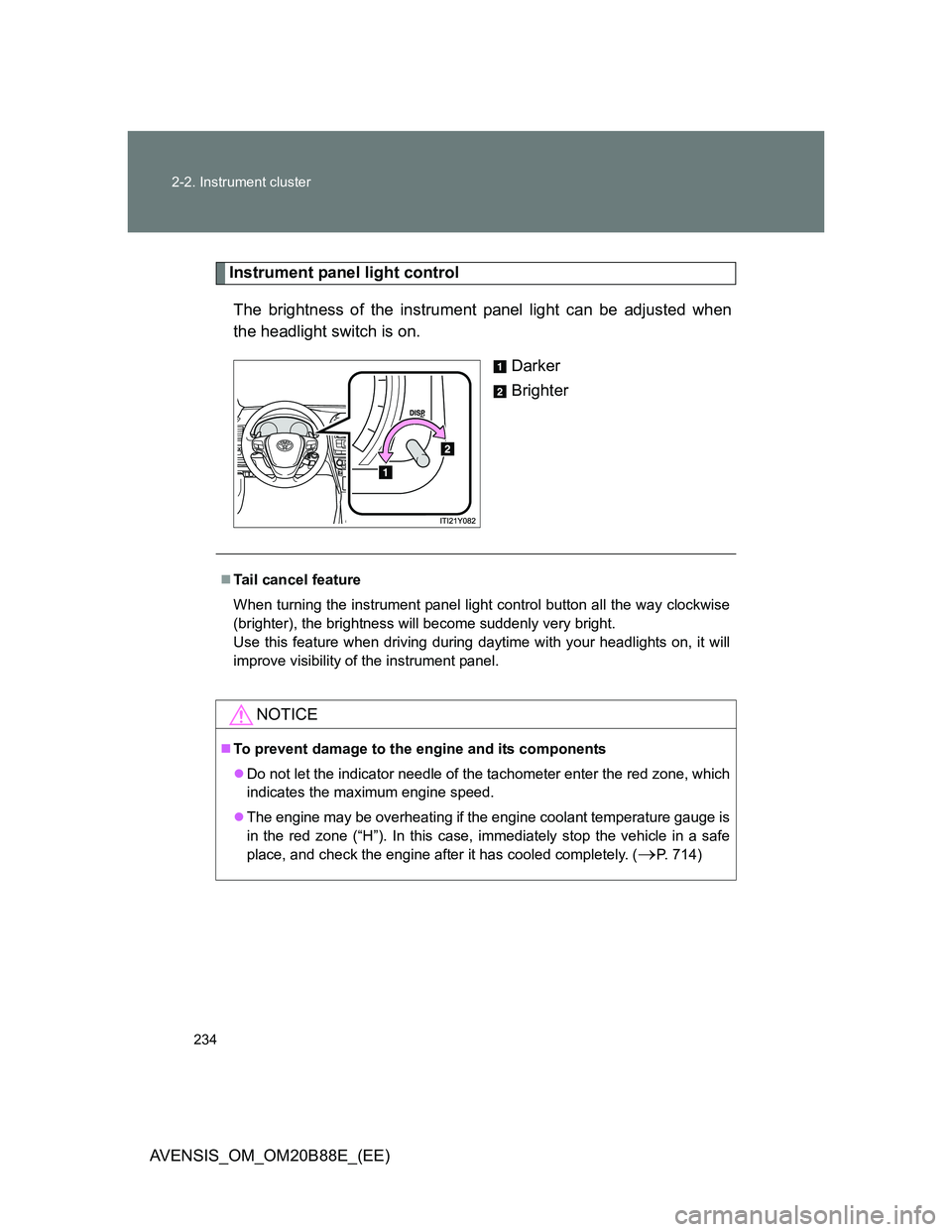
Instrument panel light control
The brightness of the instrument panel light can be adjusted when
the headlight switch is on.
Darker
Brighter
Tail cancel feature
When turning the instrument panel light control button all the way clockwise
(brighter), the brightness will become suddenly very bright.
Use this feature when driving during daytime with your headlights on, it will
improve visibility of the instrument panel.
NOTICE
To prevent damage to the engine and its components
Do not let the indicator needle of the tachometer enter the red zone, which
indicates the maximum engine speed.
The engine may be overheating if the engine coolant temperature gauge is
in the red zone (“H”). In this case, immediately stop the vehicle in a safe
place, and check the engine after it has cooled completely. (
P. 714)
Page 252 of 776
252
AVENSIS_OM_OM20B88E_(EE)
2-3. Operating the lights and wipers
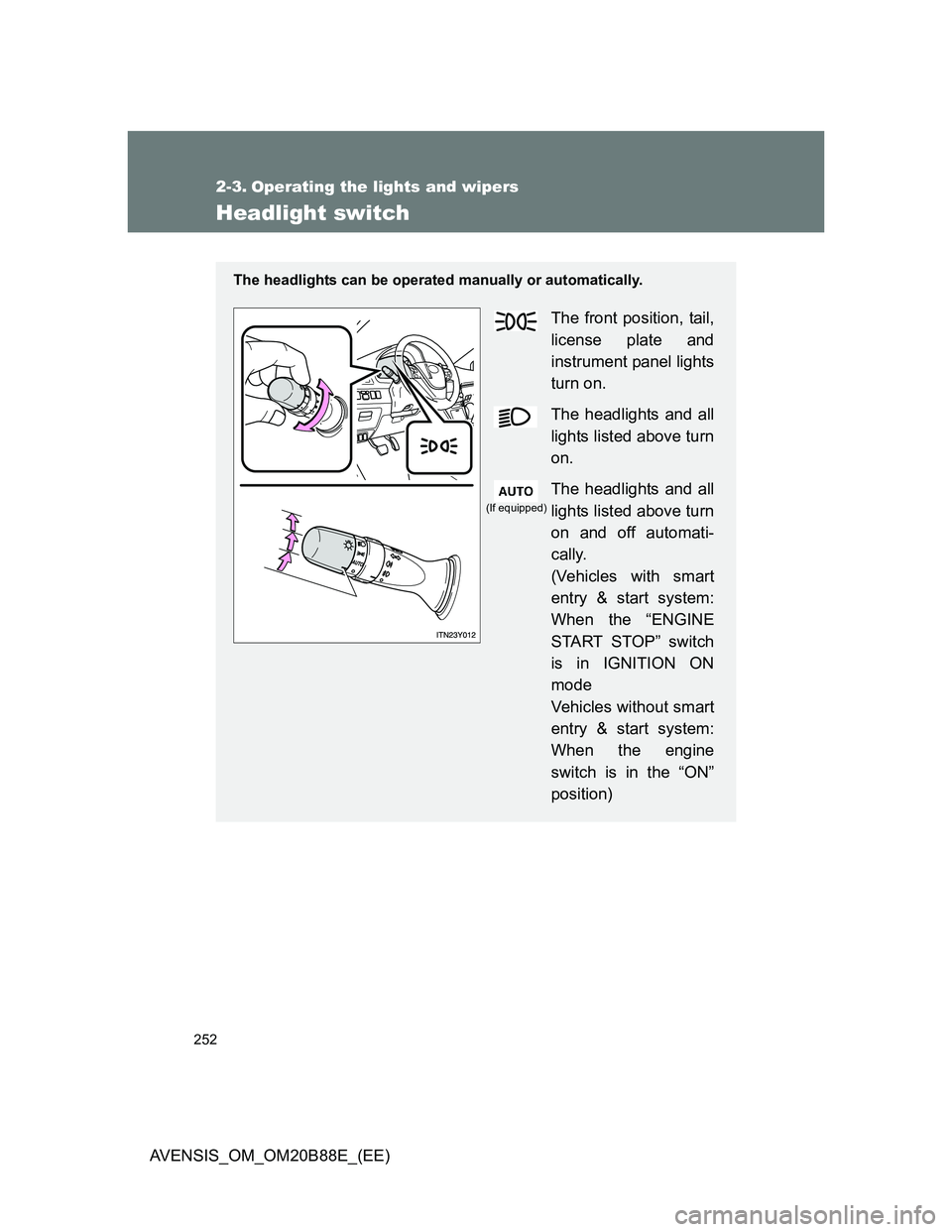
Headlight switch
The headlights can be operated manually or automatically.
The front position, tail,
license plate and
instrument panel lights
turn on.
The headlights and all
lights listed above turn
on.
The headlights and all
lights listed above turn
on and off automati-
cally.
(Vehicles with smart
entry & start system:
When the “ENGINE
START STOP” switch
is in IGNITION ON
mode
Vehicles without smart
entry & start system:
When the engine
switch is in the “ON”
position)
(If equipped)
Page 253 of 776
253 2-3. Operating the lights and wipers
2
When driving
AVENSIS_OM_OM20B88E_(EE)
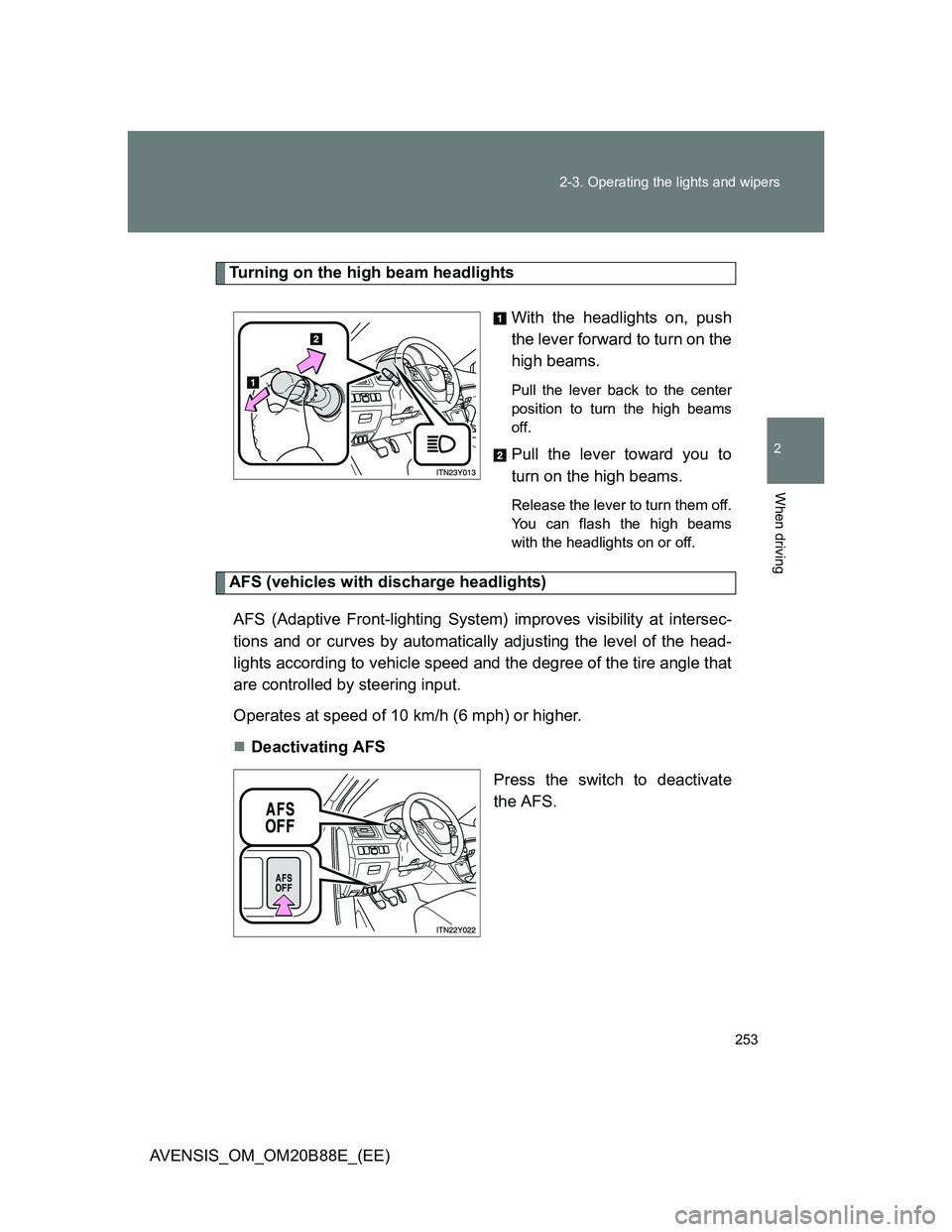
Turning on the high beam headlights
With the headlights on, push
the lever forward to turn on the
high beams.
Pull the lever back to the center
position to turn the high beams
off.
Pull the lever toward you to
turn on the high beams.
Release the lever to turn them off.
You can flash the high beams
with the headlights on or off.
AFS (vehicles with discharge headlights)
AFS (Adaptive Front-lighting System) improves visibility at intersec-
tions and or curves by automatically adjusting the level of the head-
lights according to vehicle speed and the degree of the tire angle that
are controlled by steering input.
Operates at speed of 10 km/h (6 mph) or higher.
Deactivating AFS
Press the switch to deactivate
the AFS.
Page 254 of 776
254 2-3. Operating the lights and wipers
AVENSIS_OM_OM20B88E_(EE)
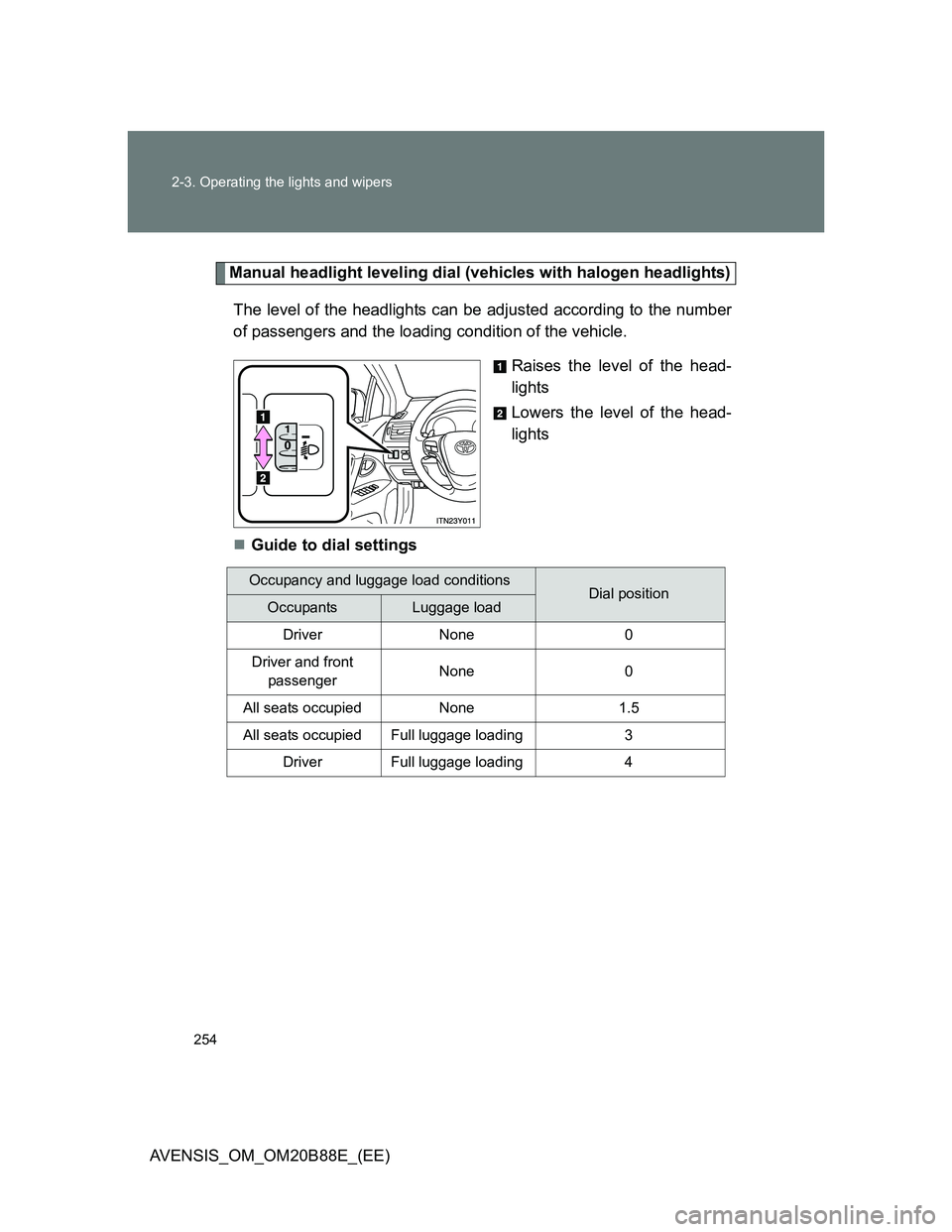
Manual headlight leveling dial (vehicles with halogen headlights)
The level of the headlights can be adjusted according to the number
of passengers and the loading condition of the vehicle.
Raises the level of the head-
lights
Lowers the level of the head-
lights
Guide to dial settings
Occupancy and luggage load conditionsDial positionOccupantsLuggage load
Driver None 0
Driver and front
passengerNone 0
All seats occupied None 1.5
All seats occupied Full luggage loading 3
Driver Full luggage loading 4
Page 255 of 776
255 2-3. Operating the lights and wipers
2
When driving
AVENSIS_OM_OM20B88E_(EE)
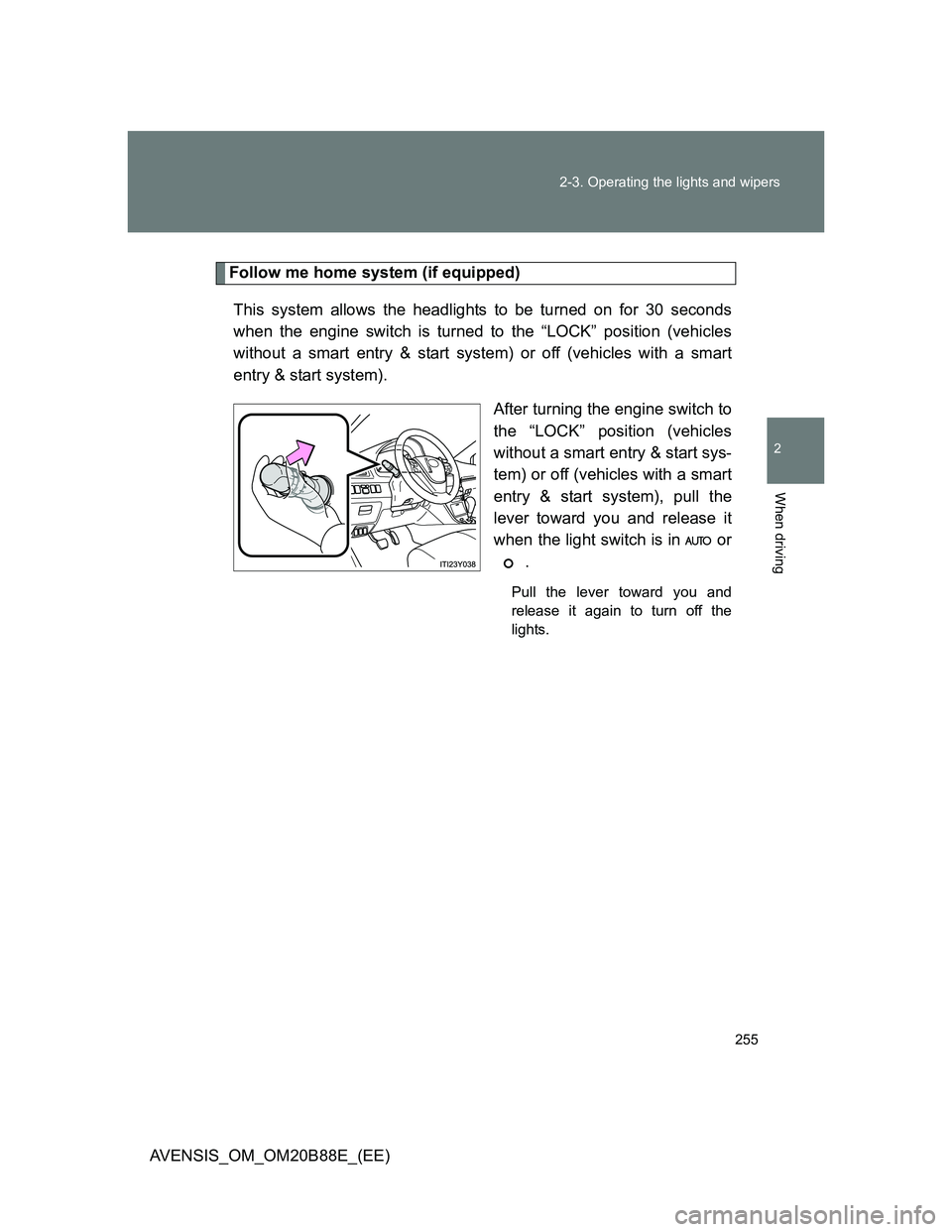
Follow me home system (if equipped)
This system allows the headlights to be turned on for 30 seconds
when the engine switch is turned to the “LOCK” position (vehicles
without a smart entry & start system) or off (vehicles with a smart
entry & start system).
After turning the engine switch to
the “LOCK” position (vehicles
without a smart entry & start sys-
tem) or off (vehicles with a smart
entry & start system), pull the
lever toward you and release it
when the light switch is in or
.
Pull the lever toward you and
release it again to turn off the
lights.
Page 256 of 776
256 2-3. Operating the lights and wipers
AVENSIS_OM_OM20B88E_(EE)
Daytime running light system
To make your vehicle more visible to other drivers, the daytime running lights
turn on automatically (at a reduced intensity) whenever the engine is started
and the parking brake is released. Daytime running lights are not designed
for use at night.
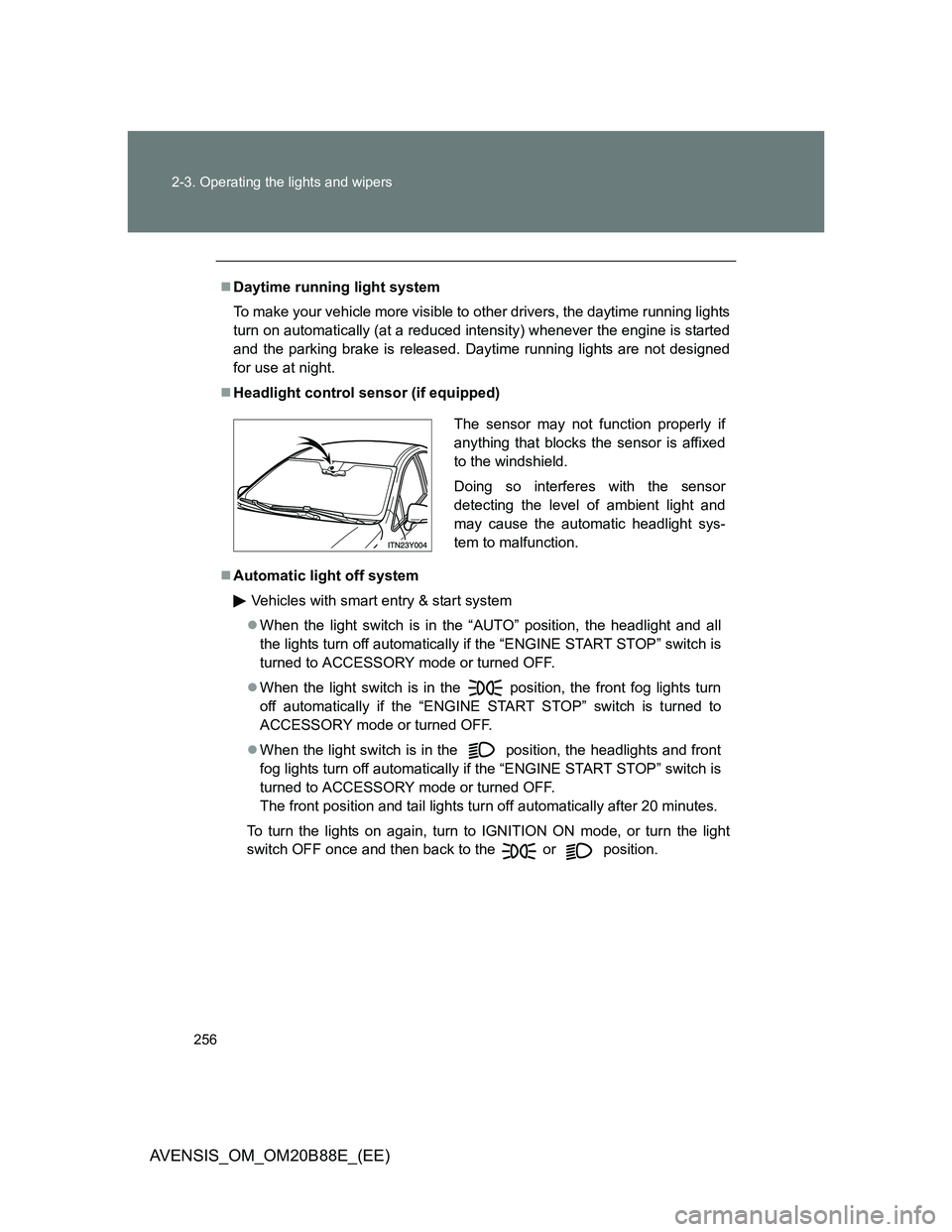
Headlight control sensor (if equipped)
Automatic light off system
Vehicles with smart entry & start system
When the light switch is in the “AUTO” position, the headlight and all
the lights turn off automatically if the “ENGINE START STOP” switch is
turned to ACCESSORY mode or turned OFF.
When the light switch is in the position, the front fog lights turn
off automatically if the “ENGINE START STOP” switch is turned to
ACCESSORY mode or turned OFF.
When the light switch is in the
position, the headlights and front
fog lights turn off automatically if the “ENGINE START STOP” switch is
turned to ACCESSORY mode or turned OFF.
The front position and tail lights turn off automatically after 20 minutes.
To turn the lights on again, turn to IGNITION ON mode, or turn the light
switch OFF once and then back to the or position.
The sensor may not function properly if
anything that blocks the sensor is affixed
to the windshield.
Doing so interferes with the sensor
detecting the level of ambient light and
may cause the automatic headlight sys-
tem to malfunction.
Page 257 of 776
257 2-3. Operating the lights and wipers
2
When driving
AVENSIS_OM_OM20B88E_(EE)
Vehicles without smart entry & start system
When the light switch is in the “AUTO” position, the headlight and all
the lights turn off automatically if the engine switch is turned to the
“ACC” or “LOCK” position.
When the light switch is in the position, the front fog lights turn
off automatically if the engine switch is turned to the “ACC” or “LOCK”
position.
When the light switch is in the
position, the headlights and front
fog lights turn off automatically if the engine switch is turned to “ACC”
or “LOCK” position.
The front position and tail lights turn off automatically after 20 minutes.
To turn the lights on again, turn to the “ON” position, or turn the light switch
OFF once and then back to the or position.
Light reminder buzzer
Vehicles with smart entry & start system
A buzzer sounds when the “ENGINE START STOP” switch is turned OFF
or to ACCESSORY mode and the driver’s door is opened while the lights
are turned on.
Vehicles without smart entry & start system
A buzzer sounds when the engine switch is turned to the “LOCK” or
“ACC” position and the driver’s door is opened while the lights are turned
on.
Automatic headlight leveling system (vehicles with discharge head-
lights)
The level of the headlights is automatically adjusted according to the number
of passengers and the loading condition of the vehicle to ensure that the
headlights do not interfere with other road users.