change language TOYOTA AVENSIS 2018 Owners Manual
[x] Cancel search | Manufacturer: TOYOTA, Model Year: 2018, Model line: AVENSIS, Model: TOYOTA AVENSIS 2018Pages: 660, PDF Size: 63.16 MB
Page 109 of 660
1092. Instrument cluster
2
Instrument cluster
AVENSIS_OM_OM20C79E_(EE)When refueling, turn the engine switch to the “LOCK” position (vehicles
without smart entry & start system) or off (vehicles with smart entry &
start system).
If the vehicle is refueled without turning the engine switch to the “LOCK”
position or off, the display may not be updated.
●Average vehicle speed
Displays the average vehicle speed since the engine was last
started.
●Elapsed time
Displays the elapsed time since the engine was started.
●Setting
The settings of the following items can be changed.
• Language
Select to change the language on the display. (P. 629)
•Units
Select to change the units for measure of the fuel consumption and out-
side temperature. (P. 629)
• Eco Driving Indicator Light
Select to activate/deactivate the Eco Driving Indicator Light. (P. 109)
• Stop & start system
Select to change the stop & start system setting. (P. 295)
•Clock
Select to adjust the hours and minutes. (P. 110)
•Clock format
Select to change the clock format.
• Tire pressure warning system
Select to set up the tire pressure warning system. (P. 470)
●Average fuel consumption and Eco Driving Indicator Zone Display
(if equipped)
Displays the average fuel consumption since the function was reset.
Suggests Zone of Eco driving and Eco driving ratio based on accel-
eration.
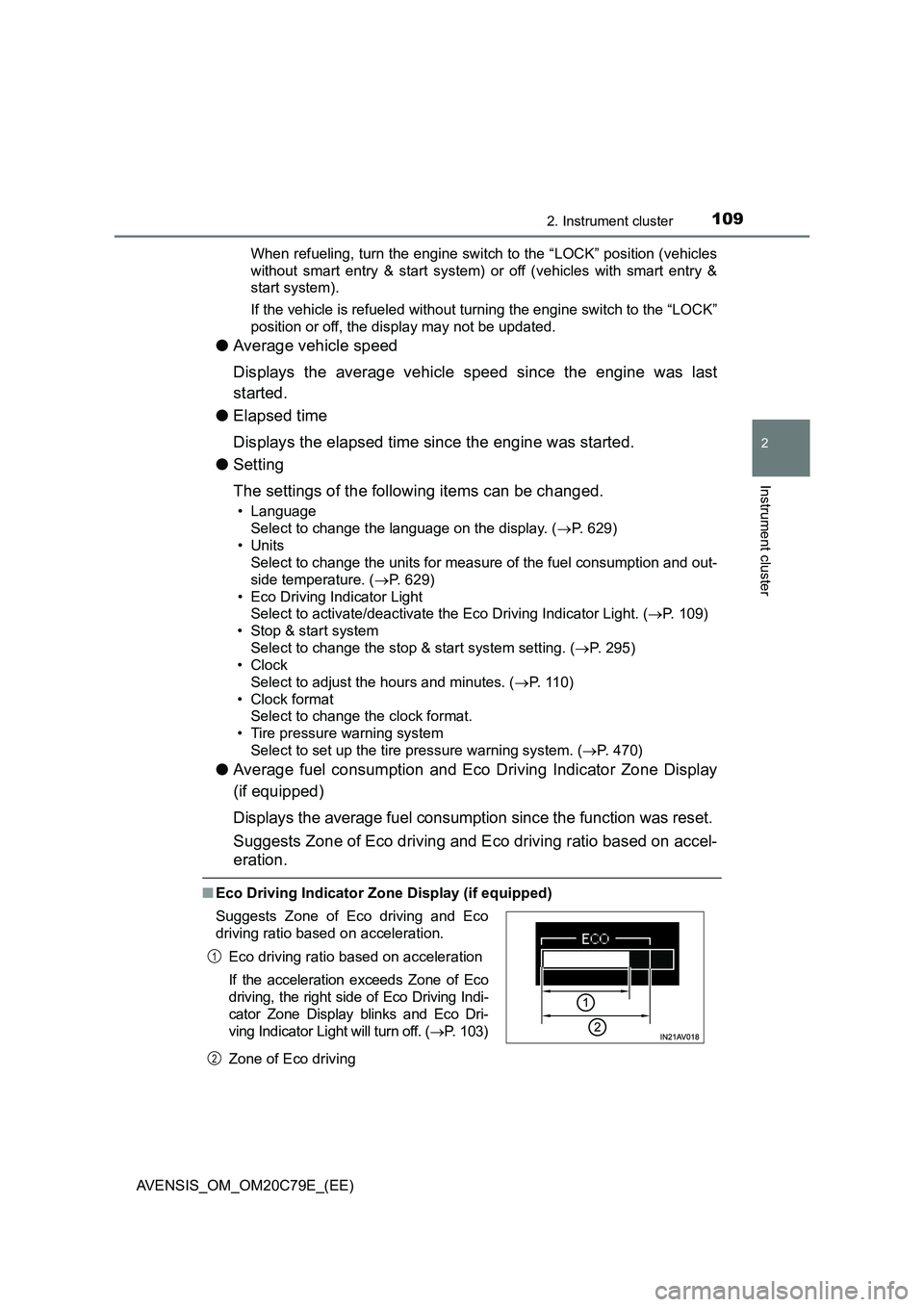
■Eco Driving Indicator Zone Display (if equipped)
Zone of Eco driving Suggests Zone of Eco driving and Eco
driving ratio based on acceleration.
Eco driving ratio based on acceleration
If the acceleration exceeds Zone of Eco
driving, the right side of Eco Driving Indi-
cator Zone Display blinks and Eco Dri-
ving Indicator Light will turn off. (P. 103)
1
2
Page 115 of 660
1152. Instrument cluster
2
Instrument cluster
AVENSIS_OM_OM20C79E_(EE)
• Drive information 1 through 3
Select to select up to 2 items that will be displayed on a Drive informa-
tion screen, up to 3 Drive information screens can be set.
• Pop-up display
Select to set the pop-up displays*2, which may appear in some situa-
tions, on/off.
• Initialization
Registered or changed meter settings will be deleted or returned to their
default setting.
●Language
Select to change the language on the display.
*1: If equipped
*2: Stop & Start system operation time display (if equipped), route guidance
display of the navigation system-linked system (if equipped) and incom-
ing call display of the hands-free phone system (if equipped).
■Pop-up display
In some situations, such as when a switch operation is performed, a pop-up
display will be temporarily displayed on the multi-information display.
The pop-up display function can be set on/off.
■Setting display automatic cancelation
In the following situations, setting display in which the settings can be
changed through the meter control switch will automatically be turned off.
●If a warning message appears while the setting display is displayed
●When the vehicle begins to move while the setting display is displayed
■Liquid crystal display
Small spots or light spots may appear on the display. This phenomenon is
characteristic of liquid crystal displays, and there is no problem continuing to
use the display.
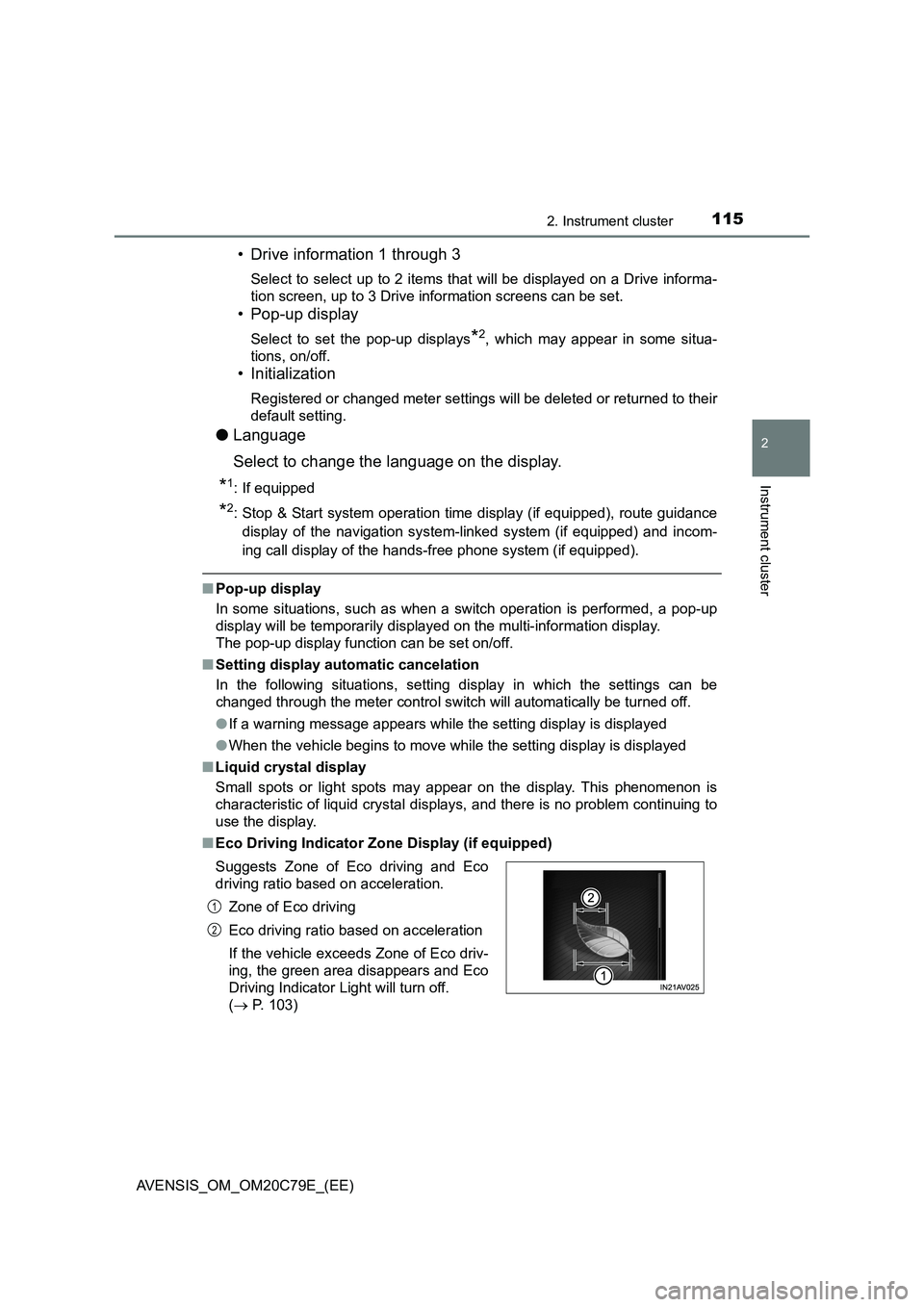
■Eco Driving Indicator Zone Display (if equipped)
Suggests Zone of Eco driving and Eco
driving ratio based on acceleration.
Zone of Eco driving
Eco driving ratio based on acceleration
If the vehicle exceeds Zone of Eco driv-
ing, the green area disappears and Eco
Driving Indicator Light will turn off.
( P. 103)
1
2
Page 631 of 660
6319-2. Customization
AVENSIS_OM_OM20C79E_(EE)
9
Vehicle specifications
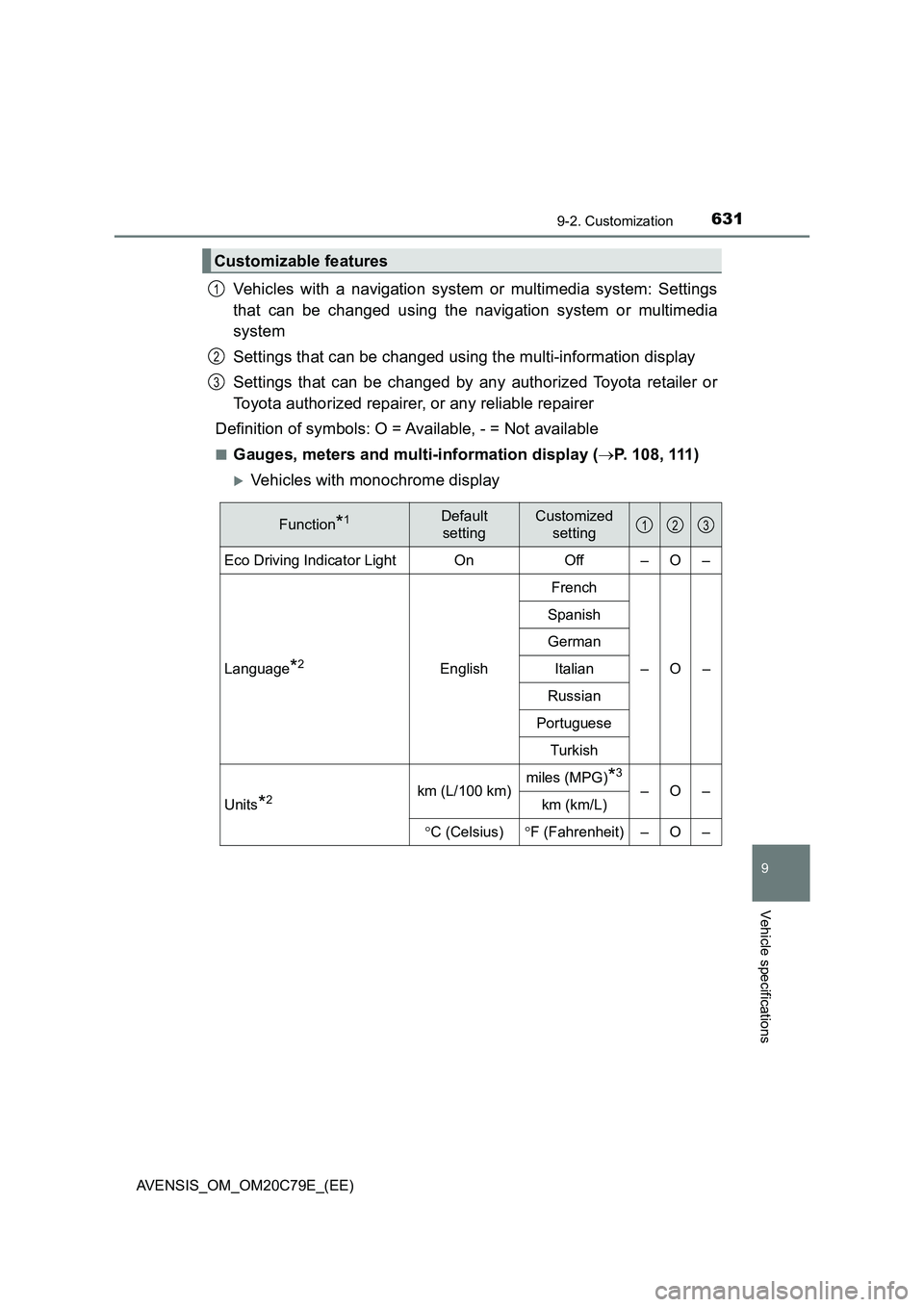
Vehicles with a navigation system or multimedia system: Settings
that can be changed using the navigation system or multimedia
system
Settings that can be changed using the multi-information display
Settings that can be changed by any authorized Toyota retailer or
Toyota authorized repairer, or any reliable repairer
Definition of symbols: O = Available, - = Not available
■Gauges, meters and multi-information display (P. 108, 111)
Vehicles with monochrome display
Customizable features
1
2
3
Function*1Default
settingCustomized
setting
Eco Driving Indicator Light On Off – O –
Language
*2EnglishFrench
–O– Spanish
German
Italian
Russian
Portuguese
Turkish
Units
*2km (L/100 km)miles (MPG)*3
–O–
km (km/L)
C (Celsius)F (Fahrenheit) – O –
123