phone TOYOTA AYGO 2014 (in English) User Guide
[x] Cancel search | Manufacturer: TOYOTA, Model Year: 2014, Model line: AYGO, Model: TOYOTA AYGO 2014Pages: 372, PDF Size: 14.28 MB
Page 213 of 372
213 3-3. Using the audio system (Type B)
3
Interior features
AYGO_WE_99G80E
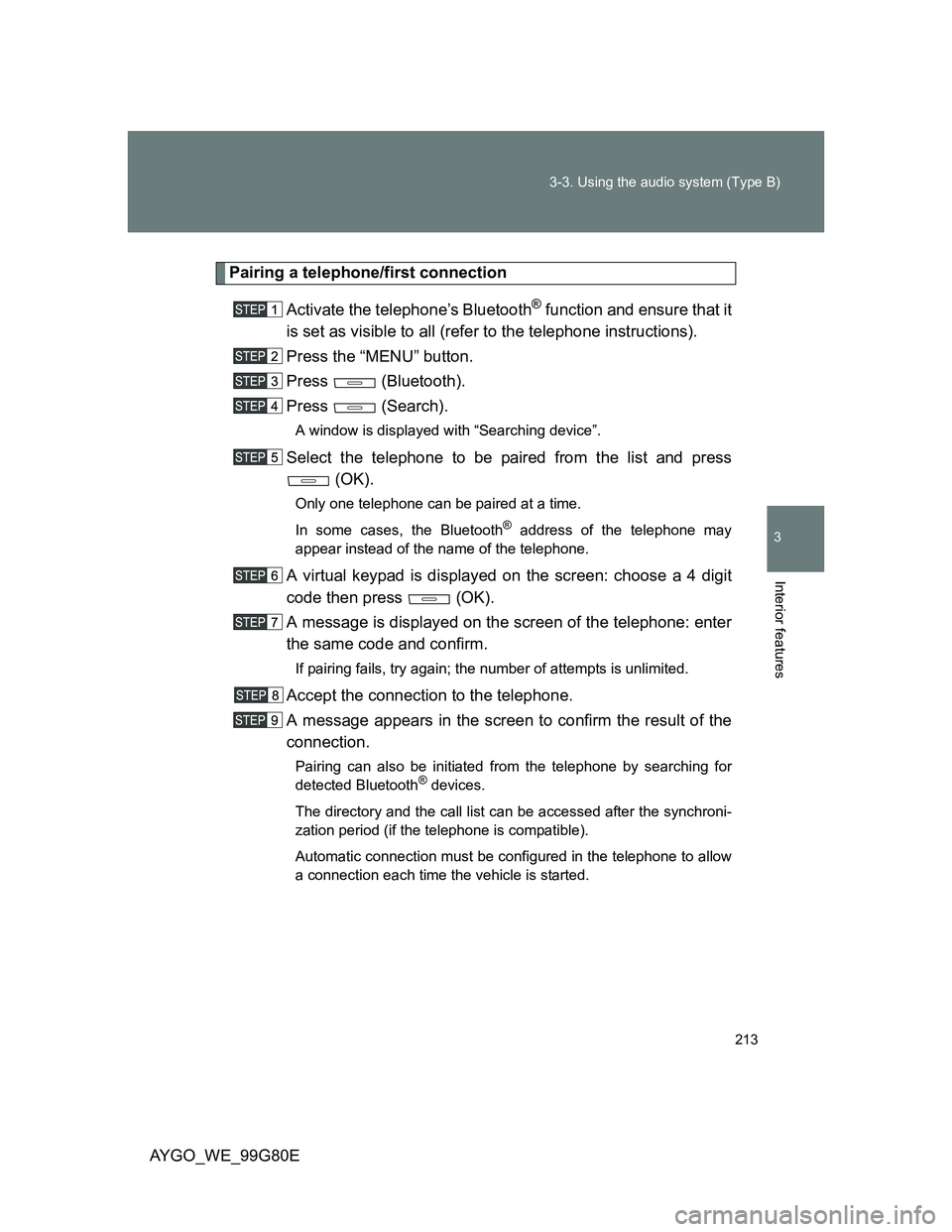
Pairing a telephone/first connection
Activate the telephone’s Bluetooth
® function and ensure that it
is set as visible to all (refer to the telephone instructions).
Press the “MENU” button.
Press (Bluetooth).
Press (Search).
A window is displayed with “Searching device”.
Select the telephone to be paired from the list and press
(OK).
Only one telephone can be paired at a time.
In some cases, the Bluetooth
® address of the telephone may
appear instead of the name of the telephone.
A virtual keypad is displayed on the screen: choose a 4 digit
code then press (OK).
A message is displayed on the screen of the telephone: enter
the same code and confirm.
If pairing fails, try again; the number of attempts is unlimited.
Accept the connection to the telephone.
A message appears in the screen to confirm the result of the
connection.
Pairing can also be initiated from the telephone by searching for
detected Bluetooth® devices.
The directory and the call list can be accessed after the synchroni-
zation period (if the telephone is compatible).
Automatic connection must be configured in the telephone to allow
a connection each time the vehicle is started.
Page 214 of 372
214 3-3. Using the audio system (Type B)
AYGO_WE_99G80E
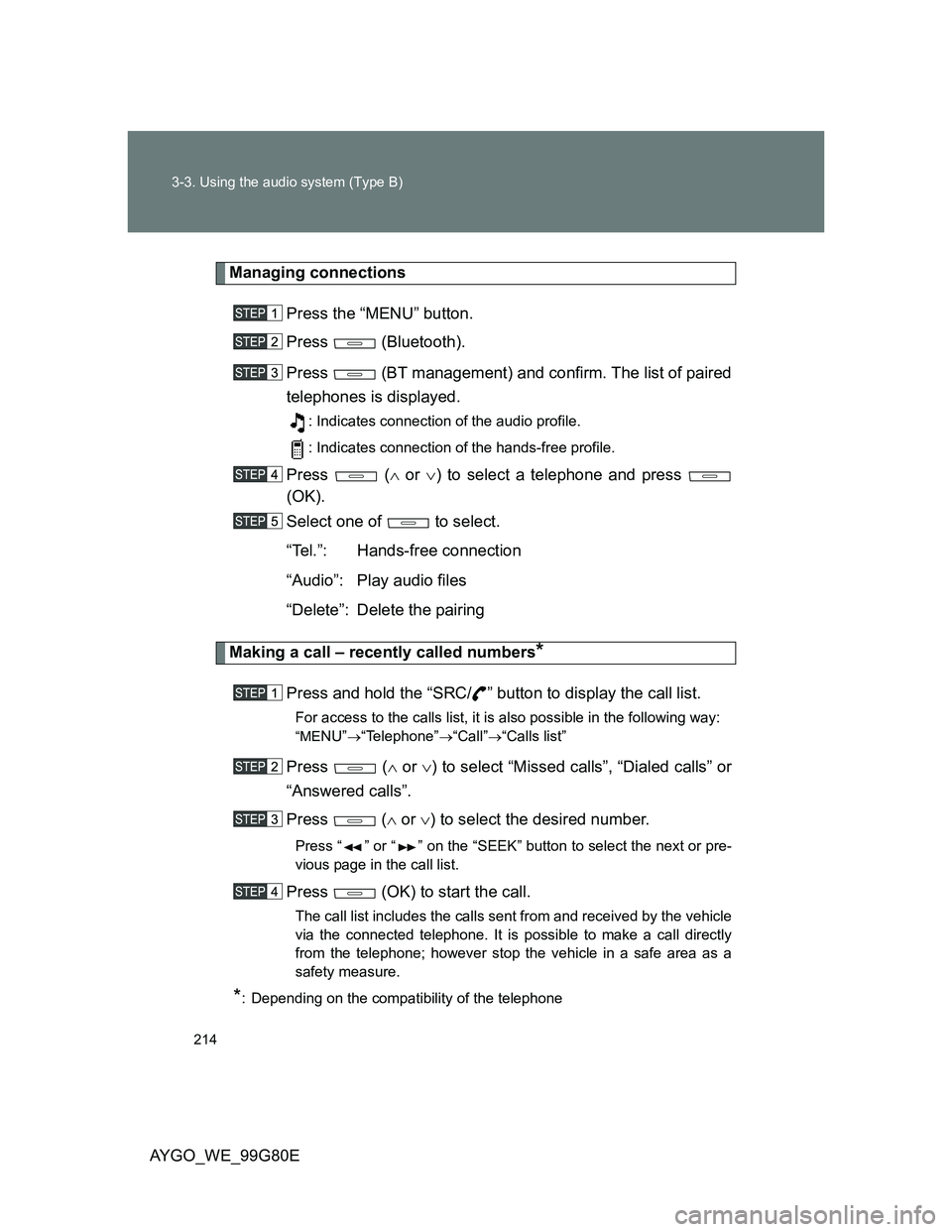
Managing connections
Press the “MENU” button.
Press (Bluetooth).
Press (BT management) and confirm. The list of paired
telephones is displayed.
: Indicates connection of the audio profile.
: Indicates connection of the hands-free profile.
Press ( or ) to select a telephone and press
(OK).
Select one of to select.
“Tel.”: Hands-free connection
“Audio”: Play audio files
“Delete”: Delete the pairing
Making a call – recently called numbers*
Press and hold the “SRC/ ” button to display the call list.
For access to the calls list, it is also possible in the following way:
“MENU”“Telephone”“Call”“Calls list”
Press ( or ) to select “Missed calls”, “Dialed calls” or
“Answered calls”.
Press ( or ) to select the desired number.
Press “ ” or “ ” on the “SEEK” button to select the next or pre-
vious page in the call list.
Press (OK) to start the call.
The call list includes the calls sent from and received by the vehicle
via the connected telephone. It is possible to make a call directly
from the telephone; however stop the vehicle in a safe area as a
safety measure.
*: Depending on the compatibility of the telephone
Page 215 of 372
215 3-3. Using the audio system (Type B)
3
Interior features
AYGO_WE_99G80E
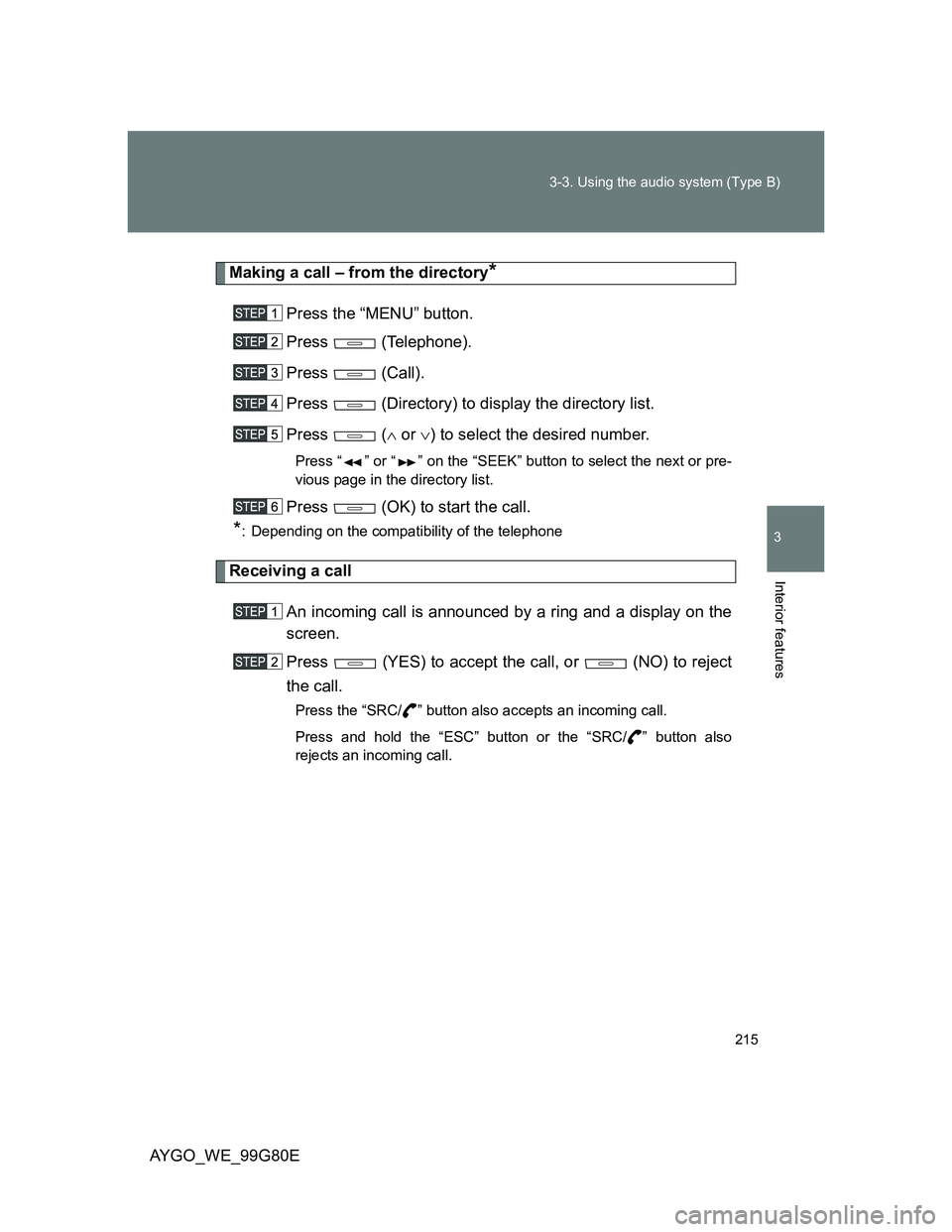
Making a call – from the directory*
Press the “MENU” button.
Press (Telephone).
Press (Call).
Press (Directory) to display the directory list.
Press ( or ) to select the desired number.
Press “ ” or “ ” on the “SEEK” button to select the next or pre-
vious page in the directory list.
Press (OK) to start the call.
*: Depending on the compatibility of the telephone
Receiving a call
An incoming call is announced by a ring and a display on the
screen.
Press (YES) to accept the call, or (NO) to reject
the call.
Press the “SRC/ ” button also accepts an incoming call.
Press and hold the “ESC” button or the “SRC/ ” button also
rejects an incoming call.
Page 216 of 372
216 3-3. Using the audio system (Type B)
AYGO_WE_99G80E
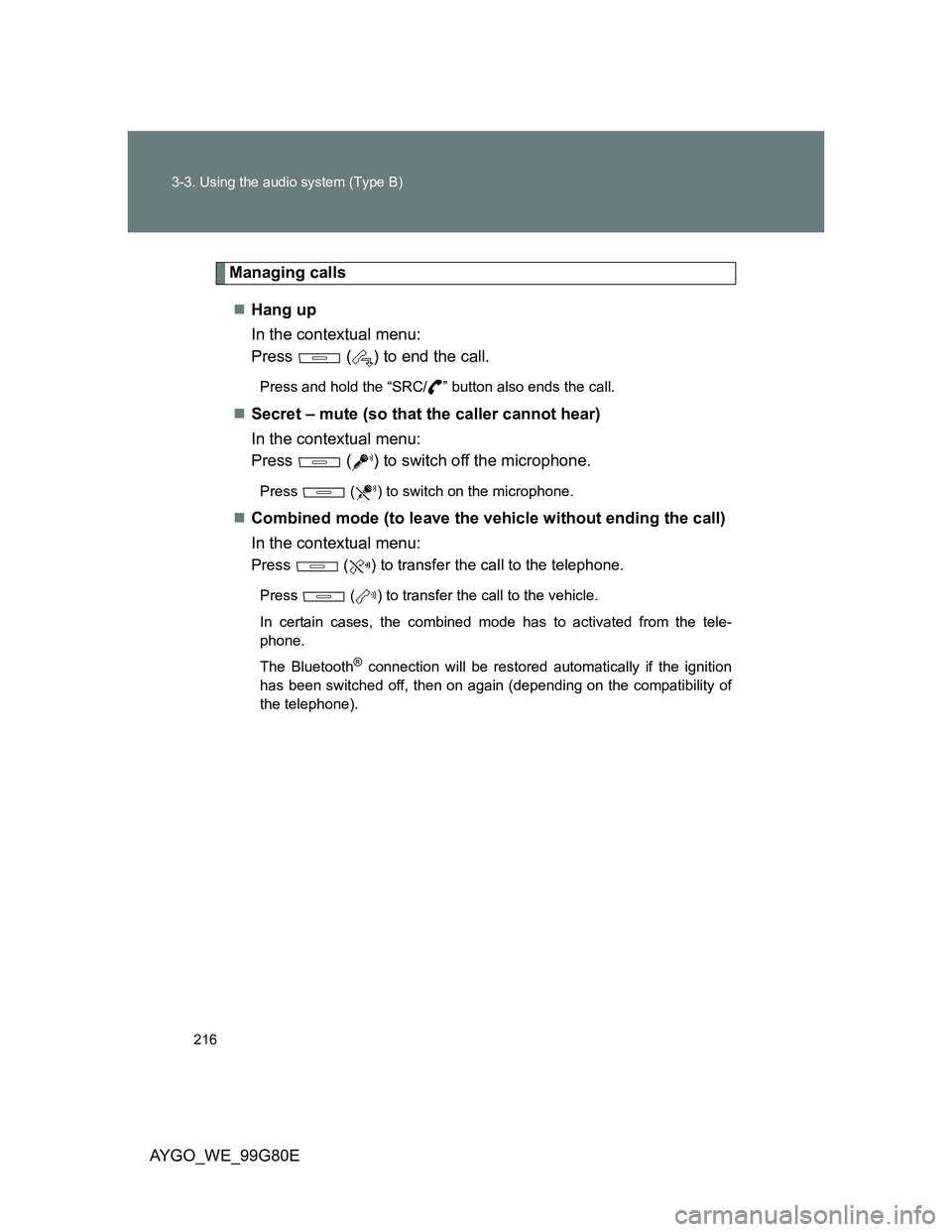
Managing calls
Hang up
In the contextual menu:
Press ( ) to end the call.
Press and hold the “SRC/ ” button also ends the call.
Secret – mute (so that the caller cannot hear)
In the contextual menu:
Press ( ) to switch off the microphone.
Press ( ) to switch on the microphone.
Combined mode (to leave the vehicle without ending the call)
In the contextual menu:
Press ( ) to transfer the call to the telephone.
Press ( ) to transfer the call to the vehicle.
In certain cases, the combined mode has to activated from the tele-
phone.
The Bluetooth
® connection will be restored automatically if the ignition
has been switched off, then on again (depending on the compatibility of
the telephone).
Page 217 of 372
217 3-3. Using the audio system (Type B)
3
Interior features
AYGO_WE_99G80E
Pairing a telephone
The services offered depend on the network, the SIM card and the com-
patibility of the Bluetooth® telephone used. Consult your telephone’s
manual and your operator to find out which services are available to you.
For safety reasons and because they require prolonged attention on the
part of the driver, the operations for pairing of the Bluetooth
® mobile tele-
phone with the Bluetooth® hands-free system of your audio system must
be carried out with the vehicle stationary and the ignition on.
Visit www.toyota-europe.com for more information (compatibility, more
help, ...).
It is not possible to pair more that 5 telephones. If 5 telephones are
already paired, a registered telephone needs to be deleted. (P. 214)
Pairing can also be initiated from the telephone by searching for detected
Bluetooth
® devices.
The directory and the calls list can be accessed after the synchronization
period (if the telephone is compatible). Automatic connection must be
configured in the telephone to allow the connection each time the vehicle
is started.
The telephone connection automatically includes hands-free operation
and audio streaming.
About Bluetooth
®
Bluetooth is a registered trademark of
Bluetooth SIG, Inc.
Page 219 of 372
219 3-3. Using the audio system (Type B)
3
Interior features
AYGO_WE_99G80E
CAUTION
Caution while driving
Do not use a cellular phone, or connect the Bluetooth
® phone.
Caution regarding interference with electronic devices
Your audio unit is fitted with Bluetooth
® antennas. People with implanted
pacemakers or cardiac defibrillators should maintain a reasonable dis-
tance between themselves and the Bluetooth
® antennas. The radio waves
may affect the operation of such devices.
Before using Bluetooth
® devices, users of any electrical medical device
other than implanted pacemakers and implanted cardiac defibrillators
should consult the manufacturer of the device for information about its
operation under the influence of radio waves. Radio waves could have
unexpected effects on the operation of such medical devices.
NOTICE
To prevent damage to a cellular phone
Do not leave a cellular phone in the vehicle. The temperature inside may
become high resulting in damage to the phone.
Page 226 of 372
226 3-3. Using the audio system (Type B)
AYGO_WE_99G80E
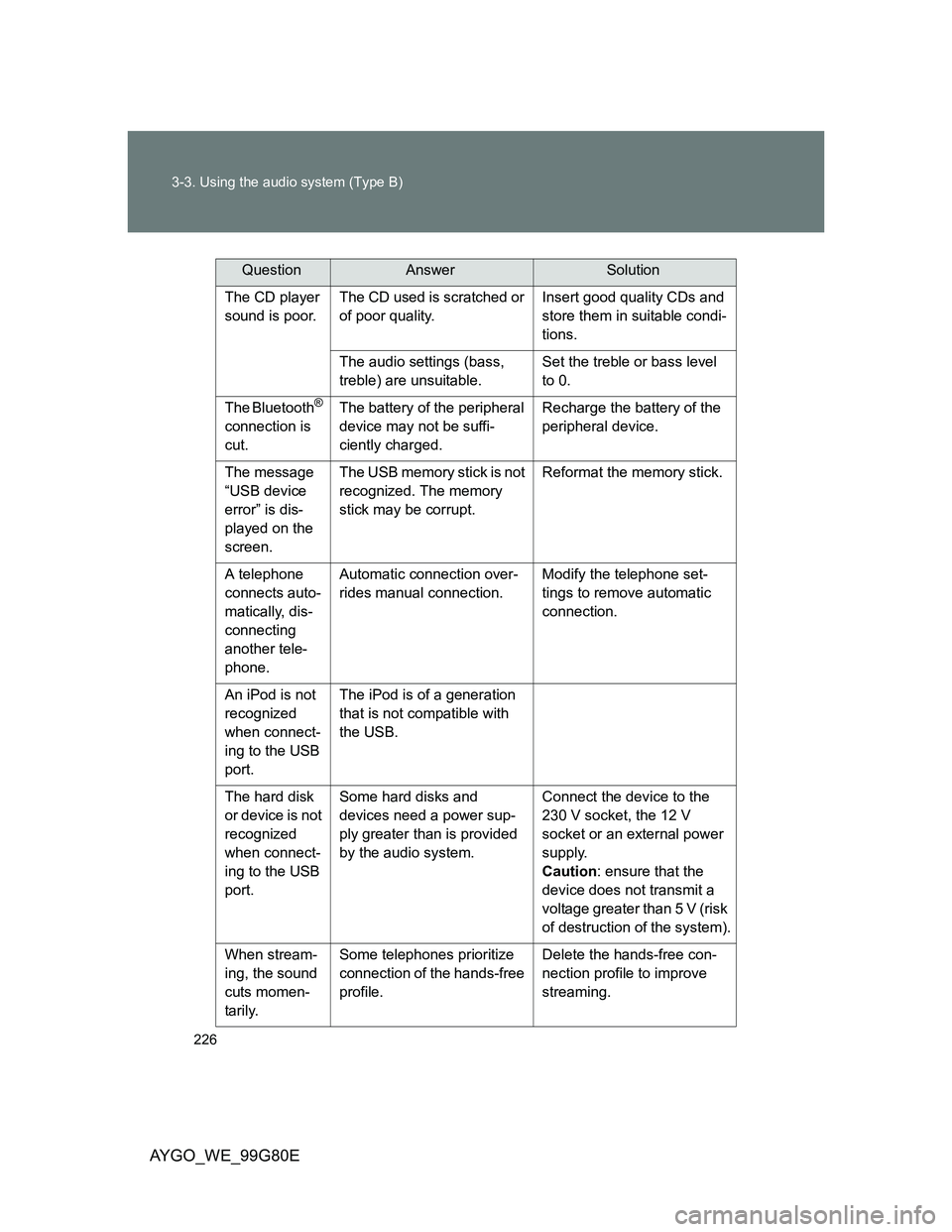
The CD player
sound is poor.The CD used is scratched or
of poor quality.Insert good quality CDs and
store them in suitable condi-
tions.
The audio settings (bass,
treble) are unsuitable.Set the treble or bass level
to 0.
The Bluetooth®
connection is
cut.The battery of the peripheral
device may not be suffi-
ciently charged.Recharge the battery of the
peripheral device.
The message
“USB device
error” is dis-
played on the
screen.The USB memory stick is not
recognized. The memory
stick may be corrupt.Reformat the memory stick.
A telephone
connects auto-
matically, dis-
connecting
another tele-
phone.Automatic connection over-
rides manual connection.Modify the telephone set-
tings to remove automatic
connection.
An iPod is not
recognized
when connect-
ing to the USB
port.The iPod is of a generation
that is not compatible with
the USB.
The hard disk
or device is not
recognized
when connect-
ing to the USB
port.Some hard disks and
devices need a power sup-
ply greater than is provided
by the audio system.Connect the device to the
230 V socket, the 12 V
socket or an external power
supply.
Caution: ensure that the
device does not transmit a
voltage greater than 5 V (risk
of destruction of the system).
When stream-
ing, the sound
cuts momen-
tarily.Some telephones prioritize
connection of the hands-free
profile.Delete the hands-free con-
nection profile to improve
streaming.
QuestionAnswerSolution
Page 362 of 372
362 Alphabetical index
AYGO_WE_99G80E
Back door ................................... 48
Back-up lights
Replacing light bulbs ............. 292
Wattage................................. 356
Battery
Checking ............................... 266
If the vehicle battery is
discharged .......................... 332
Preparing and checking
before winter ....................... 159
Bluetooth
® audio ..................... 209
Bluetooth® phone .................... 212
Brake
Parking brake ........................ 137
Brake assist.............................. 154
Break-in tips ............................. 117
Care
Exterior.................................. 242
Interior ................................... 245
Seat belts .............................. 246
CD player .......................... 181, 196
Chains ....................................... 159
Child-protectors ......................... 46
Child restraint system
Baby seats, definition .............. 92
Baby seats, installation ......... 103
Child seats, definition .............. 92
Child seats, installation ......... 103
Installing CRS with ISOFIX
rigid anchor ......................... 107
Installing CRS with seat
belts .................................... 104
Installing CRS with top
straps .................................. 107
Junior seats, definition ............ 92
Junior seats, installation........ 103Child safety
Airbag precautions .................. 85
Battery precautions ....... 268, 334
Child-protectors ...................... 46
Child restraint system ............. 92
How your child should wear
the seat belt .......................... 60
Installing child restraints ....... 103
Power window precautions ..... 66
Removed key battery
precautions ......................... 281
Seat belt precautions .............. 61
Cleaning
Exterior ................................. 242
Interior................................... 245
Seat belts .............................. 246
Clock ......................................... 233
Condenser ................................ 266
Cooling system
Engine overheating ............... 336
Cup holders.............................. 230
Curtain shield airbags ............... 79
B
C
Page 365 of 372
365 Alphabetical index
AYGO_WE_99G80E
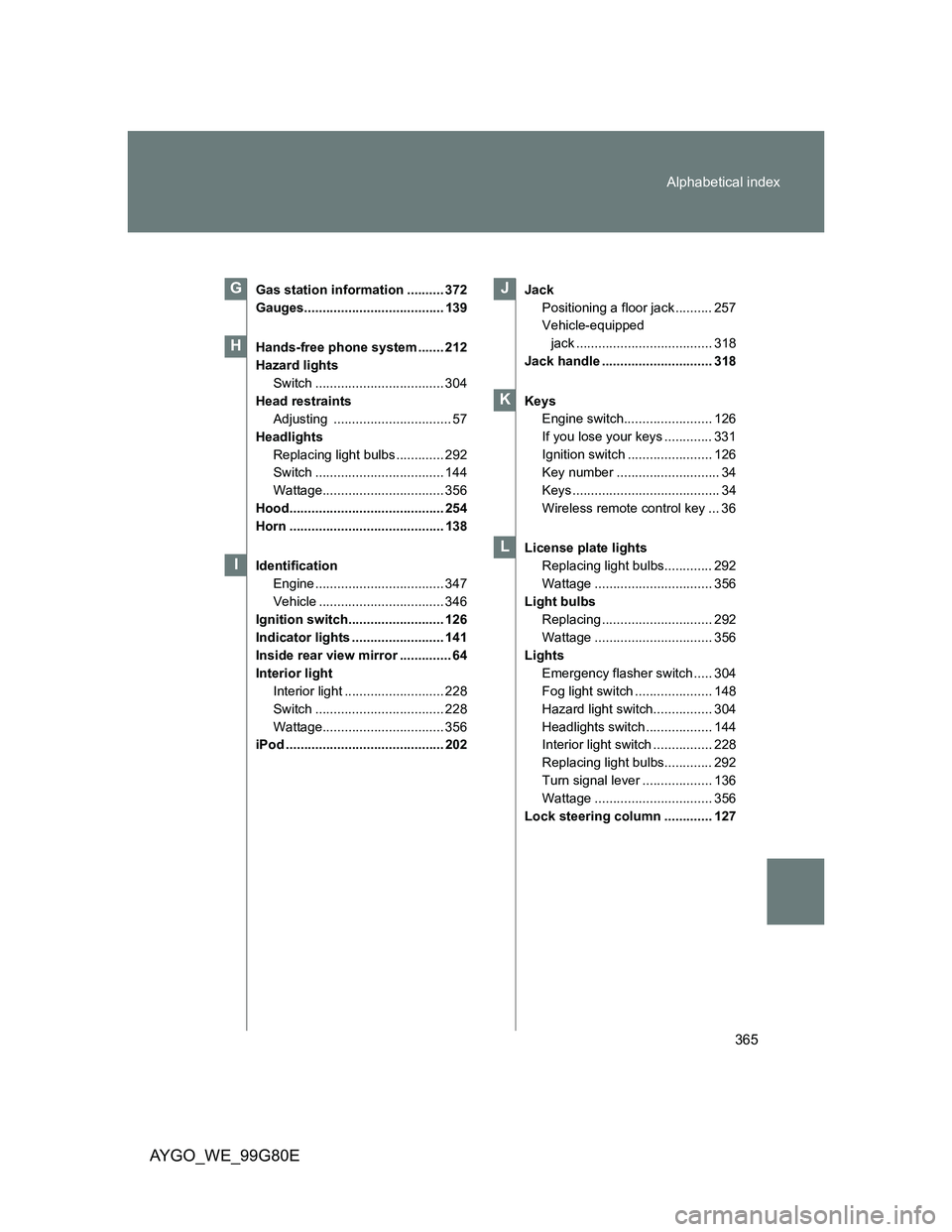
Gas station information .......... 372
Gauges...................................... 139
Hands-free phone system ....... 212
Hazard lights
Switch ................................... 304
Head restraints
Adjusting ................................ 57
Headlights
Replacing light bulbs ............. 292
Switch ................................... 144
Wattage................................. 356
Hood.......................................... 254
Horn .......................................... 138
Identification
Engine ................................... 347
Vehicle .................................. 346
Ignition switch.......................... 126
Indicator lights ......................... 141
Inside rear view mirror .............. 64
Interior light
Interior light ........................... 228
Switch ................................... 228
Wattage................................. 356
iPod ........................................... 202Jack
Positioning a floor jack .......... 257
Vehicle-equipped
jack ..................................... 318
Jack handle .............................. 318
Keys
Engine switch........................ 126
If you lose your keys ............. 331
Ignition switch ....................... 126
Key number ............................ 34
Keys ........................................ 34
Wireless remote control key ... 36
License plate lights
Replacing light bulbs............. 292
Wattage ................................ 356
Light bulbs
Replacing .............................. 292
Wattage ................................ 356
Lights
Emergency flasher switch ..... 304
Fog light switch ..................... 148
Hazard light switch................ 304
Headlights switch .................. 144
Interior light switch ................ 228
Replacing light bulbs............. 292
Turn signal lever ................... 136
Wattage ................................ 356
Lock steering column ............. 127G
H
I
J
K
L