AUX TOYOTA AYGO 2014 Owners Manual (in English)
[x] Cancel search | Manufacturer: TOYOTA, Model Year: 2014, Model line: AYGO, Model: TOYOTA AYGO 2014Pages: 372, PDF Size: 14.28 MB
Page 3 of 372
1
2
3
4
5
6
AYGO_WE_99G80E
3
2-3. Operating the lights and
wipers
Headlight switch.................. 144
Fog light switch ................... 148
Windshield wiper and
washer .............................. 150
Rear window wiper and
washer .............................. 152
2-4. Using other driving systems
Driving assist systems ........ 154
2-5. Driving information
Cargo and luggage ............. 157
Winter driving tips ............... 159
Trailer towing ...................... 163
3-1. Using the air conditioning
system and defogger
Air conditioning system ....... 166
Rear window defogger ........ 174
3-2. Using the audio system
(Type A)
Audio system types............. 175
Using the radio.................... 177
Using the CD player............ 181
Optimal use of the audio
system .............................. 187
Using the AUX port ............. 1893-3. Using the audio system
(Type B)
Audio system types ............ 190
Using the radio ................... 192
Using the CD player ........... 196
Operating a USB memory/
iPod .................................. 202
Using the AUX port ............ 208
Using the Bluetooth
® audio
streaming ......................... 209
Using the telephone ........... 212
Audio settings..................... 220
Configuration ...................... 222
Frequently asked
questions.......................... 224
3-4. Using the interior lights
Interior lights list ................. 228
• Interior light ...................... 228
3-5. Using the storage features
List of storage features....... 229
• Cup holders...................... 230
3-6. Other interior features
Sun visors .......................... 231
Vanity mirrors ..................... 232
Clock .................................. 233
Power outlet ....................... 236
Floor mat ............................ 237
Luggage compartment
features ............................ 239
3Interior features
Page 15 of 372
AYGO_WE_99G80E
15
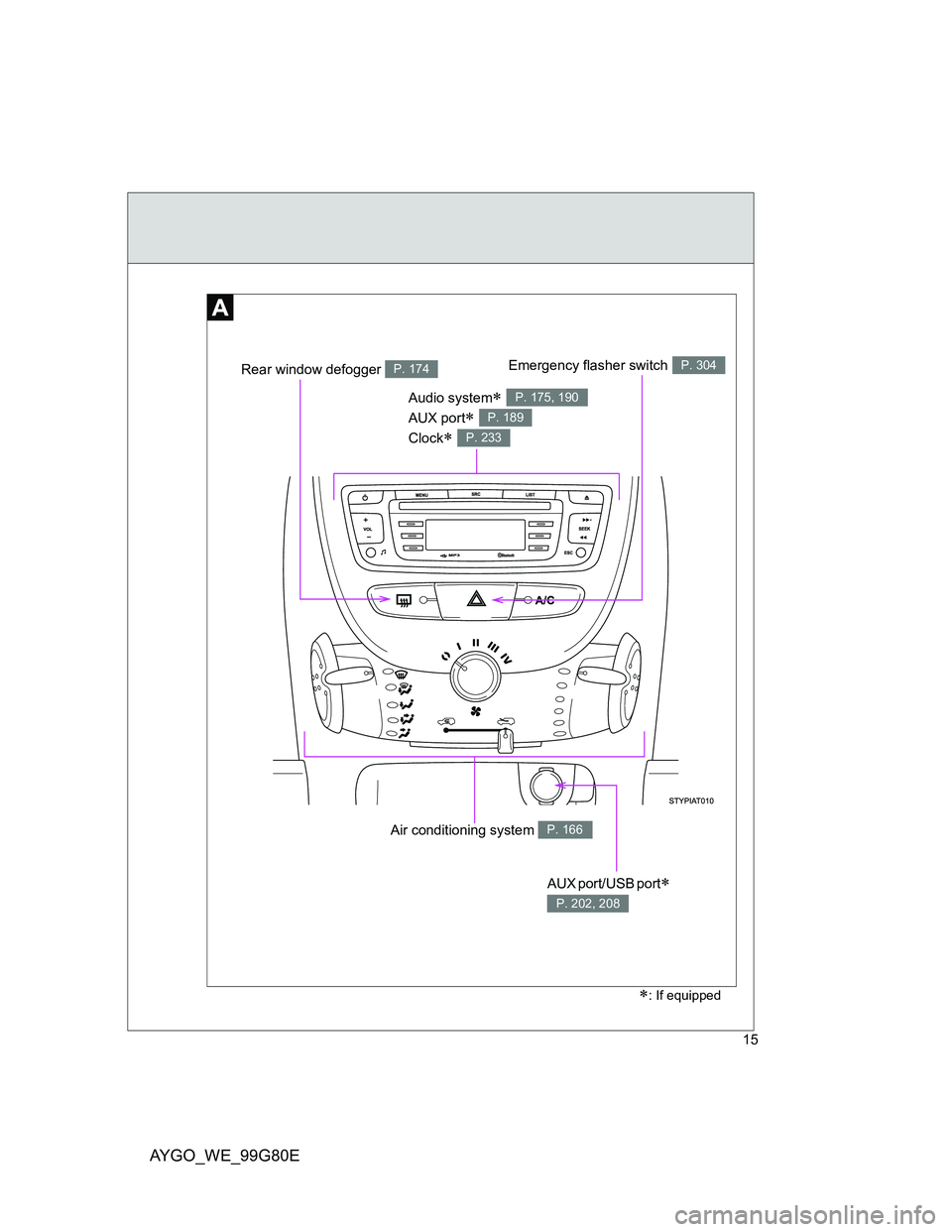
Air conditioning system P. 166
Audio system
AUX port
Clock
P. 175, 190
P. 189
P. 233
AUX port/USB port
P. 202, 208
: If equipped
Emergency flasher switchP. 304Rear window defogger P. 174
Page 24 of 372
AYGO_WE_99G80E
24
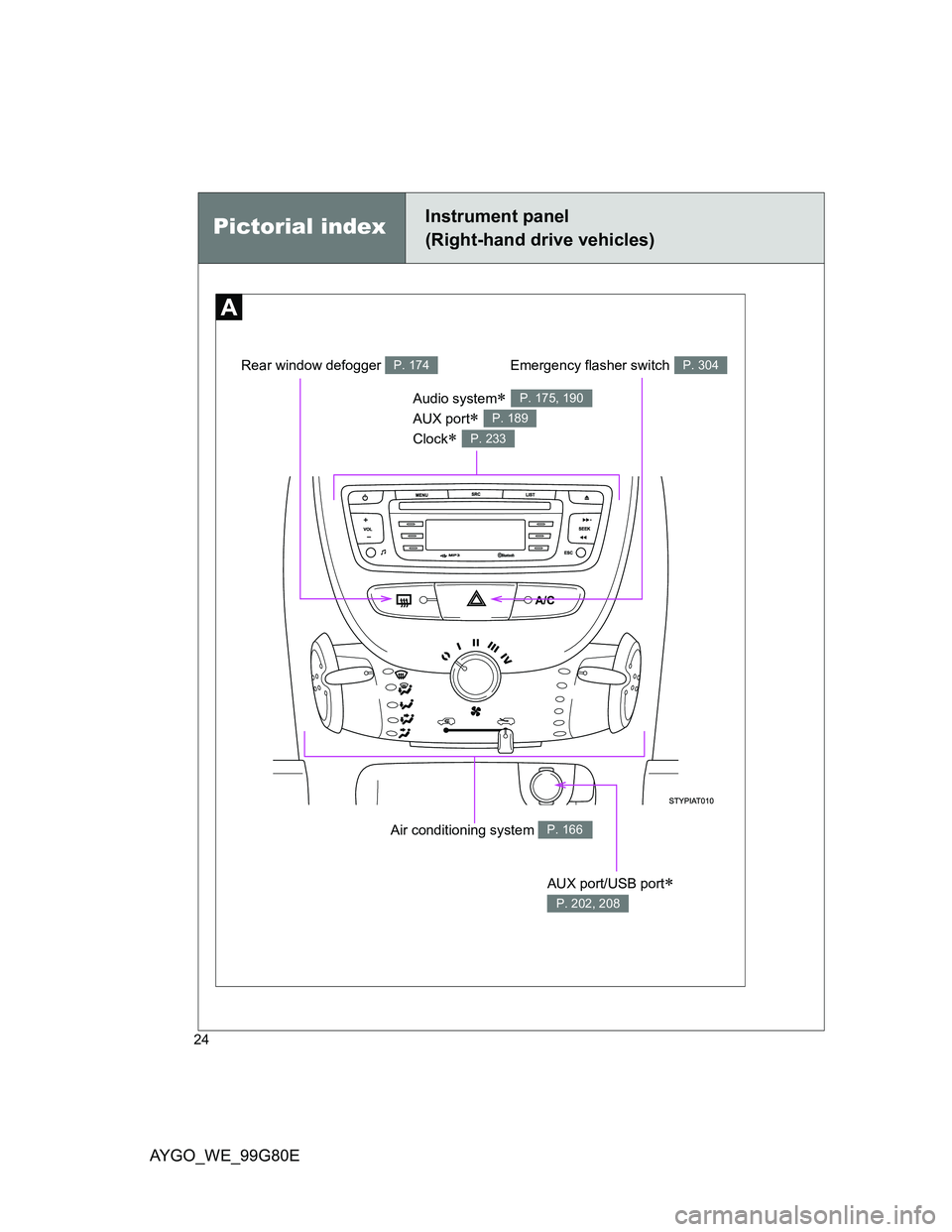
Pictorial indexInstrument panel
(Right-hand drive vehicles)
Air conditioning system P. 166
Audio system
AUX port
Clock
P. 175, 190
P. 189
P. 233
AUX port/USB port
P. 202, 208
Emergency flasher switchP. 304Rear window defogger P. 174
Page 165 of 372
3Interior features
165
AYGO_WE_99G80E
3-1. Using the air conditioning
system and defogger
Air conditioning system..... 166
Rear window defogger...... 174
3-2. Using the audio system
(Type A)
Audio system types .......... 175
Using the radio ................. 177
Using the CD player ......... 181
Optimal use of the audio
system ............................ 187
Using the AUX port ........... 189
3-3. Using the audio system
(Type B)
Audio system types .......... 190
Using the radio ................. 192
Using the CD player ......... 196
Operating a USB memory/
iPod ................................ 202
Using the AUX port ........... 208
Using the Bluetooth
® audio
streaming ........................ 209
Using the telephone.......... 212
Audio settings ................... 220
Configuration .................... 222
Frequently asked
questions ........................ 2243-4. Using the interior lights
Interior lights list ................ 228
• Interior light ..................... 228
3-5. Using the storage features
List of storage features ..... 229
• Cup holders .................... 230
3-6. Other interior features
Sun visors ......................... 231
Vanity mirrors.................... 232
Clock ................................. 233
Power outlet ...................... 236
Floor mat........................... 237
Luggage compartment
features........................... 239
Page 175 of 372
175
3
Interior features
AYGO_WE_99G80E
3-2. Using the audio system (Type A)
Audio system types
: If equipped
Using cellular phones
Interference may be heard through the audio system’s speakers if a cellular
phone is being used inside or close to the vehicle while the audio system is
operating.
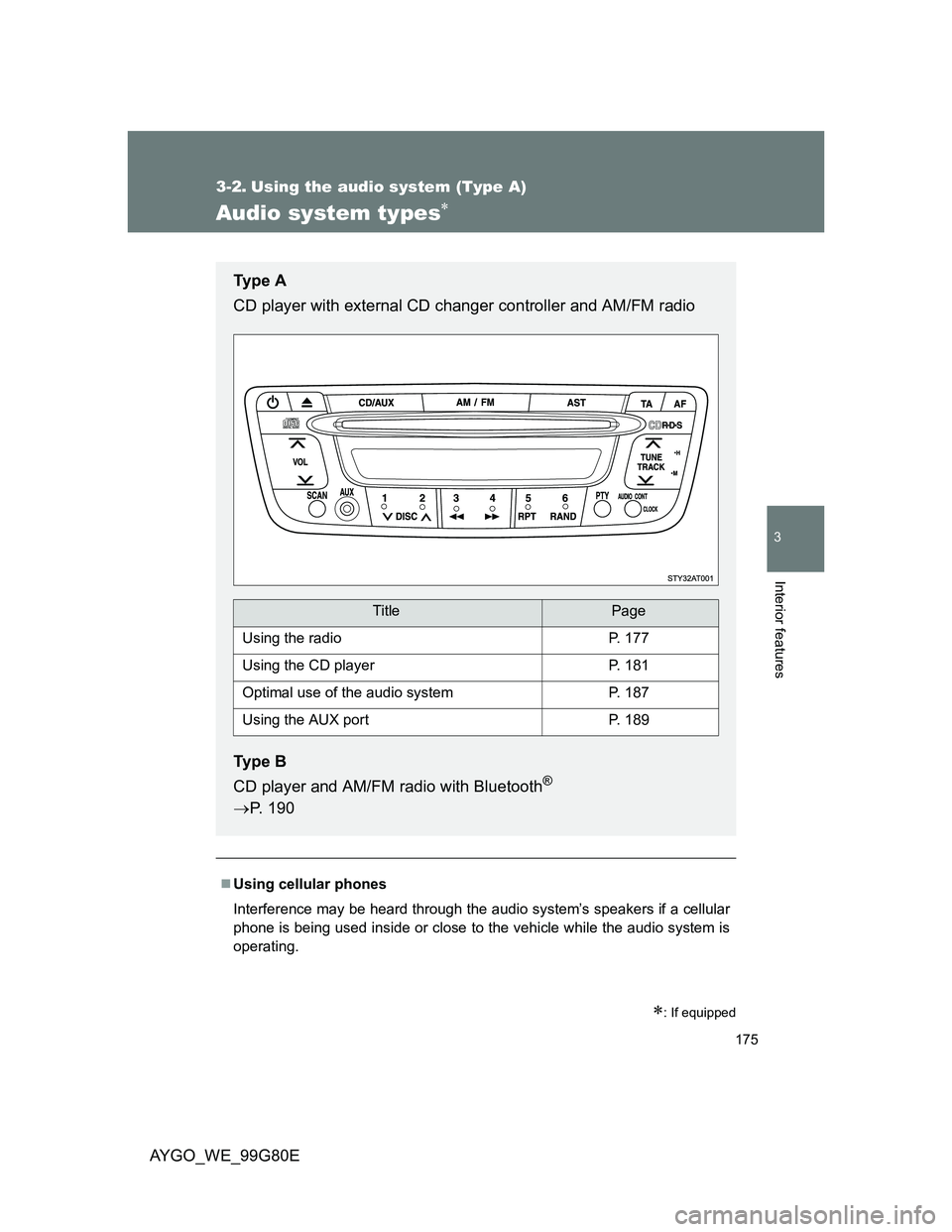
Ty p e A
CD player with external CD changer controller and AM/FM radio
Ty p e B
CD player and AM/FM radio with Bluetooth
®
P. 190
TitlePage
Using the radioP. 177
Using the CD playerP. 181
Optimal use of the audio systemP. 187
Using the AUX portP. 189
Page 189 of 372
189
3-2. Using the audio system (Type A)
3
Interior features
AYGO_WE_99G80E
Using the AUX por t
: If equipped
Operating portable audio devices connected to the audio system
The volume can be adjusted using the vehicle’s audio controls. All other
adjustments must be made on the portable audio device itself.
When using a portable audio device connected to the power outlet
Noise may occur during playback. Use the power source of the portable
audio device.
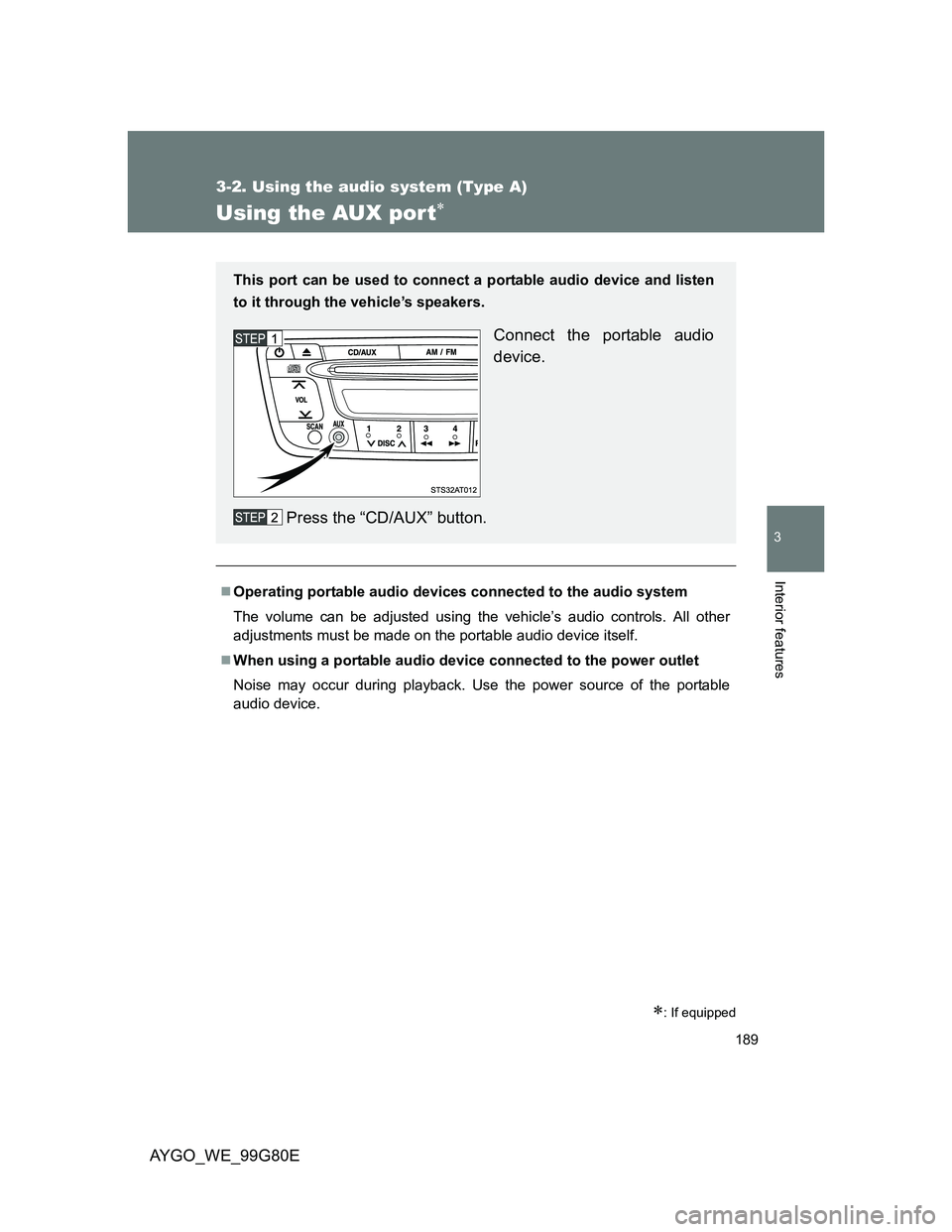
This port can be used to connect a portable audio device and listen
to it through the vehicle’s speakers.
Connect the portable audio
device.
Press the “CD/AUX” button.
Page 190 of 372
190
AYGO_WE_99G80E
3-3. Using the audio system (Type B)
Audio system types
: If equipped
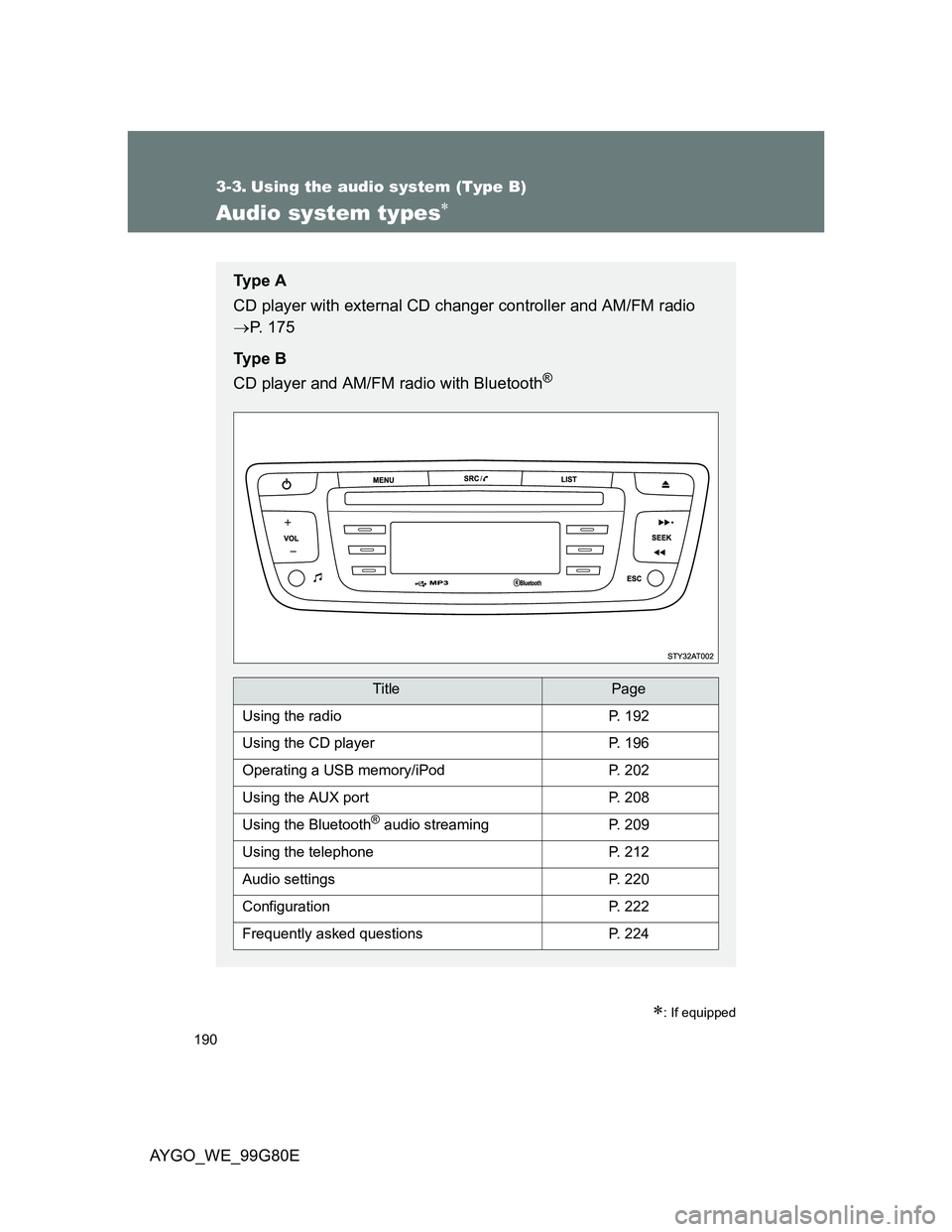
Ty p e A
CD player with external CD changer controller and AM/FM radio
P. 175
Ty p e B
CD player and AM/FM radio with Bluetooth
®
TitlePage
Using the radioP. 192
Using the CD playerP. 196
Operating a USB memory/iPodP. 202
Using the AUX portP. 208
Using the Bluetooth® audio streamingP. 209
Using the telephoneP. 212
Audio settingsP. 220
ConfigurationP. 222
Frequently asked questionsP. 224
Page 208 of 372
208
3-3. Using the audio system (Type B)
AYGO_WE_99G80E
Using the AUX por t
: If equipped
Operating portable audio devices connected to the audio system
The volume can be adjusted using the vehicle’s audio controls. All other
adjustments must be made on the portable audio device itself.
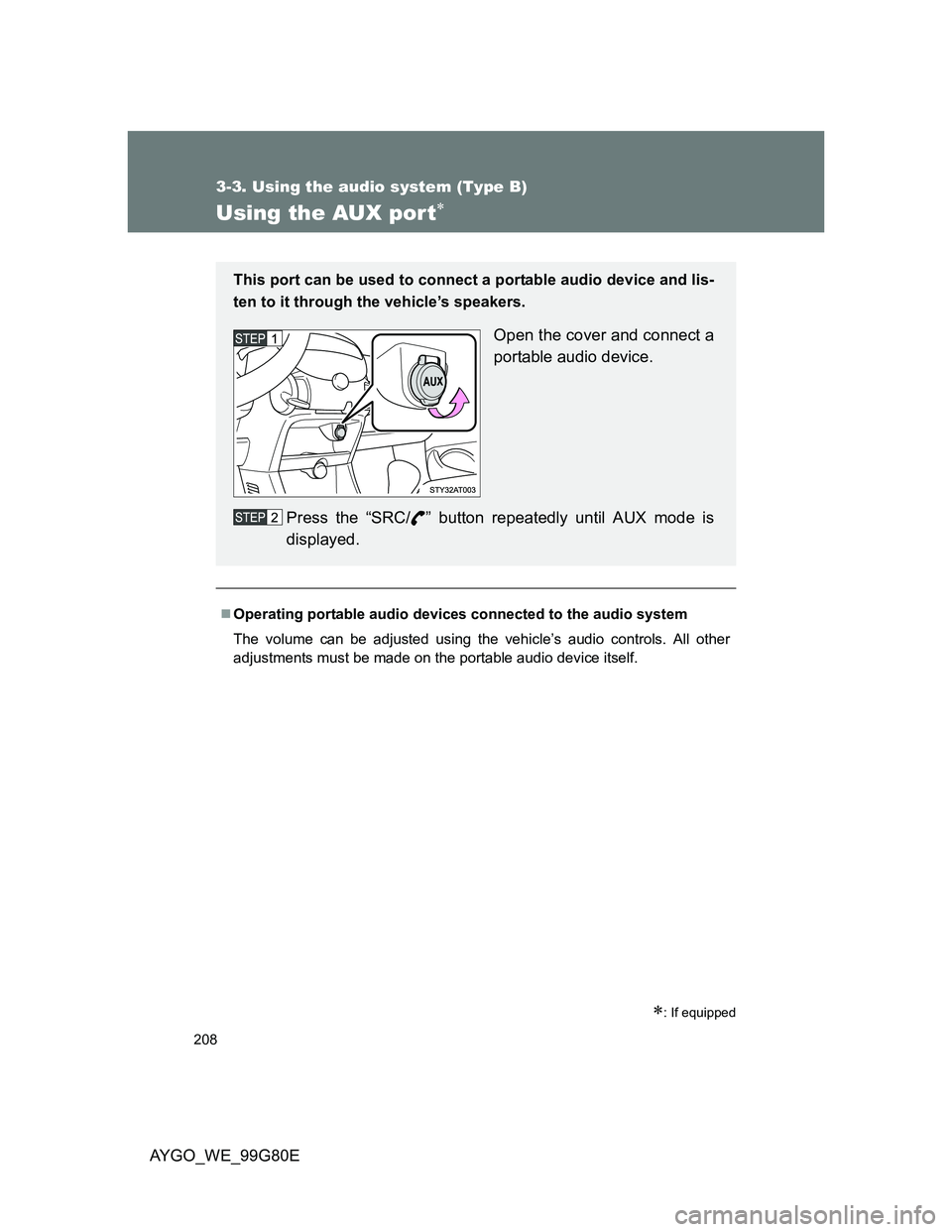
This port can be used to connect a portable audio device and lis-
ten to it through the vehicle’s speakers.
Open the cover and connect a
portable audio device.
Press the “SRC/ ” button repeatedly until AUX mode is
displayed.
Page 254 of 372
254
4-3. Do-it-yourself maintenance
AYGO_WE_99G80E
Hood
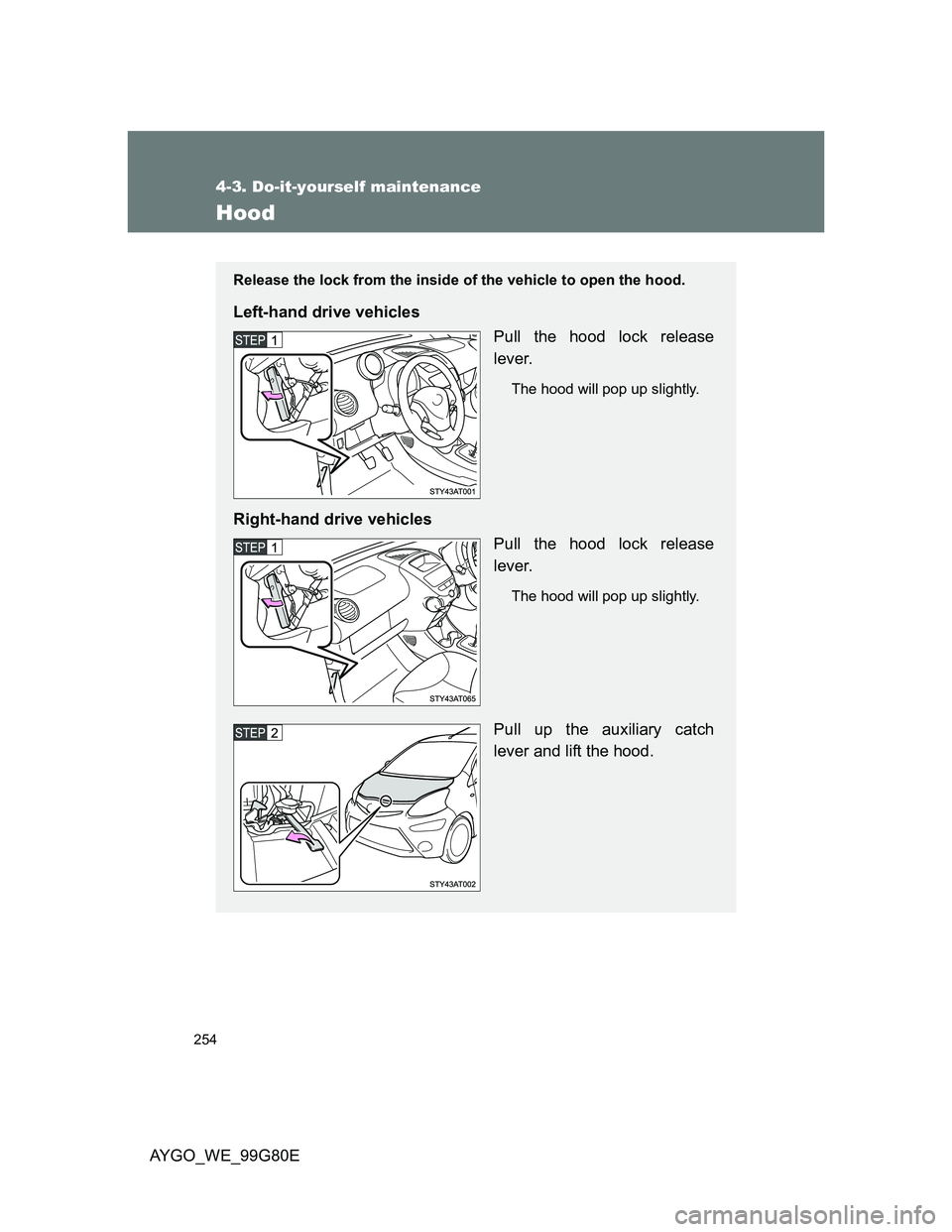
Release the lock from the inside of the vehicle to open the hood.
Left-hand drive vehicles
Pull the hood lock release
lever.
The hood will pop up slightly.
Right-hand drive vehicles
Pull the hood lock release
lever.
The hood will pop up slightly.
Pull up the auxiliary catch
lever and lift the hood.
Page 361 of 372
361
AYGO_WE_99G80E
Alphabetical index
Alphabetical index
A/C............................................. 166
ABS ........................................... 154
Air conditioning filter .............. 279
Air conditioning system
Air conditioning filter.............. 279
Manual air conditioning
system ................................ 166
Airbags
Airbag manual on-off
system .................................. 90
Airbag operating
conditions ............................. 81
Airbag precautions for
your child .............................. 85
Airbag warning light .............. 315
Curtain shield airbag
operating conditions ............. 82
Curtain shield airbag
precautions ........................... 85
General airbag precautions..... 85
Locations of airbags ................ 79
Modification and disposal of
airbags .................................. 89
Proper driving posture....... 77, 85
Side airbag operating
conditions ............................. 82
Side airbag precautions .......... 85
SRS airbags ............................ 79
Antenna ............ 180, 195, 242, 244
Anti-lock brake system ........... 154
Audio input ............... 189, 202, 208Audio system
Antenna ........ 180, 195, 242, 244
Audio input ............ 189, 202, 208
AUX port ............................... 189
Bluetooth
® audio................... 209
CD player ...................... 181, 196
Configuration ........................ 222
Frequently asked
questions ............................ 224
iPod....................................... 202
MP3/WMA disc ..................... 196
Optimal use........................... 187
Portable music
player.................. 189, 202, 208
Radio ............................ 177, 192
Setting................................... 220
Type .............................. 175, 190
USB memory ........................ 202
AUX port ........................... 189, 208
A