Indicator TOYOTA C-HR 2018 1.G Owner's Manual
[x] Cancel search | Manufacturer: TOYOTA, Model Year: 2018, Model line: C-HR, Model: TOYOTA C-HR 2018 1.GPages: 516, PDF Size: 9.32 MB
Page 83 of 516
832. Instrument cluster
2
Instrument cluster
C-HR_OM_USA_OM10526U
*: These lights turn on when the engine switch is turned to the “ON” position(vehicles without a smart key system) or IGNITION ON mode (vehicles
with a smart key system) to indicate that a system check is being per-
formed. They will turn off after the engine is started, or after a few seconds.
There may be a malfunction in a system if a light does not come on, or if
the lights do not turn off. Have the vehicle inspected by your Toyota dealer.
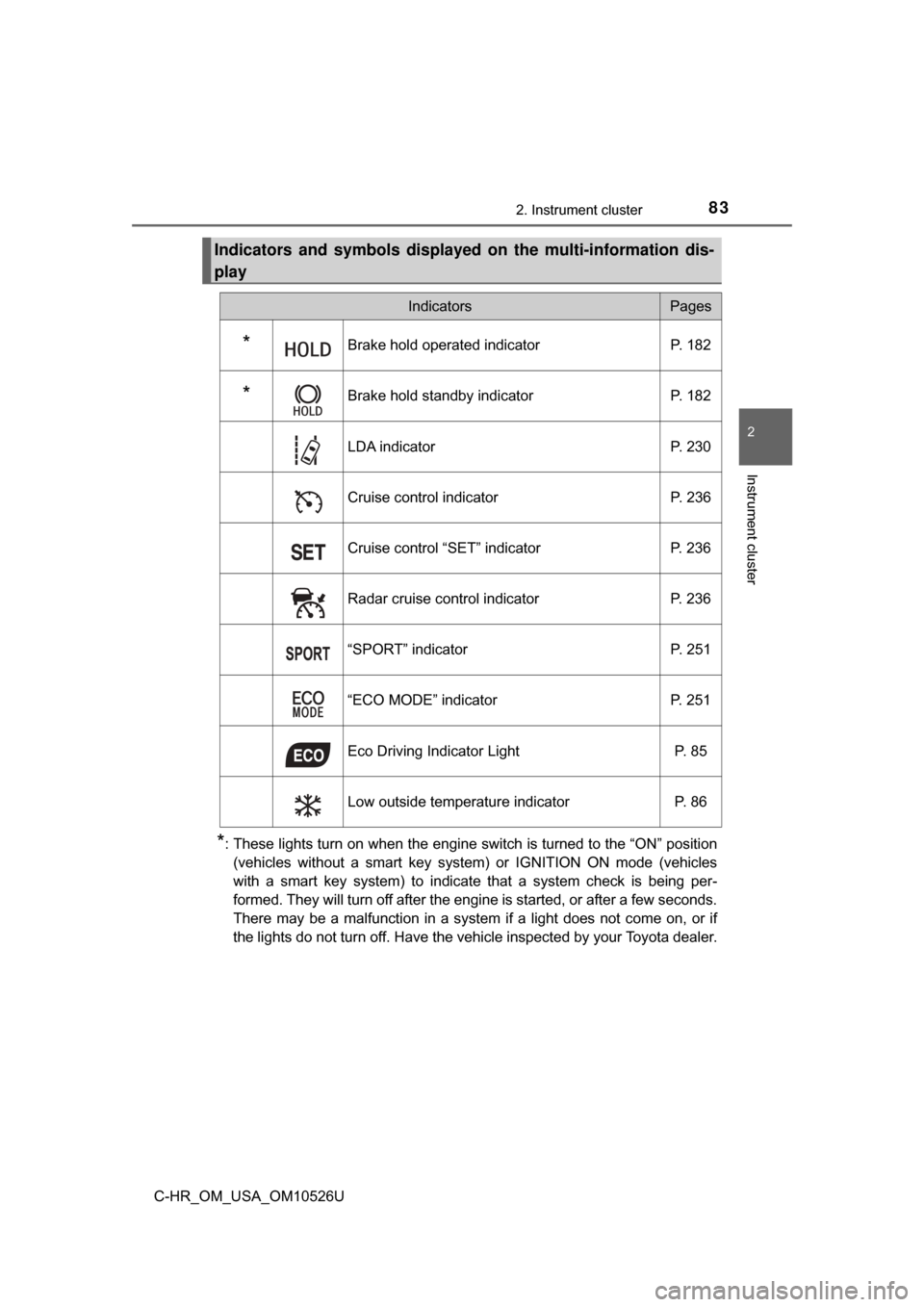
Indicators and symbols displaye d on the multi-information dis-
play
IndicatorsPages
*Brake hold operated indicator P. 182
*Brake hold standby indicatorP. 182
LDA indicator P. 230
Cruise control indicator P. 236
Cruise control “SET” indicator P. 236
Radar cruise control indicator P. 236
“SPORT” indicator P. 251
“ECO MODE” indicator P. 251
Eco Driving Indicator Light P. 85
Low outside temperature indicator P. 86
Page 85 of 516
852. Instrument cluster
2
Instrument cluster
C-HR_OM_USA_OM10526U
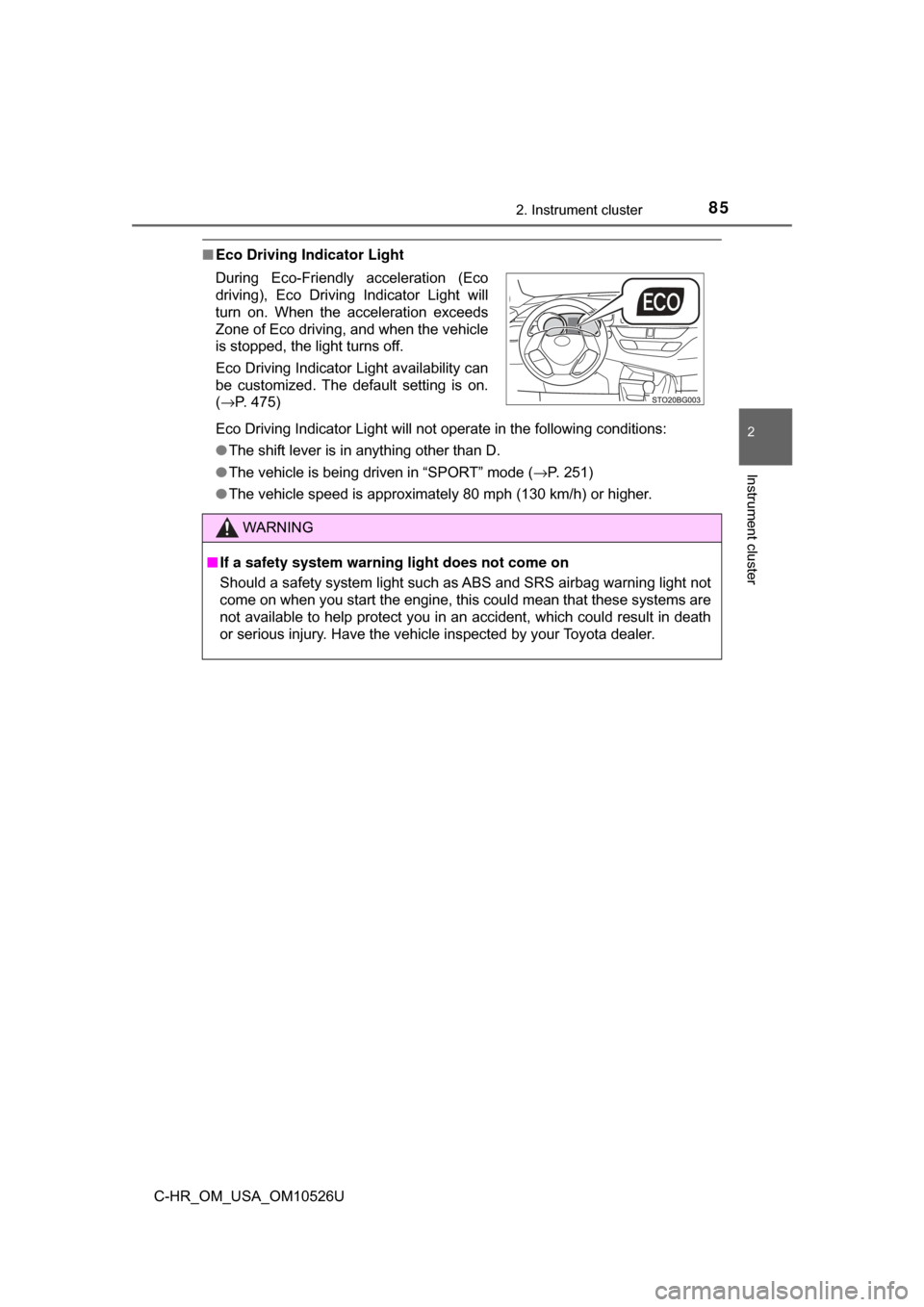
■Eco Driving Indicator Light
Eco Driving Indicator Light will not operate in the following conditions:
●The shift lever is in anything other than D.
● The vehicle is being driven in “SPORT” mode ( →P. 251)
● The vehicle speed is approximately 80 mph (130 km/h) or higher.
During Eco-Friendly acceleration (Eco
driving), Eco Driving Indicator Light will
turn on. When the acceleration exceeds
Zone of Eco driving, and when the vehicle
is stopped, the light turns off.
Eco Driving Indicator Light availability can
be customized. The default setting is on.
(
→P. 475)
WARNING
■ If a safety system warning light does not come on
Should a safety system light such as ABS and SRS airbag warning light not
come on when you start the engine, this could mean that these systems are
not available to help protect you in an accident, which could result in death
or serious injury. Have the vehicle inspected by your Toyota dealer.
Page 86 of 516
862. Instrument cluster
C-HR_OM_USA_OM10526U
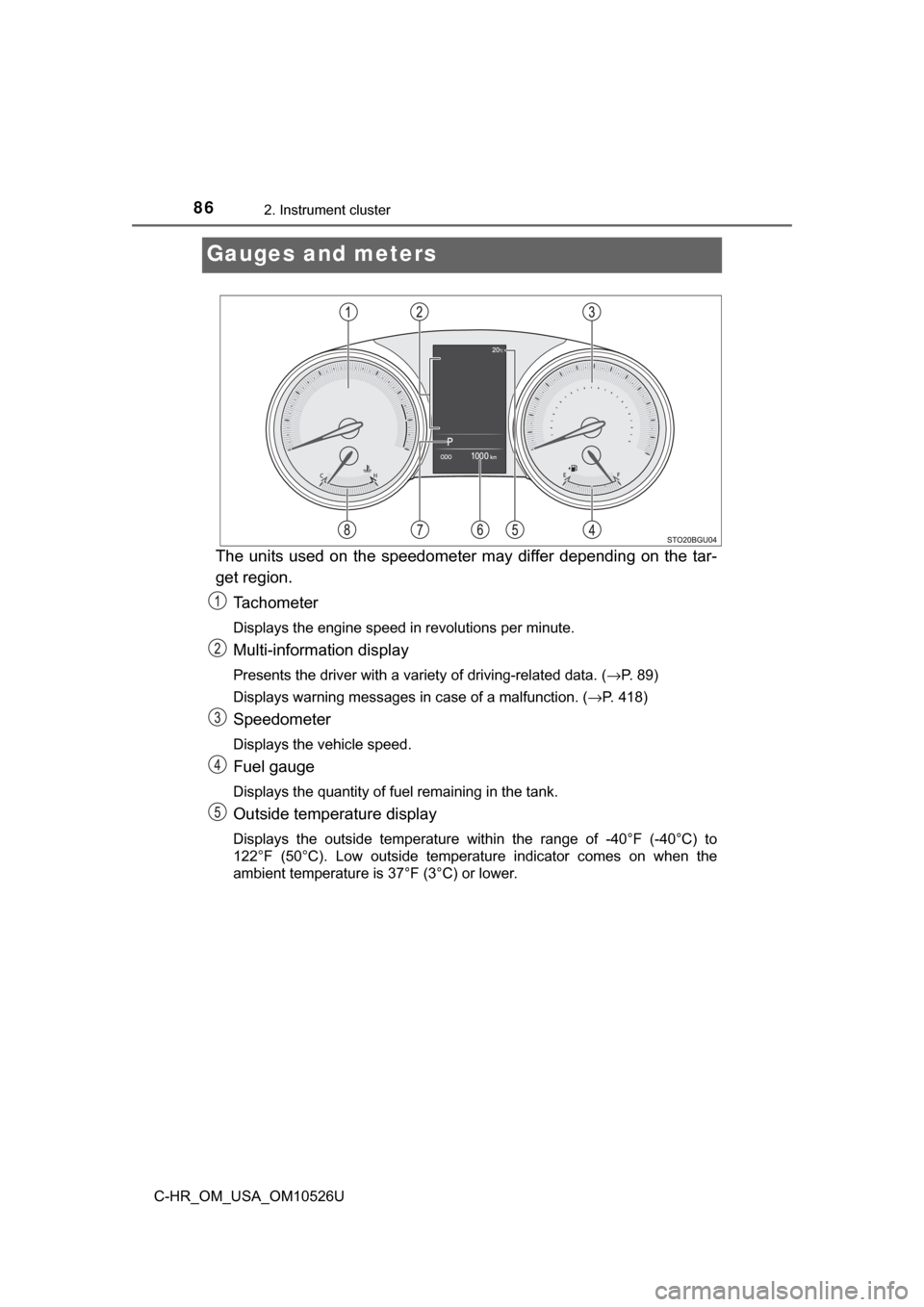
Gauges and meters
The units used on the speedometer may differ depending on the tar-
get region.Tachometer
Displays the engine speed in revolutions per minute.
Multi-information display
Presents the driver with a variety of driving-related data. ( →P. 89)
Displays warning messages in case of a malfunction. ( →P. 418)
Speedometer
Displays the vehicle speed.
Fuel gauge
Displays the quantity of fuel remaining in the tank.
Outside temperature display
Displays the outside temperature within the range of -40°F (-40°C) to
122°F (50°C). Low outside temperature indicator comes on when the
ambient temperature is 37°F (3°C) or lower.
Page 88 of 516
882. Instrument cluster
C-HR_OM_USA_OM10526U
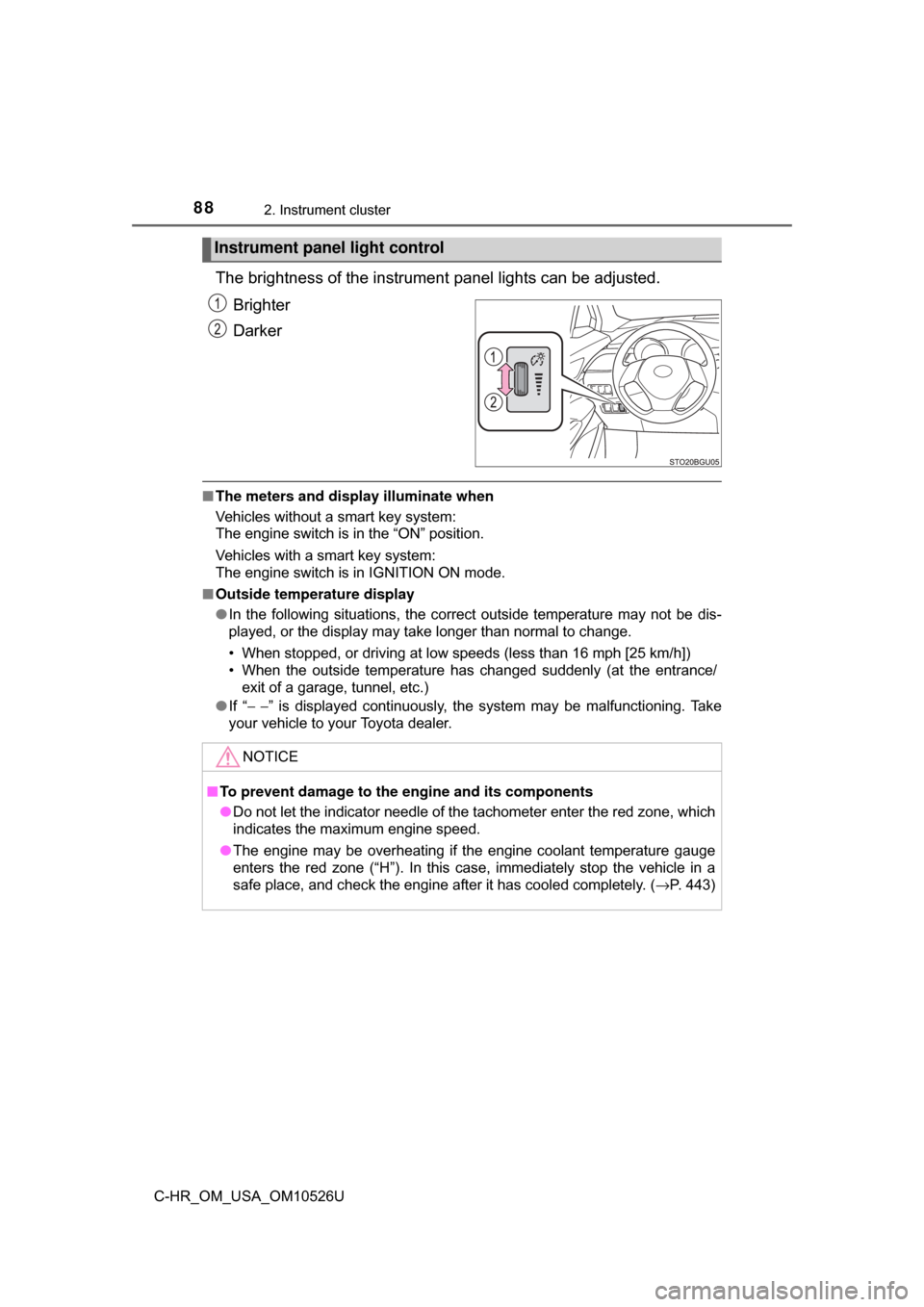
The brightness of the instrument panel lights can be adjusted.
Brighter
Darker
■ The meters and display illuminate when
Vehicles without a smart key system:
The engine switch is in the “ON” position.
Vehicles with a smart key system:
The engine switch is in IGNITION ON mode.
■ Outside temperature display
●In the following situations, the correct outside temperature may not be dis-
played, or the display may take longer than normal to change.
• When stopped, or driving at low speeds (less than 16 mph [25 km/h])
• When the outside temperature has changed suddenly (at the entrance/
exit of a garage, tunnel, etc.)
● If “ − −” is displayed continuously, the system may be malfunctioning. Take
your vehicle to your Toyota dealer.
Instrument panel light control
NOTICE
■ To prevent damage to the engine and its components
● Do not let the indicator needle of the tachometer enter the red zone, which
indicates the maximum engine speed.
● The engine may be overheating if the engine coolant temperature gauge
enters the red zone (“H”). In this case, immediately stop the vehicle in a
safe place, and check the engine after it has cooled completely. ( →P. 443)
Page 91 of 516

912. Instrument cluster
2
Instrument cluster
C-HR_OM_USA_OM10526U
●Distance (driving range/after start)*1
Displays the estimated maximum distance that can be driven with the
quantity of fuel remaining and the distance driven after the engine was
started, respectively
• This distance is computed based on your average fuel consumption. As a result, the actual distance that can be driven may differ from that dis-
played.
• When only a small amount of fuel is added to the tank, the display may not be updated.
When refueling, turn the engine switch off. If the vehicle is refueled with-
out turning the engine switch off, the display may not be updated.
● Eco Driving Indicator Zone Display
→P. 9 4
●Speedometer
Displays the vehicle speed.
●G Monitor
→P. 9 5
●Sway warning (if equipped)
Detects the sway of the vehicle within a lane, which is often associated
with a decrease in the driver’s attention level, and displays the decrease in
attention using a bar display.
The shorter the bar length, the more the driver may need to rest.
This display is a part of the LDA (Lane Departure Alert with steering con-
trol). The display is enabled when the operating conditions of the vehicle
sway warning are met. ( →P. 226)
●Display off
A blank screen is displayed.
*1: Can be registered to Drive information 1 and 2. ( →P. 92)
*2: Resetting procedures:
• Select a function to be reset using the meter control switches and then press and hold to reset.
• If there is more than one function that can be reset, check boxes will be displayed next to those functions.
Page 93 of 516

932. Instrument cluster
2
Instrument cluster
C-HR_OM_USA_OM10526U
●Vehicle Settings
Select the menu to set up the following item.
• (Tire pressure warning system) setup ( →P. 355)
Select to initialize the tire pressure warning system.
● Meter settings
Select the menu to set up the following items.
• Language
Select to change the language on the display.
•Units
Select to change the unit of measure for fuel consumption.
• (Eco Driving Indicator Light) setup
Select to activate/deactivate the Eco Driving Indicator Light
• Drive information 1 and 2
Select to select up to 2 items that will be displayed on a Drive informa-
tion screen, up to 2 Drive information screens can be set.
• Default settings
Registered or changed meter settings will be deleted or returned to their
default setting.
*: If equipped
Page 94 of 516
942. Instrument cluster
C-HR_OM_USA_OM10526U
■Setting items
●“Meter Settings” and “Vehicle Settings” setting items are not selectable
during driving and cannot be operated.
Also, the settings screen is temporarily canceled in the following situations.
• A warning message is displayed.
• The vehicle starts off.
● Settings for functions not equipped to the vehicle are not displayed.
● When a function is turned off, the related settings for that function are not
selectable.
■ Pop-up display
In some situations, such as when a switch operation is performed, a pop-up
display will be temporarily displayed on the multi-information display.
■ Liquid crystal display
Small spots or light spots may appear on the display. This phenomenon is
characteristic of liquid crystal displays, and there is no problem continuing to
use the display.
■ When disconnecting and reco nnecting battery terminals
The drive information will be reset.
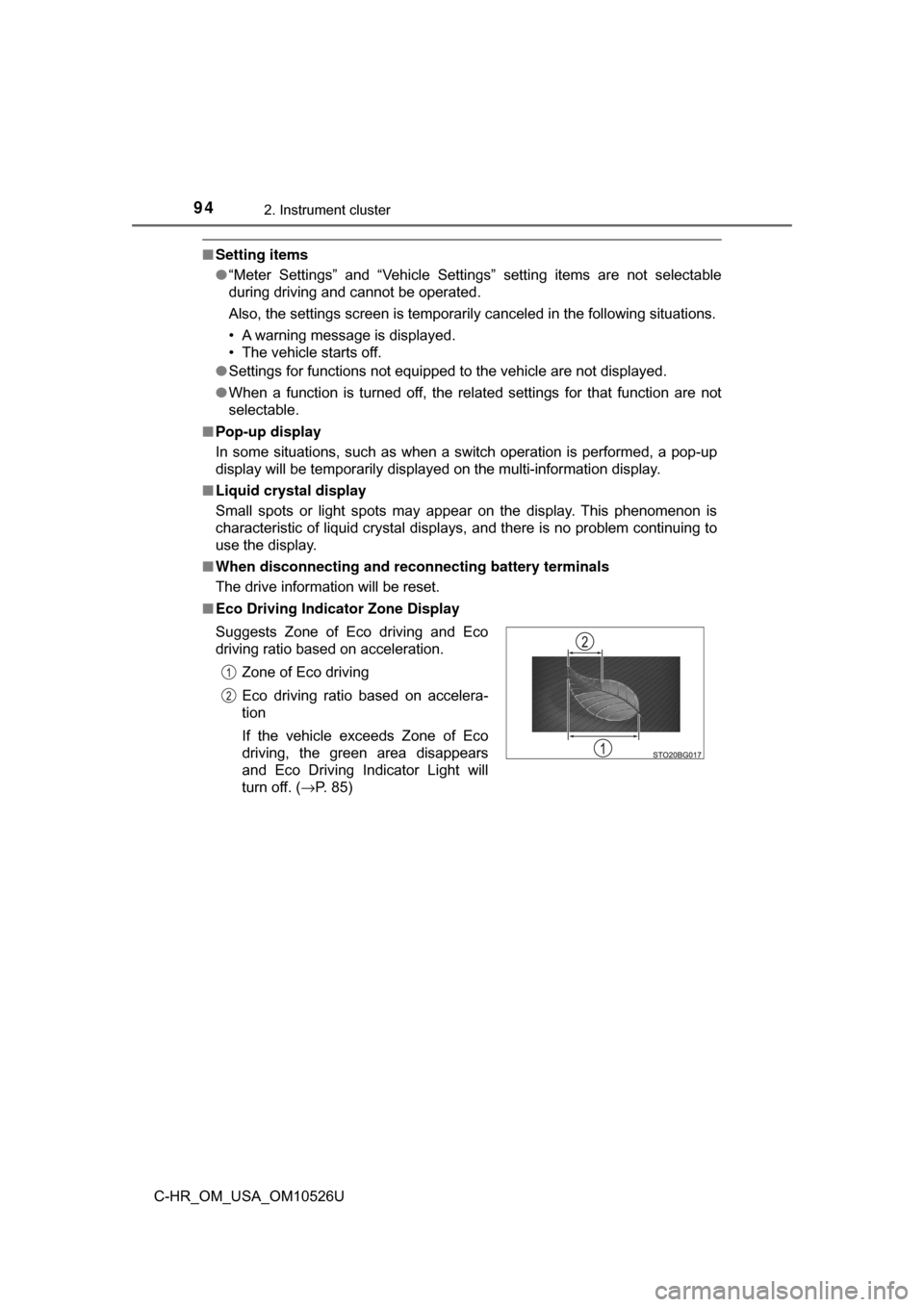
■ Eco Driving Indicator Zone Display
Suggests Zone of Eco driving and Eco
driving ratio based on acceleration.
Zone of Eco driving
Eco driving ratio based on accelera-
tion
If the vehicle exceeds Zone of Eco
driving, the green area disappears
and Eco Driving Indicator Light will
turn off. ( →P. 85)
Page 102 of 516

1023-1. Key information
C-HR_OM_USA_OM10526U■
Key battery depletion
Vehicles without a smart key system
If the wireless remote control function does not operate, the battery may be
depleted. Replace the battery when necessary. (→ P. 373)
Vehicles with a smart key system
● The standard battery life is 1 to 2 years.
● If the battery becomes low, an alarm will sound in the cabin when the engine
stops. ( →P. 373)
● As the electronic key always receives radio waves, the battery will become
depleted even if the electronic key is not used. The following symptoms indi-
cate that the electronic key battery may be depleted. Replace the battery
when necessary. ( →P. 373)
• The smart key system or the wireless remote control does not operate.
• The detection area becomes smaller.
• The LED indicator on the key surface does not turn on.
The battery can be exchanged by the users. ( →P. 373) However, as there
may be damage to the key when exchanging, it is recommended to have
the battery exchanged at your Toyota Dealer.
● To avoid serious deterioration, do not leave the electronic key within 3 ft.
(1 m) of the following electrical appliances that produce a magnetic field:
•TVs
• Personal computers
• Cellular phones, cordless phones and battery chargers
• Recharging cellular phones or cordless phones
• Table lamps
• Induction cookers
■ When the key battery is fully depleted
→P. 373
■ Confirmation of the registered key number (vehicles with a smart key
system)
The number of keys already registered to the vehicle can be confirmed. Ask
your Toyota dealer for details.
■ Customization
Settings (e.g. wireless remote control system) can be changed.
(Customizable features: →P. 474)
Page 110 of 516
1103-2. Opening, closing and locking the doors
C-HR_OM_USA_OM10526U
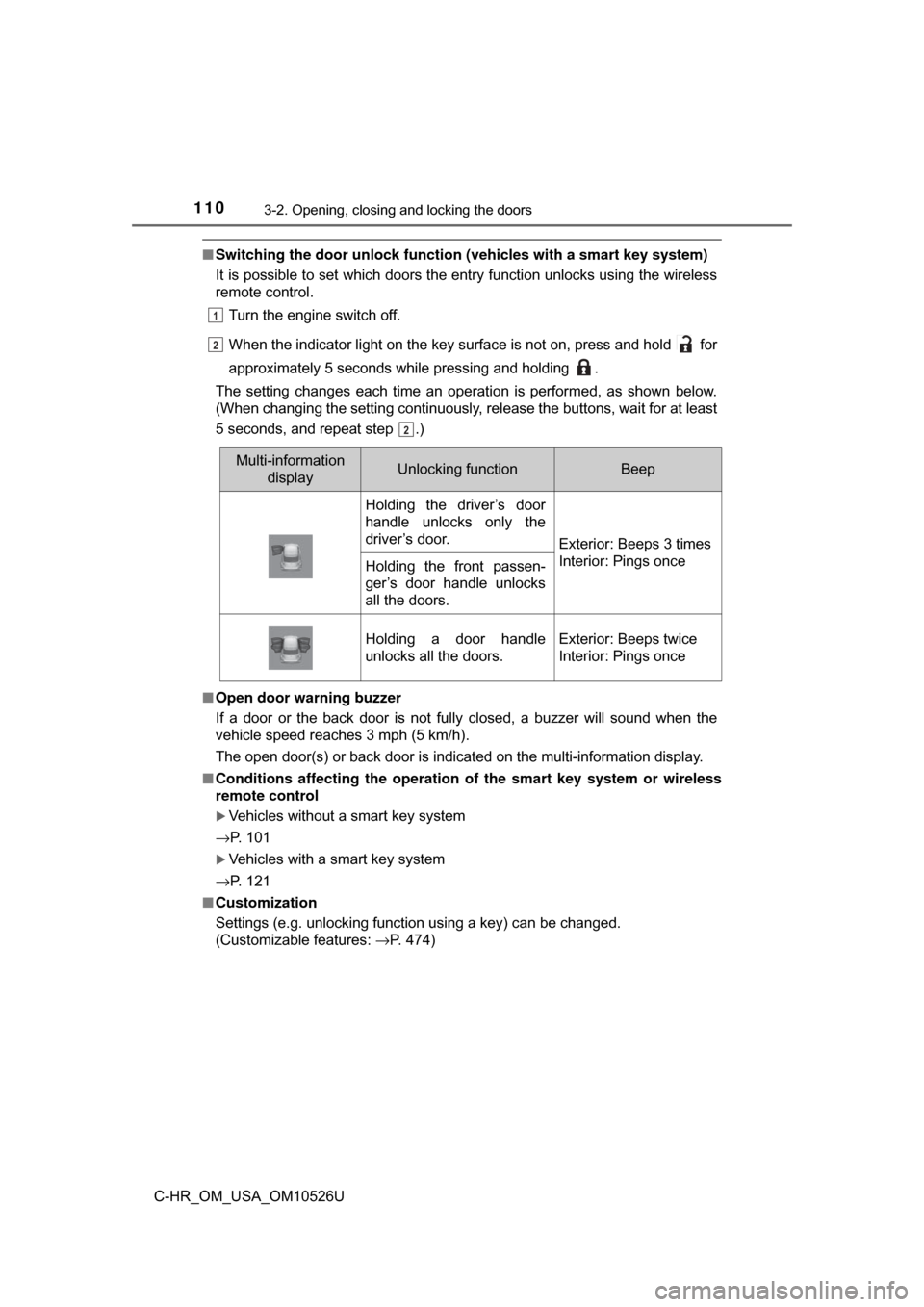
■Switching the door unlock functi on (vehicles with a smart key system)
It is possible to set which doors the entry function unlocks using the wireless
remote control.
Turn the engine switch off.
When the indicator light on the key surface is not on, press and hold for
approximately 5 seconds while pressing and holding .
The setting changes each time an operation is performed, as shown below.
(When changing the setting continuously, release the buttons, wait for at least
5 seconds, and repeat step .)
■ Open door warning buzzer
If a door or the back door is not fully closed, a buzzer will sound when the
vehicle speed reaches 3 mph (5 km/h).
The open door(s) or back door is indicated on the multi-information display.
■ Conditions affecting the operation of the smart key system or wireless
remote control
Vehicles without a smart key system
→P. 101
Vehicles with a smart key system
→P. 121
■ Customization
Settings (e.g. unlocking function using a key) can be changed.
(Customizable features: →P. 474)
1
22
2
Multi-information
displayUnlocking functionBeep
Holding the driver’s door
handle unlocks only the
driver’s door.
Exterior: Beeps 3 times
Interior: Pings once
Holding the front passen-
ger’s door handle unlocks
all the doors.
Holding a door handle
unlocks all the doors.Exterior: Beeps twice
Interior: Pings once
Page 120 of 516
1203-2. Opening, closing and locking the doors
C-HR_OM_USA_OM10526U■
Battery-saving function
The battery-saving function will be activated in order to prevent the electronic
key battery and the vehicle battery from being discharged while the vehicle is
not in operation for a long time.
●In the following situations, the smart key system may take some time to
unlock the doors.
• The electronic key has been left in an area of approximately 6 ft. (2 m) of
the outside of the vehicle for 10 minutes or longer.
• The smart key system has not been used for 5 days or longer.
● If the smart key system has not been used for 14 days or longer, the doors
cannot be unlocked at any doors except the driver’s door. In this case, take
hold of the driver’s door handle, or use the wireless remote control or the
mechanical key, to unlock the doors.
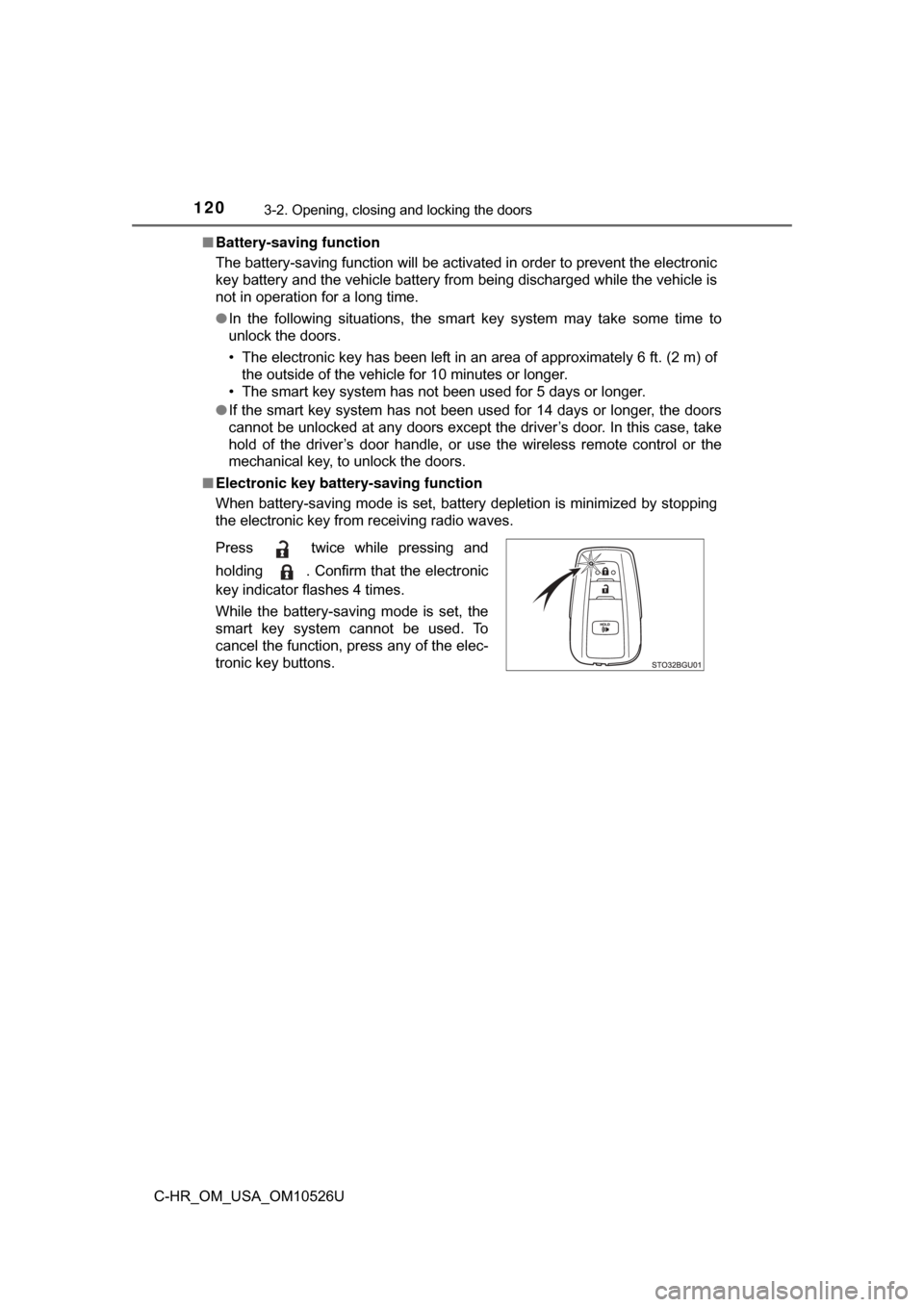
■ Electronic key battery-saving function
When battery-saving mode is set, battery depletion is minimized by stopping
the electronic key from receiving radio waves.
Press twice while pressing and
holding . Confirm that the electronic
key indicator flashes 4 times.
While the battery-saving mode is set, the
smart key system cannot be used. To
cancel the function, press any of the elec-
tronic key buttons.