engine TOYOTA C-HR 2018 1.G Manual Online
[x] Cancel search | Manufacturer: TOYOTA, Model Year: 2018, Model line: C-HR, Model: TOYOTA C-HR 2018 1.GPages: 516, PDF Size: 9.32 MB
Page 229 of 516
2294-5. Using the driving support systems
4
Driving
C-HR_OM_USA_OM10526U
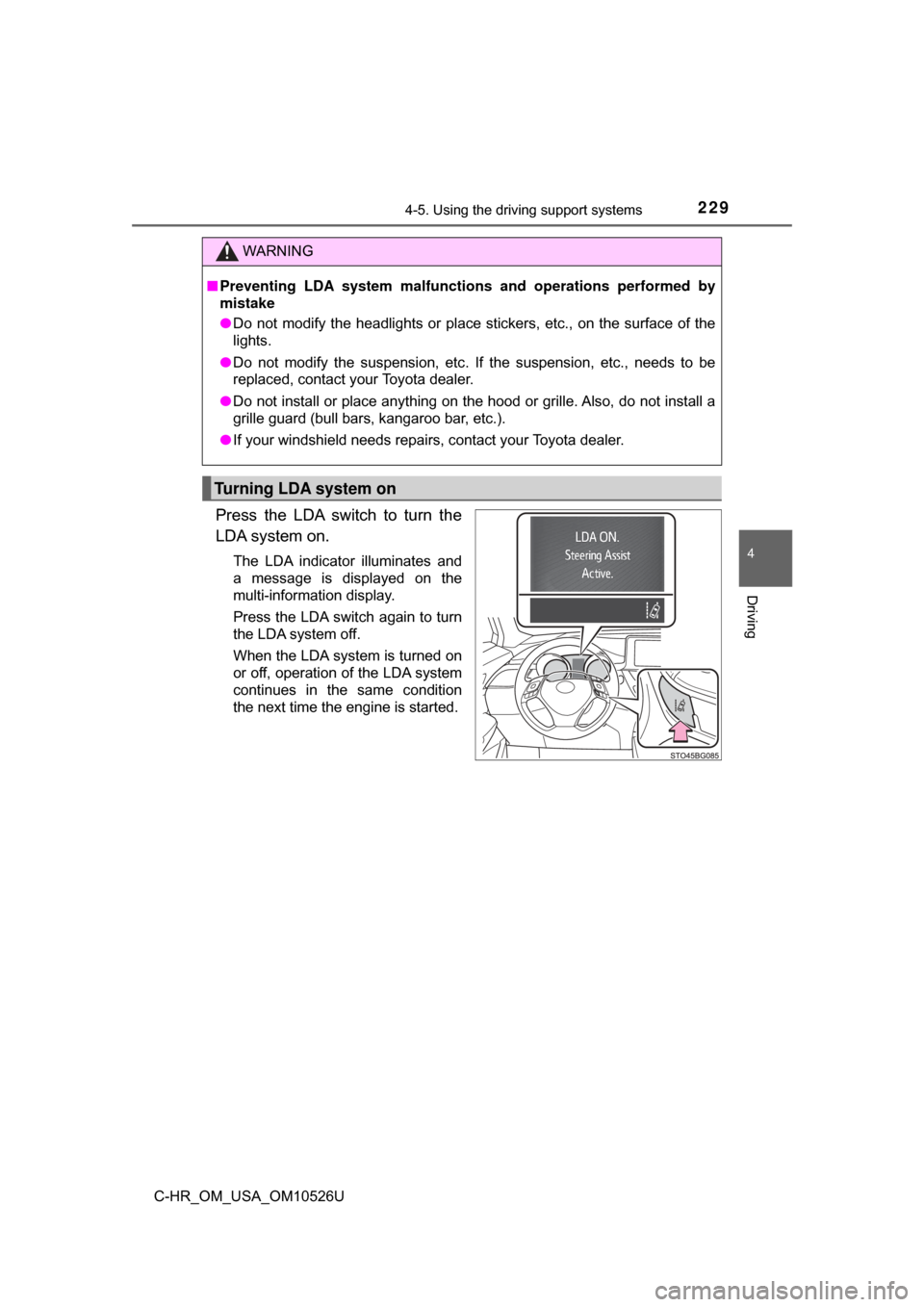
Press the LDA switch to turn the
LDA system on.
The LDA indicator illuminates and
a message is displayed on the
multi-information display.
Press the LDA switch again to turn
the LDA system off.
When the LDA system is turned on
or off, operation of the LDA system
continues in the same condition
the next time the engine is started.
WARNING
■Preventing LDA system malfunctio ns and operations performed by
mistake
● Do not modify the headlights or place stickers, etc., on the surface of the
lights.
● Do not modify the suspension, etc. If the suspension, etc., needs to be
replaced, contact your Toyota dealer.
● Do not install or place anything on the hood or grille. Also, do not install a
grille guard (bull bars, kangaroo bar, etc.).
● If your windshield needs repairs, contact your Toyota dealer.
Turning LDA system on
Page 243 of 516
2434-5. Using the driving support systems
4
Driving
C-HR_OM_USA_OM10526U
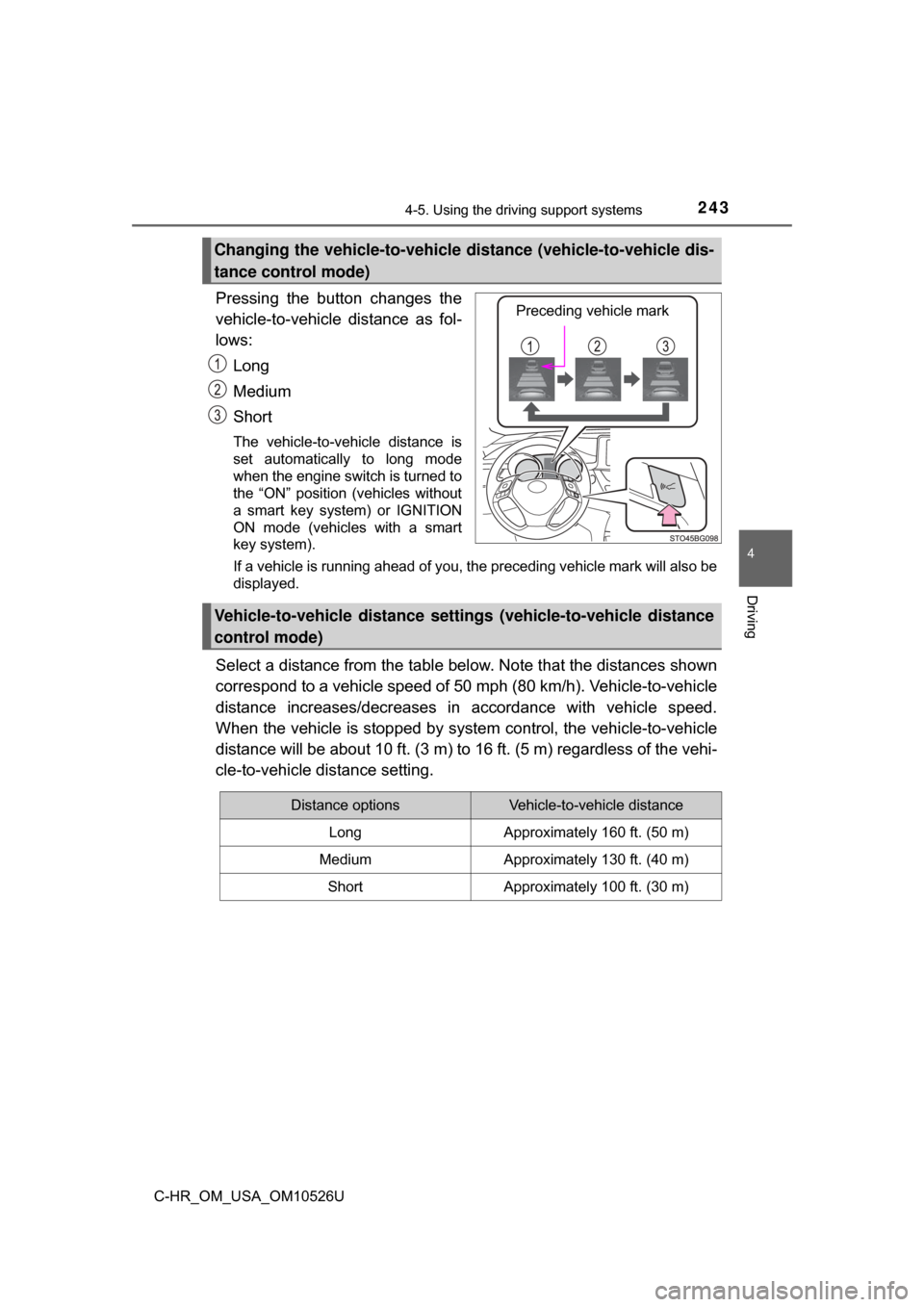
Pressing the button changes the
vehicle-to-vehicle distance as fol-
lows:Long
Medium
Short
The vehicle-to-vehicle distance is
set automatically to long mode
when the engine switch is turned to
the “ON” position (vehicles without
a smart key system) or IGNITION
ON mode (vehicles with a smart
key system).
If a vehicle is running ahead of you, the preceding vehicle mark will also be
displayed.
Select a distance from the table bel ow. Note that the distances shown
correspond to a vehicle speed of 50 mph (80 km/h). Vehicle-to-vehicle
distance increases/decreases in accordance with vehicle speed.
When the vehicle is stop ped by system control, the vehicle-to-vehicle
distance will be about 10 ft. (3 m) to 16 ft. (5 m) regardless of the vehi-
cle-to-vehicle distance setting.
Changing the vehicle-to-vehicle di stance (vehicle-to-vehicle dis-
tance control mode)
Preceding vehicle mark
Vehicle-to-vehicle distance settings (vehicle-to-vehicle distance
control mode)
Distance optionsVehicle-to-vehicle distance
LongApproximately 160 ft. (50 m)
MediumApproximately 130 ft. (40 m)
ShortApproximately 100 ft. (30 m)
Page 252 of 516

2524-5. Using the driving support systems
C-HR_OM_USA_OM10526U■
Driving modes
●
“NORMAL” mode
Provides an optimal balance of fuel economy, quietness, and
dynamic performance. Suitable for city driving.
● “SPORT” mode
Controls the transmission and engine to provide quick, powerful
acceleration. This mode also c hanges the steering feel, making it
suitable for when agile driving response is desired, such as when
driving on roads with many curves.
When sport mode is selected, the “SPORT” indicator will illuminate
on the multi-information display.
● “ECO” mode
Helps the driver accelerate in an eco-friendly manner and
improve fuel economy through moderate throttle characteristics
and by controlling the operation of the air conditioning system
(heating/cooling).
When Eco mode is selected, the “ECO MODE” indicator will illumi-
nate on the multi-information display.
While the air conditioning is being used, the system automatically
switches to air conditioning eco mode ( →P. 295), allowing for driving
that leads to even better fuel economy.
■ Canceling driving modes
●Select another drive mode. Also, “SPORT” mode will be canceled automati-
cally when the engine switch is turned off.
● “NORMAL” mode and “ECO” mode will not be canceled automatically until
another drive mode is selected, even if the engine switch is turned off.
Page 266 of 516
2664-5. Using the driving support systems
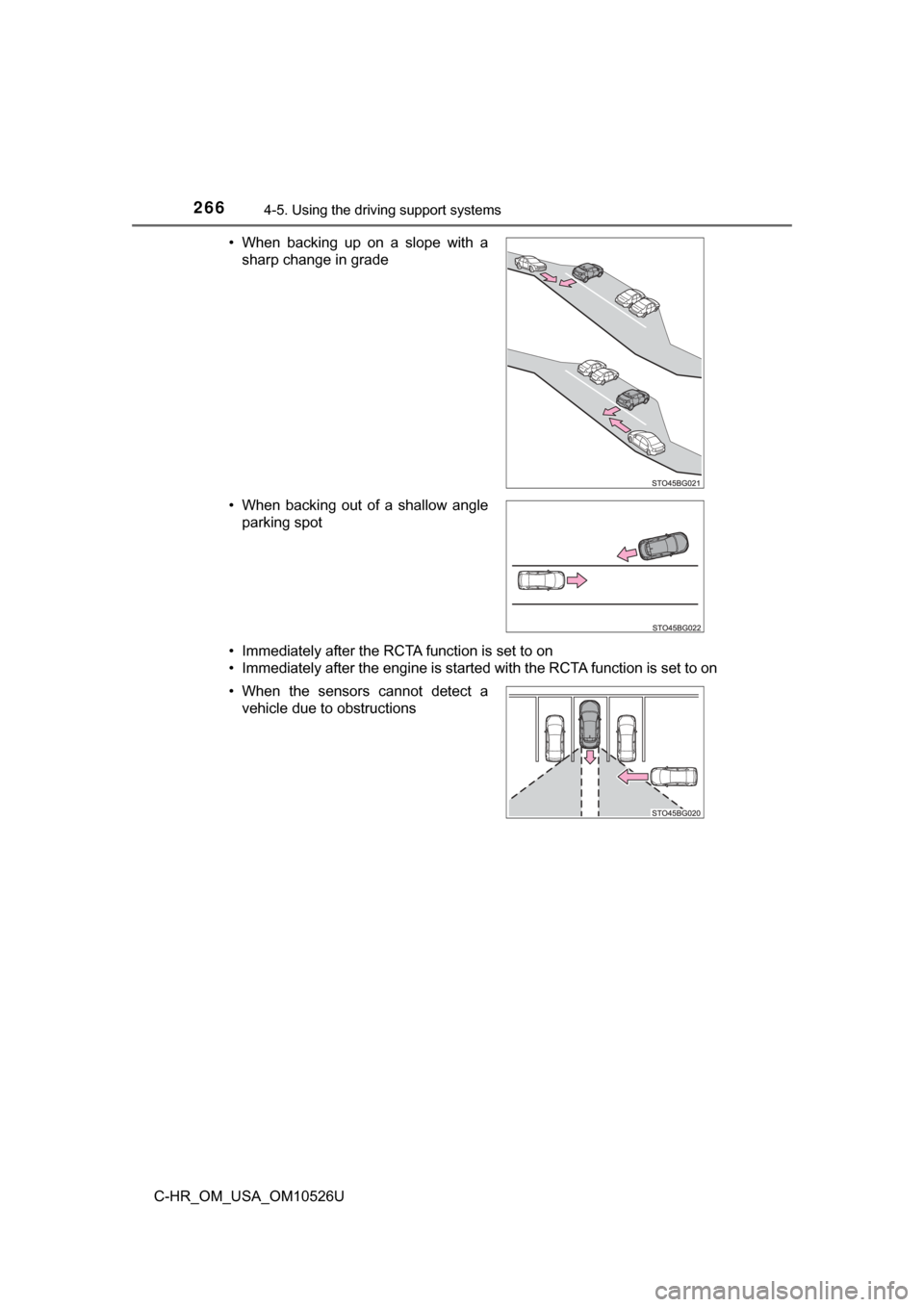
C-HR_OM_USA_OM10526U• Immediately after the RCTA function is set to on
• Immediately after the engine is started with the RCTA function is set to on • When backing up on a slope with a
sharp change in grade
• When backing out of a shallow angle parking spot
• When the sensors cannot detect a vehicle due to obstructions
Page 268 of 516
2684-5. Using the driving support systems
C-HR_OM_USA_OM10526U
Rear view monitor system
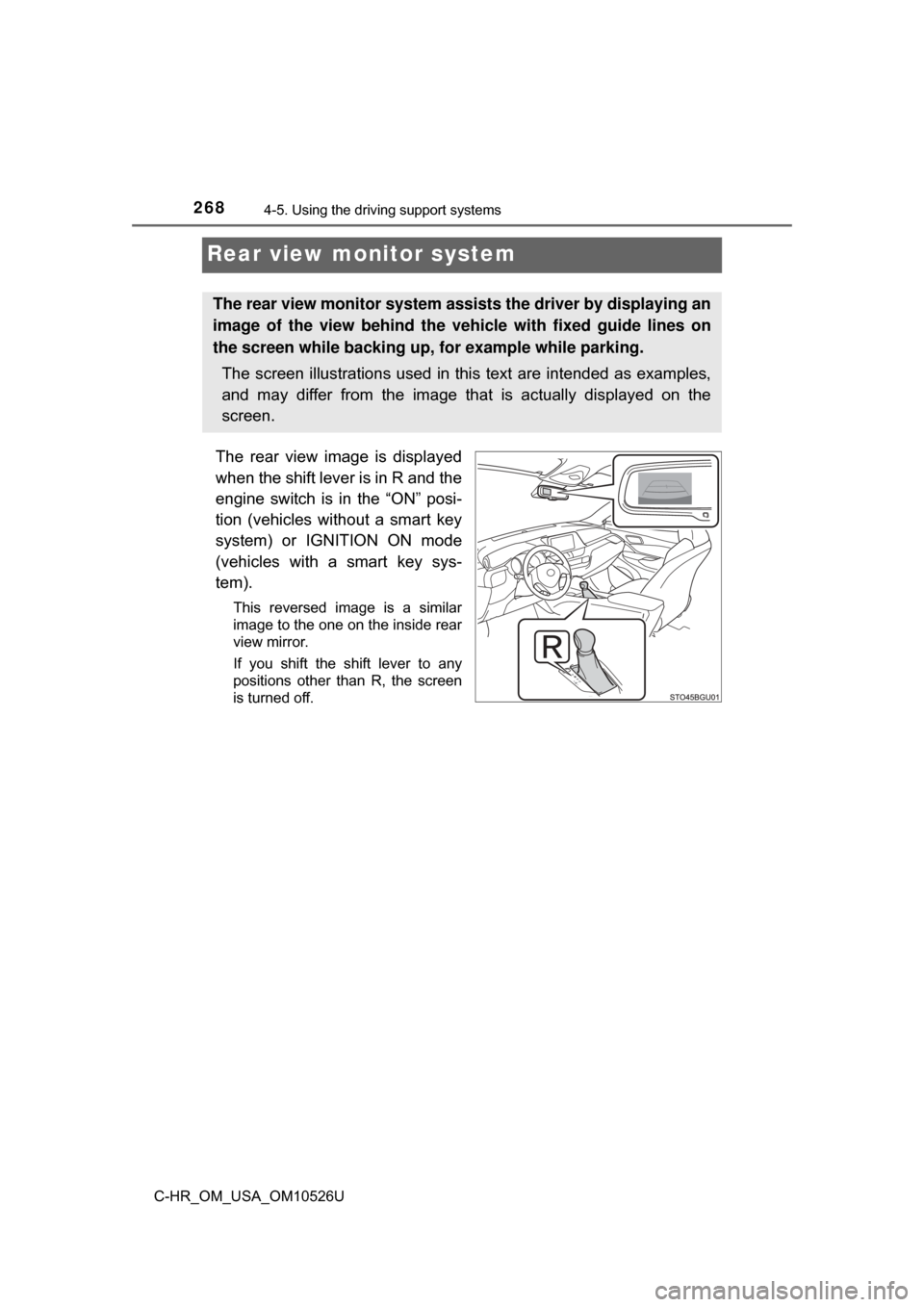
The rear view image is displayed
when the shift lever is in R and the
engine switch is in the “ON” posi-
tion (vehicles without a smart key
system) or IGNITION ON mode
(vehicles with a smart key sys-
tem).
This reversed image is a similar
image to the one on the inside rear
view mirror.
If you shift the shift lever to any
positions other than R, the screen
is turned off.
The rear view monitor system assists the driver by displaying an
image of the view behind the veh icle with fixed guide lines on
the screen while backing up, for example while parking.
The screen illustrations used in this text are intended as examples,
and may differ from the image that is actually displayed on the
screen.
Page 269 of 516
2694-5. Using the driving support systems
4
Driving
C-HR_OM_USA_OM10526U■
When using the rear view monitor system
The anti-glare function of the in
side rear view mirror will be can-
celed.
■Display mode
The rear view monitor display mode can be adjusted when the
engine switch is in the “ON” position (vehicles without a smart key
system) or IGNITION ON mode (veh icles with a smart key system)
and the shift lever is in R.
To select a display language (English, French or Spanish).
Push and hold the “AUTO” button for 6 seconds, then release.
Push the “AUTO” button.
Each time the “AUTO” button is pushed and released, the lan-
guage will change.
The warning message should flash 5 seconds after the button is
released, indicating that the change has been completed.
1
2
3
Page 270 of 516
2704-5. Using the driving support systems
C-HR_OM_USA_OM10526U■
Screen description
Vehicles without a smart key system
The rear view monitor system scr een will be displayed if the shift
lever is shifted to R while the engin e switch is in the “ON” position.
Vehicles with a smart key system
The rear view monitor system scr een will be displayed if the shift
lever is shifted to R while the engine switch is in IGNITION ON
mode.
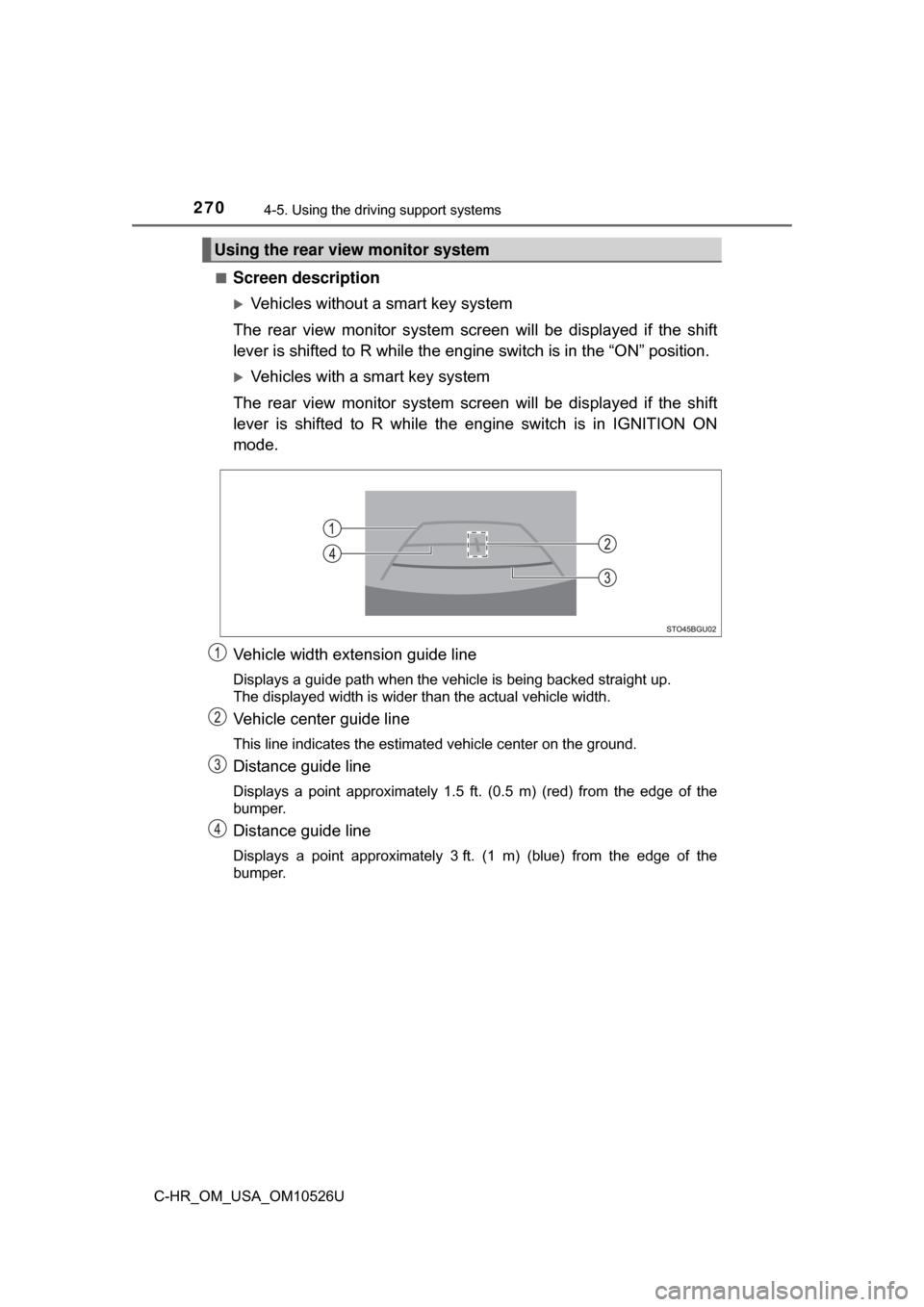
Vehicle width extension guide line
Displays a guide path when the vehicle is being backed straight up.
The displayed width is wider than the actual vehicle width.
Vehicle center guide line
This line indicates the estimated vehicle center on the ground.
Distance guide line
Displays a point approximately 1.5 ft. (0.5 m) (red) from the edge of the
bumper.
Distance guide line
Displays a point approximately 3 ft. (1 m) (blue) from the edge of the
bumper.
Using the rear view monitor system
Page 280 of 516
2804-5. Using the driving support systems
C-HR_OM_USA_OM10526U
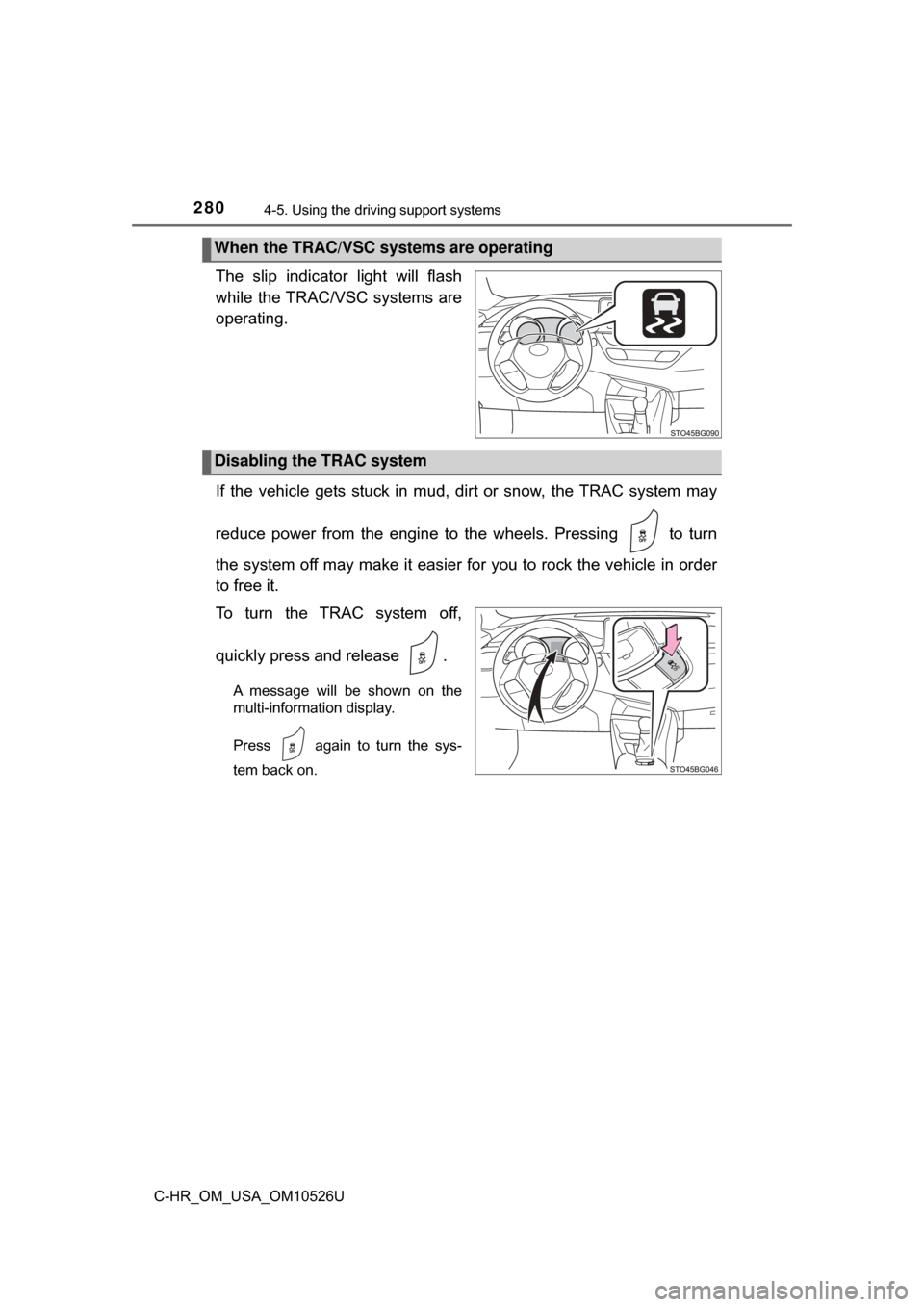
The slip indicator light will flash
while the TRAC/VSC systems are
operating.
If the vehicle gets stuck in mud, di rt or snow, the TRAC system may
reduce power from the engine to the wheels. Pressing to turn
the system off may make it easier for you to rock the vehicle in order
to free it.
To turn the TRAC system off,
quickly press and release .
A message will be shown on the
multi-information display.
Press again to turn the sys-
tem back on.
When the TRAC/VSC systems are operating
Disabling the TRAC system
Page 281 of 516
2814-5. Using the driving support systems
4
Driving
C-HR_OM_USA_OM10526U
■Turning off both TRAC and VSC systems
To turn the TRAC and VSC systems off, press and hold for more than 3
seconds while the vehicle is stopped.
The VSC off indicator light will come on and the message will be shown on
the multi-information display.
*
*
: On vehicles with pre-collision system, pre-collision brake assist and pre-
collision braking will also be disabled. The PCS warning light will come on
and the message will be shown on the multi-information display. ( →P. 410)
Press again to turn the systems back on.
■ When the message is displayed on th e multi-information display show-
ing that TRAC has been disable d even if has not been pressed
TRAC cannot be operated. Contact your Toyota dealer.
■ Sounds and vibrations caused by the ABS, brake assist, VSC, TRAC and
hill-start assist control systems
●A sound may be heard from the engine compartment when the brake pedal
is depressed repeatedly, when the engine is started or just after the vehicle
begins to move. This sound does not indicate that a malfunction has
occurred in any of these systems.
● Any of the following conditions may occur when the above systems are
operating. None of these indicates that a malfunction has occurred.
• Vibrations may be felt through the vehicle body and steering.
• A motor sound may be heard also after the vehicle comes to a stop.
• The brake pedal may pulsate slightly after the ABS is activated.
• The brake pedal may move down slightly after the ABS is activated.
Page 282 of 516
2824-5. Using the driving support systems
C-HR_OM_USA_OM10526U■
EPS operation sound
When the steering wheel is operated, a motor sound (whirring sound) may be
heard. This does not indicate a malfunction.
■ Automatic reactivation of TRAC and VSC systems
After turning the TRAC and VSC systems off, the systems will be automati-
cally re-enabled in the following situations:
● Vehicles without a smart key system: When the engine switch is turned to
the “LOCK” position
Vehicles with a smart key system: When the engine switch is turned off
● If only the TRAC system is turned off, the TRAC will turn on when vehicle
speed increases
If both the TRAC and VSC systems are turned off, automatic re-enabling will
not occur when vehicle speed increases.
■ Reduced effectiveness of the EPS system
The effectiveness of the EPS system is reduced to prevent the system from
overheating when there is frequent steering input over an extended period of
time. The steering wheel may feel heavy as a result. Should this occur, refrain
from excessive steering input or stop the vehicle and turn the engine of\
f. The
EPS system should return to normal within 10 minutes.
■ Operating conditions of hill-start assist control
When the following four conditions are met, the hill-start assist control will
operate:
● The shift lever is in a position other than P or N (when starting off forward/
backward on an upward incline).
● The vehicle is stopped.
● The accelerator pedal is not depressed.
● The parking brake is not engaged.
■ Automatic system cancelation of hill-start assist control
The hill-start assist control will turn off in any of the following situations:
● The shift lever is shifted to P or N.
● The accelerator pedal is depressed.
● The parking brake is engaged.
● 2 seconds at maximum elapsed after the brake pedal is released.