turn signal TOYOTA C-HR 2018 1.G Owners Manual
[x] Cancel search | Manufacturer: TOYOTA, Model Year: 2018, Model line: C-HR, Model: TOYOTA C-HR 2018 1.GPages: 516, PDF Size: 9.32 MB
Page 3 of 516
3
1
8 7 5 4
3
2
9
C-HR_OM_USA_OM10526U
6
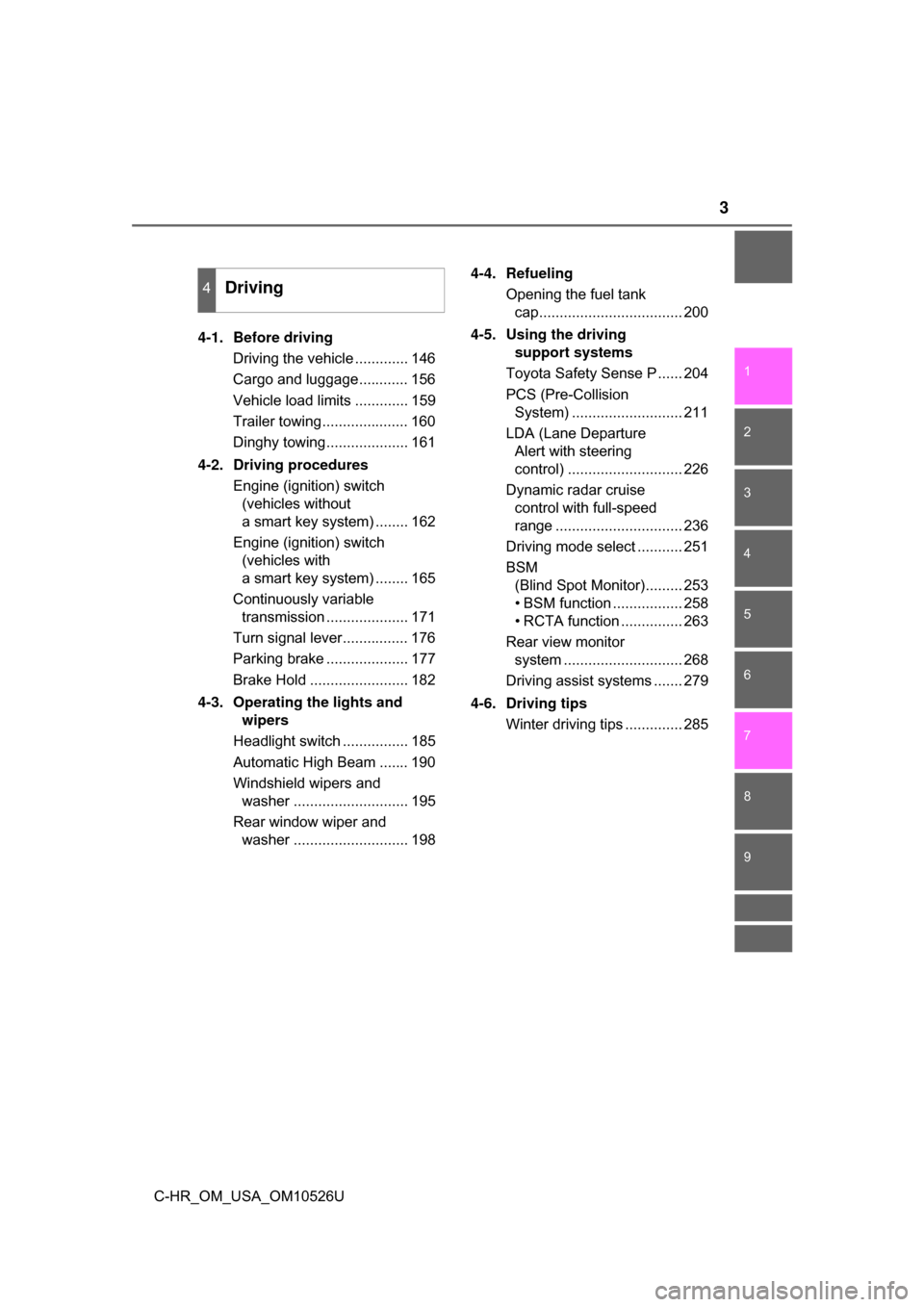
4-1. Before drivingDriving the vehicle ............. 146
Cargo and luggage............ 156
Vehicle load limits ............. 159
Trailer towing..................... 160
Dinghy towing.................... 161
4-2. Driving procedures Engine (ignition) switch (vehicles without
a smart key system) ........ 162
Engine (ignition) switch (vehicles with
a smart key system) ........ 165
Continuously variable transmission .................... 171
Turn signal lever................ 176
Parking brake .................... 177
Brake Hold ........................ 182
4-3. Operating the lights and wipers
Headlight switch ................ 185
Automatic High Beam ....... 190
Windshield wipers and washer ............................ 195
Rear window wiper and washer ............................ 198 4-4. Refueling
Opening the fuel tank cap................................... 200
4-5. Using the driving support systems
Toyota Safety Sense P ...... 204
PCS (Pre-Collision System) ........................... 211
LDA (Lane Departure Alert with steering
control) ............................ 226
Dynamic radar cruise control with full-speed
range ............................... 236
Driving mode select ........... 251
BSM (Blind Spot Monitor)......... 253
• BSM function ................. 258
• RCTA function ............... 263
Rear view monitor system ............................. 268
Driving assist systems ....... 279
4-6. Driving tips Winter driving tips .............. 285
4Driving
Page 13 of 516
13Pictorial index
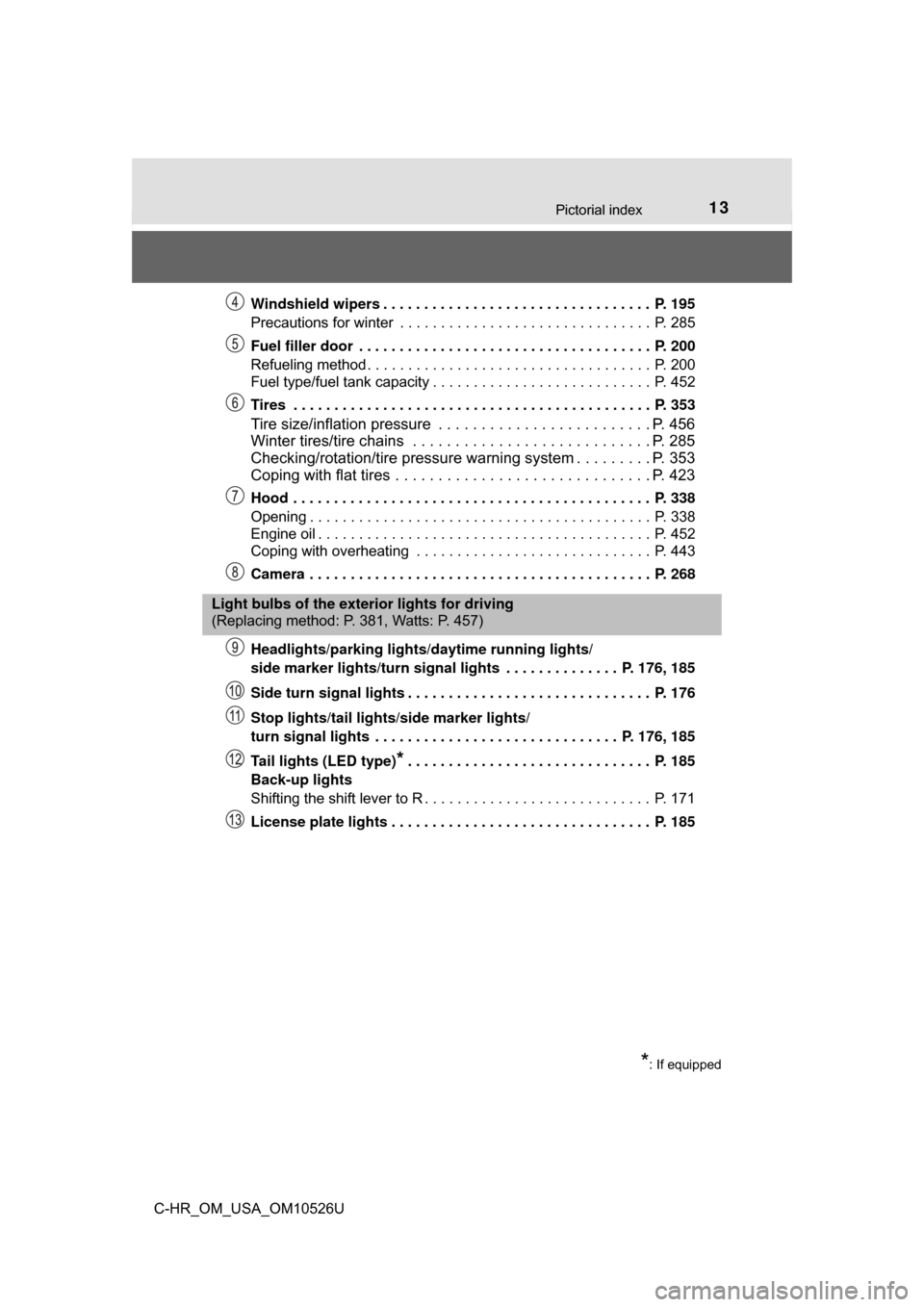
C-HR_OM_USA_OM10526UWindshield wipers . . . . . . . . . . . . . . . . . . . . . . . . . . . . . . . . . P. 195
Precautions for winter . . . . . . . . . . . . . . . . . . . . . . . . . . . . . . . P. 285
Fuel filler door . . . . . . . . . . . . . . . . . . . . . . . . . . . . . . . . . . . . P. 200
Refueling method . . . . . . . . . . . . . . . . . . . . . . . . . . . . . . . . . . . P. 200
Fuel type/fuel tank capacity . . . . . . . . . . . . . . . . . . . . . . . . . . . P. 452
Tires . . . . . . . . . . . . . . . . . . . . . . . . . . . . . . . . . . . . . . . . . . . . P. 353
Tire size/inflation pressure . . . . . . . . . . . . . . . . . . . . . . . . . P. 456
Winter tires/tire chains . . . . . . . . . . . . . . . . . . . . . . . . . . . . P. 285
Checking/rotation/tire pressure warning system . . . . . . . . . P. 353
Coping with flat tires . . . . . . . . . . . . . . . . . . . . . . . . . . . . . . P. 423
Hood . . . . . . . . . . . . . . . . . . . . . . . . . . . . . . . . . . . . . . . . . . . . P. 338
Opening . . . . . . . . . . . . . . . . . . . . . . . . . . . . . . . . . . . . . . . . . . P. 338
Engine oil . . . . . . . . . . . . . . . . . . . . . . . . . . . . . . . . . . . . . . . . . P. 452
Coping with overheating . . . . . . . . . . . . . . . . . . . . . . . . . . . . . P. 443
Camera . . . . . . . . . . . . . . . . . . . . . . . . . . . . . . . . . . . . . . . . . . P. 268
Headlights/parking lights/
daytime running lights/
side marker lights/turn signal lights . . . . . . . . . . . . . . P. 176, 185
Side turn signal lights . . . . . . . . . . . . . . . . . . . . . . . . . . . . . . P. 176
Stop lights/tail lights/side marker lights/
turn signal lights . . . . . . . . . . . . . . . . . . . . . . . . . . . . . . P. 176, 185
Tail lights (LED type)
*. . . . . . . . . . . . . . . . . . . . . . . . . . . . . . P. 185
Back-up lights
Shifting the shift lever to R . . . . . . . . . . . . . . . . . . . . . . . . . . . . P. 171
License plate lights . . . . . . . . . . . . . . . . . . . . . . . . . . . . . . . . P. 185
Light bulbs of the exterior lights for driving
(Replacing method: P. 381, Watts: P. 457)
*: If equipped
Page 15 of 516
15Pictorial index
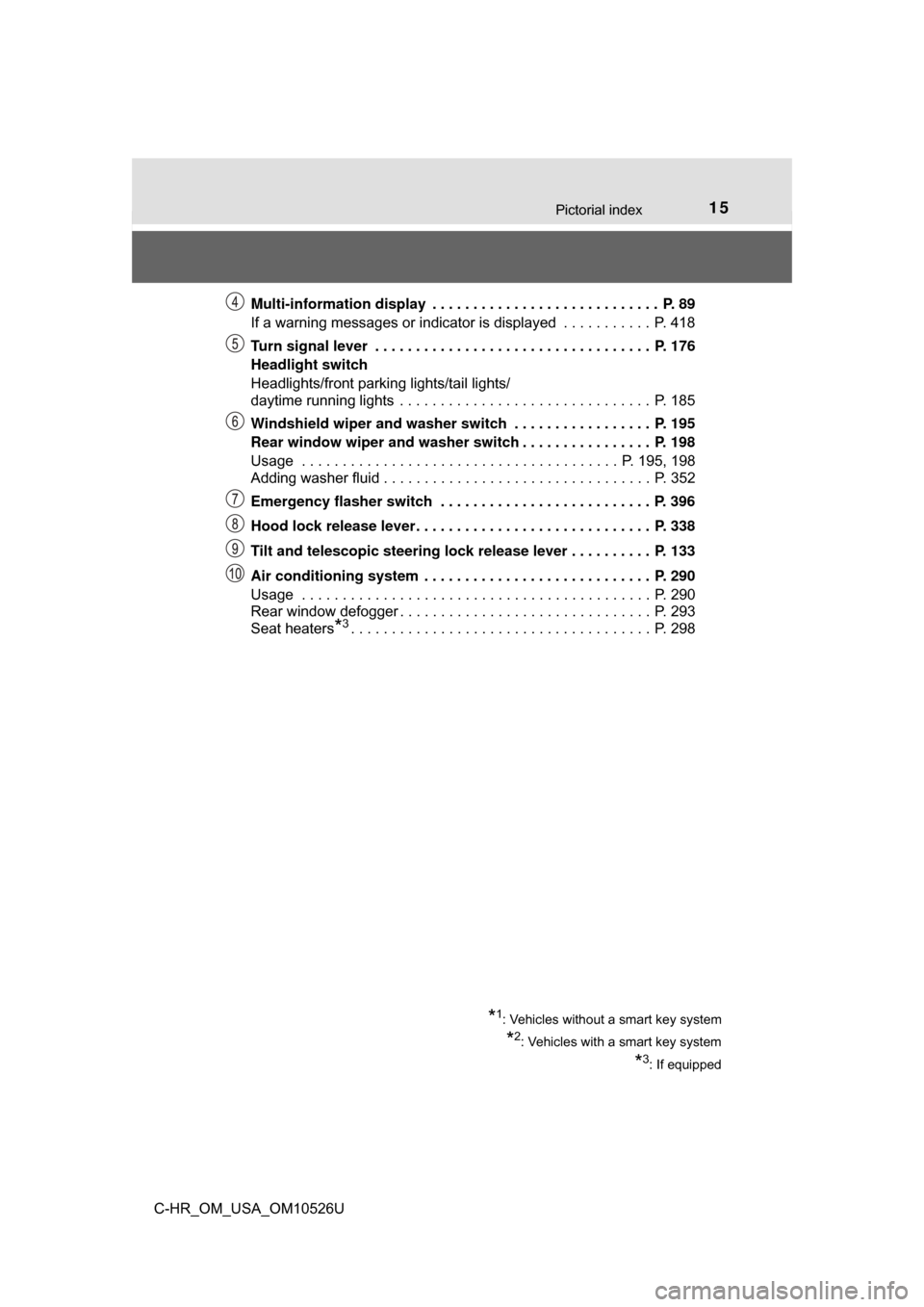
C-HR_OM_USA_OM10526UMulti-information display . . . . . . . . . . . . . . . . . . . . . . . . . . . . P. 89
If a warning messages or indicator is displayed . . . . . . . . . . . P. 418
Turn signal lever . . . . . . . . . . . . . . . . . . . . . . . . . . . . . . . . . . P. 176
Headlight switch
Headlights/front parking lights/tail lights/
daytime running lights . . . . . . . . . . . . . . . . . . . . . . . . . . . . . . . P. 185
Windshield wiper and washer switch . . . . . . . . . . . . . . . . . P. 195
Rear window wiper and washer switch . . . . . . . . . . . . . . . . P. 198
Usage . . . . . . . . . . . . . . . . . . . . . . . . . . . . . . . . . . . . . . . P. 195, 198
Adding washer fluid . . . . . . . . . . . . . . . . . . . . . . . . . . . . . . . . . P. 352
Emergency flasher switch . . . . . . . . . . . . . . . . . . . . . . . . . . P. 396
Hood lock release lever. . . . . . . . . . . . . . . . . . . . . . . . . . . . . P. 338
Tilt and telescopic steering lock release lever . . . . . . . . . . P. 133
Air conditioning system . . . . . . . . . . . . . . . . . . . . . . . . . . . . P. 290
Usage . . . . . . . . . . . . . . . . . . . . . . . . . . . . . . . . . . . . . . . . . . . P. 290
Rear window defogger . . . . . . . . . . . . . . . . . . . . . . . . . . . . . . . P. 293
Seat heaters
*3. . . . . . . . . . . . . . . . . . . . . . . . . . . . . . . . . . . . . P. 298
*1: Vehicles without a smart key system
*2: Vehicles with a smart key system
*3: If equipped
Page 81 of 516
812. Instrument cluster
2
Instrument cluster
C-HR_OM_USA_OM10526U
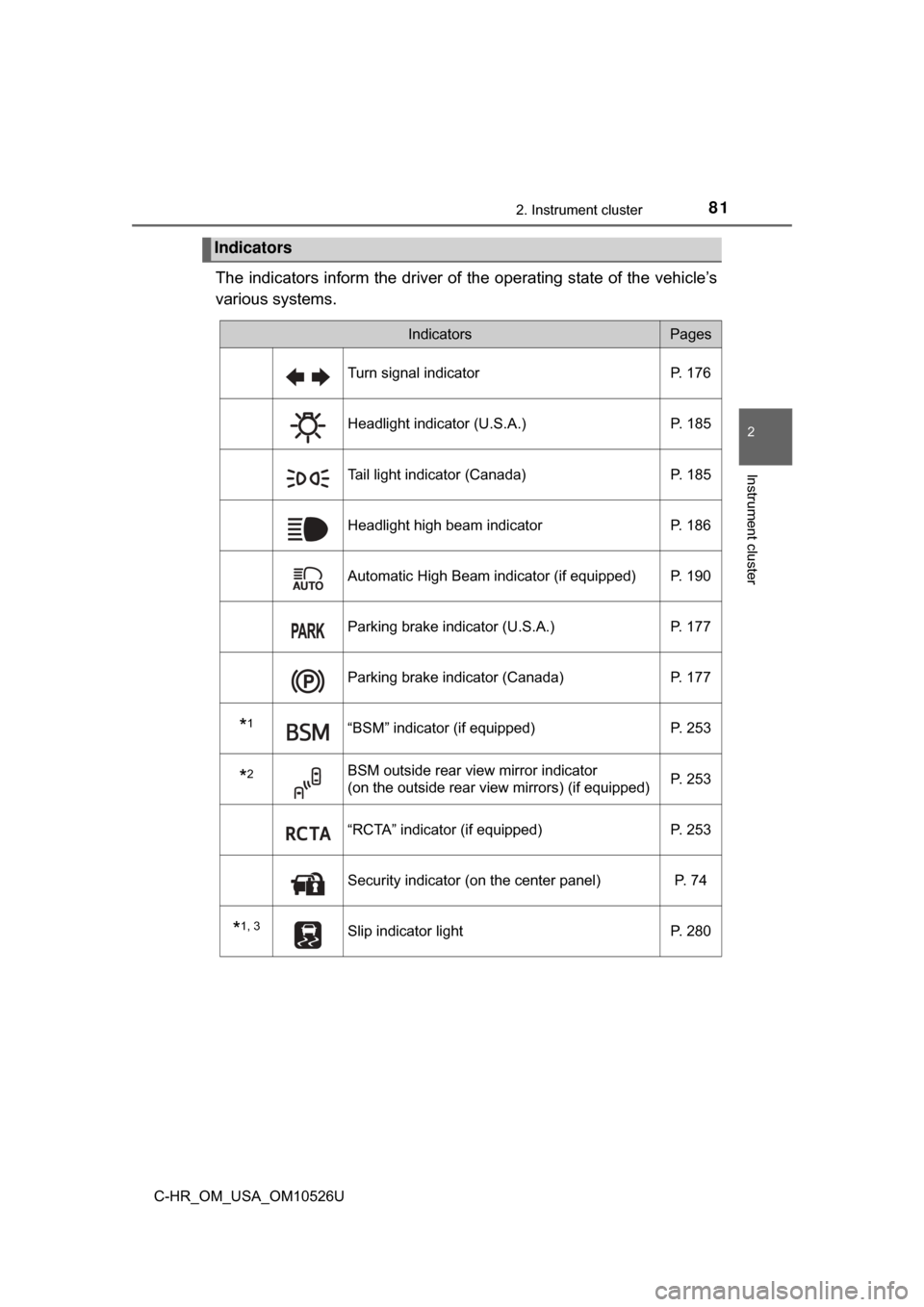
The indicators inform the driver of the operating state of the vehicle’s
various systems.
Indicators
IndicatorsPages
Turn signal indicator P. 176
Headlight indicator (U.S.A.) P. 185
Tail light indicator (Canada)P. 185
Headlight high beam indicatorP. 186
Automatic High Beam indicator (if equipped) P. 190
Parking brake indicator (U.S.A.)P. 177
Parking brake indicator (Canada)P. 177
*1“BSM” indicator (if equipped) P. 253
*2BSM outside rear view mirror indicator
(on the outside rear view mirrors) (if equipped)P. 253
“RCTA” indicator (if equipped)
P. 253
Security indicator (on the center panel) P. 74
*1, 3Slip indicator lightP. 280
Page 113 of 516
1133-2. Opening, closing and locking the doors
3
Operation of each component
C-HR_OM_USA_OM10526U
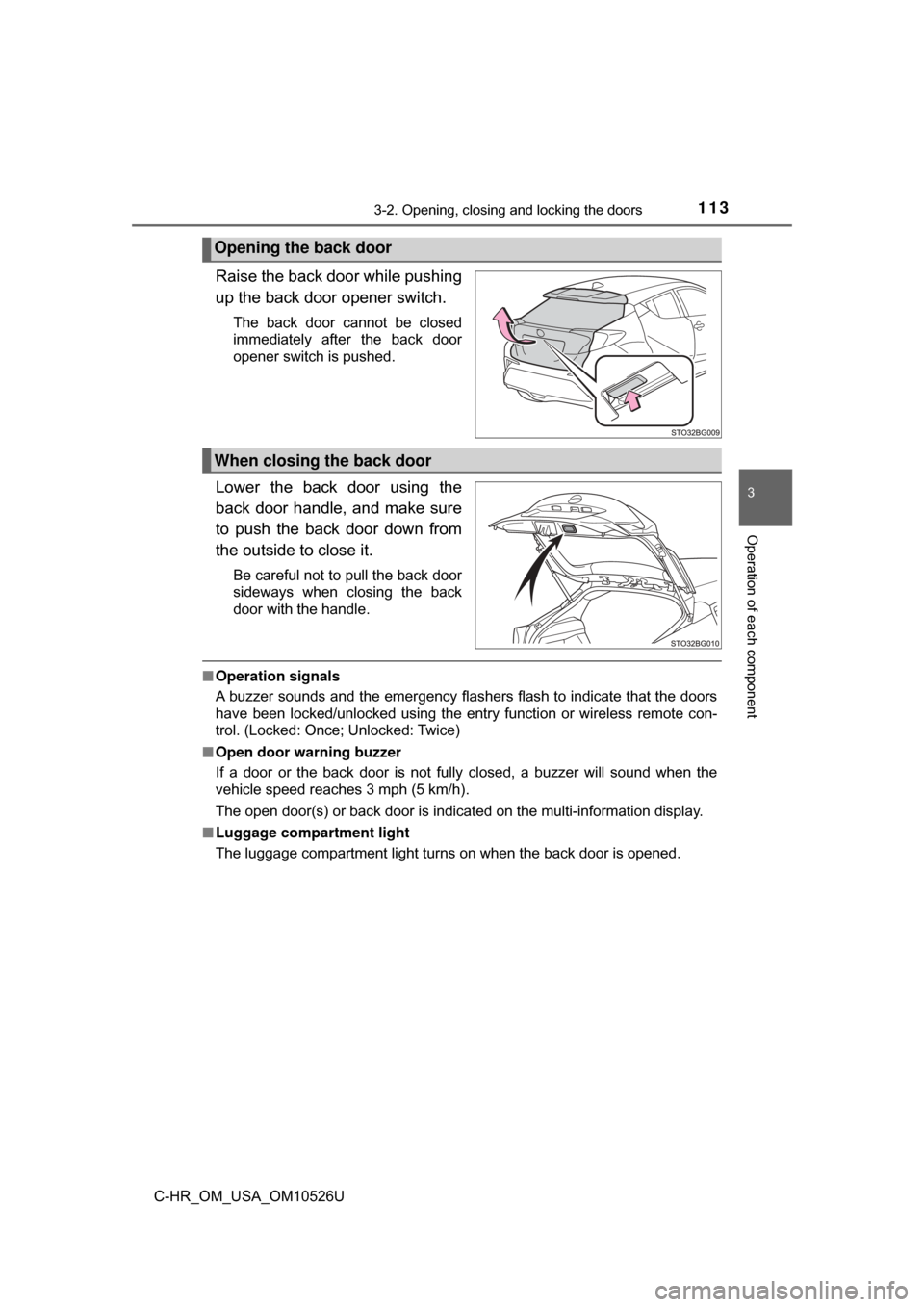
Raise the back door while pushing
up the back door opener switch.
The back door cannot be closed
immediately after the back door
opener switch is pushed.
Lower the back door using the
back door handle, and make sure
to push the back door down from
the outside to close it.
Be careful not to pull the back door
sideways when closing the back
door with the handle.
■Operation signals
A buzzer sounds and the emergency flashers flash to indicate that the doors
have been locked/unlocked using the entry function or wireless remote con-
trol. (Locked: Once; Unlocked: Twice)
■ Open door warning buzzer
If a door or the back door is not fully closed, a buzzer will sound when the
vehicle speed reaches 3 mph (5 km/h).
The open door(s) or back door is indicated on the multi-information display.
■ Luggage compartment light
The luggage compartment light turns on when the back door is opened.
Opening the back door
When closing the back door
Page 145 of 516
145
4Driving
C-HR_OM_USA_OM10526U4-1. Before driving
Driving the vehicle ............. 146
Cargo and luggage ........... 156
Vehicle load limits ............. 159
Trailer towing..................... 160
Dinghy towing ................... 161
4-2. Driving procedures Engine (ignition) switch (vehicles without
a smart key system) ........ 162
Engine (ignition) switch (vehicles with
a smart key system) ........ 165
Continuously variable transmission .................... 171
Turn signal lever................ 176
Parking brake .................... 177
Brake Hold ........................ 182
4-3. Operating the lights and wipers
Headlight switch ................ 185
Automatic High Beam ....... 190
Windshield wipers and washer ............................ 195
Rear window wiper and washer ............................ 198 4-4. Refueling
Opening the fuel tank cap .................................. 200
4-5. Using the driving support systems
Toyota Safety Sense P ..... 204
PCS (Pre-Collision System)........................... 211
LDA (Lane Departure Alert with steering
control) ............................ 226
Dynamic radar cruise control with full-speed
range............................... 236
Driving mode select .......... 251
BSM (Blind Spot Monitor) ........ 253
• BSM function ................ 258
• RCTA function .............. 263
Rear view monitor system ............................ 268
Driving assist systems ...... 279
4-6. Driving tips Winter driving tips ............. 285
Page 176 of 516
1764-2. Driving procedures
C-HR_OM_USA_OM10526U
Turn signal lever
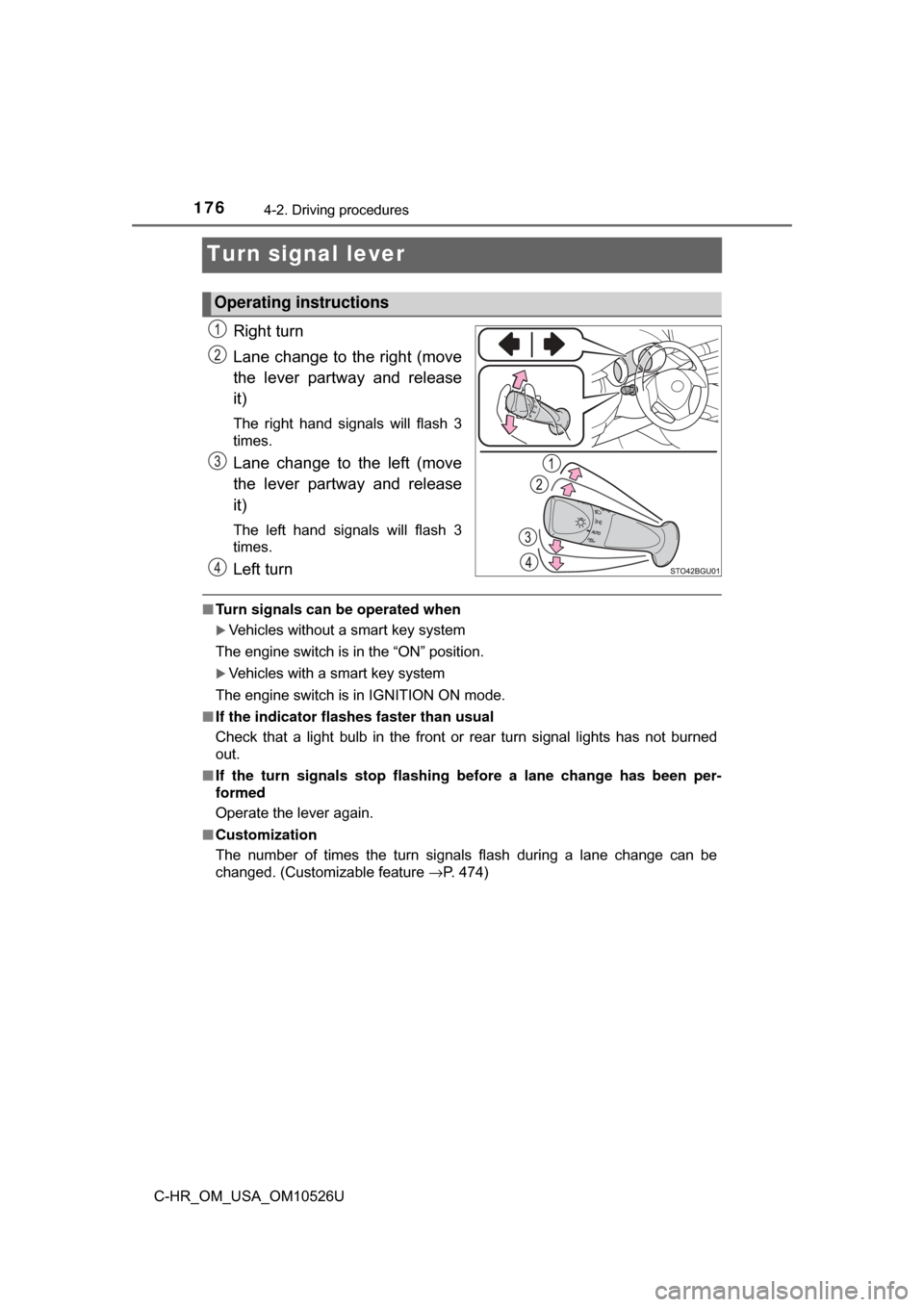
Right turn
Lane change to the right (move
the lever partway and release
it)
The right hand signals will flash 3
times.
Lane change to the left (move
the lever partway and release
it)
The left hand signals will flash 3
times.
Left turn
■Turn signals can be operated when
Vehicles without a smart key system
The engine switch is in the “ON” position.
Vehicles with a smart key system
The engine switch is in IGNITION ON mode.
■ If the indicator flashes faster than usual
Check that a light bulb in the front or rear turn signal lights has not burned
out.
■ If the turn signals stop flashing before a lane change has been per-
formed
Operate the lever again.
■ Customization
The number of times the turn signals flash during a lane change can be
changed. (Customizable feature →P. 474)
Operating instructions
Page 192 of 516
1924-3. Operating the lights and wipers
C-HR_OM_USA_OM10526U
■High beam automatic turning on or off conditions
●When all of the following conditions are fulfilled, the high beam will be auto-
matically turned on (after approximately 1 second):
• Vehicle speed is above approximately 21 mph (34 km/h).
• The area ahead of the vehicle is dark.
• There are no vehicles ahead with headlights or tail lights turned on.
• There are few streetlights on the road ahead.
● If any of the following conditions are fulfilled, the high beam will be automat-
ically turned off:
• Vehicle speed drops below approximately 17 mph (27 km/h).
• The area ahead of the vehicle is not dark.
• Vehicles ahead have headlights or tail lights turned on.
• There are many streetlights on the road ahead.
■ Camera sensor detection information
●The high beam may not be automatically turned off in the following situa-
tions:
• When oncoming vehicles suddenly appear from a curve
• When the vehicle is cut off in front of by another vehicle
• When vehicles ahead are hidden from sight due to repeated curves, road
dividers or roadside trees
• When vehicles ahead appear from the faraway lane on wide road
• When vehicles ahead have no lights
● The high beam may be turned off if a vehicle ahead that is using fog lights
without using the headlights is detected.
● House lights, street lights, traffic signals, and illuminated billboards or signs
may cause the high beam to switch to the low beams, or the low beams to
remain on.
● The following factors may affect the amount of time taken to turn the high
beam on or off:
• The brightness of headlights, fog lights, and tail lights of vehicles ahe\
ad
• The movement and direction of vehicles ahead
• When a vehicle ahead only has operational lights on one side
• When a vehicle ahead is a two-wheeled vehicle
• The condition of the road (gradient, curve, condition of the road surface,
etc.)
• The number of passengers and amount of luggage
Page 231 of 516
2314-5. Using the driving support systems
4
Driving
C-HR_OM_USA_OM10526U
■Operation conditions of each function
●Lane departure alert function
This function operates when all of the following conditions are met.
• LDA is turned on.
• Vehicle speed is approximately 32 mph (50 km/h) or more.
• System recognizes white (yellow) lines.
• Width of traffic lane is approximately 9.8 ft. (3 m) or more.
• Turn signal lever is not operated.
• Vehicle is driven on a straight road or around a gentle curve with a radius
of more than approximately 492 ft. (150 m).
• No system malfunctions are detected. ( →P. 234)
● Steering control function
This function operates when all of the following conditions are met in addi-
tion to the operation conditions for the lane departure alert function.
• Setting for “ Steering Assist” in screen of the multi-information
display is set to on. ( →P. 479)
• Vehicle is not accelerated or decelerated by a fixed amount or more.
• Steering wheel is not operated with a steering force level suitable for
changing lanes.
• ABS, VSC, TRAC and PCS are not operating.
• TRAC or VSC is not turned off.
● Vehicle sway warning
This function operates when all of the following conditions are met.
• Setting for “ Alert” in screen of the multi-information display is
set to on. ( →P. 479)
• Vehicle speed is approximately 32 mph (50 km/h) or more.
• Width of traffic lane is approximately 9.8 ft. (3 m) or more.
• No system malfunctions are detected. ( →P. 234)
Page 254 of 516

2544-5. Using the driving support systems
C-HR_OM_USA_OM10526U
Outside rear view mirror indicators
BSM function:
When a vehicle is detected in a blind spot of the outside rear view mirrors
or approaching rapidly from behind into a blind spot, the outside rear view
mirror indicator on the detected side will illuminate. If the turn signal lever
is operated toward the detected side, the outside rear view mirror indicator
will flash.
RCTA function:
When a vehicle approaching from the right or left at the rear of the vehicle
is detected, both outside rear view mirror indicators will flash.
Multi-information display
Turning the BSM function/RCTA function on/off. ( →P. 255)
The RCTA function is available when the BSM function is on.
RCTA buzzer (RCTA function only)
If a vehicle approaching from the right or left at the rear of the vehic\
le is
detected, a buzzer will sound. The buzzer also sounds for approximately
1 second immediately after the BSM function is operated to turn the sys-
tem on.
“BSM” indicator/“RCTA” indicator
When the BSM function/RCTA function is turned on, the indicator illumi-
nates.