warning TOYOTA C_HR HYBRID 2016 Workshop Manual
[x] Cancel search | Manufacturer: TOYOTA, Model Year: 2016, Model line: C_HR HYBRID, Model: TOYOTA C_HR HYBRID 2016Pages: 712, PDF Size: 49.31 MB
Page 133 of 712
1332. Instrument cluster
2
Instrument cluster
C-HR_HV_OM_Europe_OM10538E
● BSM (Blind Spot Monitor) (P. 335)*1
Select to set up the following items.
• BSM function on/off
• RCTA function on/off*
*: The RCTA function can be enabled/disabled only when the BSM func-
tion is enabled.
● Toyota parking assist-sensor (P. 351)*1
Select to enable/disable the Toyota parking assist-sensor.
● RSA (Road Sign Assist) (P. 301)*1
Select to set up RSA (Road Sign Assist).
● Driving mode select (P. 328)
● Instrument cluster light
Select to adjust brightness of the instrument cluster light.
● Vehicle Settings
Select the menu to set up the following items.
• RSA (Road Sign Assist) setup ( P. 306)*1
Select to set up RSA (Road Sign Assist).
• (Tire pressure warning system) setup ( P. 544)
Select to initialize the tire pressure warning system.
Page 135 of 712
1352. Instrument cluster
2
Instrument cluster
C-HR_HV_OM_Europe_OM10538E
■Pop-up display
In some situations, such as when a switch operation is performed, a pop-up
display will be temporarily display ed on the multi-information display.
The pop-up display function can be set on/off.
■ Setting display automatic cancelation
In the following situations, setting display in which the settings can be
changed through the meter control switch will automatically be turned off.
● If a warning message appears while the setting display is displayed
● When the vehicle begins to move while the setting display is displayed
■ Liquid crystal display
Small spots or light spots may appear on the display. This phenomenon is
characteristic of liquid crystal displays, and there is no problem continuing to
use the display.
■ When disconnecting and reconnecting 12-volt battery terminals
The drive information will be reset.
Page 137 of 712
1372. Instrument cluster
2
Instrument cluster
C-HR_HV_OM_Europe_OM10538E
WARNING
■Cautions during setting up the display
As the engine needs to be running during setting up the display, ensure that
the vehicle is parked in a place with adequate ventilation. In a closed area
such as a garage, exhaust gases including harmful carbon monoxide (CO)
may collect and enter the vehicle. This may lead to death or a serious
health hazard.
NOTICE
■ During setting up the display
To prevent 12-volt battery discharge, ens ure that the hybrid system is oper-
ating while setting up the display features.
Page 155 of 712
1553-2. Opening, closing and locking the doors
3
Operation of each component
C-HR_HV_OM_Europe_OM10538E
■ Open door warning buzzer
If the vehicle speed reaches 5 km/h (3 mph), the master warning light flashes
and a buzzer sounds to indicate that the door(s) is not fully closed.
The open door(s) is displayed on the multi-information display.
■ Conditions affecting the operation of the smart entry & start system
P. 166
■ Customization
Some functions can be changed. ( P. 679)
WARNING
■To prevent an accident
Observe the following precautions while driving the vehicle.
Failure to do so may result in a door opening and an occupant falling out,
resulting in death or serious injury.
● Ensure that all doors are properly closed and locked.
● Do not pull the inside handle of the doors while driving.
Be especially careful for the front doors, as the door may be opened even
if the inside lock buttons are in locked position.
● Set the rear door child-protector locks when children are seated in the rear
seats.
Page 156 of 712
1563-2. Opening, closing and locking the doors
C-HR_HV_OM_Europe_OM10538E
WARNING
■When opening or closing a door
Check the surroundings of the vehicle such as whether the vehicle is on an
incline, whether there is enough space for a door to open and whether a
strong wind is blowing. When opening or closing the door, hold the door
handle tightly to prepare for any unpredictable movement.
■ When using the wireless remote control and operating the power win-
dows
Operate the power window after checking to make sure that there is no pos-
sibility of any passenger having any of their body parts caught in the side
window. Also, do not allow children to operate the wireless remote control. It
is possible for children and other passengers to get caught in the power
window.
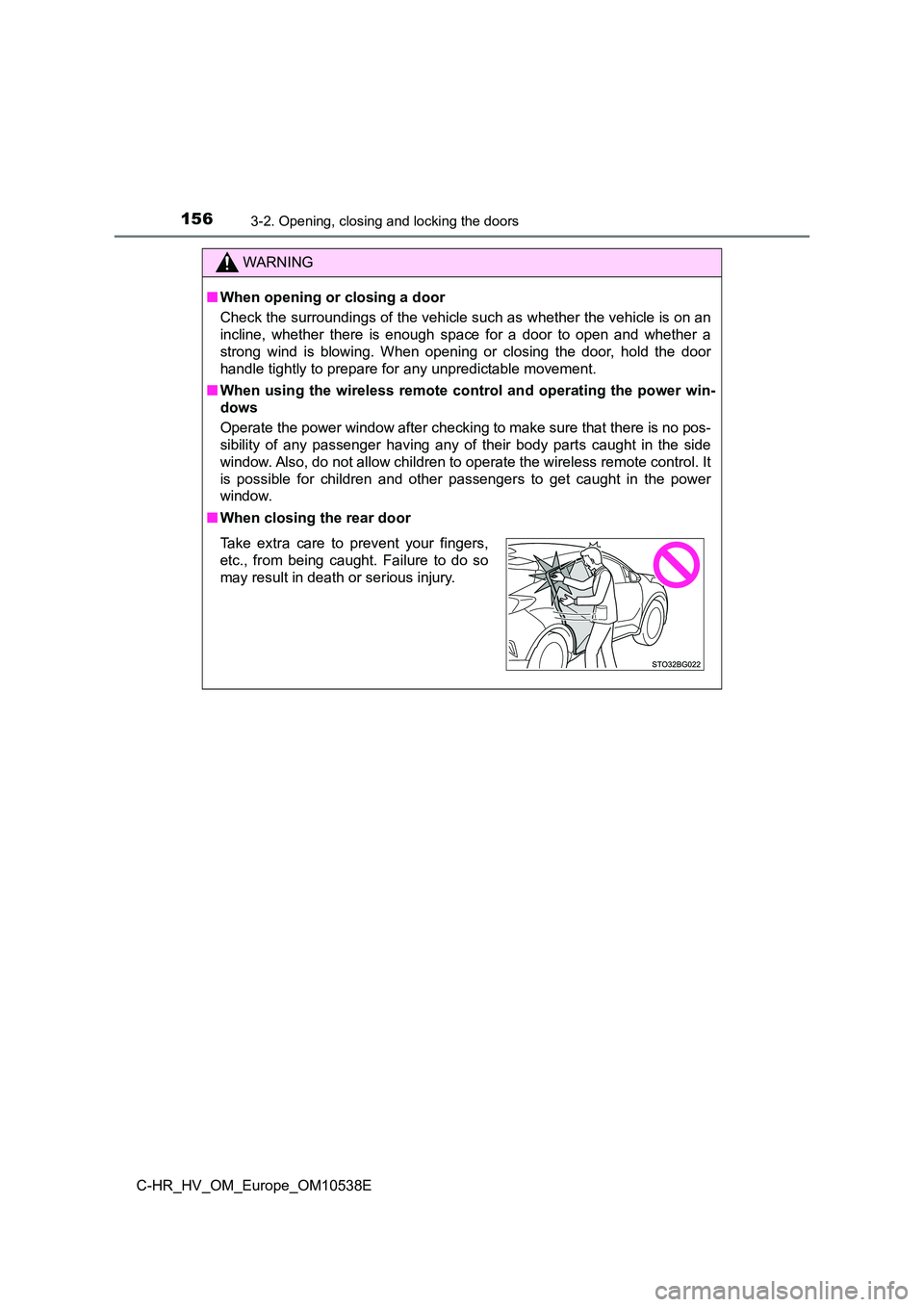
■ When closing the rear door
Take extra care to prevent your fingers,
etc., from being caught. Failure to do so
may result in death or serious injury.
Page 158 of 712
1583-2. Opening, closing and locking the doors
C-HR_HV_OM_Europe_OM10538E
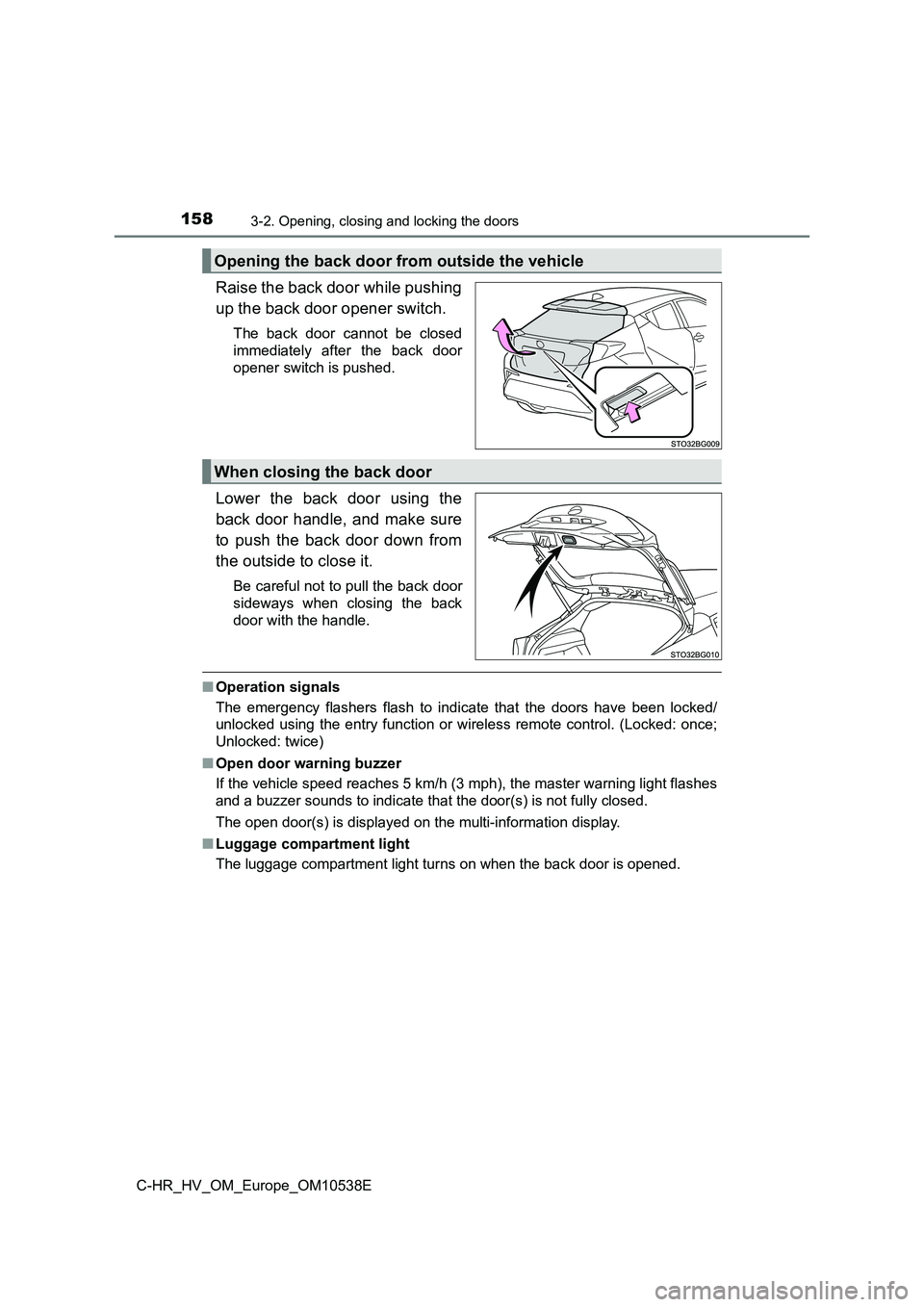
Raise the back door while pushing
up the back door opener switch.
The back door cannot be closed
immediately after the back door
opener switch is pushed.
Lower the back door using the
back door handle, and make sure
to push the back door down from
the outside to close it.
Be careful not to pull the back door
sideways when closing the back
door with the handle.
■ Operation signals
The emergency flashers flash to indicate that the doors have been locked/
unlocked using the entry function or wireless remote control. (Locked: once;
Unlocked: twice)
■ Open door warning buzzer
If the vehicle speed reaches 5 km/h (3 mph), the master warning light flashes
and a buzzer sounds to indicate that the door(s) is not fully closed.
The open door(s) is displayed on the multi-information display.
■ Luggage compartment light
The luggage compartment light turns on when the back door is opened.
Opening the back door from outside the vehicle
When closing the back door
Page 160 of 712
1603-2. Opening, closing and locking the doors
C-HR_HV_OM_Europe_OM10538E
WARNING
■Caution while driving
● Keep the back door closed while driving.
If the back door is left open, it may hit near-by objects while driving or lug-
gage may be unexpectedly thrown out, causing an accident.
In addition, exhaust gases may enter the vehicle, causing death or a seri-
ous health hazard. Make sure to close the back door before driving.
● Before driving the vehicle, make sure that the back door is fully closed. If
the back door is not fully closed, it may open unexpectedly while driving,
causing an accident.
● Never let anyone sit in the luggage compartment. In the event of sudden
braking or a collision, they are susceptible to death or serious injury.
■ When children are in the vehicle
Observe the following precautions.
Failure to do so may result in death or serious injury.
● Do not allow children to play in the luggage compartment.
If a child is accidentally locked in the luggage compartment, they could
have heat exhaustion or other injuries.
● Do not allow a child to open or close the back door.
Doing so may cause the back door to move unexpectedly, or cause the
child’s hands, head, or neck to be caught by the closing back door.
Page 161 of 712
1613-2. Opening, closing and locking the doors
3
Operation of each component
C-HR_HV_OM_Europe_OM10538E
WARNING
■Operating the back door
Observe the following precautions.
Failure to do so may cause parts of the body to be caught, resulting in death
or serious injury.
● Remove any heavy loads, such as snow and ice, from the back door
before opening it. Failure to do so may cause the back door to suddenly
shut again after it is opened.
● When opening or closing the back door, thoroughly check to make sure
the surrounding area is safe.
● If anyone is in the vicinity, make sure they are safe and let them know that
the back door is about to open or close.
● Use caution when opening or closing the back door in windy weather as it
may move abruptly in strong wind.
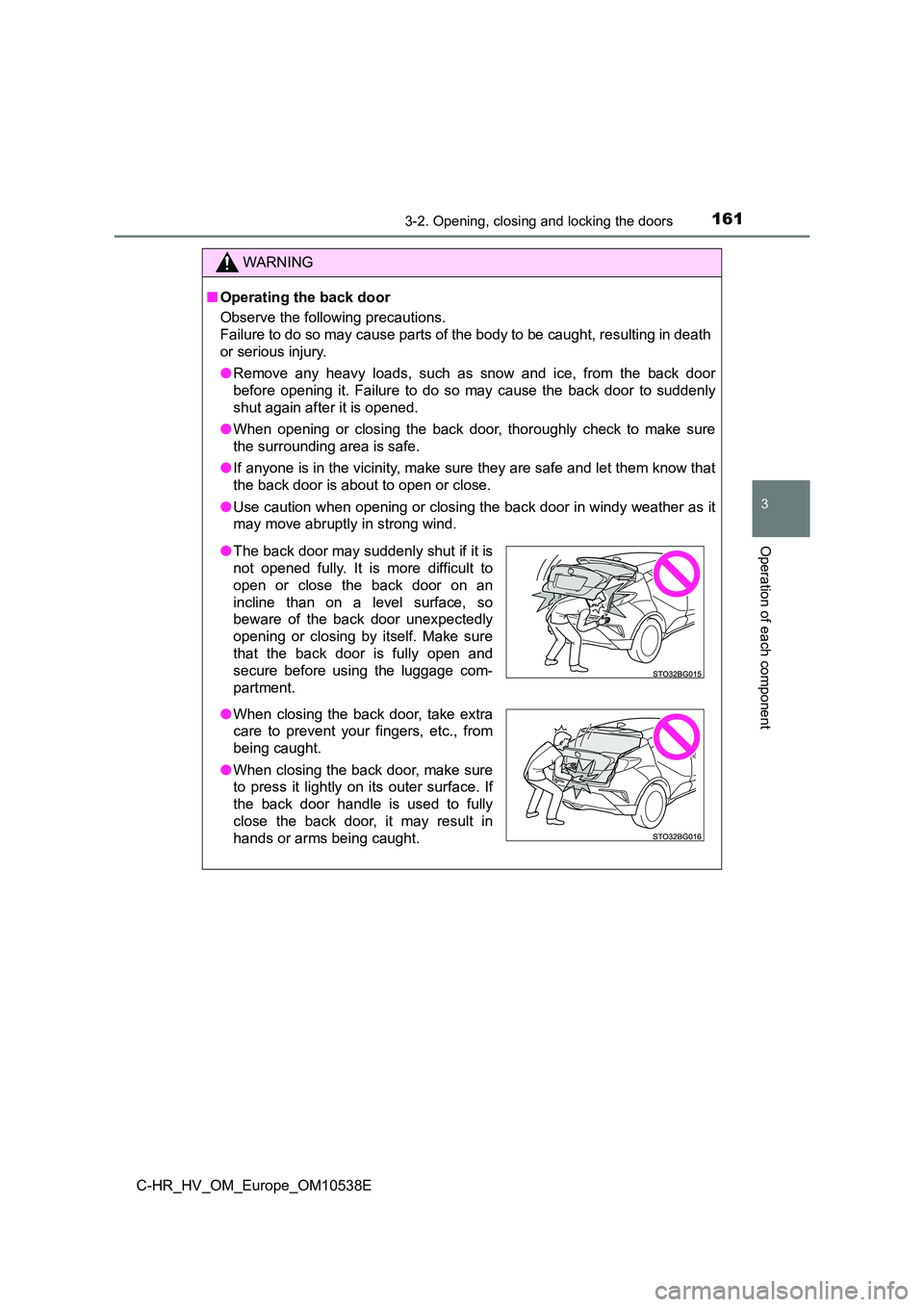
● The back door may suddenly shut if it is
not opened fully. It is more difficult to
open or close the back door on an
incline than on a level surface, so
beware of the back door unexpectedly
opening or closing by itself. Make sure
that the back door is fully open and
secure before using the luggage com-
partment.
● When closing the back door, take extra
care to prevent your fingers, etc., from
being caught.
● When closing the back door, make sure
to press it lightly on its outer surface. If
the back door handle is used to fully
close the back door, it may result in
hands or arms being caught.
Page 162 of 712
1623-2. Opening, closing and locking the doors
C-HR_HV_OM_Europe_OM10538E
WARNING
●Do not pull on the back door damper stay to close the back door, and do
not hang on the back door damper stay.
Doing so may cause hands to be caught or the back door damper stay to
break, causing an accident.
● If a bicycle carrier or similar heavy object is attached to the back door, it
may suddenly shut again after being opened, causing someone’s hands,
head or neck to be caught and injured. When installing an accessory part
to the back door, using a genuine Toyota part is recommended.
NOTICE
■ Back door damper stays
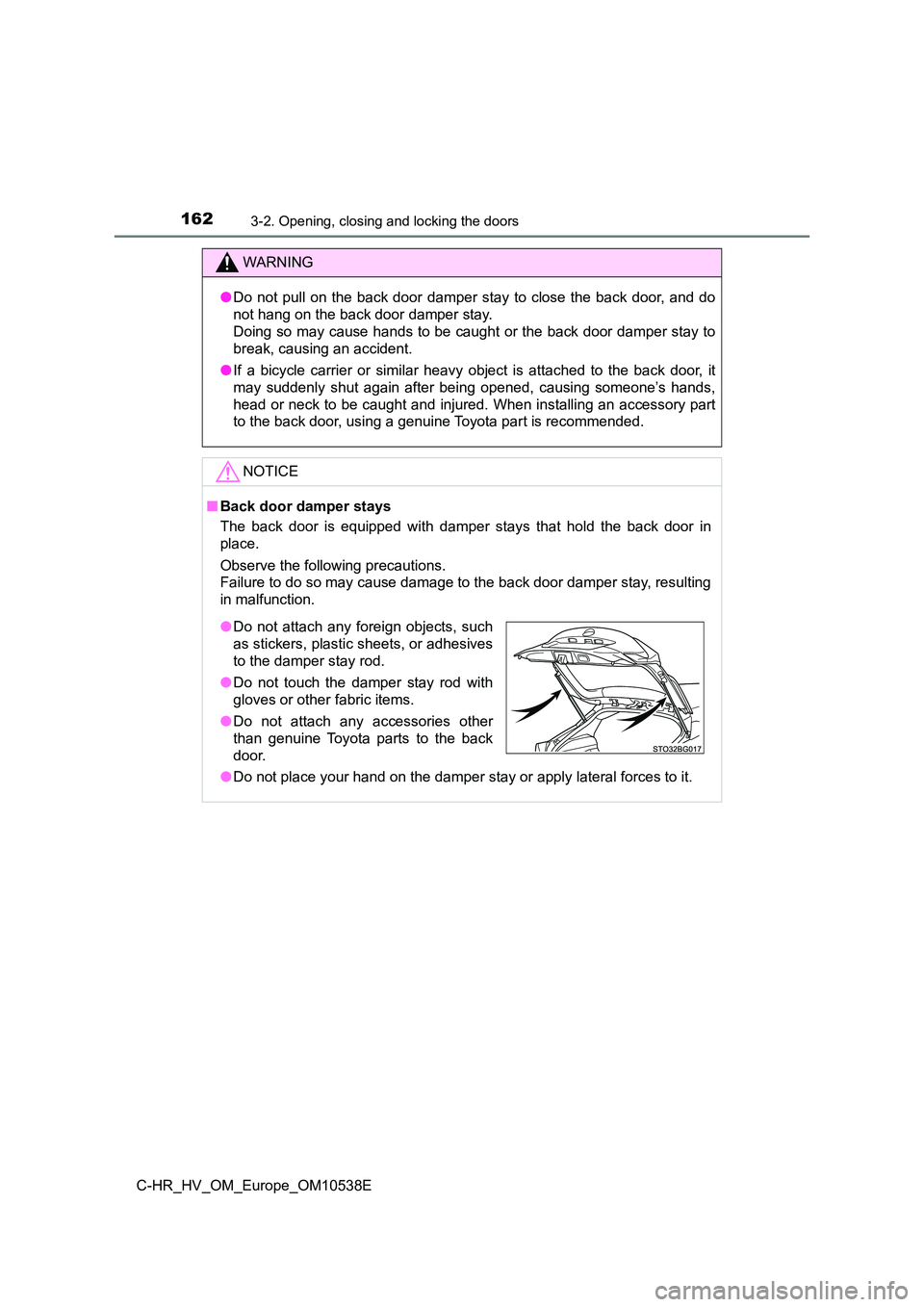
The back door is equipped with damper stays that hold the back door in
place.
Observe the following precautions.
Failure to do so may cause damage to the back door damper stay, resulting
in malfunction.
● Do not place your hand on the damper stay or apply lateral forces to it.
●Do not attach any foreign objects, such
as stickers, plastic sheets, or adhesives
to the damper stay rod.
● Do not touch the damper stay rod with
gloves or other fabric items.
● Do not attach any accessories other
than genuine Toyota parts to the back
door.
Page 164 of 712
1643-2. Opening, closing and locking the doors
C-HR_HV_OM_Europe_OM10538E
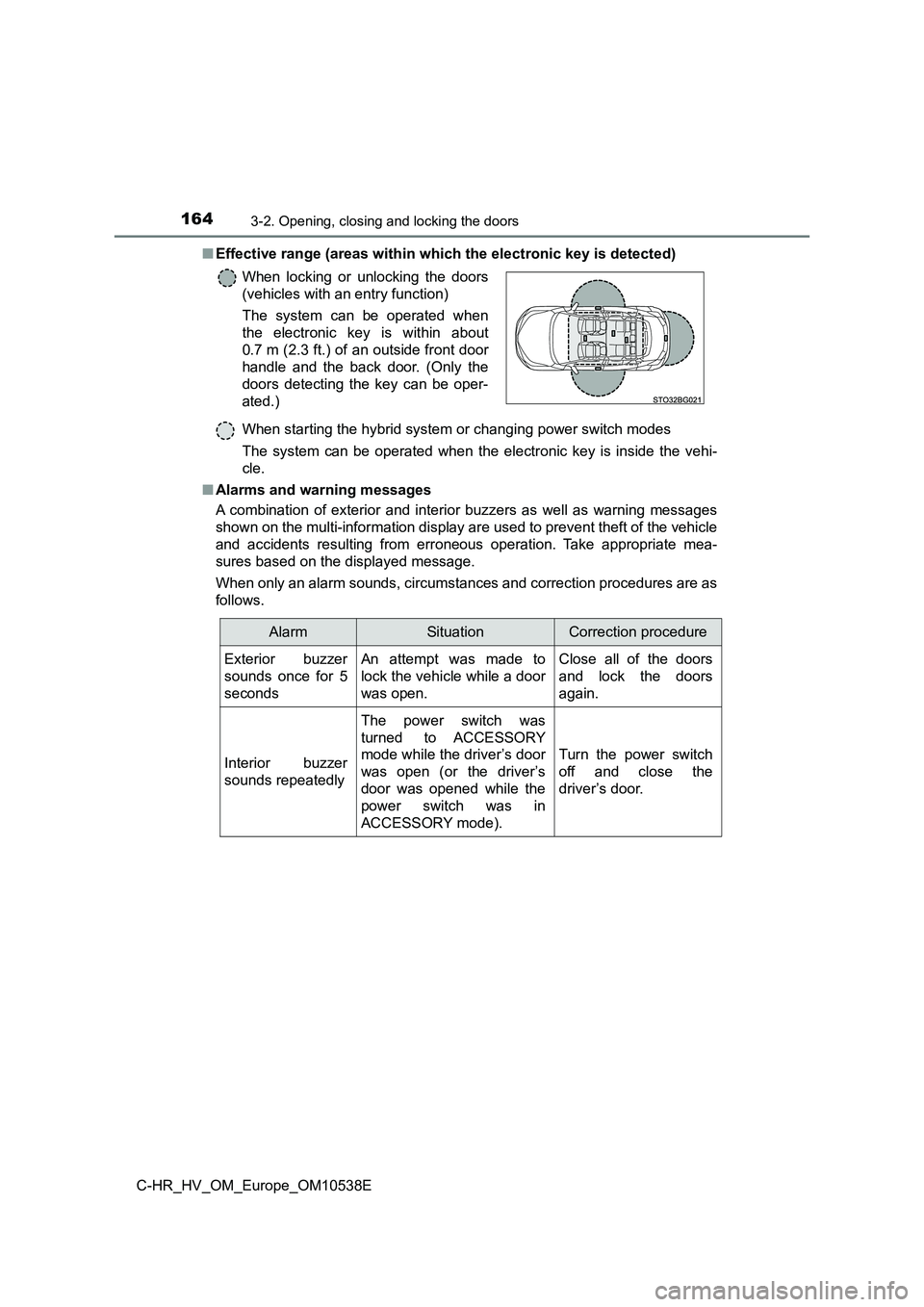
■ Effective range (areas within which the electronic key is detected)
When starting the hybrid system or changing power switch modes
The system can be operated when the electronic key is inside the vehi-
cle.
■ Alarms and warning messages
A combination of exterior and interior buzzers as well as warning messages
shown on the multi-information display are used to prevent theft of the vehicle
and accidents resulting from erroneous operation. Take appropriate mea-
sures based on the displayed message.
When only an alarm sounds, circumstances and correction procedures are as
follows.
When locking or unlocking the doors
(vehicles with an entry function)
The system can be operated when
the electronic key is within about
0.7 m (2.3 ft.) of an outside front door
handle and the back door. (Only the
doors detecting the key can be oper-
ated.)
AlarmSituationCorrection procedure
Exterior buzzer
sounds once for 5
seconds
An attempt was made to
lock the vehicle while a door
was open.
Close all of the doors
and lock the doors
again.
Interior buzzer
sounds repeatedly
The power switch was
turned to ACCESSORY
mode while the driver’s door
was open (or the driver’s
door was opened while the
power switch was in
ACCESSORY mode).
Turn the power switch
off and close the
driver’s door.