light TOYOTA CAMRY 2014 XV50 / 9.G Workshop Manual
[x] Cancel search | Manufacturer: TOYOTA, Model Year: 2014, Model line: CAMRY, Model: TOYOTA CAMRY 2014 XV50 / 9.GPages: 620, PDF Size: 7.47 MB
Page 152 of 620
152 2-1. Driving procedures
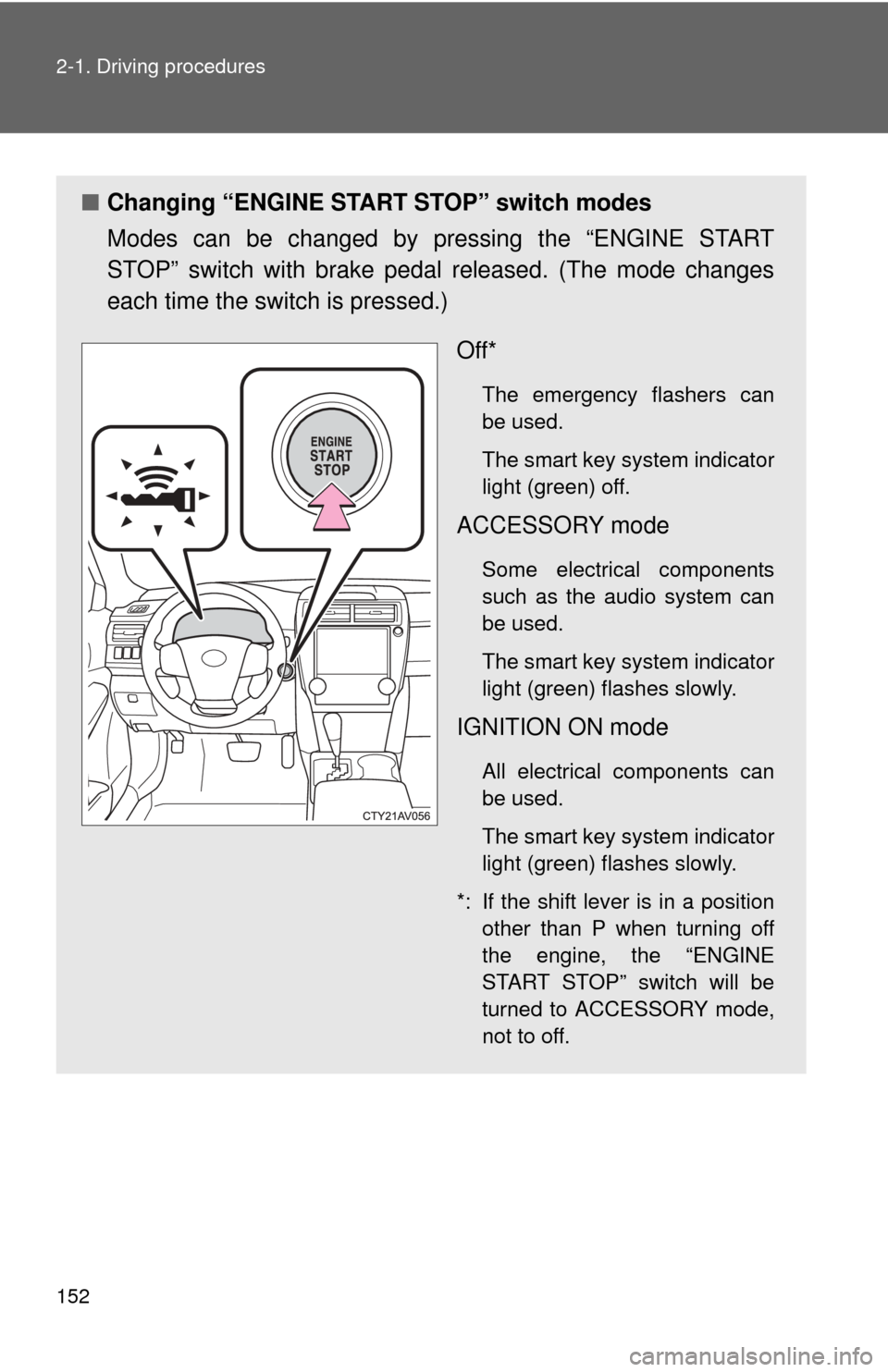
■Changing “ENGINE START STOP” switch modes
Modes can be changed by pressing the “ENGINE START
STOP” switch with brake pedal released. (The mode changes
each time the switch is pressed.)
Off*
The emergency flashers can
be used.
The smart key system indicator
light (green) off.
ACCESSORY mode
Some electrical components
such as the audio system can
be used.
The smart key system indicator
light (green) flashes slowly.
IGNITION ON mode
All electrical components can
be used.
The smart key system indicator
light (green) flashes slowly.
*: If the shift lever is in a position other than P when turning off
the engine, the “ENGINE
START STOP” switch will be
turned to ACCESSORY mode,
not to off.
Page 153 of 620
153
2-1. Driving procedures
2
When driving
When stopping the engine with the shift lever in a position other
than P
If the engine is stopped with the sh ift lever in a position other than P,
the “ENGINE START STOP” switch will not be turned off but instead
be turned to ACCESSORY mode. Perform the following procedure to
turn the switch off:
Check that the parking brake is set.
Shift the shift lever to P.
Check that the smart key system indicator light (green)
flashes slowly and then press the “ENGINE START STOP”
switch once.
Check that the smart key system indicator light (green) is off.
■Auto power off function
If the vehicle is left in ACCESSORY mode for more than 20 minutes or IGNI-
TION ON mode (the engine is not running) for more than an hour with th\
e
shift lever in P, the “ENGINE START STOP” switch will automatically turn off.
However, this function cannot entirely prevent battery discharge. Do not
leave the vehicle with the “ENGINE START STOP” switch in ACCESSORY
or IGNITION ON mode for long periods of time when the engine is not run-
ning.
■ Electronic key battery depletion
P. 4 6
■ Conditions affecting operation
P. 4 2
■ Note for the entry function
P. 4 3
STEP1
STEP2
STEP3
STEP4
Page 154 of 620
154 2-1. Driving procedures
■If the engine does not start
●The engine immobilizer system may not have been deactivated. ( P. 96)
■ Steering lock
After turning the “ENGINE START STOP” switch off and opening and closing
the doors, the steering wheel will be locked due to the steering lock function.
Operating the “ENGINE START STOP” switch again automatically cancels
the steering lock.
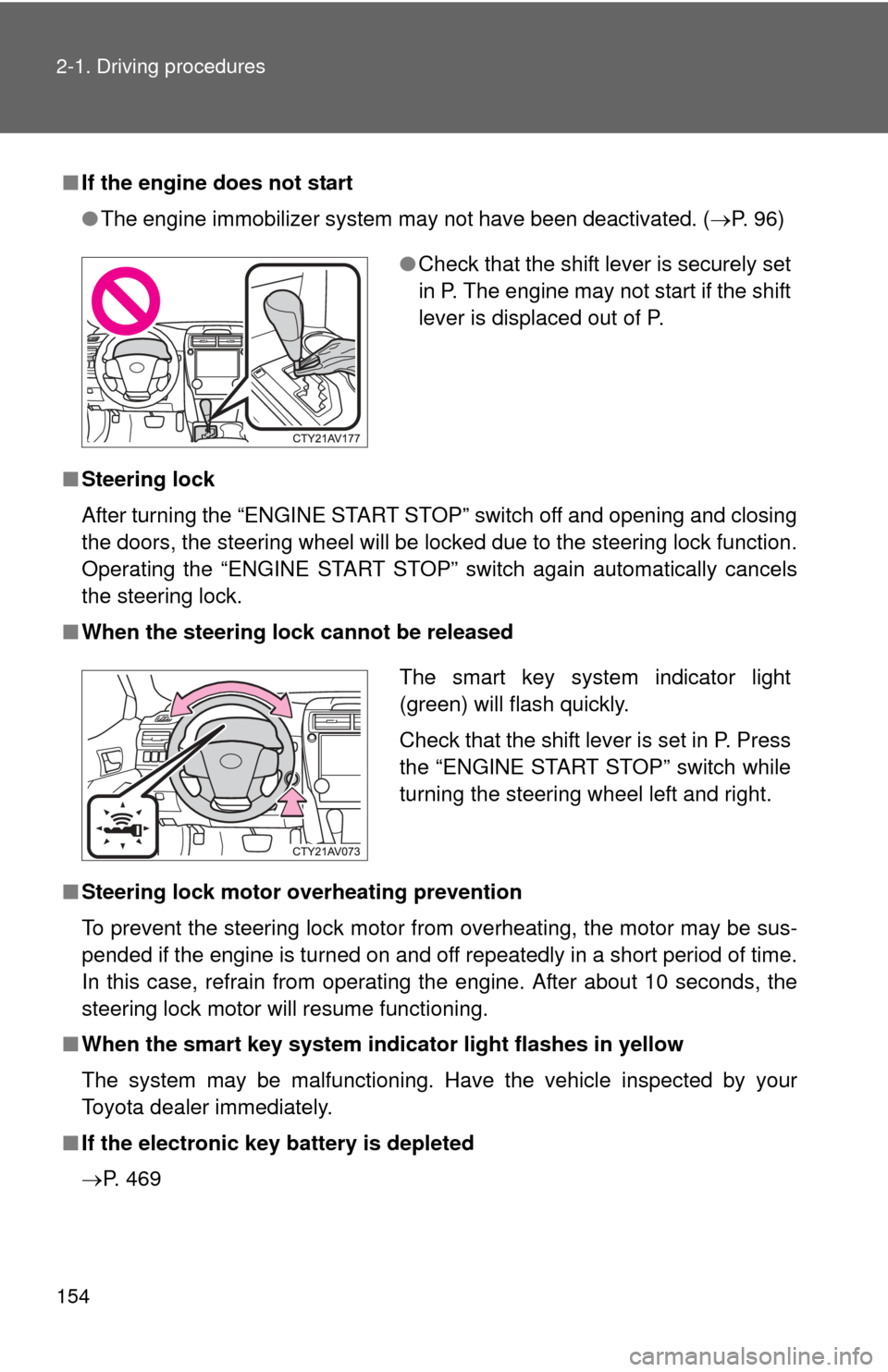
■ When the steering lock cannot be released
■ Steering lock motor overheating prevention
To prevent the steering lock motor from overheating, the motor may be sus-
pended if the engine is turned on and off repeatedly in a short period of time.
In this case, refrain from operating the engine. After about 10 seconds, the
steering lock motor will resume functioning.
■ When the smart key system indi cator light flashes in yellow
The system may be malfunctioning. Have the vehicle inspected by your
Toyota dealer immediately.
■ If the electronic key battery is depleted
P. 469
●Check that the shift lever is securely set
in P. The engine may not start if the shift
lever is displaced out of P.
The smart key system indicator light
(green) will flash quickly.
Check that the shift lever is set in P. Press
the “ENGINE START STOP” switch while
turning the steering wheel left and right.
Page 156 of 620
156 2-1. Driving procedures
NOTICE
■To prevent battery discharge
●Do not leave the “ENGINE START STOP” switch in ACCESSORY or IGNI-
TION ON mode for long periods of time without the engine running.
● If the smart key system indicator light (green) is illuminated, the “ENGINE
START STOP” switch is not off. When exiting the vehicle, always check
that the “ENGINE START STOP” switch is off.
● Do not stop the engine when the shift lever is in a position other than P. If
the engine is stopped in another shift lever position, the “ENGINE START
STOP” switch will not be turned off but instead be turned to ACCESSORY
mode. If the vehicle is left in ACCESSORY mode, battery discharge may
occur.
■ When starting the engine
●Do not race a cold engine.
● If the engine becomes difficult to start or stalls frequently, have the engine
checked immediately.
■ Symptoms indicating a malfunction with the “ENGINE START STOP”
switch
If the “ENGINE START STOP” seems to be operating somewhat differently
than usual, such as the switch sticking slightly, there may be a malfunction.
Contact your Toyota dealer immediately.
Page 168 of 620
168
2-1. Driving procedures
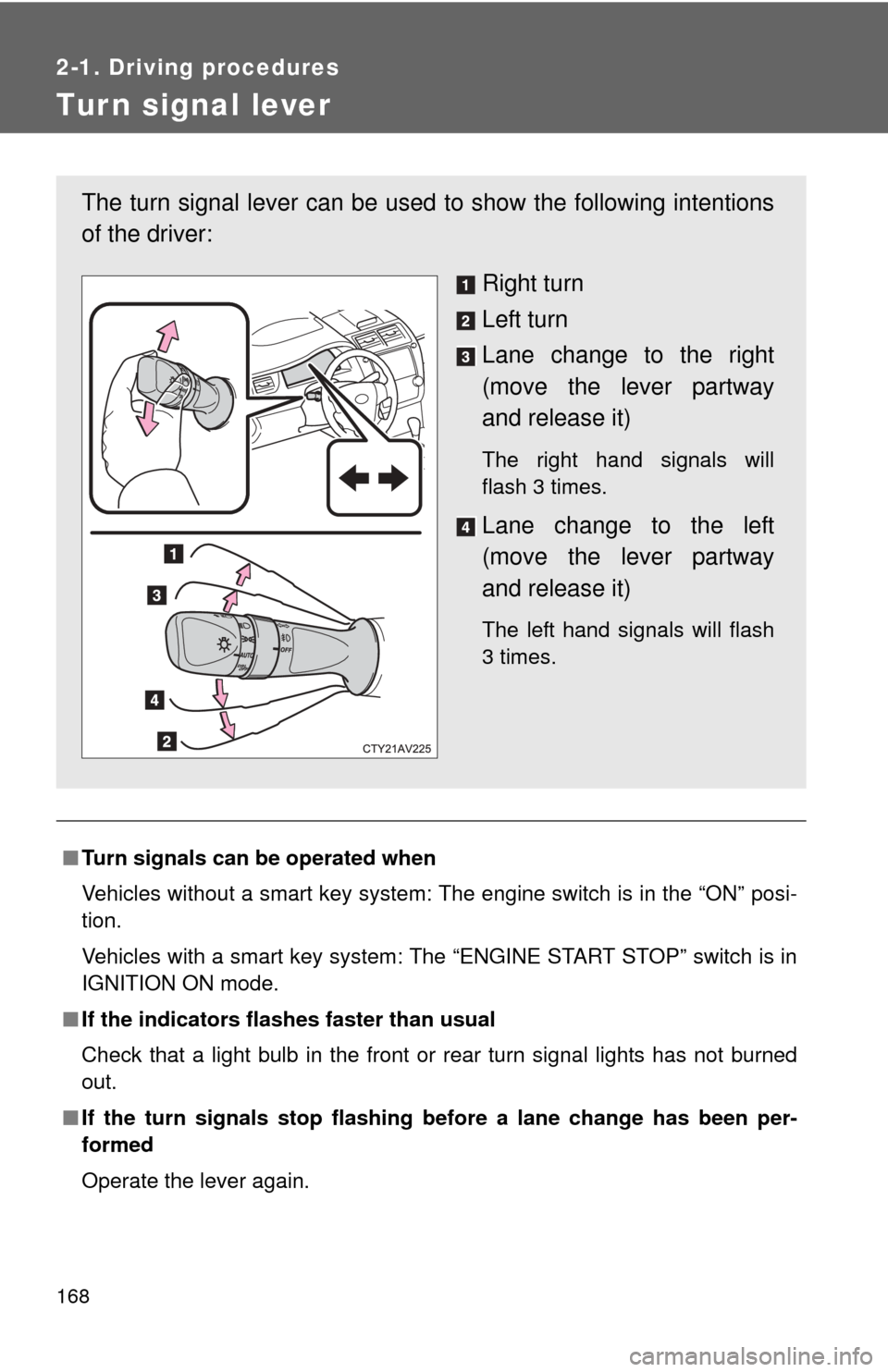
Tur n signal lever
■Turn signals can be operated when
Vehicles without a smart key system: The engine switch is in the “ON” posi-
tion.
Vehicles with a smart key system: The “ENGINE START STOP” switch is in
IGNITION ON mode.
■ If the indicators flashes faster than usual
Check that a light bulb in the front or rear turn signal lights has not burned
out.
■ If the turn signals stop flashing be fore a lane change has been per-
formed
Operate the lever again.
The turn signal lever can be used to show the following intentions
of the driver:
Right turn
Left turn
Lane change to the right
(move the lever partway
and release it)
The right hand signals will
flash 3 times.
Lane change to the left
(move the lever partway
and release it)
The left hand signals will flash
3 times.
Page 172 of 620
172
2-2. Instrument cluster
Gauges and meters
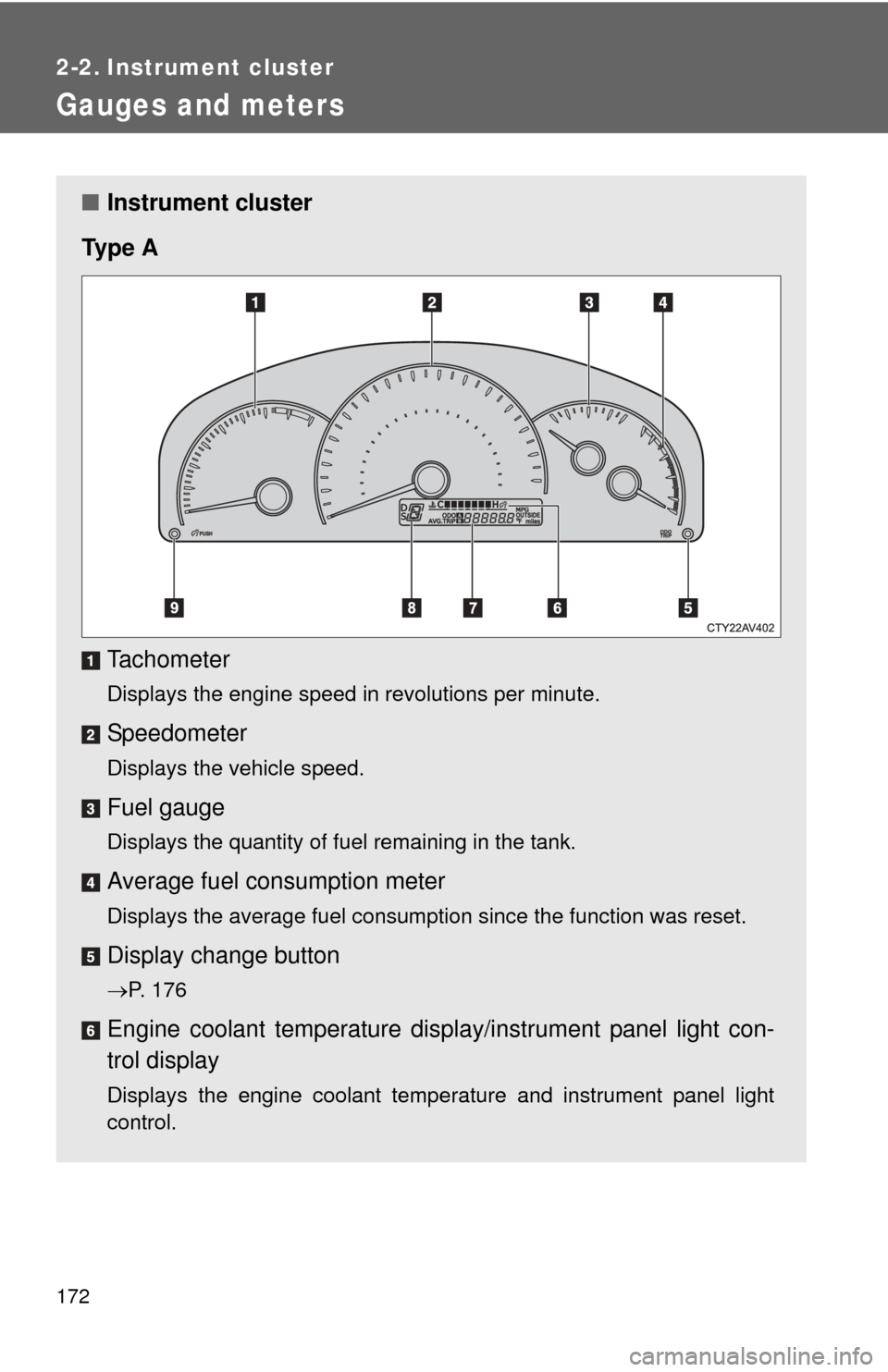
■Instrument cluster
Ty p e A
Tachometer
Displays the engine speed in revolutions per minute.
Speedometer
Displays the vehicle speed.
Fuel gauge
Displays the quantity of fuel remaining in the tank.
Average fuel consumption meter
Displays the average fuel consumption since the function was reset.
Display change button
P. 176
Engine coolant temperature displa y/instrument panel light con-
trol display
Displays the engine coolant temperature and instrument panel light
control.
Page 173 of 620
173
2-2. Instrument cluster
2
When driving
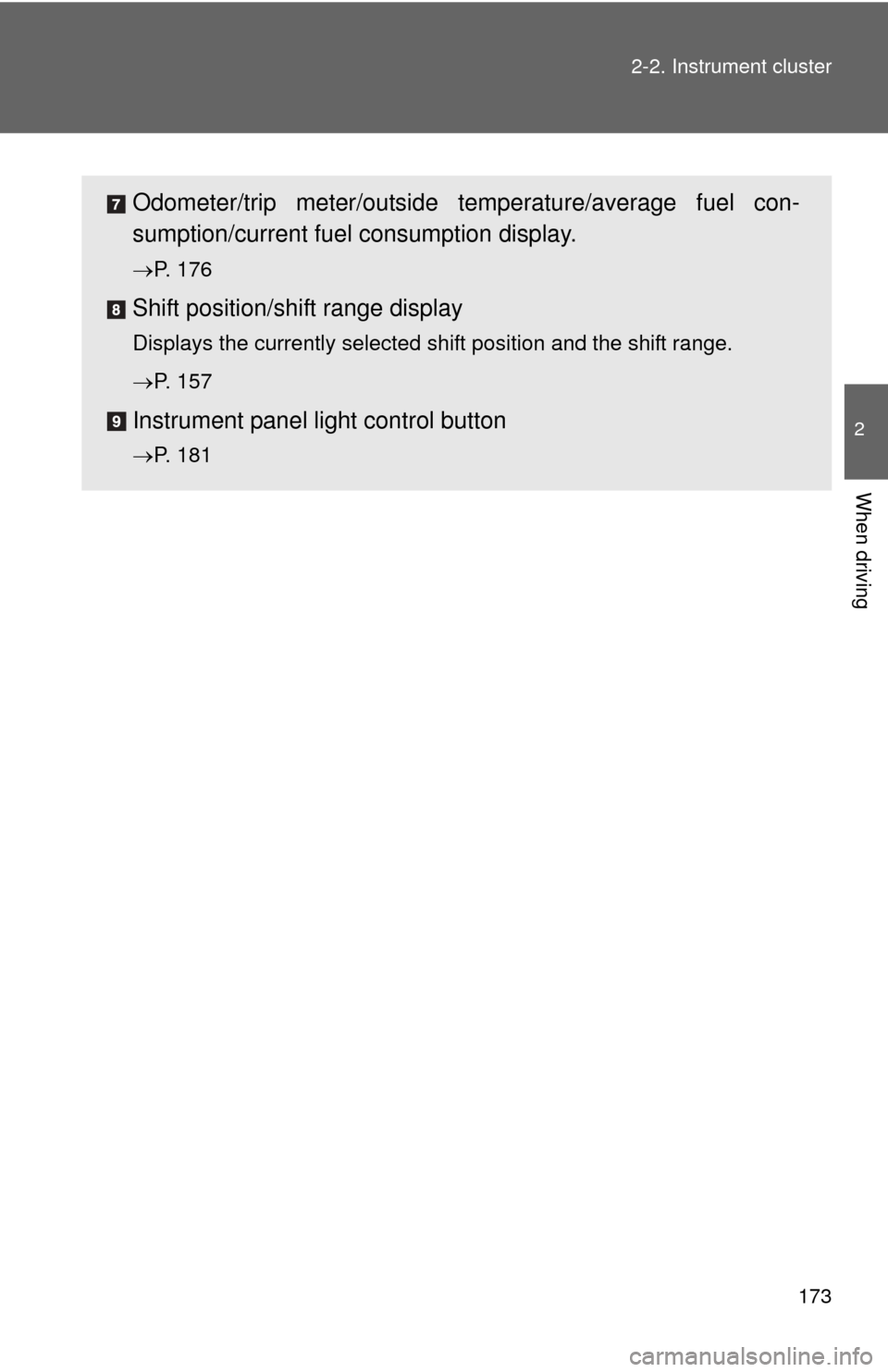
Odometer/trip meter/outside temperature/average fuel con-
sumption/current fuel
consumption display.
P. 176
Shift position/shift range display
Displays the currently selected shift position and the shift range.
P. 157
Instrument panel light control button
P. 181
Page 175 of 620
175
2-2. Instrument cluster
2
When driving
Odometer/trip meter/average
fuel consumption display
P. 176
Engine coolant temperature displa y/instrument panel light con-
trol display
Displays the engine coolant temperature and instrument panel light
control.
Outside temperature display
P. 387
Shift position/shift range display
Displays the currently selected shift position and the shift range.
P. 157, 161
Instrument panel light control button
P. 181
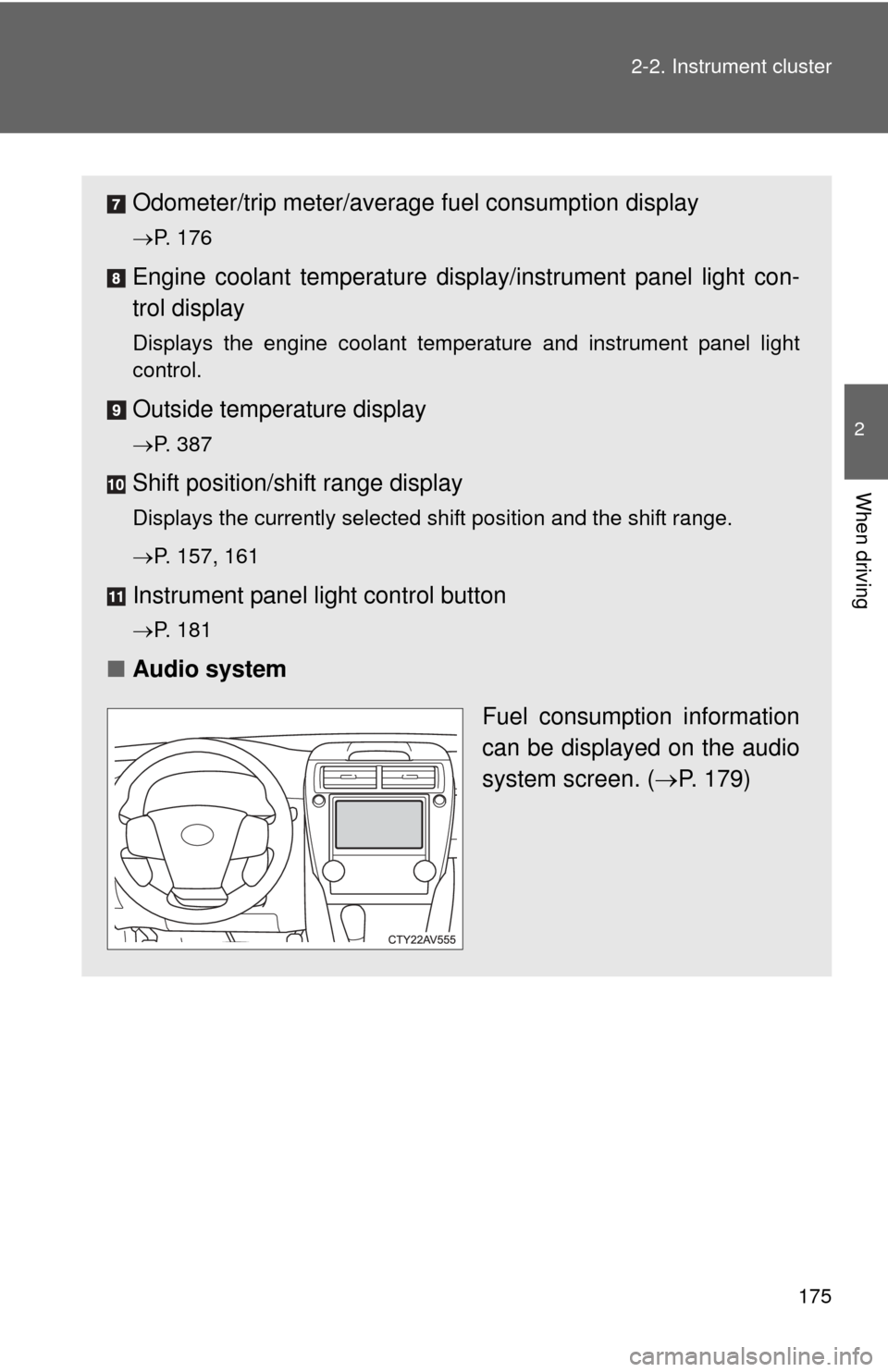
■ Audio system
Fuel consumption information
can be displayed on the audio
system screen. (P. 179)
Page 179 of 620
179
2-2. Instrument cluster
2
When driving
Fuel consumption
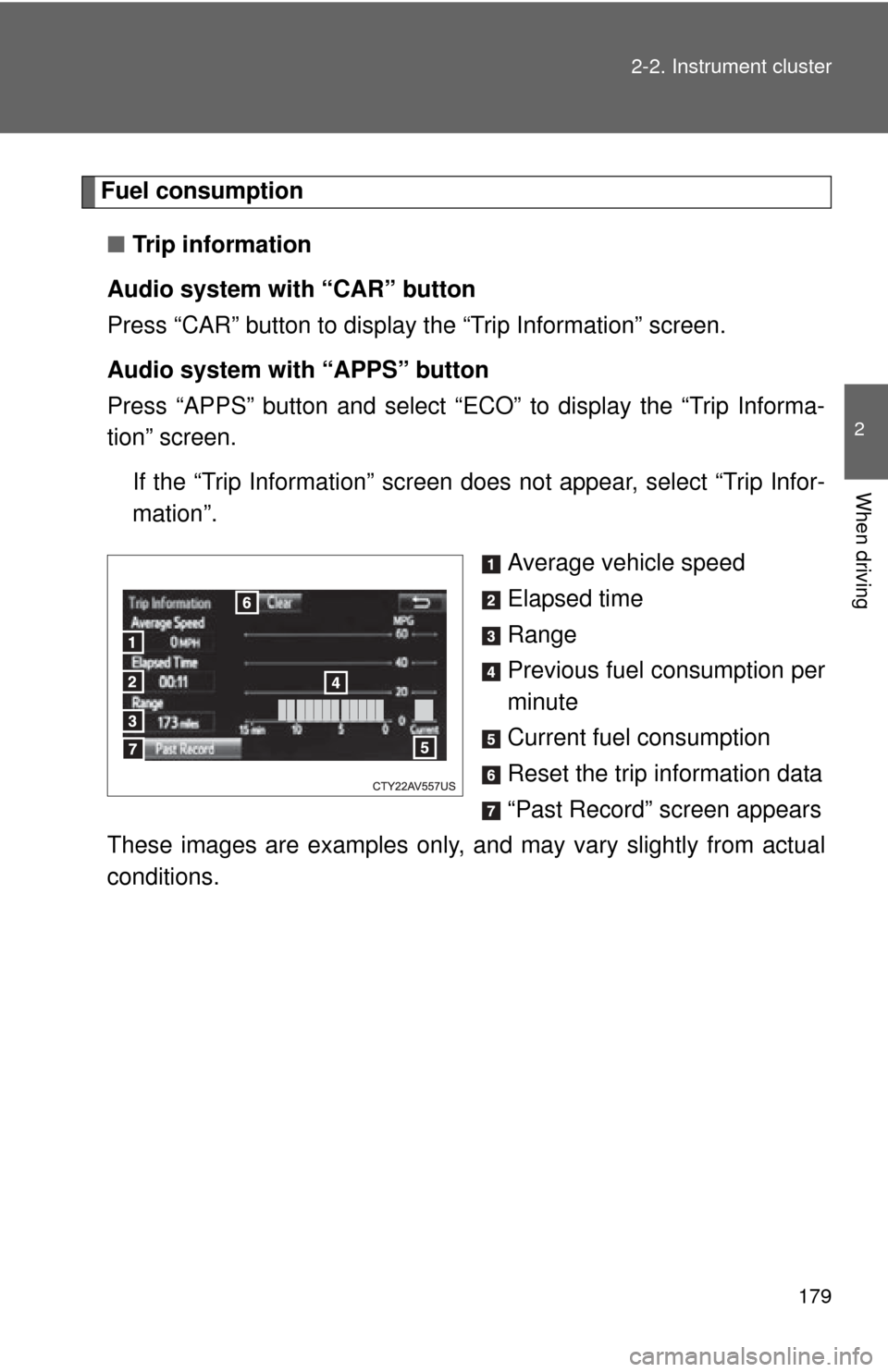
■ Trip information
Audio system with “CAR” button
Press “CAR” button to display the “Trip Information” screen.
Audio system with “APPS” button
Press “APPS” button and select “ECO” to display the “Trip Informa-
tion” screen. If the “Trip Information” screen does not appear, select “Trip Infor-
mation”.
Average vehicle speed
Elapsed time
Range
Previous fuel consumption per
minute
Current fuel consumption
Reset the trip information data
“Past Record” screen appears
These images are examples only, a nd may vary slightly from actual
conditions.
Page 180 of 620
180 2-2. Instrument cluster
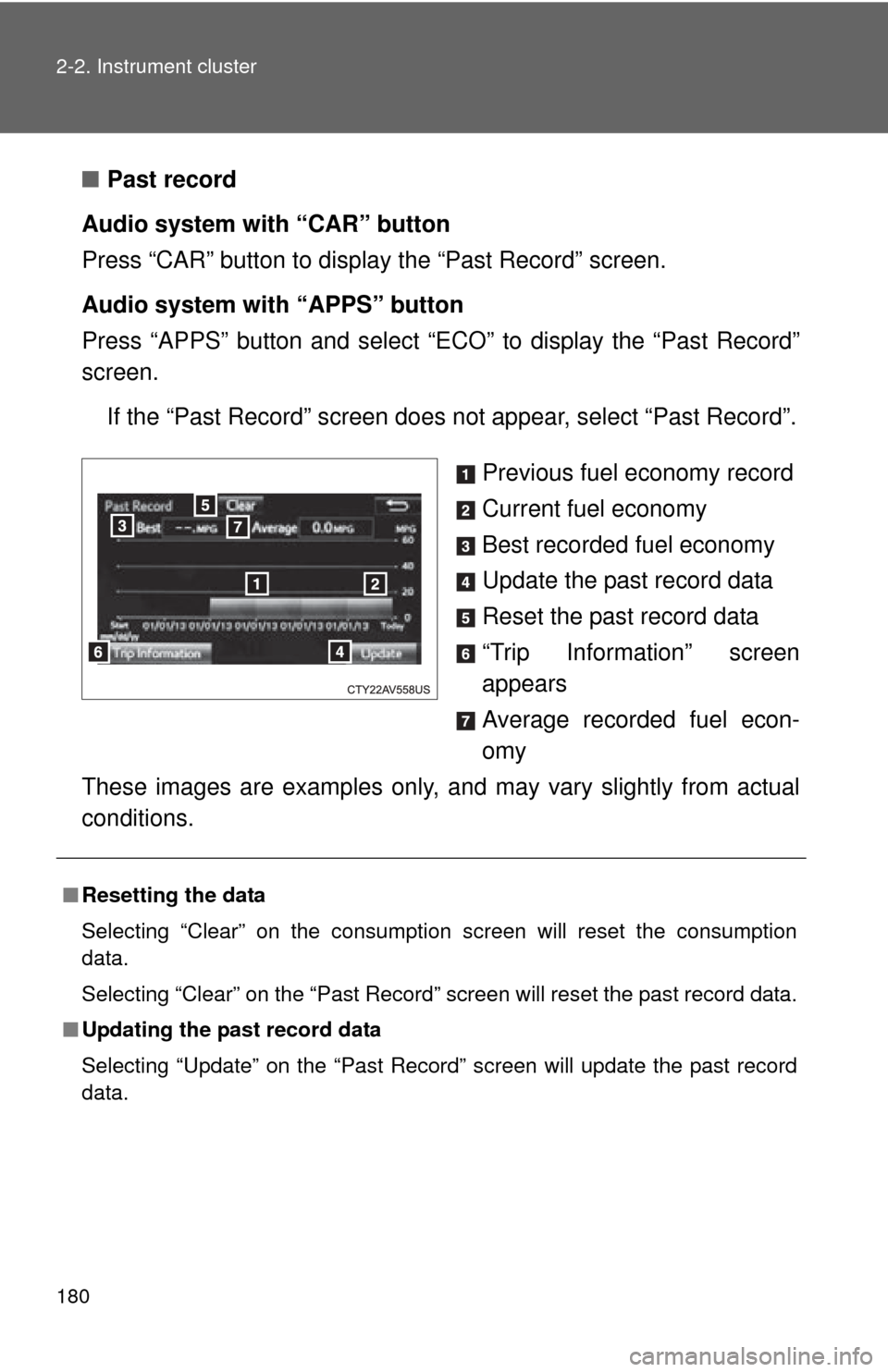
■Past record
Audio system with “CAR” button
Press “CAR” button to display the “Past Record” screen.
Audio system with “APPS” button
Press “APPS” button and select “E CO” to display the “Past Record”
screen.
If the “Past Record” screen does not appear, select “Past Record”.
Previous fuel economy record
Current fuel economy
Best recorded fuel economy
Update the past record data
Reset the past record data
“Trip Information” screen
appears
Average recorded fuel econ-
omy
These images are examples only, a nd may vary slightly from actual
conditions.
■ Resetting the data
Selecting “Clear” on the consumption screen will reset the consumption
data.
Selecting “Clear” on the “Past Record” screen will reset the past record data.
■ Updating the past record data
Selecting “Update” on the “Past Record” screen will update the past record
data.