reset TOYOTA CAMRY 2018 Owners Manual (in English)
[x] Cancel search | Manufacturer: TOYOTA, Model Year: 2018, Model line: CAMRY, Model: TOYOTA CAMRY 2018Pages: 612, PDF Size: 10.63 MB
Page 88 of 612
882. Instrument cluster
CAMRY_U (01999-06139)
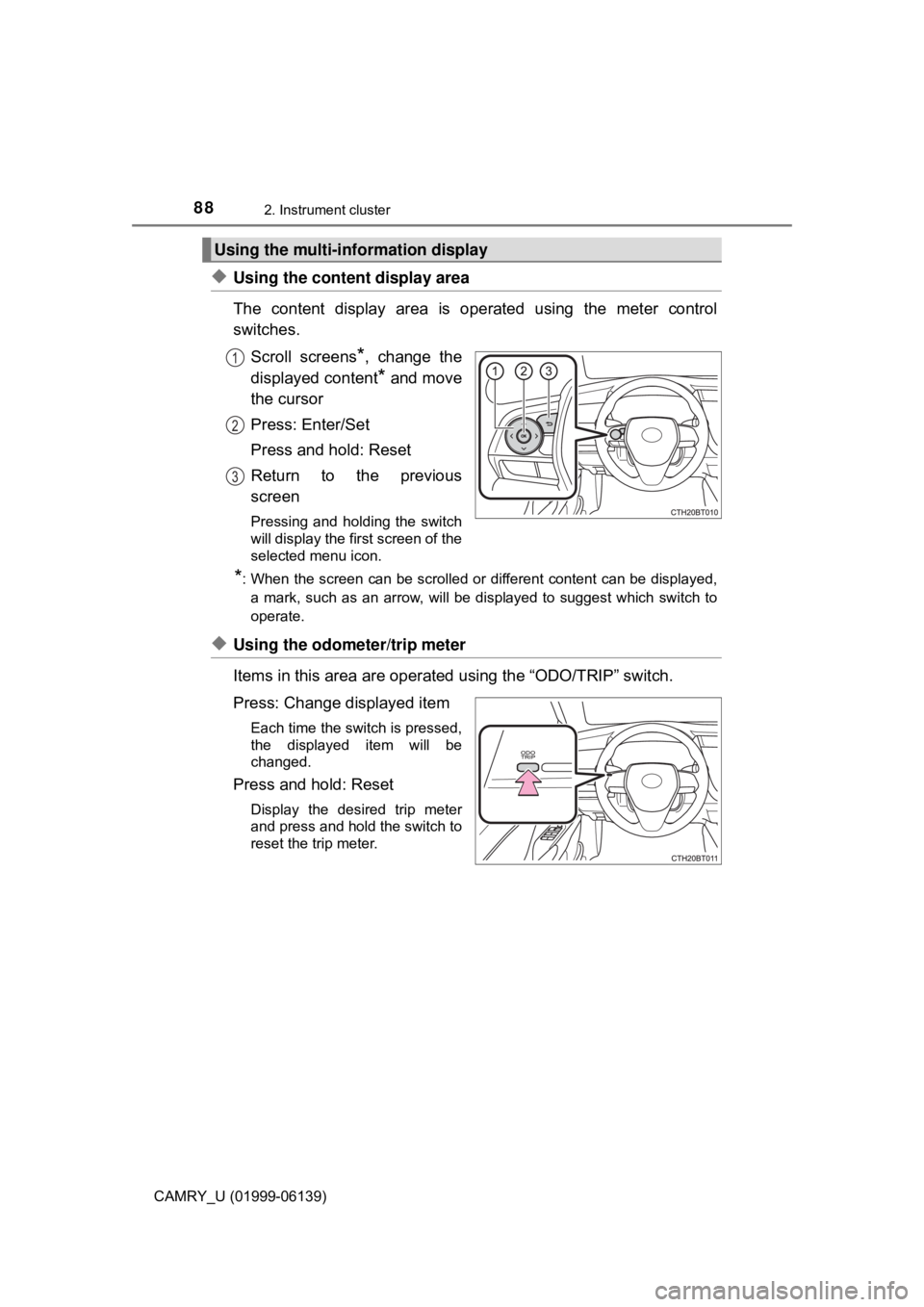
◆Using the content display area
The content display area is operated using the meter control
switches.
Scroll screens
*, change the
displayed content
* and move
the cursor
Press: Enter/Set
Press and hold: Reset
Return to the previous
screen
Pressing and holding the switch
will display the first screen of the
selected menu icon.
*: When the screen can be scrolled or different content can be displayed, a mark, such as an arrow, will be displayed to suggest which switch to
operate.
◆Using the odometer/trip meter
Items in this area are operated using the “ODO/TRIP” switch.
Press: Change displayed item
Each time the switch is pressed,
the displayed item will be
changed.
Press and hold: Reset
Display the desired trip meter
and press and hold the switch to
reset the trip meter.
Using the multi-information display
1
2
3
Page 90 of 612
902. Instrument cluster
CAMRY_U (01999-06139)■
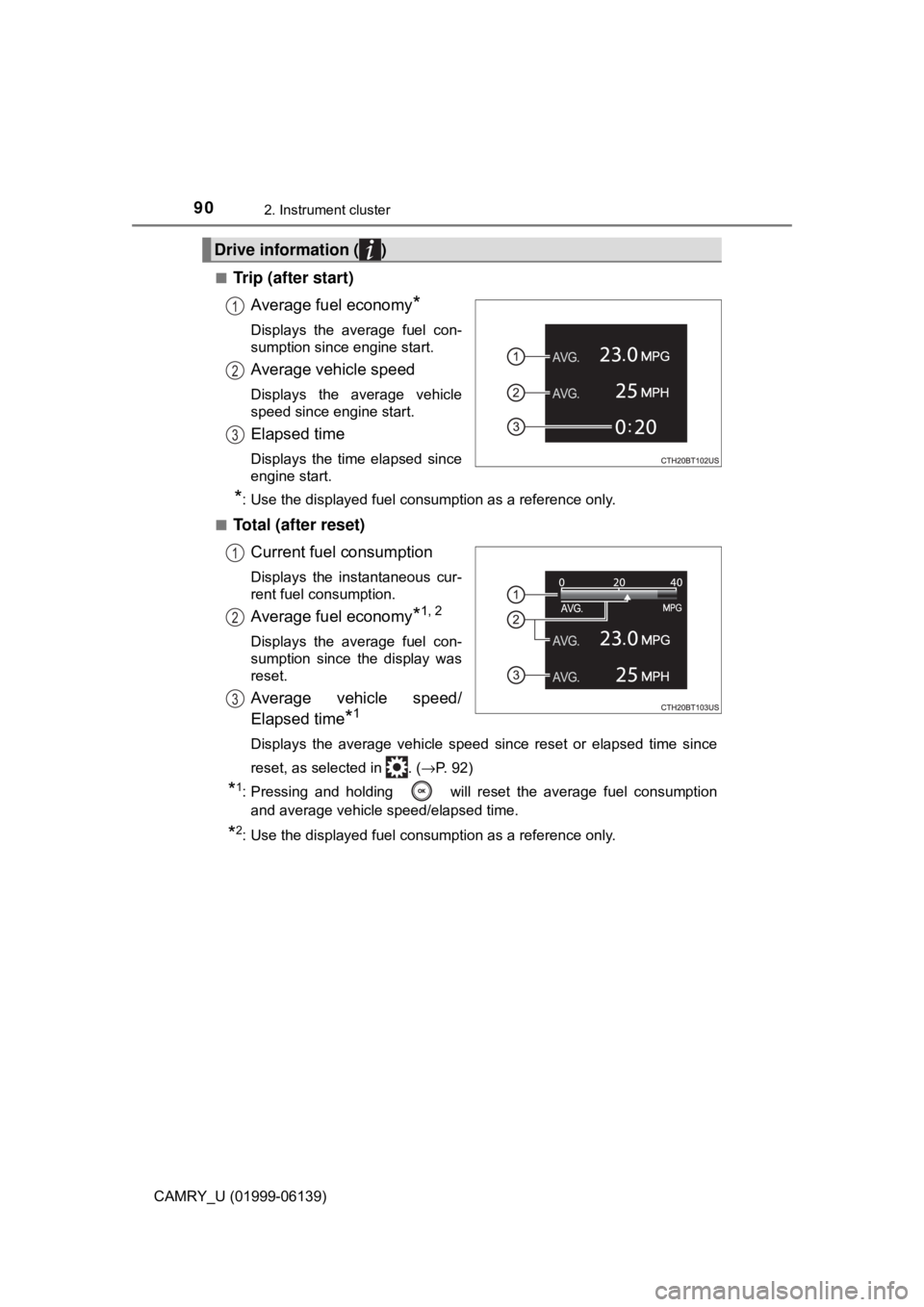
Trip (after start)
Average fuel economy
*
Displays the average fuel con-
sumption since engine start.
Average vehicle speed
Displays the average vehicle
speed since engine start.
Elapsed time
Displays the time elapsed since
engine start.
*: Use the displayed fuel consumption as a reference only.
■
Total (after reset) Current fuel consumption
Displays the instantaneous cur-
rent fuel consumption.
Average fuel economy*1, 2
Displays the average fuel con-
sumption since the display was
reset.
Average vehicle speed/
Elapsed time
*1
Displays the average vehicle speed since reset or elapsed time since
reset, as selected in . ( →P. 92)
*1: Pressing and holding will reset the average fuel consumption
and average vehicle speed/elapsed time.
*2: Use the displayed fuel consumption as a reference only.
Drive information ( )
1
2
3
1
2
3
Page 95 of 612
952. Instrument cluster
2
Instrument cluster
CAMRY_U (01999-06139)■
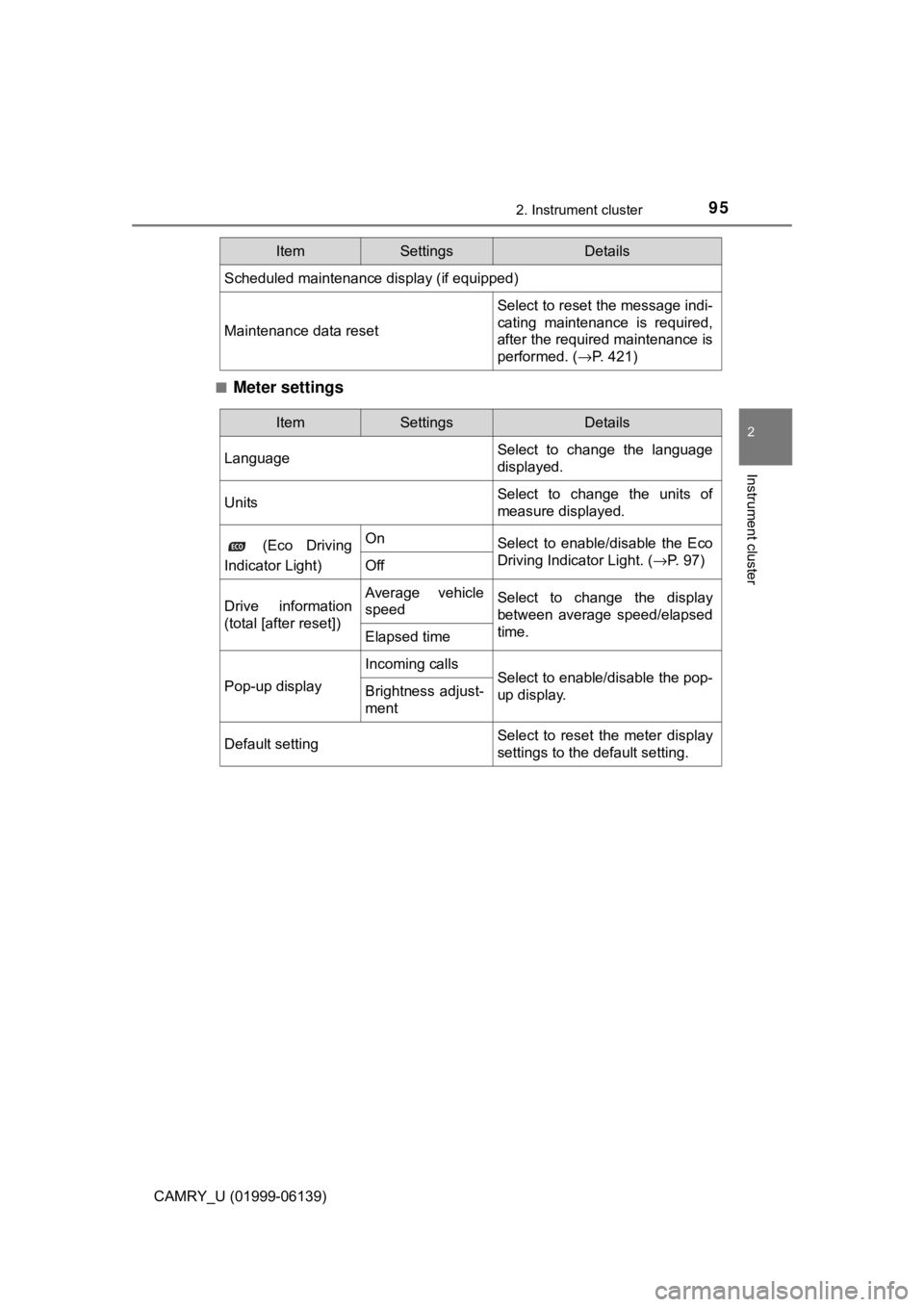
Meter settings
Scheduled maintenance display (if equipped)
Maintenance data reset
Select to reset the message indi-
cating maintenance is required,
after the required maintenance is
performed. (
→P. 421)
ItemSettingsDetails
ItemSettingsDetails
Language Select to change the language
displayed.
UnitsSelect to change the units of
measure displayed.
(Eco Driving
Indicator Light)OnSelect to enable/disable the Eco
Driving Indicator Light. ( →P. 97)
Off
Drive information
(total [after reset])Average vehicle
speedSelect to change the display
between average speed/elapsed
time.
Elapsed time
Pop-up display
Incoming callsSelect to enable/disable the pop-
up display.Brightness adjust-
ment
Default settingSelect to reset the meter display
settings to the default setting.
Page 96 of 612
962. Instrument cluster
CAMRY_U (01999-06139)■
Odometer
Displays the total distance the vehicle has been driven.
■Trip meter A/trip meter B
Displays the distance the vehicl
e has been driven since the meter
was last reset. Trip meters A and B can be used to record and dis-
play different distances independently.
To reset, display the desired trip meter and press and hold the “ODO/
TRIP” switch.
Displays suggestions to the driver in the following situations. To select
a response to a displayed suggestio n, use the meter control switches.
The suggestion function can be turned on/off.
(Customizable features: →P. 567)
■
Suggestion to turn off the headlights
If the headlights are left on for a certain amount of time after the
engine switch has been turned off, if the headlight switch is in the
“AUTO” position, a suggestion mess age will be displayed asking if
you wish to turn the headlights off. To turn the headlights off, select
“Yes”.
If a front door is opened after the engine switch is turned off, this sug-
gestion message will not be displayed.
Odometer/trip meter
Suggestion function
Page 100 of 612
1002. Instrument cluster
CAMRY_U (01999-06139)
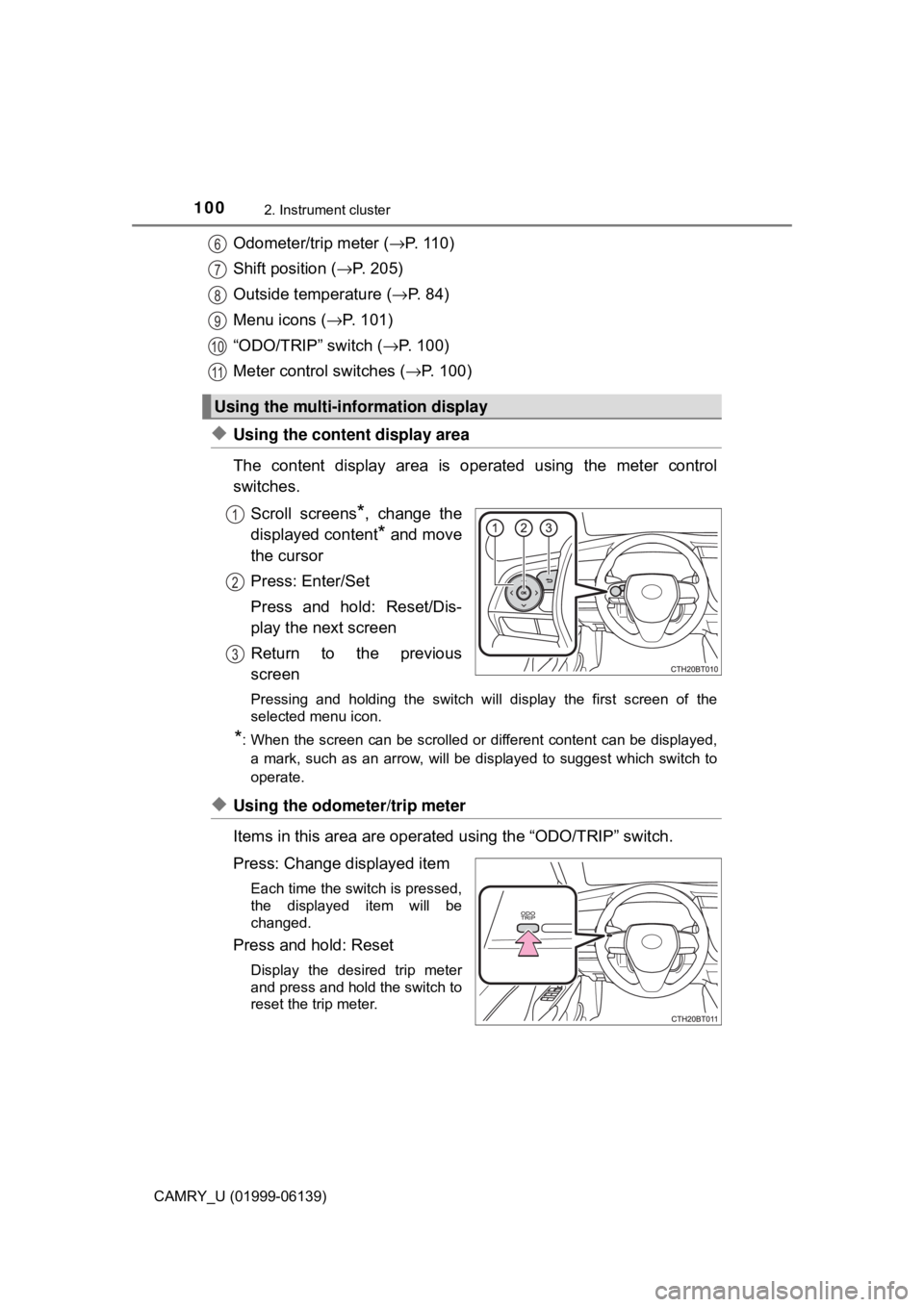
Odometer/trip meter (→P. 1 1 0 )
Shift position (→ P. 205)
Outside temperature ( →P. 8 4 )
Menu icons ( →P. 101)
“ODO/TRIP” switch ( →P. 100)
Meter control switches ( →P. 100)
◆Using the content display area
The content display area is op erated using the meter control
switches.
Scroll screens
*, change the
displayed content
* and move
the cursor
Press: Enter/Set
Press and hold: Reset/Dis-
play the next screen
Return to the previous
screen
Pressing and holding the switch wi ll display the first screen of the
selected menu icon.
*: When the screen can be scrolled or different content can be displayed,
a mark, such as an arrow, will be displayed to suggest which switch to
operate.
◆Using the odometer/trip meter
Items in this area are operated using the “ODO/TRIP” switch.
Press: Change displayed item
Each time the switch is pressed,
the displayed item will be
changed.
Press and hold: Reset
Display the desired trip meter
and press and hold the switch to
reset the trip meter.
Using the multi-information display
6
7
8
9
10
11
1
2
3
Page 102 of 612
1022. Instrument cluster
CAMRY_U (01999-06139)■
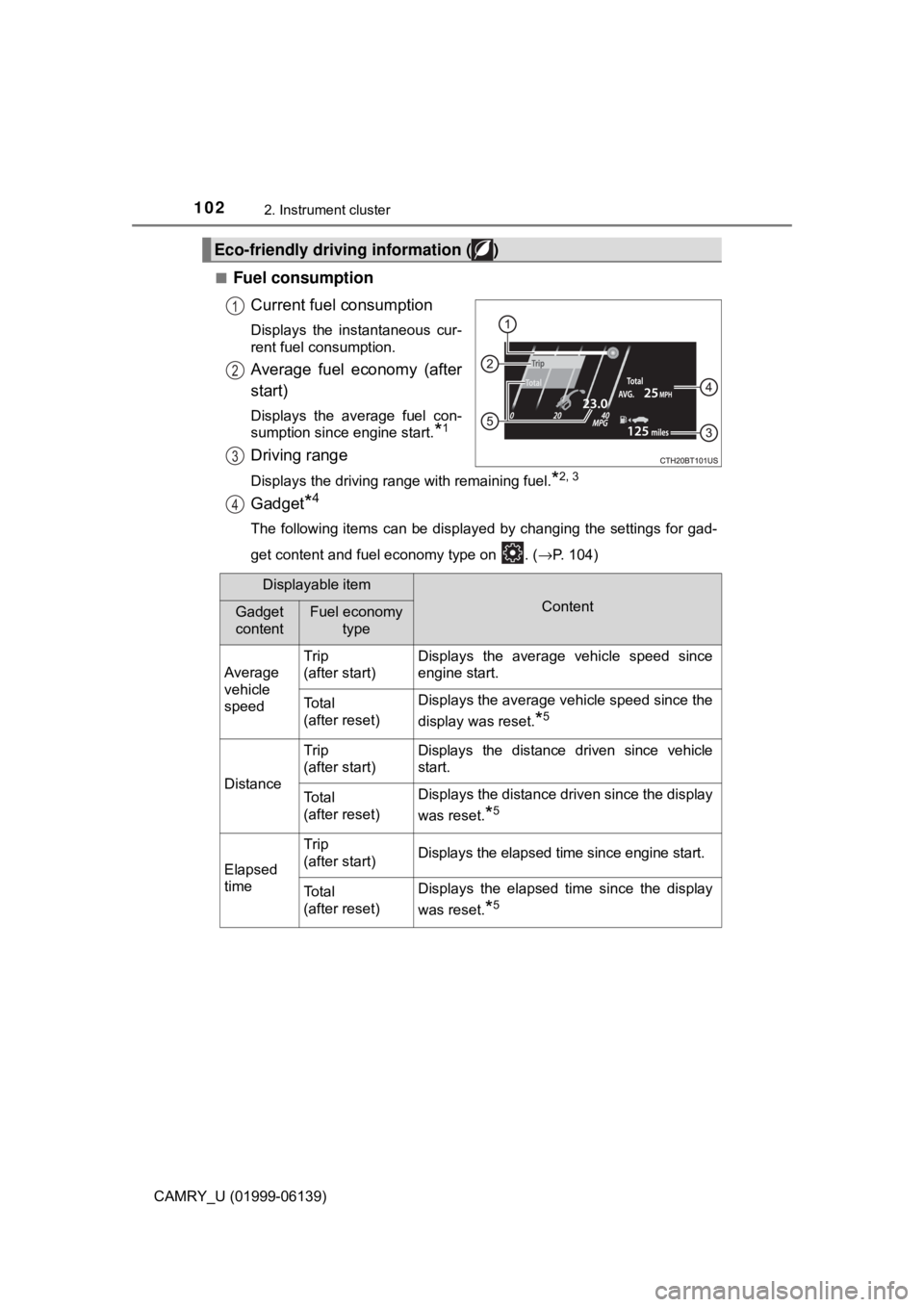
Fuel consumption
Current fuel consumption
Displays the instantaneous cur-
rent fuel consumption.
Average fuel economy (after
start)
Displays the average fuel con-
sumption since engine start.
*1
Driving range
Displays the driving range with remaining fuel.*2, 3
Gadget*4
The following items can be displayed by changing the settings for gad-
get content and fuel economy type on . ( →P. 104)
Eco-friendly driving information ( )
1
2
3
4
Displayable item
ContentGadget
contentFuel economy
type
Average
vehicle
speed Trip
(after start)
Displays the average vehicle speed since
engine start.
To t a l
(after reset)Displays the average vehicle speed since the
display was reset.
*5
Distance
Trip
(after start)Displays the distance driven since vehicle
start.
To t a l
(after reset)Displays the distance driven since the display
was reset.
*5
Elapsed
time
Trip
(after start)Displays the elapsed time since engine start.
To t a l
(after reset)Displays the elapsed time since the display
was reset.
*5
Page 103 of 612

1032. Instrument cluster
2
Instrument cluster
CAMRY_U (01999-06139)
Average fuel economy
Displayed item (listed below) can be changed on the fuel economy type
screen of . (→P. 104)
●Total (after reset)
Displays the average fuel consumption since the display was reset.*1, 5
●Tank (after refuel)
Displays the average fuel consumption since the vehicle was refu-
eled.
*1, 2
*1: Use the displayed fuel consumption as a reference only.
*2: When only a small amount of fuel is added to the tank, the display may
not be updated.
When refueling, turn the engine switch off. If the vehicle is refueled with-
out turning the engine switch off, the display may not be updated.
*3: This distance is computed based on your average fuel consumption. Asa result, the actual distance that can be driven may differ from that dis-
played.
*4: The default setting is no display.
*5: This display can be reset by pressing and holding while it is dis-played.
■
Eco indicator • Eco Driving Indicator → P. 1 1 1
• Driving range Displays the driving range with remaining fuel.
When only a small amount of fuel is added to the tank, the display may
not be updated.
When refueling, turn the engine switch off. If the vehicle is refueled with-
out turning the engine switch off, the display may not be updated.
This distance is computed based on your average fuel consumption. As
a result, the actual distance that can be driven may differ from that dis-
played.
5
Page 108 of 612
1082. Instrument cluster
CAMRY_U (01999-06139)■
Vehicle settings
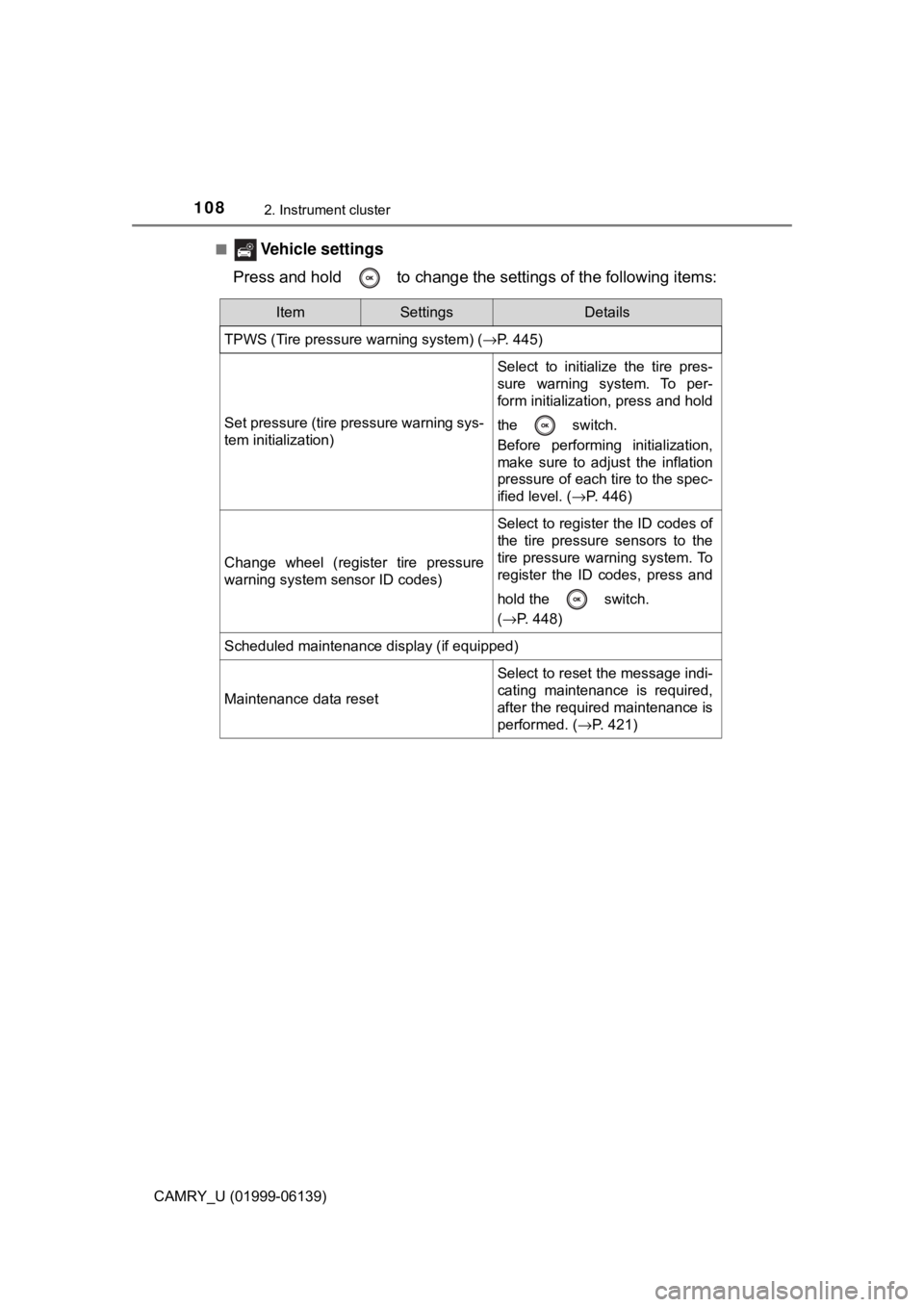
Press and hold to change the settings of the following items:
ItemSettingsDetails
TPWS (Tire pressure warning system) (→P. 445)
Set pressure (tire pressure warning sys-
tem initialization)
Select to initialize the tire pres-
sure warning system. To per-
form initialization, press and hold
the switch.
Before performing initialization,
make sure to adjust the inflation
pressure of each tire to the spec-
ified level. ( →P. 446)
Change wheel (register tire pressure
warning system sensor ID codes)
Select to register the ID codes of
the tire pressure sensors to the
tire pressure warning system. To
register the ID codes, press and
hold the switch.
(→P. 448)
Scheduled maintenance display (if equipped)
Maintenance data reset
Select to reset the message indi-
cating maintenance is required,
after the required maintenance is
performed. ( →P. 421)
Page 109 of 612
1092. Instrument cluster
2
Instrument cluster
CAMRY_U (01999-06139)■
Meter settings
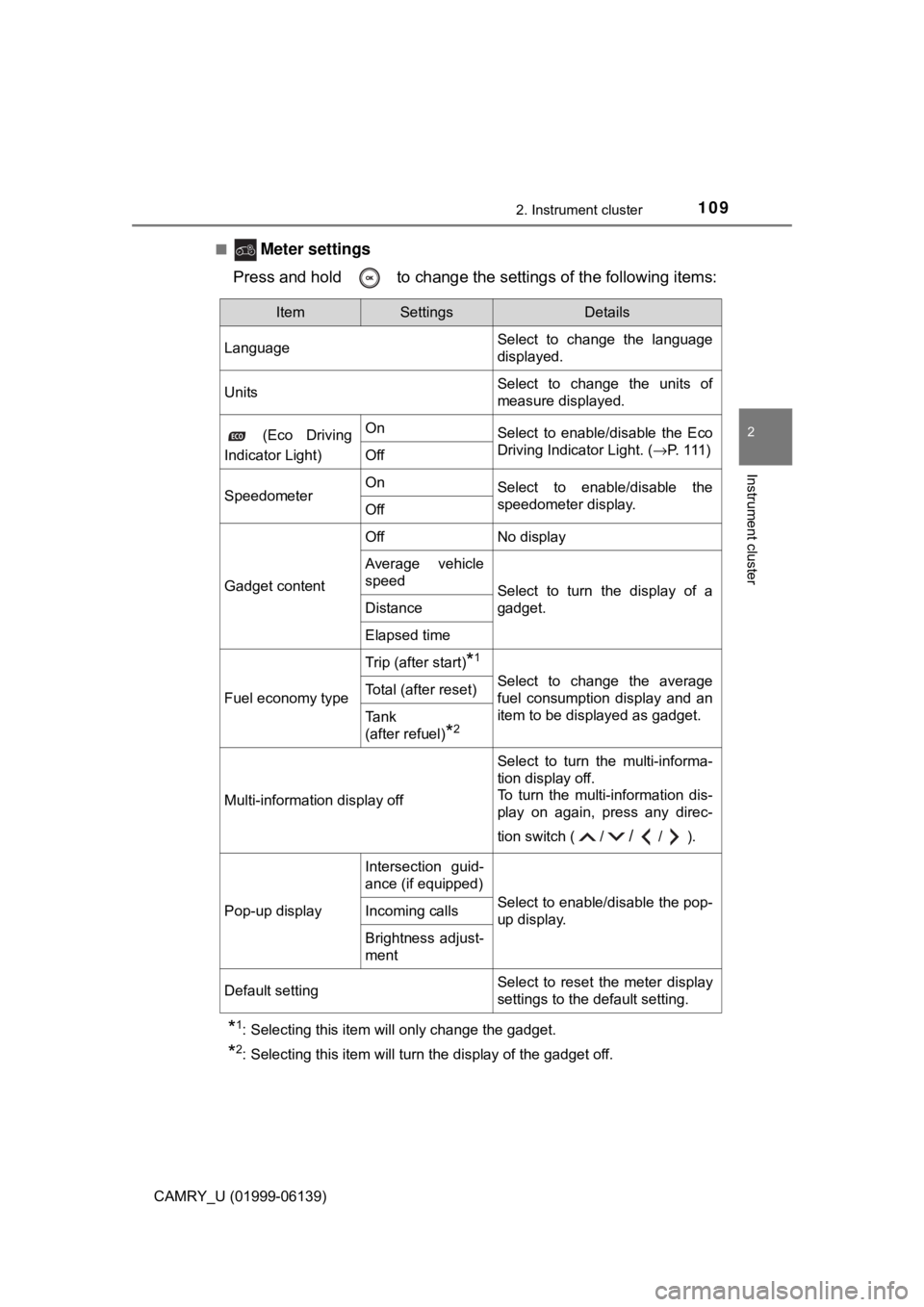
Press and hold to change the settings of the following items:
*1: Selecting this item will only change the gadget.
*2: Selecting this item will turn the display of the gadget off.
ItemSettingsDetails
Language Select to change the language
displayed.
UnitsSelect to change the units of
measure displayed.
(Eco Driving
Indicator Light)OnSelect to enable/disable the Eco
Driving Indicator Light. ( →P. 1 1 1 )
Off
SpeedometerOnSelect to enable/disable the
speedometer display.
Off
Gadget content
OffNo display
Average vehicle
speed
Select to turn the display of a
gadget.
Distance
Elapsed time
Fuel economy type
Trip (after start)*1
Select to change the average
fuel consumption display and an
item to be displayed as gadget.Total (after reset)
Tank
(after refuel)
*2
Multi-information display off
Select to turn the multi-informa-
tion display off.
To turn the multi-information dis-
play on again, press any direc-
tion switch ( /
//).
Pop-up display
Intersection guid-
ance (if equipped)
Select to enable/disable the pop-
up display.Incoming calls
Brightness adjust-
ment
Default settingSelect to reset the meter display
settings to the default setting.
Page 110 of 612
1102. Instrument cluster
CAMRY_U (01999-06139)■
Odometer
Displays the total distance the vehicle has been driven.
■Trip meter A/trip meter B
Displays the distance the vehicl
e has been driven since the meter
was last reset. Trip meters A and B can be used to record and dis-
play different distances independently.
To reset, display the desired trip meter and press and hold the “ODO/
TRIP” switch.
Displays suggestions to the driver in the following situations. To select
a response to a displayed suggestio n, use the meter control switches.
The suggestion function can be turned on/off.
(Customizable features: →P. 567)
■
Suggestion to turn off the headlights
If the headlights are left on for a certain amount of time after the
engine switch has been turned off, if the headlight switch is in the
“AUTO” position, a suggestion mess age will be displayed asking if
you wish to turn the headlights off. To turn the headlights off, select
“Yes”.
If a front door is opened after the engine switch is turned off, this sug-
gestion message will not be displayed.
Odometer/trip meter
Suggestion function