fuel TOYOTA CAMRY 2018 (in English) User Guide
[x] Cancel search | Manufacturer: TOYOTA, Model Year: 2018, Model line: CAMRY, Model: TOYOTA CAMRY 2018Pages: 612, PDF Size: 13.73 MB
Page 91 of 612
912. Instrument cluster
2
Instrument cluster
CAMRY_U (01999-06122)■
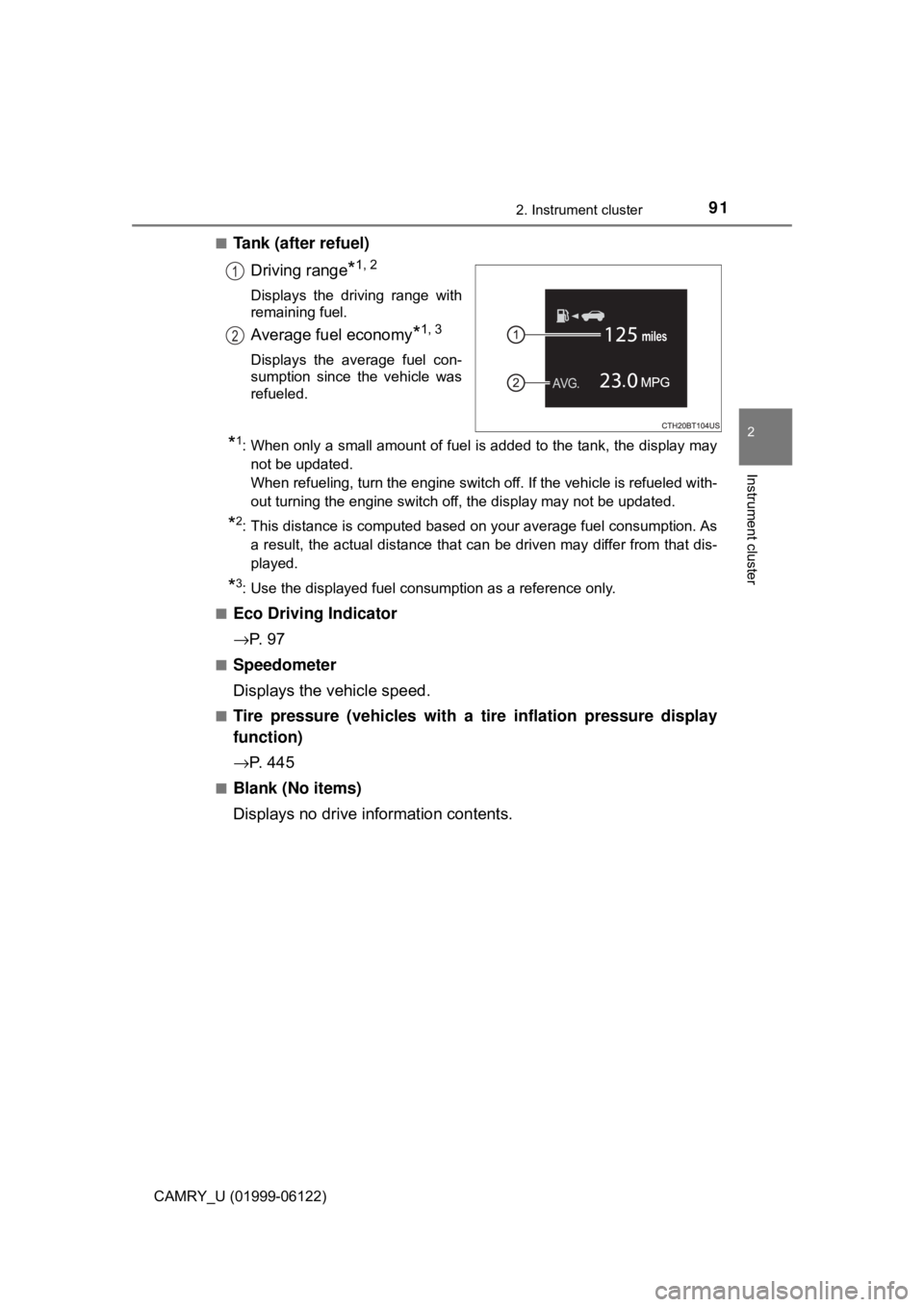
Tank (after refuel)
Driving range
*1, 2
Displays the driving range with
remaining fuel.
Average fuel economy*1, 3
Displays the average fuel con-
sumption since the vehicle was
refueled.
*1: When only a small amount of fuel is added to the tank, the display may
not be updated.
When refueling, turn the engine switch off. If the vehicle is refueled with-
out turning the engine switch off, the display may not be updated.
*2: This distance is computed based on your average fuel consumption. As
a result, the actual distance that can be driven may differ from that dis-
played.
*3: Use the displayed fuel consumption as a reference only.
■
Eco Driving Indicator
→P. 9 7
■Speedometer
Displays the vehicle speed.
■Tire pressure (vehicles with a tire inflation pressure display
function)
→P. 4 4 5
■Blank (No items)
Displays no drive information contents.
1
2
Page 101 of 612
1012. Instrument cluster
2
Instrument cluster
CAMRY_U (01999-06122)
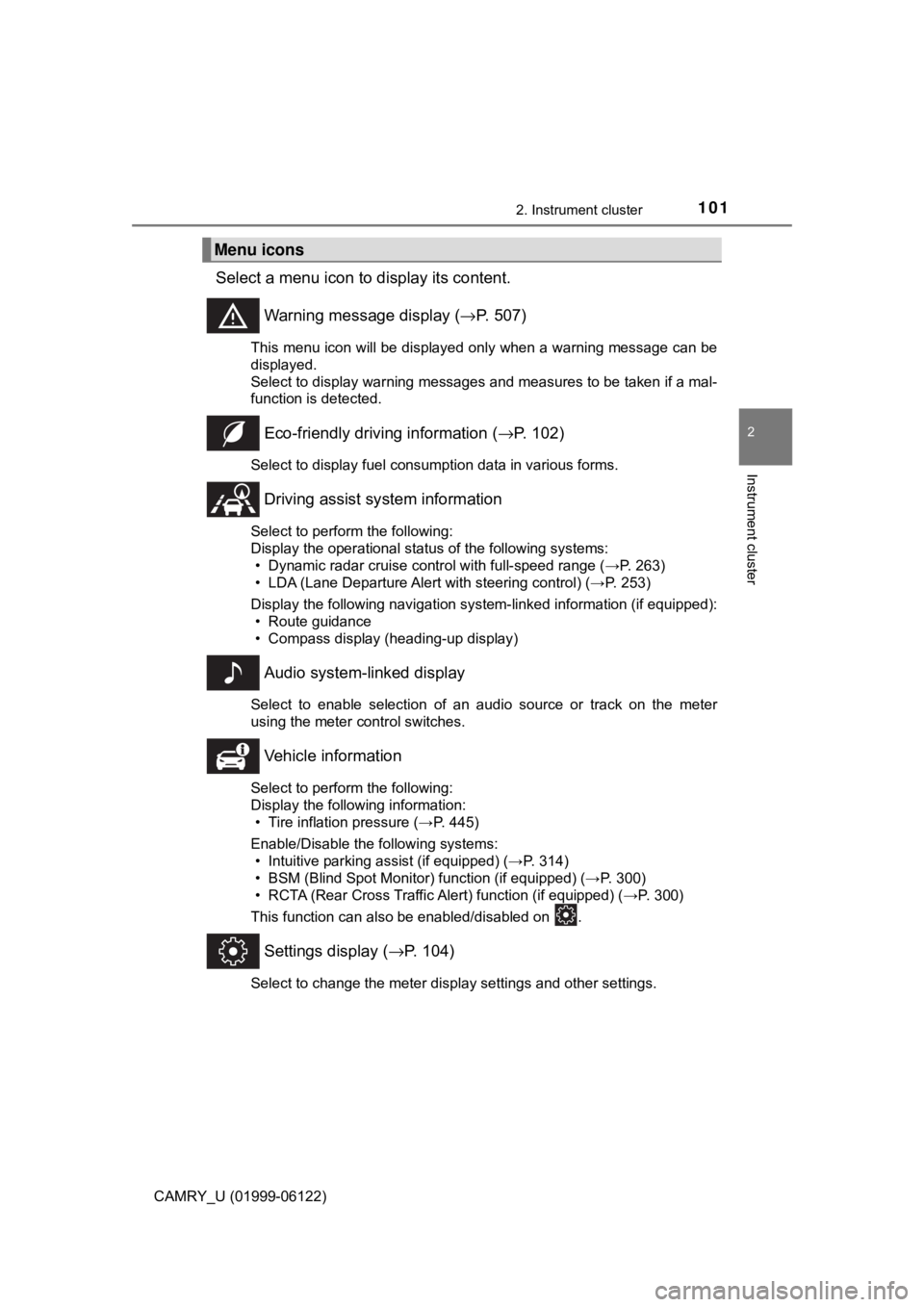
Select a menu icon to display its content.
Warning message display (→P. 507)
This menu icon will be displayed only when a warning message can be
displayed.
Select to display warning messages and measures to be taken if a mal-
function is detected.
Eco-friendly driving information (→P. 102)
Select to display fuel consumption data in various forms.
Driving assist system information
Select to perform the following:
Display the operational status of the following systems:
• Dynamic radar cruise control with full-speed range (→P. 263)
• LDA (Lane Departure Alert with steering control) (→P. 253)
Display the following navigation system-linked information (if equipped):
• Route guidance
• Compass display (heading-up display)
Audio system-linked display
Select to enable selection of an audio source or track on the meter
using the meter control switches.
Vehicle information
Select to perform the following:
Display the following information:
• Tire inflation pressure (→P. 445)
Enable/Disable the following systems:
• Intuitive parking assist (if equipped) (→P. 314)
• BSM (Blind Spot Monitor) function (if equipped) (→P. 300)
• RCTA (Rear Cross Traffic Alert) function (if equipped) (→P. 300)
This function can also be enabled/disabled on .
Settings display (→P. 104)
Select to change the meter display settings and other settings.
Menu icons
Page 102 of 612
1022. Instrument cluster
CAMRY_U (01999-06122)■
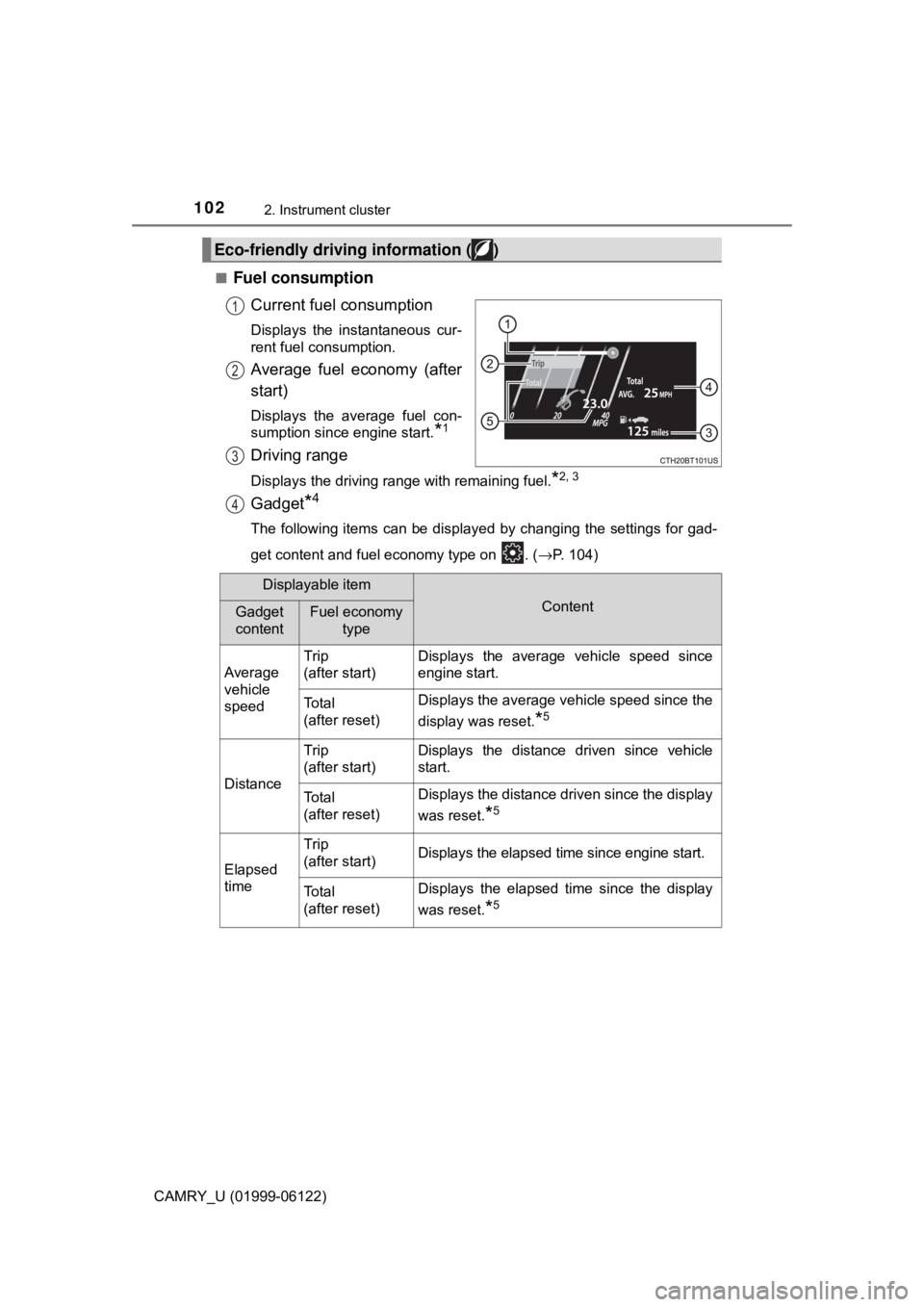
Fuel consumption
Current fuel consumption
Displays the instantaneous cur-
rent fuel consumption.
Average fuel economy (after
start)
Displays the average fuel con-
sumption since engine start.
*1
Driving range
Displays the driving range with remaining fuel.*2, 3
Gadget*4
The following items can be displayed by changing the settings for gad-
get content and fuel economy type on . (→P. 104)
Eco-friendly driving information ( )
1
2
3
4
Displayable item
ContentGadget
contentFuel economy
type
Average
vehicle
speedTrip
(after start)Displays the average vehicle speed since
engine start.
To t a l
(after reset)Displays the average vehicle speed since the
display was reset.
*5
Distance
Trip
(after start)Displays the distance driven since vehicle
start.
To t a l
(after reset)Displays the distance driven since the display
was reset.
*5
Elapsed
time
Trip
(after start)Displays the elapsed time since engine start.
To t a l
(after reset)Displays the elapsed time since the display
was reset.
*5
Page 103 of 612

1032. Instrument cluster
2
Instrument cluster
CAMRY_U (01999-06122)
Average fuel economy
Displayed item (listed below) can be changed on the fuel economy type
screen of . (→P. 104)
●Total (after reset)
Displays the average fuel consumption since the display was reset.*1, 5
●Tank (after refuel)
Displays the average fuel consumption since the vehicle was refu-
eled.
*1, 2
*1: Use the displayed fuel consumption as a reference only.
*2: When only a small amount of fuel is added to the tank, the display may
not be updated.
When refueling, turn the engine switch off. If the vehicle is refueled with-
out turning the engine switch off, the display may not be updated.
*3: This distance is computed based on your average fuel consumption. As
a result, the actual distance that can be driven may differ from that dis-
played.
*4: The default setting is no display.
*5: This display can be reset by pressing and holding while it is dis-
played.
■
Eco indicator
• Eco Driving Indicator
→P. 1 1 1
• Driving range
Displays the driving range with remaining fuel.
When only a small amount of fuel is added to the tank, the display may
not be updated.
When refueling, turn the engine switch off. If the vehicle is refueled with-
out turning the engine switch off, the display may not be updated.
This distance is computed based on your average fuel consumption. As
a result, the actual distance that can be driven may differ from that dis-
played.
5
Page 109 of 612
1092. Instrument cluster
2
Instrument cluster
CAMRY_U (01999-06122)■
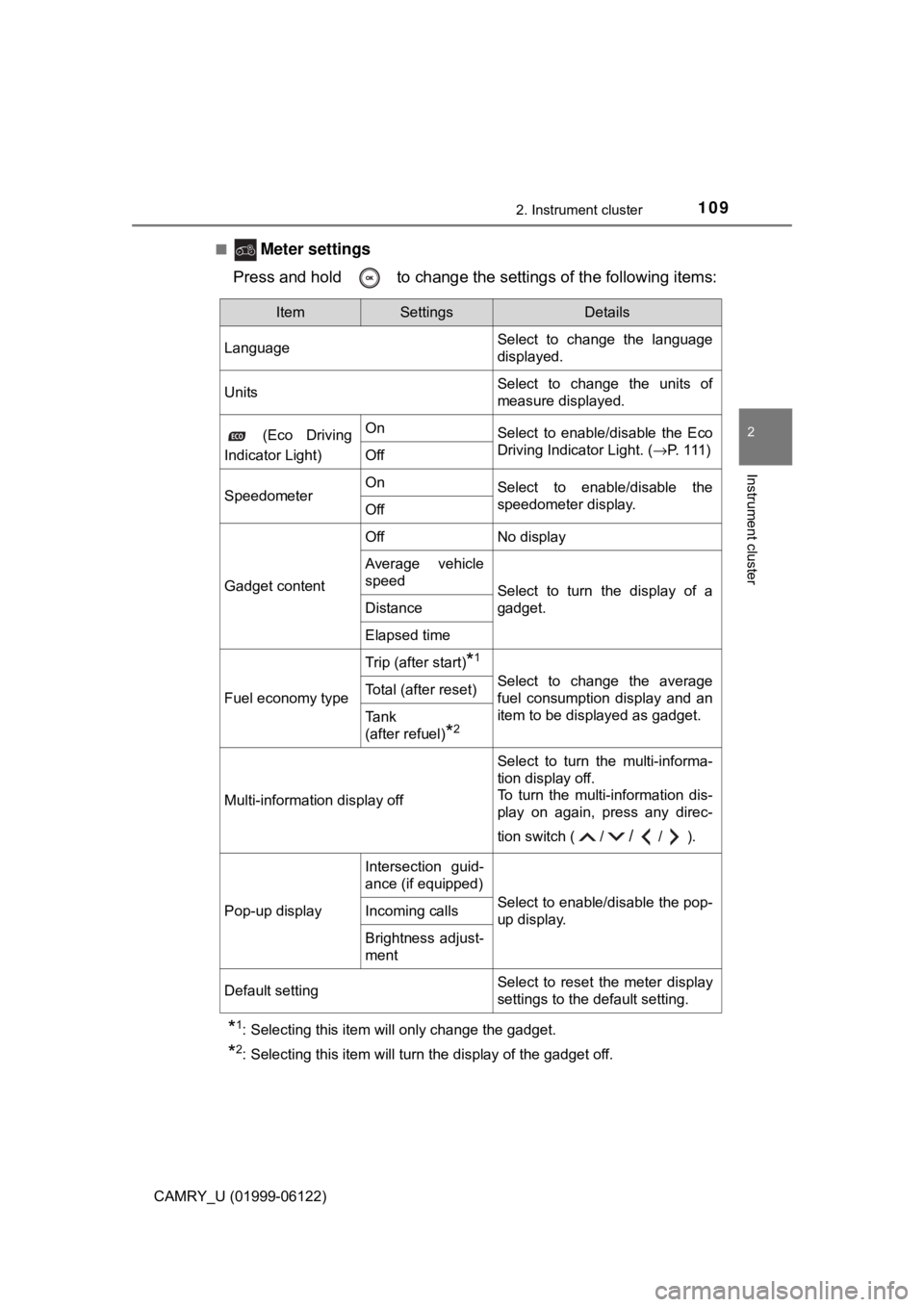
Meter settings
Press and hold to change the settings of the following items:
*1: Selecting this item will only change the gadget.
*2: Selecting this item will turn the display of the gadget off.
ItemSettingsDetails
LanguageSelect to change the language
displayed.
UnitsSelect to change the units of
measure displayed.
(Eco Driving
Indicator Light)OnSelect to enable/disable the Eco
Driving Indicator Light. (→P. 1 1 1 )
Off
SpeedometerOnSelect to enable/disable the
speedometer display.
Off
Gadget content
OffNo display
Average vehicle
speed
Select to turn the display of a
gadget.
Distance
Elapsed time
Fuel economy type
Trip (after start)*1
Select to change the average
fuel consumption display and an
item to be displayed as gadget.Total (after reset)
Tank
(after refuel)
*2
Multi-information display off
Select to turn the multi-informa-
tion display off.
To turn the multi-information dis-
play on again, press any direc-
tion switch ( /
//).
Pop-up display
Intersection guid-
ance (if equipped)
Select to enable/disable the pop-
up display.Incoming calls
Brightness adjust-
ment
Default settingSelect to reset the meter display
settings to the default setting.
Page 120 of 612
1202. Instrument cluster
CAMRY_U (01999-06122)
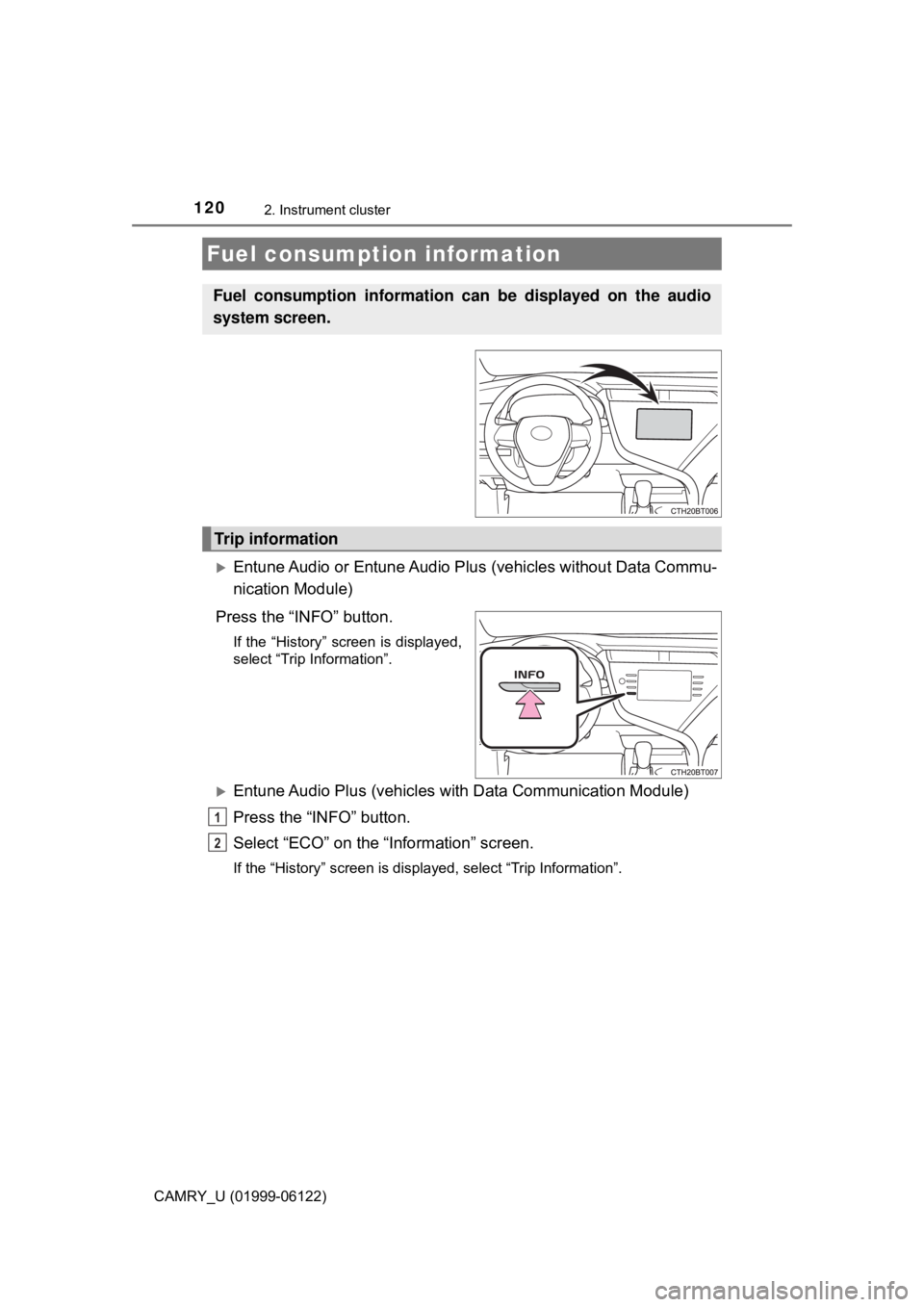
Entune Audio or Entune Audio Plus (vehicles without Data Commu-
nication Module)
Press the “INFO” button.
If the “History” screen is displayed,
select “Trip Information”.
Entune Audio Plus (vehicles with Data Communication Module)
Press the “INFO” button.
Select “ECO” on the “Information” screen.
If the “History” screen is displayed, select “Trip Information”.
Fuel consumption information
Fuel consumption information can be displayed on the audio
system screen.
Trip information
1
2
Page 121 of 612
1212. Instrument cluster
2
Instrument cluster
CAMRY_U (01999-06122)
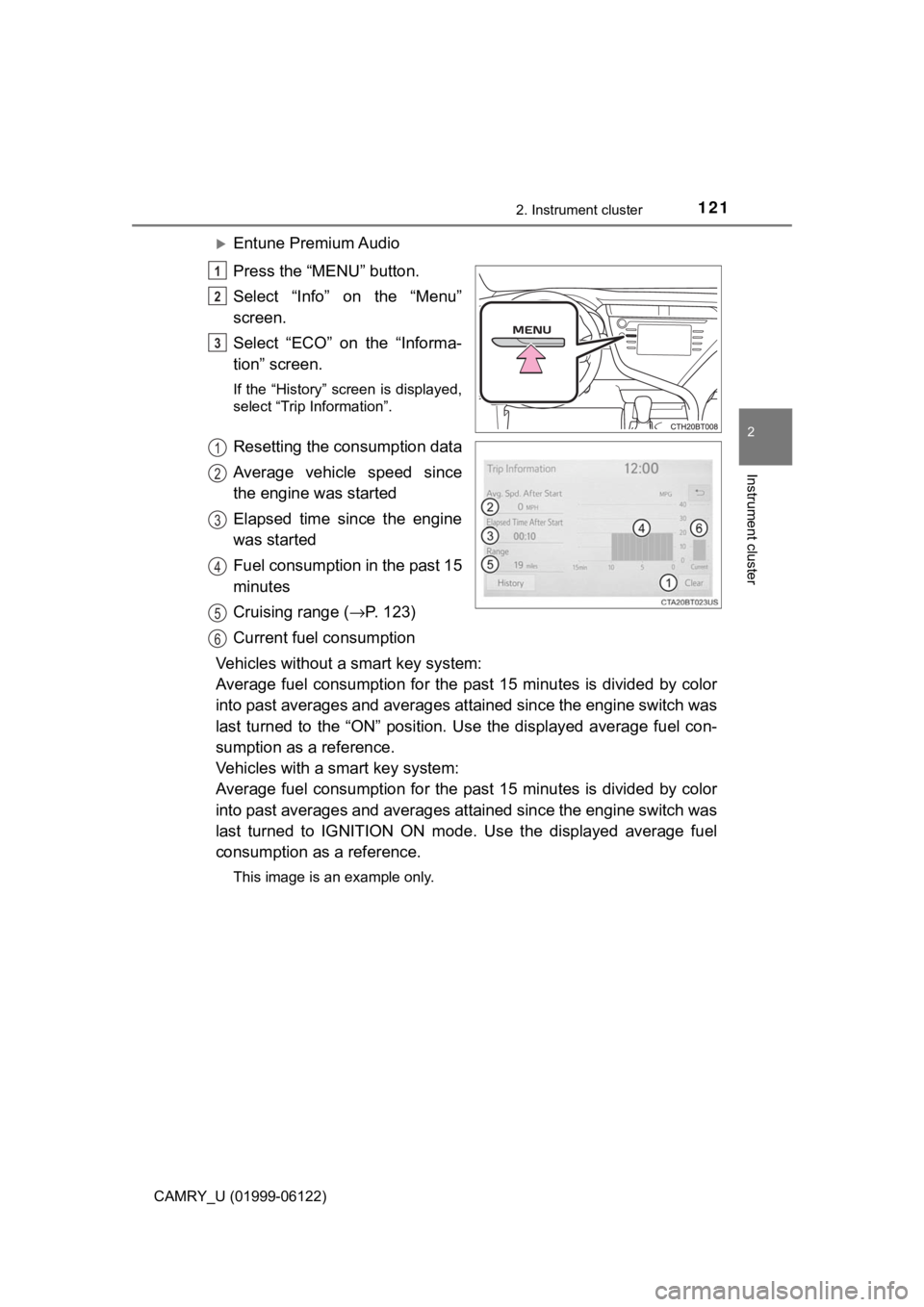
Entune Premium Audio
Press the “MENU” button.
Select “Info” on the “Menu”
screen.
Select “ECO” on the “Informa-
tion” screen.
If the “History” screen is displayed,
select “Trip Information”.
Resetting the consumption data
Average vehicle speed since
the engine was started
Elapsed time since the engine
was started
Fuel consumption in the past 15
minutes
Cruising range (→P. 123)
Current fuel consumption
Vehicles without a smart key system:
Average fuel consumption for the past 15 minutes is divided by color
into past averages and averages attained since the engine switch was
last turned to the “ON” position. Use the displayed average fuel con-
sumption as a reference.
Vehicles with a smart key system:
Average fuel consumption for the past 15 minutes is divided by color
into past averages and averages attained since the engine switch was
last turned to IGNITION ON mode. Use the displayed average fuel
consumption as a reference.
This image is an example only.
1
2
3
1
2
3
4
5
6
Page 122 of 612
1222. Instrument cluster
CAMRY_U (01999-06122)
Entune Audio or Entune Audio Plus (vehicles without Data Commu-
nication Module)
Press the “INFO” button.
If the “Trip Information” screen is displayed, select “History”.
Entune Audio Plus (vehicles with Data Communication Module)
Press the “INFO” button.
Select “ECO” on the “Information” screen.
If the “Trip Information” screen is displayed, select “History”.
Entune Premium Audio
Press the “MENU” button.
Select “Info” on the “Menu” screen.
Select “ECO” on the “Information” screen.
If the “Trip Information” screen is displayed, select “History”.
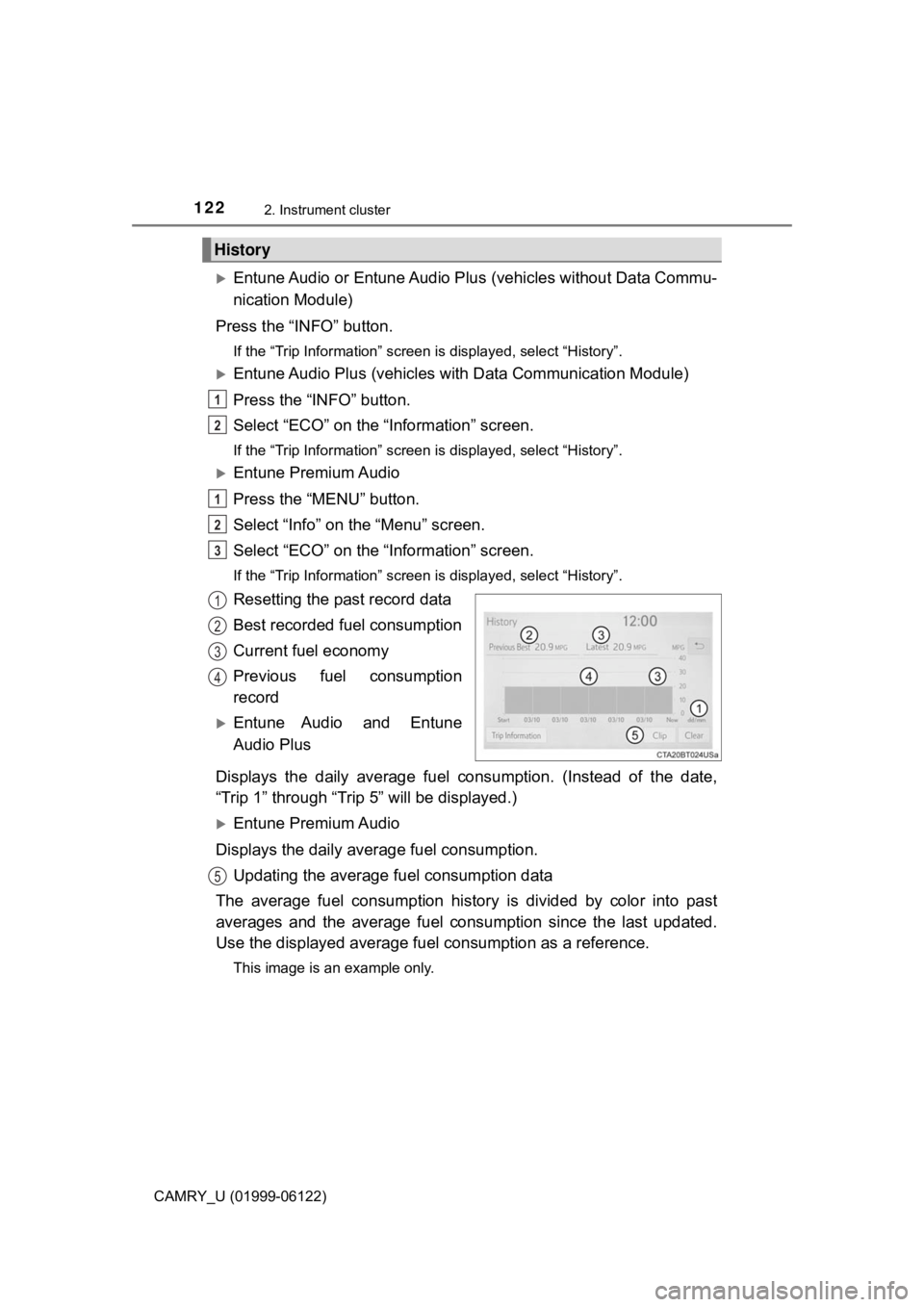
Resetting the past record data
Best recorded fuel consumption
Current fuel economy
Previous fuel consumption
record
Entune Audio and Entune
Audio Plus
Displays the daily average fuel consumption. (Instead of the date,
“Trip 1” through “Trip 5” will be displayed.)
Entune Premium Audio
Displays the daily average fuel consumption.
Updating the average fuel consumption data
The average fuel consumption history is divided by color into past
averages and the average fuel consumption since the last updated.
Use the displayed average fuel consumption as a reference.
This image is an example only.
History
1
2
1
2
3
1
2
3
4
5
Page 123 of 612

1232. Instrument cluster
2
Instrument cluster
CAMRY_U (01999-06122)
■Updating the past record data
Update the average fuel consumption by selecting “Clip” to measure the cur-
rent fuel consumption again.
■Resetting the data
The fuel consumption data can be deleted by selecting “Clear”.
■Cruising range
Displays the estimated maximum distance that can be driven with the quan-
tity of fuel remaining.
This distance is computed based on your average fuel consumption.
As a result, the actual distance that can be driven may differ from that dis-
played.
Page 183 of 612
183
4Driving
CAMRY_U (01999-06122)4-1. Before driving
Driving the vehicle ............. 184
Cargo and luggage ........... 192
Vehicle load limits ............. 195
Trailer towing..................... 196
Dinghy towing ................... 197
4-2. Driving procedures
Engine (ignition) switch
(vehicles without a
smart key system) ........... 198
Engine (ignition) switch
(vehicles with a smart
key system) ..................... 200
Automatic
transmission .................... 205
Turn signal lever................ 211
Parking brake .................... 212
Electric parking brake........ 213
Brake Hold ........................ 217
4-3. Operating the lights and
wipers
Headlight switch ................ 219
Automatic High Beam ....... 223
Windshield wipers and
washer ............................ 2274-4. Refueling
Opening the fuel tank
cap .................................. 231
4-5. Using the driving
support systems
Toyota Safety Sense P ..... 235
PCS (Pre-Collision
System)........................... 242
LDA (Lane Departure
Alert with steering
control) ............................ 253
Dynamic radar cruise
control with full-speed
range............................... 263
Dynamic radar cruise
control ............................. 276
Cruise control .................... 289
Driving assist systems ...... 294
BSM
(Blind Spot Monitor) ........ 300
• BSM function ................ 304
• RCTA function .............. 306
Rear Camera Detection
Function .......................... 310
Intuitive parking assist....... 314
Intelligent Clearance
Sonar (ICS) ..................... 322
Driving mode select
switches .......................... 343
4-6. Driving tips
Winter driving tips ............. 345