lights TOYOTA CAMRY 2020 (in English) Owner's Manual
[x] Cancel search | Manufacturer: TOYOTA, Model Year: 2020, Model line: CAMRY, Model: TOYOTA CAMRY 2020Pages: 620, PDF Size: 12.95 MB
Page 118 of 620

1182. Instrument cluster
CAMRY_U■
Odometer
Displays the total distance
the vehicle has been driven.
■Trip meter A/trip meter B
Displays the distance the vehicl e has been driven since the met er
was last reset. Trip meters A and B can be used to record and d is-
play different distances independently.
To reset, display the desired trip meter and press and hold the “ODO/
TRIP” switch.
Displays suggestions to the drive r in the following situations. To select
a response to a displayed suggestion, use the meter control swi tches.
The suggestion function can be turned on/off.
(Customizable features:P. 575)
■
Suggestion to turn off the headlights
If the headlights are left on for a certain amount of time afte r the
engine switch has been turned of f, if the headlight switch is in the
“AUTO” position, a suggestion m essage will be displayed asking if
you wish to turn the headlights off. To turn the headlights off , select
“Yes”.
If a front door is opened after the engine switch is turned off, this sug-
gestion message will not be displayed.
Odometer/trip meter
Suggestion function
Page 135 of 620
1353-1. Key information
3
Operation of each component
CAMRY_U
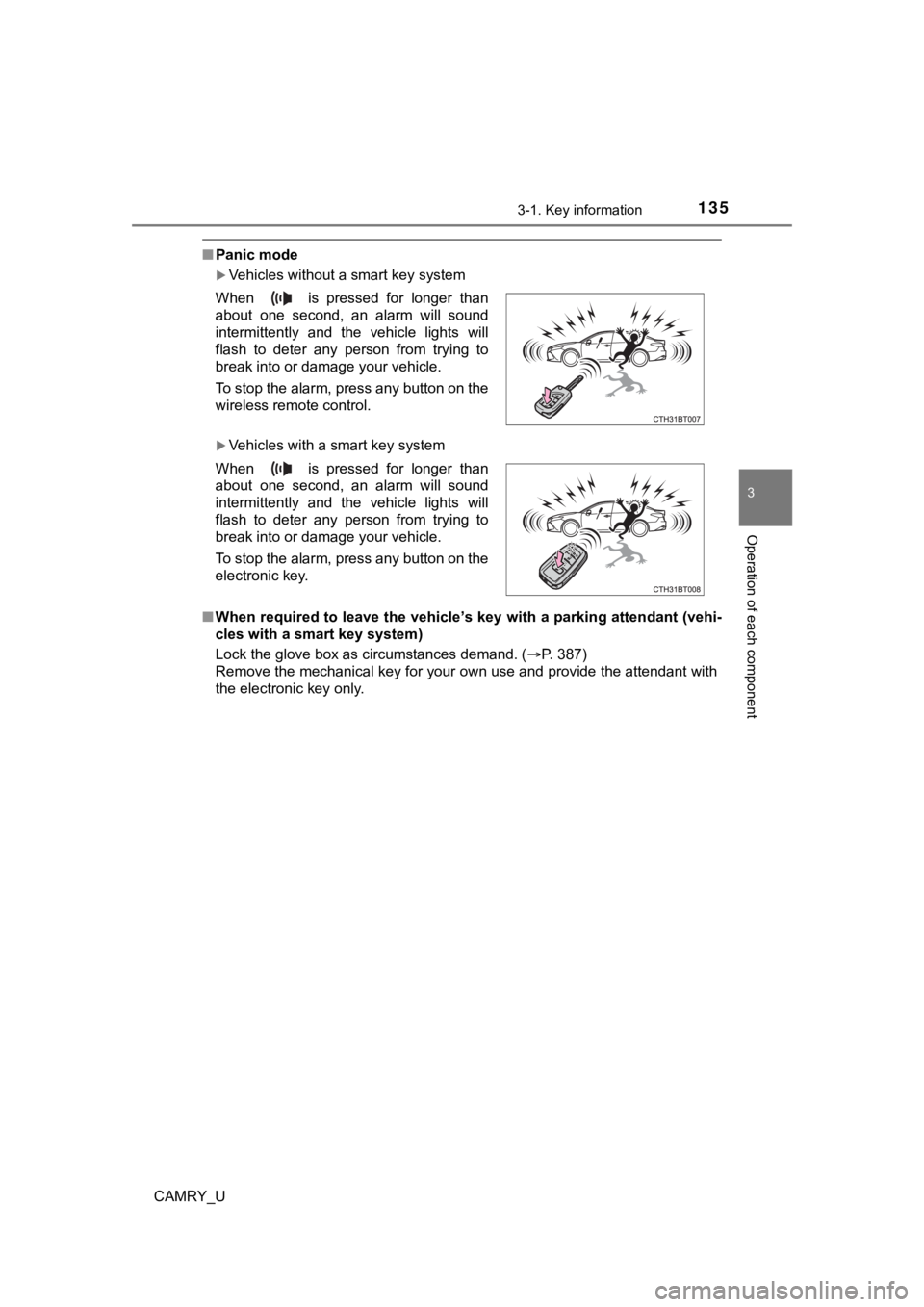
■Panic mode
Vehicles without a smart key system
Vehicles with a smart key system
■ When required to leave the vehicle’s key with a parking attenda nt (vehi-
cles with a smart key system)
Lock the glove box as circumstances demand. (P. 387)
Remove the mechanical key for your own use and provide the attendant with
the electronic key only. When is pressed for longer than
about one second, an alarm will sound
intermittently and the vehicle lights will
flash to deter any person from trying to
break into or damage your vehicle.
To stop the alarm, press any button on the
wireless remote control.
When is pressed for longer than
about one second, an alarm will sound
intermittently and the vehicle lights will
flash to deter any person from trying to
break into or damage your vehicle.
To stop the alarm, press any button on the
electronic key.
Page 171 of 620
1713-4. Adjusting the steering wheel and mirrors
3
Operation of each component
CAMRY_U
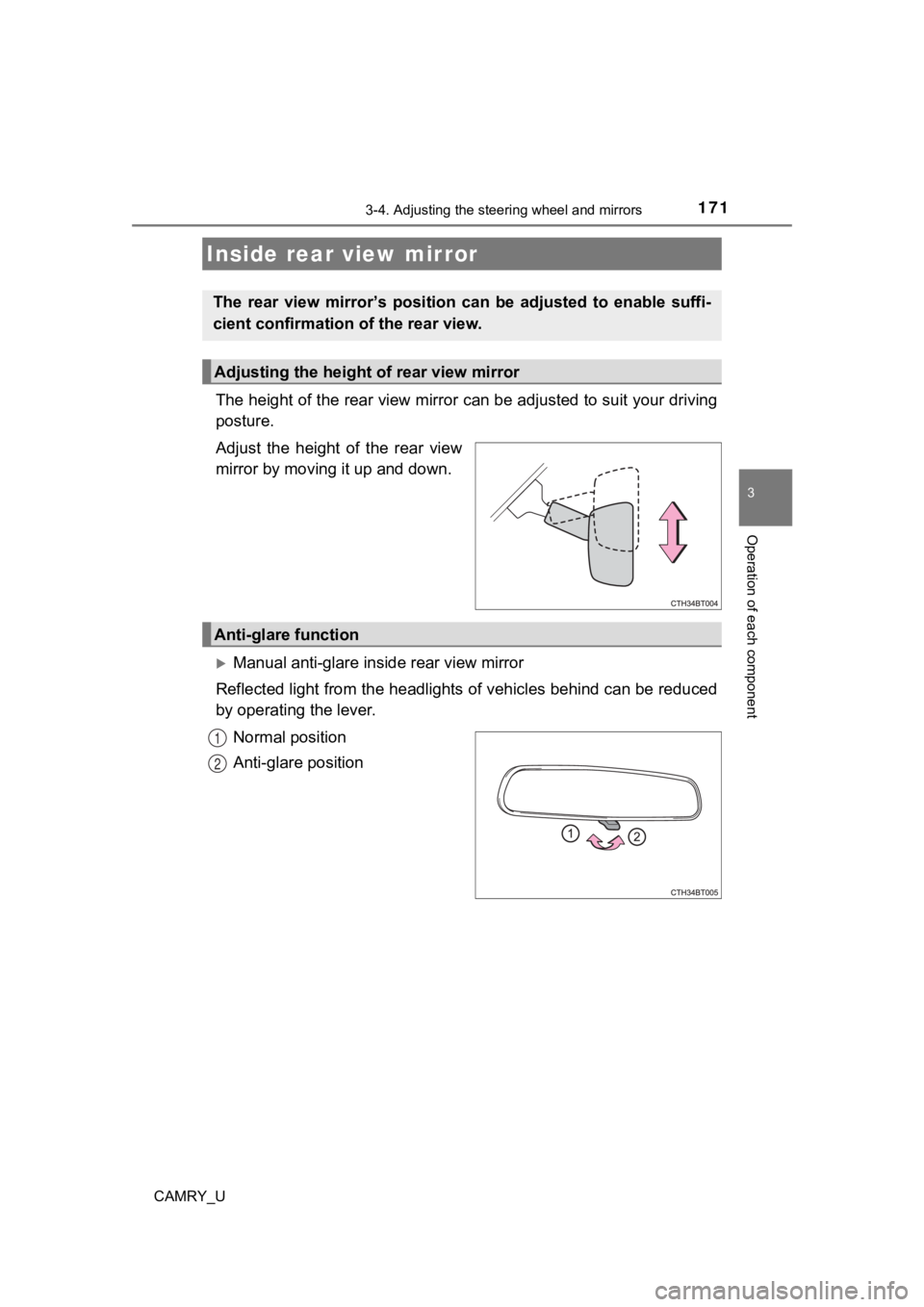
The height of the rear view mirror can be adjusted to suit your driving
posture.
Adjust the height of the rear view
mirror by moving it up and down.
Manual anti-glare inside rear view mirror
Reflected light from the headlights of vehicles behind can be r educed
by operating the lever.
Normal position
Anti-glare position
Inside rear view mirror
The rear view mirror’s position ca n be adjusted to enable suffi-
cient confirmation of the rear view.
Adjusting the height of rear view mirror
Anti-glare function
1
2
Page 172 of 620
1723-4. Adjusting the steering wheel and mirrors
CAMRY_U
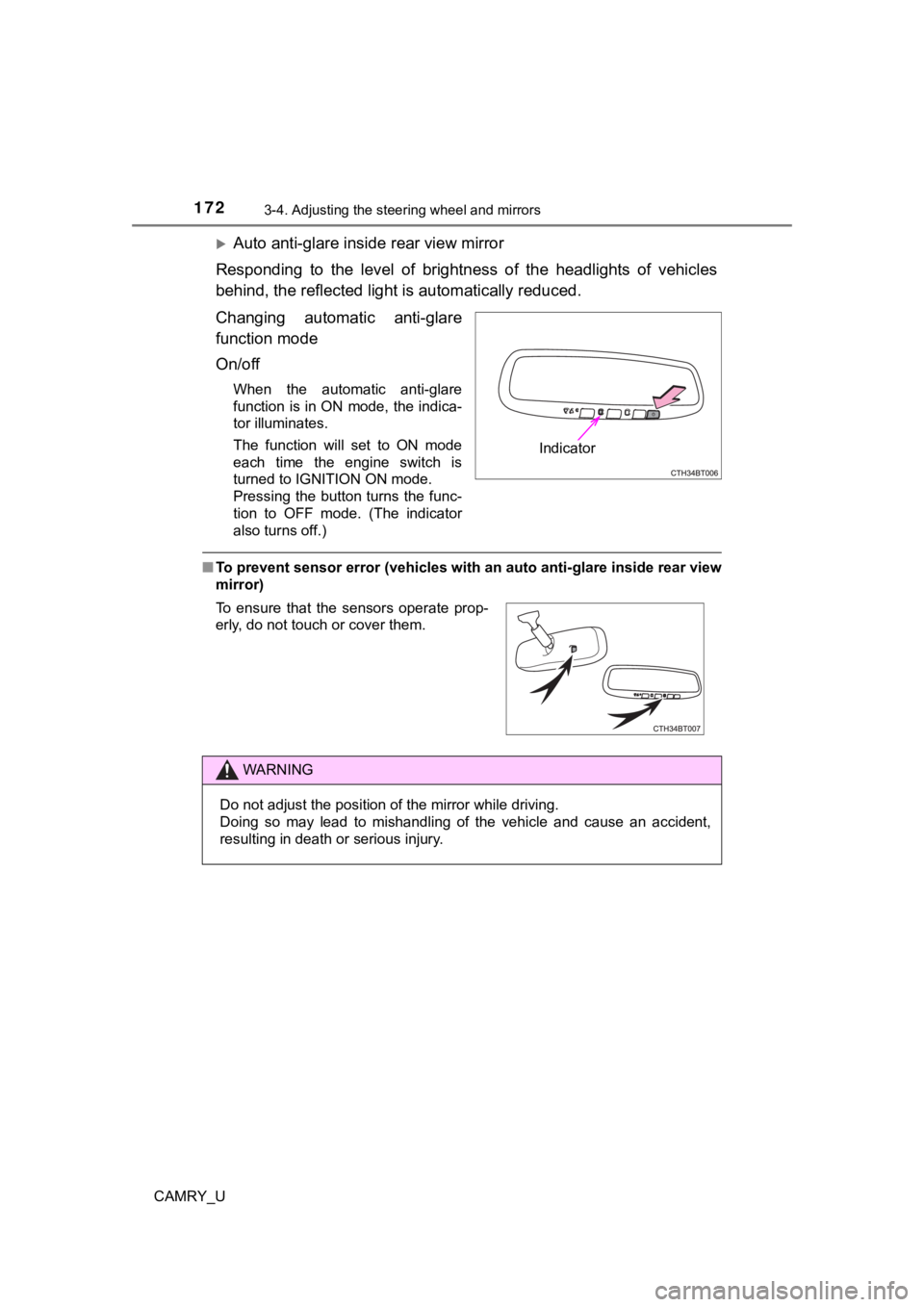
Auto anti-glare inside rear view mirror
Responding to the level of brightness of the headlights of vehi cles
behind, the reflected light is automatically reduced.
Changing automatic anti-glare
function mode
On/off
When the automatic anti-glare
function is in ON mode, the indica-
tor illuminates.
The function will set to ON mode
each time the engine switch is
turned to IGNITION ON mode.
Pressing the button turns the func-
tion to OFF mode. (The indicator
also turns off.)
■ To prevent sensor error (vehicles with an auto anti-glare insid e rear view
mirror)
Indicator
To ensure that the sensors operate prop-
erly, do not touch or cover them.
WARNING
Do not adjust the position of the mirror while driving.
Doing so may lead to mishandling of the vehicle and cause an ac cident,
resulting in death or serious injury.
Page 189 of 620

189
4Driving
CAMRY_U4-1. Before driving
Driving the vehicle ............. 190
Cargo and luggage ........... 199
Vehicle load limits ............. 202
Trailer towing..................... 203
Dinghy towing ................... 204
4-2. Driving procedures Engine (ignition) switch (vehicles without a
smart key system) ........... 205
Engine (ignition) switch (vehicles with a
smart key system) ........... 207
Automatic transmission ..... 213
Turn signal lever................ 219
Parking brake .................... 220
Electric parking brake........ 221
Brake Hold ........................ 225
4-3. Operating the lights and wipers
Headlight switch ................ 227
Automatic High Beam ....... 231
Windshield wipers and washer ............................ 235
4-4. Refueling Opening the fuel tank cap .................................. 239 4-5. Using the driving
support systems
Toyota Safety Sense P ..... 243
PCS (Pre-Collision System) .... 249
LDA (Lane Departure Alert
with steering control) ....... 259
Dynamic radar cruise control with full-speed
range............................... 269
Dynamic radar cruise control ............................. 283
Cruise control .................... 297
Driving assist systems ...... 302
BSM (Blind Spot Monitor) ........ 310
• BSM function ................ 314
• RCTA function .............. 316
Rear Camera Detection Function .......................... 320
Intuitive parking assist....... 324
Intelligent Clearance Sonar (ICS) ..................... 332
Driving mode select switches .......................... 353
4-6. Driving tips Winter driving tips ............. 355
Page 219 of 620
2194-2. Driving procedures
4
Driving
CAMRY_U
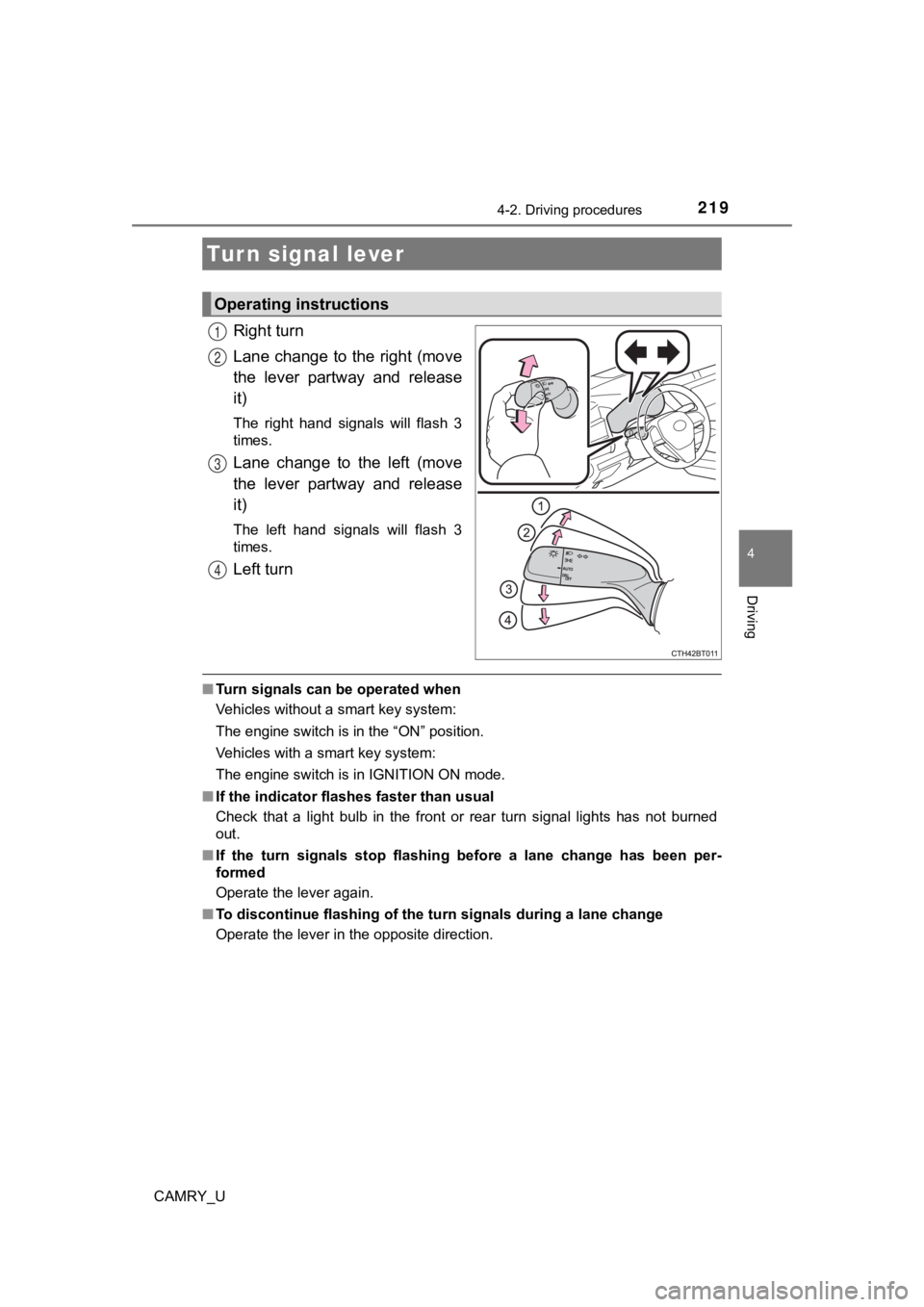
Right turn
Lane change to the right (move
the lever partway and release
it)
The right hand signals will flash 3
times.
Lane change to the left (move
the lever partway and release
it)
The left hand signals will flash 3
times.
Left turn
■Turn signals can be operated when
Vehicles without a smart key system:
The engine switch is in the “ON” position.
Vehicles with a smart key system:
The engine switch is in IGNITION ON mode.
■ If the indicator flashes faster than usual
Check that a light bulb in the front or rear turn signal lights has not burned
out.
■ If the turn signals stop flashing before a lane change has been per-
formed
Operate the lever again.
■ To discontinue flashing of the turn signals during a lane chang e
Operate the lever in the opposite direction.
Turn signal lever
Operating instructions
1
2
3
4
Page 227 of 620
227
4
Driving
CAMRY_U
4-3. Operating the lights and wipers
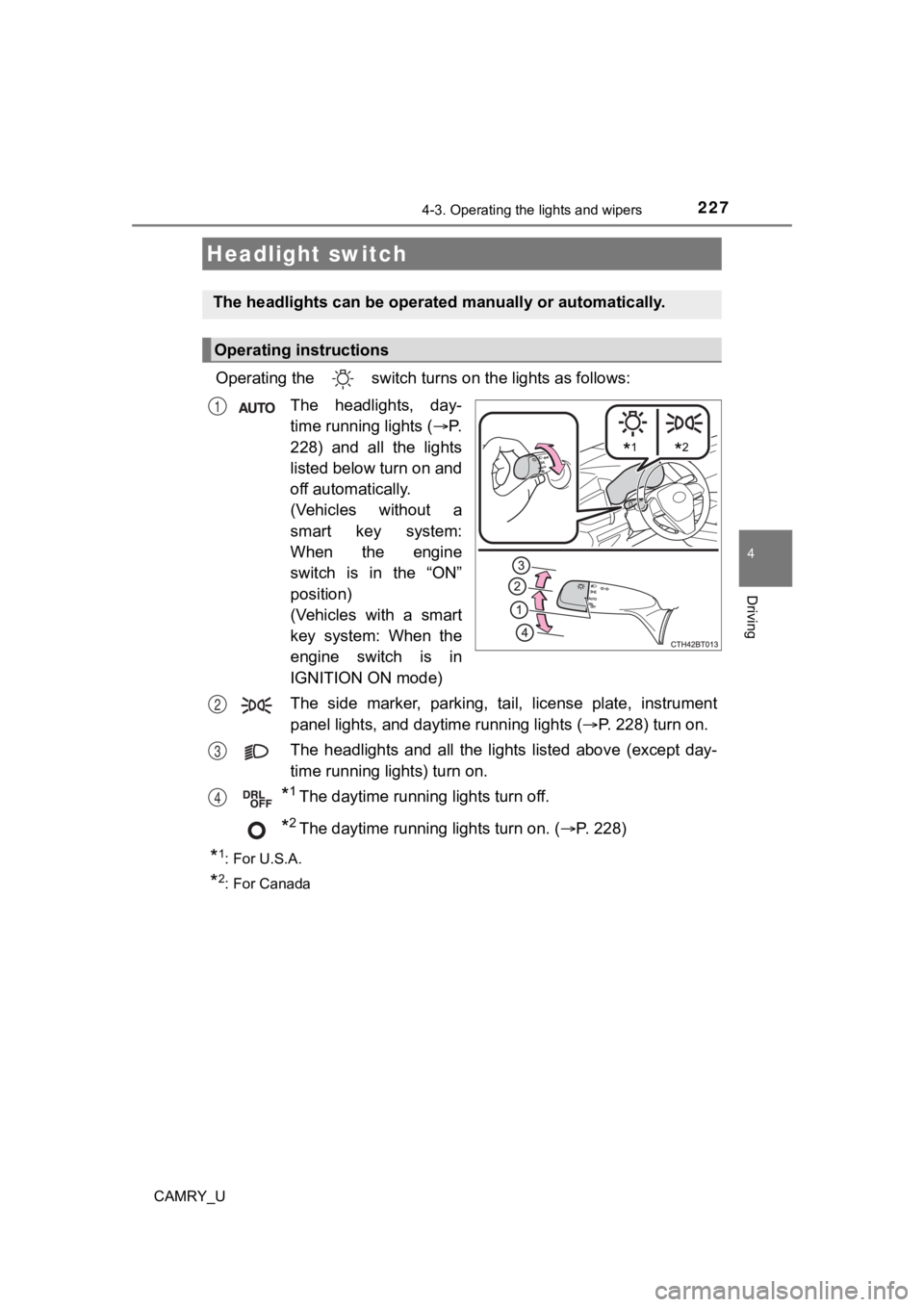
Operating the switch turn s on the lights as follows:
The headlights, day-
time running lights ( P.
228) and all the lights
listed below turn on and
off automatically.
(Vehicles without a
smart key system:
When the engine
switch is in the “ON”
position)
(Vehicles with a smart
key system: When the
engine switch is in
IGNITION ON mode)
The side marker, parking, tail, license plate, instrument
panel lights, and day time running lights (P. 228) turn on.
The headlights and all the li ghts listed above (except day-
time running lights) turn on.
*1The daytime running lights turn off.
*2The daytime running lights turn on. ( P. 228)
*1: For U.S.A.
*2: For Canada
Headlight switch
The headlights can be operated manually or automatically.
Operating instructions
*1*2
1
2
3
4
Page 228 of 620
2284-3. Operating the lights and wipers
CAMRY_U
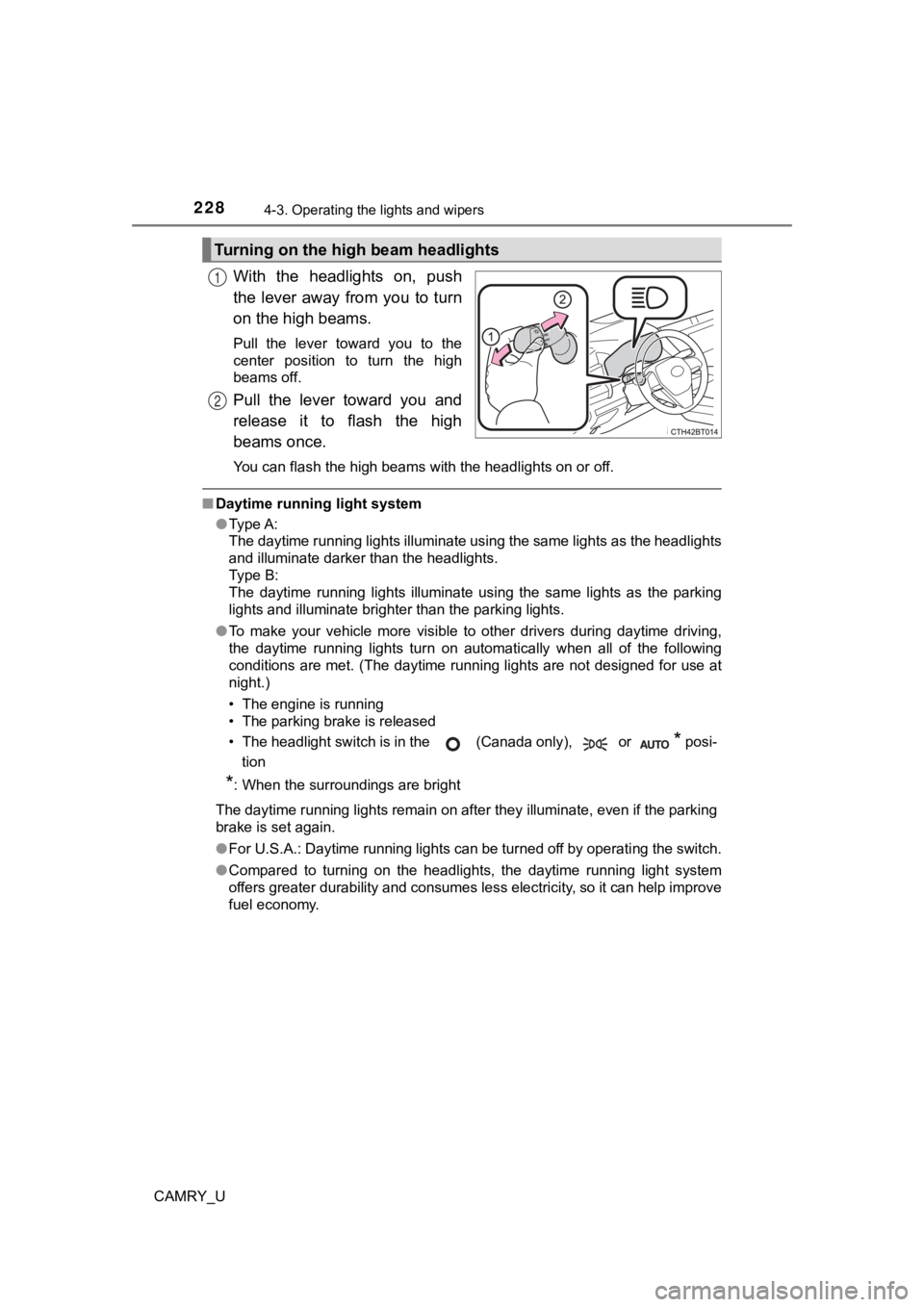
With the headlights on, push
the lever away from you to turn
on the high beams.
Pull the lever toward you to the
center position to turn the high
beams off.
Pull the lever toward you and
release it to flash the high
beams once.
You can flash the high beams with the headlights on or off.
■Daytime running light system
●Type A:
The daytime running lights illuminate using the same lights as the headlights
and illuminate darker than the headlights.
Type B:
The daytime running lights illuminate using the same lights as the parking
lights and illuminate brighter than the parking lights.
● To make your vehicle more visible to other drivers during dayti me driving,
the daytime running lights turn on automatically when all of the following
conditions are met. (The daytime running lights are not designe d for use at
night.)
• The engine is running
• The parking brake is released
• The headlight switch is in the (Canada only), or
* posi-
tion
*: When the surroundings are bright
The daytime running lights remain on after they illuminate, even if the parking
brake is set again.
● For U.S.A.: Daytime running lights can be turned off by operati ng the switch.
● Compared to turning on the headlights, the daytime running ligh t system
offers greater durability and consumes less electricity, so it can help improve
fuel economy.
Turning on the high beam headlights
1
2
Page 229 of 620
2294-3. Operating the lights and wipers
4
Driving
CAMRY_U■
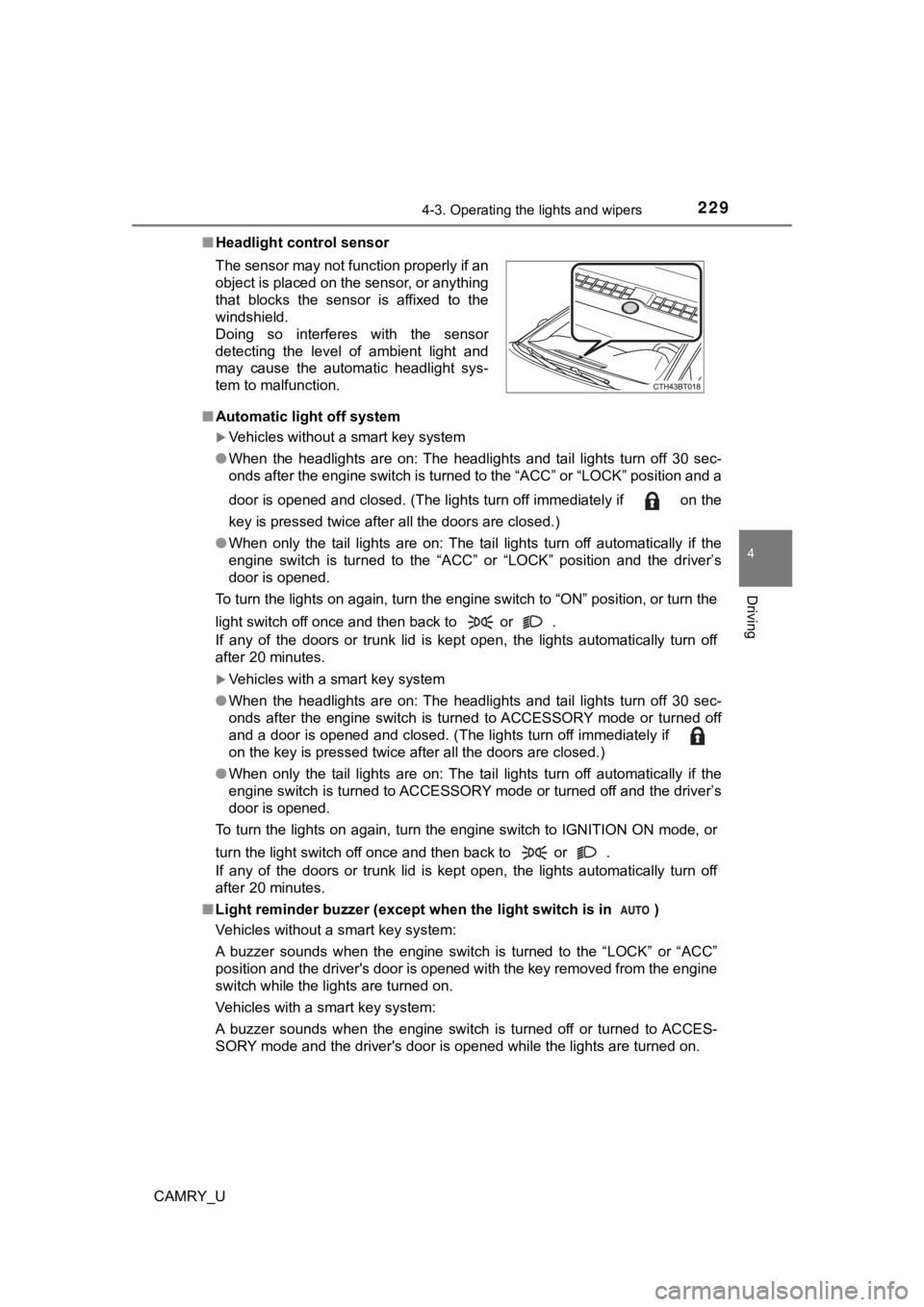
Headlight control sensor
■ Automatic light off system
Vehicles without a smart key system
● When the headlights are on: The headlights and tail lights turn off 30 sec-
onds after the engine switch is turned to the “ACC” or “LOCK” p osition and a
door is opened and closed. (The lights turn off immediately if on the
key is pressed twice after all the doors are closed.)
● When only the tail lights are on: The tail lights turn off automatically if the
engine switch is turned to the “ACC” or “LOCK” position and the driver’s
door is opened.
To turn the lights on again, turn the engine switch to “ON” pos ition, or turn the
light switch off once and then back to or .
If any of the doors or trunk lid is kept open, the lights automatically turn off
after 20 minutes.
Vehicles with a smart key system
● When the headlights are on: The headlights and tail lights turn off 30 sec-
onds after the engine switch is turned to ACCESSORY mode or tur ned off
and a door is opened and closed. (The lights turn off immediate ly if
on the key is pressed twice after all the doors are closed.)
● When only the tail lights are on: The tail lights turn off automatically if the
engine switch is turned to ACCESSORY mode or turned off and the driver’s
door is opened.
To turn the lights on again, turn the engine switch to IGNITION ON mode, or
turn the light switch off once and then back to or .
If any of the doors or trunk lid is kept open, the lights automatically turn off
after 20 minutes.
■ Light reminder buzzer (except when the light switch is in )
Vehicles without a smart key system:
A buzzer sounds when the engine switch is turned to the “LOCK” or “ACC”
position and the driver's door is opened with the key removed f rom the engine
switch while the lights are turned on.
Vehicles with a smart key system:
A buzzer sounds when the engine switch is turned off or turned to ACCES-
SORY mode and the driver's door is opened while the lights are turned on.
The sensor may not function properly if an
object is placed on the sensor, or anything
that blocks the sensor is affixed to the
windshield.
Doing so interferes with the sensor
detecting the level of ambient light and
may cause the automatic headlight sys-
tem to malfunction.
Page 230 of 620

2304-3. Operating the lights and wipers
CAMRY_U■
Windshield wiper linked headlight illumination
When driving during daytime with the headlight switch turned to , if the
windshield wipers are used, the headlights will turn on automat ically after
several seconds to help enhance the visibility of your vehicle.
■ Battery-saving function
In the following conditions, the remaining lights will go off automatically after
20 minutes in order to prevent the vehicle battery from being d ischarged:
● The headlights and/or tail lights are on.
● Vehicles without a smart key system:
The engine switch is in the “ACC” or “LOCK” position.
Vehicles with a smart key system:
The engine switch is in ACCESSORY mode or turned off.
This function will be canceled in any of the following situatio ns:
● Vehicles without a smart key system:
When the engine switch is turned to the “ON” position.
Vehicles with a smart key system:
When the engine switch is turned to IGNITION ON mode.
● When the light switch is operated
● When a door or the trunk is opened or closed
■ Customization
Some functions can be customized. ( P. 575)
NOTICE
■To prevent battery discharge
Do not leave the lights on longer than necessary when the engin e is not
running.