trailer TOYOTA CAMRY 2020 Owners Manual (in English)
[x] Cancel search | Manufacturer: TOYOTA, Model Year: 2020, Model line: CAMRY, Model: TOYOTA CAMRY 2020Pages: 620, PDF Size: 12.95 MB
Page 3 of 620

3
1
8 7 5 4
3
2
CAMRY_U
9
6
3-1. Key informationKeys .................................. 132
3-2. Opening, closing and locking the doors
Doors................................. 141
Trunk ................................. 149
Smart key system.............. 154
3-3. Adjusting the seats Front seats ........................ 163
Rear seats (folding type) ................... 165
Head restraints .................. 167
3-4. Adjusting the steering wheel and mirrors
Steering wheel .................. 169
Inside rear view mirror....... 171
Outside rear view mirrors ............................. 173
3-5. Opening and closing the windows
Power windows ................. 175
Moon roof .......................... 179
Panoramic moon roof ........ 183 4-1. Before driving
Driving the vehicle ............. 190
Cargo and luggage ............ 199
Vehicle load limits .............. 202
Trailer towing ..................... 203
Dinghy towing .................... 204
4-2. Driving procedures Engine (ignition) switch (vehicles without a
smart key system) ........... 205
Engine (ignition) switch (vehicles with a
smart key system) ........... 207
Automatic transmission ..... 213
Turn signal lever ................ 219
Parking brake .................... 220
Electric parking brake ........ 221
Brake Hold ......................... 225
4-3. Operating the lights and wipers
Headlight switch ................ 227
Automatic High Beam ........ 231
Windshield wipers and washer ............................. 235
4-4. Refueling Opening the fuel tank cap................................... 239
3Operation of each
component4Driving
Page 189 of 620

189
4Driving
CAMRY_U4-1. Before driving
Driving the vehicle ............. 190
Cargo and luggage ........... 199
Vehicle load limits ............. 202
Trailer towing..................... 203
Dinghy towing ................... 204
4-2. Driving procedures Engine (ignition) switch (vehicles without a
smart key system) ........... 205
Engine (ignition) switch (vehicles with a
smart key system) ........... 207
Automatic transmission ..... 213
Turn signal lever................ 219
Parking brake .................... 220
Electric parking brake........ 221
Brake Hold ........................ 225
4-3. Operating the lights and wipers
Headlight switch ................ 227
Automatic High Beam ....... 231
Windshield wipers and washer ............................ 235
4-4. Refueling Opening the fuel tank cap .................................. 239 4-5. Using the driving
support systems
Toyota Safety Sense P ..... 243
PCS (Pre-Collision System) .... 249
LDA (Lane Departure Alert
with steering control) ....... 259
Dynamic radar cruise control with full-speed
range............................... 269
Dynamic radar cruise control ............................. 283
Cruise control .................... 297
Driving assist systems ...... 302
BSM (Blind Spot Monitor) ........ 310
• BSM function ................ 314
• RCTA function .............. 316
Rear Camera Detection Function .......................... 320
Intuitive parking assist....... 324
Intelligent Clearance Sonar (ICS) ..................... 332
Driving mode select switches .......................... 353
4-6. Driving tips Winter driving tips ............. 355
Page 199 of 620

1994-1. Before driving
4
Driving
CAMRY_U
Cargo capacity depends on the total weight of the occupants.
(Cargo capacity) = (Total load capacity) — (Total weight of occ upants)
Steps for Determining Correct Load Limit —
(1) Locate the statement “The co mbined weight of occupants and
cargo should never exceed XXX kg or XXX lbs.” on your vehicle’s
placard.
(2) Determine the combined weight of the driver and passengers t hat
will be riding in your vehicle.
(3) Subtract the combined weight of the driver and passengers fr om
XXX kg or XXX lbs.
(4) The resulting figure equals the available amount of cargo an d lug-
gage load capacity.
For example, if the “XXX” amount equals 1400 lbs. and there wil l be
five 150 lb passengers in your vehicle, the amount of available
cargo and luggage load capacity is 650 lbs. (1400 750 (5150) =
650 lbs.)
(5) Determine the combined weight of luggage and cargo being loa ded
on the vehicle. That weight may n ot safely exceed the available
cargo and luggage load capac ity calculated in Step 4.
(6) If your vehicle will be towing a trailer, load from your tra iler will be
transferred to your vehicle. Consult this manual to determine h ow
this reduces the available cargo and luggage load capacity of y our
vehicle.
( P. 202)
Toyota does not recommend towing a trailer with your vehicle. Y our
vehicle is not desig ned for trailer towing.
Cargo and luggage
Take notice of the following information about storage precau-
tions, cargo capacity and load:
Capacity and distribution
Page 202 of 620
2024-1. Before driving
CAMRY_U
◆Total load capacity (vehicle capacity weight): P. 544
Total load capacity means the co mbined weight of occupants, cargo
and luggage.
◆Seating capacity: P. 5 4 5
Seating capacity means the max imum number of occupants whose
estimated average weight is 1 50 lb. (68 kg) per person.
◆Towing capacity
Toyota does not recommend towing a trailer with your vehicle.
◆Cargo capacity
Cargo capacity may increase or decrease depending on the weight
and the number of occupants.
■Total load capacity and seating capacity
These details are also described on the tire and loading inform ation label.
( P. 461)
Vehicle load limits
Vehicle load limits include total load capacity, seating capaci ty,
towing capacity and cargo capacity.
WARNING
■Overloading the vehicle
Do not overload the vehicle.
It may not only cause damage to the tires, but also degrade steering
and braking ability, res ulting in an accident.
Page 203 of 620
2034-1. Before driving
4
Driving
CAMRY_U
Trailer towing
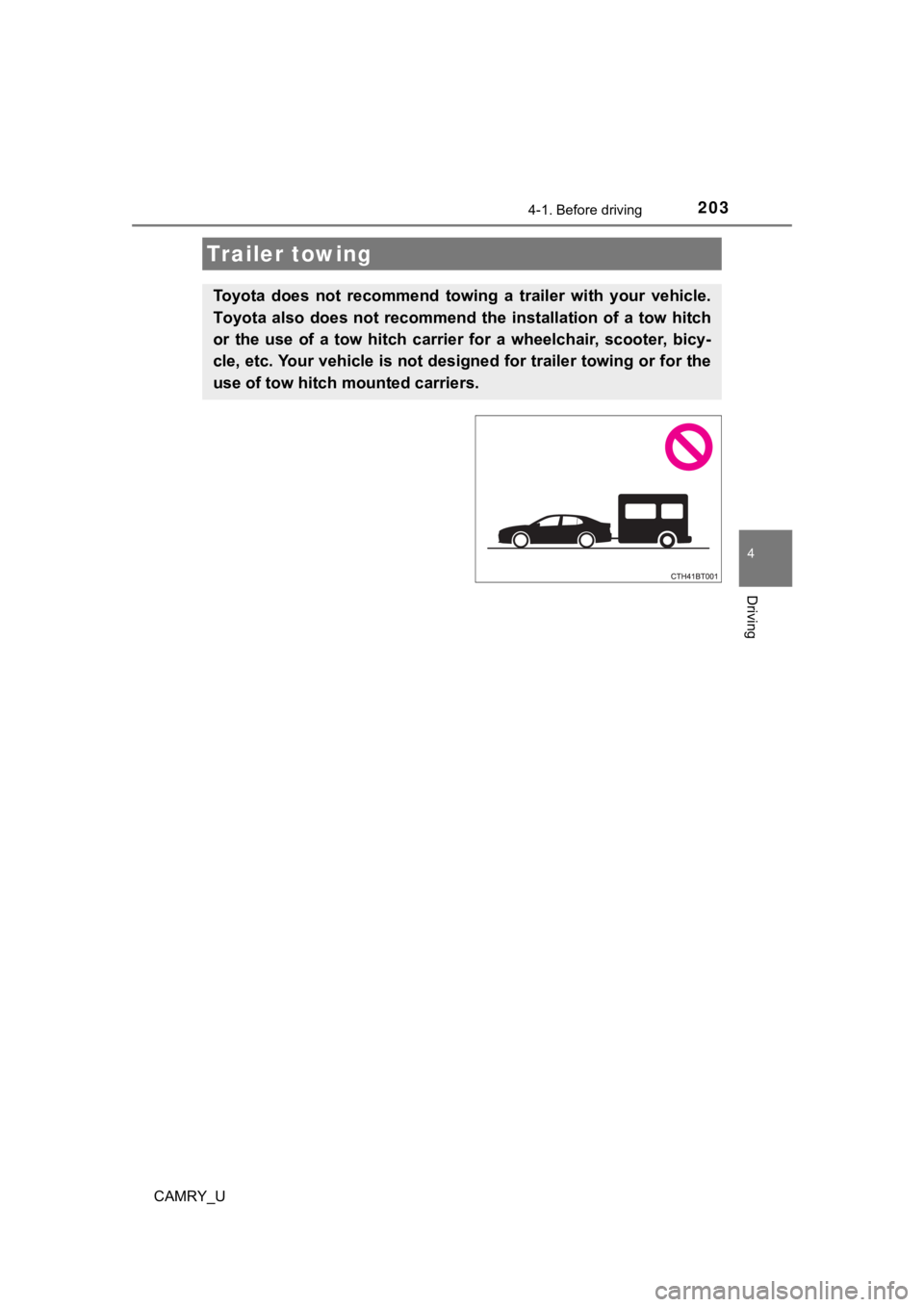
Toyota does not recommend towing a trailer with your vehicle.
Toyota also does not recommend the installation of a tow hitch
or the use of a tow hitch carrier for a wheelchair, scooter, bi cy-
cle, etc. Your vehicle is not des igned for trailer towing or for the
use of tow hitch mounted carriers.
Page 234 of 620

2344-3. Operating the lights and wipers
CAMRY_U●
In the following situations the system may not be able to correctly detect the
surrounding brightness level. This may cause the low beams to r emain on
or the high beams to flash or dazzle pedestrians or vehicles ah ead. In such
a case, it is necessary to manually switch between the high and low beams.
• When driving in inclement weather (heavy rain, snow, fog, sand storms,
etc.)
• When the windshield is obscured by fog, mist, ice, dirt, etc.
• When the windshield is cracked or damaged
• When the front camera is deformed or dirty
• When the temperature of the front camera is extremely high
• When the surrounding brightness level is equal to that of head lights, tail
lights or fog lights
• When headlights or tail lights of vehicles ahead are turned off, dirty,
changing color, or not aimed properly
• When the vehicle is hit by water, snow, dust, etc. from a prec eding vehi-
cle
• When driving through an area of intermittently changing brightness and darkness
• When frequently and repeatedly driving ascending/descending roads, or
roads with rough, bumpy or uneven surfaces (such as stone-paved
roads, gravel roads, etc.)
• When frequently and repeatedly taking curves or driving on a w inding
road
• When there is a highly reflective object ahead of the vehicle, such as a sign or mirror
• When the back of a preceding vehicle is highly reflective, suc h as a con-
tainer on a truck
• When the vehicle's headlights are damaged or dirty, or are not aimed
properly
• When the vehicle is listing or titling due to a flat tire, a trailer being towed,
etc.
• When the headlights are changed between the high beams and low beams repeatedly in an abnormal manner
• When the driver believes that the high beams may be flashing or dazzling pedestrians or other drivers
■ Temporarily lowering sensor sensitivity
The sensitivity of the sensor can be temporarily lowered.
Turn the engine switch off while the following conditions are m et.
• The headlight switch is in .
• The headlight switch lever is in high beam position.
Turn the engine switch to the “ON” position (vehicles without a smart key
system) or IGNITION ON mode (vehicles with a smart key system).
Within 5 seconds after , repeat pulling the headlight switch lever to the
original position then pushing it to the high beam position qui ckly 9 times,
then leave the lever in high beam position.
Automatic High Beam (headlights) may turn on even when the vehicle is
stopped.
1
2
32
Page 256 of 620
2564-5. Using the driving support systems
CAMRY_U■
Situations in which the syst em may not operate properly
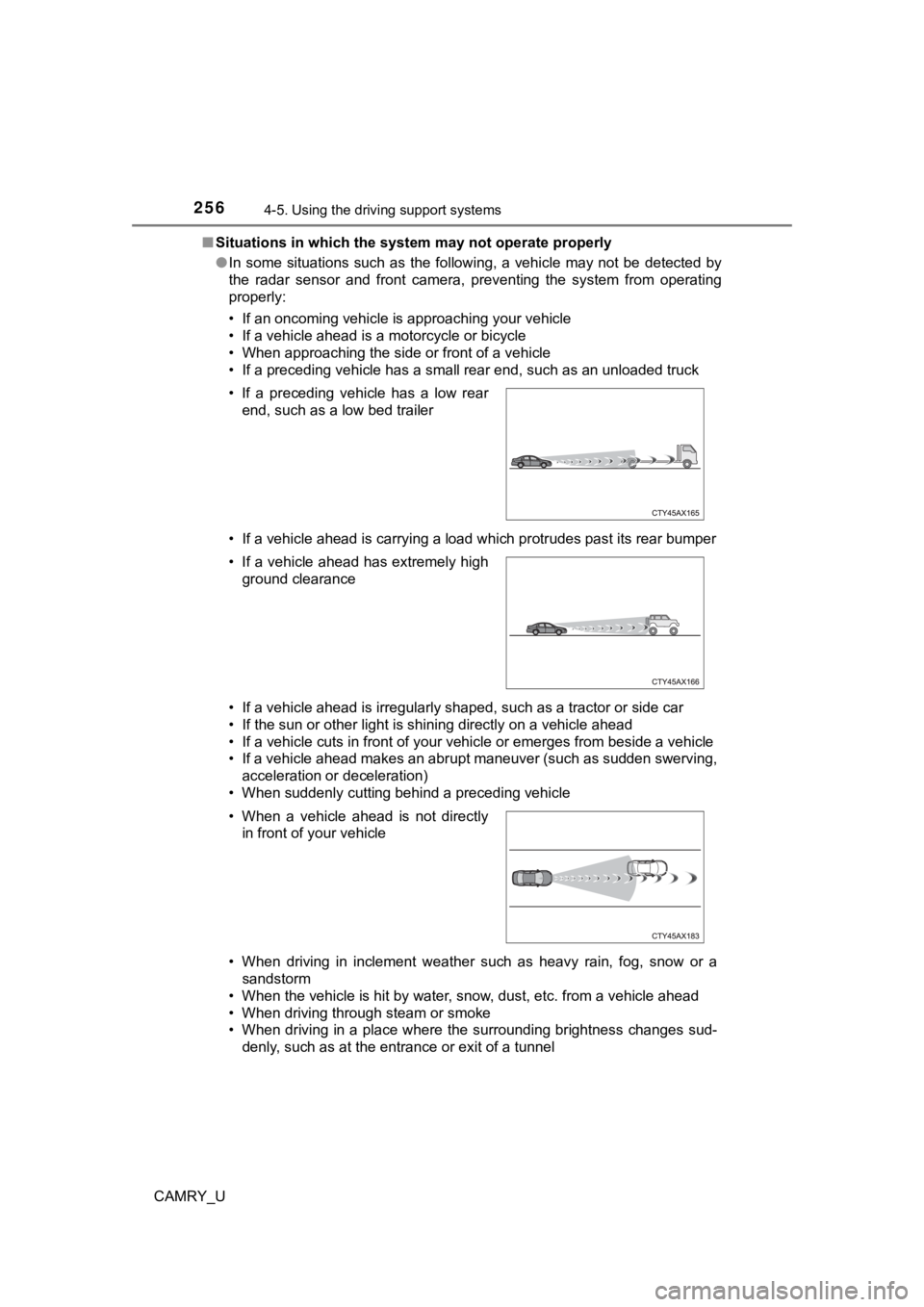
● In some situations such as the following, a vehicle may not be detected by
the radar sensor and front camera, preventing the system from operating
properly:
• If an oncoming vehicle is approaching your vehicle
• If a vehicle ahead is a motorcycle or bicycle
• When approaching the side or front of a vehicle
• If a preceding vehicle has a small rear end, such as an unload ed truck
• If a vehicle ahead is carrying a load which protrudes past its rear bumper
• If a vehicle ahead is irregularly shaped, such as a tractor or side car
• If the sun or other light is shining directly on a vehicle ahe ad
• If a vehicle cuts in front of your vehicle or emerges from bes ide a vehicle
• If a vehicle ahead makes an abrupt maneuver (such as sudden sw erving,
acceleration or deceleration)
• When suddenly cutting behind a preceding vehicle
• When driving in inclement weather such as heavy rain, fog, snow or a sandstorm
• When the vehicle is hit by water, snow, dust, etc. from a vehicle ahead
• When driving through steam or smoke
• When driving in a place where the surrounding brightness changes sud- denly, such as at the entrance or exit of a tunnel
• If a preceding vehicle has a low rear
end, such as a low bed trailer
• If a vehicle ahead has extremely high ground clearance
• When a vehicle ahead is not directly in front of your vehicle
Page 281 of 620
2814-5. Using the driving support systems
4
Driving
CAMRY_U■
Automatic cancelation of c onstant speed control mode
Constant speed control mode is automatically canceled in the following situa-
tions:
● Actual vehicle speed is more than approximately 10 mph (16 km/h ) below
the set vehicle speed.
● Actual vehicle speed falls below approximately 25 mph (40 km/h) .
● VSC is activated.
● TRAC is activated for a period of time.
● When the VSC or TRAC system is turned off.
● Pre-collision braking is activated.
If constant speed control mode is automatically canceled for an y other rea-
son, there may be a malfunction in the system. Contact your Toyota dealer.
■ Brake system operation sound
If the brakes are applied automatically while the vehicle is in vehicle-to-vehi-
cle distance control mode, a brake system operation sound may b e heard.
This does not indicate a malfunction.
■ Warning messages and buzzers for d ynamic radar cruise control with
full-speed range
Warning messages and buzzers are used to indicate a system malfunction or
to inform the driver of the need for caution while driving. If a warning message
is shown on the multi-information display, read the message and follow the
instructions.
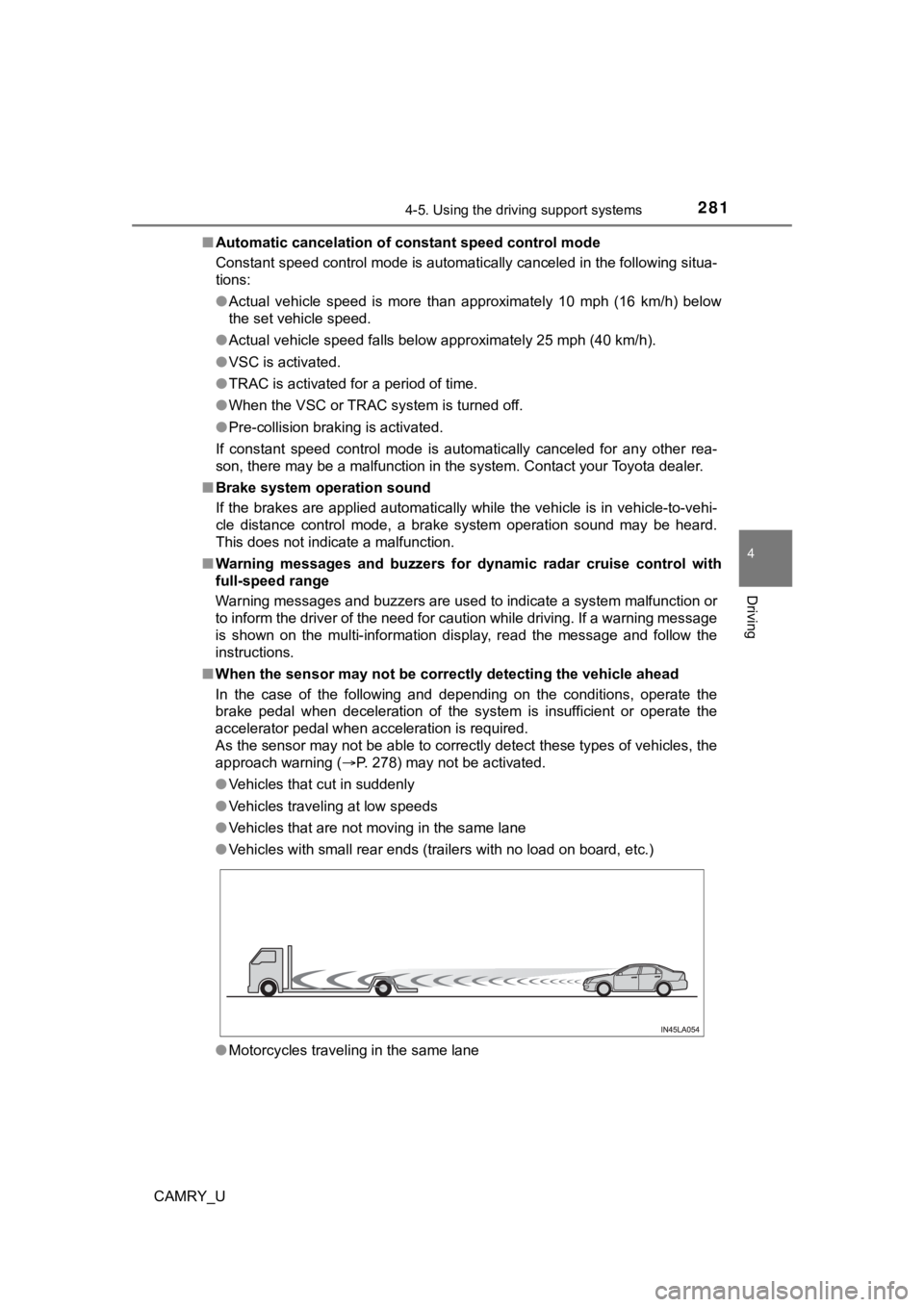
■ When the sensor may not be correctly detect ing the vehicle ahead
In the case of the following and depending on the conditions, o perate the
brake pedal when deceleration of the system is insufficient or operate the
accelerator pedal when acceleration is required.
As the sensor may not be able to correctly detect these types o f vehicles, the
approach warning ( P. 278) may not be activated.
● Vehicles that cut in suddenly
● Vehicles traveling at low speeds
● Vehicles that are not moving in the same lane
● Vehicles with small rear ends (trailers with no load on board, etc.)
● Motorcycles traveling in the same lane
Page 295 of 620
2954-5. Using the driving support systems
4
Driving
CAMRY_U■
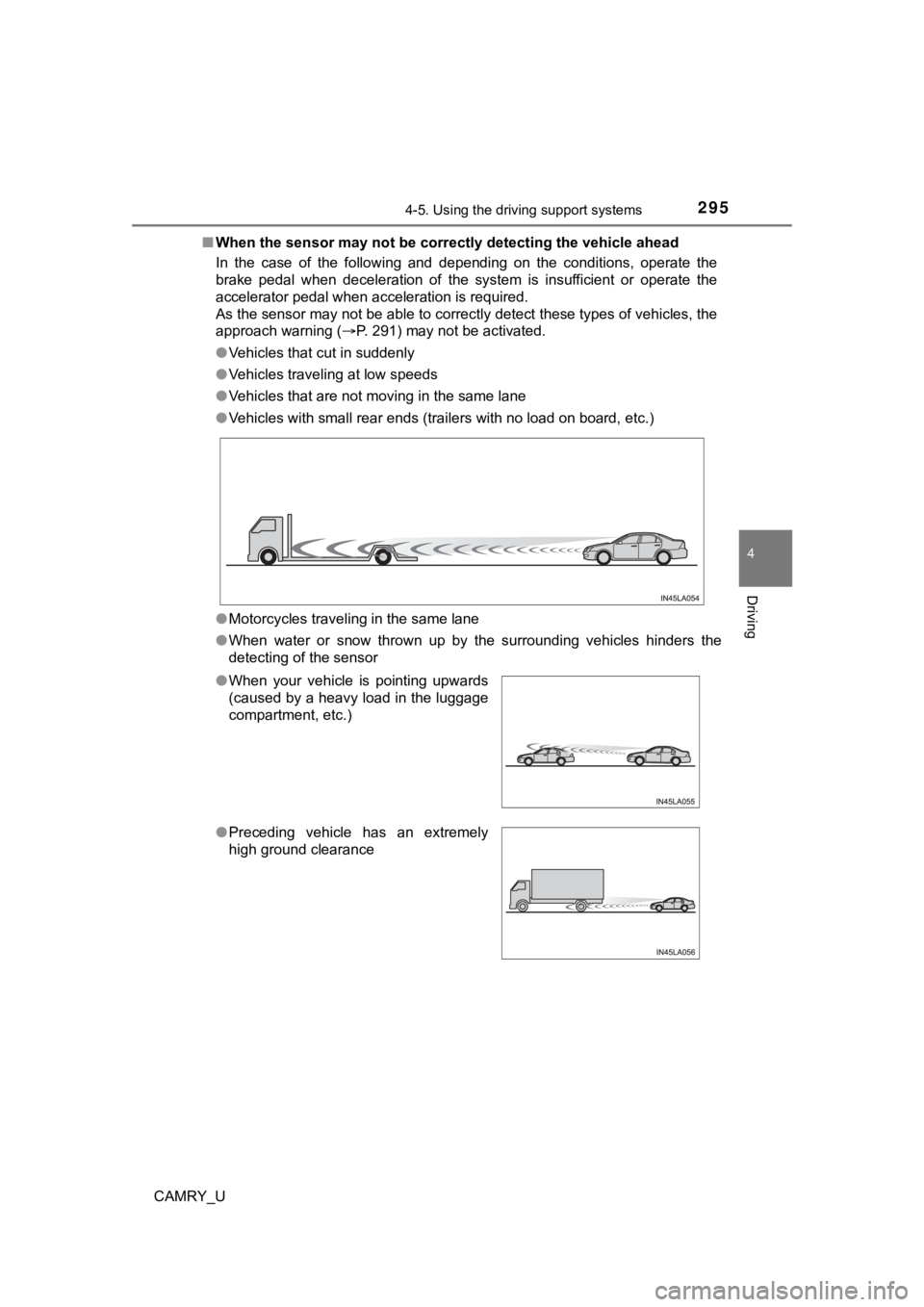
When the sensor may not be correctly detect ing the vehicle ahead
In the case of the following and depending on the conditions, o perate the
brake pedal when deceleration of the system is insufficient or operate the
accelerator pedal when acceleration is required.
As the sensor may not be able to correctly detect these types o f vehicles, the
approach warning ( P. 291) may not be activated.
● Vehicles that cut in suddenly
● Vehicles traveling at low speeds
● Vehicles that are not moving in the same lane
● Vehicles with small rear ends (trailers with no load on board, etc.)
● Motorcycles traveling in the same lane
● When water or snow thrown up by the surrounding vehicles hinders the
detecting of the sensor
●When your vehicle is pointing upwards
(caused by a heavy load in the luggage
compartment, etc.)
●Preceding vehicle has an extremely
high ground clearance
Page 617 of 620

617Alphabetical index
CAMRY_U
Seat heater switches ............ 379
“SOS” button ........................... 73
Talk switch
*
Trunk opener switch ............. 149
Vehicle-to-vehicle distance button ........... 269, 283
VSC OFF switch ................... 304
Window lock switch............... 175
Windshield wiper and washer switch ..................... 235
Tachometer ................................ 92
Tail lights Light switch ........................... 227
Replacing light bulbs............. 485
Talk switch
*
Theft deterrent system
Alarm ...................................... 82
Engine immobilizer system ..... 79
Tire inflation pressure ............. 461 Maintenance data ................. 553
Warning light ......................... 503
Tire information ....................... 562 Glossary................................ 569
Size ....................................... 565
Tire identification number ..... 564
Uniform Tire Quality Grading............................... 567 Tire pressure warning system
Initializing .............................. 448
Installing tire pressure
warning valve and
transmitters ........................ 448
Registering ID codes ............ 450
Warning light......................... 503
Tires .......................................... 446
Chains .................................. 356
Checking............................... 446
Glossary ............................... 569
If you have a flat tire ............. 515
Inflation pressure .................. 553
Replacing.............................. 515
Rotating tires ........................ 446
Size....................................... 553
Snow tires ............................. 357
Spare tire .............................. 515
Tire pressure warning system .......... ...................... 447
Uniform Tire Quality Grading .............................. 567
Warning light......................... 503
Tools ......................................... 516
Top tether strap ......................... 70
Total load capacity .................. 202
Towing Dinghy towing ....................... 204
Emergency towing ................ 492
Trailer towing ........................ 203
T
*: Refer to the “NAVIGATION AND MULTIMEDIA SYSTEM OWNER’S MANUAL”.