lock TOYOTA CAMRY HV 2009 Repair Manual
[x] Cancel search | Manufacturer: TOYOTA, Model Year: 2009, Model line: CAMRY HV, Model: TOYOTA CAMRY HV 2009Pages: 444, PDF Size: 6.46 MB
Page 235 of 444
235
3-3. Using the hand
s-free phone system (for cellular phone)
3
Interior features
Setting voice guidance volume
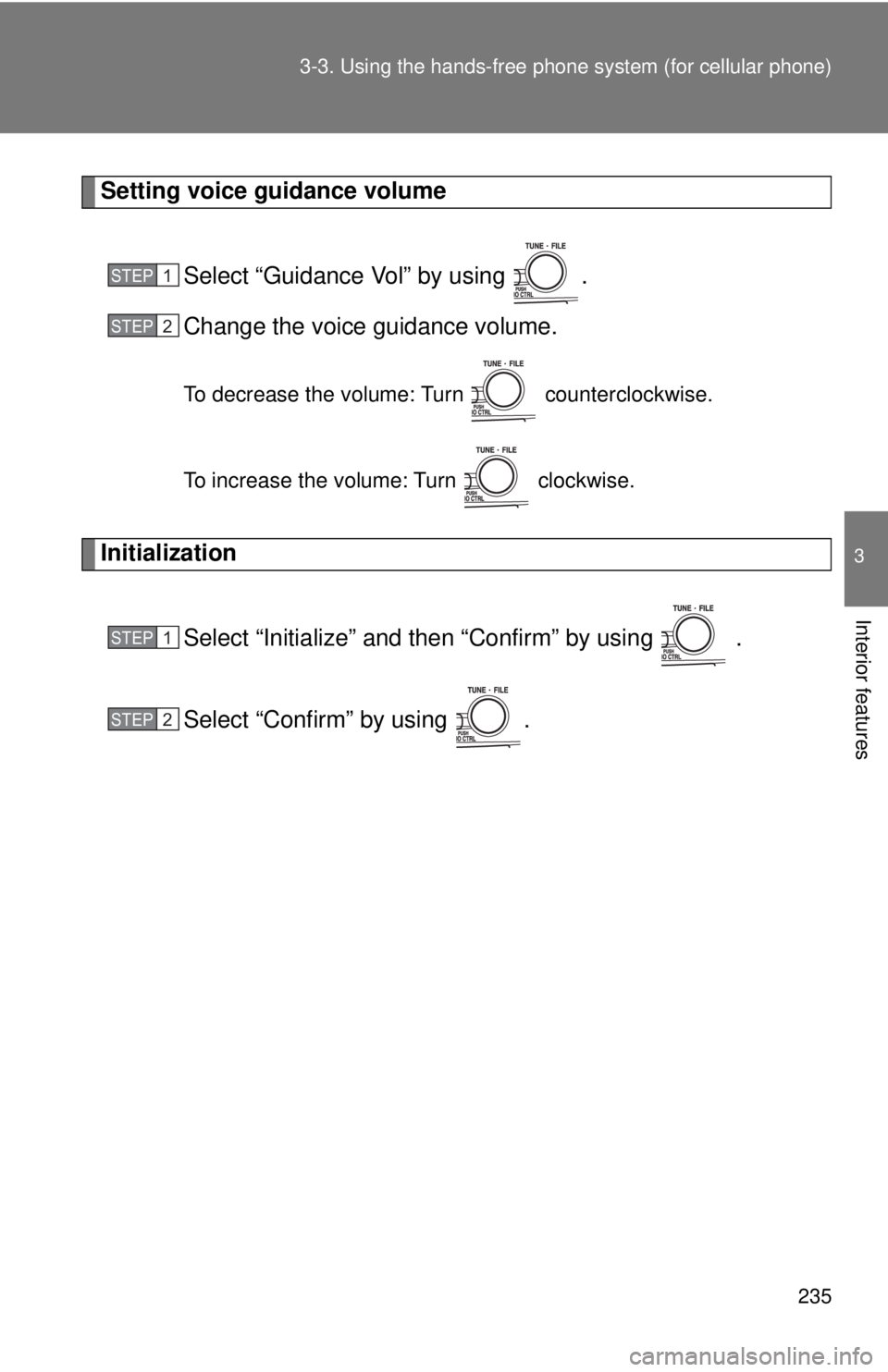
Select “Guidance Vol” by using .
Change the voice guidance volume.
To decrease the volume: Turn counterclockwise.
To increase the volume: Turn clockwise.
InitializationSelect “Initialize” and then “Confirm” by using .
Select “Confirm” by using .
STEP1
STEP2
STEP1
STEP2
Page 236 of 444
236 3-3. Using the hands-free phone system (for cellular phone)
■Initialization
●The following data in the system can be initialized:
• Phone book
• Outgoing and incoming call history
• Speed dials
• Registered cellular phone data
• Security code
● Once the initialization has been completed, the data cannot be restored
to its original state.
■ When the phone book is locked
The following functions cannot be used:
●Dialing by inputting a name
● Speed dialing
● Dialing a number stored in the call history memory
● Using the phone book
Page 244 of 444
244
3-4. Using the interior lights
Interior lights list
■Illuminated entry system
The interior light (with the switch in the “DOOR” position) automatically turns
on/off according to “POWER” switch mode, the presence of the electronic
key, whether the doors are locked/unlocked and whether the doors are
open/closed.
■ To prevent the 12-volt battery from being discharged
If the interior light remains on when the door is not fully closed and the inte-
rior light switch is in the “DOOR” position, the light will go off automatically
after 20 minutes.
■ Customization that can be co nfigured at Toyota dealer
Settings (e.g. the time elapsed before lights turn off) can be changed.
(Customizable features →P. 421)
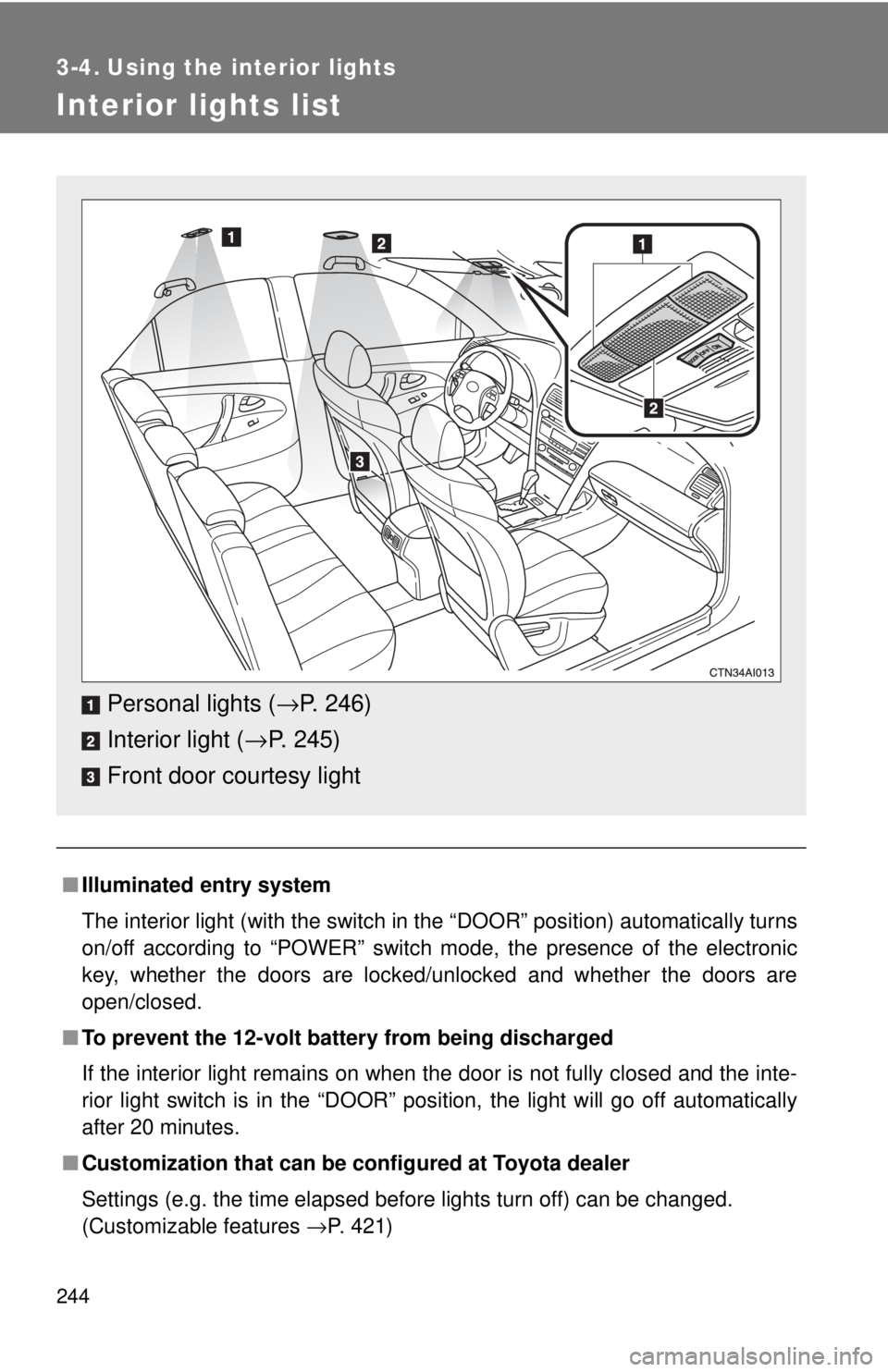
Personal lights (→P. 246)
Interior light ( →P. 245)
Front door courtesy light
Page 248 of 444
248 3-5. Using the storage features
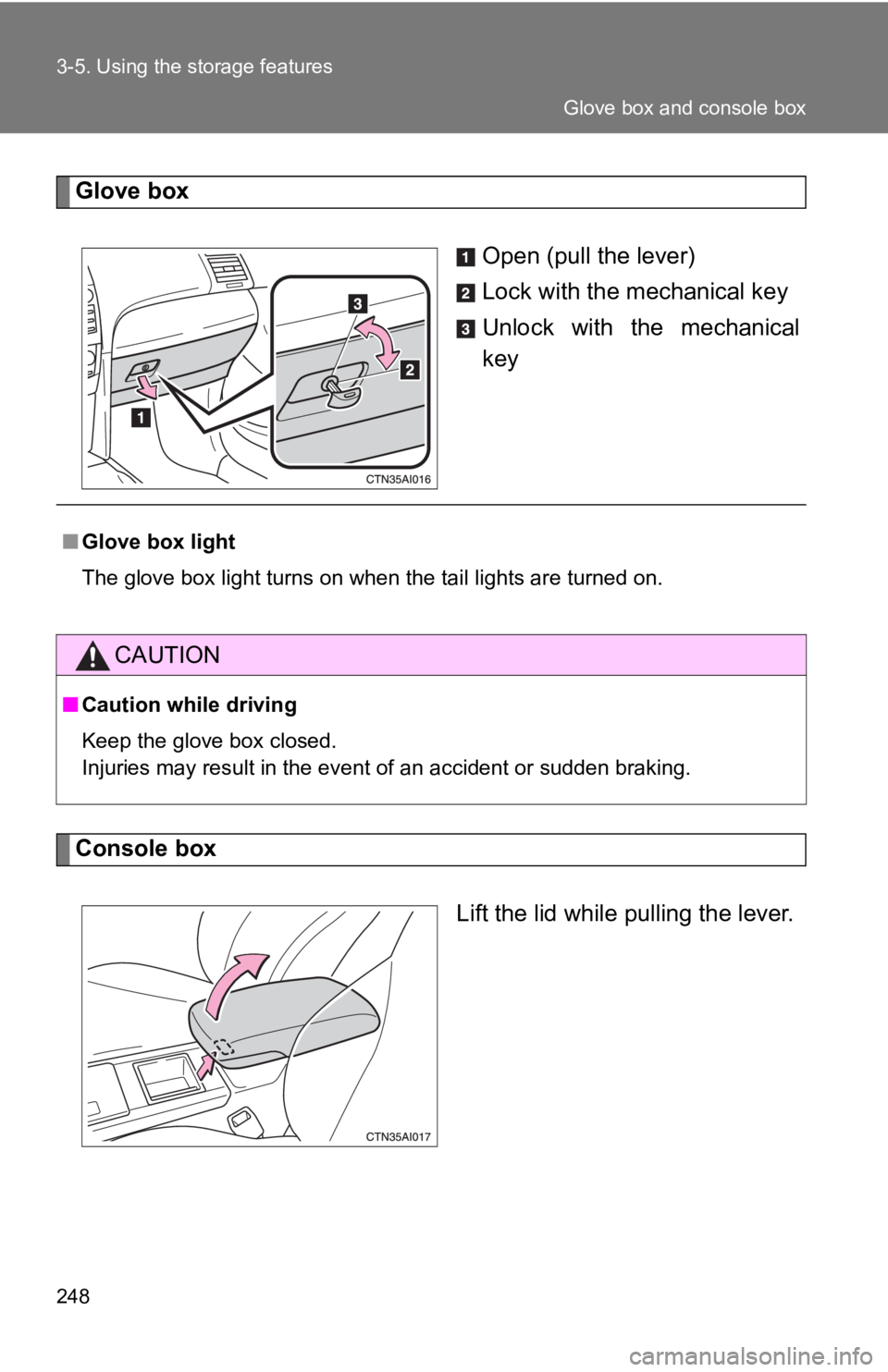
Glove boxOpen (pull the lever)
Lock with the mechanical key
Unlock with the mechanical
key
Console box
Lift the lid while pulling the lever.
■Glove box light
The glove box light turns on when the tail lights are turned on.
CAUTION
■Caution while driving
Keep the glove box closed.
Injuries may result in the event of an accident or sudden braking.
Glove box and console box
Page 255 of 444
255
3-6. Other interior features
3
Interior features
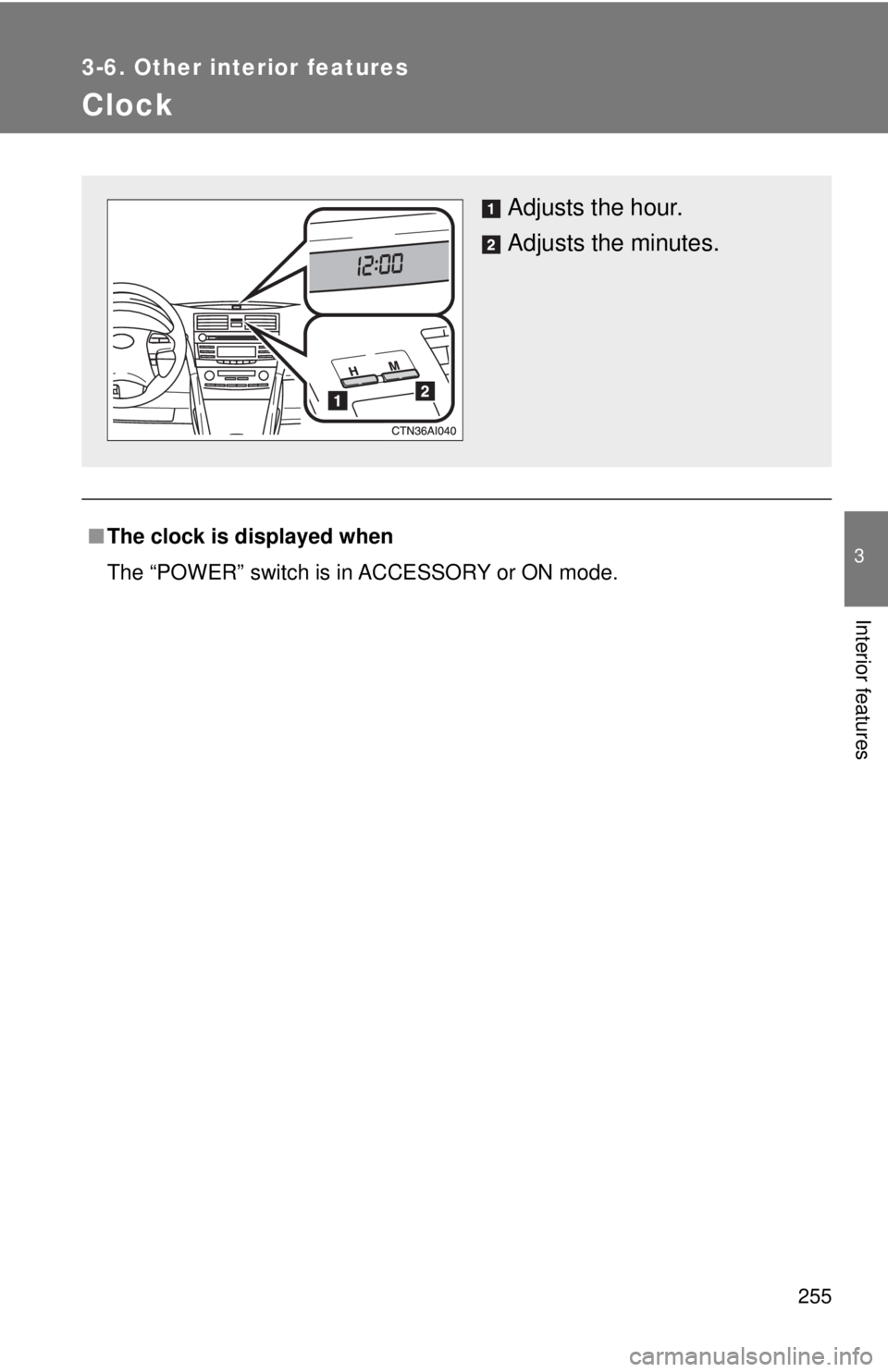
Clock
■The clock is displayed when
The “POWER” switch is in ACCESSORY or ON mode.
Adjusts the hour.
Adjusts the minutes.
Page 264 of 444
264
3-6. Other interior features
Garage door opener (if equipped)
The garage door opener (HomeLink Universal Transceiver) is manufac-
tured under license from HomeLink.
Programming HomeLink (for U.S. owners)
The HomeLink
compatible transceiver in your vehicle has 3 buttons
which can be programmed to operate 3 different devices. Refer to the
programming method below appropriate for the device.
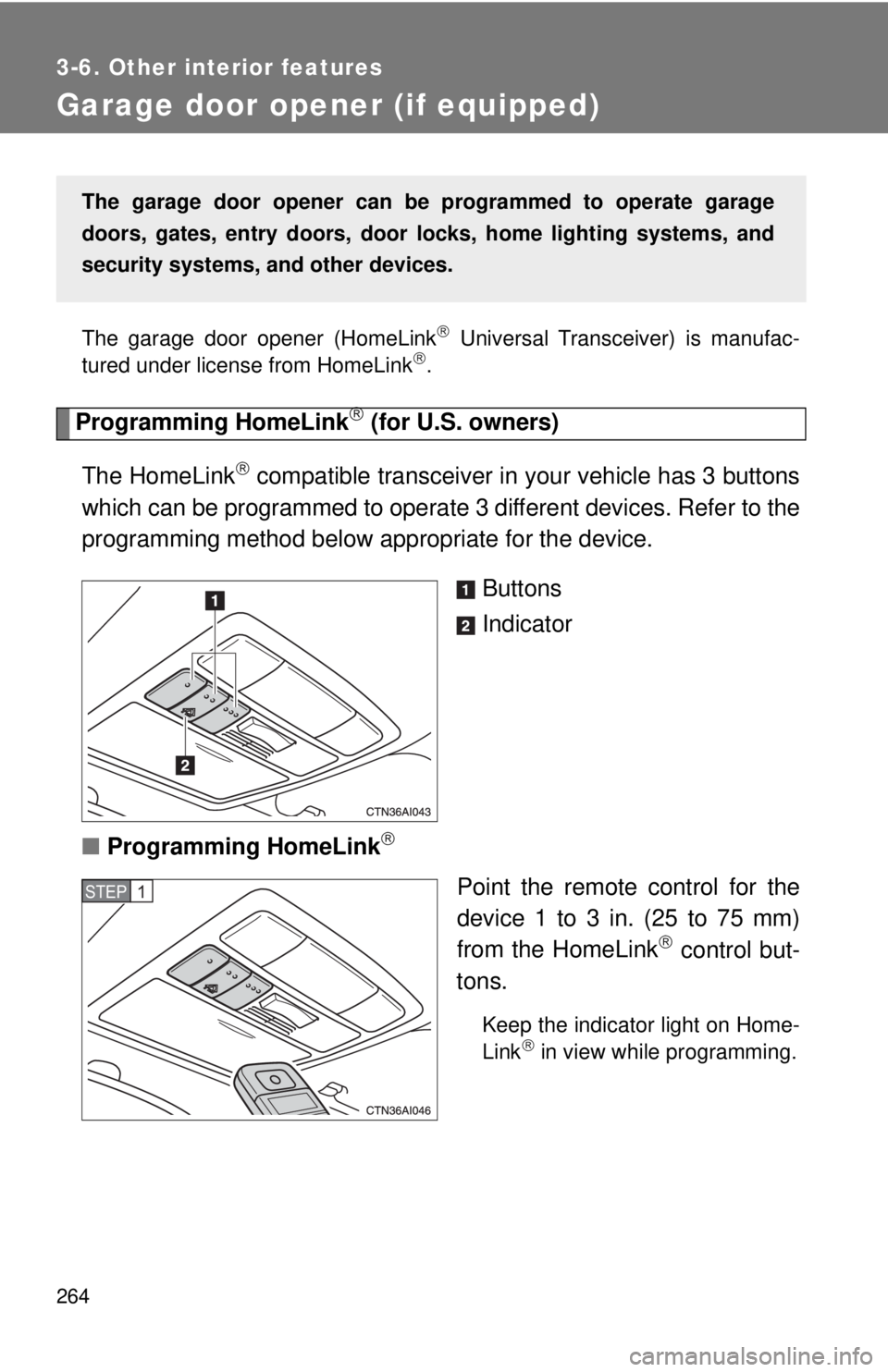
Buttons
Indicator
■ Programming HomeLink
Point the remote control for the
device 1 to 3 in. (25 to 75 mm)
from the HomeLink
control but-
tons.
Keep the indicator light on Home-
Link in view while programming.
The garage door opener can be programmed to operate garage
doors, gates, entry doors, door locks, hom e lighting systems, and
security systems, and other devices.
STEP1
Page 267 of 444
267
3-6. Other interior features
3
Interior features
Test the operation of HomeLink by pressing the newly pro-
grammed button. Check to see if the gate/device operates
correctly.
Repeat the steps above to program another device for each of
the remaining HomeLink
buttons.
■ Programming other devices
To program other devices such as home security systems, home
door locks or lighting, contact your authorized Toyota dealer for
assistance.
■ Reprogramming a button
The individual HomeLink
buttons cannot be erased but can be
reprogrammed. To reprogram a button, follow the “Programming”
instructions.
Operating HomeLink
Press the appropriate HomeLink button. The HomeLink indicator
light on the HomeLink transceiver should turn on.
HomeLink continues to send a signal for up to 20 seconds as long as the
button is pressed.
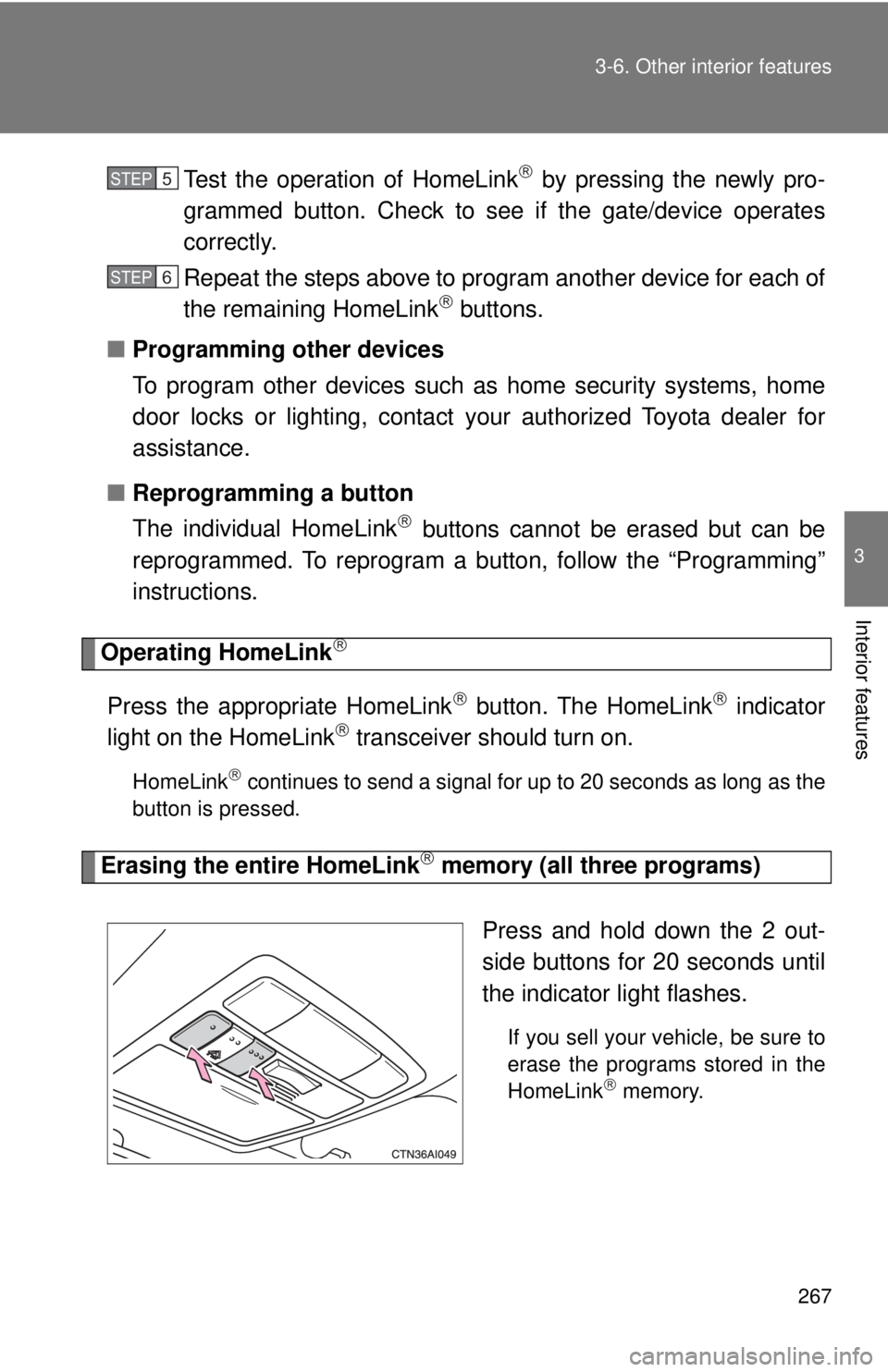
Erasing the entire HomeLink memory (all three programs)
Press and hold down the 2 out-
side buttons for 20 seconds until
the indicator light flashes.
If you sell your vehicle, be sure to
erase the programs stored in the
HomeLink
memory.
STEP5
STEP6
Page 271 of 444
271
3-6. Other interior features
3
Interior features
■
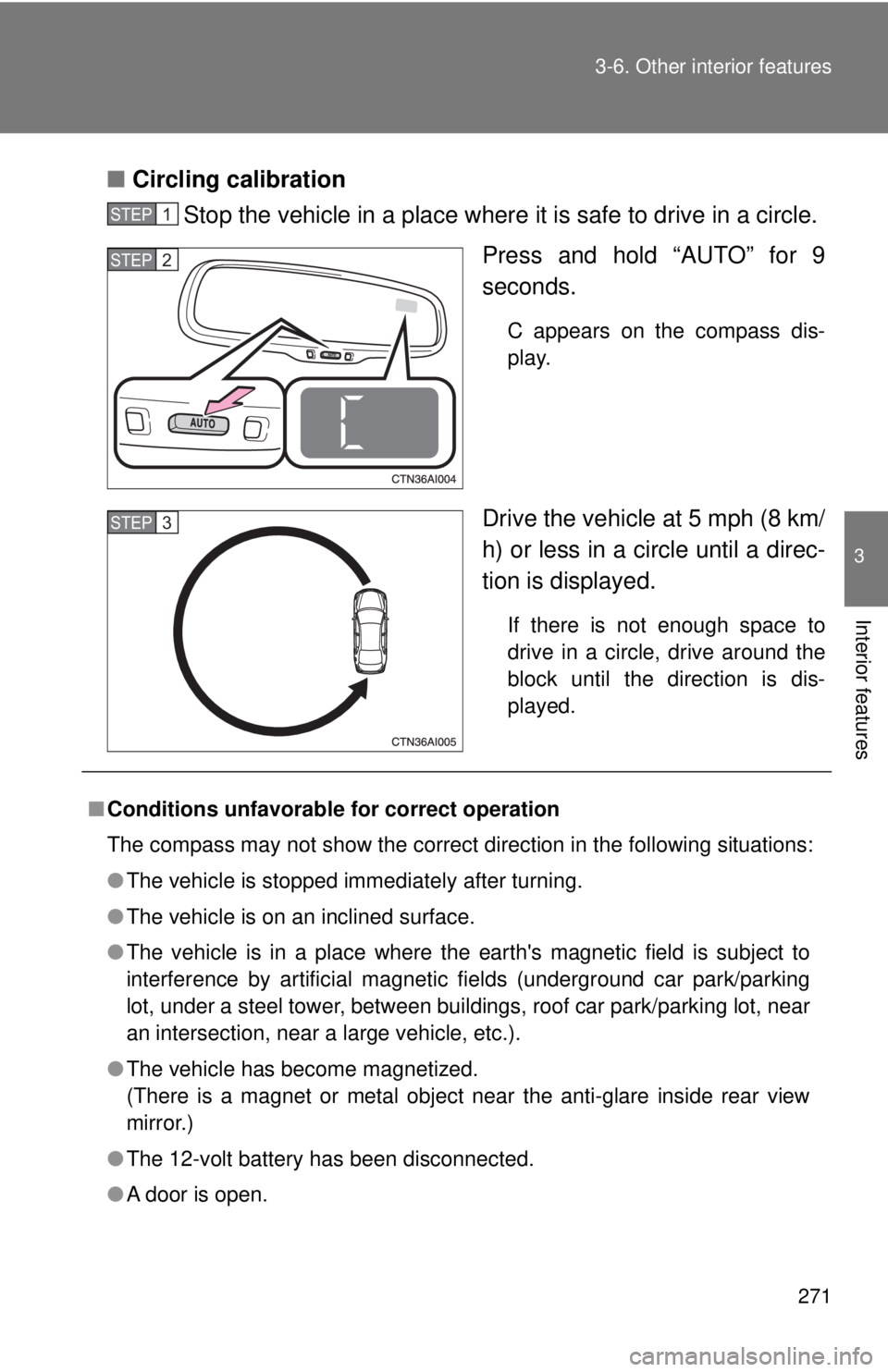
Circling calibration
Stop the vehicle in a place where it is safe to drive in a circle.
Press and hold “AUTO” for 9
seconds.
C appears on the compass dis-
play.
Drive the vehicle at 5 mph (8 km/
h) or less in a circle until a direc-
tion is displayed.
If there is not enough space to
drive in a circle, drive around the
block until the direction is dis-
played.
STEP1
STEP2
STEP3
■Conditions unfavorable for correct operation
The compass may not show the correct direction in the following situations:
●The vehicle is stopped immediately after turning.
● The vehicle is on an inclined surface.
● The vehicle is in a place where the earth's magnetic field is subject to
interference by artificial magnetic fields (underground car park/parking
lot, under a steel tower, between buildings, roof car park/parking lot, near
an intersection, near a large vehicle, etc.).
● The vehicle has become magnetized.
(There is a magnet or metal object near the anti-glare inside rear view
mirror.)
● The 12-volt battery has been disconnected.
● A door is open.
Page 281 of 444
281
4-2. Maintenance
4
Maintenance and care
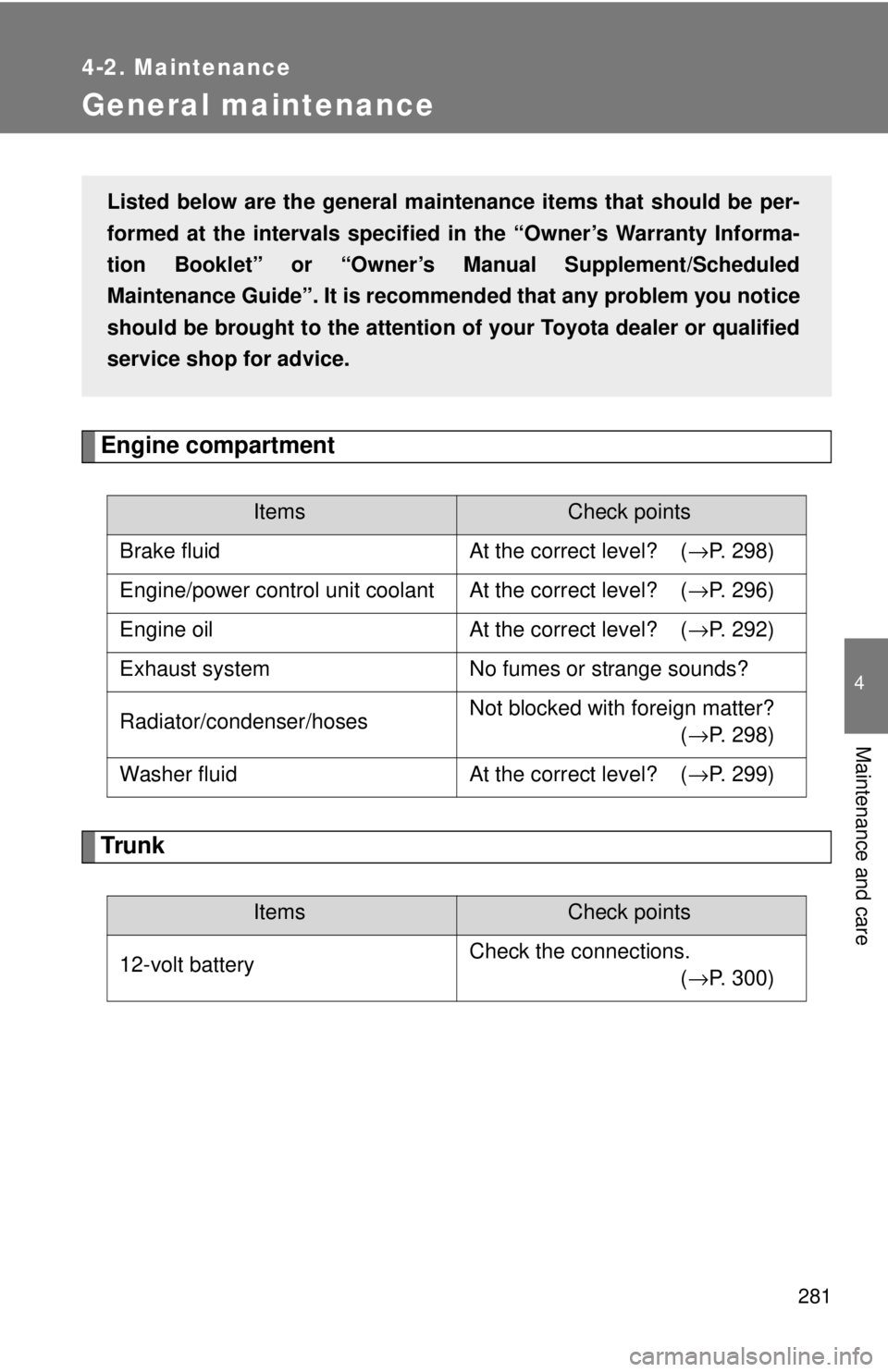
General maintenance
Engine compartment
Trunk
ItemsCheck points
Brake fluid At the correct level? ( →P. 298)
Engine/power control unit coolant At the correct level? ( →P. 296)
Engine oil At the correct level? ( →P. 292)
Exhaust system No fumes or strange sounds?
Radiator/condenser/hoses Not blocked with foreign matter?
(
→P. 298)
Washer fluid At the correct level? (→P. 299)
ItemsCheck points
12-volt battery Check the connections.
(→P. 300)
Listed below are the general maintenance items that should be per-
formed at the intervals specified in the “Owner’s Warranty Informa-
tion Booklet” or “Owner’s Manual Supplement/Scheduled
Maintenance Guide”. It is recomme nded that any problem you notice
should be brought to the attention of your Toyota dealer or qualified
service shop for advice.
Page 282 of 444

282 4-2. Maintenance
Vehicle interior
ItemsCheck points
Accelerator pedal • Moves smoothly (without uneven
pedal effort or catching)?
Transmission “Park” mechanism • Can the vehicle be held securely
on an incline with the shift lever in
P?
Brake pedal • Moves smoothly?
• Does it have appropriate clear-
ance and correct amount of free
play?
Brakes • Not pull to one side when
applied?
• Loss of brake effectiveness?
• Spongy feeling brake pedal?
• Pedal almost touches floor?
Head restraints • Move smoothly and lock
securely?
Indicators/buzzers • Function properly?
Lights • Do all the lights come on?
Parking brake • Moves smoothly?
• Can hold the vehicle securely on
an incline?
Seat belts • Does the seat belt system oper-
ate smoothly?
• Are the belts undamaged?
Seats • Do the seat controls operate
properly?
Steering wheel • Moves smoothly?
• Has correct free play?
• No strange noises?