display TOYOTA CAMRY HV 2011 User Guide
[x] Cancel search | Manufacturer: TOYOTA, Model Year: 2011, Model line: CAMRY HV, Model: TOYOTA CAMRY HV 2011Pages: 508, PDF Size: 8.76 MB
Page 44 of 508

44 1-3. Opening, closing and locking the doors
●As long as the electronic key is within the effective range, the doors may
be locked or unlocked by anyone.
● Even if the electronic key is not inside the vehicle, it may be possible to
start the hybrid system if the electronic key is near the window.
● The doors may unlock if a large amount of water splashes on the door
handle, such as in the rain or in a car wash. (The doors will automatically
be locked after approximately 60 seconds if the doors are not opened
and closed.)
● Gripping the door handle when wearing a glove may not unlock the door.
● If the wireless remote control is used to lock the doors when the elec-
tronic key is near the vehicle, there is a possibility that the door may not
be unlocked by the entry function. (Use the wireless remote control to
unlock the doors.)
● A sudden approach to the effective range or door handle may prevent the
doors from being unlocked. In this case, return the door handle to the
original position and check that the doors unlock before pulling the door
handle again.
■ When the vehicle is not driven for extended periods
To prevent theft of the vehicle, do not leave the electronic key within 6 ft. (2
m) of the vehicle.
■ Security feature
If a door is not opened within approximately 60 seconds after the vehicle is
unlocked, the security feature automatically locks the vehicle again.
■ Alarms and warning indicators
A combination of exterior and interior alarms as well as warning messages
shown on the multi-information display are used to reduce the chance of
vehicle theft and accidents resulting from erroneous operation. Take appro-
priate measures according to the warning message on the multi-information
display. ( P. 408)
Page 84 of 508
84 1-6. Refueling
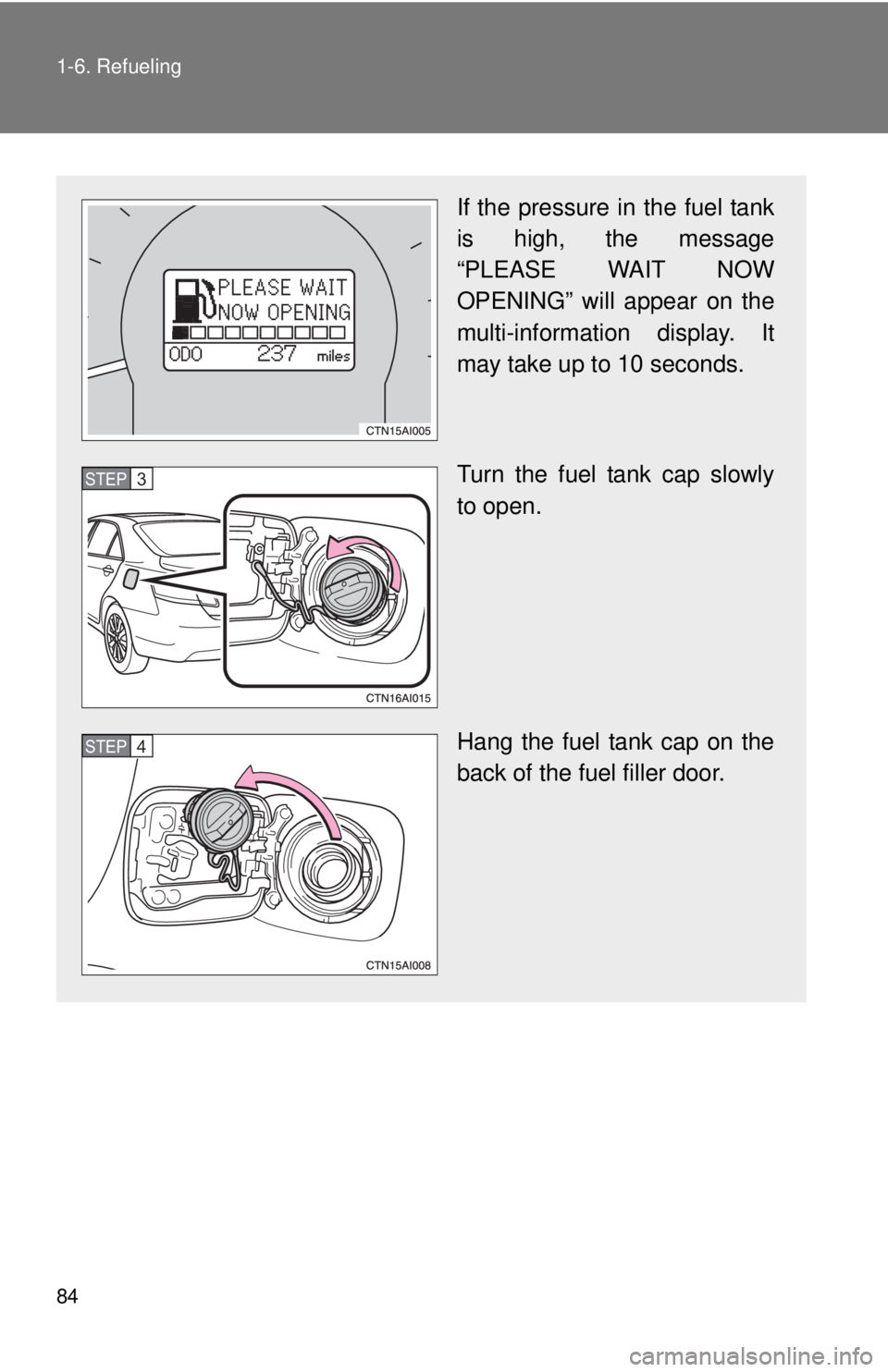
If the pressure in the fuel tank
is high, the message
“PLEASE WAIT NOW
OPENING” will appear on the
multi-information display. It
may take up to 10 seconds.
Turn the fuel tank cap slowly
to open.
Hang the fuel tank cap on the
back of the fuel filler door.
STEP3
STEP4
Page 87 of 508

87
1-6. Refueling
1
Before driving
NOTICE
■
Refueling
●Finish refueling within 30 minutes. If more than 30 minutes passes, the
internal valve closes. In this condition, fuel may spill out if you continue to
refuel the vehicle. About 5 minutes after the valve is closed, a message
“CLOSE FUEL LID” will appear on the multi-information display. To refuel
the vehicle again, tighten the fuel tank cap and close the fuel filler door,
and then push the fuel filler door opener switch again.
● Do not spill fuel during refueling.
Doing so may damage the vehicle, such as causing the exhaust systems
to operate abnormally or damaging fuel system components or the vehi-
cle's painted surface.
Page 113 of 508
113
1
1-8. Safety information
Before driving
Installing child restraints
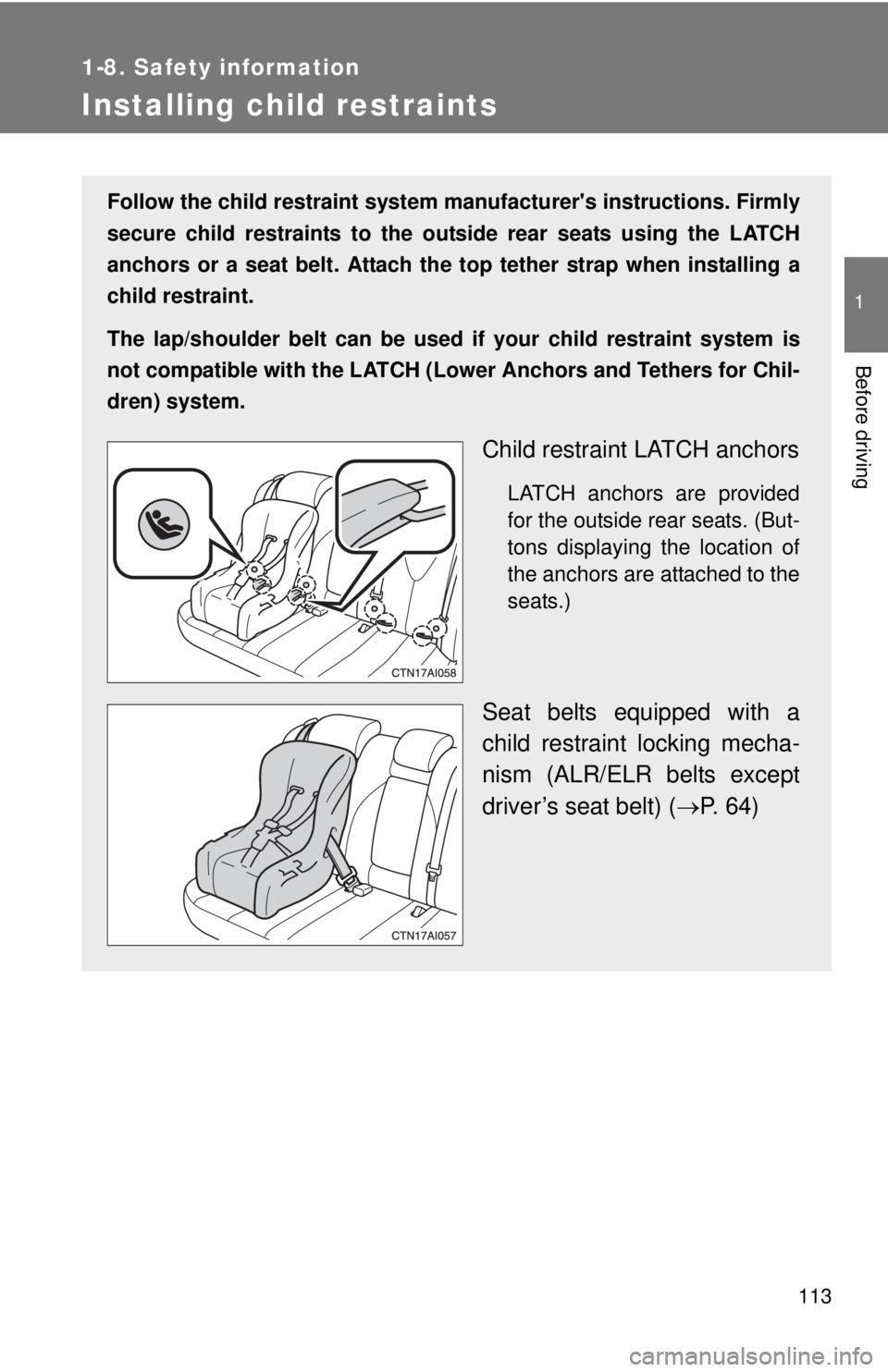
Follow the child restraint system manufacturer's instructions. Firmly
secure child restraints to the outside rear seats using the LATCH
anchors or a seat belt. Attach the to p tether strap when installing a
child restraint.
The lap/shoulder belt can be used if your child restraint system is
not compatible with the LATCH (Low er Anchors and Tethers for Chil-
dren) system.
Child restraint LATCH anchors
LATCH anchors are provided
for the outside rear seats. (But-
tons displaying the location of
the anchors are attached to the
seats.)
Seat belts equipped with a
child restraint locking mecha-
nism (ALR/ELR belts except
driver’s seat belt) ( P. 64)
Page 123 of 508
When driving2
123
2-1. Driving proceduresDriving the vehicle............ 124
Power (ignition) switch ..... 135
Transmission.................... 139
Turn signal lever .............. 141
Parking brake ................... 142
Horn ................................. 143
2-2. Instrument cluster Gauges and meters ......... 144
Indicators and warning lights .............................. 147
Multi-information display............................ 150
2-3. Operating the lights and wipers
Headlight switch ............... 154
Fog light switch ................ 158
Windshield wipers and washer ........................... 159
2-4. Using other driving systems
Cruise control ................... 161
Driving assist systems ..... 165
2-5. Driving information Cargo and luggage .......... 169
Vehicle load limits ............ 172
Winter driving tips ............ 173
Trailer towing ................... 177
Dinghy towing .................. 178
Page 144 of 508
144
2-2. Instrument cluster
Gauges and meters
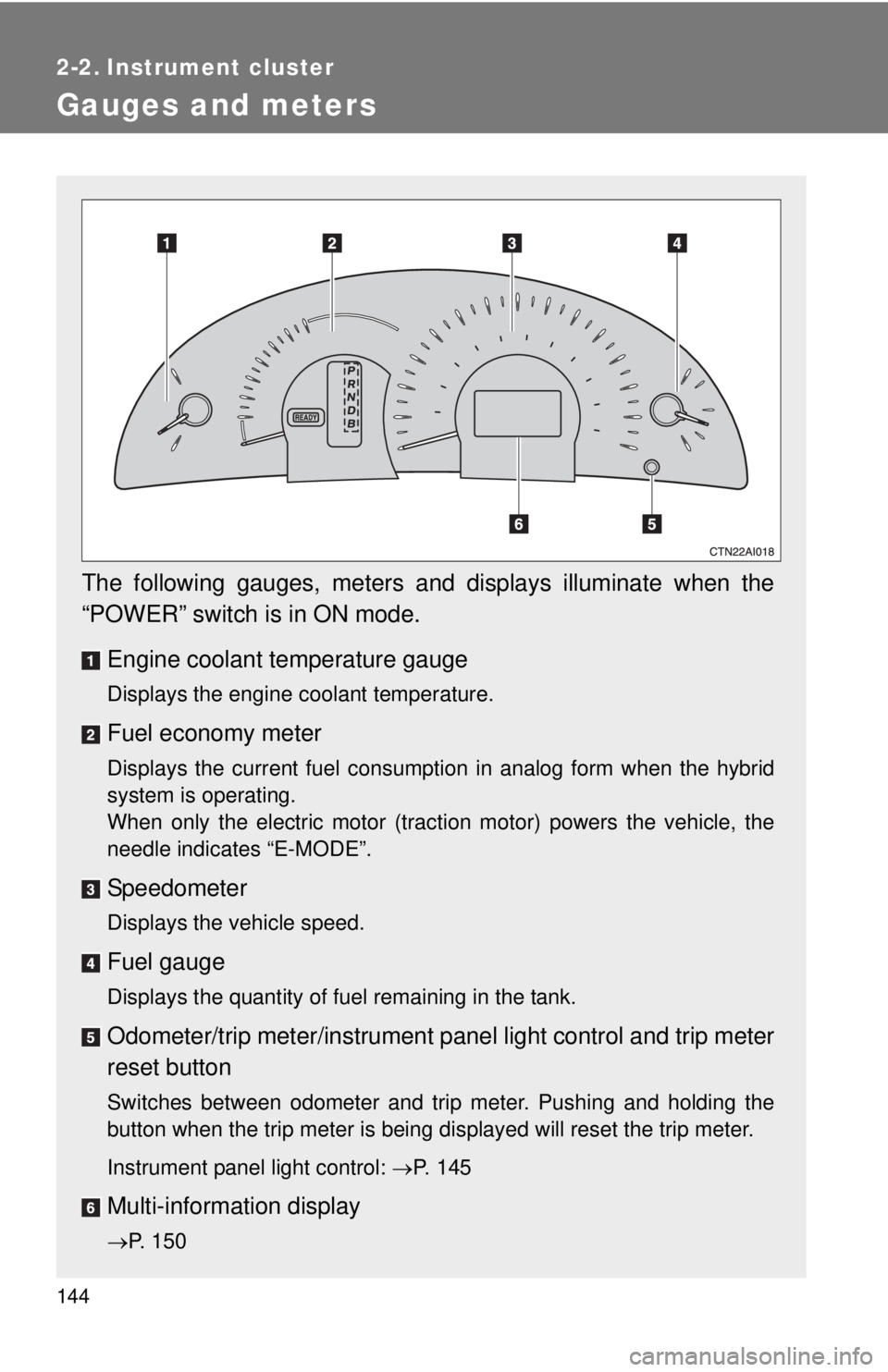
The following gauges, meters and displays illuminate when the
“POWER” switch is in ON mode.Engine coolant temperature gauge
Displays the engine coolant temperature.
Fuel economy meter
Displays the current fuel consumption in analog form when the hybrid
system is operating.
When only the electric motor (traction motor) powers the vehicle, the
needle indicates “E-MODE”.
Speedometer
Displays the vehicle speed.
Fuel gauge
Displays the quantity of fuel remaining in the tank.
Odometer/trip meter/instrument p anel light control and trip meter
reset button
Switches between odometer and trip meter. Pushing and holding the
button when the trip meter is being displayed will reset the trip meter.
Instrument panel light control: P. 145
Multi-information display
P. 150
Page 145 of 508
145
2-2. Instrument cluster
2
When driving
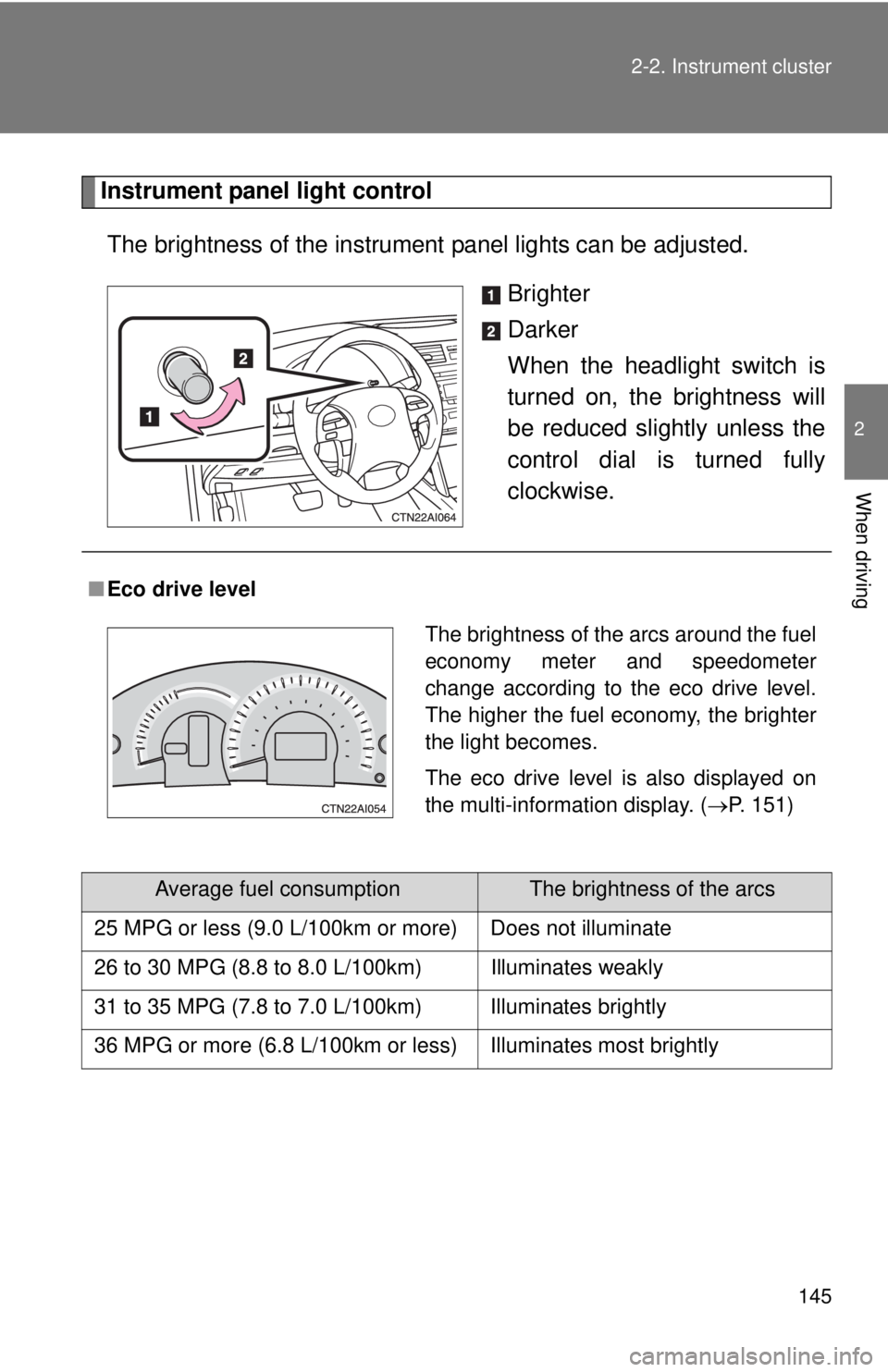
Instrument panel light control
The brightness of the instrument panel lights can be adjusted.
Brighter
Darker
When the headlight switch is
turned on, the brightness will
be reduced slightly unless the
control dial is turned fully
clockwise.
■Eco drive level
Average fuel consumptionThe brightness of the arcs
25 MPG or less (9.0 L/100km or more) Does not illuminate
26 to 30 MPG (8.8 to 8.0 L/100km) Illuminates weakly
31 to 35 MPG (7.8 to 7.0 L/100km) Illuminates brightly
36 MPG or more (6.8 L/100km or less) Illuminates most brightly
The brightness of the arcs around the fuel
economy meter and speedometer
change according to the eco drive level.
The higher the fuel economy, the brighter
the light becomes.
The eco drive level is also displayed on
the multi-information display. ( P. 151)
Page 150 of 508
150
2-2. Instrument cluster
Multi-information display
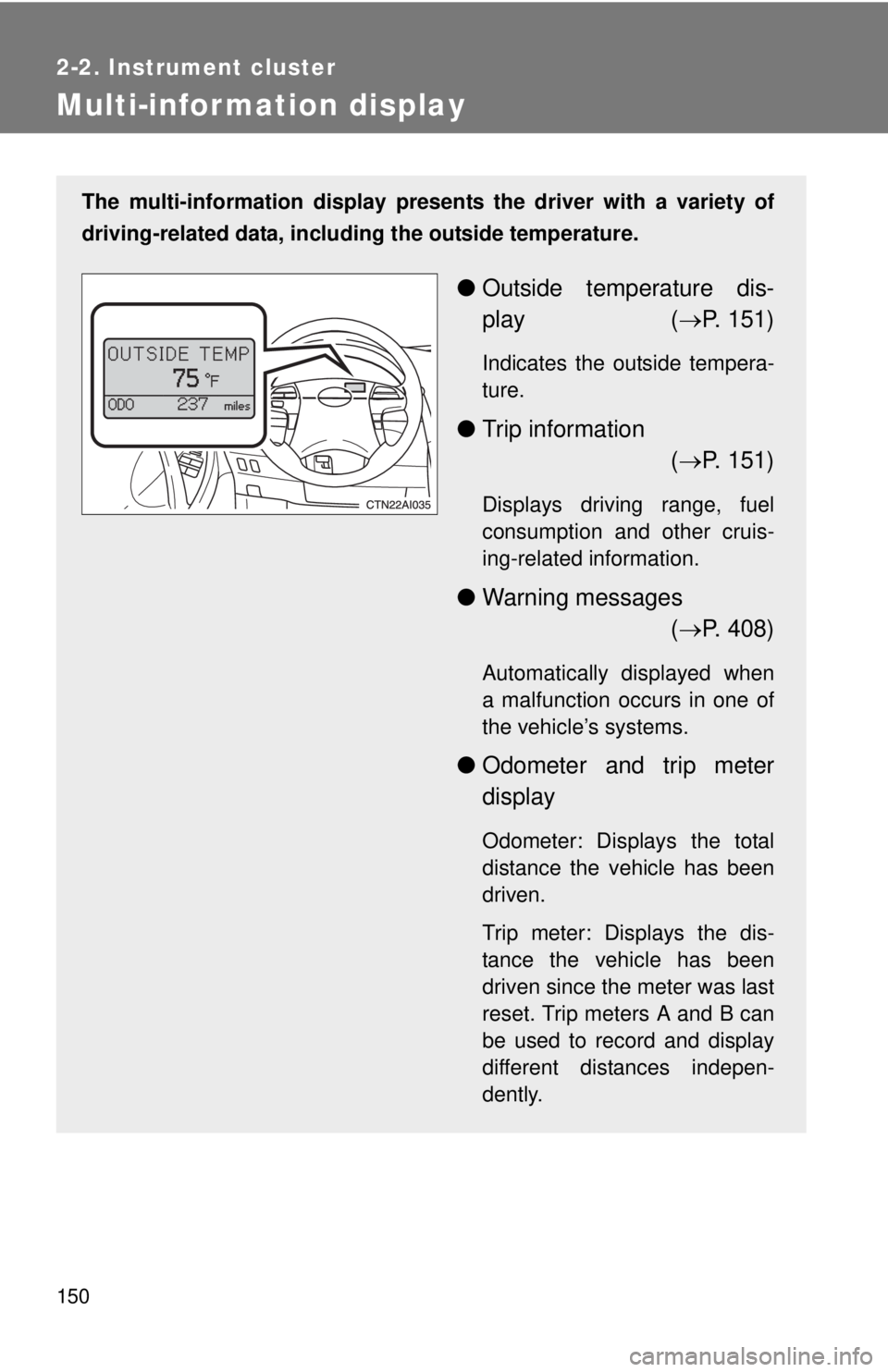
The multi-information display presents the driver with a variety of
driving-related data, includ ing the outside temperature.
●Outside temperature dis-
play ( P. 151)
Indicates the outside tempera-
ture.
● Trip information
( P. 151)
Displays driving range, fuel
consumption and other cruis-
ing-related information.
● Warning messages
( P. 408)
Automatically displayed when
a malfunction occurs in one of
the vehicle’s systems.
● Odometer and trip meter
display
Odometer: Displays the total
distance the vehicle has been
driven.
Trip meter: Displays the dis-
tance the vehicle has been
driven since the meter was last
reset. Trip meters A and B can
be used to record and display
different distances indepen-
dently.
Page 151 of 508
151
2-2. Instrument cluster
2
When driving
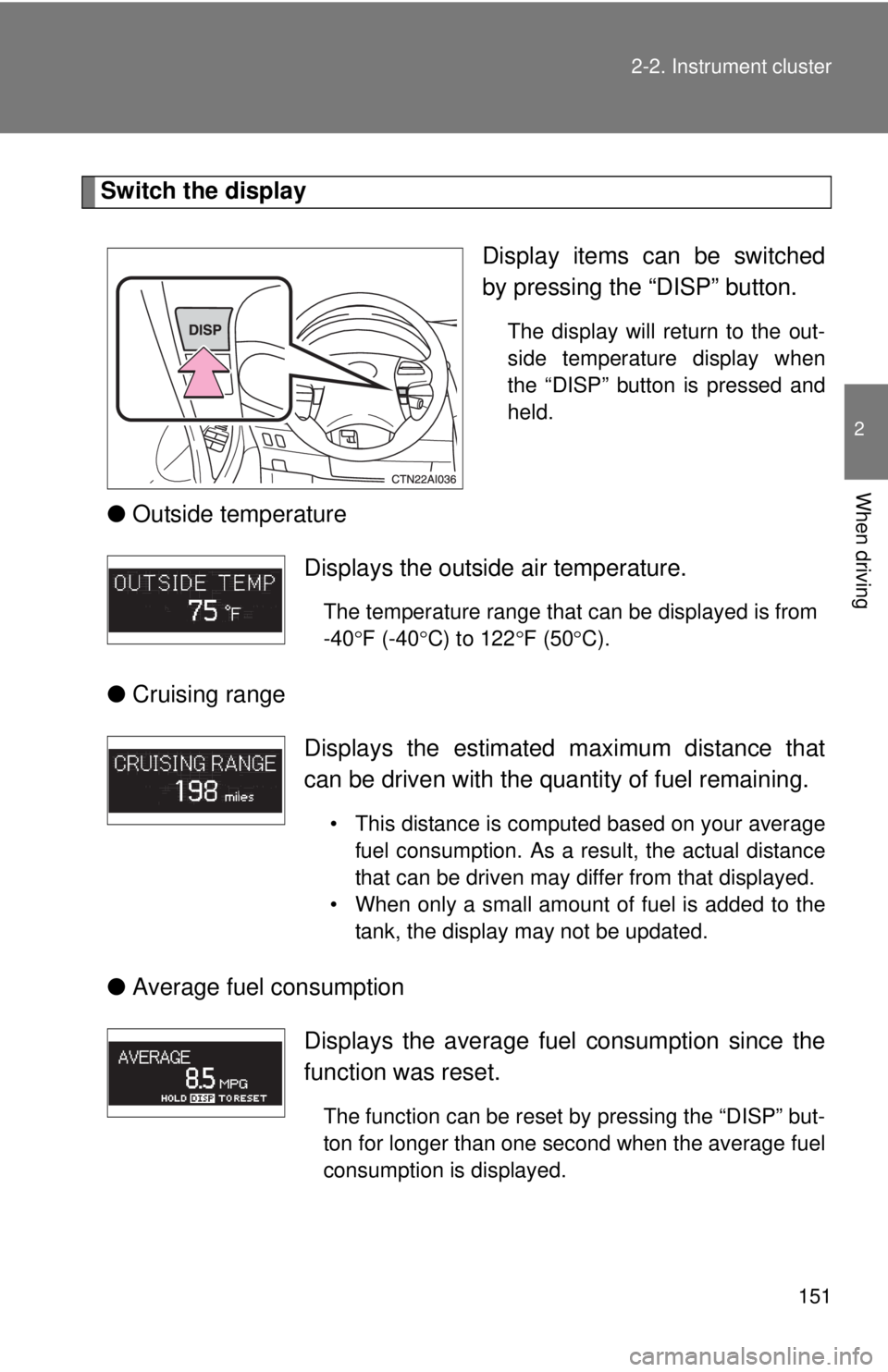
Switch the display
Display items can be switched
by pressing the “DISP” button.
The display will return to the out-
side temperature display when
the “DISP” button is pressed and
held.
●Outside temperature
● Cruising range
● Average fuel consumption
Displays the outside air temperature.
The temperature range that can be displayed is from
-40 F (-40 C) to 122 F (50 C).
Displays the estimated maximum distance that
can be driven with the quantity of fuel remaining.
• This distance is computed based on your average
fuel consumption. As a result, the actual distance
that can be driven may differ from that displayed.
• When only a small amount of fuel is added to the tank, the display may not be updated.
Displays the average fuel consumption since the
function was reset.
The function can be reset by pressing the “DISP” but-
ton for longer than one second when the average fuel
consumption is displayed.
Page 152 of 508
152 2-2. Instrument cluster
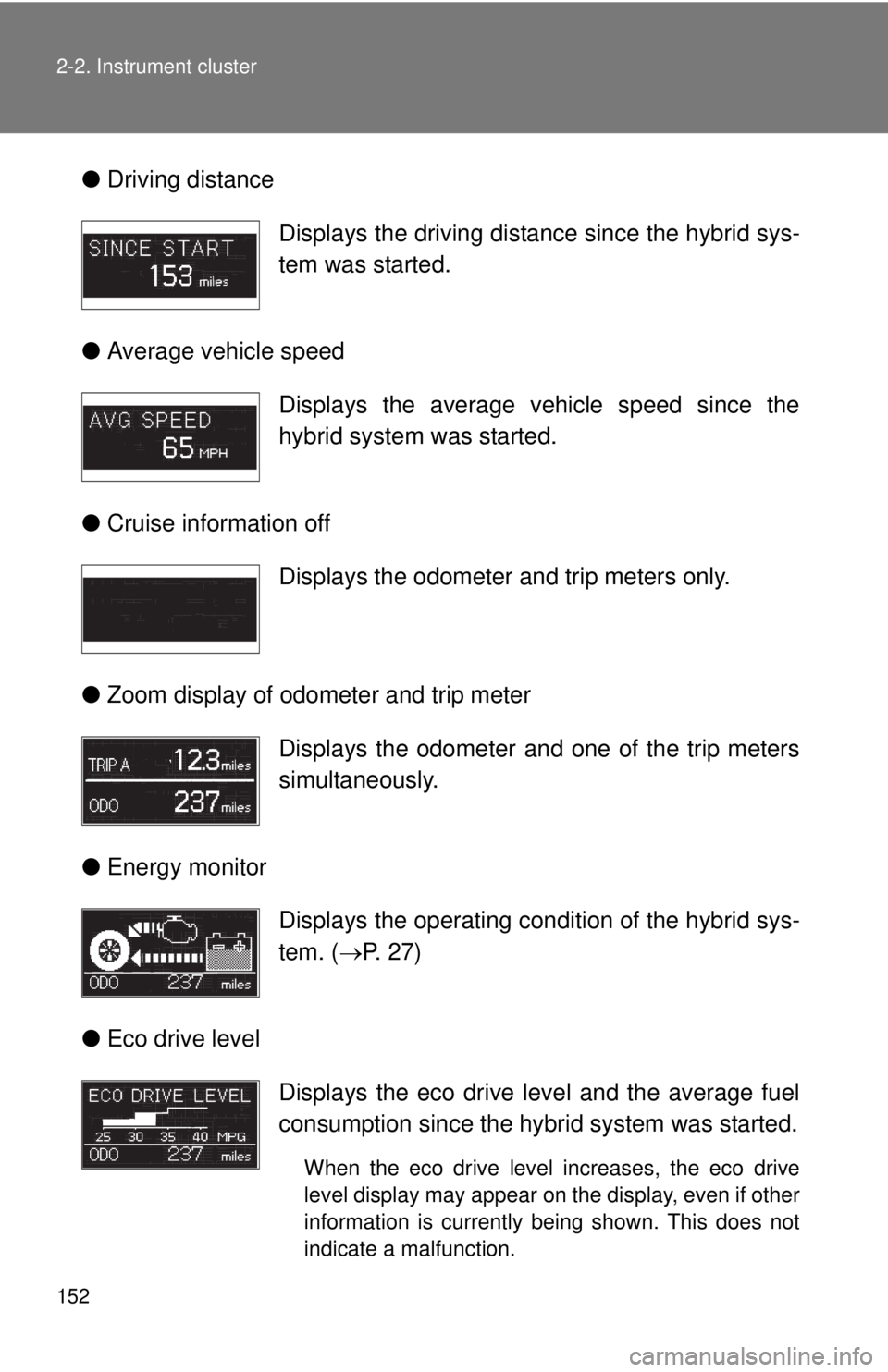
●Driving distance
● Average vehicle speed
● Cruise information off
● Zoom display of odometer and trip meter
● Energy monitor
● Eco drive level Displays the driving dist
ance since the hybrid sys-
tem was started.
Displays the average vehicle speed since the
hybrid system was started.
Displays the odometer and trip meters only.
Displays the odometer and one of the trip meters
simultaneously.
Displays the operating co ndition of the hybrid sys-
tem. ( P. 27)
Displays the eco drive level and the average fuel
consumption since the hybrid system was started.
When the eco drive level increases, the eco drive
level display may appear on the display, even if other
information is currently being shown. This does not
indicate a malfunction.