remote control TOYOTA CAMRY HV 2012 User Guide
[x] Cancel search | Manufacturer: TOYOTA, Model Year: 2012, Model line: CAMRY HV, Model: TOYOTA CAMRY HV 2012Pages: 536, PDF Size: 6.29 MB
Page 64 of 536
64 1-3. Opening, closing and locking the doors and trunk
●To avoid serious deterioration, do not leave the electronic key within 3 ft.
(1 m) of the following electrical appliances that produce a magnetic field:
•TVs
• Personal computers
• Cellular phones, cordless phones and battery chargers
• Recharging cellular phones or cordless phones
• Glass top ranges
• Table lamps
■ When the electronic key battery is fully depleted
P. 382
■ If the smart key system has been d eactivated in a customized setting
● Locking and unlocking the doors: Use the wireless remote control or
mechanical key. ( P. 66, 458)
● Starting the hybrid system and changing “POWER” switch modes:
P. 459
● Stopping the hybrid system: P. 159
■ Customization that can be co nfigured at Toyota dealer
Settings (e. g. smart key system) can be changed.
(Customizable features: P. 498)
■ Certification for the smart key system
U.S.A.
FCC ID: NI4TMLF10-4
FCC ID: NI4TMLF10-5
FCC ID: HYQ23AAB
FCC ID: HYQ14FBA
NOTE:
This device complies with Part 15 of the FCC Rules. Operation is subject to
the following two conditions: (1) this device may not cause harmful interfer-
ence, and (2) this device must accept any interference received, including
interference that may cause undesired operation.
FCC WARNING:
Changes or modifications not expressly approved by the party responsible
for compliance could void the user's authority to operate the equipment.
Page 66 of 536
66
1-3. Opening, closing and locking the doors and trunk
Wireless remote control
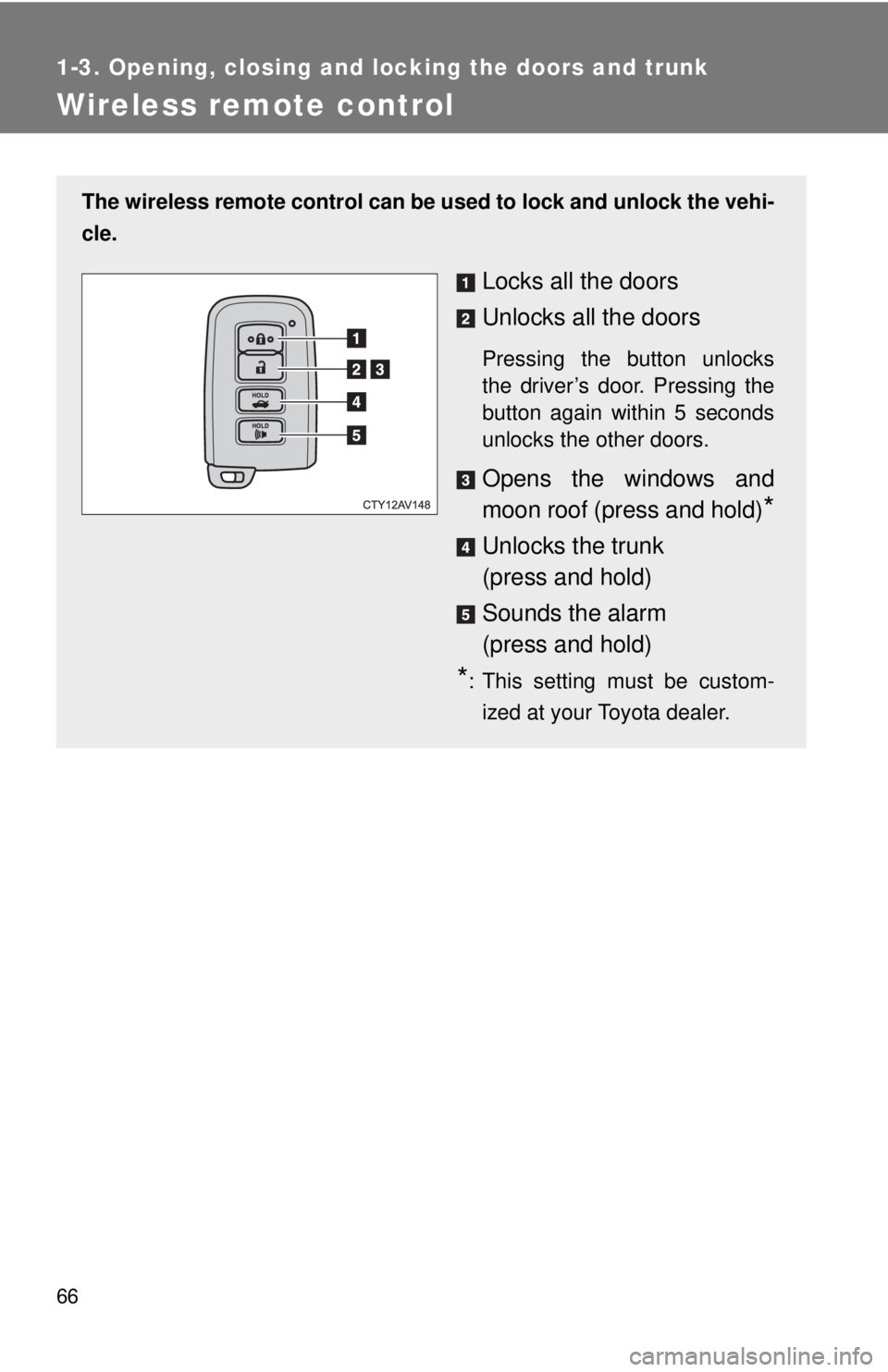
The wireless remote control can be used to lock and unlock the vehi-
cle.
Locks all the doors
Unlocks all the doors
Pressing the button unlocks
the driver’s door. Pressing the
button again within 5 seconds
unlocks the other doors.
Opens the windows and
moon roof (press and hold)
*
Unlocks the trunk
(press and hold)
Sounds the alarm
(press and hold)
*: This setting must be custom- ized at your Toyota dealer.
Page 67 of 536
67
1-3. Opening, closing and locking the doors and trunk
1
Before driving
■
Operation signals
Doors: A buzzer sounds and the emergency flashers flash to indicate that
the doors have been locked/unlocked.
(Locked: Once; Unlocked: Twice)
Trunk: A buzzer sounds to indicate that the trunk has been unlocked.
Windows and moon roof: A buzzer sounds to indicate that the windows and moon roof are opening.
■ Door lock buzzer
If an attempt to lock the doors is made when a door is not fully closed, a
buzzer sounds continuously. Fully close the door to stop the buzzer, and lock
the vehicle once more.
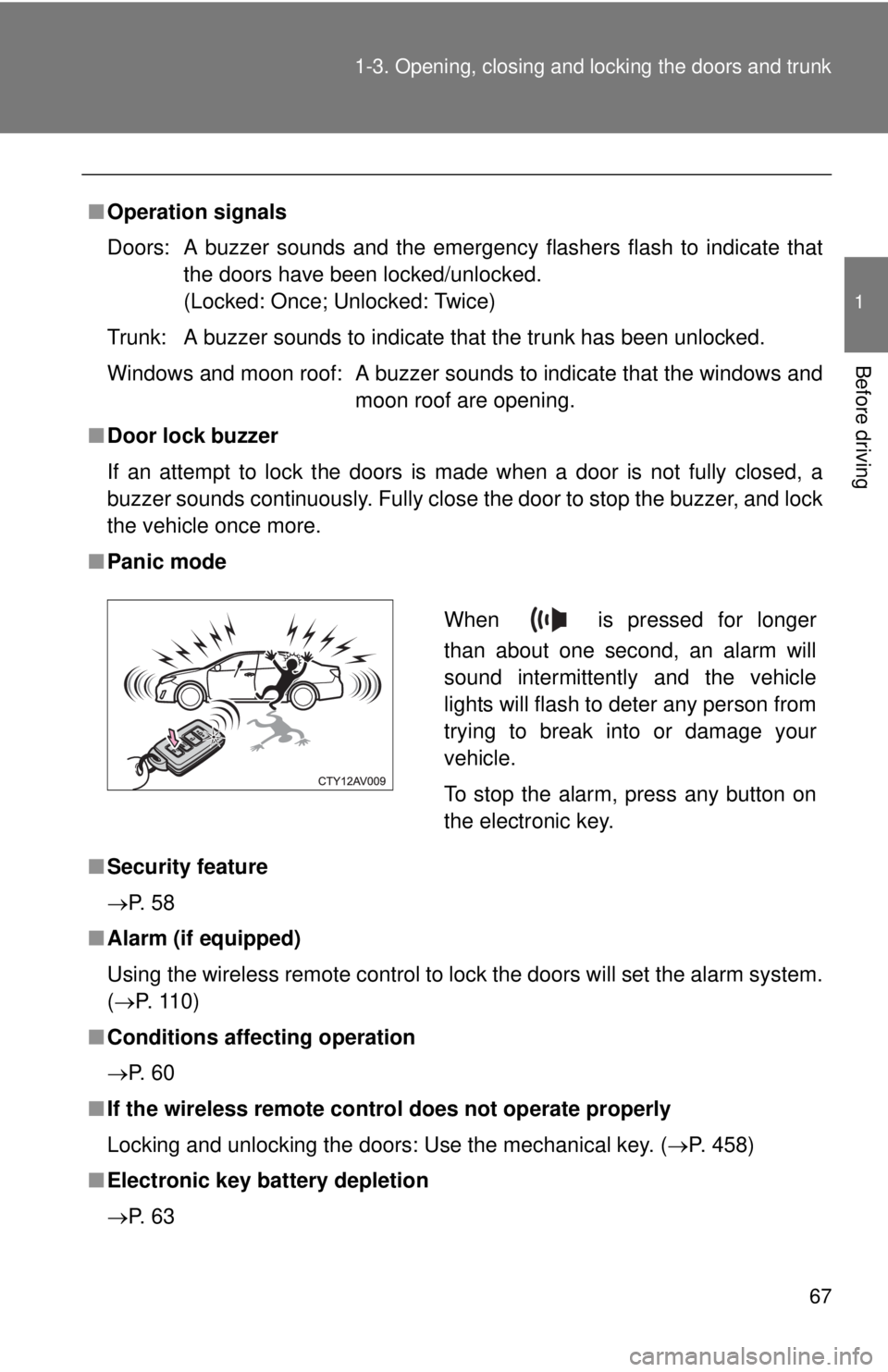
■ Panic mode
■ Security feature
P. 5 8
■ Alarm (if equipped)
Using the wireless remote control to lock the doors will set the alarm system.
(P. 110)
■ Conditions affecting operation
P. 6 0
■ If the wireless remote control does not operate properly
Locking and unlocking the doors: Use the mechanical key. ( P. 458)
■ Electronic key battery depletion
P. 6 3
When is pressed for longer
than about one second, an alarm will
sound intermittently and the vehicle
lights will flash to deter any person from
trying to break into or damage your
vehicle.
To stop the alarm, press any button on
the electronic key.
Page 68 of 536

68 1-3. Opening, closing and locking the doors and trunk
■When the electronic key battery is fully depleted
P. 382
■ Confirmation of the registered key number
The number of keys already registered to the vehicle can be confirmed. Ask
your Toyota dealer for details.
■ Customization that can be co nfigured at Toyota dealer
Settings (e.g. trunk unlocking function) can be changed.
(Customizable features: P. 498)
■ Certification for wireless remote control
U.S.A.
FCC ID: NI4TMLF10-4
FCC ID: NI4TMLF10-5
FCC ID: HYQ23AAB
FCC ID: HYQ14FBA
NOTE:
This device complies with Part 15 of the FCC Rules. Operation is subject to
the following two conditions: (1) this device may not cause harmful interfer-
ence, and (2) this device must accept any interference received, including
interference that may cause undesired operation.
FCC WARNING:
Changes or modifications not expressly approved by the party responsible
for compliance could void the user's authority to operate the equipment.
Canada
NOTE:
Operation is subject to the following two conditions: (1) this device may not
cause interference, and (2) this device must accept any interference, includ-
ing interference that may cause undesired operation of the device.
Page 69 of 536
69
1
1-3. Opening, closing and locking the doors and trunk
Before driving
Doors
The vehicle can be locked and unlocked using the entry function,
wireless remote control or door lock switch.
■Entry function
P. 5 3
■ Wireless remote control
P. 6 6
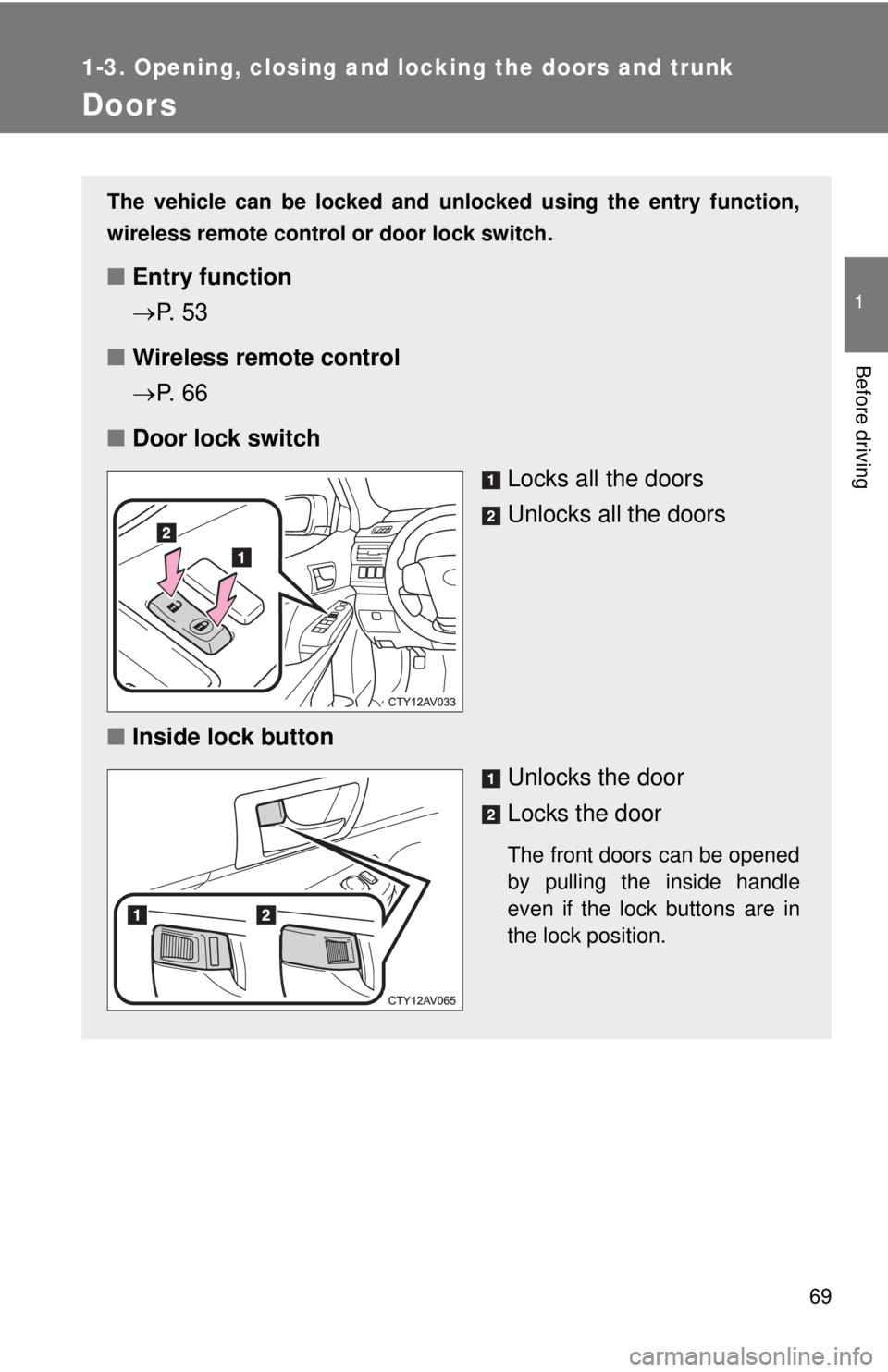
■ Door lock switch
Locks all the doors
Unlocks all the doors
■ Inside lock button
Unlocks the door
Locks the door
The front doors can be opened
by pulling the inside handle
even if the lock buttons are in
the lock position.
Page 72 of 536
72 1-3. Opening, closing and locking the doors and trunk
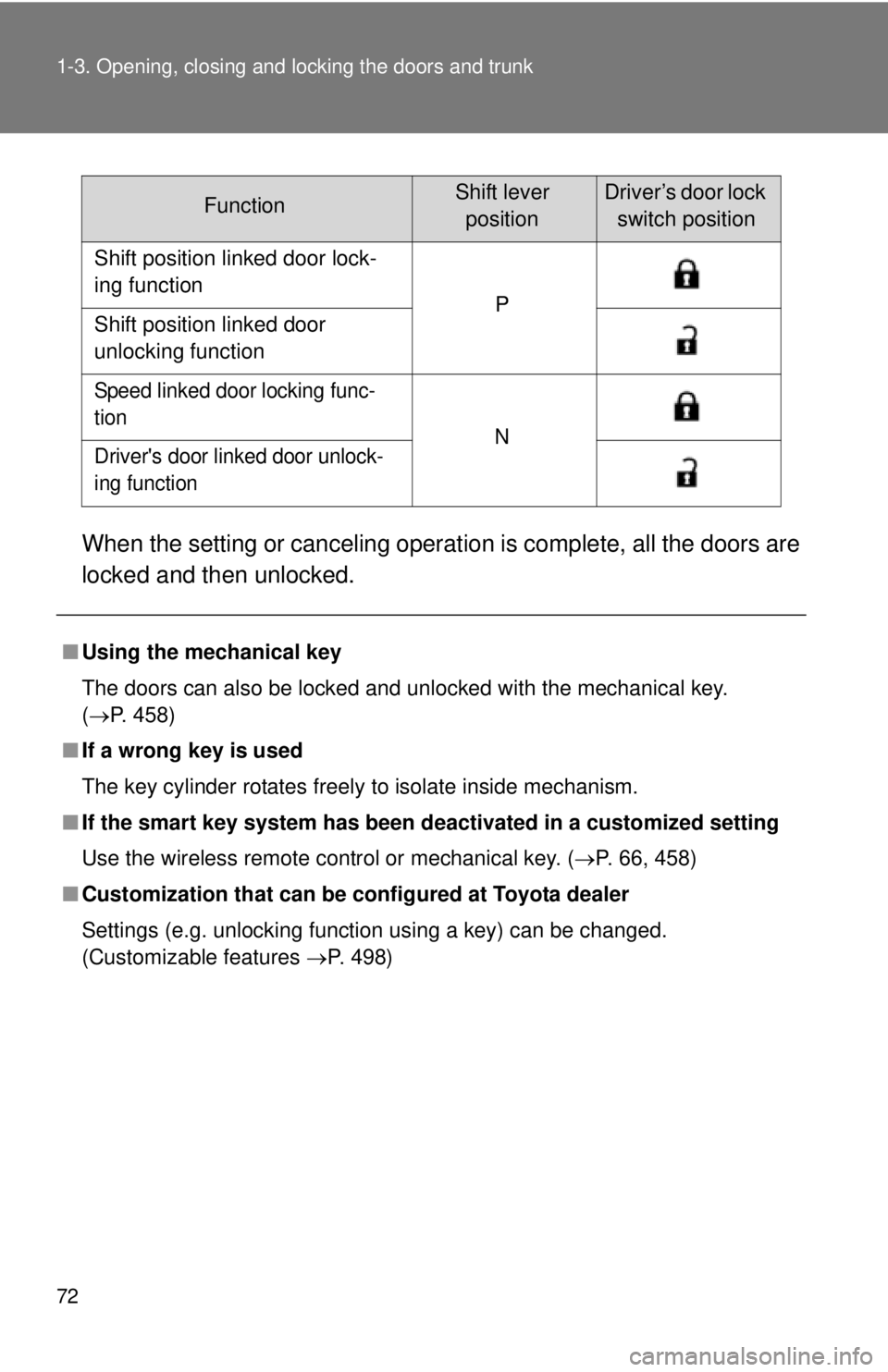
When the setting or canceling operation is complete, all the doors are
locked and then unlocked.
FunctionShift lever positionDriver’s door lock switch position
Shift position linked door lock-
ing function P
Shift position linked door
unlocking function
Speed linked door locking func-
tion N
Driver's door linked door unlock-
ing function
■ Using the mechanical key
The doors can also be locked and unlocked with the mechanical key.
(P. 458)
■ If a wrong key is used
The key cylinder rotates freely to isolate inside mechanism.
■ If the smart key system has been d eactivated in a customized setting
Use the wireless remote control or mechanical key. ( P. 66, 458)
■ Customization that can be co nfigured at Toyota dealer
Settings (e.g. unlocking function using a key) can be changed.
(Customizable features P. 498)
Page 74 of 536
74
1-3. Opening, closing and locking the doors and trunk
Trunk
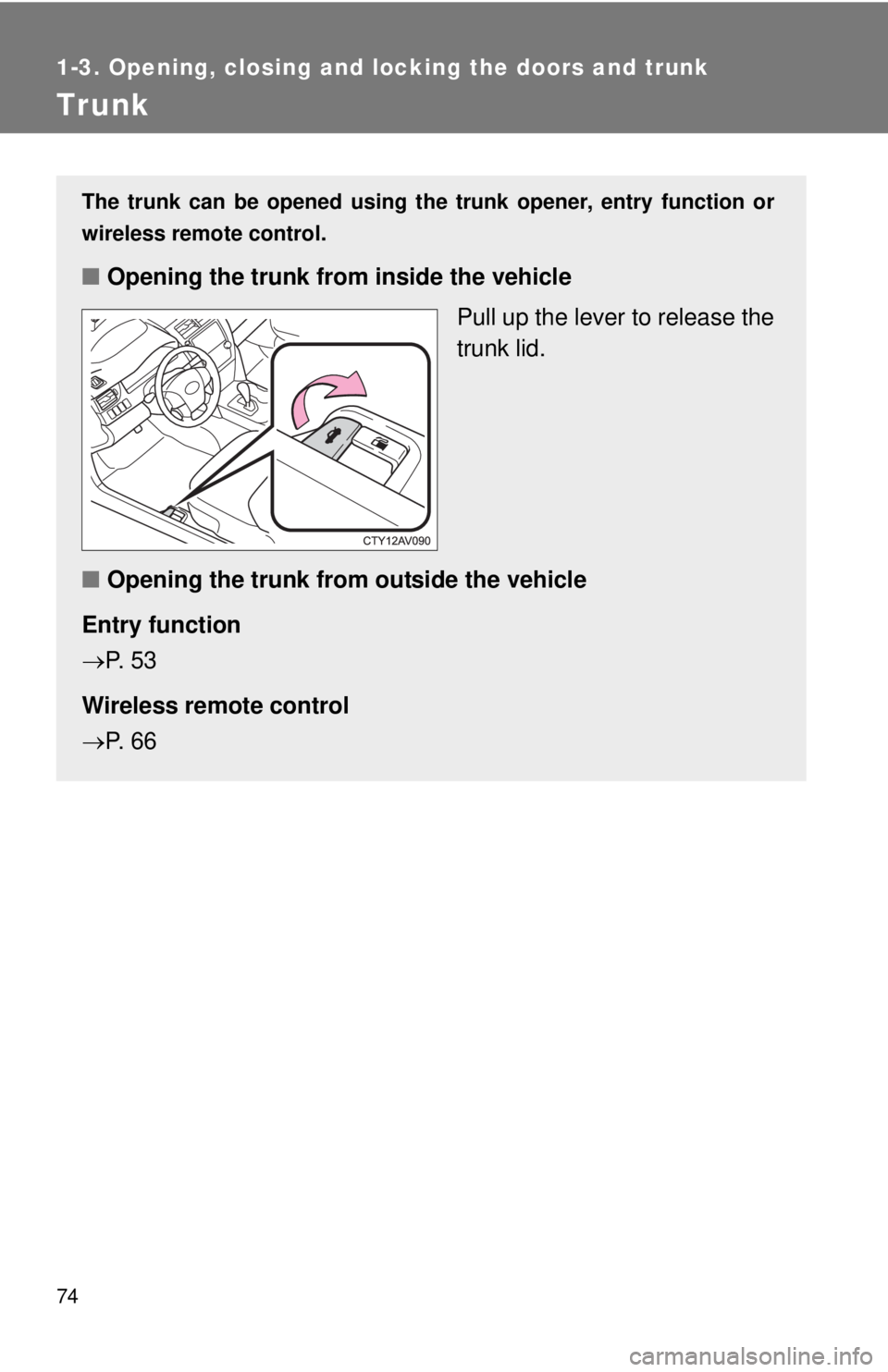
The trunk can be opened using the trunk opener, entry function or
wireless remote control.
■Opening the trunk from inside the vehicle
Pull up the lever to release the
trunk lid.
■ Opening the trunk from outside the vehicle
Entry function
P. 5 3
Wireless remote control
P. 6 6
Page 110 of 536
110
1-7. Theft deterrent system
Alarm
: If equipped
The system sounds the alarm and flashes the lights when forced
entry is detected.
■ Triggering of the alarm
The alarm is triggered in the fo llowing situations when the alarm
is set:
● A locked door or trunk is unlocked or opened in any way other
than using the entry function, wireless remote control or
mechanical key.
● The hood is opened.
● Some models: The window is tapped or broken.
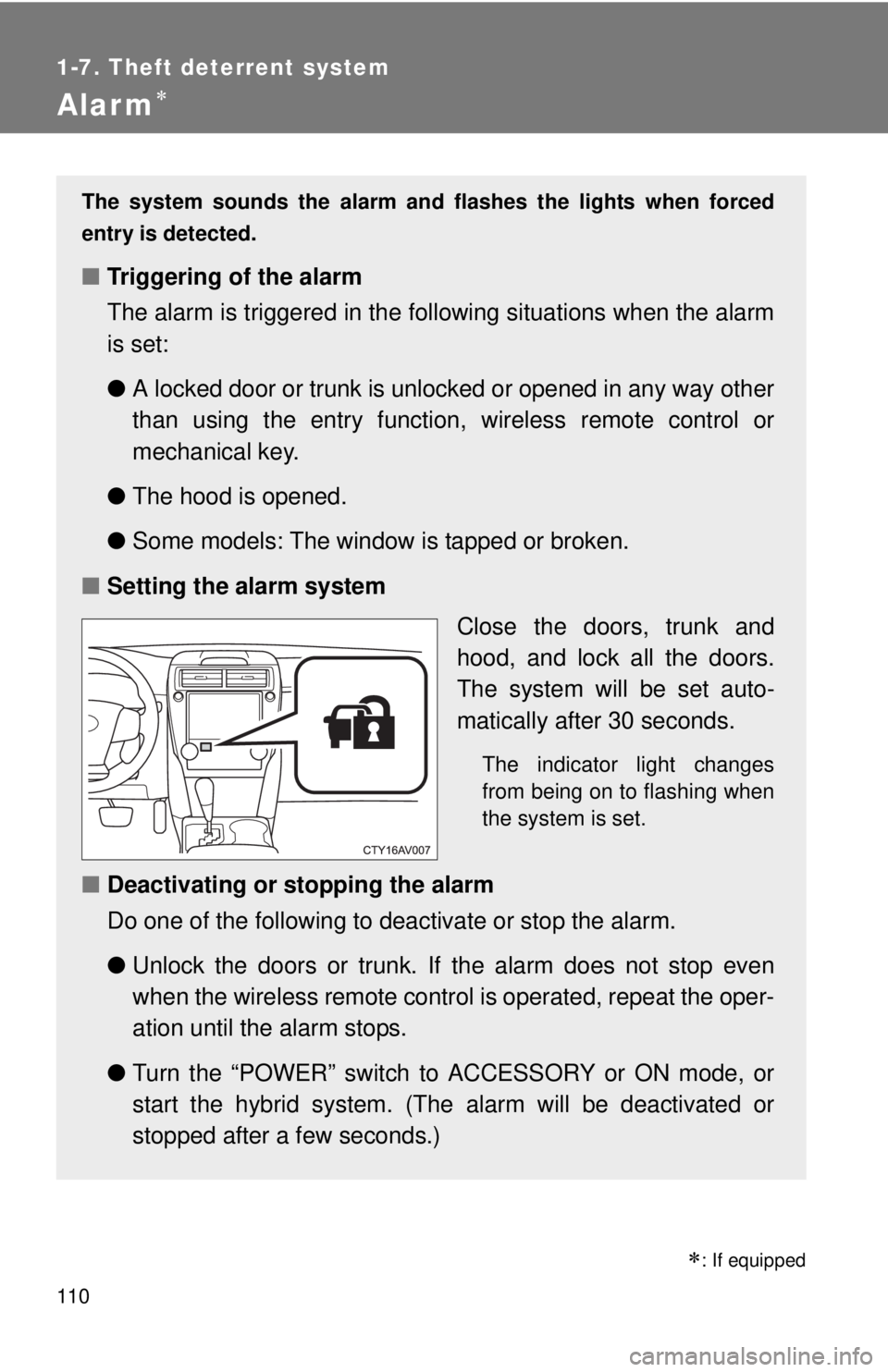
■ Setting the alarm system
Close the doors, trunk and
hood, and lock all the doors.
The system will be set auto-
matically after 30 seconds.
The indicator light changes
from being on to flashing when
the system is set.
■Deactivating or stopping the alarm
Do one of the following to deactivate or stop the alarm.
●Unlock the doors or trunk. If the alarm does not stop even
when the wireless remote contro l is operated, repeat the oper-
ation until the alarm stops.
● Turn the “POWER” switch to ACCESSORY or ON mode, or
start the hybrid system. (The alarm will be deactivated or
stopped after a few seconds.)
Page 314 of 536
314 3-5. Other interior features
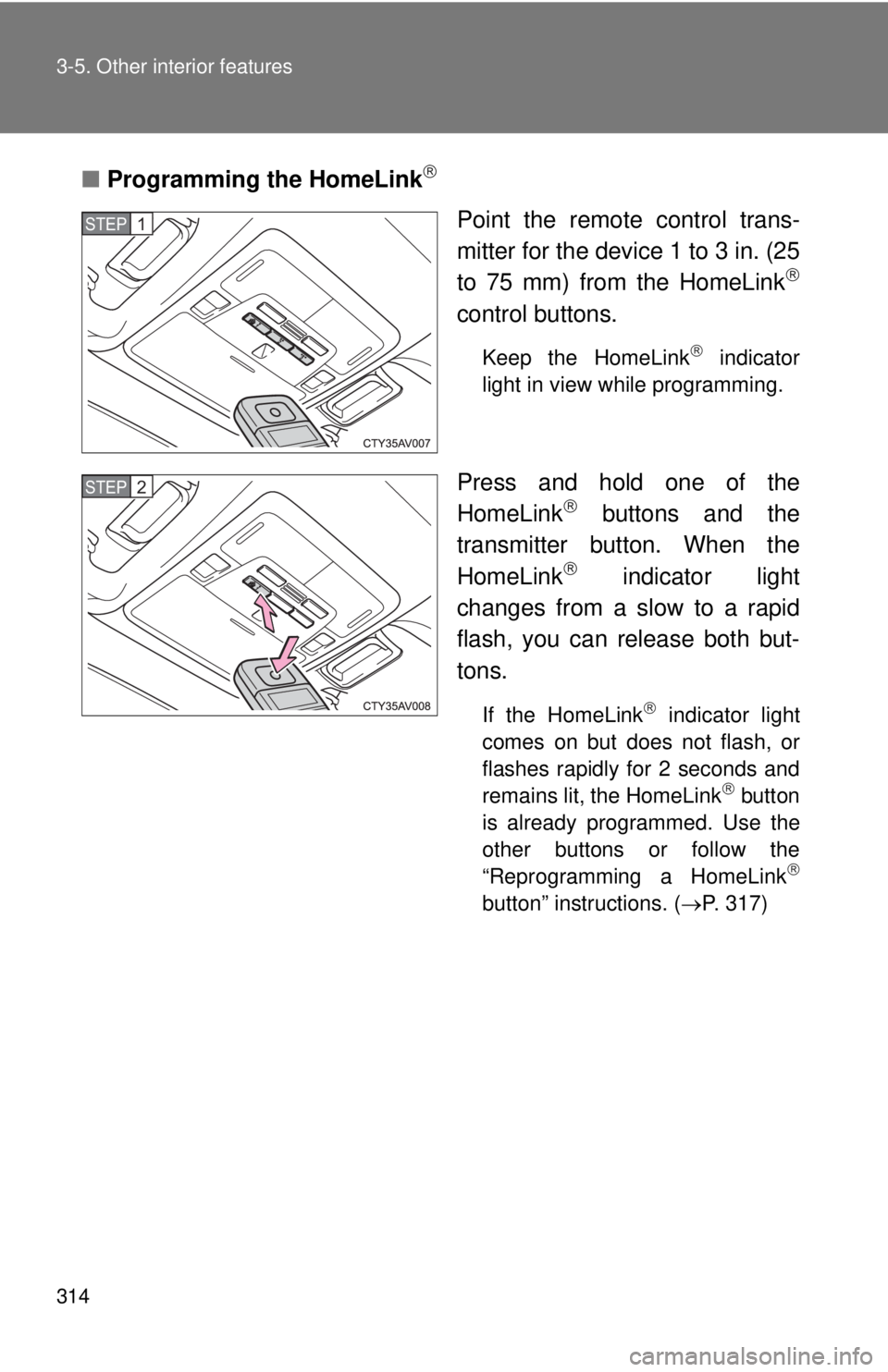
■Programming the HomeLink
Point the remote control trans-
mitter for the device 1 to 3 in. (25
to 75 mm) from the HomeLink
control buttons.
Keep the HomeLink indicator
light in view while programming.
Press and hold one of the
HomeLink buttons and the
transmitter button. When the
HomeLink
indicator light
changes from a slow to a rapid
flash, you can release both but-
tons.
If the HomeLink indicator light
comes on but does not flash, or
flashes rapidly for 2 seconds and
remains lit, the HomeLink
button
is already programmed. Use the
other buttons or follow the
“Reprogramming a HomeLink
button” instructions. ( P. 317)
STEP1
STEP2
Page 315 of 536
315
3-5. Other interior features
3
Interior features
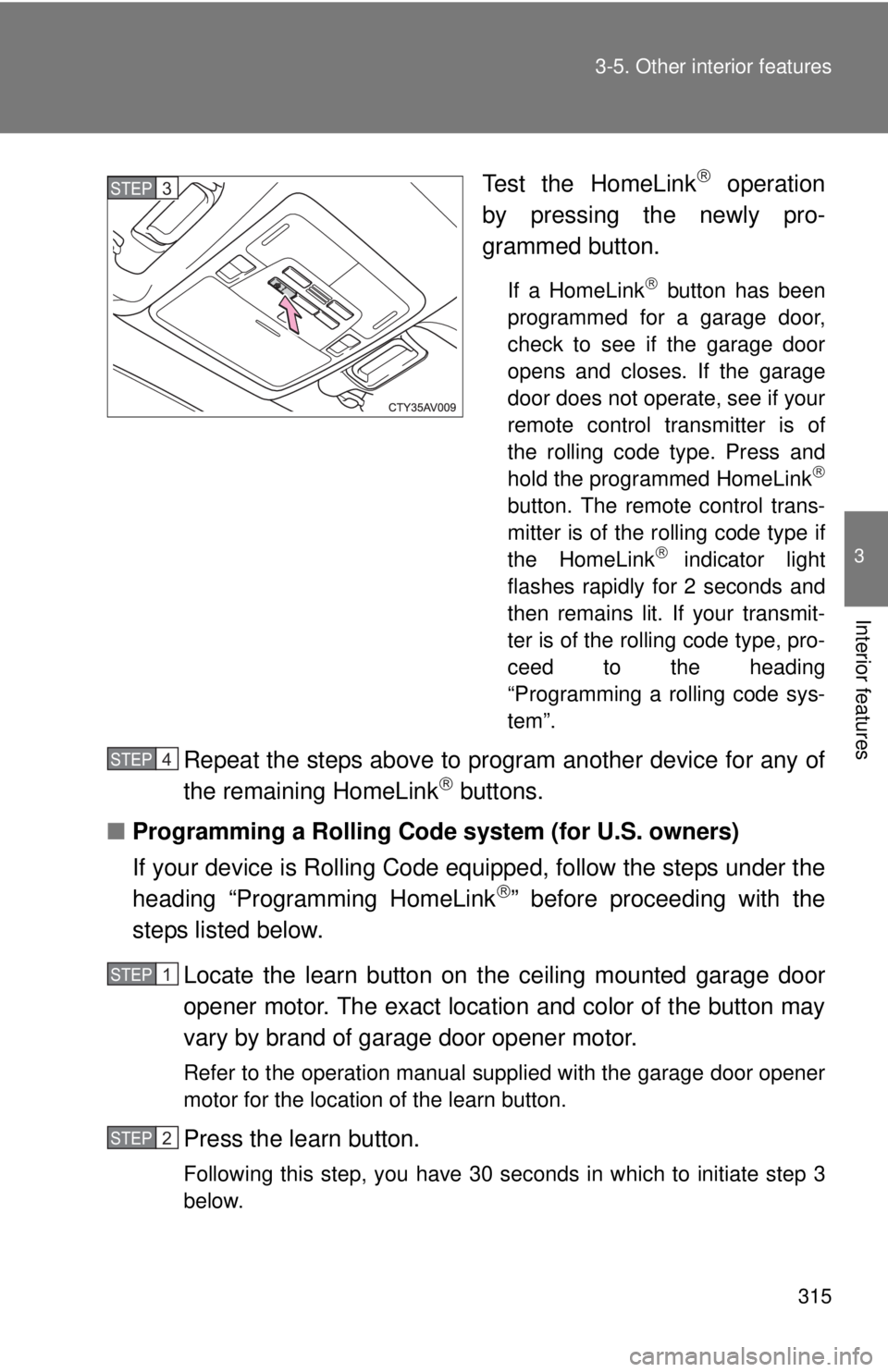
Test the HomeLink operation
by pressing the newly pro-
grammed button.
If a HomeLink button has been
programmed for a garage door,
check to see if the garage door
opens and closes. If the garage
door does not operate, see if your
remote control transmitter is of
the rolling code type. Press and
hold the programmed HomeLink
button. The remote control trans-
mitter is of the rolling code type if
the HomeLink
indicator light
flashes rapidly for 2 seconds and
then remains lit. If your transmit-
ter is of the rolling code type, pro-
ceed to the heading
“Programming a rolling code sys-
tem”.
Repeat the steps above to program another device for any of
the remaining HomeLink buttons.
■ Programming a Rolling Code system (for U.S. owners)
If your device is Rolling Code equipped, follow the steps under the
heading “Programming HomeLink
” before proceeding with the
steps listed below.
Locate the learn button on t he ceiling mounted garage door
opener motor. The exact location and color of the button may
vary by brand of garage door opener motor.
Refer to the operation manual supplied with the garage door opener
motor for the location of the learn button.
Press the learn button.
Following this step, you have 30 seconds in which to initiate step 3
below.
STEP3
STEP4
STEP1
STEP2