interior lights TOYOTA CAMRY HYBRID 2010 XV40 / 8.G Owners Manual
[x] Cancel search | Manufacturer: TOYOTA, Model Year: 2010, Model line: CAMRY HYBRID, Model: TOYOTA CAMRY HYBRID 2010 XV40 / 8.GPages: 497, PDF Size: 9.63 MB
Page 3 of 497
1
2
3
4
5
6
7
3
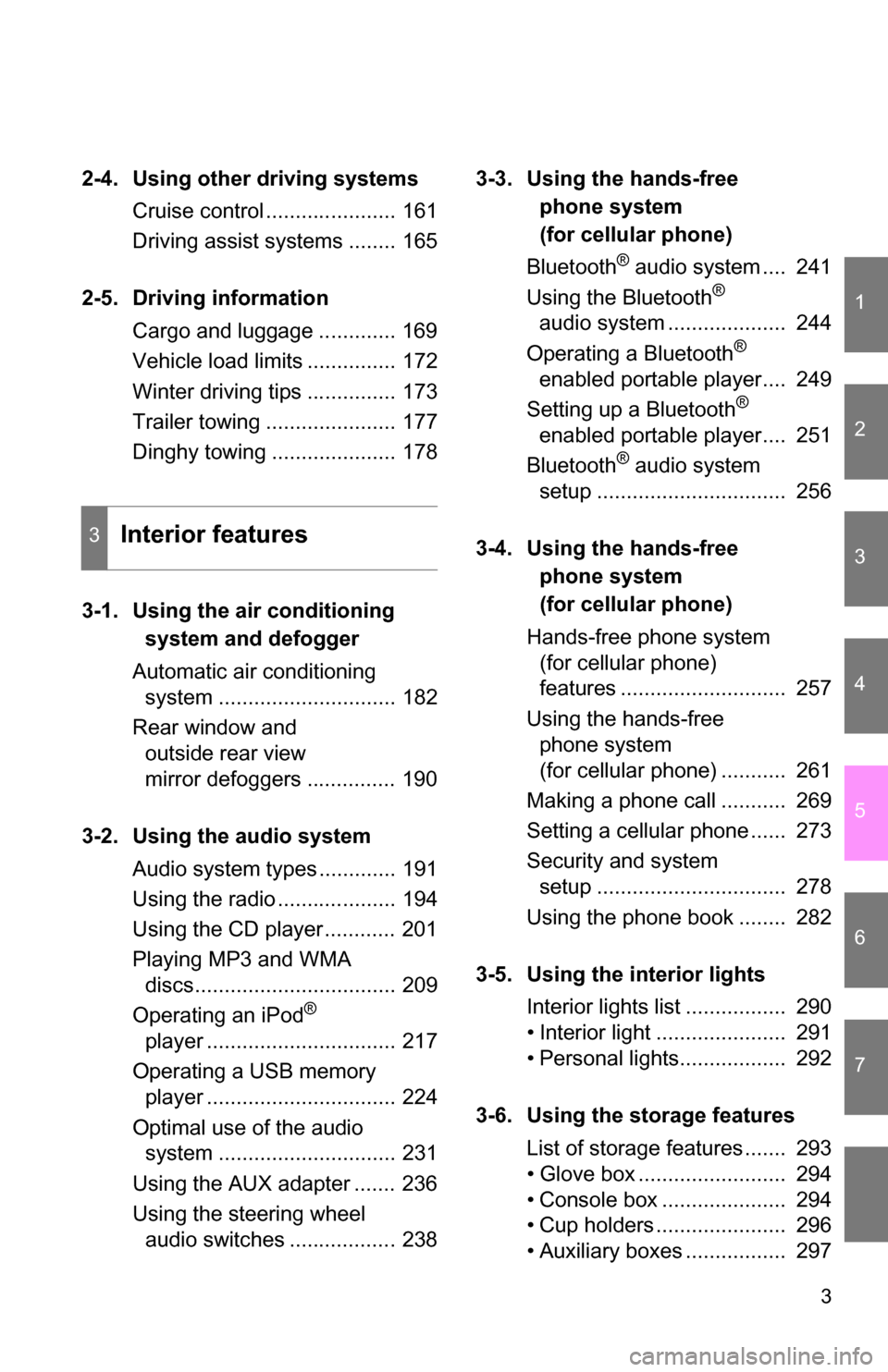
2-4. Using other driving systemsCruise control ...................... 161
Driving assist systems ........ 165
2-5. Driving information Cargo and luggage ............. 169
Vehicle load limits ............... 172
Winter driving tips ............... 173
Trailer towing ...................... 177
Dinghy towing ..................... 178
3-1.
Using the air conditioning
system a
nd defogger
Automatic air conditioning system .............................. 182
Rear window and outside rear view
mirror defoggers ............... 190
3-2. Using the audio system Audio system types ............. 191
Using the radio .................... 194
Using the CD player ............ 201
Playing MP3 and WMA discs.................................. 209
Operating an iPod
®
player ................................ 217
Operating a USB memory player ................................ 224
Optimal use of the audio system .............................. 231
Using the AUX adapter ....... 236
Using the steering wheel audio switches .................. 238 3-3. Using the ha
nds-free
phone system
(
for cellular phone)
Bluetooth
® audio system .... 241
Using the Bluetooth®
audio system .................... 244
Operating a Bluetooth
®
enabled portable player.... 249
Setting up a Bluetooth
®
enabled portable player.... 251
Bluetooth
® audio system
setup ................................ 256
3-4. Using the ha
nds-free
phone system
(
for cellular phone)
Hands-free phone system (for cellular phone)
features ............................ 257
Using the hands-free phone system
(for cellular phone) ........... 261
Making a phone call ........... 269
Setting a cellular phone ...... 273
Security and system setup ................................ 278
Using the phone book ........ 282
3-5. Using the interior lights Interior lights list ................. 290
• Interior light ...................... 291
• Personal lights.................. 292
3-6. Using the storage features List of storage features ....... 293
• Glove box ......................... 294
• Console box ..................... 294
• Cup holders ...................... 296
• Auxiliary boxes ................. 297
3Interior features
Page 9 of 497
9
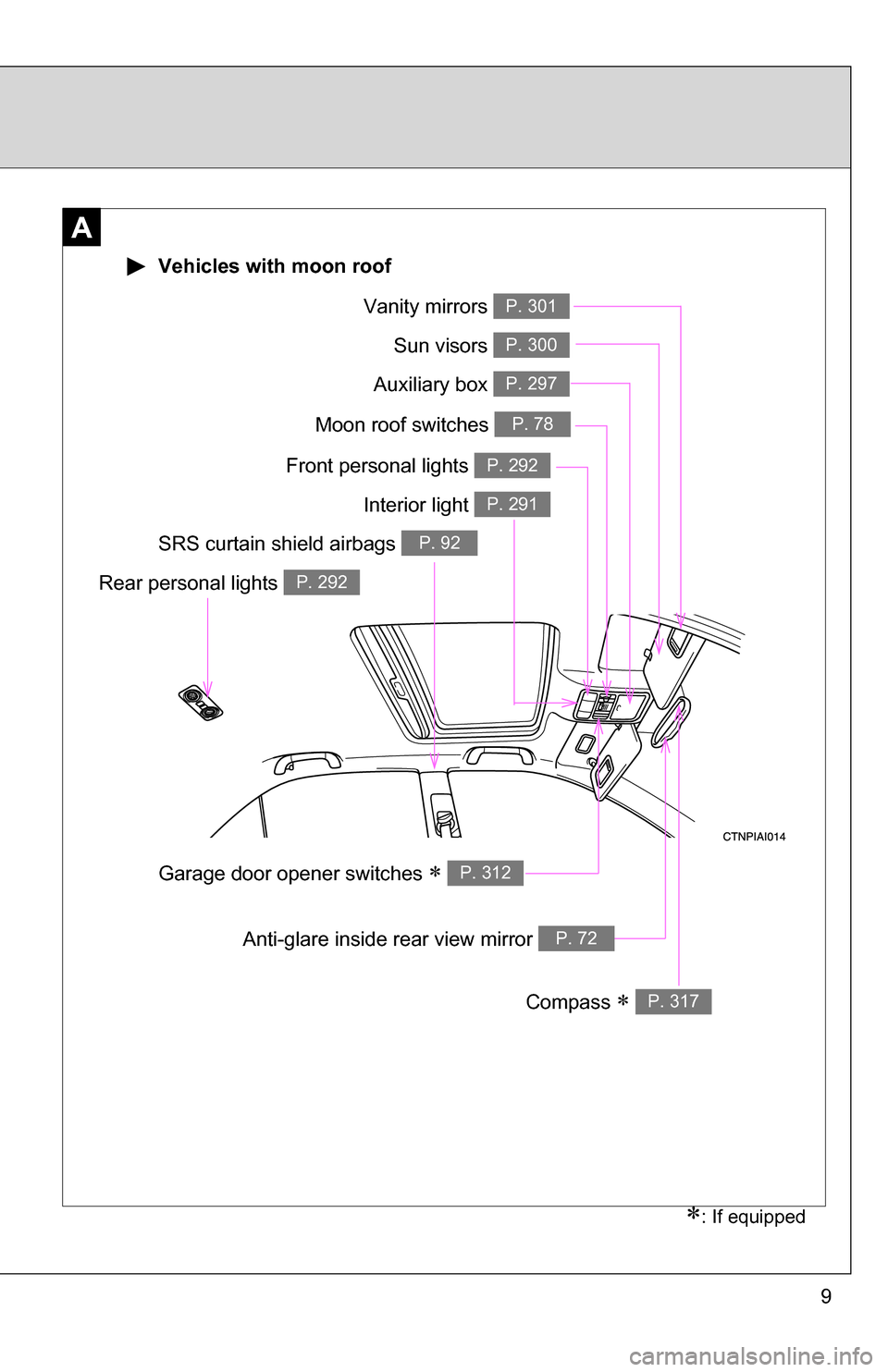
A
Interior light P. 291
Vanity mirrors P. 301
Moon roof switches P. 78
Sun visors P. 300
SRS curtain shield airbags P. 92
Compass P. 317
Garage door opener switches P. 312
Auxiliary box P. 297
: If equipped
Vehicles with moon roof
Front personal lights P. 292
Rear personal lights P. 292
Anti-glare inside rear view mirror P. 72
Page 10 of 497
10
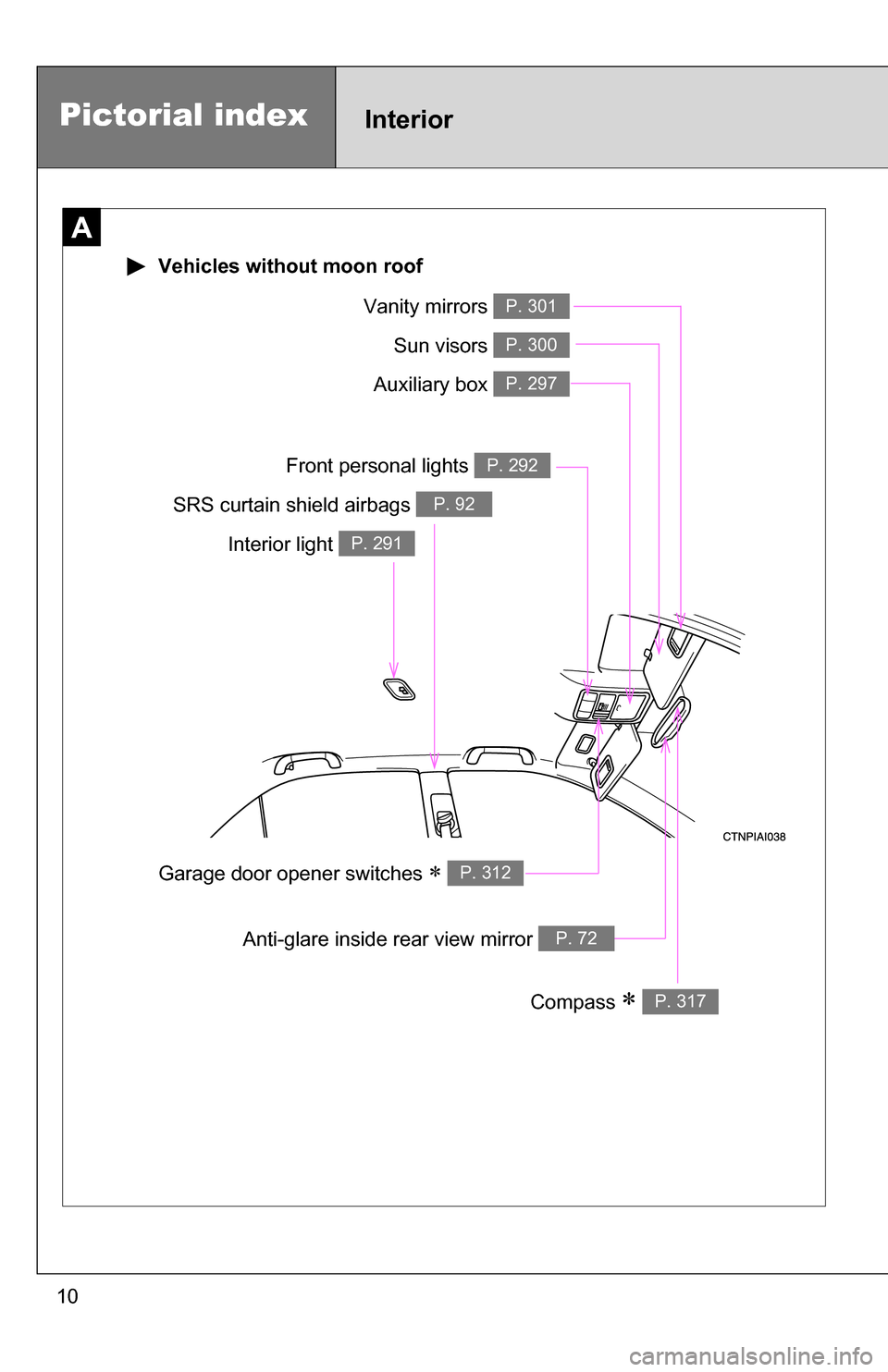
Interior light P. 291
Vanity mirrors P. 301
Sun visors P. 300
SRS curtain shield airbags P. 92
Compass P. 317
Garage door opener switches P. 312
Auxiliary box P. 297
Front personal lights P. 292
Anti-glare inside rear view mirror P. 72
Pictorial indexInterior
A
Vehicles without moon roof
Page 181 of 497
Interior features3
181
3-3. Using the hands-free phone system
(for cellular phone)
Bluetooth
® audio
system ........................... 241
Using the Bluetooth
®
audio system.................. 244
Operating a Bluetooth
®
enabled portable
player ............................. 249
Setting up a Bluetooth
®
enabled portable
player ............................. 251
Bluetooth
® audio system
setup .............................. 256
3-4. Using the hands-free phone system
(for cellular phone)
Hands-free phone system (for cellular phone)
features .......................... 257
Using the hands-free phone system
(for cellular phone) ......... 261
Making a phone call ......... 269
Setting a cellular phone ... 273
Security and system setup .............................. 278
Using the phone book ...... 282 3-5. Using the interior lights
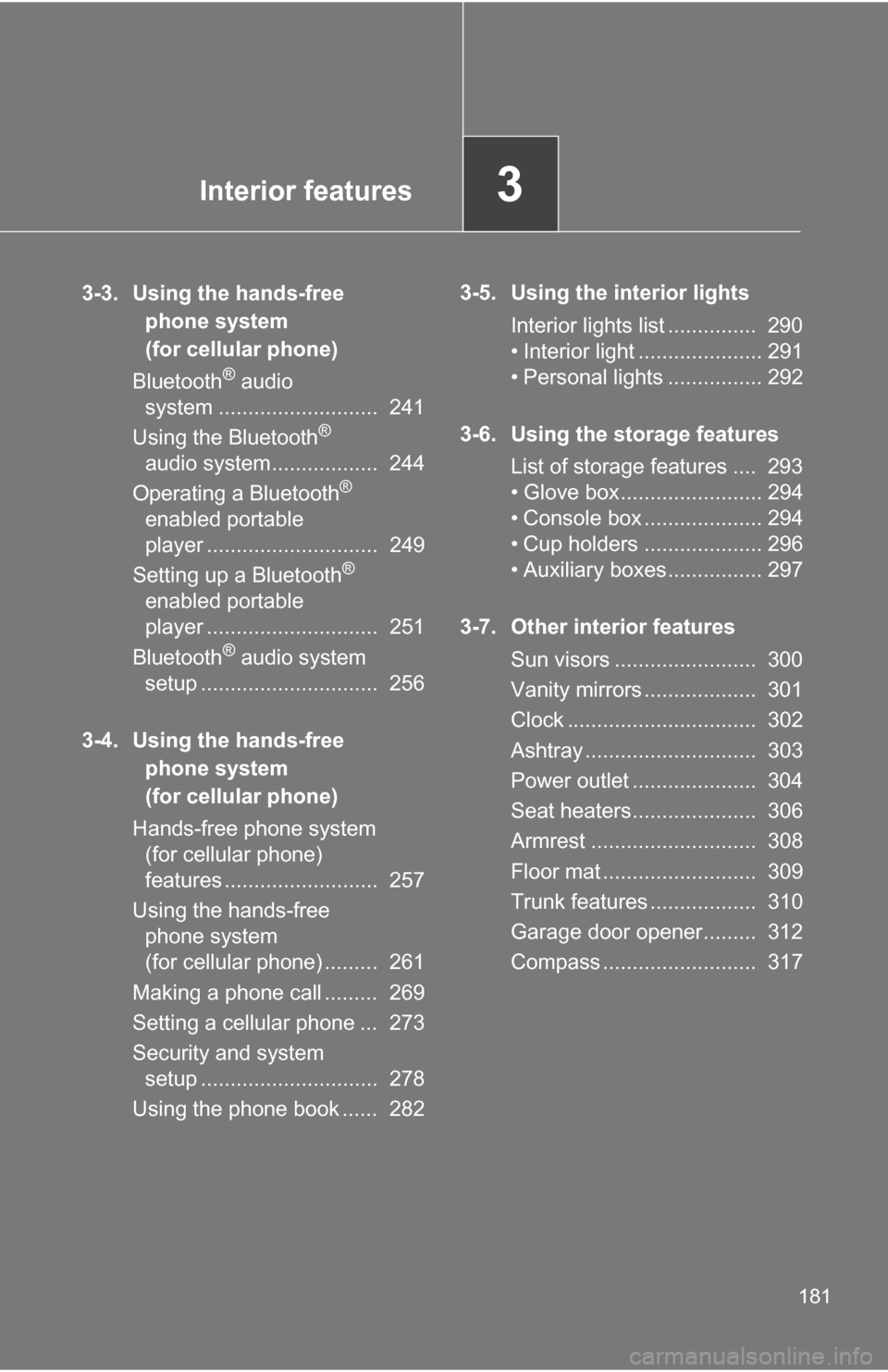
Interior lights list ............... 290
• Interior light ..................... 291
• Personal lights ................ 292
3-6. Using the storage features List of storage features .... 293
• Glove box........................ 294
• Console box .................... 294
• Cup holders .................... 296
• Auxiliary boxes................ 297
3-7. Other interior features Sun visors ........................ 300
Vanity mirrors ................... 301
Clock ................................ 302
Ashtray ............................. 303
Power outlet ..................... 304
Seat heaters..................... 306
Armrest ............................ 308
Floor mat .......................... 309
Trunk features .................. 310
Garage door opener......... 312
Compass .......................... 317
Page 291 of 497
290
3-5. Using the interior lights
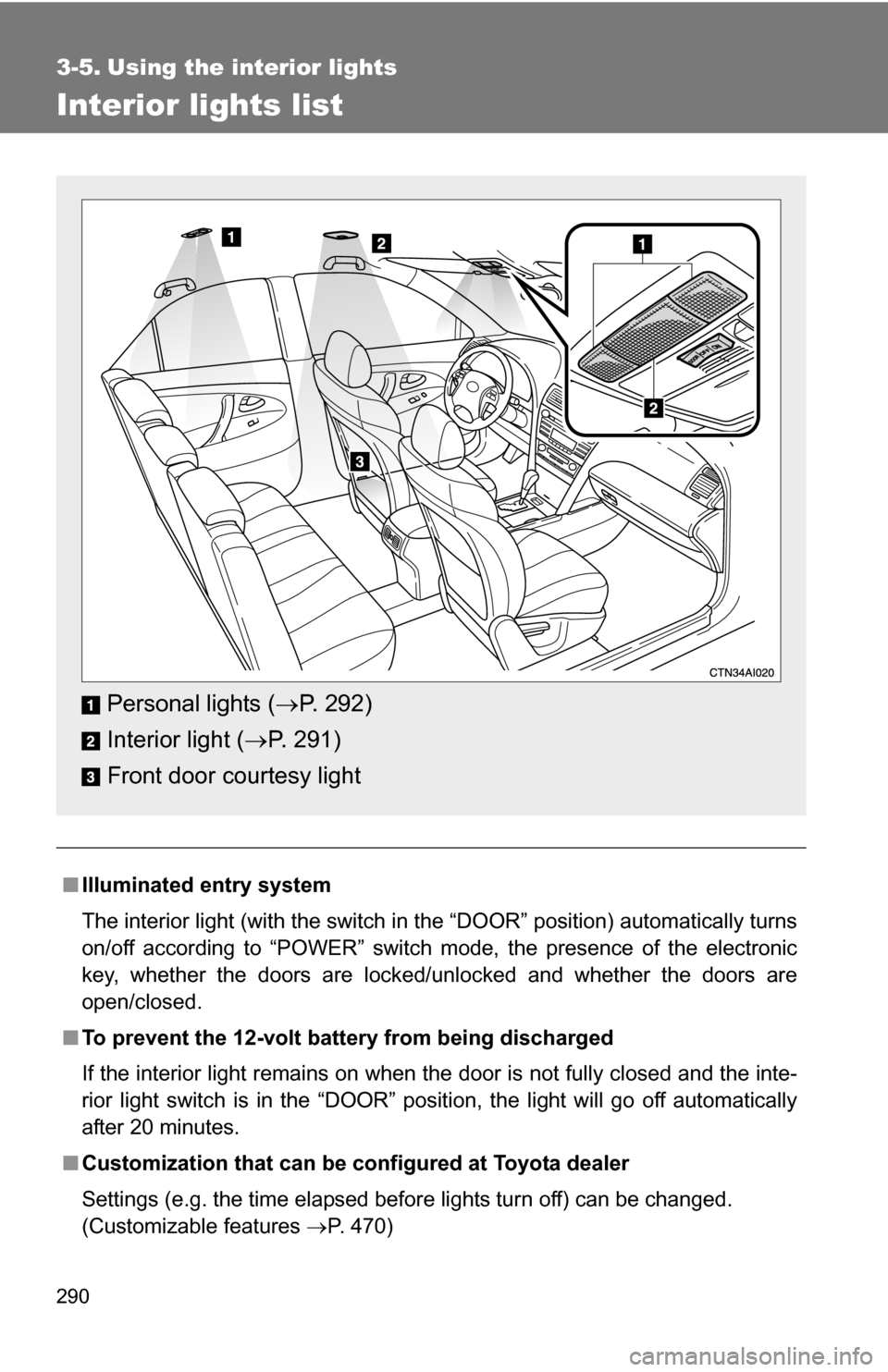
Interior lights list
■Illuminated entry system
The interior light (with the switch in the “DOOR” position) automatically turns
on/off according to “POWER” switch mode, the presence of the electronic
key, whether the doors are locked/unlocked and whether the doors are
open/closed.
■ To prevent the 12-volt battery from being discharged
If the interior light remains on when the door is not fully closed and the inte-
rior light switch is in the “DOOR” position, the light will go off automatically
after 20 minutes.
■ Customization that can be co nfigured at Toyota dealer
Settings (e.g. the time elapsed before lights turn off) can be changed.
(Customizable features P. 470)
Personal lights (P. 292)
Interior light ( P. 291)
Front door courtesy light
Page 292 of 497
291
3-5. Using the interior lights
3
Interior features
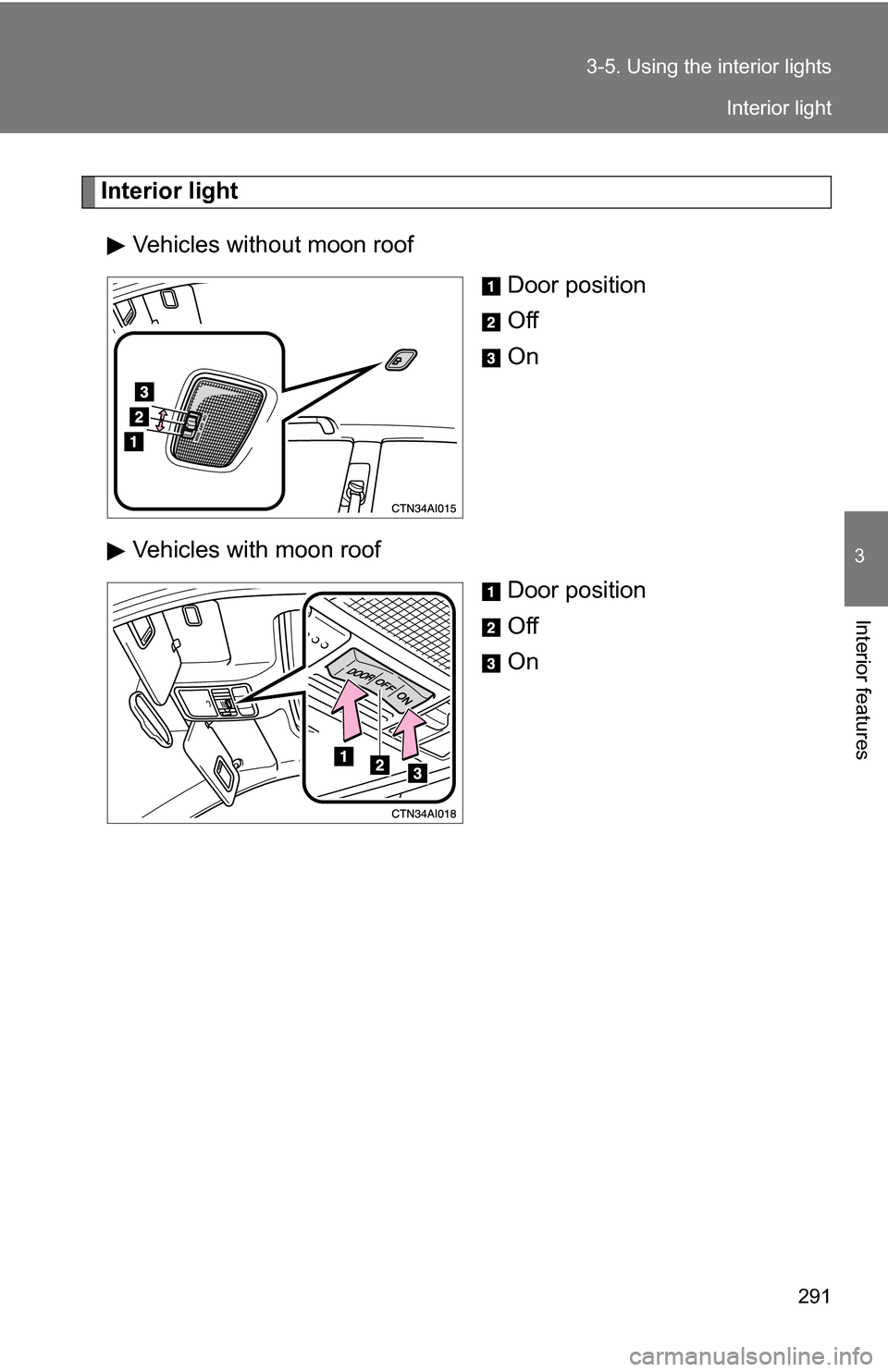
Interior light
Vehicles without moon roof Door position
Off
On
Vehicles with moon roof Door position
Off
On
Interior light
Page 293 of 497
292 3-5. Using the interior lights
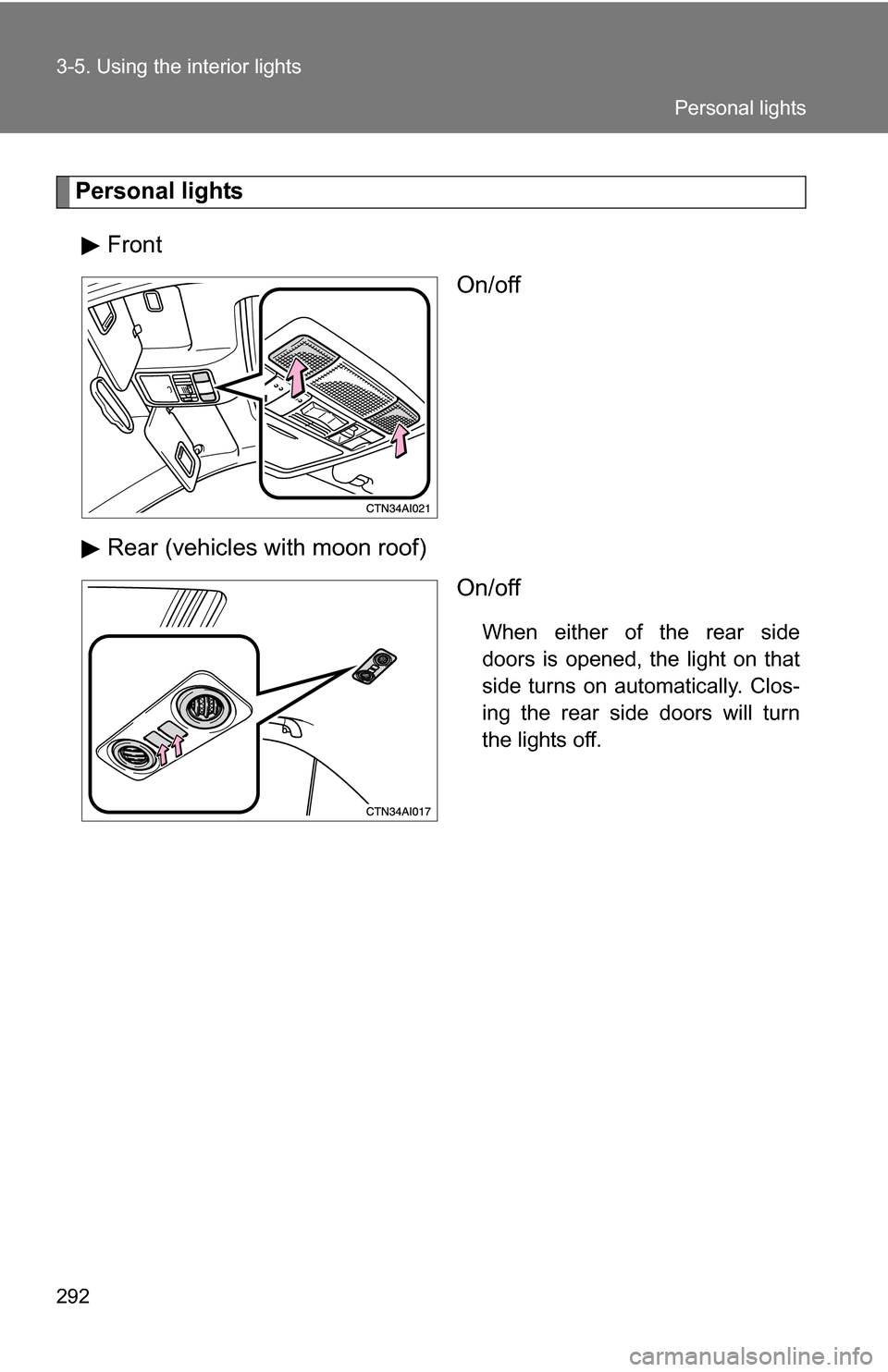
Personal lightsFront On/off
Rear (vehicles with moon roof) On/off
When either of the rear side
doors is opened, the light on that
side turns on automatically. Clos-
ing the rear side doors will turn
the lights off.
Personal lights
Page 331 of 497
330 4-2. Maintenance
Vehicle interior
ItemsCheck points
Accelerator pedal • Moves smoothly (without uneven
pedal effort or catching)?
Transmission “Park” mechanism • Can the vehicle be held securely
on an incline with the shift lever in
P?
Brake pedal • Moves smoothly?
• Does it have appropriate clear-
ance and correct amount of free
play?
Brakes • Not pull to one side when
applied?
• Loss of brake effectiveness?
• Spongy feeling brake pedal?
• Pedal almost touches floor?
Head restraints • Move smoothly and lock
securely?
Indicators/buzzers • Function properly?
Lights • Do all the lights come on?
Parking brake • Moves smoothly?
• Can hold the vehicle securely on
an incline?
Seat belts • Does the seat belt system oper-
ate smoothly?
• Are the belts undamaged?
Seats • Do the seat controls operate
properly?
Steering wheel • Moves smoothly?
• Has correct free play?
• No strange noises?
Page 379 of 497
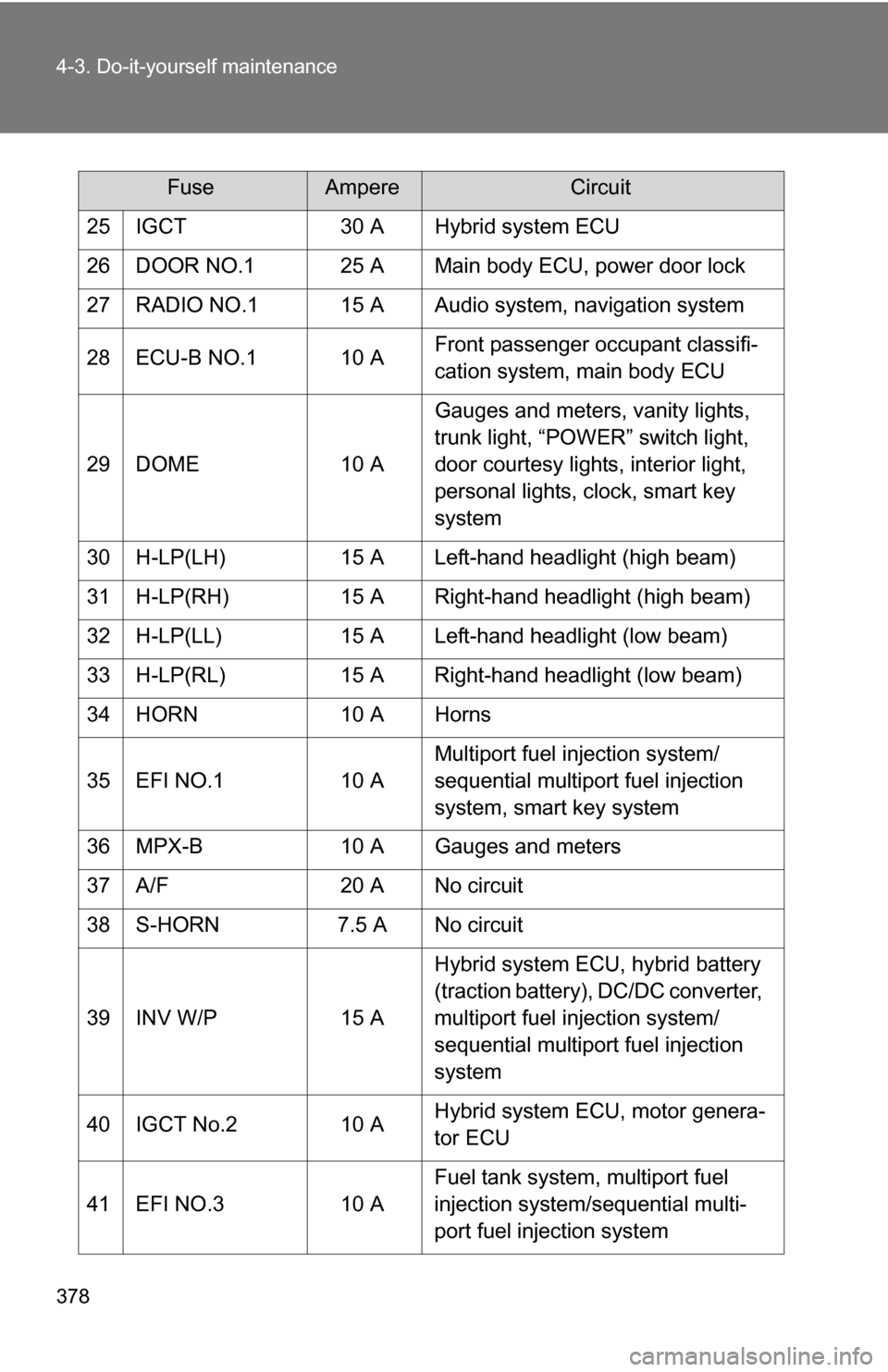
378 4-3. Do-it-yourself maintenance
25 IGCT30 A Hybrid system ECU
26 DOOR NO.1 25 A Main body ECU, power door lock
27 RADIO NO.1 15 A Audio system, navigation system
28 ECU-B NO.1 10 A Front passenger occupant classifi-
cation system, main body ECU
29 DOME 10 AGauges and meters, vanity lights,
trunk light, “POWER” switch light,
door courtesy lights, interior light,
personal lights, clock, smart key
system
30 H-LP(LH) 15 A Left-hand headlight (high beam)
31 H-LP(RH) 15 A Right-hand headlight (high beam)
32 H-LP(LL) 15 A Left-hand headlight (low beam)
33 H-LP(RL) 15 A Right-hand headlight (low beam)
34 HORN 10 A Horns
35 EFI NO.1 10 AMultiport fuel injection system/
sequential multiport fuel injection
system, smart key system
36 MPX-B 10 A Gauges and meters
37 A/F 20 A No circuit
38 S-HORN 7.5 A No circuit
39 INV W/P 15 AHybrid system ECU, hybrid battery
(traction battery), DC/DC converter,
multiport fuel injection system/
sequential multiport fuel injection
system
40 IGCT No.2 10 A Hybrid system ECU, motor genera-
tor ECU
41 EFI NO.3 10 AFuel tank system, multiport fuel
injection system/sequential multi-
port fuel injection system
FuseAmpereCircuit
Page 428 of 497
5
When trouble arises
427
5-2. Steps to take in an emergency
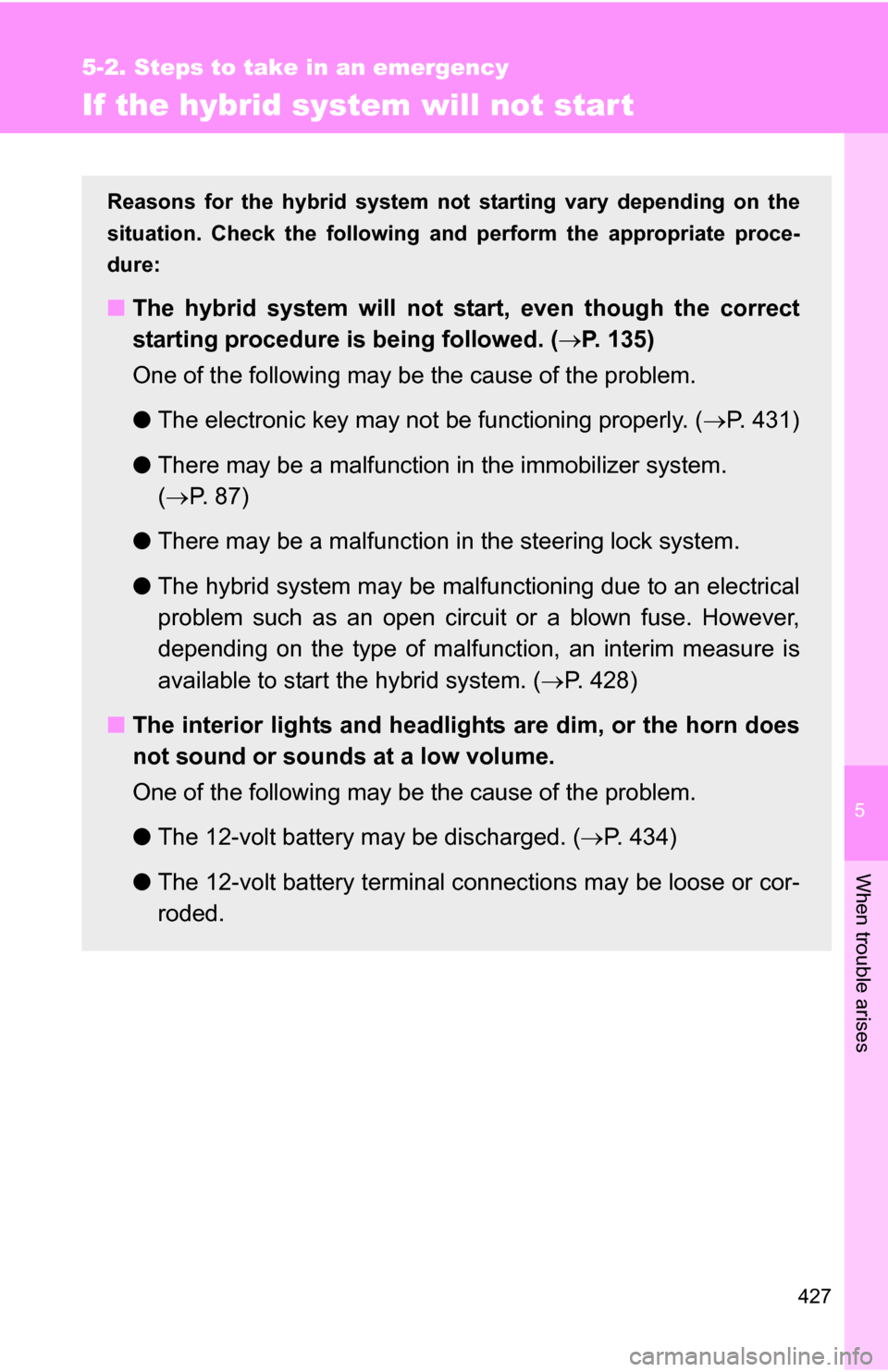
If the hybrid system will not start
Reasons for the hybrid system not starting vary depending on the
situation. Check the following and perform the appropriate proce-
dure:
■ The hybrid system will not start, even though the correct
starting procedure is being followed. ( P. 135)
One of the following may be the cause of the problem.
● The electronic key may not be functioning properly. ( P. 431)
● There may be a malfunction in the immobilizer system.
( P. 8 7 )
● There may be a malfunction in the steering lock system.
● The hybrid system may be malfun ctioning due to an electrical
problem such as an open circuit or a blown fuse. However,
depending on the type of malf unction, an interim measure is
available to start the hybrid system. ( P. 428)
■ The interior lights and headlights are dim, or the horn does
not sound or sounds at a low volume.
One of the following may be the cause of the problem.
●The 12-volt battery may be discharged. ( P. 434)
● The 12-volt battery terminal c onnections may be loose or cor-
roded.