Hybrid system TOYOTA CAMRY HYBRID 2013 XV50 / 9.G Owner's Guide
[x] Cancel search | Manufacturer: TOYOTA, Model Year: 2013, Model line: CAMRY HYBRID, Model: TOYOTA CAMRY HYBRID 2013 XV50 / 9.GPages: 548, PDF Size: 6.85 MB
Page 63 of 548

63
1-3. Opening, closing and locking the doors and trunk
1
Before driving
■
Notes for the entry function
●Even when the electronic key is within the effective range (detection
areas), the system may not operate properly in the following cases:
• The electronic key is too close to the window or outside door handle,
near the ground, or in a high place when the doors are locked or
unlocked.
• The electronic key is near the ground or in a high place, or too close to the rear bumper center when the trunk is unlocked.
• The electronic key is on the instrument panel, rear package tray or floor, or in the door pockets or glove box when the hybrid system is
started or “POWER” switch modes are changed.
● Do not leave the electronic key on top of the instrument panel or near the
door pockets when exiting the vehicle. Depending on the radio wave
reception conditions, it may be detected by the antenna outside the cabin
and the door will become lockable from the outside, possibly trapping the
electronic key inside the vehicle.
● As long as the electronic key is within the effective range, the doors may
be locked or unlocked by anyone.
● Even if the electronic key is not inside the vehicle, it may be possible to
start the hybrid system if the electronic key is near the window.
● The doors may unlock if a large amount of water splashes on the door
handle, such as in the rain or in a car wash when the electronic key is
within the effective range. (The door will automatically be locked after
approximately 60 seconds if the doors are not opened and closed.)
● Gripping the door handle when wearing a glove may not unlock the door.
● If the wireless remote control is used to lock the doors when the elec-
tronic key is near the vehicle, there is a possibility that the door may not
be unlocked by the entry function. (Use the wireless remote control to
unlock the doors.)
● A sudden approach to the effective range or door handle may prevent the
doors from being unlocked. In this case, return the door handle to the
original position and check that the doors unlock before pulling the door
handle again.
Page 65 of 548

65
1-3. Opening, closing and locking the doors and trunk
1
Before driving
■
When the vehicle is not dr iven for extended periods
● To prevent theft of the vehicle, do not leave the electronic key within 6 ft.
(2 m) of the vehicle.
● The smart key system can be deactivated in advance. ( P. 510)
■ Alarm (if equipped)
Using the smart key system to lock the doors will set the alarm system.
(P. 112)
■ To operate the system properly
Make sure to carry the electronic key when operating the system. Do not get
the electronic key too close to the vehicle when operating the system from
the outside of the vehicle.
Depending on the position and holding condition of the electronic key, the
key may not be detected correctly and the system may not operate properly.
(The alarm may go off accidentally, or the door lock prevention function may
not operate.)
■ If the smart key system does not operate properly
● Locking and unlocking the doors: Use the mechanical key. ( P. 468)
● Starting the hybrid system: P. 468
■ Electronic key battery depletion
●The standard battery life is 1 to 2 years.
● If the battery becomes low, an alarm will sound in the cabin when the
hybrid system stops. (P. 443)
● As the electronic key always receives radio waves, the battery will
become depleted even if the electronic key is not used. The following
symptoms indicate that the electronic key battery may be depleted.
Replace the battery when necessary. ( P. 392)
• The smart key system or the wireless remote control does not operate.
• The detection area becomes smaller.
• The LED indicator on the key surface does not turn on.
Page 66 of 548

66 1-3. Opening, closing and locking the doors and trunk
●To avoid serious deterioration, do not leave the electronic key within 3 ft.
(1 m) of the following electrical appliances that produce a magnetic field:
•TVs
• Personal computers
• Cellular phones, cordless phones and battery chargers
• Recharging cellular phones or cordless phones
• Glass top ranges
• Table lamps
■ When the electronic key battery is fully depleted
P. 392
■ If the smart key system has been d eactivated in a customized setting
● Locking and unlocking the doors: Use the wireless remote control or
mechanical key. ( P. 68, 468)
● Starting the hybrid system and changing “POWER” switch modes:
P. 469
● Stopping the hybrid system: P. 161
■ Customization that can be co nfigured at Toyota dealer
Settings (e. g. smart key system) can be changed.
(Customizable features: P. 510)
■ Certification for the smart key system
U.S.A.
FCC ID: NI4TMLF10-4
FCC ID: NI4TMLF10-5
FCC ID: HYQ23AAB
FCC ID: HYQ14FBA
NOTE:
This device complies with Part 15 of the FCC Rules. Operation is subject to
the following two conditions: (1) this device may not cause harmful interfer-
ence, and (2) this device must accept any interference received, including
interference that may cause undesired operation.
FCC WARNING:
Changes or modifications not expressly approved by the party responsible
for compliance could void the user's authority to operate the equipment.
Page 100 of 548

100 1-5. Opening and closing the windows and moon roof
■The power windows can be operated when
The “POWER” switch is in ON mode.
■ Operating the power wi ndows after turning the hybrid system off
The power windows can be operated for approximately 45 seconds even
after the “POWER” switch is turned to ACCESSORY mode or turned off.
They cannot, however, be operated once either front door is opened.
■ Jam protection function (driver’s window only)
If an object becomes caught between the window and the window frame,
window travel is stopped and the window is opened slightly.
■ When the power window does not close normally (driver’s window
only)
If the jam protection function is operating abnormally and a window cannot
be closed, perform the following operations using the power window switch
on the driver’s door.
● After stopping the vehicle, the window can be closed by holding the
power window switch in the one-touch closing position while the
“POWER” switch is turned to ON mode.
● If the window still cannot be closed even by carrying out the operation
explained above, initialize the function by performing the following proce-
dure.
Hold the power window switch in the one-touch closing position.
Continue holding the switch for a further 6 seconds after the win-
dow has closed.
Hold the power window switch in the one-touch opening position.
Continue holding the switch for a further 2 seconds after the win-
dow has opened completely.
Hold the power window switch in the one-touch closing position
once again. Continue holding the switch for a further 2 seconds
after the window has closed.
If you release the switch while the window is moving, start again from the
beginning.
If the window continues to close but then re-open slightly even after perform-
ing the above procedure correctly, have the vehicle inspected by your Toyota
dealer.
STEP1
STEP2
STEP3
Page 110 of 548
110
1-7. Theft deterrent system
Immobilizer system
■System maintenance
The vehicle has a maintenance-free type immobilizer system.
■ Conditions affecting operation
Depending on the surrounding environment and conditions, the immobilizer
system may not operate properly. This may prevent the hybrid system from
starting. ( P. 62)
■ Certifications for the engine immobilizer system
U.S.A.
FCC ID: NI4TMIMB-3
This device complies with Part 15 of the FCC Rules. Operation is subject to
the following two conditions: (1) this device may not cause harmful interfer-
ence, and (2) this device must accept any interference received, including
interference that may cause undesired operation.
Canada
Operation is subject to the following two conditions: (1) this device may not
cause interference, and (2) this device must accept any interference, includ-
ing interference that may cause undesired operation of the device.
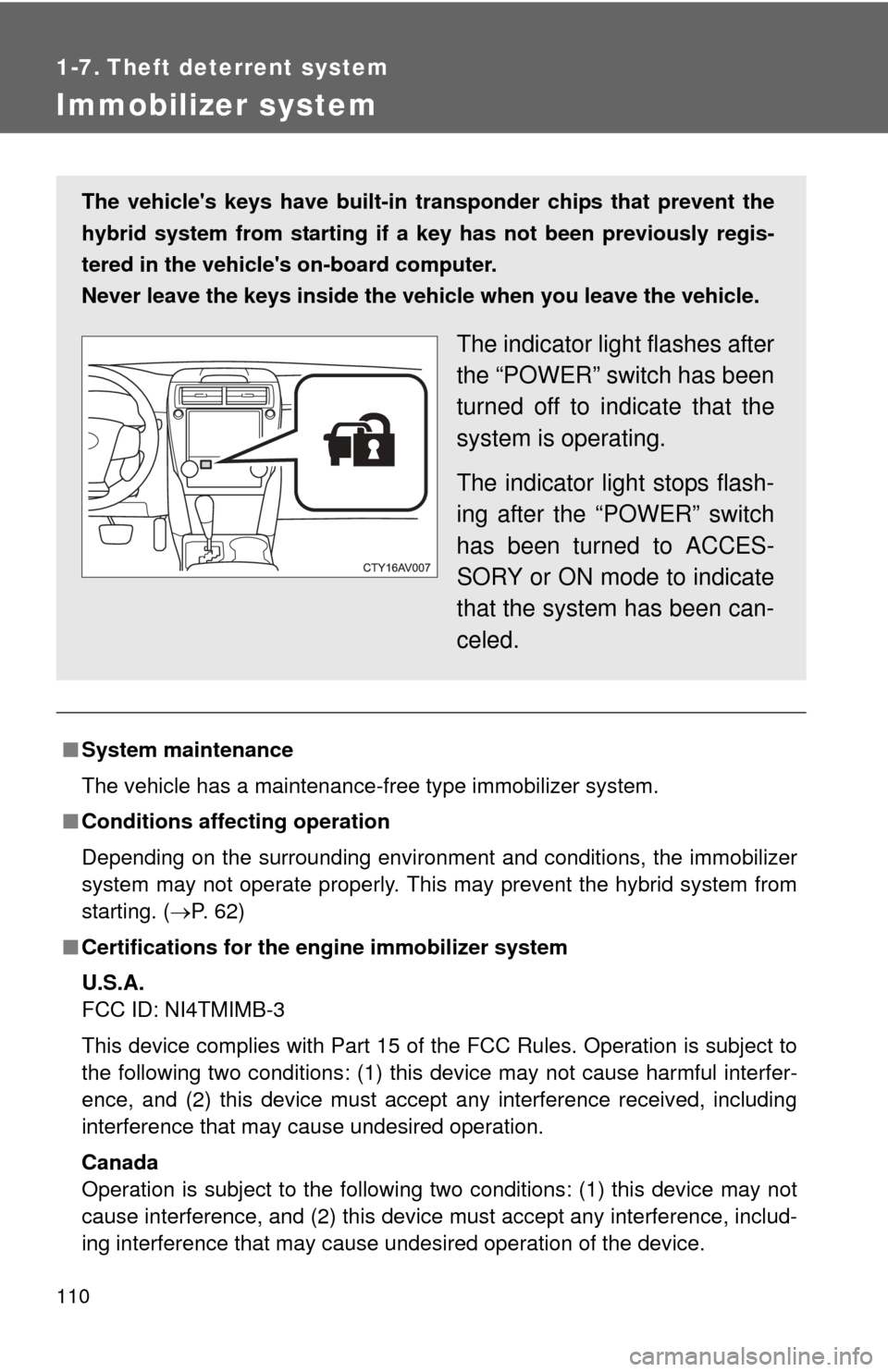
The vehicle's keys have built-in tran sponder chips that prevent the
hybrid system from starting if a key has not been previously regis-
tered in the vehicle's on-board computer.
Never leave the keys inside the vehicle when you leave the vehicle.
The indicator light flashes after
the “POWER” switch has been
turned off to indicate that the
system is operating.
The indicator light stops flash-
ing after the “POWER” switch
has been turned to ACCES-
SORY or ON mode to indicate
that the system has been can-
celed.
Page 112 of 548
112
1-7. Theft deterrent system
Alarm
: If equipped
The system sounds the alarm and flashes the lights when forced
entry is detected.
■ Triggering of the alarm
The alarm is triggered in the fo llowing situations when the alarm
is set:
● A locked door or trunk is unlocked or opened in any way other
than using the entry function, wireless remote control or
mechanical key.
● The hood is opened.
● Some models: The window is tapped or broken.
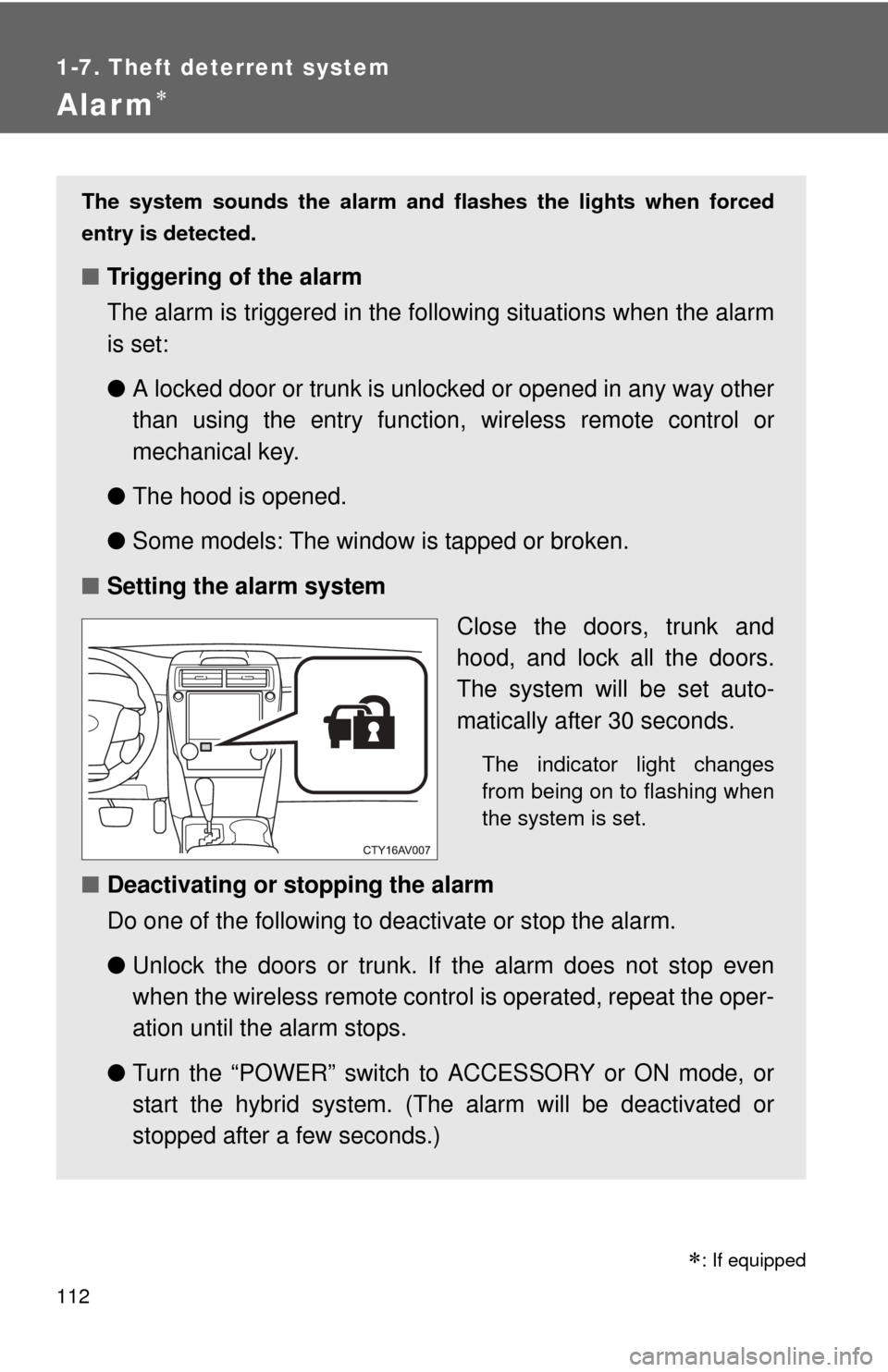
■ Setting the alarm system
Close the doors, trunk and
hood, and lock all the doors.
The system will be set auto-
matically after 30 seconds.
The indicator light changes
from being on to flashing when
the system is set.
■Deactivating or stopping the alarm
Do one of the following to deactivate or stop the alarm.
●Unlock the doors or trunk. If the alarm does not stop even
when the wireless remote contro l is operated, repeat the oper-
ation until the alarm stops.
● Turn the “POWER” switch to ACCESSORY or ON mode, or
start the hybrid system. (The alarm will be deactivated or
stopped after a few seconds.)
Page 149 of 548
When driving2
149
2-1. Driving proceduresDriving the vehicle............ 150
Power (ignition) switch ..... 161
EV drive mode ................. 169
Hybrid transmission ......... 172
Turn signal lever .............. 174
Parking brake ................... 176
Horn ................................. 177
2-2. Instrument cluster Gauges and meters ......... 178
Indicators and warning lights .............................. 184
Multi-information display............................ 189
2-3. Operating the lights and wipers
Headlight switch ............... 196
Fog light switch ................ 202
Windshield wipers and washer ........................... 204 2-4. Using other driving
systems
Cruise control ................... 208
Driving assist systems ..... 211
Hill-start assist control ...... 216
BSM (Blind Spot Monitor) ....... 218
2-5. Driving information Cargo and luggage .......... 228
Vehicle load limits ............ 232
Winter driving tips ............ 233
Trailer towing ................... 237
Dinghy towing .................. 238
Page 150 of 548
150
2-1. Driving procedures
Driving the vehicle
The following procedures should be observed to ensure safe driv-
ing:
■ Starting the hybrid system
P. 161
■Driving
With the brake pedal depressed, shift the shift lever to D.
( P. 172)
Release the parking brake. ( P. 176)
Gradually release the brake pedal and gently depress the
accelerator pedal to accelerate the vehicle.
■ Stopping
With the shift lever in D, depress the brake pedal.
If necessary, set the parking brake.
If the vehicle is to be stopped for an extended period of time, shift
the shift lever to P. ( P. 172)
■Parking the vehicle
With the shift lever in D, depress the brake pedal.
Set the parking brake. ( P. 176)
Shift the shift lever to P. ( P. 172)
If parking on a hill, block the wheels as needed.
Press the “POWER” switch to stop the hybrid system.
Lock the door, making sure that you have the electronic key
on your person.
STEP1
STEP2
STEP3
STEP1
STEP2
STEP1
STEP2
STEP3
STEP4
STEP5
Page 152 of 548

152 2-1. Driving procedures
■Drum-in-disc type parking brake system
Your vehicle has a drum-in-disc type parking brake system. This type of
brake system needs bedding-down of the brake shoes periodically or when-
ever the parking brake shoes and/or drum are replaced. Have your Toyota
dealer perform the bedding down operation.
■ Operating your vehicle in a foreign country
Comply with the relevant vehicle registration laws and confirm the availability
of the correct fuel. ( P. 486)
■ For efficient use
●Shift the shift lever to D when driving.
In the N position, the gasoline engine operates but electricity cannot be
generated. The hybrid battery (traction battery) will discharge, requiring
unnecessary engine power to recharge.
● Drive your vehicle smoothly.
Avoid abrupt acceleration and deceleration. Gradual acceleration and
deceleration will make more effective use of the electric motor (traction
motor) without having to use gasoline engine power.
● Avoid repeated acceleration.
Repeated acceleration consumes hybrid battery (traction battery) power,
resulting in poor acceleration. Battery power can be restored by driving
with the accelerator pedal slightly released.
● Shift the shift lever to P when parking.
In the N position, the hybrid battery (traction battery) does not recharge.
Leaving the shift lever in the N position for an extended period of time
may discharge the hybrid battery. The vehicle cannot run if the hybrid
battery is discharged.
■ When “DRIVING FORCE LIMITED” is displayed on the multi-informa-
tion display
Driving force is being limited. This is not a malfunction.
Page 153 of 548

153
2-1. Driving procedures
2
When driving
CAUTION
■
When starting the vehicle
Always keep your foot on the brake pedal while stopped with the hybrid sys-
tem operating. This prevents the vehicle from creeping.
■ When driving the vehicle
●Do not drive if you are unfamiliar with the location of the brake and accel-
erator pedals to avoid depressing the wrong pedal.
• Accidentally depressing the accelerator pedal instead of the brake
pedal will result in sudden acceleration that may lead to an accident
that could result in death or serious injury.
• When backing up, you may twist your body around, leading to a diffi- culty in operating the pedals. Make sure to operate the pedals properly.
• Make sure to keep a correct driving posture even when moving the vehicle only slightly. This allows you to depress the brake and acceler-
ator pedals properly.
• Depress the brake pedal using your right foot. Depressing the brake pedal using your left foot may delay response in an emergency, result-
ing in an accident.
● When the hybrid vehicle is driven using the electric motor only, no engine
noise is made. As such, pedestrians, people riding bicycles or other peo-
ple and vehicles in the surrounding area may not realize that the vehicle is
approaching. Even with the Vehicle Prox imity Notification System active,
people may not realize the vehicle is approaching when the surrounding
area is noisy and so forth. Therefore, take extra care while driving.
● Do not drive the vehicle over or st op the vehicle near flammable materials.
The exhaust system and exhaust gases can be extremely hot. These hot
parts may cause a fire if there is any flammable material nearby.
● Do not let the vehicle roll backward while the shift lever is in a driving posi-
tion, or roll forward while the shift lever is in R.
Doing so may result in an accident or damage to the vehicle.
● If the smell of exhaust is noticed inside the vehicle, open the windows and
check that the trunk is closed. Large amounts of exhaust in the vehicle can
cause driver drowsiness and an accident, resulting in death or a serious
health hazard. Have the vehicle inspected by your Toyota dealer immedi-
ately.