USB port TOYOTA CAMRY HYBRID 2013 XV50 / 9.G Owners Manual
[x] Cancel search | Manufacturer: TOYOTA, Model Year: 2013, Model line: CAMRY HYBRID, Model: TOYOTA CAMRY HYBRID 2013 XV50 / 9.GPages: 548, PDF Size: 6.85 MB
Page 3 of 548

1
2
3
4
5
6
7
3
2-2. Instrument clusterGauges and meters ............ 178
Indicators and warning lights ................................. 184
Multi-information display ..... 189
2-3. Operating the lights and wipers
Headlight switch .................. 196
Fog light switch ................... 202
Windshield wipers and washer .............................. 204
2-4. Using other driving systems
Cruise control ...................... 208
Driving assist systems ........ 211
Hill-start assist control ......... 216
BSM (Blind Spot Monitor) .......... 218
2-5. Driving information Cargo and luggage ............. 228
Vehicle load limits ............... 232
Winter driving tips ............... 233
Trailer towing ...................... 237
Dinghy towing ..................... 238 3-1. Using the air conditioning
system and defogger
Automatic air conditioning system.......... 240
Rear window and outside rear view mirror
defoggers ......................... 249
3-2. Using the audio system Audio system types ............ 250
Using the radio ................... 255
Using the CD player ........... 258
Playing back MP3 and WMA discs ....................... 264
Operating an iPod .............. 272
Operating a USB memory ............................ 281
Optimal use of the audio system .............................. 289
Using the AUX port............. 292
Using the steering wheel audio switches.................. 294
3Interior features
Page 18 of 548
18
C
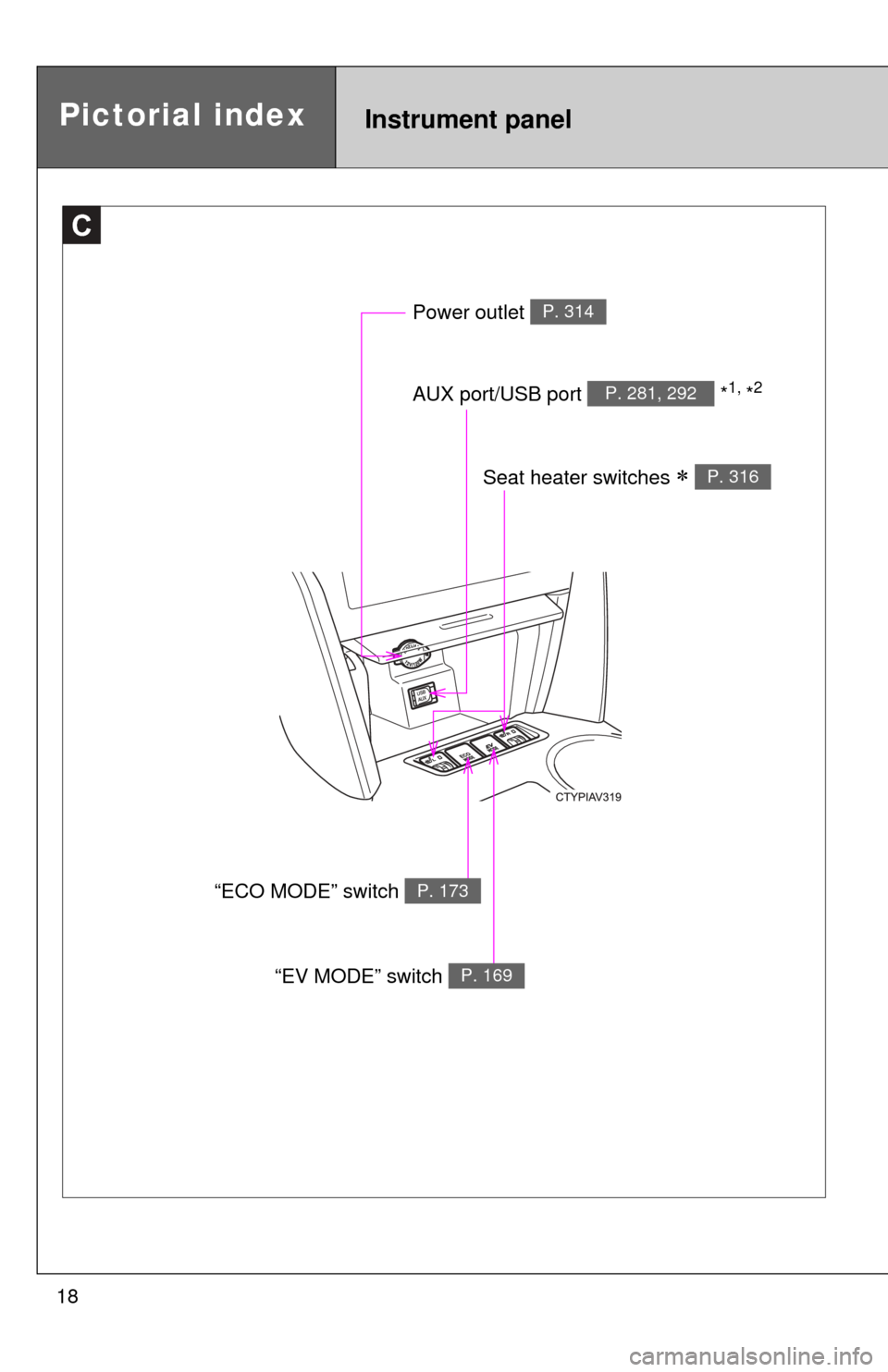
Power outlet P. 314
AUX port/USB port *1, *2P. 281, 292
Pictorial indexInstrument panel
Seat heater switches P. 316
“ECO MODE” switch P. 173
“EV MODE” switch P. 169
Page 239 of 548
Interior features3
239
3-1. Using the air conditioning system and defogger
Automatic air conditioning system ....... 240
Rear window and outside rear view mirror
defoggers ....................... 249
3-2. Using the audio system Audio system types .......... 250
Using the radio ................. 255
Using the CD player ......... 258
Playing back MP3 and WMA discs ..................... 264
Operating an iPod ............ 272
Operating a USB memory .......................... 281
Optimal use of the audio system ........................... 289
Using the AUX port .......... 292
Using the steering wheel audio switches ..... 294
3-3. Using the interior lights Interior lights list ............... 297
• Interior lights .................. 298
• Personal lights ............... 299 3-4. Using the storage features
List of storage features .... 300
• Glove box....................... 301
• Console box ................... 302
• Coin holder .................... 303
• Bottle holders ................. 304
• Cup holders ................... 305
• Auxiliary boxes ............... 307
3-5. Other interior features Sun visors ........................ 309
Vanity mirrors ................... 310
Clock ................................ 311
Outside temperature display............................ 312
Ashtray ............................. 313
Power outlets ................... 314
Seat heaters..................... 316
Armrest ............................ 318
Assist grips....................... 319
Coat hooks ....................... 320
Floor mat .......................... 321
Trunk features .................. 323
Garage door opener......... 325
Compass .......................... 332
Safety Connect ................ 336
Page 250 of 548
250
3-2. Using the audio system
Audio system types
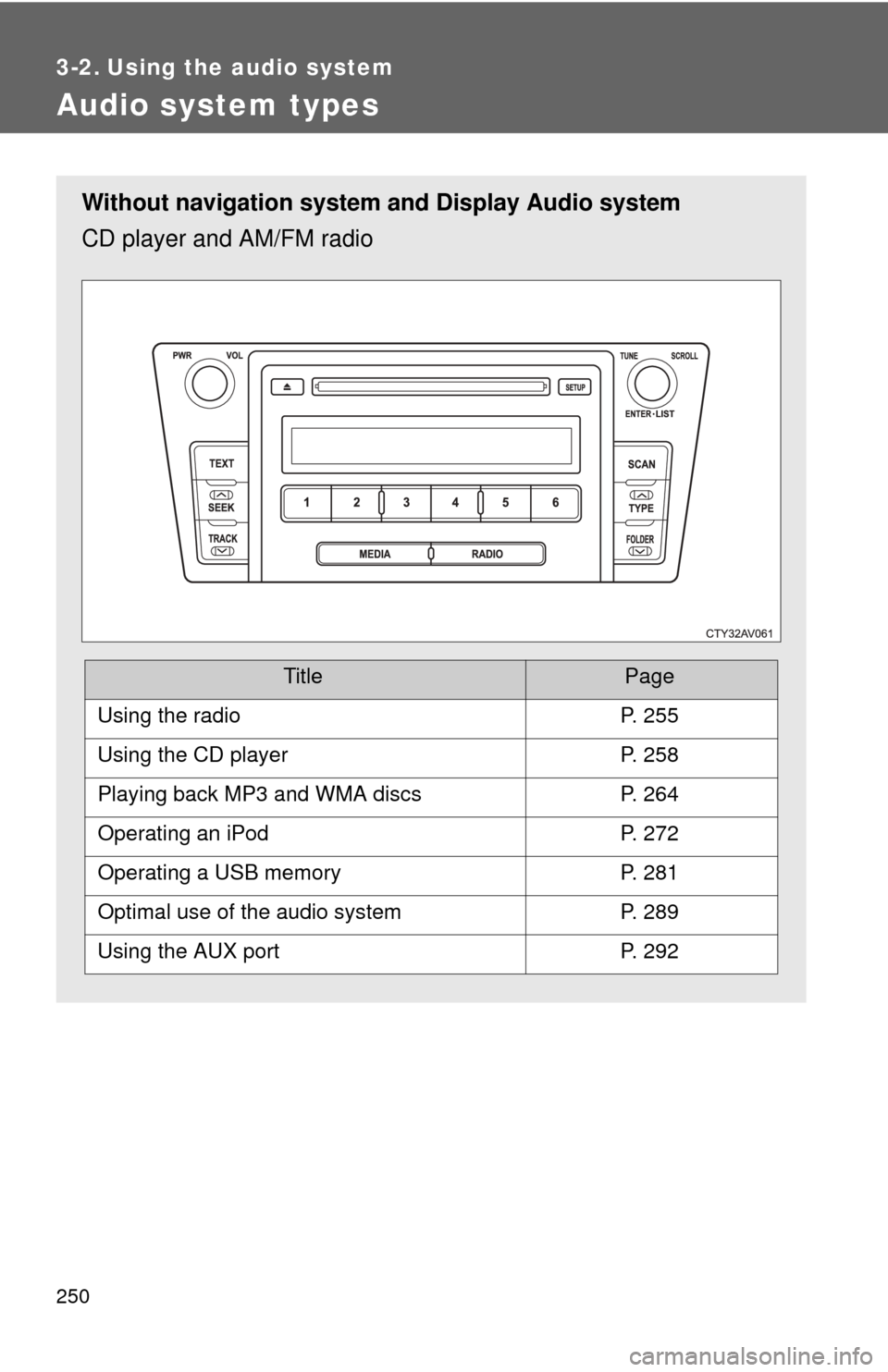
Without navigation system and Display Audio system
CD player and AM/FM radio
TitlePage
Using the radioP. 255
Using the CD playerP. 258
Playing back MP3 and WMA discsP. 264
Operating an iPodP. 272
Operating a USB memoryP. 281
Optimal use of the audio systemP. 289
Using the AUX portP. 292
Page 288 of 548

288 3-2. Using the audio system
CAUTION
■Caution while driving
Do not connect USB memory or operate the controls.
NOTICE
■If the auxiliary box lid cannot be fully closed
Depending on the size and shape of the USB memory that is connected to
the system, the auxiliary box lid may not close fully. In this case, do not forc-
ibly close the lid as this may damage the USB memory or the terminal, etc.
■ To prevent damage to USB memory
●Do not leave USB memory in the vehicle. The temperature inside the vehi-
cle may become high, resulting in damage to the player.
● Do not push down on or apply unnecessary pressure to the USB memory
while it is connected as this may damage the USB memory or its terminal.
● Do not insert foreign objects into the port as this may damage the USB
memory or its terminal.
Page 533 of 548

533
Alphabetical index
Alphabetical index
A/C ............................................ 240
ABS........................................... 211
ACCESSORY mode ................. 161
Air conditioning filter .............. 390
Air conditioning systemAir conditioning filter ............. 390
Automatic air conditioning system................................ 240
Airbags Airbag operating
conditions ........................... 120
Airbag precautions for your child.................................... 124
Airbag warning light .............. 424
Curtain shield airbag operating conditions ........... 121
Curtain shield airbag precautions ........................ 124
Front passenger occupant
classification system .......... 129
General airbag precautions ........................ 124
Locations of airbags ............. 117
Modification and disposal of airbags ............................... 128
Proper driving posture ....................... 115, 124
Side airbag operating
conditions ........................... 121
Side airbag precautions........ 124
SRS airbags ......................... 117 Alarm .........................................112
Antenna.....................................257
Anti-lock brake system............211
Armrest .....................................318
Ashtray......................................313
Assist grips ..............................319
Audio input ...............272, 281, 292
Audio system
Antenna .................................257
Audio input ............ 272, 281, 292
AUX port................................292
CD player ..............................258
iPod .......................................272
MP3/WMA disc......................264
Optimal use ...........................289
Portable music player ..................272, 281, 292
Radio .....................................255
Steering wheel audio switch ..................................294
Type ......................................250
USB memory .........................281
Automatic air conditioning system ....................................240
Automatic light control
system ....................................196
AUX port ...................................292
Auxiliary boxes ........................307A