brake TOYOTA CAMRY HYBRID 2014 XV50 / 9.G Owner's Manual
[x] Cancel search | Manufacturer: TOYOTA, Model Year: 2014, Model line: CAMRY HYBRID, Model: TOYOTA CAMRY HYBRID 2014 XV50 / 9.GPages: 612, PDF Size: 7.26 MB
Page 156 of 612

156 2-1. Driving procedures
NOTICE
■Avoiding damage to vehicle parts
●Do not turn the steering wheel fully in either direction and hold it there for
an extended period of time.
Doing so may damage the power steering motor.
● When driving over bumps in the road, drive as slowly as possible to avoid
damaging the wheels, underside of the vehicle, etc.
■ If you get a flat tire while driving
A flat or damaged tire may cause the following situations. Hold the steering
wheel firmly and gradually depress t he brake pedal to slow down and stop
the vehicle in a safe place.
● It may be difficult to control your vehicle.
● The vehicle will make abnormal sounds or vibrations.
● The vehicle will behave abnormally.
Information on what to do in case of a flat tire ( P. 519)
■ When encountering flooded roads
Do not drive on a road that has flooded after heavy rain etc. Doing so may
cause the following serious damage to the vehicle:
●Engine stalling
● Short in electrical components
● Engine damage caused by water immersion
In the event that you drive on a flooded road and the vehicle is flooded, be
sure to have your Toyota dealer check the following:
● Brake function
● Changes in quantity and quality of oil and fluid used for the engine, hybrid
transmission, etc.
● Lubricant condition for the bearings and suspension joints (where possi-
ble), and the function of all joints, bearings, etc.
Page 157 of 612
157
2-1. Driving procedures
2
When driving
Power (ignition) switch
Performing the following operations when carrying the electronic
key on your person starts the hybr id system or changes “POWER”
switch modes.
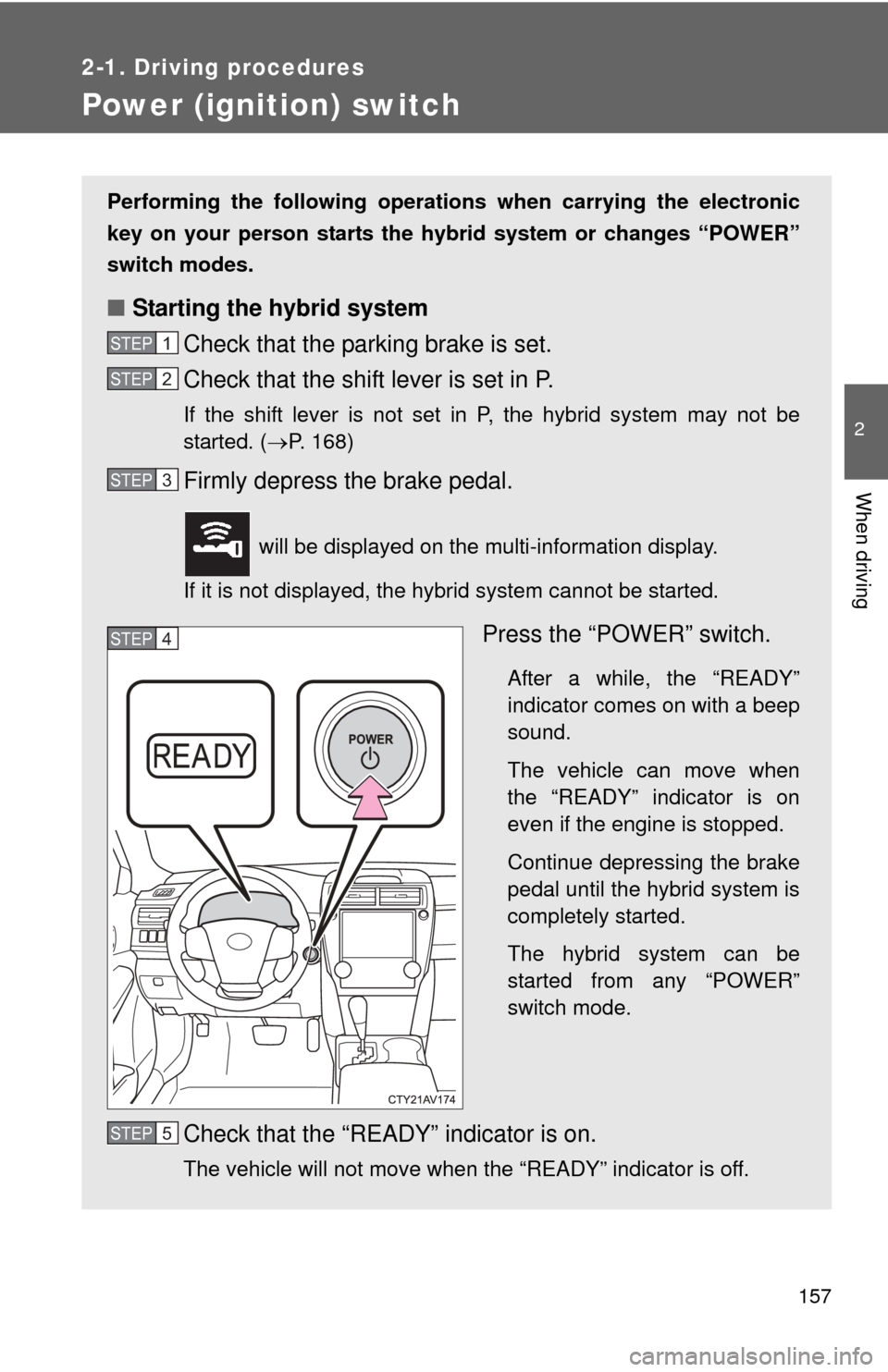
■ Starting the hybrid system
Check that the parking brake is set.
Check that the shift lever is set in P.
If the shift lever is not set in P, the hybrid system may not be
started. ( P. 168)
Firmly depress the brake pedal.
will be displayed on the multi-information display.
If it is not displayed, the hybrid system cannot be started.
Press the “POWER” switch.
After a while, the “READY”
indicator comes on with a beep
sound.
The vehicle can move when
the “READY” indicator is on
even if the engine is stopped.
Continue depressing the brake
pedal until the hybrid system is
completely started.
The hybrid system can be
started from any “POWER”
switch mode.
Check that the “READY” indicator is on.
The vehicle will not move when the “READY” indicator is off.
STEP1
STEP2
STEP3
STEP4
STEP5
Page 158 of 612
158 2-1. Driving procedures
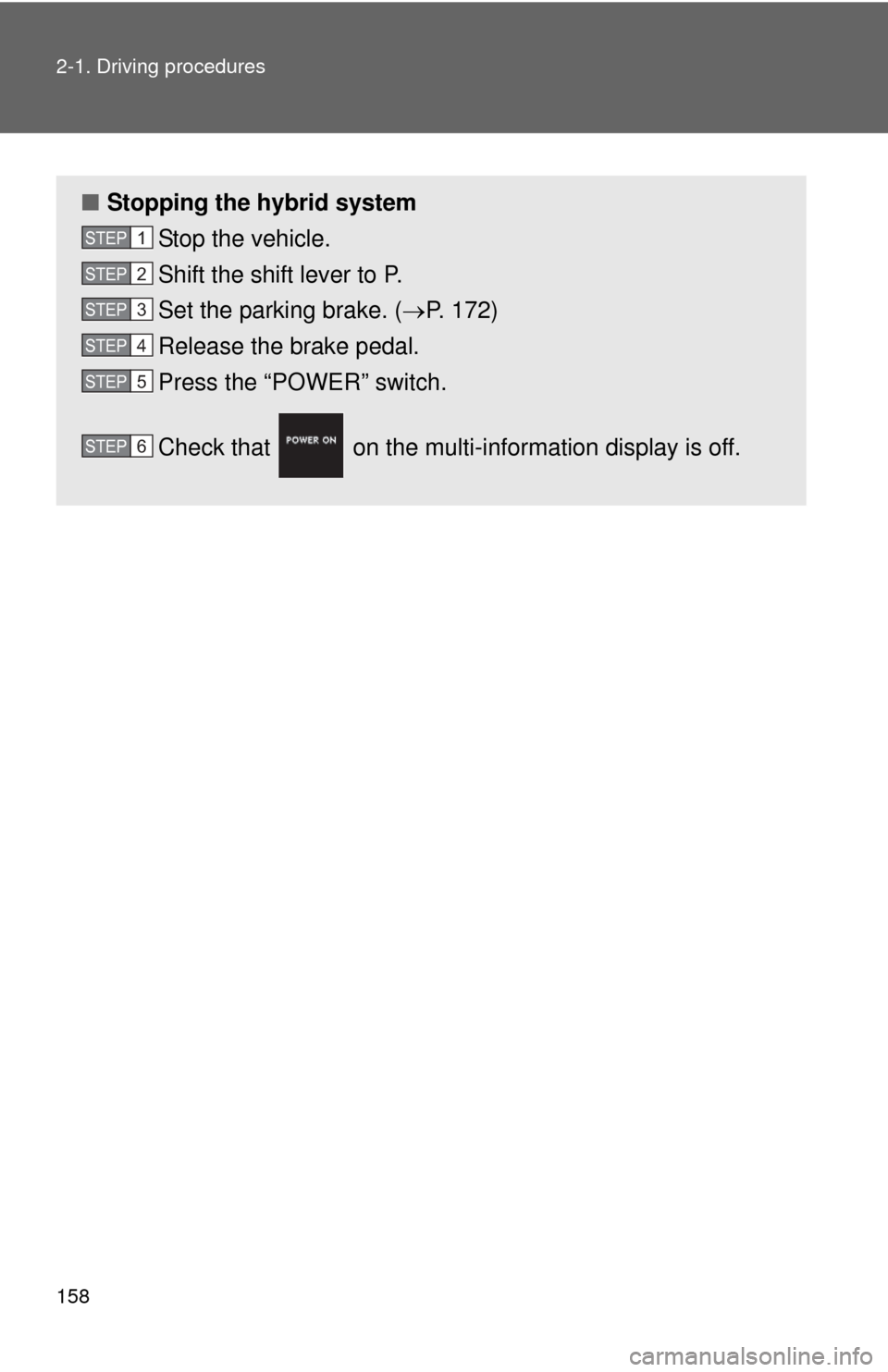
■Stopping the hybrid system
Stop the vehicle.
Shift the shift lever to P.
Set the parking brake. ( P. 172)
Release the brake pedal.
Press the “POWER” switch.
Check that on the multi- information display is off.
STEP1
STEP2
STEP3
STEP4
STEP5
STEP6
Page 159 of 612
159
2-1. Driving procedures
2
When driving
■
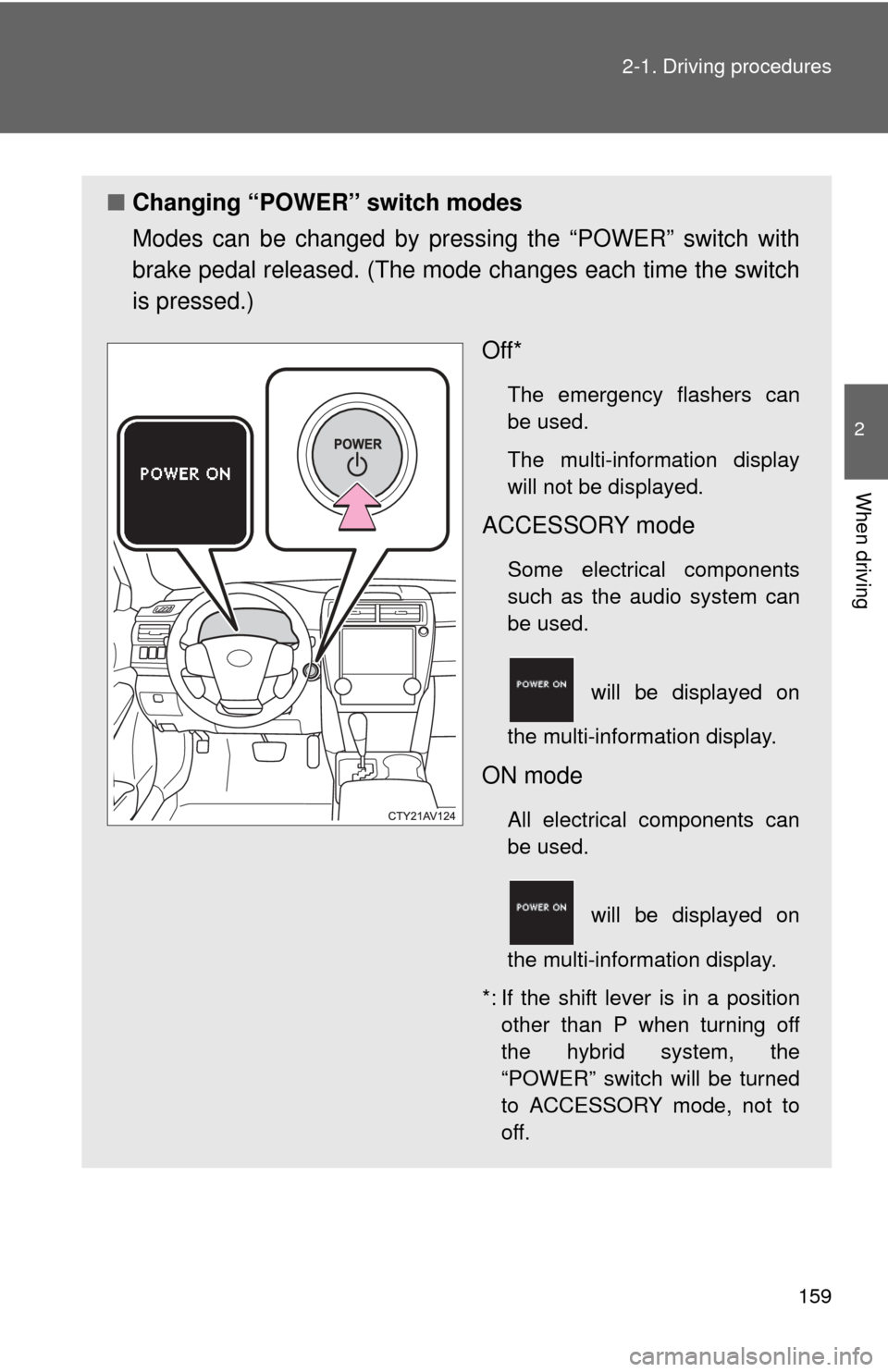
Changing “POWER” switch modes
Modes can be changed by pres sing the “POWER” switch with
brake pedal released. (The mode changes each time the switch
is pressed.)
Off*
The emergency flashers can
be used.
The multi-information display
will not be displayed.
ACCESSORY mode
Some electrical components
such as the audio system can
be used.
will be displayed on
the multi-information display.
ON mode
All electrical components can
be used.
will be displayed on
the multi-information display.
*: If the shift lever is in a position other than P when turning off
the hybrid system, the
“POWER” switch will be turned
to ACCESSORY mode, not to
off.
Page 160 of 612
160 2-1. Driving procedures
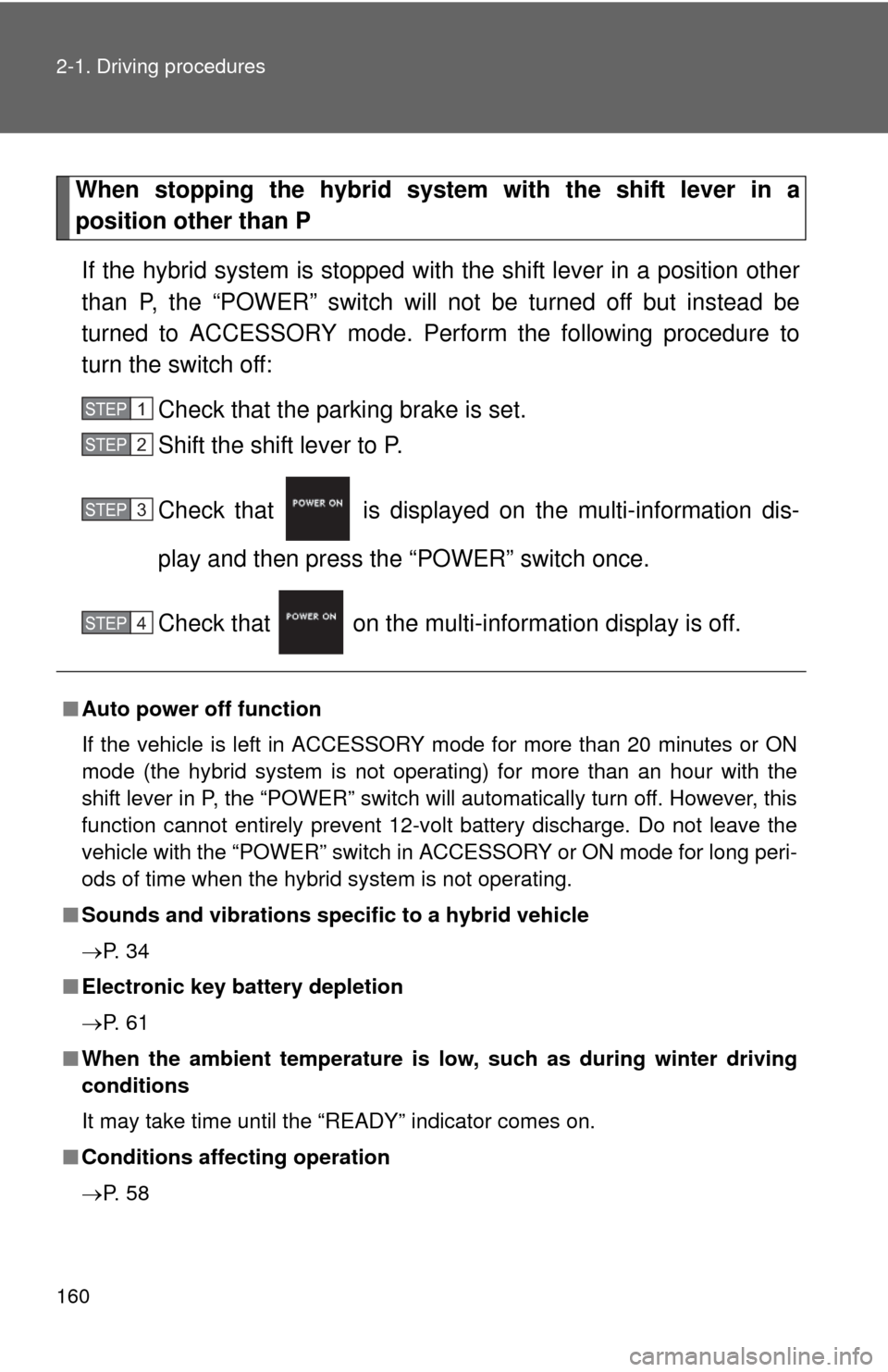
When stopping the hybrid system with the shift lever in a
position other than PIf the hybrid system is stopped with the shift lever in a position other
than P, the “POWER” switch will not be turned off but instead be
turned to ACCESSORY mode. Perform the following procedure to
turn the switch off:
Check that the parking brake is set.
Shift the shift lever to P.
Check that is displayed on the multi-information dis-
play and then press the “POWER” switch once.
Check that on the multi- information display is off.
■Auto power off function
If the vehicle is left in ACCESSORY mode for more than 20 minutes or ON
mode (the hybrid system is not operating) for more than an hour with the
shift lever in P, the “POWER” switch will automatically turn off. However, this
function cannot entirely prevent 12-volt battery discharge. Do not leave the
vehicle with the “POWER” switch in ACCESSORY or ON mode for long peri-
ods of time when the hybrid system is not operating.
■ Sounds and vibrations specific to a hybrid vehicle
P. 3 4
■ Electronic key battery depletion
P. 6 1
■ When the ambient temperature is lo w, such as during winter driving
conditions
It may take time until the “READY” indicator comes on.
■ Conditions affecting operation
P. 5 8
STEP1
STEP2
STEP3
STEP4
Page 162 of 612

162 2-1. Driving procedures
■If the “READY” indicator does not come on
If the “READY” indicator does not come on when you press the “POWER”
switch with the shift lever in P and the brake pedal depressed, contact your
Toyota dealer immediately.
■ If the hybrid system is malfunctioning
P. 501
■ If the electronic key battery is depleted
P. 458
■ Operation of the “POWER” switch
●When operating the “POWER” switch, one short, firm press is enough. If
the switch is pressed improperly, the hybrid system may not start or the
“POWER” switch mode may not change. It is not necessary to press and
hold the switch.
● If attempting to restart the hybrid system immediately after turning the
“POWER” switch off, the hybrid system may not start in some cases.
After turning the “POWER” switch off, please wait a few seconds before
restarting the hybrid system.
■ If the smart key system has been d eactivated in a customized setting
P. 536
Page 168 of 612
168
2-1. Driving procedures
Hybrid transmission
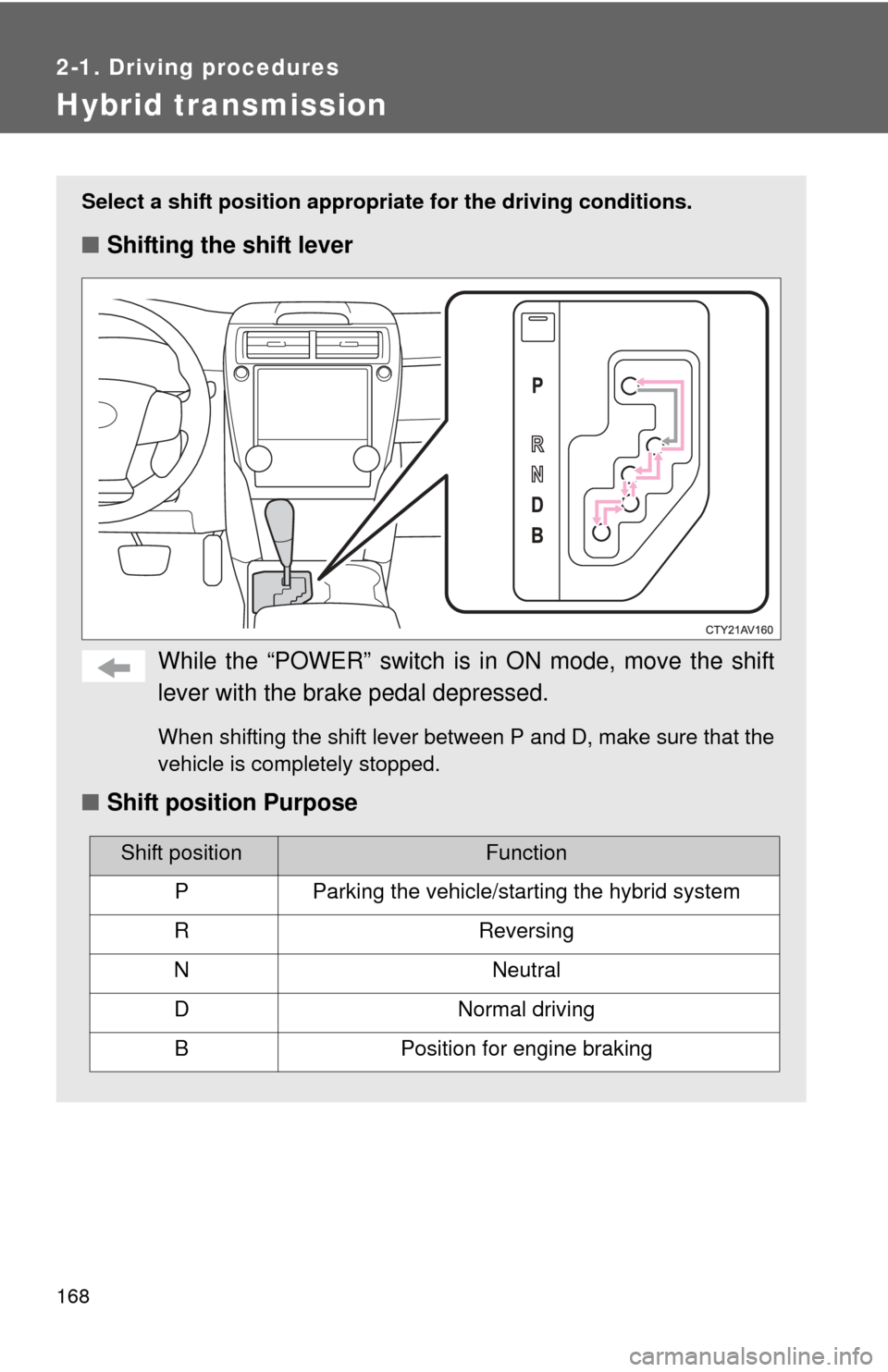
Select a shift position appropriate for the driving conditions.
■Shifting the shift lever
While the “POWER” switch is in ON mode, move the shift
lever with the brake pedal depressed.
When shifting the shift lever between P and D, make sure that the
vehicle is completely stopped.
■ Shift position Purpose
Shift positionFunction
PParking the vehicle/starting the hybrid system
RReversing
NNeutral
DNormal driving
BPosition for engine braking
Page 172 of 612
172
2-1. Driving procedures
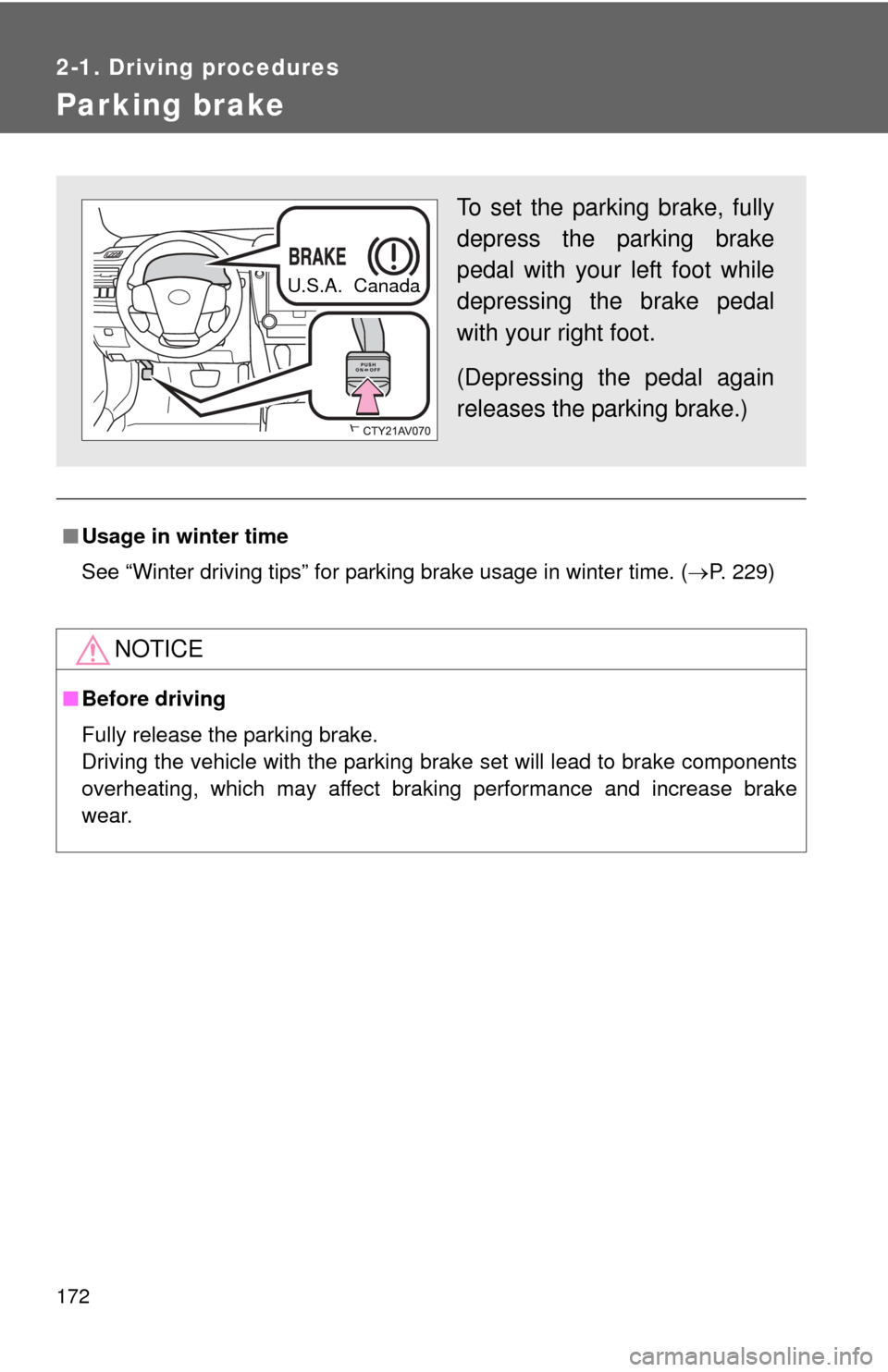
Parking brake
■Usage in winter time
See “Winter driving tips” for parking brake usage in winter time. ( P. 229)
NOTICE
■Before driving
Fully release the parking brake.
Driving the vehicle with the parking brake set will lead to brake components
overheating, which may affect braking performance and increase brake
wear.
To set the parking brake, fully
depress the parking brake
pedal with your left foot while
depressing the brake pedal
with your right foot.
(Depressing the pedal again
releases the parking brake.)
U.S.A. Canada
Page 178 of 612
178 2-2. Instrument cluster
■The meters and display illuminate when
The “POWER” switch is in ON mode.
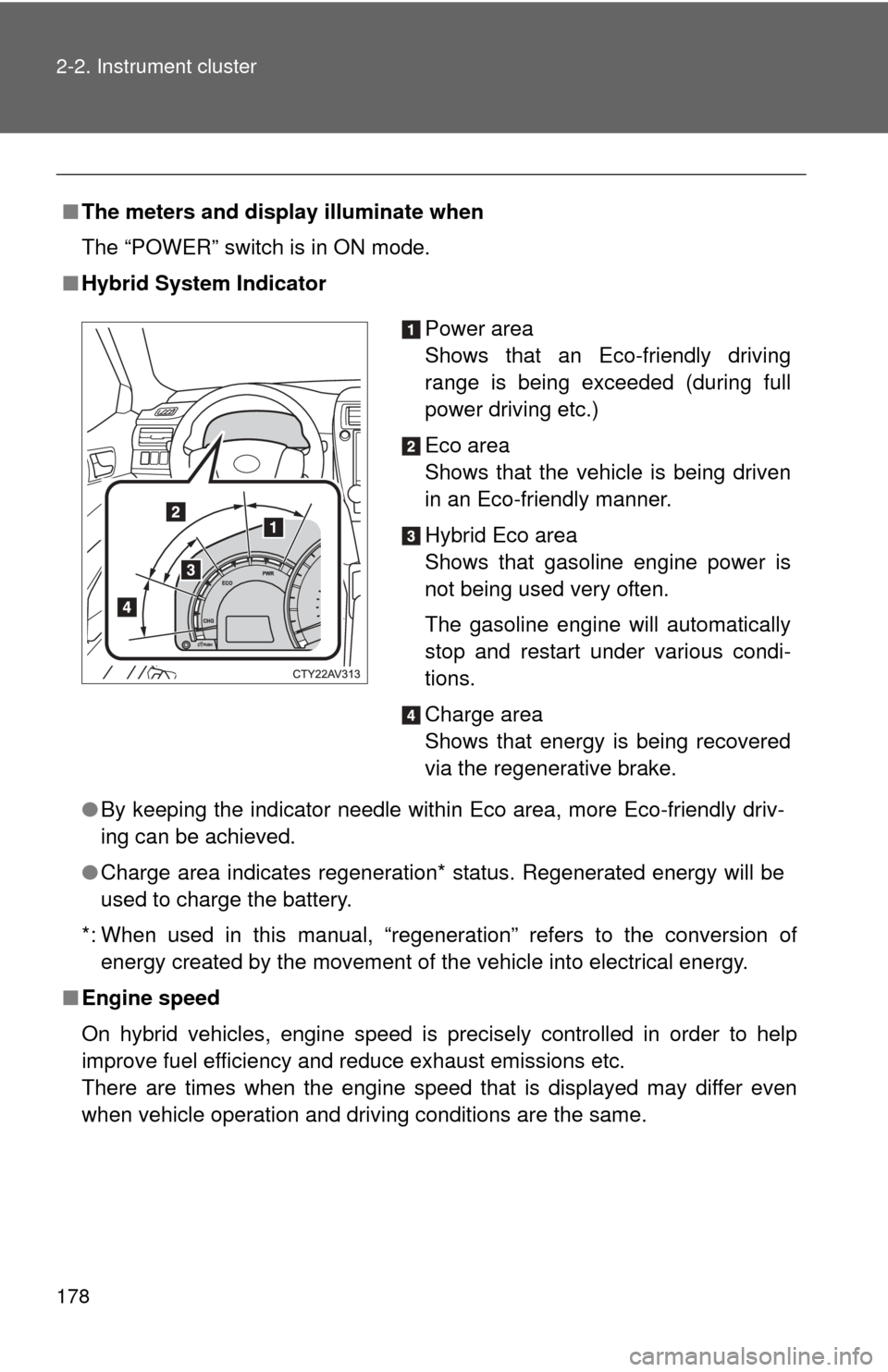
■ Hybrid System Indicator
●By keeping the indicator needle within Eco area, more Eco-friendly driv-
ing can be achieved.
● Charge area indicates regeneration* status. Regenerated energy will be
used to charge the battery.
*: When used in this manual, “regeneration” refers to the conversion of energy created by the movement of the vehicle into electrical energy.
■ Engine speed
On hybrid vehicles, engine speed is precisely controlled in order to help
improve fuel efficiency and reduce exhaust emissions etc.
There are times when the engine speed that is displayed may differ even
when vehicle operation and driving conditions are the same.
Power area
Shows that an Eco-friendly driving
range is being exceeded (during full
power driving etc.)
Eco area
Shows that the vehicle is being driven
in an Eco-friendly manner.
Hybrid Eco area
Shows that gasoline engine power is
not being used very often.
The gasoline engine will automatically
stop and restart under various condi-
tions.
Charge area
Shows that energy is being recovered
via the regenerative brake.
Page 188 of 612
188 2-2. Instrument cluster
■Eco drive level
Displays the average fuel consum ption and eco drive level since
the hybrid system was started.
Even if a different screen has been selected for the multi-information dis-
play, when the “POWER” switch is turned off, the eco drive level is dis-
played. This is not a malfunction.
When the highest eco drive level has been achieved “EXCELLENT!” is
displayed.
■ Energy monitor
Displays the status of the hybrid system ( P. 4 1 )
■ Customization
Language, Eco Indicator (current fuel consumption gauge) and EV
Indicator settings can be changed. ( P. 188)
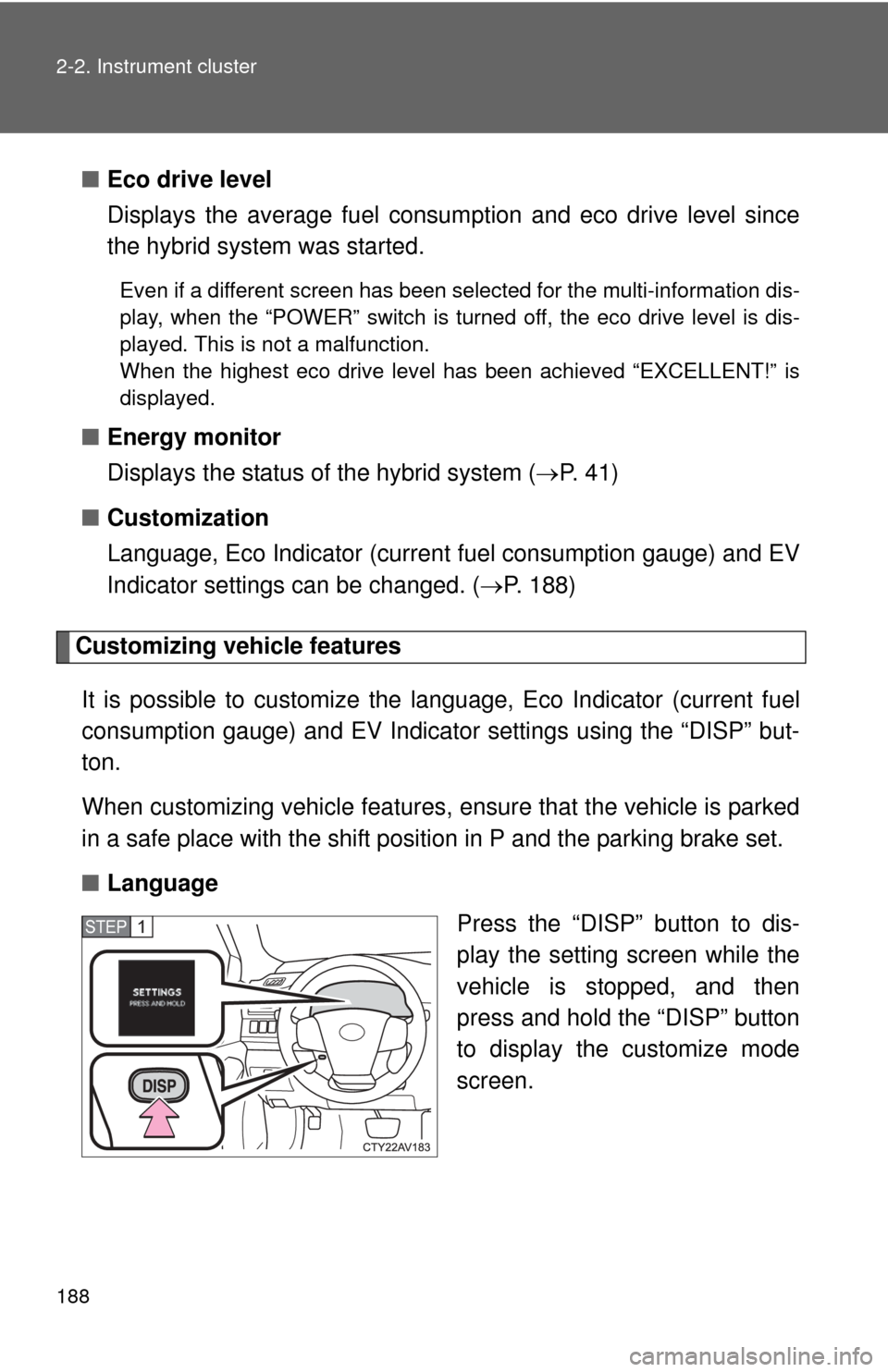
Customizing vehicle features
It is possible to cust omize the language, Eco Indicator (current fuel
consumption gauge) and EV Indicator settings using the “DISP” but-
ton.
When customizing vehicle features, ensure that the vehicle is parked
in a safe place with the shift position in P and the parking brake set.
■ Language
Press the “DISP” button to dis-
play the setting screen while the
vehicle is stopped, and then
press and hold the “DISP” button
to display the customize mode
screen.
STEP1