audio TOYOTA CAMRY HYBRID 2021 Owners Manual (in English)
[x] Cancel search | Manufacturer: TOYOTA, Model Year: 2021, Model line: CAMRY HYBRID, Model: TOYOTA CAMRY HYBRID 2021Pages: 624, PDF Size: 15.98 MB
Page 5 of 624
5
1
9 7 6
5
4
3
2
8
7-1. Essential informationEmergency flashers .......... 502
If your vehicle has to be stopped in
an emergency ................. 503
If the vehicle is trapped in rising water .................. 504
7-2. Steps to take in an emergency
If your vehicle needs to be towed ..................... 505
If you think something is wrong........................... 508
If a warning light turns on or a warning buzzer
sounds ............................ 509
If a warning message is displayed ..................... 519
If you have a flat tire .......... 525
If the hybrid system will not start ........................... 537
If the electronic key does not operate
properly ........................... 539
If the 12-volt battery is discharged ................... 542
If your vehicle overheats ........................ 549
If the vehicle becomes stuck................................ 553 8-1. Specifications
Maintenance data (fuel, oil level, etc.) .......... 556
Fuel information ................. 565
Tire information.................. 568
8-2. Customization Customizable features ....... 581
8-3. Items to initialize Items to initialize ................ 589
Reporting safety defects for U.S. owners ........................ 592
Seat belt instructions for Canadian owners
(in French)................................ 593
SRS airbag instructions for Canadian owners
(in French)................................ 594
What to do if... (Troubleshooting) ..................... 606
Alphabetical index ...................... 609
7When trouble arises8Vehicle specifications
9For owners
Index
For information regarding the equipment listed below, refer to “NAV-
IGATION AND MULTIMEDIA SYSTEM OWNER’S MANUAL”.
• Navigation system
• Audio system
• Rear view monitor system• Toyota parking assist monitor
• Panoramic view monitor
• Connected Services
Page 17 of 624
17Pictorial index
Parking brake . . . . . . . . . . . . . . . . . . . . . . . . . . . . . . . . . . . . . P. 229
Applying/releasing . . . . . . . . . . . . . . . . . . . . . . . . . . . . . . P. 229, 230
Precautions for winter season . . . . . . . . . . . . . . . . . . . . . . . . . P. 374
Warning light/warning buzzer/
warning message . . . . . . . . . . . . . . . . . . . . . . . . . . . . . . . P. 232, 509
Turn signal lever . . . . . . . . . . . . . . . . . . . . . . . . . . . . . . . . . . P. 228
Headlight switch . . . . . . . . . . . . . . . . . . . . . . . . . . . . . . . . . . P. 236
Headlights/side marker lights/parking lights/tail lights/
license plate lights/daytime running lights . . . . . . . . . . . . . . . . P. 236
Windshield wiper and washer switch . . . . . . . . . . . . . . . . . P. 244
Usage . . . . . . . . . . . . . . . . . . . . . . . . . . . . . . . . . . . . . . . . . . . P. 244
Adding washer fluid . . . . . . . . . . . . . . . . . . . . . . . . . . . . . . . . . P. 450
Emergency flasher switch . . . . . . . . . . . . . . . . . . . . . . . . . . P. 502
Hood lock release lever. . . . . . . . . . . . . . . . . . . . . . . . . . . . . P. 440
Tilt and telescopic steering lock release lever . . . . . . . . . . P. 183
Air conditioning system . . . . . . . . . . . . . . . . . . . . . . . . . . . . P. 378
Usage . . . . . . . . . . . . . . . . . . . . . . . . . . . . . . . . . . . . . . . . . . . P. 378
Rear window defogger . . . . . . . . . . . . . . . . . . . . . . . . . . . . . . . P. 382
Audio
*1, 2
Audio Plus*1, 2
Premium Audio*1, 2
Clock*2
4
5
6
7
8
9
10
11
*1: If equipped
*2: Refer to “NAVIGATION AND MULT IMEDIA SYSTEM OWNER’S MANUAL”.
Page 19 of 624
19Pictorial index
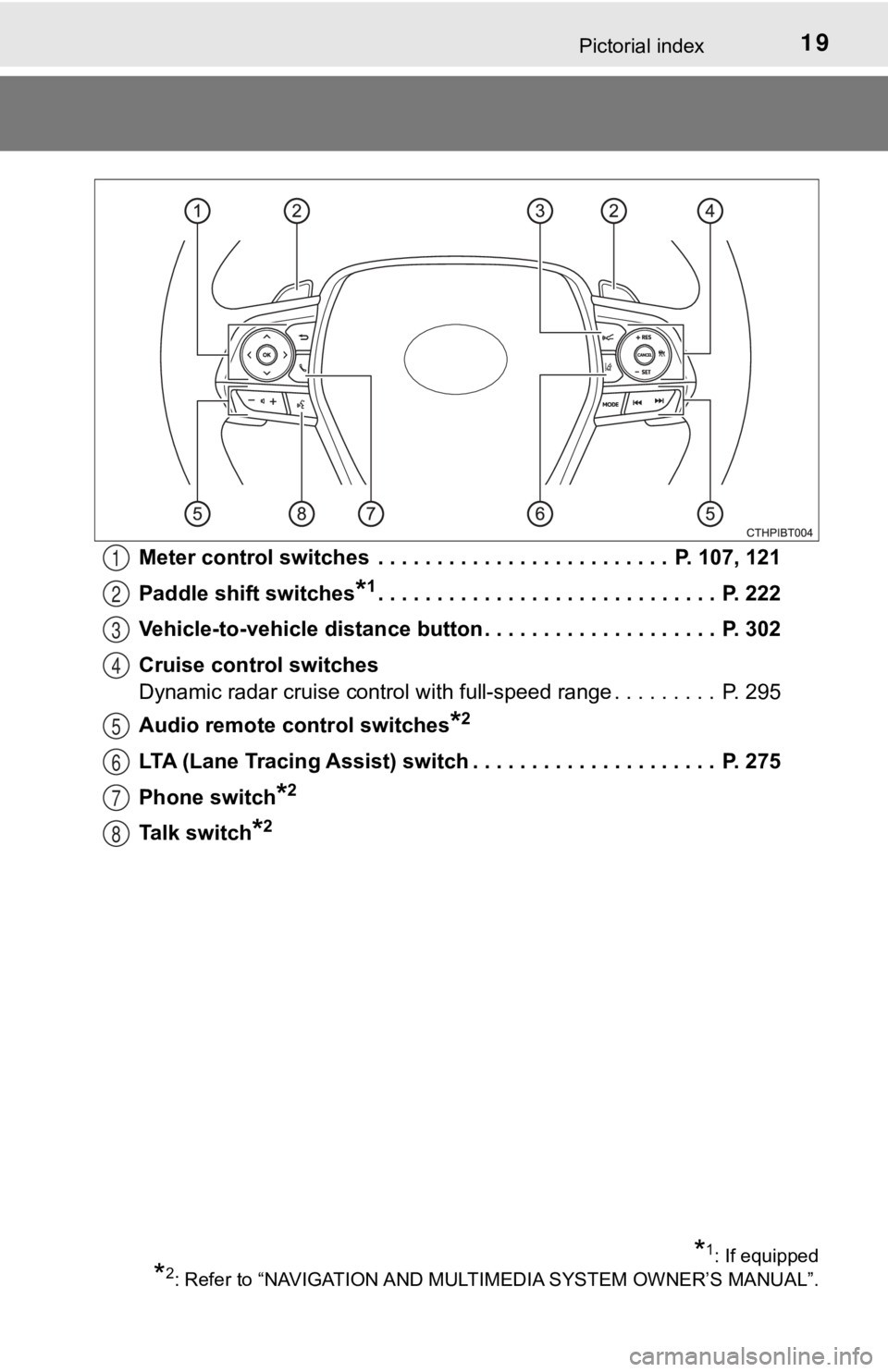
Meter control switches . . . . . . . . . . . . . . . . . . . . . . . . . P. 107, 121
Paddle shift switches
*1. . . . . . . . . . . . . . . . . . . . . . . . . . . . . P. 222
Vehicle-to-vehicle distance button . . . . . . . . . . . . . . . . . . . . P. 302
Cruise control switches
Dynamic radar cruise control with full-speed range . . . . . . . . . P. 295
Audio remote control switches
*2
LTA (Lane Tracing Assist) switch . . . . . . . . . . . . . . . . . . . . . P. 275
Phone switch
*2
Talk switch*2
1
2
3
4
5
6
7
8
*1: If equipped
*2: Refer to “NAVIGATION AND MULT IMEDIA SYSTEM OWNER’S MANUAL”.
Page 108 of 624
1082. Instrument cluster
Select a menu icon to display its content.
Drive information ( P. 1 0 9 )
Select to display various drive data.
Audio system-linked display
Select to enable selection of an audio source or track on the m eter
using the meter control switches.
Driving assist sys tem information
Select to display the operational status of the following syste ms:
• Dynamic radar cruise control with full-speed range ( P. 295)
• LTA (Lane Tracing Assist) ( P. 275)
• RSA (Road Sign Assist) (if equipped) ( P. 290)
Warning message display (P. 519)
Select to display warning messages and measures to be taken if a mal-
function is detected.
Settings display ( P. 1 1 1 )
Select to change the meter display settings and other settings.
Menu icons
Page 122 of 624
1222. Instrument cluster
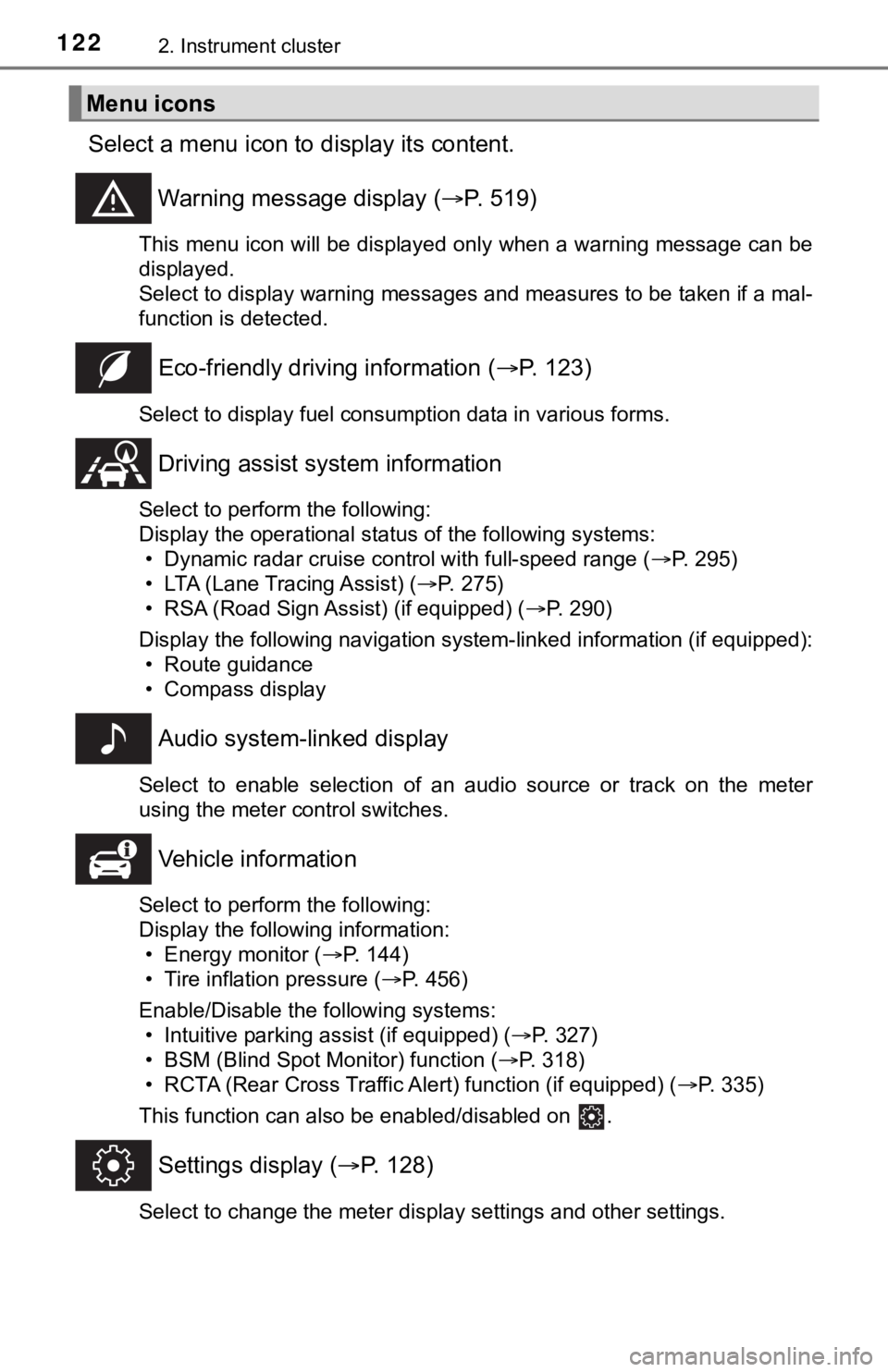
Select a menu icon to display its content.
Warning message display ( P. 519)
This menu icon will be displayed only when a warning message ca n be
displayed.
Select to display warning messages and measures to be taken if a mal-
function is detected.
Eco-friendly drivin g information (P. 123)
Select to display fuel consumption data in various forms.
Driving assist sys tem information
Select to perform the following:
Display the operational status of the following systems:
• Dynamic radar cruise control with full-speed range ( P. 295)
• LTA (Lane Tracing Assist) ( P. 275)
• RSA (Road Sign Assist) (if equipped) ( P. 290)
Display the following navigation system-linked information (if equipped):
• Route guidance
• Compass display
Audio system-linked display
Select to enable selection of an audio source or track on the m eter
using the meter control switches.
Vehicle information
Select to perform the following:
Display the following information: • Energy monitor ( P. 144)
• Tire inflation pressure ( P. 456)
Enable/Disable the following systems: • Intuitive parking assist (if equipped) ( P. 327)
• BSM (Blind Spot Monitor) function ( P. 318)
• RCTA (Rear Cross Traffic Al ert) function (if equipped) (P. 335)
This function can also be enabled/disabled on .
Settings display ( P. 128)
Select to change the meter display settings and other settings.
Menu icons
Page 131 of 624
1312. Instrument cluster
2
Instrument cluster
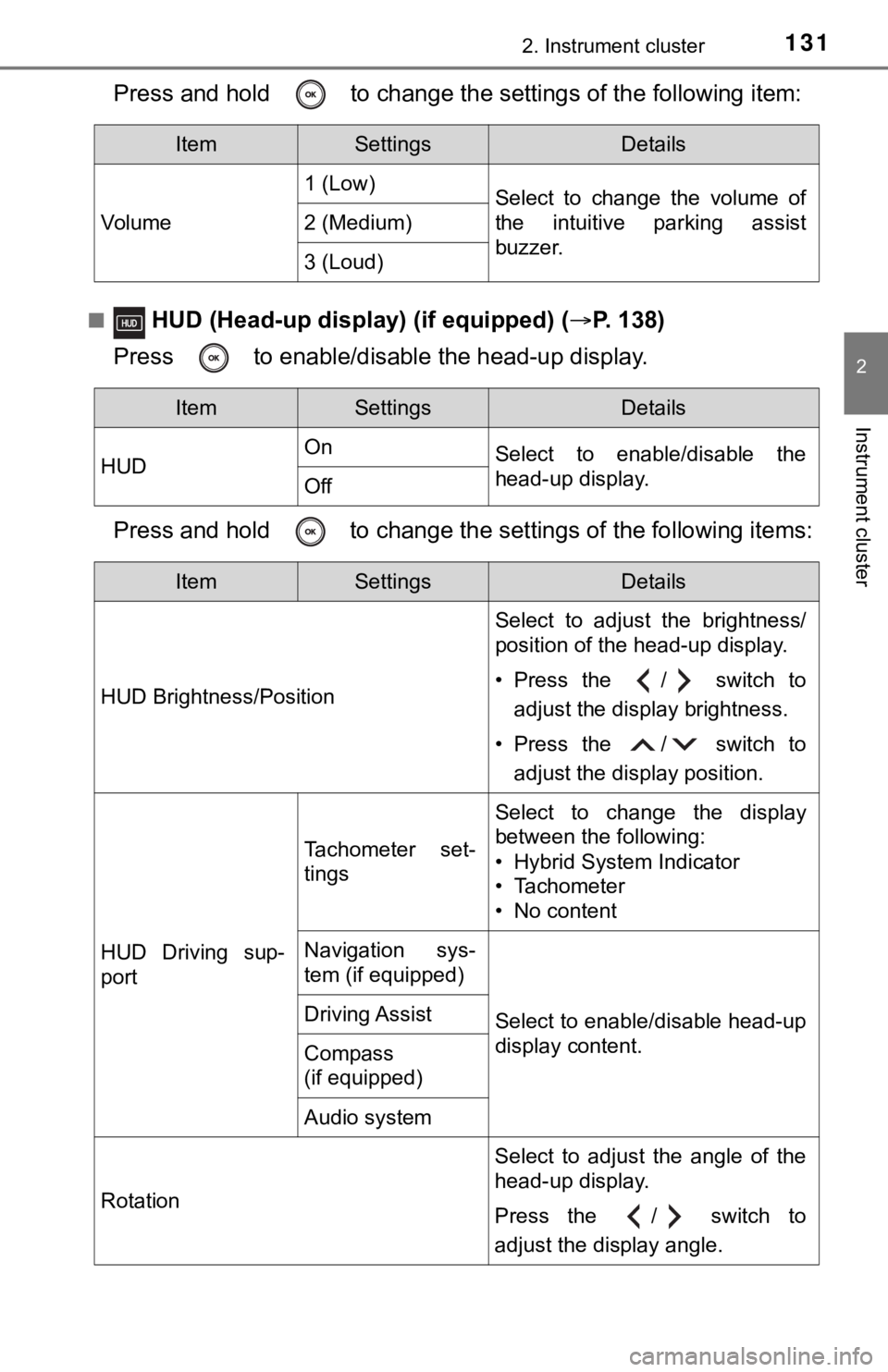
Press and hold to change the settings of the following item:
■ HUD (Head-up display) (if equipped) (P. 138)
Press to enable/disable the head-up display.
Press and hold to change the se ttings of the following items:
ItemSettingsDetails
Vol u me 1 (Low)
Select to change the volume of
the intuitive parking assist
buzzer.
2 (Medium)
3 (Loud)
ItemSettingsDetails
HUD On
Select to enable/disable the
head-up display.
Off
ItemSettingsDetails
HUD Brightness/Position Select to adjust the brightness/
position of the head-up display.
• Press the / switch to
adjust the display brightness.
• Press the / switch to adjust the display position.
HUD Driving sup-
port
Tachometer set-
tings
Select to change the display
between the following:
• Hybrid System Indicator
• Tachometer
• No content
Navigation sys-
tem (if equipped)
Select to enable/disable head-up
display content.Driving Assist
Compass
(if equipped)
Audio system
Rotation Select to adjust the angle of the
head-up display.
Press the / switch to
adjust the display angle.
Page 138 of 624
1382. Instrument cluster
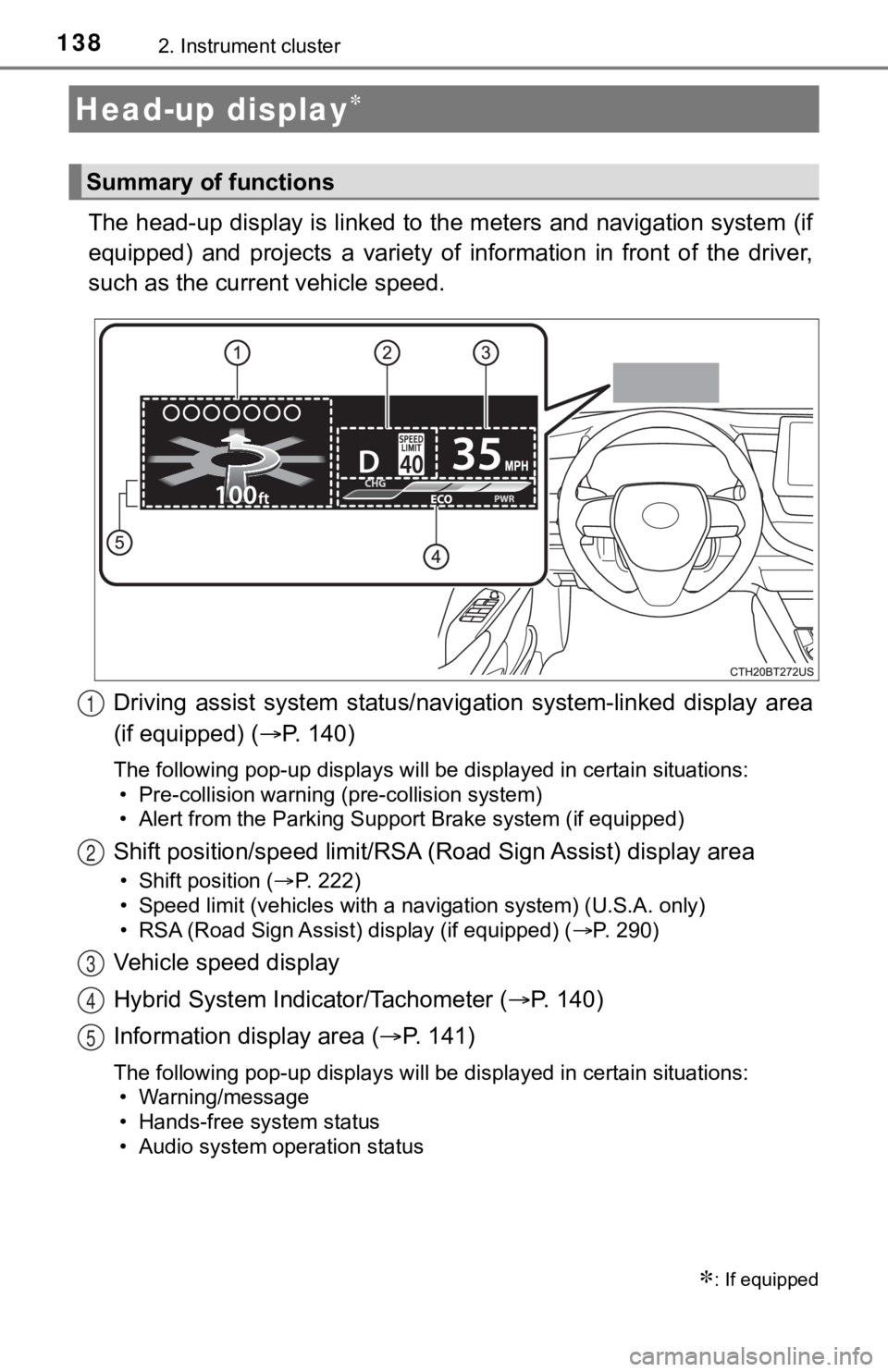
The head-up display is linked to the meters and navigation system (if
equipped) and projects a variety of information in front of the driver,
such as the current vehicle speed.
Driving assist system status/nav igation system-linked display area
(if equipped) ( P. 140)
The following pop-up displays will be displayed in certain situations:
• Pre-collision warning (pre-collision system)
• Alert from the Parking Support Brake system (if equipped)
Shift position/speed limit/RSA ( Road Sign Assist) display area
• Shift position (P. 222)
• Speed limit (vehicles with a navigation system) (U.S.A. only)
• RSA (Road Sign Assist) display (if equipped) ( P. 290)
Vehicle speed display
Hybrid System Indicator/Tachometer (P. 1 4 0 )
Information display area ( P. 141)
The following pop-up displays will be displayed in certain situations:
• Warning/message
• Hands-free system status
• Audio system operation status
Head-up display
: If equipped
Summary of functions
1
2
3
4
5
Page 139 of 624
1392. Instrument cluster
2
Instrument cluster
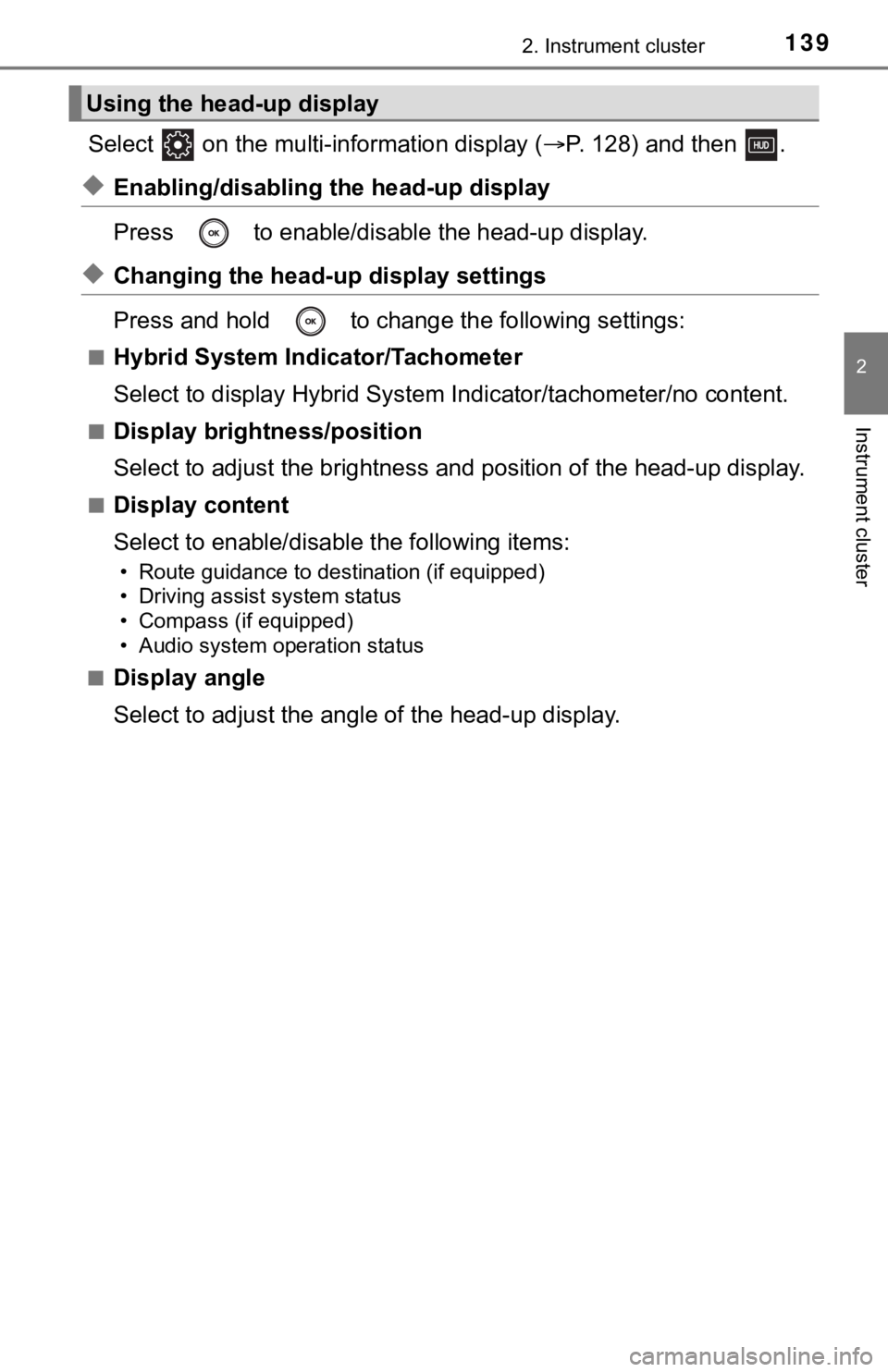
Select on the multi-information display (P. 128) and then .
◆Enabling/disabling th e head-up display
Press to enable/disable the head-up display.
◆Changing the head-up display settings
Press and hold to change the following settings:
■Hybrid System Indicator/Tachometer
Select to display Hybrid System Indicator/tachometer/no content .
■Display brightness/position
Select to adjust the brightness and position of the head-up dis play.
■Display content
Select to enable/disable the following items:
• Route guidance to destination (if equipped)
• Driving assist system status
• Compass (if equipped)
• Audio system operation status
■
Display angle
Select to adjust the angl e of the head-up display.
Using the head-up display
Page 141 of 624
1412. Instrument cluster
2
Instrument cluster
Displays the following items in the appropriate situation:
■Warning/Message
●Alert from the LTA (Lane Tracing Assist)
● Dynamic radar cruise control with full-speed range
● message
Displayed when a suggestion/advice pop-up display is displayed on the
multi-information display. ( P. 135)
● message
Displayed when a warning message is displayed on the multi-info rma-
tion display. ( P. 519)
● Outside temperature
Displayed in the following situations:
• When the power switch is turned to ON mode
• When the low outside temperature indicator is flashing
Displayed content is the same as that displayed on the multi-in formation
display. For details, refer to the explanation of the outside temperature
display on the multi-information display. ( P. 102)
■
Hands-free system status
Displayed when the hands-free system is operated.
■
Audio system operation status
Displayed when the audio system is operated.
Information display area
Page 144 of 624
1442. Instrument cluster
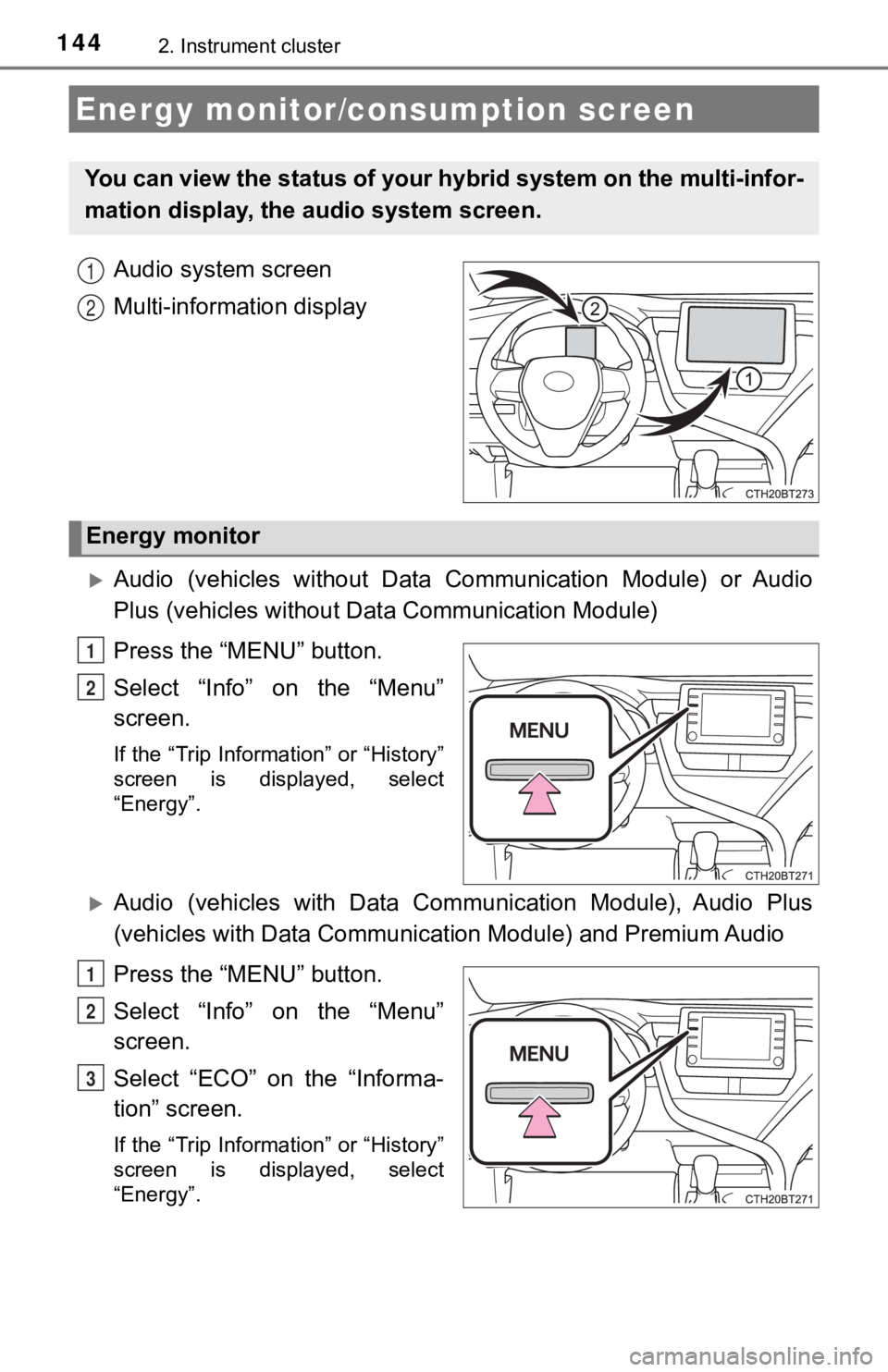
Audio system screen
Multi-information display
Audio (vehicles without Data Communication Module) or Audio
Plus (vehicles without Data Communication Module)
Press the “MENU” button.
Select “Info” on the “Menu”
screen.
If the “Trip Information” or “History”
screen is displayed, select
“Energy”.
Audio (vehicles with Data Commu nication Module), Audio Plus
(vehicles with Data Communicat ion Module) and Premium Audio
Press the “MENU” button.
Select “Info” on the “Menu”
screen.
Select “ECO” on the “Informa-
tion” screen.
If the “Trip Information” or “History”
screen is displayed, select
“Energy”.
Energy monitor/consumption screen
You can view the status of your hybrid system on the multi-info r-
mation display, the audio system screen.
1
2
Energy monitor
1
2
1
2
3