bluetooth TOYOTA COROLLA 2012 10.G User Guide
[x] Cancel search | Manufacturer: TOYOTA, Model Year: 2012, Model line: COROLLA, Model: TOYOTA COROLLA 2012 10.GPages: 529, PDF Size: 8.07 MB
Page 281 of 529
281
3-3. Using the Bluetooth
® audio system
3
Interior features
NOTICE
■
To prevent damage to Bluetooth® device
Do not leave Bluetooth
® device in the vehicle. The temperature inside the
vehicle may become high, resulting in damage to the device.
Page 282 of 529
282
3-3. Using the Bluetooth® audio system
Using the Bluetooth® audio/phone
■Audio unit
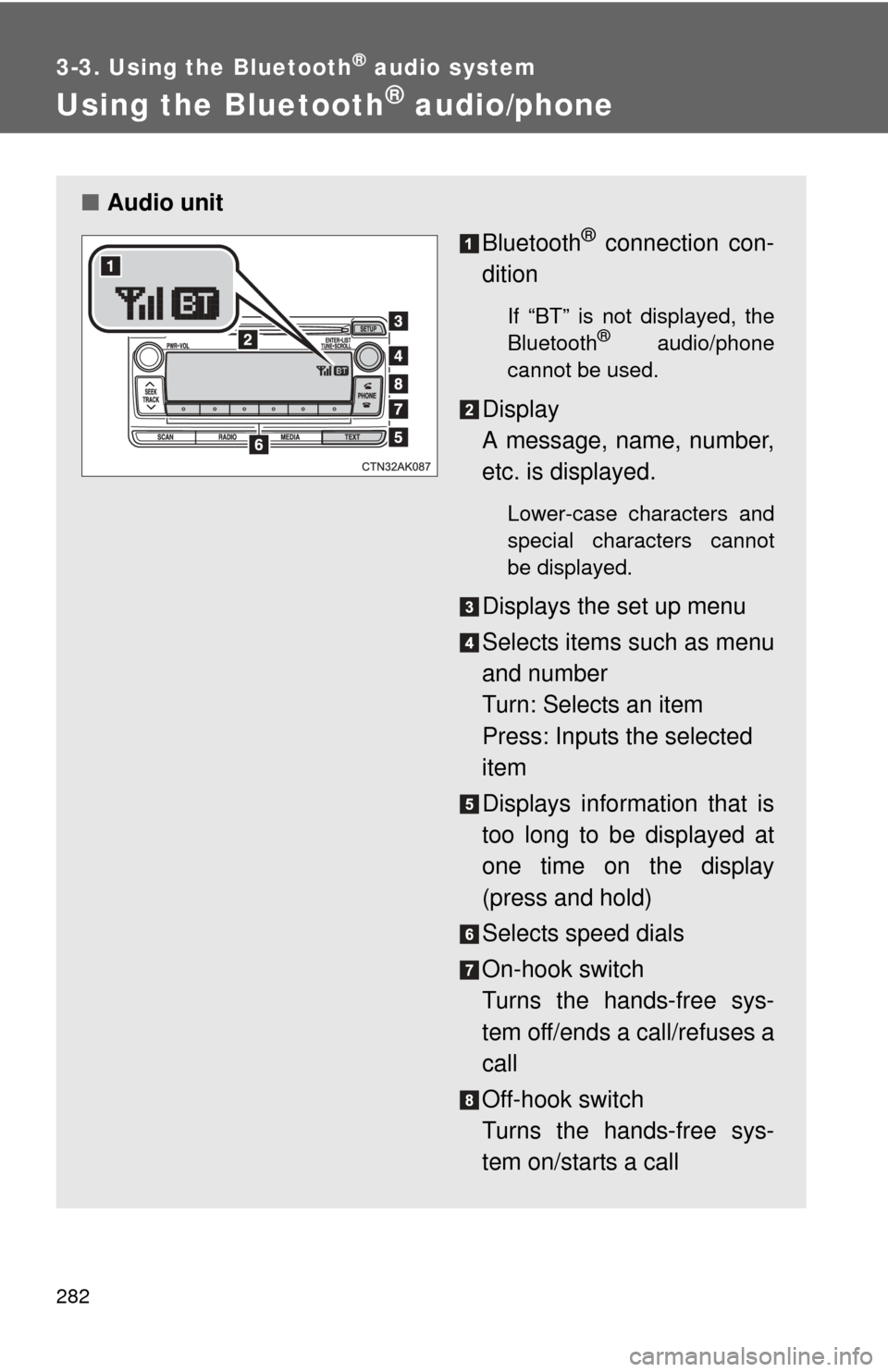
Bluetooth
® connection con-
dition
If “BT” is not displayed, the
Bluetooth® audio/phone
cannot be used.
Display
A message, name, number,
etc. is displayed.
Lower-case characters and
special characters cannot
be displayed.
Displays the set up menu
Selects items such as menu
and number
Turn: Selects an item
Press: Inputs the selected
item
Displays information that is
too long to be displayed at
one time on the display
(press and hold)
Selects speed dials
On-hook switch
Turns the hands-free sys-
tem off/ends a call/refuses a
call
Off-hook switch
Turns the hands-free sys-
tem on/starts a call
Page 283 of 529
283
3-3. Using the Bluetooth
® audio system
3
Interior features
■
Steering wheel switches
P. 275
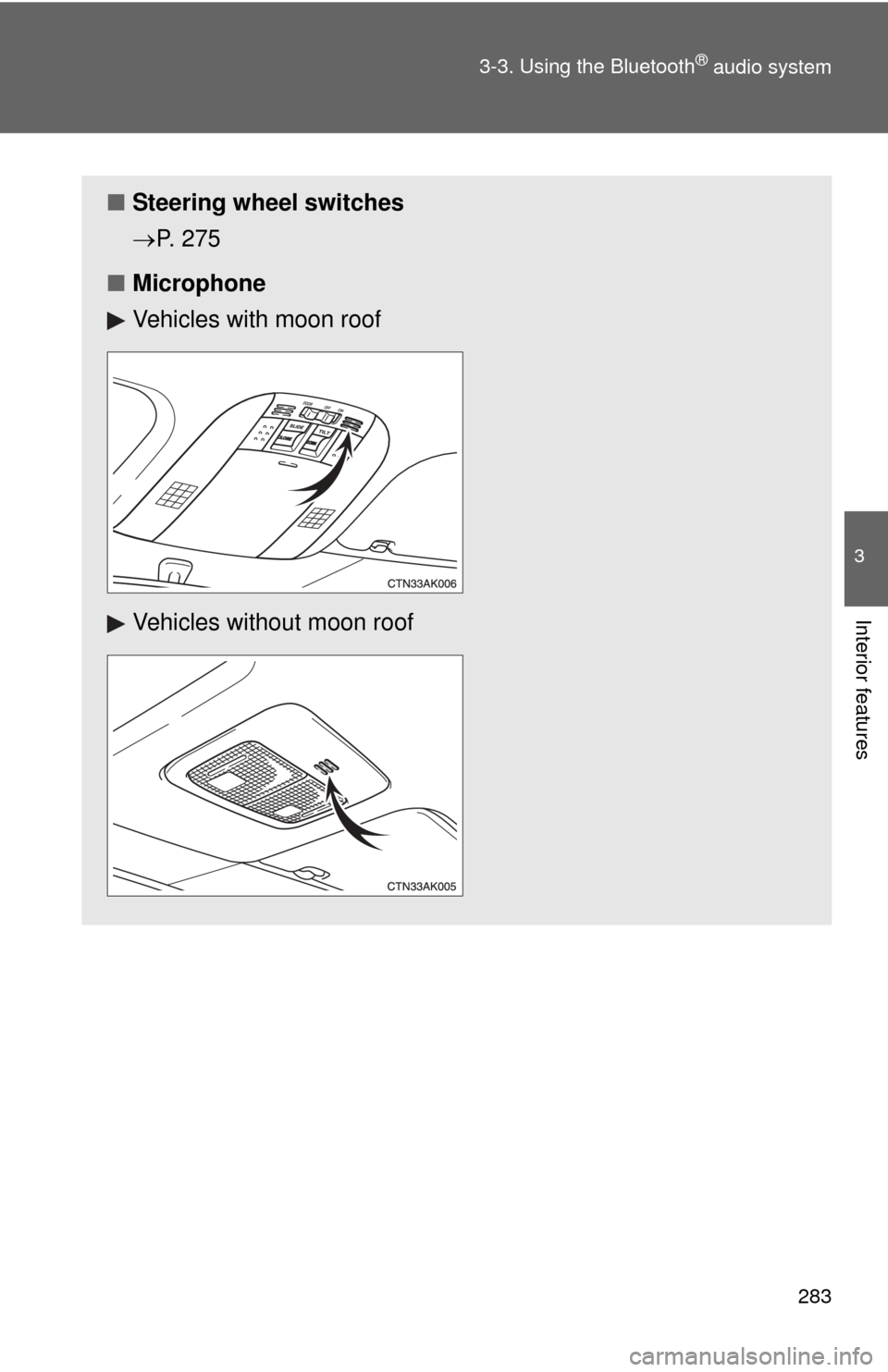
■ Microphone
Vehicles with moon roof
Vehicles without moon roof
Page 284 of 529
284 3-3. Using the Bluetooth
® audio system
Using the Bluetooth® audio/phone for the first time
Before using the Bluetooth
® audio/phone, it is nec essary to register a
Bluetooth® device in the system. Follow the procedure below to reg-
ister (pair) a device:
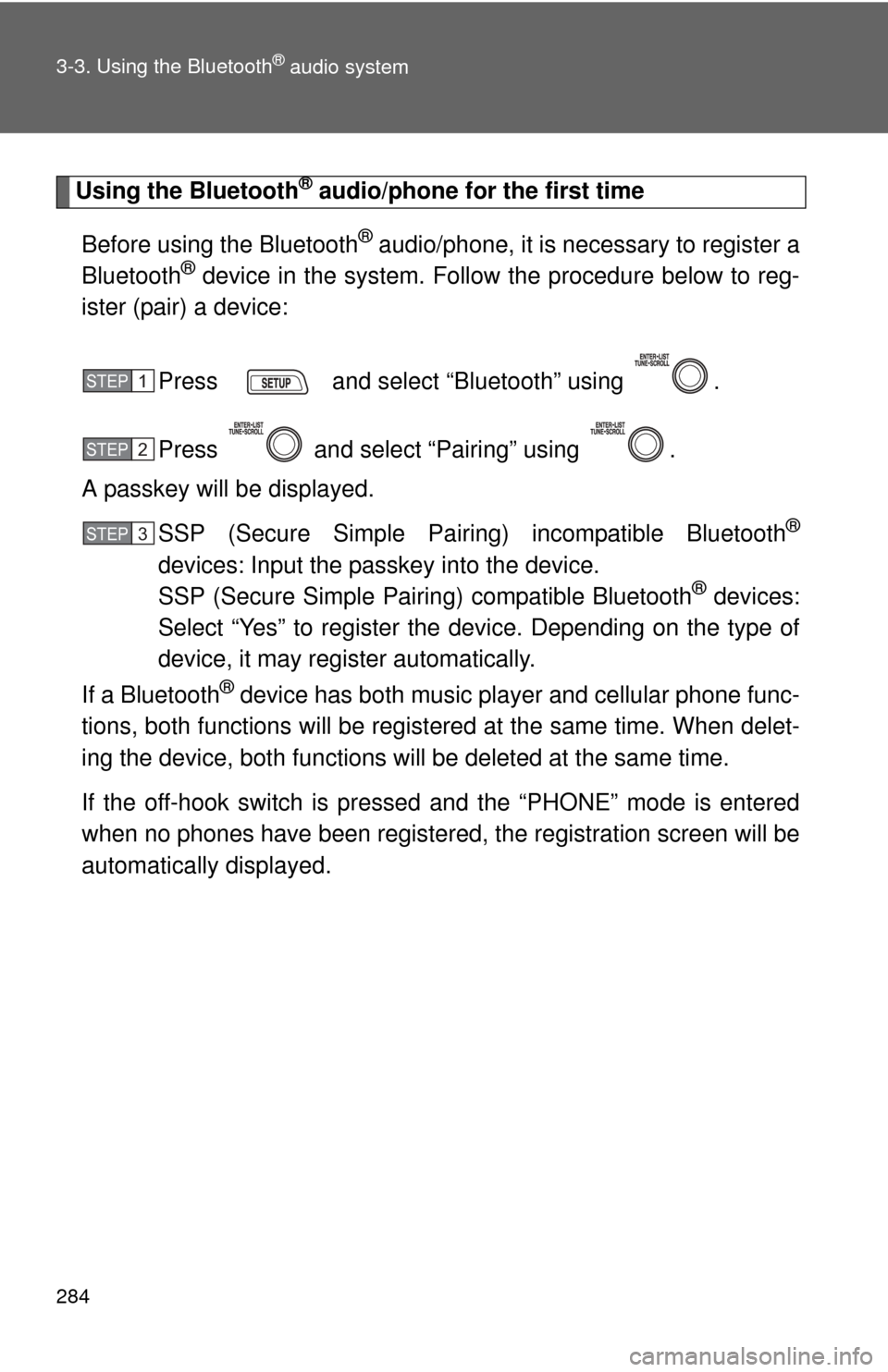
Press and select “Bluetooth” using .
Press and select “Pairing” using .
A passkey will be displayed.
SSP (Secure Simple Pairing) incompatible Bluetooth
®
devices: Input the passkey into the device.
SSP (Secure Simple Pairing) compatible Bluetooth® devices:
Select “Yes” to register the device. Depending on the type of
device, it may register automatically.
If a Bluetooth
® device has both music player and cellular phone func-
tions, both functions will be regist ered at the same time. When delet-
ing the device, both f unctions will be deleted at the same time.
If the off-hook switch is pressed and the “PHONE” mode is entered
when no phones have been registered, the re gistration screen will be
automatically displayed.
STEP 1
STEP 2
STEP 3
Page 285 of 529
285
3-3. Using the Bluetooth
® audio system
3
Interior features
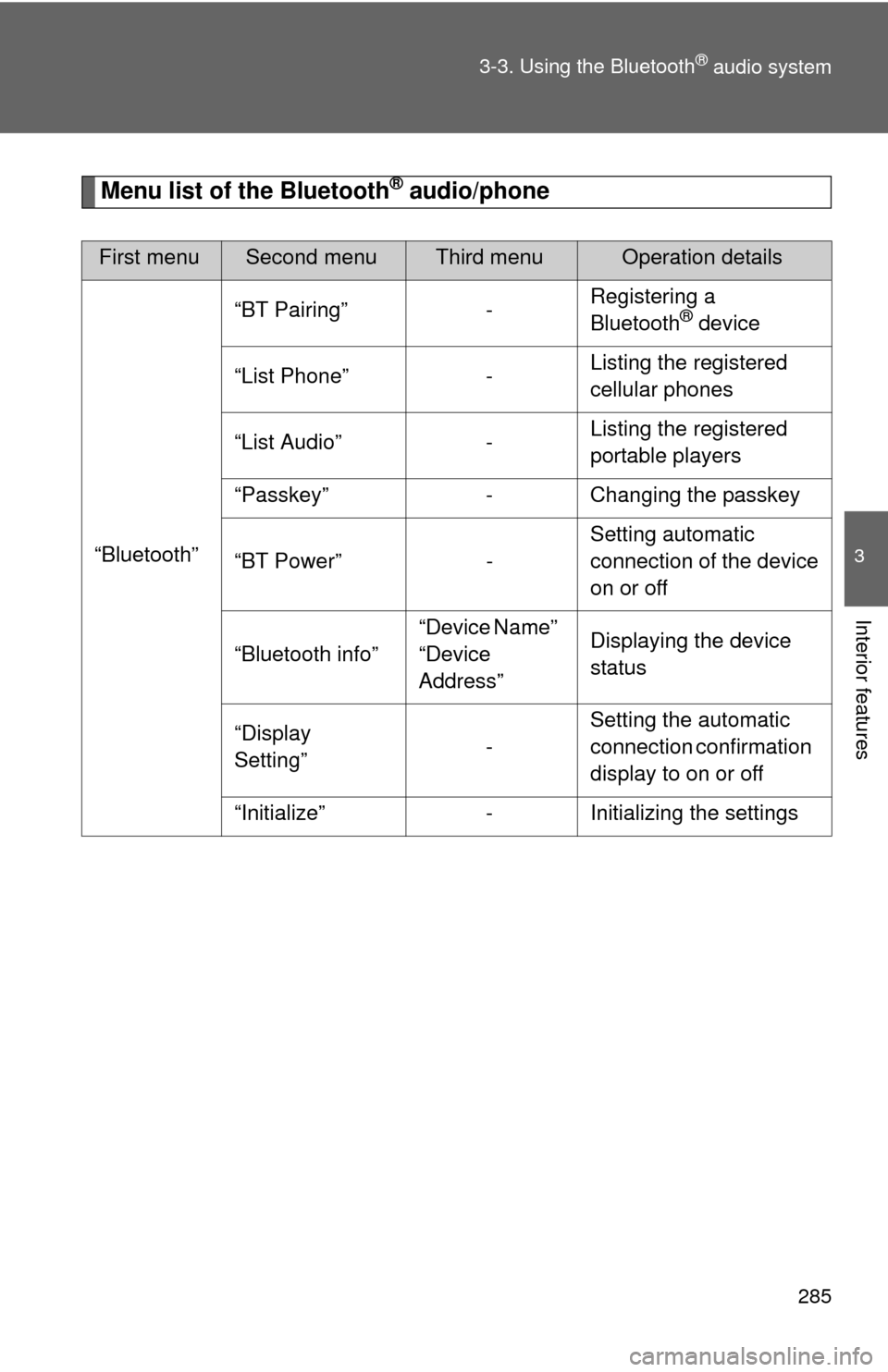
Menu list of the Bluetooth® audio/phone
First menuSecond menuThird menuOperation details
“Bluetooth” “BT Pairing” -
Registering a
Bluetooth
® device
“List Phone” - Listing the registered
cellular phones
“List Audio” - Listing the registered
portable players
“Passkey” - Changing the passkey
“BT Power” - Setting automatic
connection of the device
on or off
“Bluetooth info” “Device Name”
“Device
Address”Displaying the device
status
“Display
Setting” -Setting the automatic
connection confirmation
display to on or off
“Initialize” - Initializing the settings
Page 286 of 529
286 3-3. Using the Bluetooth
® audio system
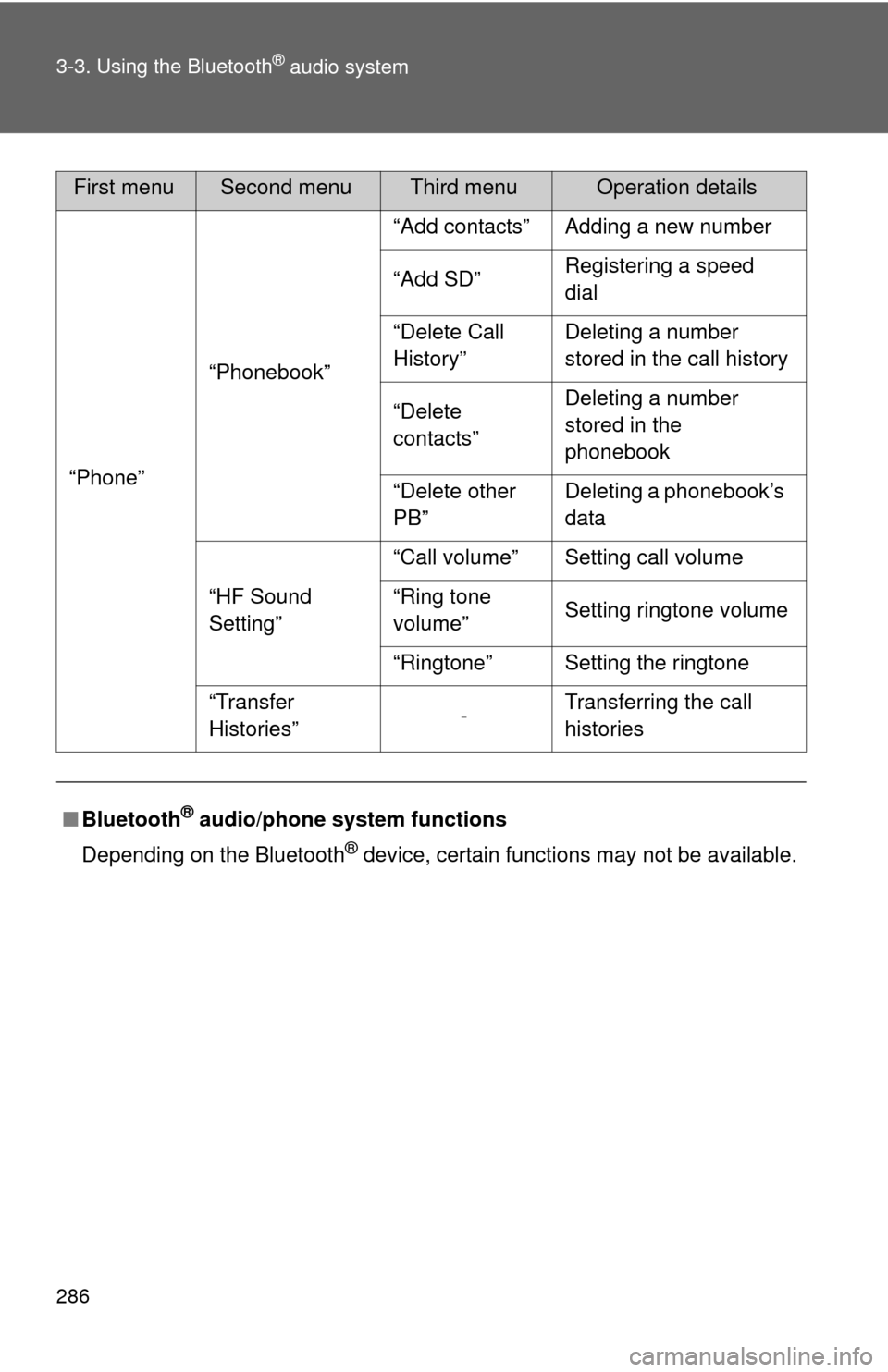
“Phone”“Phonebook” “Add contacts” Adding a new number
“Add SD”
Registering a speed
dial
“Delete Call
History” Deleting a number
stored in the call history
“Delete
contacts” Deleting a number
stored in the
phonebook
“Delete other
PB” Deleting a phonebook’s
data
“HF Sound
Setting” “Call volume” Setting call volume
“Ring tone
volume”
Setting ringtone volume
“Ringtone” Setting the ringtone
“Transfer
Histories” -Transferring the call
histories
■ Bluetooth
® audio/phone system functions
Depending on the Bluetooth
® device, certain functions may not be available.
First menuSecond menuThird menuOperation details
Page 287 of 529
287
3-3. Using the Bluetooth® audio system
3
Interior features
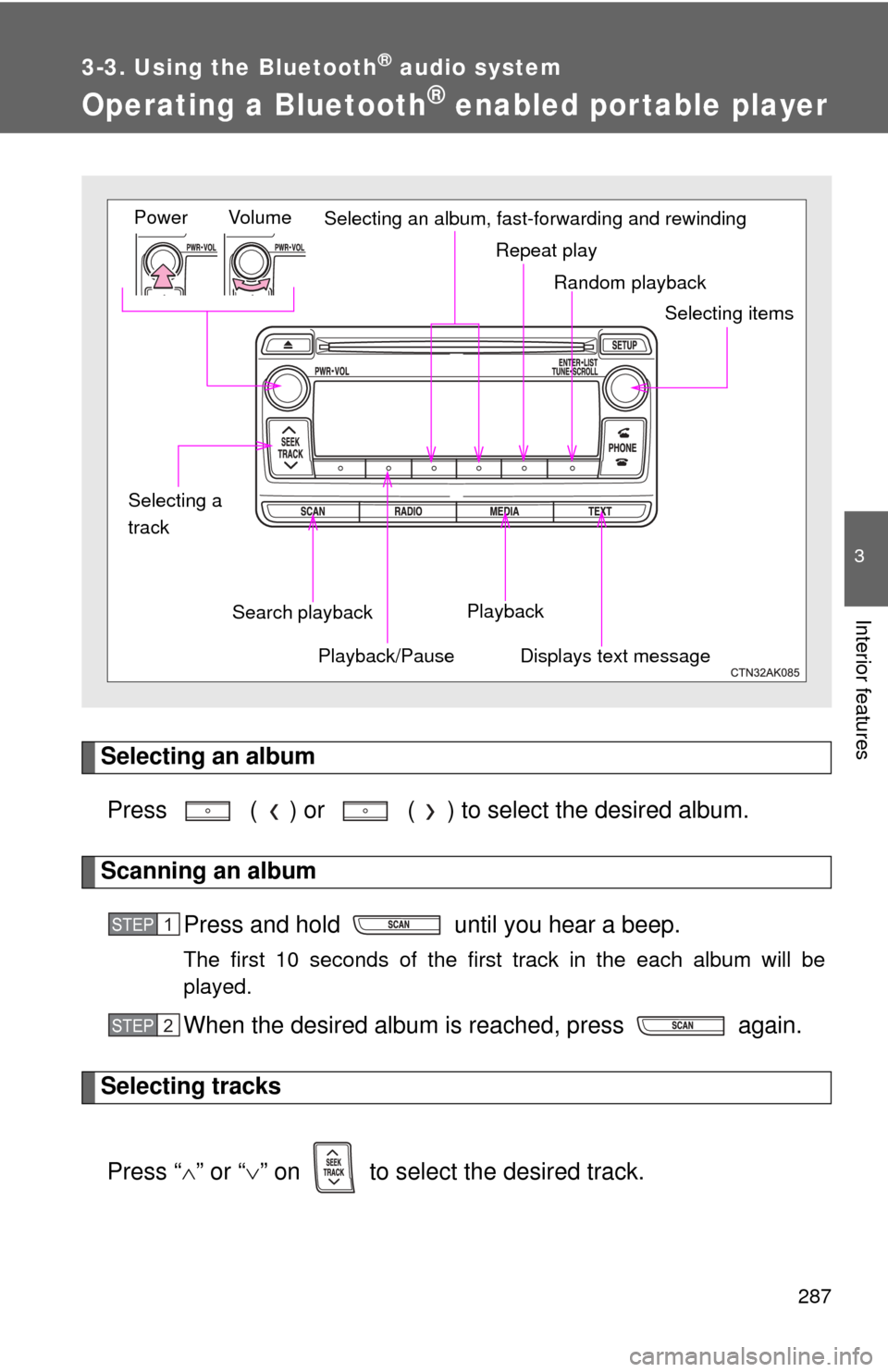
Operating a Bluetooth® enabled portable player
Selecting an albumPress ( ) or ( ) to select the desired album.
Scanning an album Press and hold until you hear a beep.
The first 10 seconds of the first track in the each album will be
played.
When the desired album is reached, press again.
Selecting tracks
Press “ ” or “ ” on to select the desired track.
Random playback
Repeat play
Playback
Playback/PauseDisplays text message
Vol u m e
Power
Selecting itemsSelecting an album, fast-forwarding and rewinding
Search playback
Selecting a
track
STEP 1
STEP 2
Page 288 of 529
288 3-3. Using the Bluetooth
® audio system
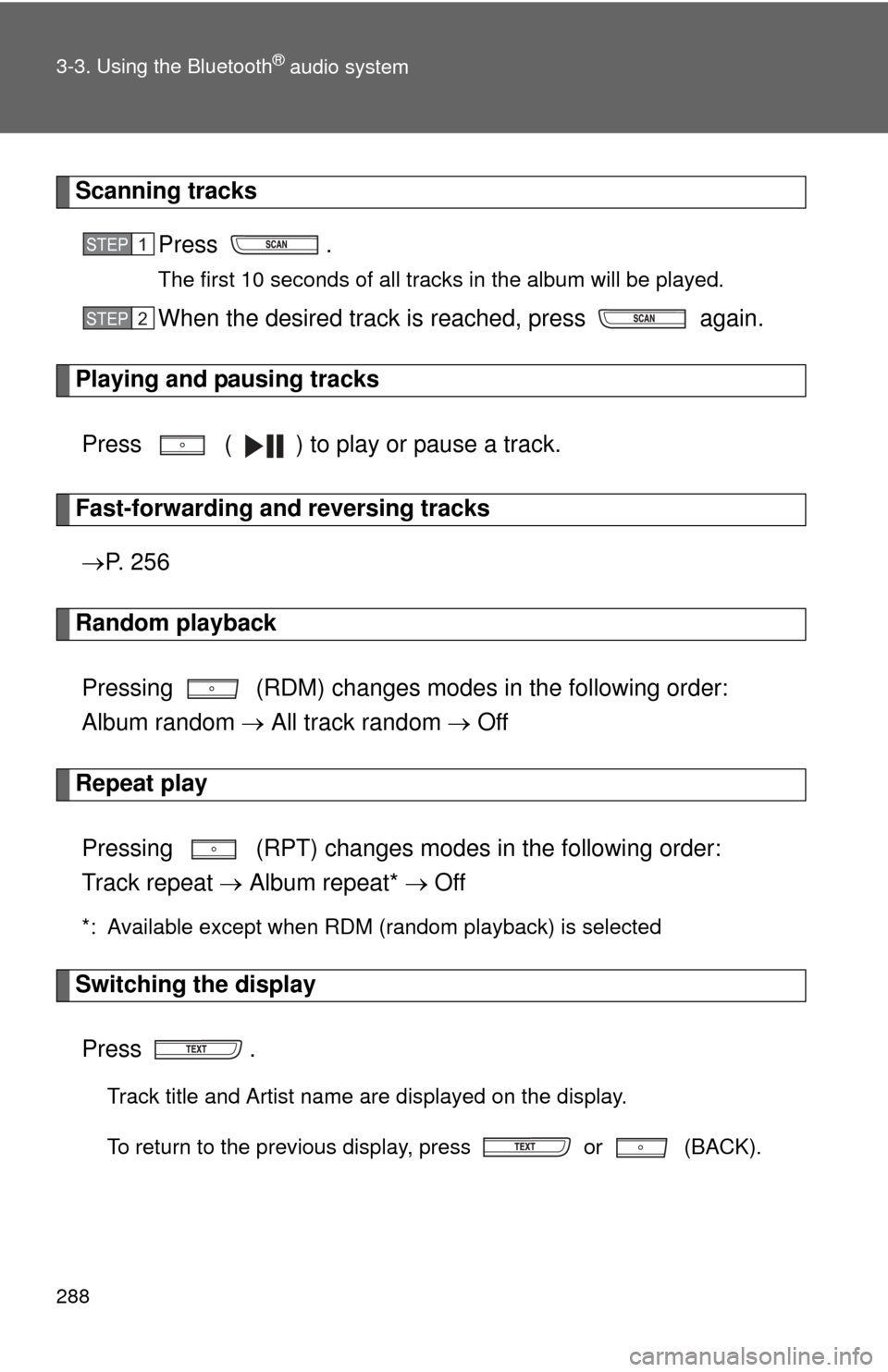
Scanning tracksPress .
The first 10 seconds of all tracks in the album will be played.
When the desired track is reached, press again.
Playing and pausing tracks
Press ( ) to play or pause a track.
Fast-forwarding and reversing tracks P. 2 5 6
Random playback
Pressing (RDM) changes mode s in the following order:
Album random All track random Off
Repeat play
Pressing (RPT) changes modes in the following order:
Track repeat Album repeat* Off
*: Available except when RDM (random playback) is selected
Switching the display
Press .
Track title and Artist name are displayed on the display.
To return to the previous display, press or (BACK).
STEP 1
STEP 2
Page 289 of 529
289
3-3. Using the Bluetooth
® audio system
3
Interior features
■
Bluetooth® audio system functions
Depending on the portable player that is connected to the system, certain
functions may not be available.
Page 295 of 529
295
3-4. Using the hands-free phone system (for cellular phone)
3
Interior features
Using the “SET UP” menu (“Bluetooth” menu)
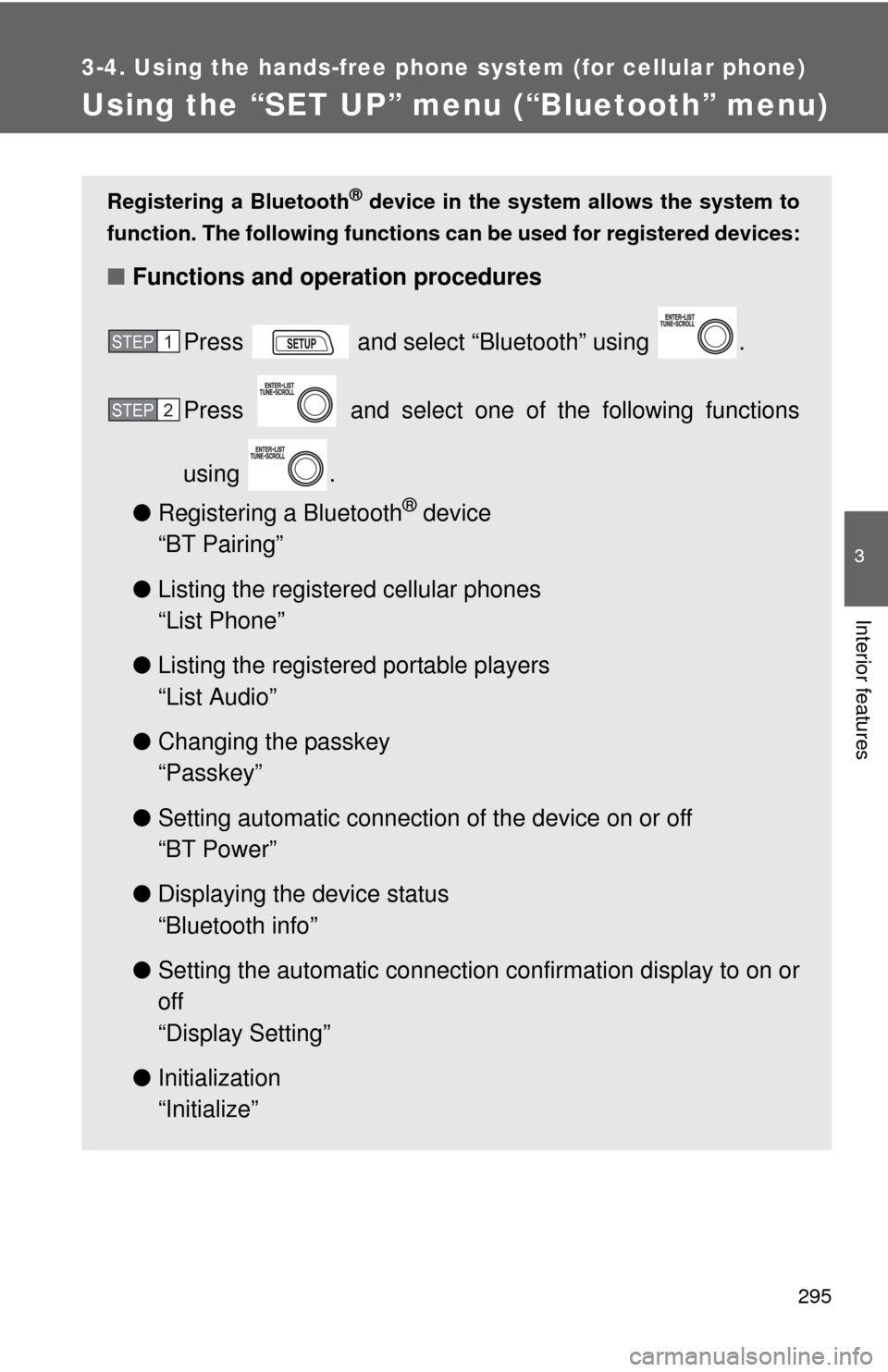
Registering a Bluetooth® device in the system allows the system to
function. The following functions can be used for registered devices:
■Functions and operation procedures
Press and select “Bluetooth” using .
Press and select one of the following functions
using .
● Registering a Bluetooth
® device
“BT Pairing”
● Listing the registered cellular phones
“List Phone”
● Listing the registered portable players
“List Audio”
● Changing the passkey
“Passkey”
● Setting automatic connection of the device on or off
“BT Power”
● Displaying the device status
“Bluetooth info”
● Setting the automatic connection confirmation display to on or
off
“Display Setting”
● Initialization
“Initialize”
STEP 1
STEP 2