ECO mode TOYOTA COROLLA 2013 11.G Owner's Guide
[x] Cancel search | Manufacturer: TOYOTA, Model Year: 2013, Model line: COROLLA, Model: TOYOTA COROLLA 2013 11.GPages: 532, PDF Size: 8.55 MB
Page 434 of 532
434 5-2. Steps to take in an emergency
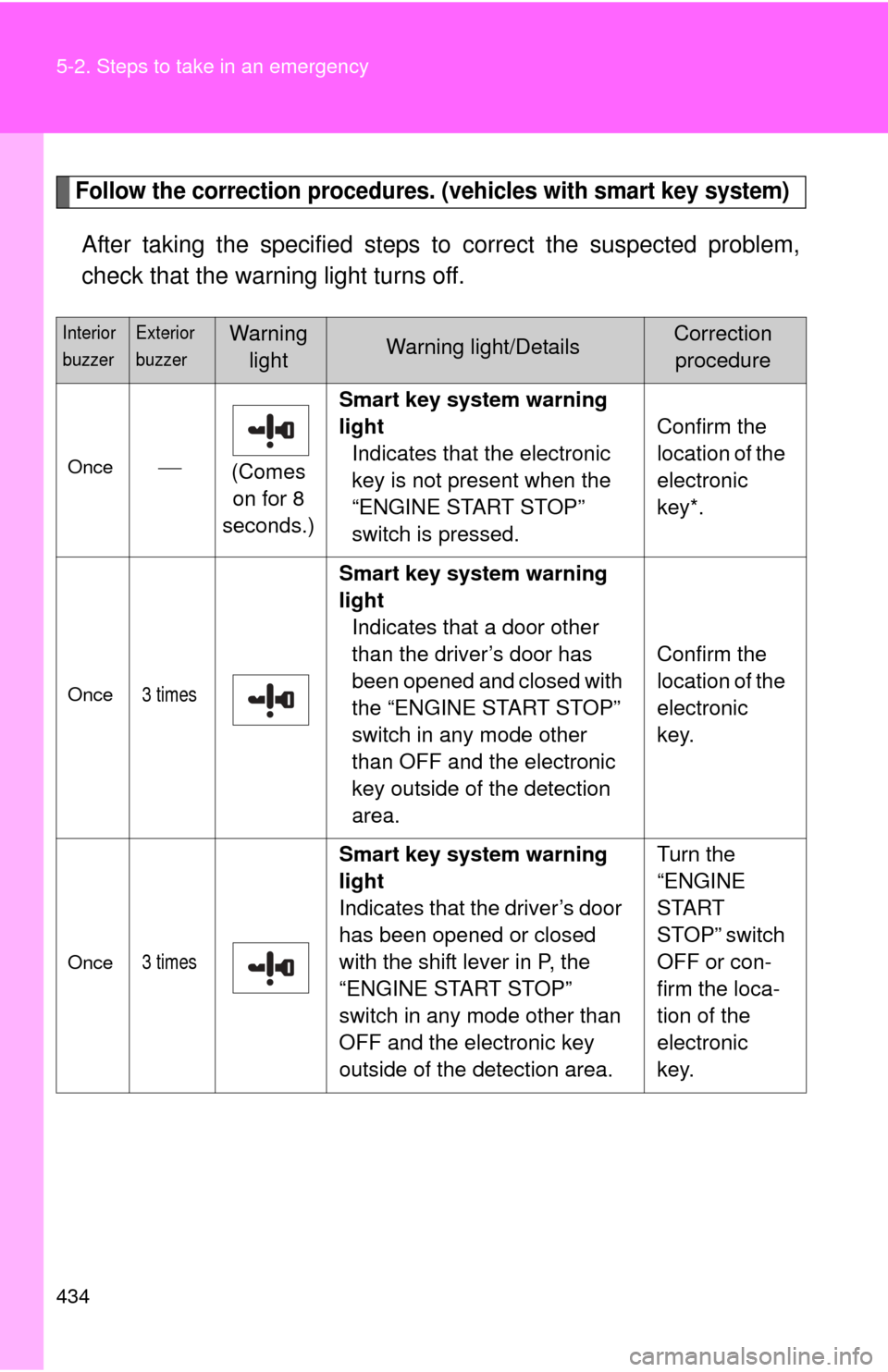
Follow the correction procedures. (vehicles with smart key system)
After taking the specified steps to correct the suspected problem,
check that the warning light turns off.
Interior
buzzerExterior
buzzerWarning lightWarning light/DetailsCorrection procedure
Once (Comes
on for 8
seconds.) Smart key system warning
light
Indicates that the electronic
key is not present when the
“ENGINE START STOP”
switch is pressed. Confirm the
location of the
electronic
key*.
Once3 times
Smart key system warning
light
Indicates that a door other
than the driver’s door has
been opened and closed with
the “ENGINE START STOP”
switch in any mode other
than OFF and the electronic
key outside of the detection
area. Confirm the
location of the
electronic
key.
Once3 times
Smart key system warning
light
Indicates that the driver’s door
has been opened or closed
with the shift lever in P, the
“ENGINE START STOP”
switch in any mode other than
OFF and the electronic key
outside of the detection area. Turn the
“ENGINE
START
STOP” switch
OFF or con-
firm the loca-
tion of the
electronic
key.
Page 449 of 532
5
When trouble arises
449
5-2. Steps to take in an emergency
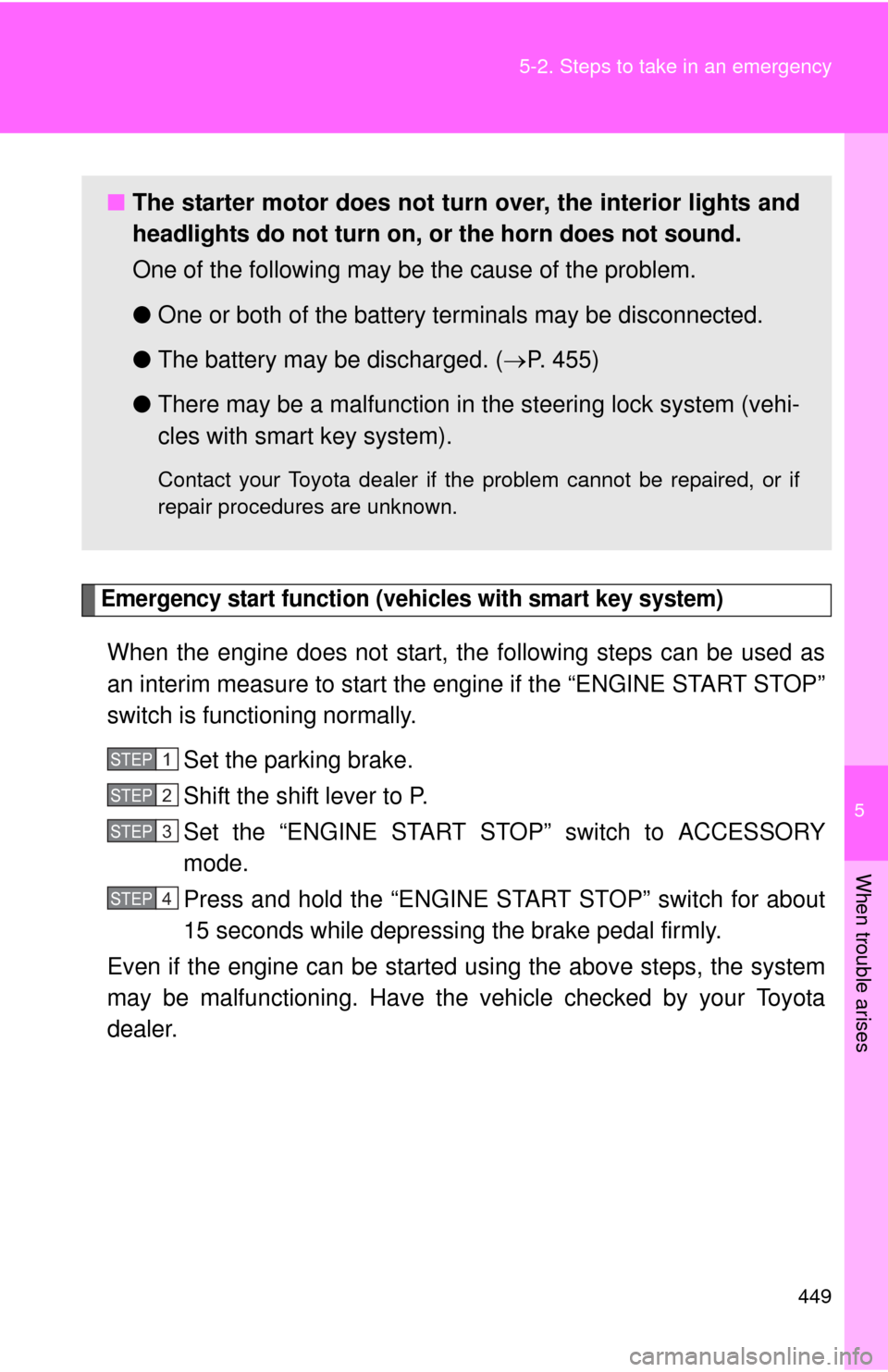
Emergency start function (vehicles with smart key system)
When the engine does not start, the following steps can be used as
an interim measure to start the engine if the “ENGINE START STOP”
switch is functioning normally.
Set the parking brake.
Shift the shift lever to P.
Set the “ENGINE START ST OP” switch to ACCESSORY
mode.
Press and hold the “ENGINE START STOP” switch for about
15 seconds while depressing the brake pedal firmly.
Even if the engine can be start ed using the above steps, the system
may be malfunctioning. Have the vehicle checked by your Toyota
dealer.
■ The starter motor does not turn over, the interior lights and
headlights do not turn on, or the horn does not sound.
One of the following may be the cause of the problem.
● One or both of the battery terminals may be disconnected.
● The battery may be discharged. ( P. 455)
● There may be a malfunction in the steering lock system (vehi-
cles with smart key system).
Contact your Toyota dealer if the problem cannot be repaired, or if
repair procedures are unknown.
STEP 1
STEP 2
STEP 3
STEP 4
Page 454 of 532

454 5-2. Steps to take in an emergency
■Stopping the engine
Shift the shift lever to P and press the “ENGINE START STOP” switch as
you normally do when stopping the engine.
■ Replacing the key battery
As the above procedure is a temporary measure, it is recommended that the
electronic key battery be replaced immediately when the battery is depleted.
(P. 388)
■ Changing “ENGINE START STOP” switch modes
Automatic transmission
Within 5 seconds of the buzzer sounding, release the brake pedal and press
the “ENGINE START STOP” switch.
The engine does not start and modes will be changed each time the switch
is pressed. ( P. 132)
Manual transmission
Within 5 seconds of the buzzer sounding, release the clutch pedal and press
the “ENGINE START STOP” switch.
The engine does not start and modes will be changed each time the switch
is pressed. ( P. 132)
Page 456 of 532
456 5-2. Steps to take in an emergency
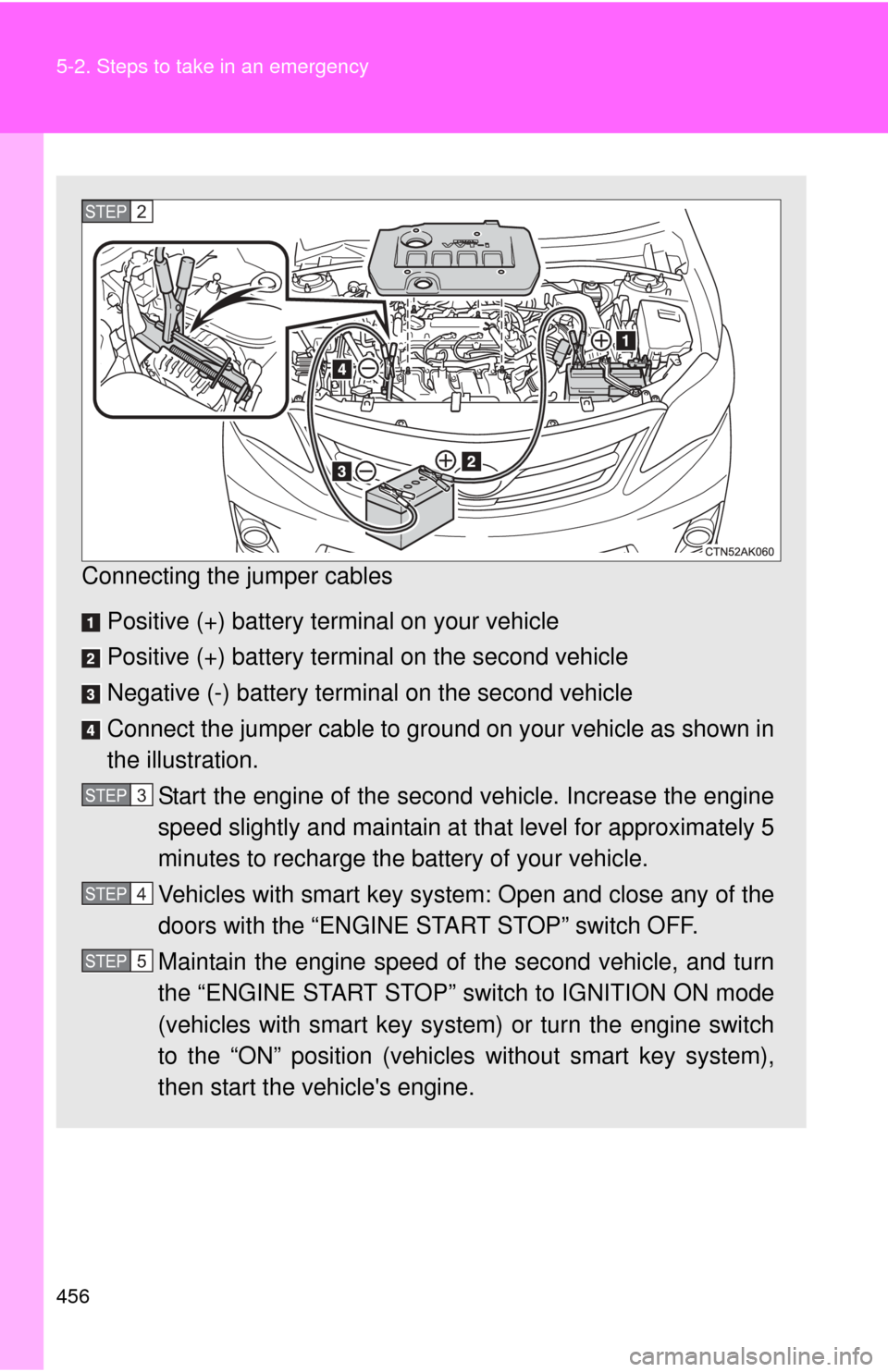
Connecting the jumper cables Positive (+) battery terminal on your vehicle
Positive (+) battery terminal on the second vehicle
Negative (-) battery terminal on the second vehicle
Connect the jumper cable to ground on your vehicle as shown in
the illustration. Start the engine of the second vehicle. Increase the engine
speed slightly and maintain at that level for approximately 5
minutes to recharge the battery of your vehicle.
Vehicles with smart key system: Open and close any of the
doors with the “ENGINE START STOP” switch OFF.
Maintain the engine speed of the second vehicle, and turn
the “ENGINE START STOP” switch to IGNITION ON mode
(vehicles with smart key system) or turn the engine switch
to the “ON” position (vehicles without smart key system),
then start the vehicle's engine.
STEP 2
STEP 3
STEP 4
STEP 5
Page 494 of 532

494 6-1. Specifications
Tire related termMeaning
Innerliner separation The parting of the innerliner from cord material
in the carcass
Intended outboard
sidewall (a) The sidewall that contains a whitewall,
bears white lettering, or bears manufac-
turer, brand, and/or model name molding
that is higher or deeper than the same
molding on the other sidewall of the tire, or
(b) The outward facing sidewall of an asym- metrical tire that has a particular side that
must always face ou tward when mounted
on a vehicle
Light truck (LT) tire A tire designated by its manufacturer as prima-
rily intended for use on lightweight trucks or
multipurpose passenger vehicles
Load rating The maximum load that a tire is rated to carry
for a given inflation pressure
Maximum load rating The load rating for a tire at the maximum per-
missible inflation pressure for that tire
Maximum permissible
inflation pressure The maximum cold inflation pressure to which
a tire may be inflated
Measuring rim The rim on which a tire is fitted for physical
dimension requirements
Open splice Any parting at any junction of tread, sidewall, or
innerliner that extends to cord material
Outer diameter The overall diameter of an inflated new tire
Overall width The linear distance between the exteriors of
the sidewalls of an inflated tire, including eleva-
tions due to labeling, decorations, or protective
bands or ribs
Passenger car tire A tire intended for use on passenger cars, mul-
tipurpose passenger vehicles, and trucks, that
have a gross vehicle weight rating (GVWR) of
10,000 lb. or less.