EPS TOYOTA COROLLA 2013 11.G Owners Manual
[x] Cancel search | Manufacturer: TOYOTA, Model Year: 2013, Model line: COROLLA, Model: TOYOTA COROLLA 2013 11.GPages: 532, PDF Size: 8.55 MB
Page 5 of 532

1
2
3
4
5
6
7
5
5-1. Essential informationEmergency flashers ............ 416
If your vehicle needs to be towed ................................ 417
If you think something is wrong ................................ 422
Fuel pump shut off system .............................. 423
5-2. Steps to take in an emergency
If a warning light turns on or a warning buzzer
sounds... .......................... 424
If you have a flat tire............ 436
If the engine will not start .... 448
If the shift lever cannot be shifted from P.................... 450
If you lose your keys ........... 451
If the electronic key does not operate properly.......... 452
If the battery is discharged ........................ 455
If your vehicle overheats ..... 461
If the vehicle becomes stuck ................................. 464
If your vehicle has to be stopped in an
emergency ........................ 466 6-1. Specifications
Maintenance data (fuel, oil level, etc.) ........... 470
Fuel information.................. 482
Tire information .................. 485
6-2. Customization Customizable features........ 497
6-3. Initialization Items to initialize ................. 501
Reporting safety defects for U.S. owners ................ 504
Seat belt instructions for Canadian owners
(in French) ........................ 505
SRS airbag instructions for Canadian owners
(in French) ........................ 508
Abbreviation list ........................ 518
Alphabetical index .................... 520
What to do if... .......................... 529
5When trouble arises6Vehicle specifications
7For owners
Index
Page 30 of 532
30 1-2. Opening, closing and locking the doors and trunk
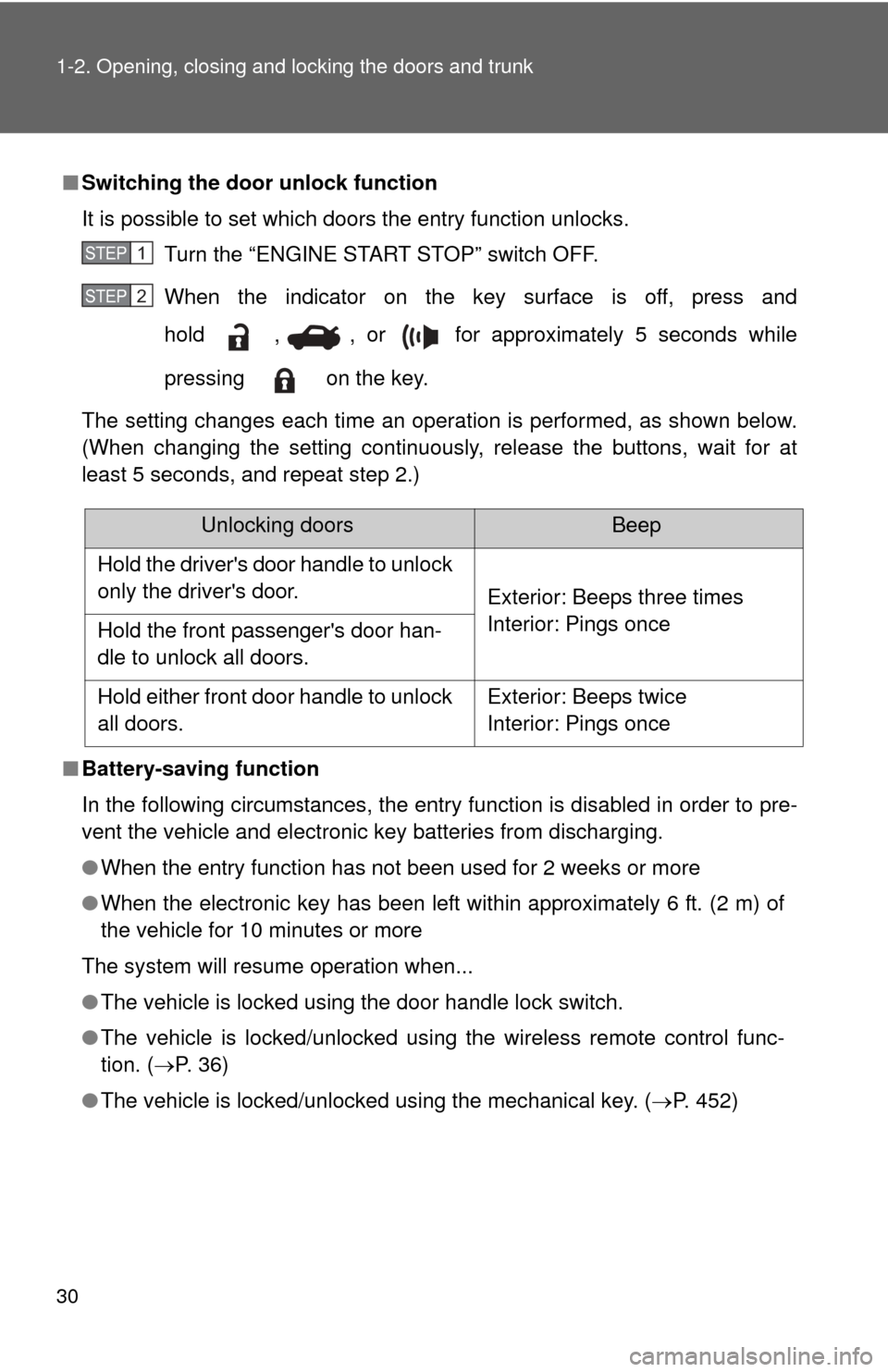
■Switching the door unlock function
It is possible to set which doors the entry function unlocks.
Turn the “ENGINE START STOP” switch OFF.
When the indicator on the key surface is off, press and
hold , , or for approximately 5 seconds while
pressing on the key.
The setting changes each time an operation is performed, as shown below.
(When changing the setting continuously, release the buttons, wait for at
least 5 seconds, and repeat step 2.)
■ Battery-saving function
In the following circumstances, the entry function is disabled in order to pre-
vent the vehicle and electronic key batteries from discharging.
●When the entry function has not been used for 2 weeks or more
● When the electronic key has been left within approximately 6 ft. (2 m) of
the vehicle for 10 minutes or more
The system will resume operation when...
● The vehicle is locked using the door handle lock switch.
● The vehicle is locked/unlocked using the wireless remote control func-
tion. ( P. 3 6 )
● The vehicle is locked/unlocked using the mechanical key. ( P. 452)
STEP 1
STEP 2
Unlocking doorsBeep
Hold the driver's door handle to unlock
only the driver's door. Exterior: Beeps three times
Interior: Pings once
Hold the front passenger's door han-
dle to unlock all doors.
Hold either front door handle to unlock
all doors. Exterior: Beeps twice
Interior: Pings once
Page 33 of 532

33
1-2. Opening, closing and locking the doors and trunk
1
Before driving
●
When an alarm sounds:
Take appropriate measures according to the following table.
AlarmSituationCorrection procedure
Exterior alarm
sounds once for
2 seconds Tried to lock the doors
using the entry function
while the electronic key is
still inside the vehicle
Retrieve the elec-
tronic key from the
vehicle and lock the
doors again.
Closed the trunk while the
electronic key is still inside
the trunk and all doors are
locked Retrieve the elec-
tronic key from the
trunk and close the
trunk lid.
Exterior alarm
sounds once for
60 seconds Tried to exit the vehicle
while the shift lever is in P
with the electronic key and
lock the doors using the
entry function without first
turning the “ENGINE
START STOP” switch OFF Turn the “ENGINE
START STOP” switch
OFF and lock the
doors again.
Exterior alarm
sounds once for
10 seconds Tried to lock the vehicle
using the entry function
while a door is open Close all of the doors
and lock the doors
again.
Interior alarm
sounds continu-
ously Tried to open the door and
exit the vehicle without
shifting the shift lever to P
Shift the shift lever to
P.
Interior alarm
beeps repeatedly Turned the “ENGINE
START STOP” switch to
ACCESSORY mode while
the driver's door is open
(Opened the driver's door
when the “ENGINE START
STOP” switch is in
ACCESSORY mode.)
Turn the “ENGINE
START STOP” switch
OFF and close the
driver's door.
Turned the “ENGINE
START STOP” switch OFF
while the driver's door is
open Close the driver's
door.
Page 77 of 532
77
1
Before driving
1-5. Refueling
Opening the fuel tank cap
Perform the following steps to open the fuel tank cap.
■Before refueling the vehicle
Vehicles with smart key system
Turn the “ENGINE START STOP” switch OFF and ensure that
all the doors and windows are closed.
Vehicles without smart key system
Turn the engine switch OFF and ensure that all the doors and
windows are closed.
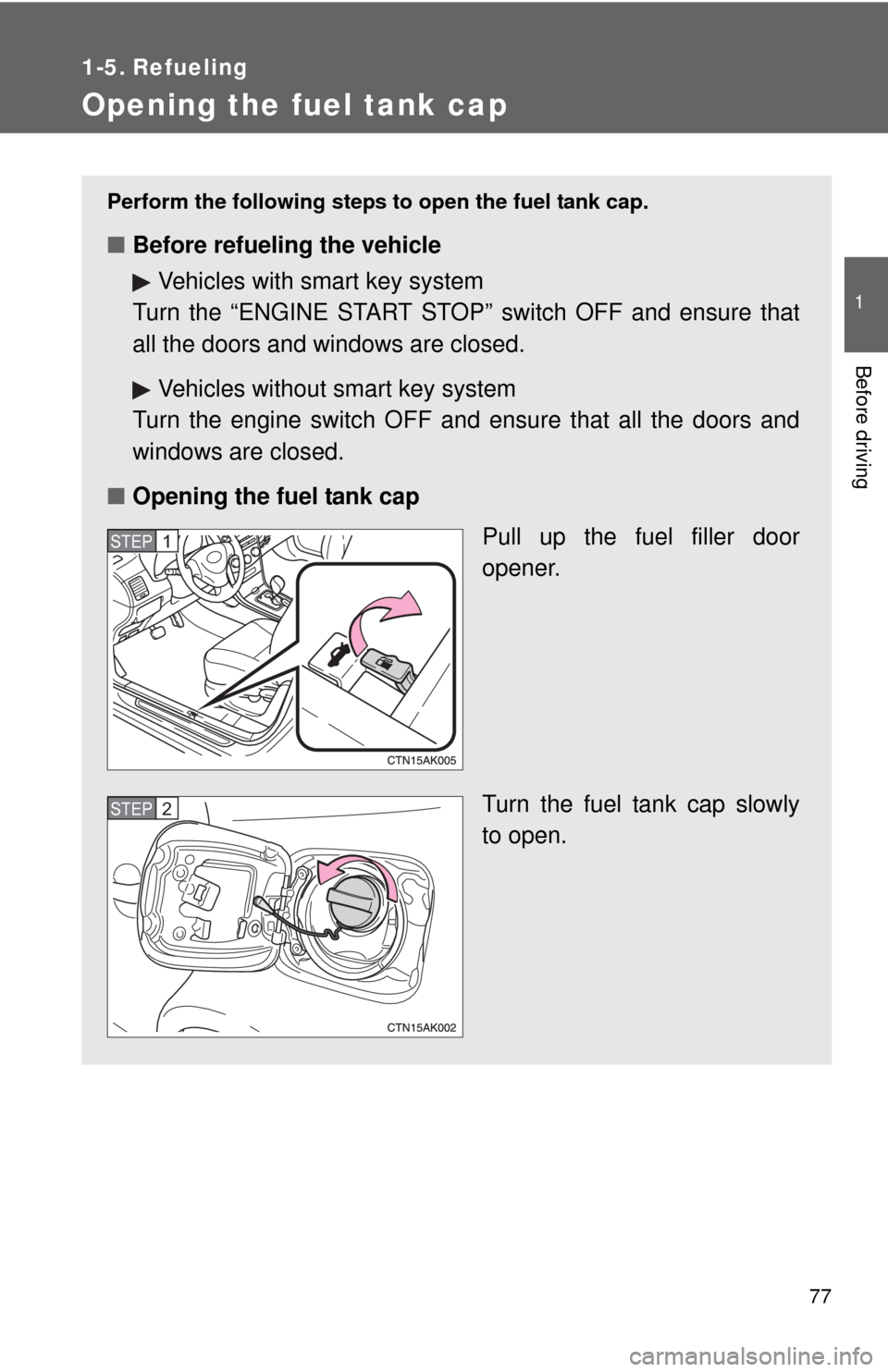
■ Opening the fuel tank cap
Pull up the fuel filler door
opener.
Turn the fuel tank cap slowly
to open.
STEP 1
STEP 2
Page 172 of 532
172
2-4. Using other driving systems
Driving assist systems
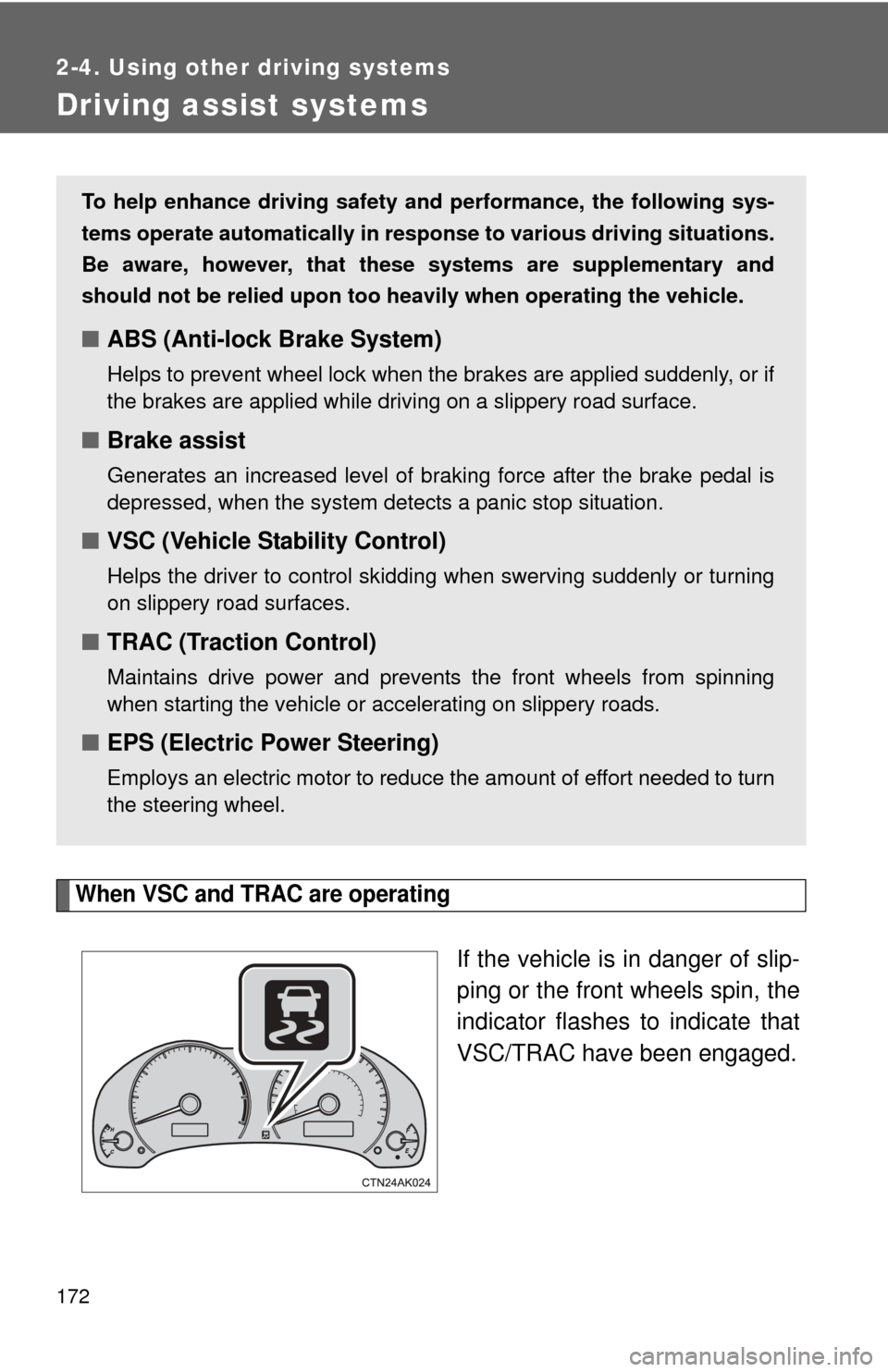
When VSC and TRAC are operating
If the vehicle is in danger of slip-
ping or the front wheels spin, the
indicator flashes to indicate that
VSC/TRAC have been engaged.
To help enhance driving safety and performance, the following sys-
tems operate automatically in res ponse to various driving situations.
Be aware, however, that these systems are supplementary and
should not be relied upon too h eavily when operating the vehicle.
■ABS (Anti-lock Brake System)
Helps to prevent wheel lock when the brakes are applied suddenly, or if
the brakes are applied while driving on a slippery road surface.
■Brake assist
Generates an increased level of braking force after the brake pedal is
depressed, when the system detects a panic stop situation.
■VSC (Vehicle Stability Control)
Helps the driver to control skidding when swerving suddenly or turning
on slippery road surfaces.
■TRAC (Traction Control)
Maintains drive power and prevents the front wheels from spinning
when starting the vehicle or accelerating on slippery roads.
■EPS (Electric Power Steering)
Employs an electric motor to reduce the amount of effort needed to turn
the steering wheel.
Page 174 of 532
174 2-4. Using other driving systems
■When the “TRAC OFF” indicator light comes on even if the VSC/TRAC
off switch has not been pressed
TRAC cannot be operated. Contact your Toyota dealer.
■ Sounds and vibrations caused by ABS, brake assist, VSC and TRAC
●A sound may be heard from the engine compartment when the engine is
started or just after the vehicle begins to move. This sound does not indi-
cate that a malfunction has occurred in any of these systems.
● Any of the following conditions may occur when the above systems are
operating. None of these indicates that a malfunction has occurred.
• Vibrations may be felt through the vehicle body and steering.
• A motor sound may be heard after the vehicle comes to a stop.
• The brake pedal may pulsate slightly after ABS is activated.
• The brake pedal may move down slightly after ABS is activated.
■ If the slip indicator light comes on
There is a malfunction in the TRAC and VSC systems. Contact your Toyota
dealer and have your Toyota inspected.
■ EPS operation sound
When the steering wheel is operated, a motor sound (whirring sound) may
be heard. This does not indicate a malfunction.
■ Reduced effectiveness of the EPS system
The effectiveness of the EPS system is reduced to prevent the system from
overheating when there is frequent steering input over an extended period of
time. The steering wheel may feel heavy as a result. Should this occur,
refrain from excessive steering input or stop the vehicle and turn the engine
off. The EPS system should return to normal within 10 minutes.
CAUTION
■ABS does not operate effectively when
●The limits of tire gripping performance have been exceeded (such as
excessively worn tires on a snow covered road).
● The vehicle hydroplanes while driving at high speed on the wet or slick
road.
Page 176 of 532
176
2-5. Driving information
Cargo and luggage
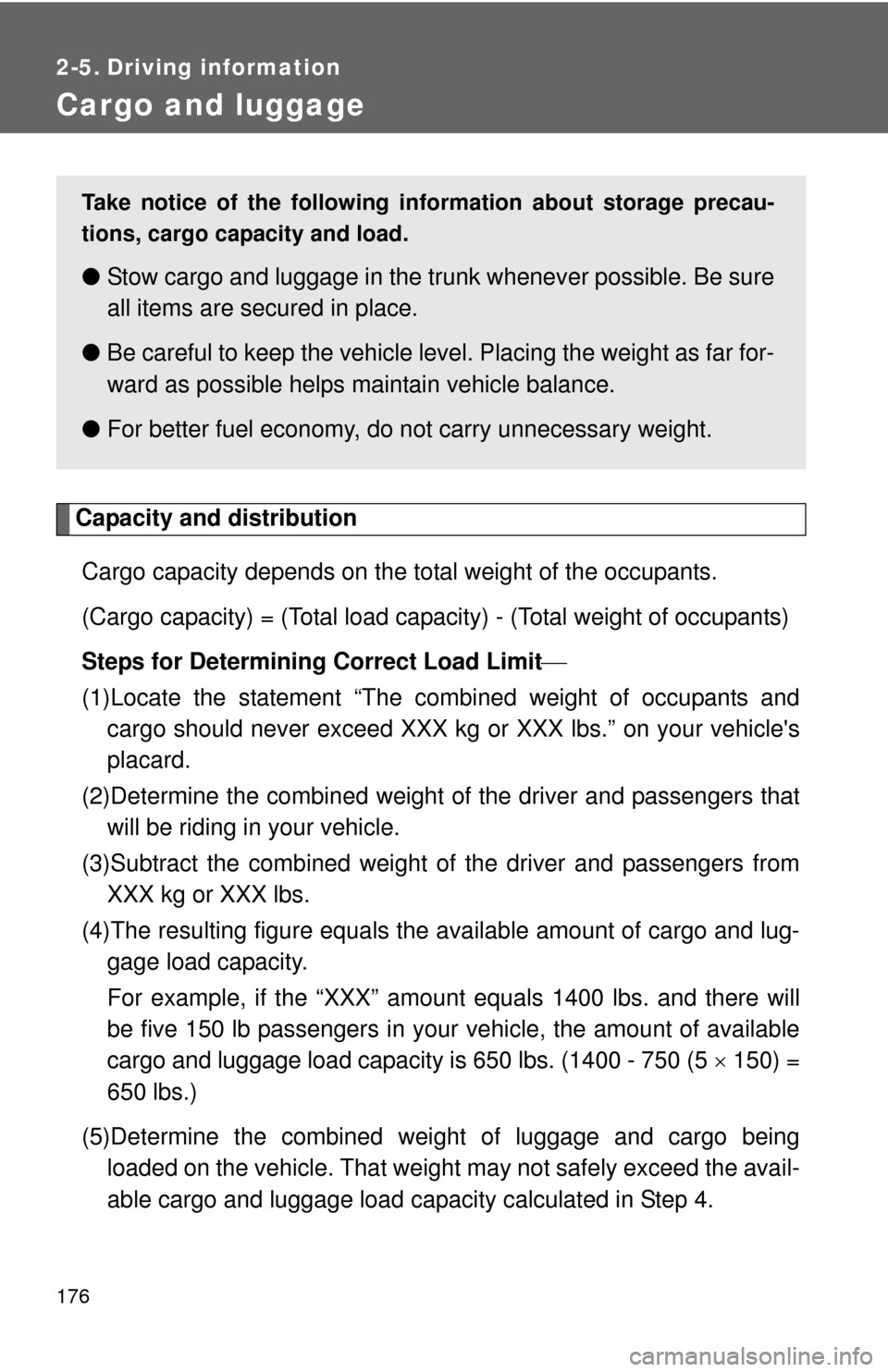
Capacity and distributionCargo capacity depends on the total weight of the occupants.
(Cargo capacity) = (Total load capacity) - (Total weight of occupants)
Steps for Determining Correct Load Limit
(1)Locate the statement “The co mbined weight of occupants and
cargo should never exceed XXX kg or XXX lbs.” on your vehicle's
placard.
(2)Determine the combined weight of the driver and passengers that
will be riding in your vehicle.
(3)Subtract the combined weight of the driver and passengers from XXX kg or XXX lbs.
(4)The resulting figure equals the available amount of cargo and lug- gage load capacity.
For example, if the “XXX” amount equals 1400 lbs. and there will
be five 150 lb passengers in your vehicle, the amount of available
cargo and luggage load capacity is 650 lbs. (1400 - 750 (5 150) =
650 lbs.)
(5)Determine the combined weight of luggage and cargo being loaded on the vehicle. That weight may not safely exceed the avail-
able cargo and luggage load capacity calculated in Step 4.
Take notice of the following information about storage precau-
tions, cargo capacity and load.
● Stow cargo and luggage in the trunk whenever possible. Be sure
all items are secured in place.
● Be careful to keep the vehicle level. Placing the weight as far for-
ward as possible helps maintain vehicle balance.
● For better fuel economy, do no t carry unnecessary weight.
Page 302 of 532
302
3-4. Using the hands-free phone system (for cellular phone)
Using the “SET UP” menu (“Phone” menu)
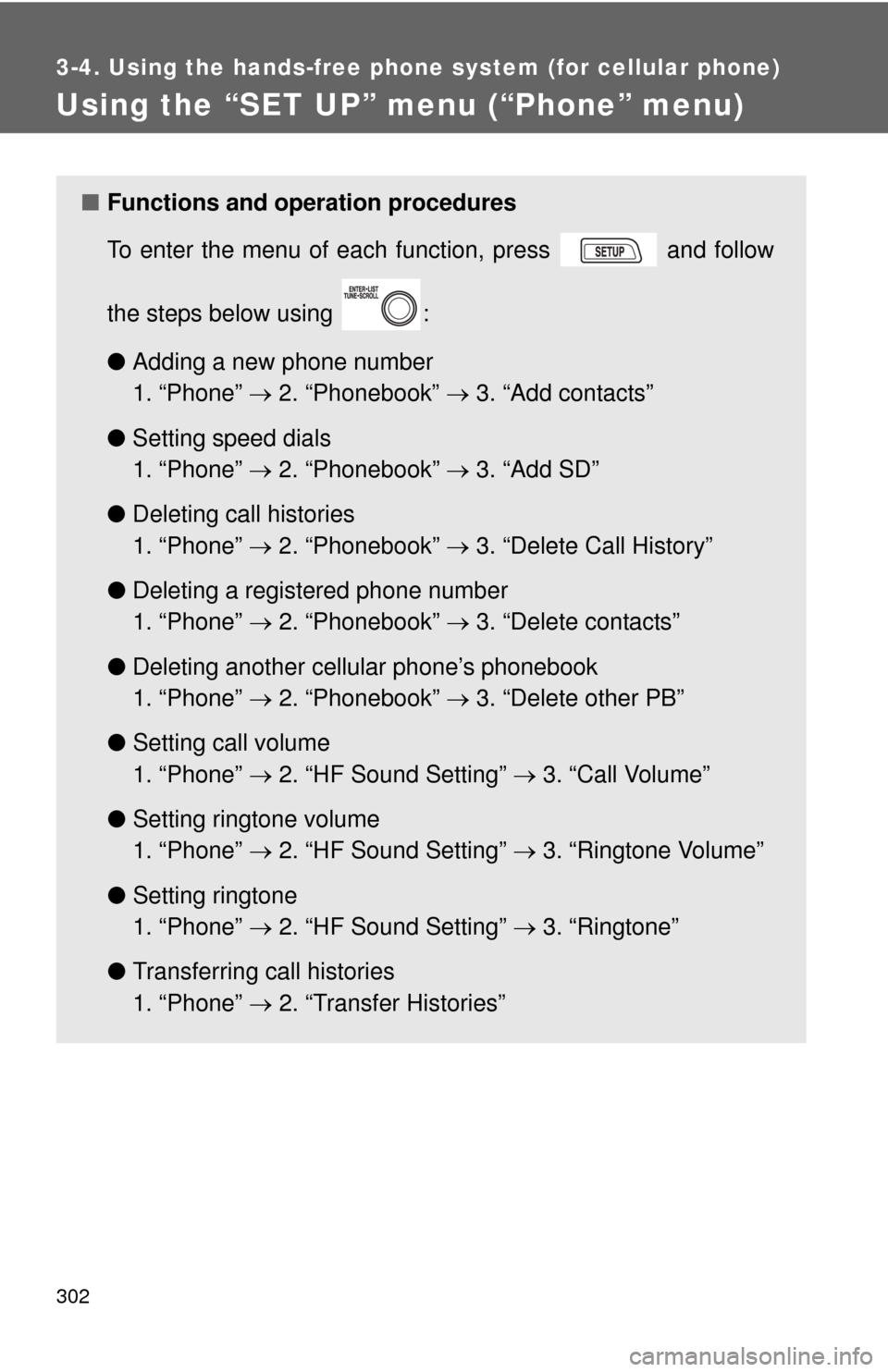
■Functions and operation procedures
To enter the menu of each function, press and follow
the steps below using :
●Adding a new phone number
1. “Phone” 2. “Phonebook” 3. “Add contacts”
● Setting speed dials
1. “Phone” 2. “Phonebook” 3. “Add SD”
● Deleting call histories
1. “Phone” 2. “Phonebook” 3. “Delete Call History”
● Deleting a registered phone number
1. “Phone” 2. “Phonebook” 3. “Delete contacts”
● Deleting another cellular phone’s phonebook
1. “Phone” 2. “Phonebook” 3. “Delete other PB”
● Setting call volume
1. “Phone” 2. “HF Sound Setting” 3. “Call Volume”
● Setting ringtone volume
1. “Phone” 2. “HF Sound Setting” 3. “Ringtone Volume”
● Setting ringtone
1. “Phone” 2. “HF Sound Setting” 3. “Ringtone”
● Transferring call histories
1. “Phone” 2. “Transfer Histories”
Page 396 of 532
396 4-3. Do-it-yourself maintenance
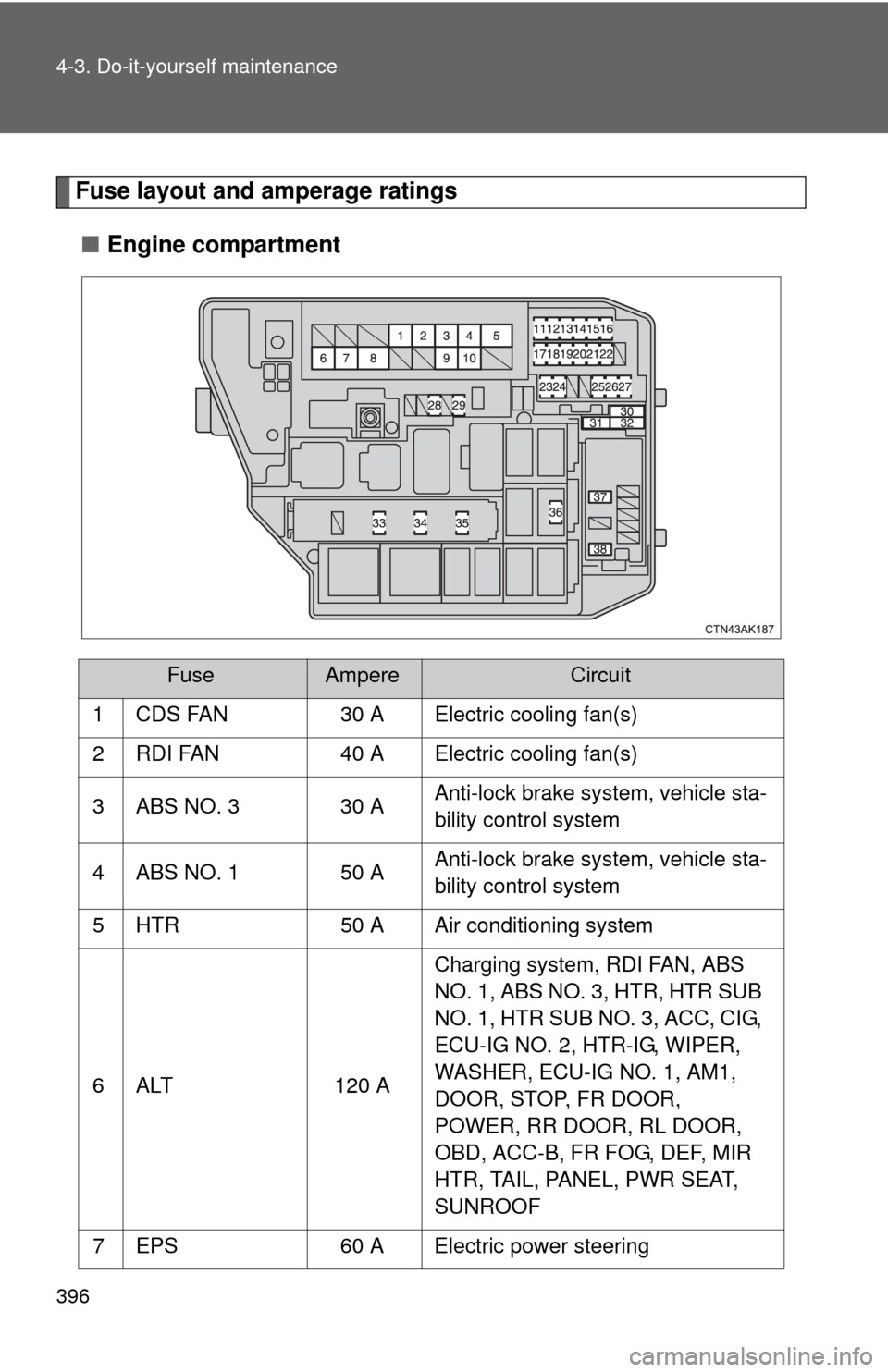
Fuse layout and amperage ratings■ Engine compartment
FuseAmpereCircuit
1 CDS FAN 30 A Electric cooling fan(s)
2 RDI FAN 40 A Electric cooling fan(s)
3 ABS NO. 3 30 A Anti-lock brake system, vehicle sta-
bility control system
4 ABS NO. 1 50 A Anti-lock brake system, vehicle sta-
bility control system
5 HTR 50 A Air conditioning system
6 ALT 120 A Charging system, RDI FAN, ABS
NO. 1, ABS NO. 3, HTR, HTR SUB
NO. 1, HTR SUB NO. 3, ACC, CIG,
ECU-IG NO. 2, HTR-IG, WIPER,
WASHER, ECU-IG NO. 1, AM1,
DOOR, STOP, FR DOOR,
POWER, RR DOOR, RL DOOR,
OBD, ACC-B, FR FOG, DEF, MIR
HTR, TAIL, PANEL, PWR SEAT,
SUNROOF
7 EPS 60 A Electric power steering
Page 415 of 532
When trouble arises5
415
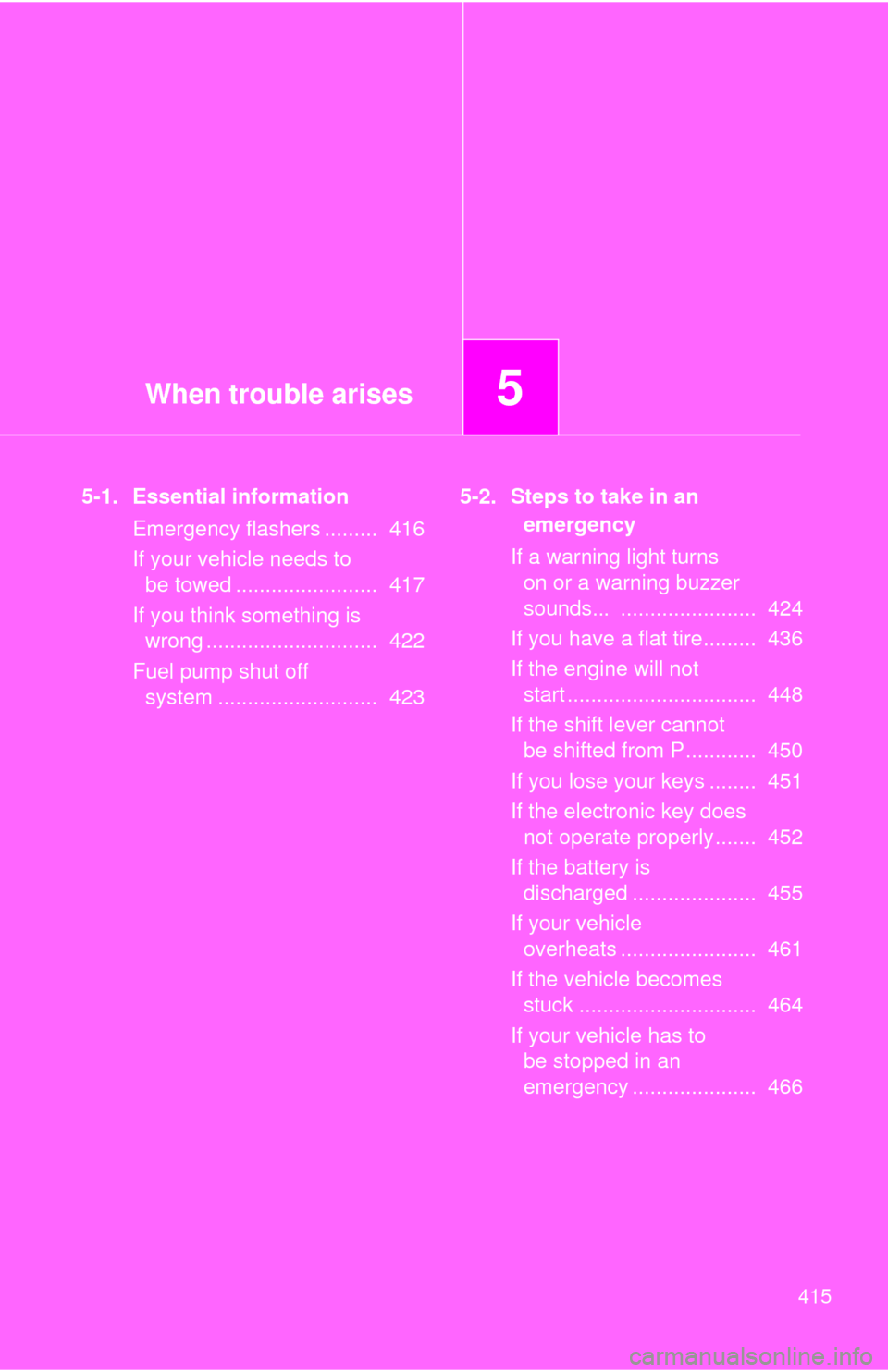
5-1. Essential informationEmergency flashers ......... 416
If your vehicle needs to be towed ........................ 417
If you think something is wrong ............................. 422
Fuel pump shut off system ........................... 423 5-2. Steps to take in an
emergency
If a warning light turns on or a warning buzzer
sounds... ....................... 424
If you have a flat tire......... 436
If the engine will not start ................................ 448
If the shift lever cannot be shifted from P............ 450
If you lose your keys ........ 451
If the electronic key does not operate properly....... 452
If the battery is discharged ..................... 455
If your vehicle overheats ....................... 461
If the vehicle becomes stuck .............................. 464
If your vehicle has to be stopped in an
emergency ..................... 466