battery TOYOTA COROLLA 2014 11.G Owner's Manual
[x] Cancel search | Manufacturer: TOYOTA, Model Year: 2014, Model line: COROLLA, Model: TOYOTA COROLLA 2014 11.GPages: 612, PDF Size: 12.58 MB
Page 281 of 612
281
5
Interior features
COROLLA_TMMMS_TMMC_U (OM12F00U)
5-10. Bluetooth®
■When using the Bluetooth® audio system
●In the following situations, the system may not function.
• The portable player does not support Bluetooth
®
• The cellular phone is located outside the service area
• The Bluetooth® device is switched off
• The Bluetooth® device has a low battery
• The Bluetooth® device is not connected to the system
• The Bluetooth® device is behind the seat or in the glove box or console
box, or is touching or covered by metal objects
●There may be a delay if a cellular phone connection is made during
Bluetooth
® audio playback.
●Depending on the type of portable audio player that is connected to the sys-
tem, operation may differ slightly and certain functions may not be available.
■When transferring ownership of the vehicle
Be sure to initialize the system to prevent personal data from being improp-
erly accessed. (P. 266)
■About Bluetooth
®
■Compatible models
●Bluetooth® specifications:
Ver. 1.1, or higher (recommended: Ver. 2.1 + EDR or higher)
●Following Profiles:
• A2DP (Advanced Audio Distribution Profile) Ver. 1.0, or higher (recom-
mended: Ver. 1.2 or higher)
• AVRCP (Audio/Video Remote Control Profile) Ver. 1.0 or higher (recom-
mended: Ver. 1.3 or higher)
Portable players must correspond to the above specifications in order to be
connected to the Bluetooth
® audio system. However, please note that some
functions may be limited depending on the type of portable player.
●Cellular phone
• HFP (Hands Free Profile) Ver. 1.0 or higher (recommended: Ver. 1.5)
• OPP (Object Push Profile) Ver. 1.1
• PBAP (Phone Book Access Profile) Ver. 1.0
Bluetooth®
Bluetooth is a registered trademark of
Bluetooth SIG. Inc.
Page 288 of 612
2885-11. Basic Operations (Multimedia system)
COROLLA_TMMMS_TMMC_U (OM12F00U)
Select to change on/off.
Select to change on/off.
■Using cellular phones
Interference may be heard through the multimedia system's speakers if a cel-
lular phone is being used inside or close to the vehicle while the multimedia
system is operating.
Random playback
Repeat play
CAUTION
■Laser product
This product is a class 1 laser product.
Do not open the cover of the player or attempt to repair the unit yourself.
Refer servicing to qualified personnel.
●Laser products
• Do not take this unit apart or attempt to make any changes yourself.
This is an intricate unit that uses a laser pickup to retrieve information
from the surface of compact discs. The laser is carefully shielded so
that its rays remain inside the cabinet. Therefore, never try to disassem-
ble the player or alter any of its parts since you may be exposed to laser
rays and dangerous voltages.
• This product utilizes a laser.
Use of controls or adjustments or performance of procedures other than
those specified herein may result in hazardous radiation exposure.
THE USE OF OPTICAL INSTRUMENTS WITH THIS PRODUCT WILL
INCREASE EYE HAZARD.
NOTICE
■To prevent battery discharge
Do not leave the multimedia system on longer than necessary when the
engine is off.
■To avoid damaging the multimedia system
Take care not to spill drinks or other fluids on the multimedia system.
Page 310 of 612
3105-16. Using an external device (Multimedia system)
COROLLA_TMMMS_TMMC_U (OM12F00U)
■About iPod
●“Made for iPod” and “Made for iPhone” mean that an electronic accessory
has been designed to connect specifically to iPod or iPhone, respectively,
and has been certified by the developer to meet Apple performance stan-
dards.
●Apple is not responsible for the operation of this device or its compliance
with safety and regulatory standards. Please note that the use of this acces-
sory with iPod or iPhone may affect wireless performance.
●iPhone, iPod, iPod classic, iPod nano, and iPod touch are trademarks of
Apple Inc., registered in the U.S. and other countries. Lightning is a trade-
mark of Apple Inc.
■iPod cover art
●Depending on the iPod and songs in the iPod, iPod cover art may be dis-
played.
●This function can be changed to on/off. (P. 292)
●It may take time to display iPod cover art, and the iPod may not be operated
while the cover art display is in process.
●Only iPod cover art that is saved in JPEG format can be displayed.
■iPod functions
●When an iPod is connected and the audio source is changed to iPod mode,
the iPod will resume play from the same point in which it was last used.
●Depending on the iPod that is connected to the system, certain functions
may not be available. If a function is unavailable due to a malfunction (as
opposed to a system specification), disconnecting the device and recon-
necting it may resolve the problem.
●While connected to the system, the iPod cannot be operated with its own
controls. It is necessary to use the controls of the vehicle's multimedia sys-
tem instead.
●When the battery level of an iPod is very low, the iPod may not operate. If
so, charge the iPod before use.
●Compatible models (P. 312)
Page 336 of 612
336
COROLLA_TMMMS_TMMC_U (OM12F00U)5-18. Bluetooth
®
Audio (Multimed ia system)
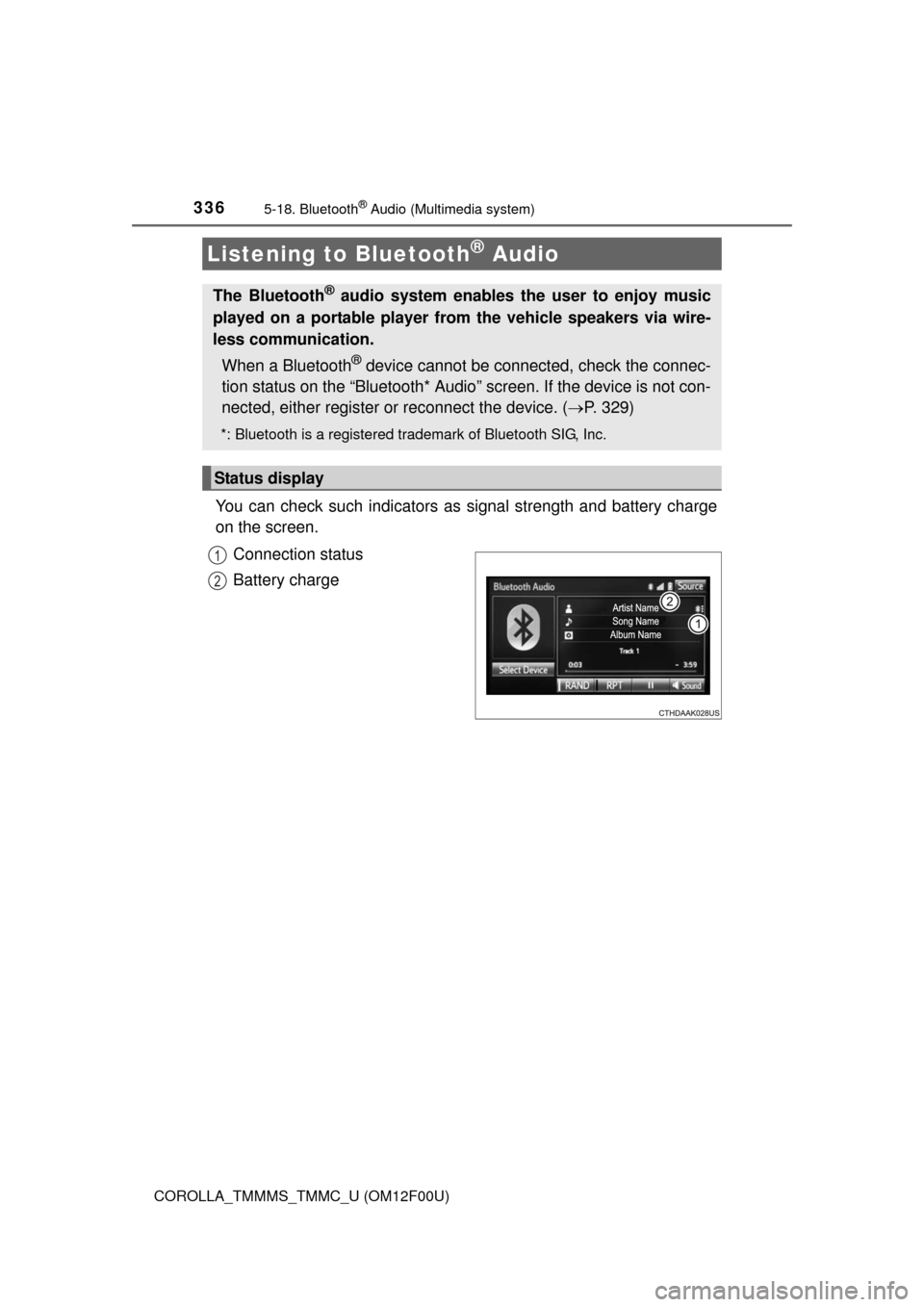
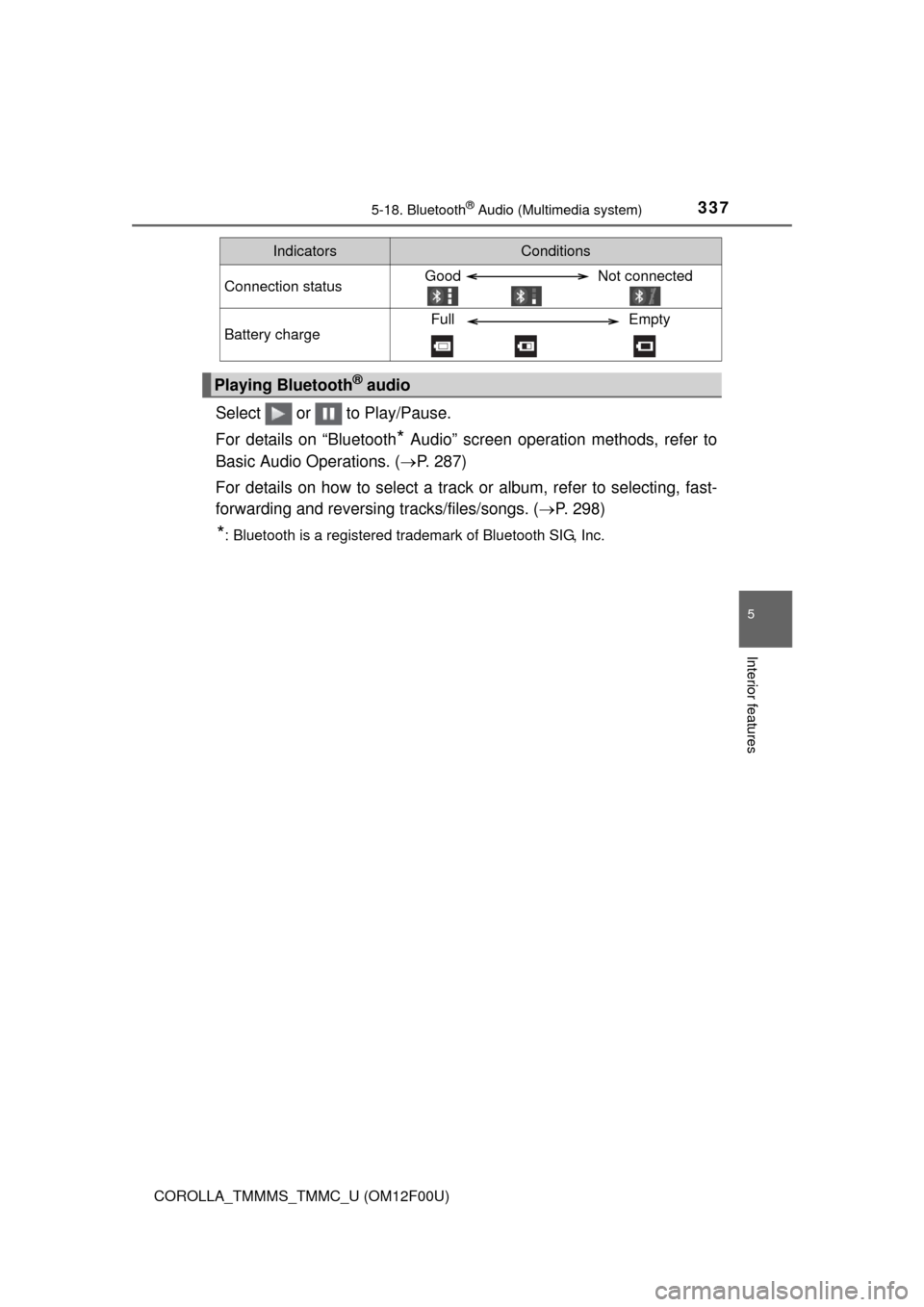
You can check such indicators as signal strength and battery charge
on the screen.
Connection status
Battery charge
Listening to Bluetooth® Audio
The Bluetooth® audio system enables the user to enjoy music
played on a portable player from the vehicle speakers via wire-
less communication.
When a Bluetooth
® device cannot be connected, check the connec-
tion status on the “Bluetooth* Audio” screen. If the device is not con-
nected, either register or reconnect the device. ( P. 329)
*: Bluetooth is a registered trademark of Bluetooth SIG, Inc.
Status display
1
2
Page 337 of 612
3375-18. Bluetooth® Audio (Multimedia system)
5
Interior features
COROLLA_TMMMS_TMMC_U (OM12F00U)
Select or to Play/Pause.
For details on “Bluetooth
* Audio” screen operation methods, refer to
Basic Audio Operations. (P. 287)
For details on how to select a track or album, refer to selecting, fast-
forwarding and reversing tracks/files/songs. (P. 298)
*: Bluetooth is a registered trademark of Bluetooth SIG, Inc.
IndicatorsConditions
Connection statusGood Not connected
Battery chargeFull Empty
Playing Bluetooth® audio
Page 338 of 612
338
COROLLA_TMMMS_TMMC_U (OM12F00U)5-19. Bluetooth
®
phone (Multimedia system)
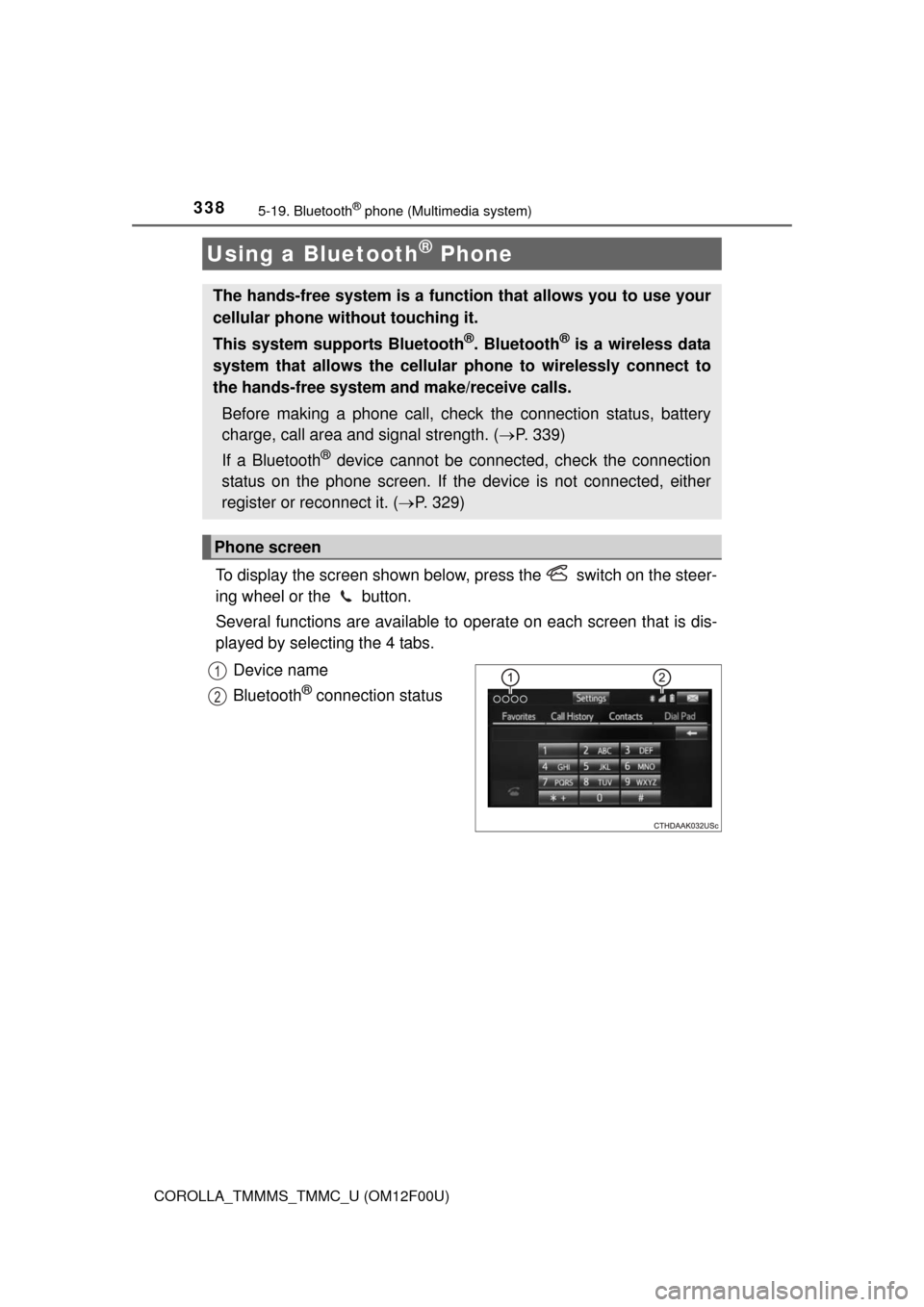
To display the screen shown below, press the switch on the steer-
ing wheel or the button.
Several functions are available to operate on each screen that is dis-
played by selecting the 4 tabs.
Device name
Bluetooth
® connection status
Using a Bluetooth® Phone
The hands-free system is a function that allows you to use your
cellular phone without touching it.
This system supports Bluetooth
®. Bluetooth® is a wireless data
system that allows the cellular phone to wirelessly connect to
the hands-free system and make/receive calls.
Before making a phone call, check the connection status, battery
charge, call area and signal strength. ( P. 339)
If a Bluetooth
® device cannot be connected, check the connection
status on the phone screen. If th e device is not connected, either
register or reconnect it. ( P. 329)
Phone screen
1
2
Page 339 of 612
3395-19. Bluetooth® phone (Multimedia system)
5
Interior features
COROLLA_TMMMS_TMMC_U (OM12F00U)■
Telephone switch (P. 354)
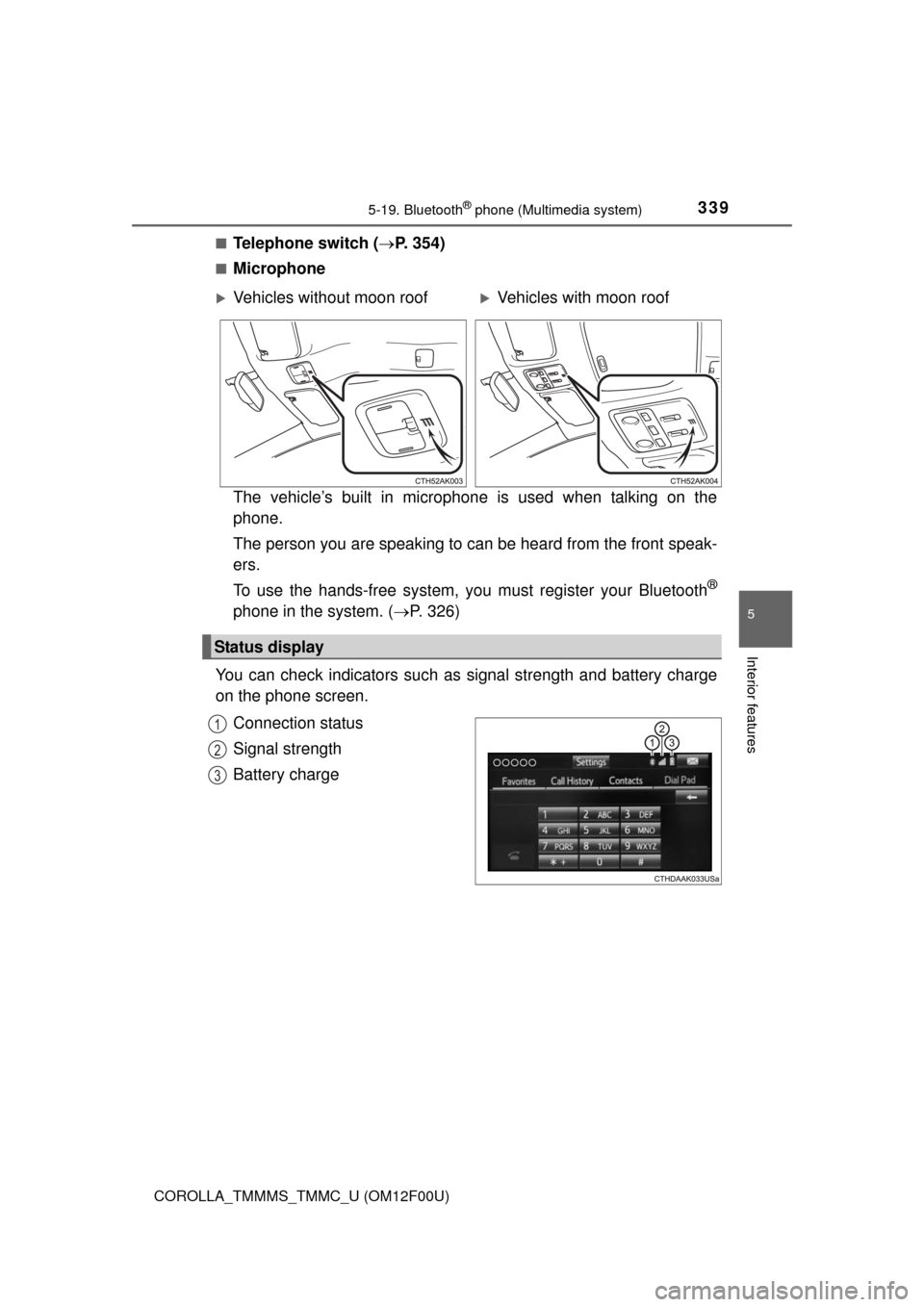
■Microphone
The vehicle’s built in microphone is used when talking on the
phone.
The person you are speaking to can be heard from the front speak-
ers.
To use the hands-free system, you must register your Bluetooth
®
phone in the system. (P. 326)
You can check indicators such as signal strength and battery charge
on the phone screen.
Connection status
Signal strength
Battery charge
Vehicles without moon roofVehicles with moon roof
Status display
1
2
3
Page 340 of 612
3405-19. Bluetooth® phone (Multimedia system)
COROLLA_TMMMS_TMMC_U (OM12F00U)
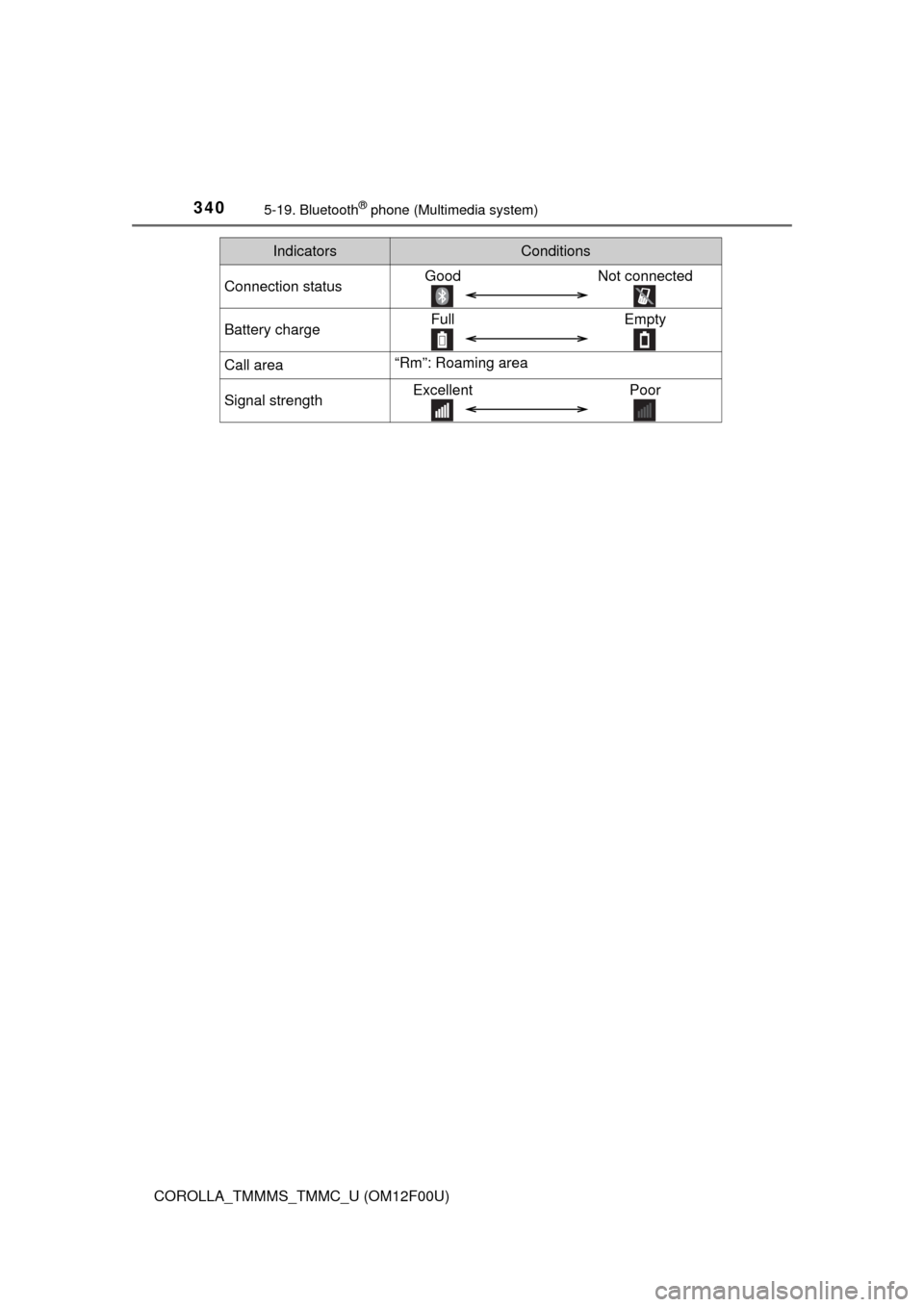
IndicatorsConditions
Connection statusGood Not connected
Battery chargeFull Empty
Call area“Rm”: Roaming area
Signal strengthExcellent Poor
Page 370 of 612
3705-19. Bluetooth® phone (Multimedia system)
COROLLA_TMMMS_TMMC_U (OM12F00U)
In other situations
Even though all conceivable measures have been taken, the symptom sta-
tus does not change.
The cellular phone is not close enough to this system.
Bring the cellular phone closer to this system.
The cellular phone is the most likely cause of the symptom.
Turn the cellular phone off, remove and reinstall the battery pack,
and then restart the cellular phone.
Enable the cellular phone’s Bluetooth
® connection.
Stop the cellular phone’s security software and close all applica-
tions.
Before using an application installed on the cellular phone, care-
fully check its source and how its operation might affect this sys-
tem.
Page 371 of 612
371
5
Interior features
COROLLA_TMMMS_TMMC_U (OM12F00U)5-20. Bluetooth
®
(Multimedia system)
■When using the Bluetooth® audio system
● In the following conditions, the system may not function.
• If the portable audio player is turned off
• If the portable audio player is not connected
• If the portable audio player’s battery is low
● There may be a delay if a cellular phone connection is made during
Bluetooth
® audio play.
● Depending on the type of portable audio player that is connected to the sys-
tem, operation may differ slightly and certain functions may not be available.
■ When using the hands-free system
●The multimedia system is muted when making a call.
● If both parties speak at the same time, it may be difficult to hear.
● If the received call volume is overly loud, an
echo may be heard.
If the Bluetooth® phone is too close to the system, quality of the sound may
deteriorate and connection status may deteriorate.
● In the following circumstances, it may be difficult to hear the other party:
• When driving on unpaved roads
• When driving at high speeds
• If a roof or window is open
• If the air conditioning is blowing directly on the microphone
• If there is interference from the network of the cellular phone
■ Conditions under which th e system will not operate
● If using a cellular phone that does not support Bluetooth
®
●If the cellular phone is turned off
● If you are outside of cellular phone service coverage
● If the cellular phone is not connected
● If the cellular phone’s battery is low
● When outgoing calls are controlled, due to heavy traffic on telephone lines,
etc.
● When the cellular phone itself cannot be used
● When transferring contact data from the cellular phone
Bluetooth®