engine TOYOTA COROLLA 2014 11.G Owner's Manual
[x] Cancel search | Manufacturer: TOYOTA, Model Year: 2014, Model line: COROLLA, Model: TOYOTA COROLLA 2014 11.GPages: 612, PDF Size: 12.58 MB
Page 82 of 612
822. Instrument cluster
COROLLA_TMMMS_TMMC_U (OM12F00U)
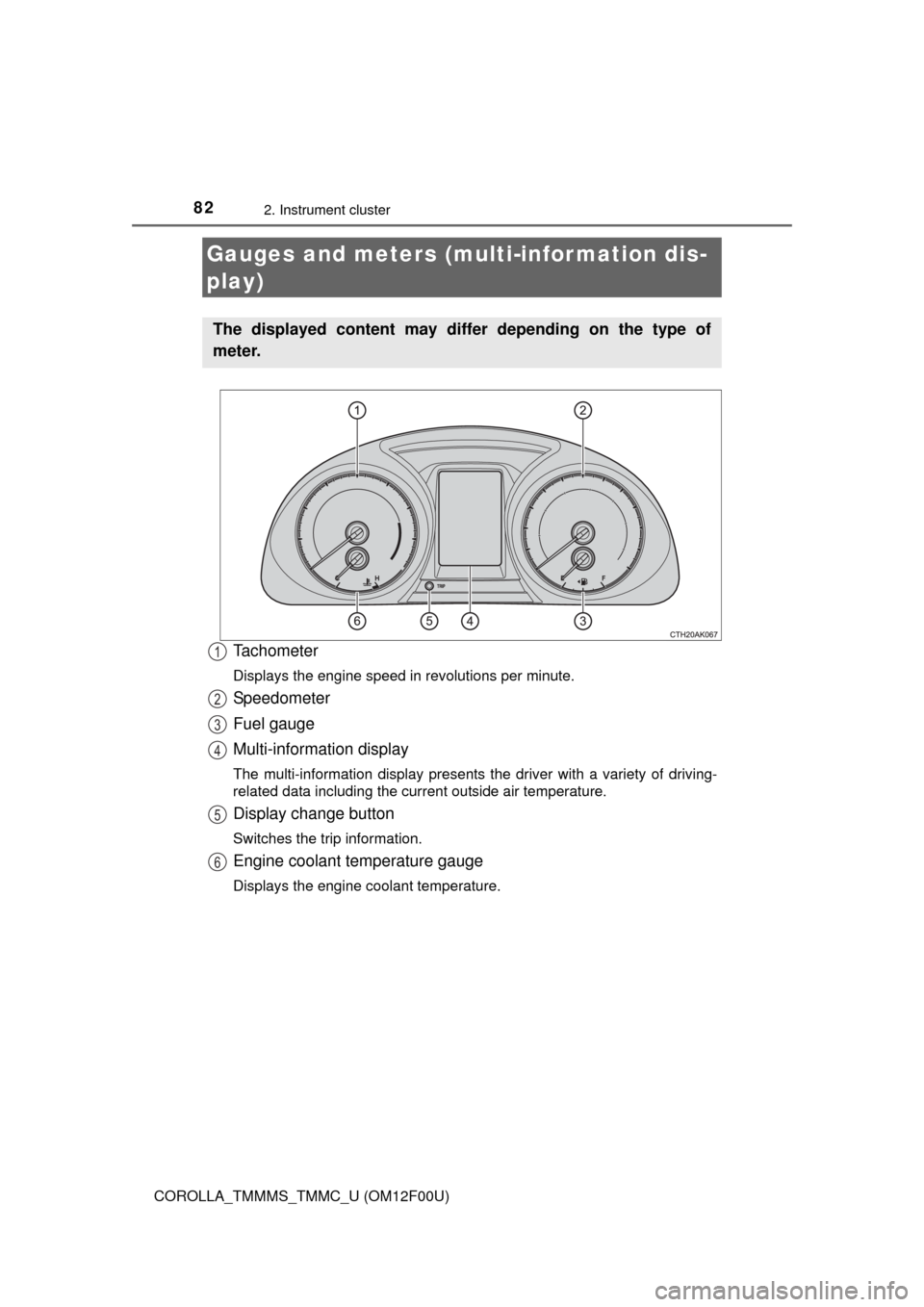
Tachometer
Displays the engine speed in revolutions per minute.
Speedometer
Fuel gauge
Multi-information display
The multi-information display presents the driver with a variety of driving-
related data including the current outside air temperature.
Display change button
Switches the trip information.
Engine coolant temperature gauge
Displays the engine coolant temperature.
Gauges and meters (multi-information dis-
play)
The displayed content may differ depending on the type of
meter.
1
2
3
4
5
6
Page 85 of 612

852. Instrument cluster
2
Instrument cluster
COROLLA_TMMMS_TMMC_U (OM12F00U)■
Driving range
Displays the estimated maximum distance that can be driven with
the quantity of fuel remaining.
• This distance is computed based on your average fuel consumption. As
a result, the actual distance that can be driven may differ from that dis-
played.
• When only a small amount of fuel is added to the tank, the display may
not be updated.
When refueling, turn the engine switch off. If the vehicle is refueled with-
out turning the engine switch off, the display may not be updated.
■
Average vehicle speed
Displays the average vehicle speed since the engine was last
started.
■Elapsed time
Displays the elapsed time since the engine was started.
■Customization
Language and Eco Driving Indicator Light settings can be changed.
(P. 86)
■Eco Driving Indicator Zone Display (except vehicles with a
manual transmission)
P. 9 0
Page 87 of 612
872. Instrument cluster
2
Instrument cluster
COROLLA_TMMMS_TMMC_U (OM12F00U)■
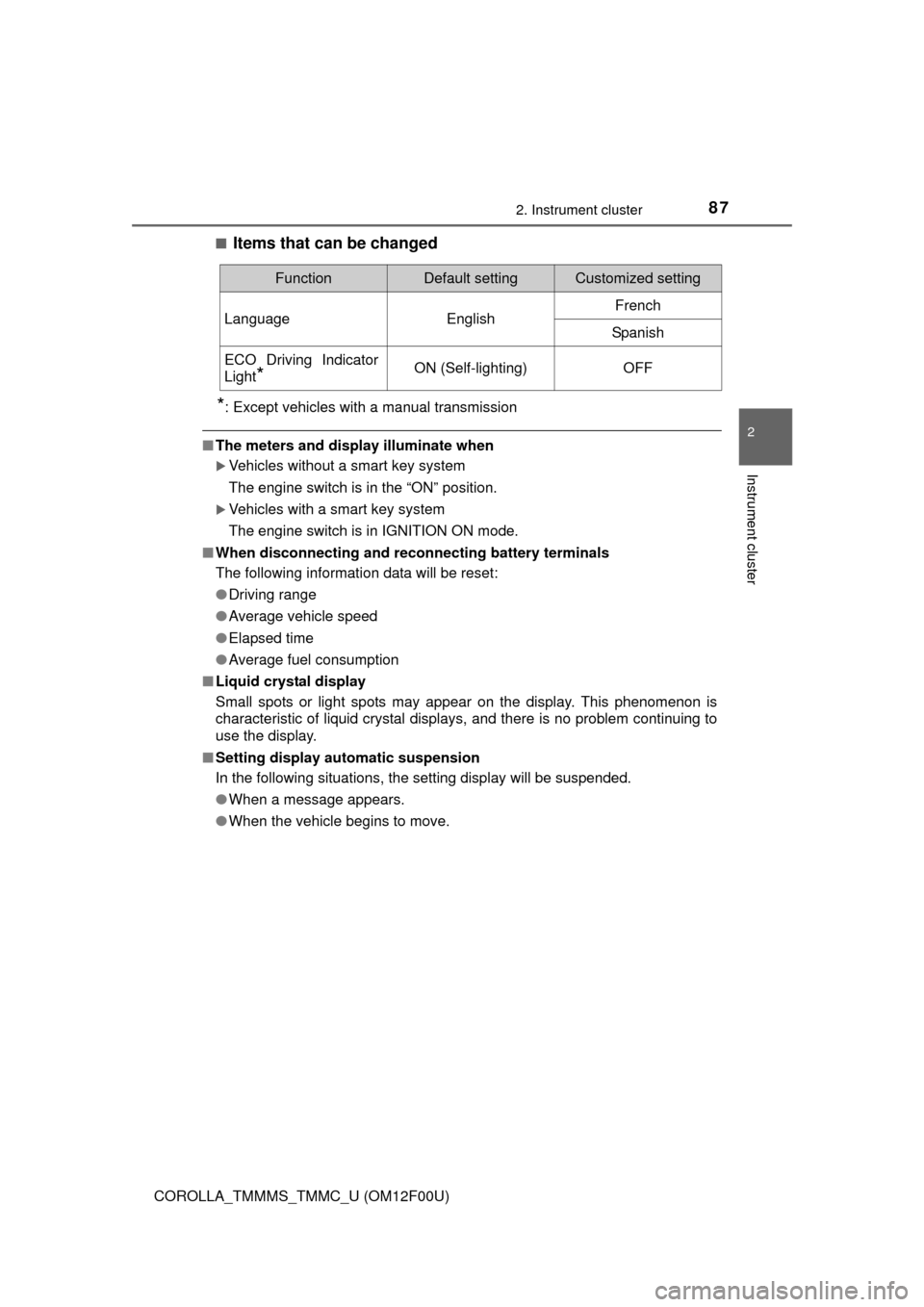
Items that can be changed
*: Except vehicles with a manual transmission
■The meters and display illuminate when
Vehicles without a smart key system
The engine switch is in the “ON” position.
Vehicles with a smart key system
The engine switch is in IGNITION ON mode.
■When disconnecting and reconnecting battery terminals
The following information data will be reset:
●Driving range
●Average vehicle speed
●Elapsed time
●Average fuel consumption
■Liquid crystal display
Small spots or light spots may appear on the display. This phenomenon is
characteristic of liquid crystal displays, and there is no problem continuing to
use the display.
■Setting display automatic suspension
In the following situations, the setting display will be suspended.
●When a message appears.
●When the vehicle begins to move.
FunctionDefault settingCustomized setting
LanguageEnglishFrench
Spanish
ECO Driving Indicator
Light
*ON (Self-lighting)OFF
Page 88 of 612
882. Instrument cluster
COROLLA_TMMMS_TMMC_U (OM12F00U)
CAUTION
■The display at low temperatures
Allow the interior of the vehicle to warm up before using the display. At
extremely low temperatures, the display monitor may respond slowly, and
display changes may be delayed.
For example, there is a lag between the driver’s shifting and the new gear
number appearing on the display. This lag could cause the driver to down-
shift again, causing rapid and excessive engine braking and possibly an
accident resulting in death or injury.
■Cautions during setting up the display
As the engine needs to be running during setting up the display, ensure that
the vehicle is parked in a place with adequate ventilation. In a closed area
such as a garage, exhaust gases including harmful carbon monoxide (CO)
may collect and enter the vehicle. This may lead to death or a serious
health hazard.
NOTICE
■To prevent damage to the engine and its components
●Do not let the indicator needle of the tachometer enter the red zone, which
indicates the maximum engine speed.
●The engine may be overheating if the engine coolant temperature gauge
are in the red zone. In this case, immediately stop the vehicle in a safe
place, and check the engine after it has cooled completely. (P. 537)
Page 95 of 612
953-1. Key information
3
Operation of each component
COROLLA_TMMMS_TMMC_U (OM12F00U)■Electronic key battery depletion (vehicles with a smart key system)
●The standard battery life is 1 to 2 years.
●If the battery becomes low, an alarm will sound in the cabin when the engine
stops. (P. 498, 509)
●As the electronic key always receives radio waves, the battery will become
depleted even if the electronic key is not used. The following symptoms indi-
cate that the electronic key battery may be depleted. Replace the battery
when necessary. (P. 464)
• The smart key system or the wireless remote control does not operate.
• The detection area becomes smaller.
• The LED indicator on the key surface does not turn on.
●To avoid serious deterioration, do not leave the electronic key within 3 ft. (1
m) of the following electrical appliances that produce a magnetic field:
•TVs
• Personal computers
• Cellular phones, cordless phones and battery chargers
• Recharging cellular phones or cordless phones
• Table lamps
• Induction cookers
■Replacing the battery
P. 464
■Confirmation of the registered key number
The number of keys already registered to the vehicle can be confirmed. Ask
your Toyota dealer for details.
■If a wrong key is used (vehicles with a smart key system)
The key cylinder rotates freely to isolate inside mechanism.
■Certification for the wireless remote control
For the U.S.A.
FCC ID: HYQ23AAH FCC ID: HYQ12BEL
NOTE:
This device complies with part 15 of the FCC Rules. Operation is subject to
the following two conditions: (1) This device may not cause harmful interfer-
ence, and (2) this device must accept any interference received, including
interference that may cause undesired operation.
FCC WARNING:
Changes or modifications not expressly approved by the party responsible for
compliance could void the user’s authority to operate the equipment.
For Canada
NOTE:
This device complies with Industry Canada licence-exempt RSS standard(s).
Operation is subject to the following two conditions: (1) this device may not
cause interference, and (2) this device must accept any interference, includ-
ing interference that may cause undesired operation of the device.
Page 100 of 612
1003-2. Opening, closing and locking the doors
COROLLA_TMMMS_TMMC_U (OM12F00U)
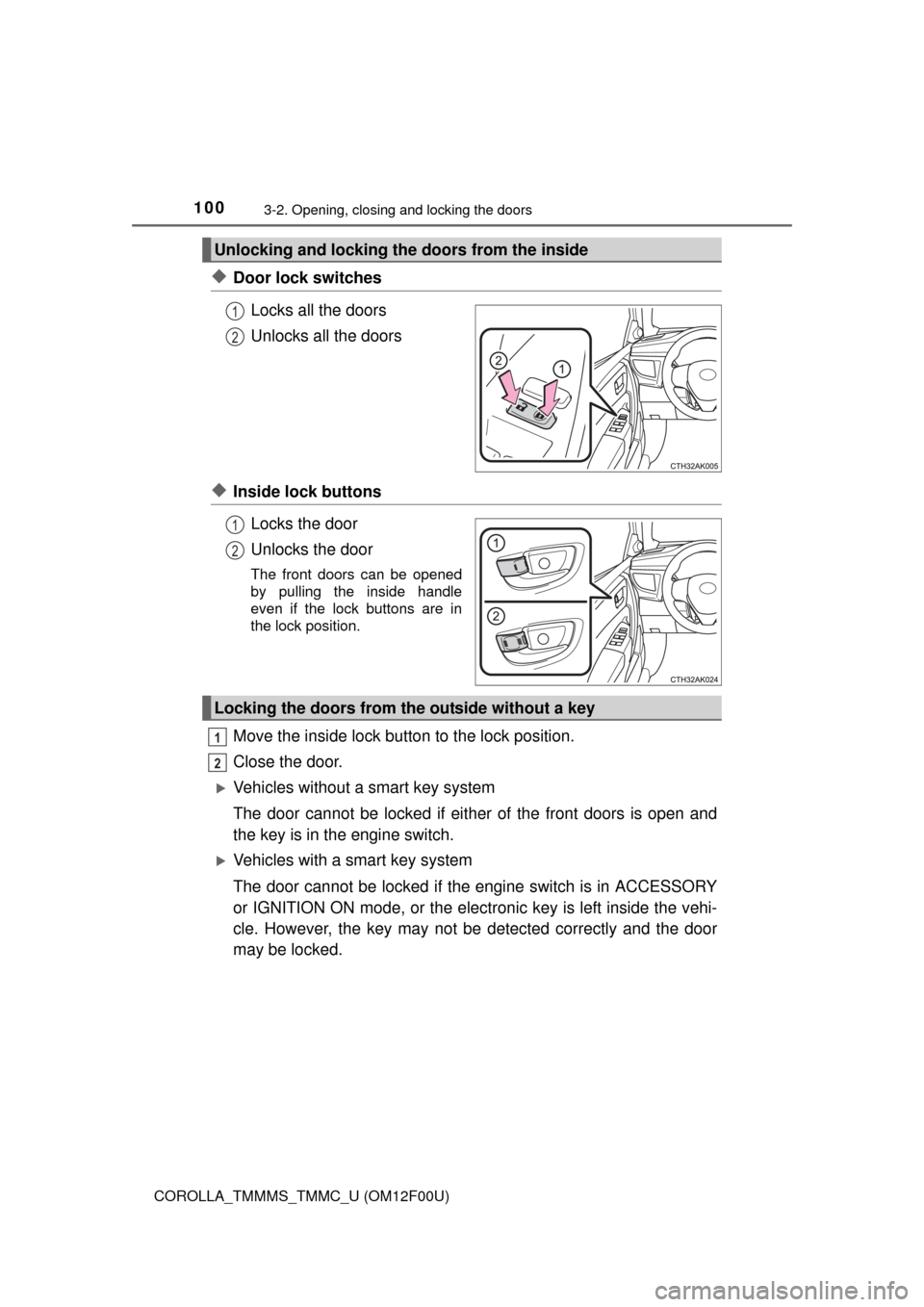
◆Door lock switches
Locks all the doors
Unlocks all the doors
◆Inside lock buttons
Locks the door
Unlocks the door
The front doors can be opened
by pulling the inside handle
even if the lock buttons are in
the lock position.
Move the inside lock button to the lock position.
Close the door.
Vehicles without a smart key system
The door cannot be locked if either of the front doors is open and
the key is in the engine switch.
Vehicles with a smart key system
The door cannot be locked if the engine switch is in ACCESSORY
or IGNITION ON mode, or the electronic key is left inside the vehi-
cle. However, the key may not be detected correctly and the door
may be locked.
Unlocking and locking the doors from the inside
1
2
1
2
Locking the doors from the outside without a key
1
2
Page 102 of 612
1023-2. Opening, closing and locking the doors
COROLLA_TMMMS_TMMC_U (OM12F00U)
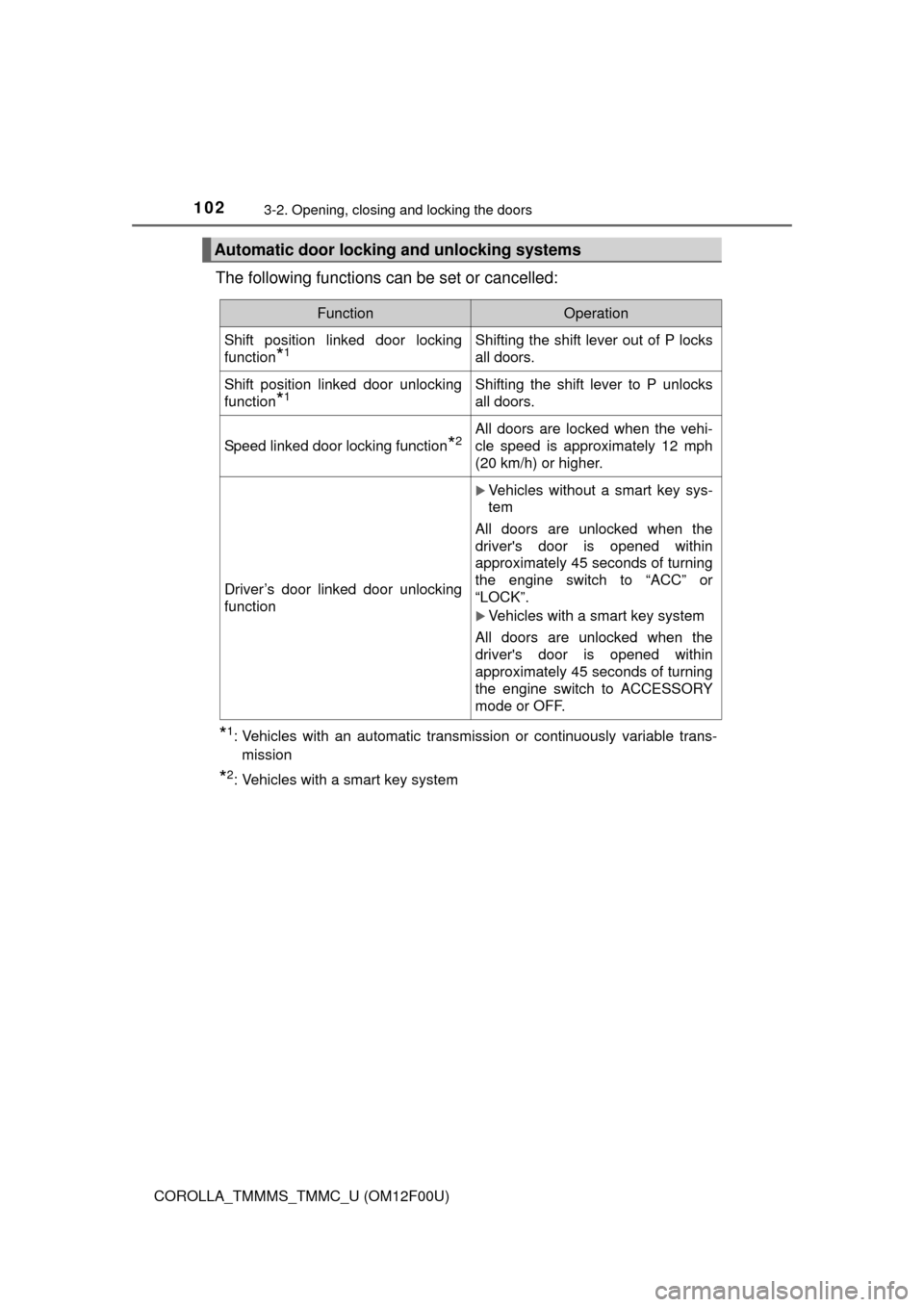
The following functions can be set or cancelled:
*1: Vehicles with an automatic transmission or continuously variable trans-
mission
*2: Vehicles with a smart key system
Automatic door locking and unlocking systems
FunctionOperation
Shift position linked door locking
function
*1Shifting the shift lever out of P locks
all doors.
Shift position linked door unlocking
function
*1Shifting the shift lever to P unlocks
all doors.
Speed linked door locking function*2All doors are locked when the vehi-
cle speed is approximately 12 mph
(20 km/h) or higher.
Driver’s door linked door unlocking
function
Vehicles without a smart key sys-
tem
All doors are unlocked when the
driver's door is opened within
approximately 45 seconds of turning
the engine switch to “ACC” or
“LOCK”.
Vehicles with a smart key system
All doors are unlocked when the
driver's door is opened within
approximately 45 seconds of turning
the engine switch to ACCESSORY
mode or OFF.
Page 103 of 612
1033-2. Opening, closing and locking the doors
3
Operation of each component
COROLLA_TMMMS_TMMC_U (OM12F00U)■
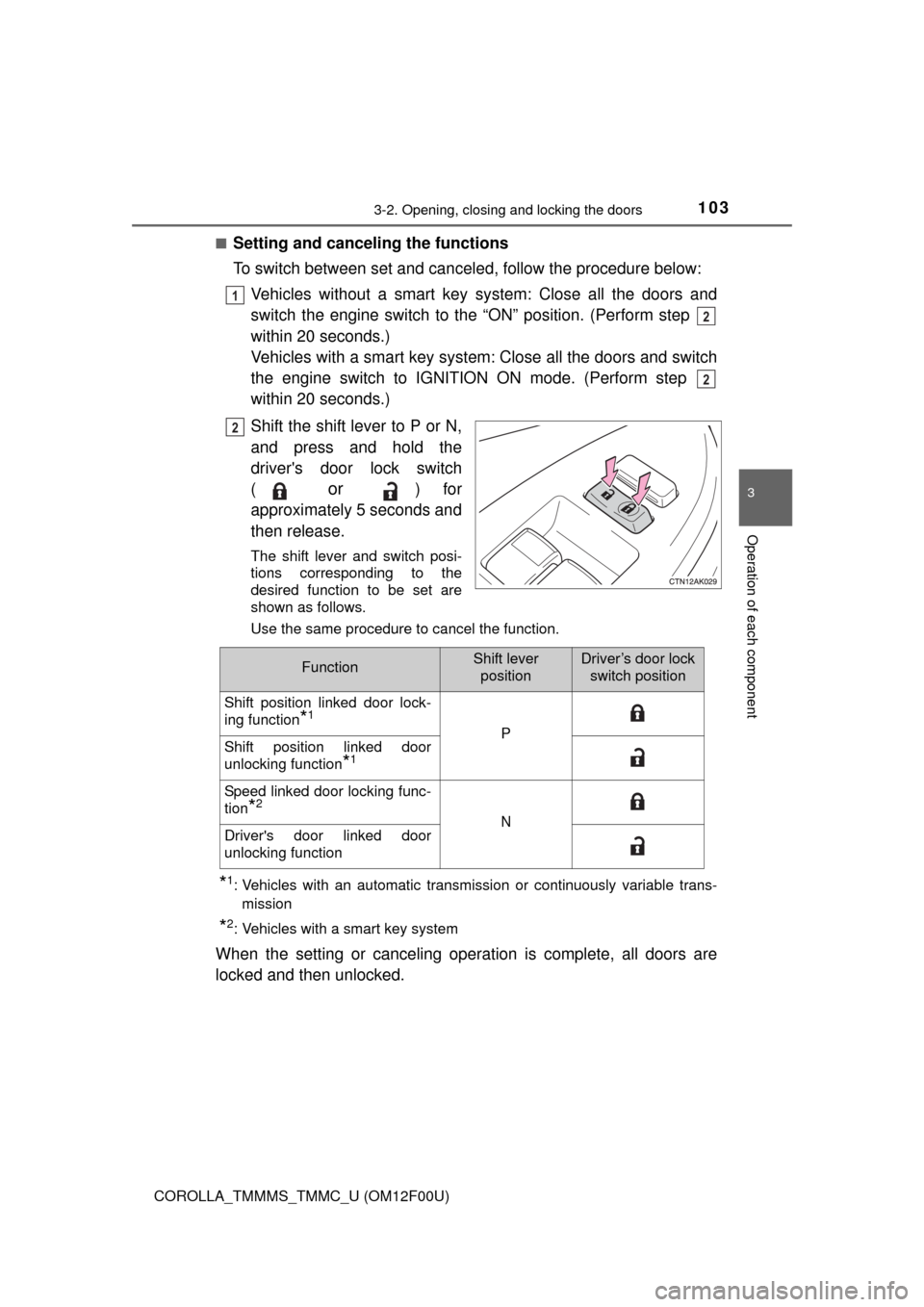
Setting and canceling the functions
To switch between set and canceled, follow the procedure below:
Vehicles without a smart key system: Close all the doors and
switch the engine switch to the “ON” position. (Perform step
within 20 seconds.)
Vehicles with a smart key system: Close all the doors and switch
the engine switch to IGNITION ON mode. (Perform step
within 20 seconds.)
Shift the shift lever to P or N,
and press and hold the
driver's door lock switch
(
or ) for
approximately 5 seconds and
then release.
The shift lever and switch posi-
tions corresponding to the
desired function to be set are
shown as follows.
Use the same procedure to cancel the function.
*1: Vehicles with an automatic transmission or continuously variable trans-
mission
*2: Vehicles with a smart key system
When the setting or canceling operation is complete, all doors are
locked and then unlocked.
1
2
2
2
FunctionShift lever
positionDriver’s door lock
switch position
Shift position linked door lock-
ing function
*1
PShift position linked door
unlocking function
*1
Speed linked door locking func-
tion
*2
NDriver's door linked door
unlocking function
Page 104 of 612
1043-2. Opening, closing and locking the doors
COROLLA_TMMMS_TMMC_U (OM12F00U)
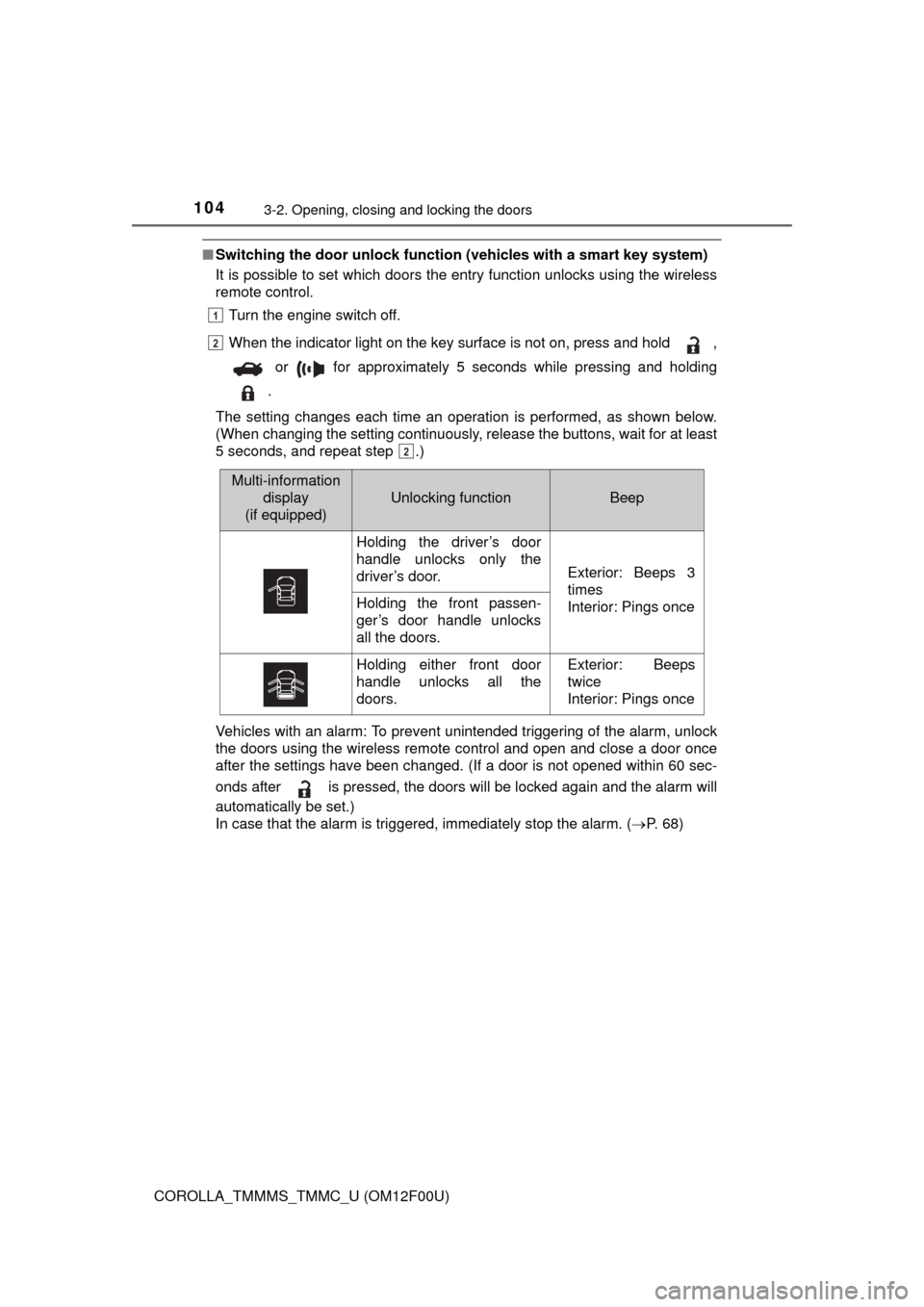
■Switching the door unlock function (vehicles with a smart key system)
It is possible to set which doors the entry function unlocks using the wireless
remote control.
Turn the engine switch off.
When the indicator light on the key surface is not on, press and hold ,
or for approximately 5 seconds while pressing and holding
.
The setting changes each time an operation is performed, as shown below.
(When changing the setting continuously, release the buttons, wait for at least
5 seconds, and repeat step .)
Vehicles with an alarm: To prevent unintended triggering of the alarm, unlock
the doors using the wireless remote control and open and close a door once
after the settings have been changed. (If a door is not opened within 60 sec-
onds after is pressed, the doors will be locked again and the alarm will
automatically be set.)
In case that the alarm is triggered, immediately stop the alarm. (P. 6 8 )
1
2
2
Multi-information
display
(if equipped)
Unlocking functionBeep
Holding the driver’s door
handle unlocks only the
driver’s door.
Exterior: Beeps 3
times
Interior: Pings once
Holding the front passen-
ger’s door handle unlocks
all the doors.
Holding either front door
handle unlocks all the
doors.Exterior: Beeps
twice
Interior: Pings once
Page 111 of 612
1113-2. Opening, closing and locking the doors
3
Operation of each component
COROLLA_TMMMS_TMMC_U (OM12F00U)
●Locks and unlocks the doors (P. 97)
●Opens the trunk (P. 106)
●Starts the engine (P. 164)
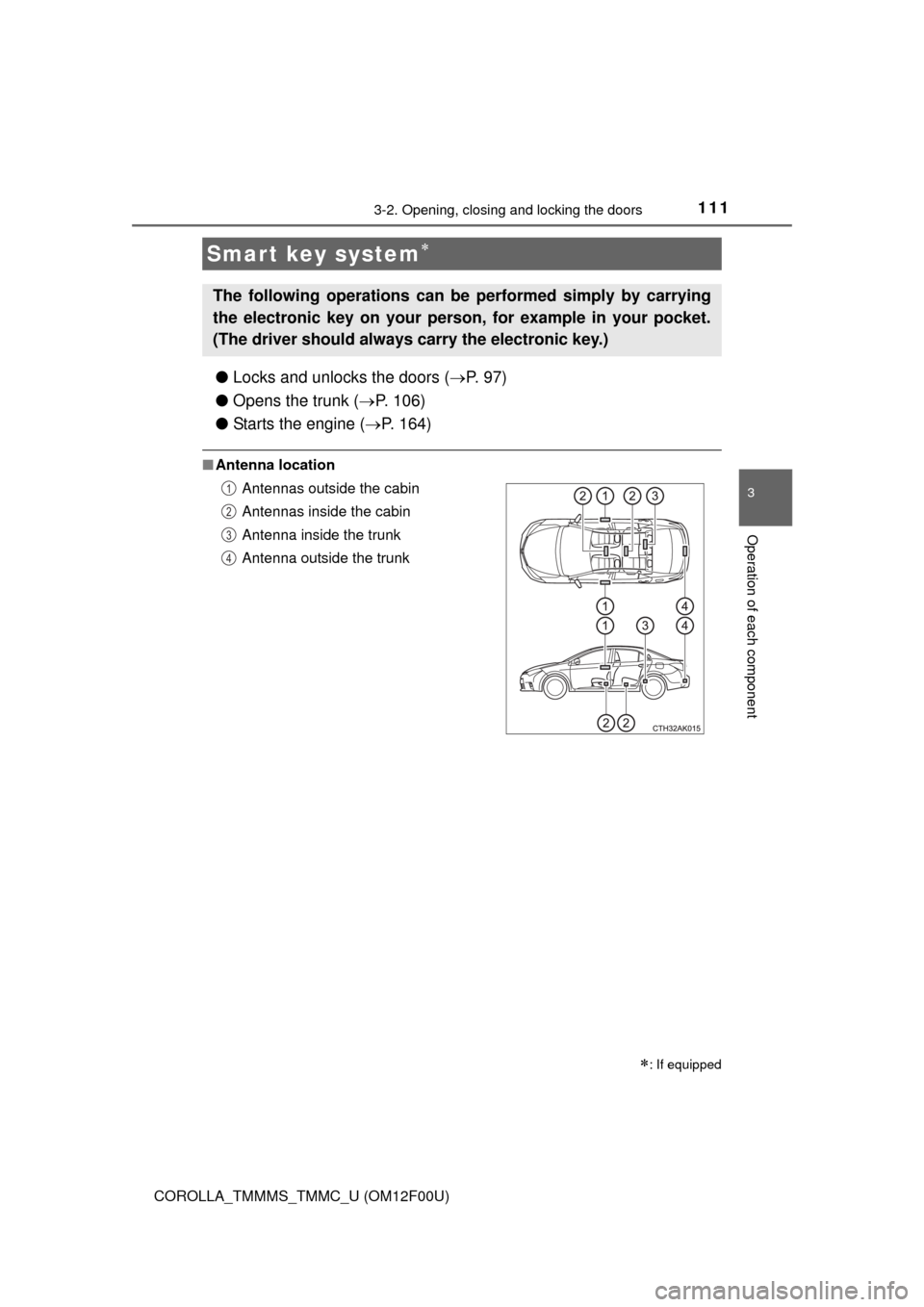
■Antenna location
Smart key system
: If equipped
The following operations can be performed simply by carrying
the electronic key on your person, for example in your pocket.
(The driver should always carry the electronic key.)
Antennas outside the cabin
Antennas inside the cabin
Antenna inside the trunk
Antenna outside the trunk1
2
3
4