Eco TOYOTA COROLLA 2014 11.G Repair Manual
[x] Cancel search | Manufacturer: TOYOTA, Model Year: 2014, Model line: COROLLA, Model: TOYOTA COROLLA 2014 11.GPages: 612, PDF Size: 12.58 MB
Page 164 of 612
1644-2. Driving procedures
COROLLA_TMMMS_TMMC_U (OM12F00U)
Check that the parking brake is set.
Vehicles without a multi-information display
Continuously variable transmission: Check that the shift lever is set
in P. Firmly depress the brake pedal.
Manual transmission: Check that the shift lever is set in N. Firmly
depress the clutch pedal.
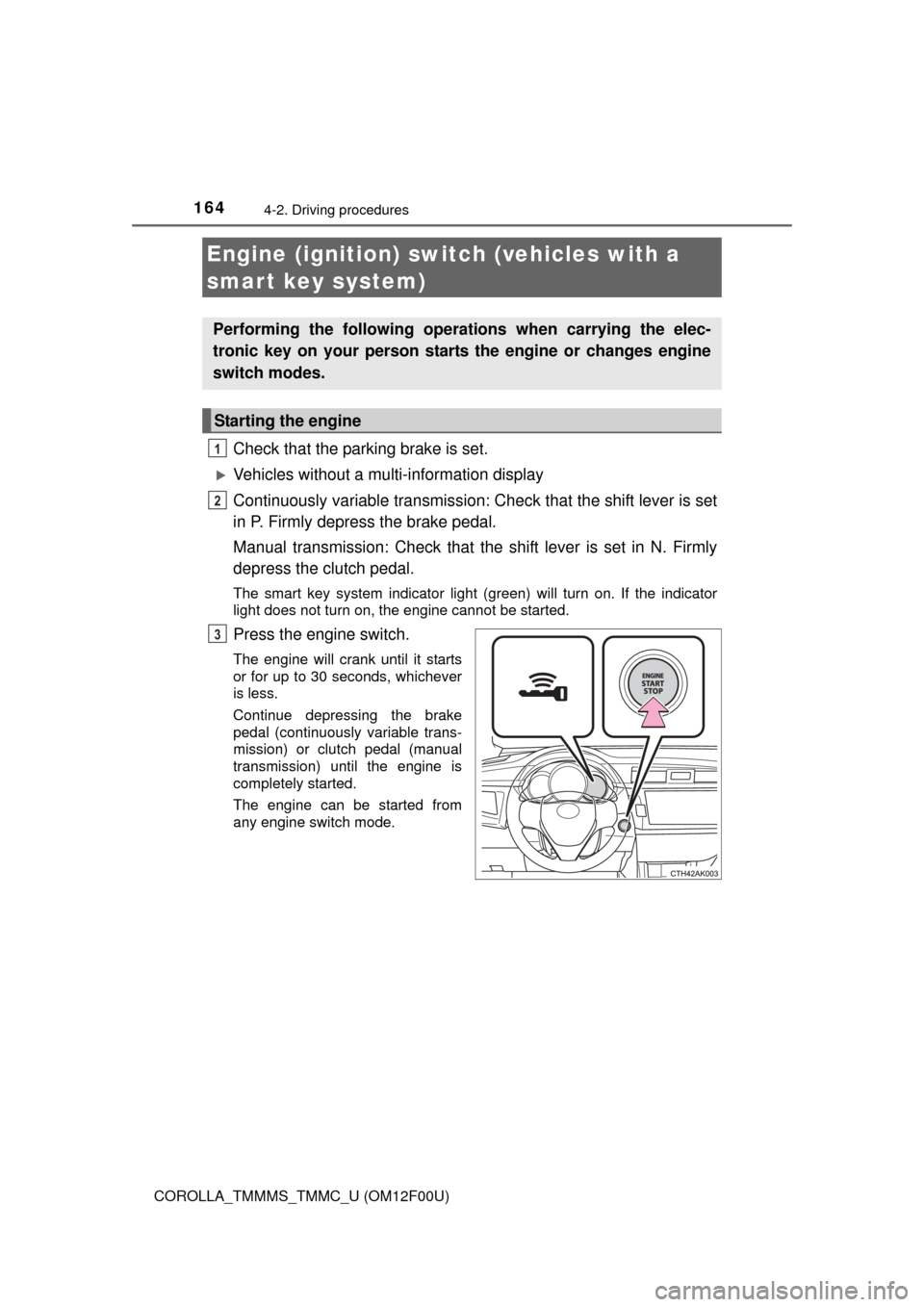
The smart key system indicator light (green) will turn on. If the indicator
light does not turn on, the engine cannot be started.
Press the engine switch.
The engine will crank until it starts
or for up to 30 seconds, whichever
is less.
Continue depressing the brake
pedal (continuously variable trans-
mission) or clutch pedal (manual
transmission) until the engine is
completely started.
The engine can be started from
any engine switch mode.
Engine (ignition) switch (vehicles with a
smart key system)
Performing the following operations when carrying the elec-
tronic key on your person starts the engine or changes engine
switch modes.
Starting the engine
1
2
3
Page 165 of 612
1654-2. Driving procedures
4
Driving
COROLLA_TMMMS_TMMC_U (OM12F00U)
Vehicles with a multi-information display
Continuously variable transmission: Check that the shift lever is set
in P. Firmly depress the brake pedal.
Manual transmission: Check that the shift lever is set in N. Firmly
depress the clutch pedal.
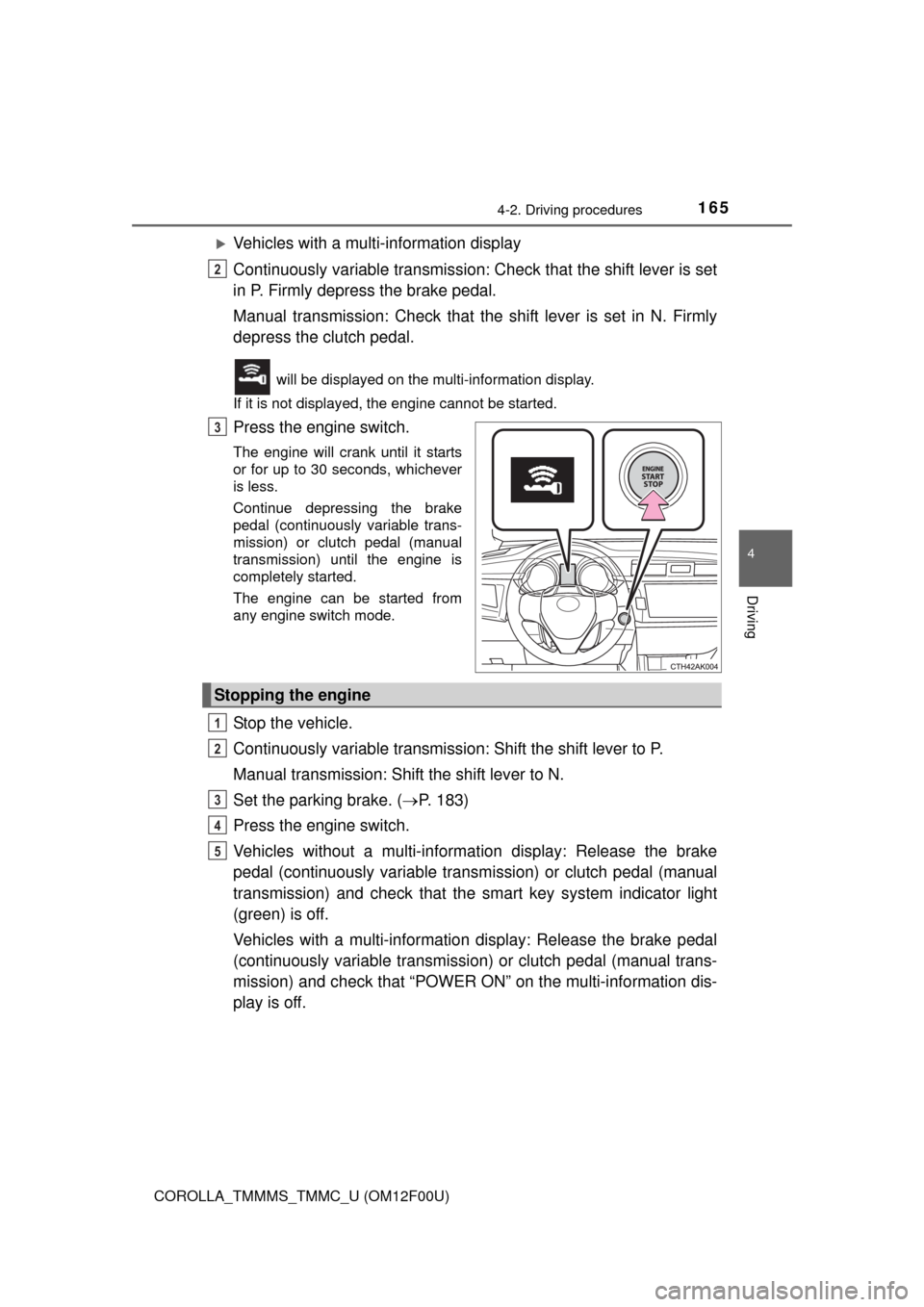
will be displayed on the multi-information display.
If it is not displayed, the engine cannot be started.
Press the engine switch.
The engine will crank until it starts
or for up to 30 seconds, whichever
is less.
Continue depressing the brake
pedal (continuously variable trans-
mission) or clutch pedal (manual
transmission) until the engine is
completely started.
The engine can be started from
any engine switch mode.
Stop the vehicle.
Continuously variable transmission: Shift the shift lever to P.
Manual transmission: Shift the shift lever to N.
Set the parking brake. (P. 183)
Press the engine switch.
Vehicles without a multi-information display: Release the brake
pedal (continuously variable transmission) or clutch pedal (manual
transmission) and check that the smart key system indicator light
(green) is off.
Vehicles with a multi-information display: Release the brake pedal
(continuously variable transmission) or clutch pedal (manual trans-
mission) and check that “POWER ON” on the multi-information dis-
play is off.
2
3
Stopping the engine
1
2
3
4
5
Page 169 of 612
1694-2. Driving procedures
4
Driving
COROLLA_TMMMS_TMMC_U (OM12F00U)■Electronic key battery depletion
P. 9 5
■Conditions affecting operation
P. 1 1 5
■Notes for the entry function
P. 1 1 6
■If the engine does not start
●The engine immobilizer system may not have been deactivated. (P. 66)
Contact your Toyota dealer.
●Vehicles with a continuously variable transmission: Check that the shift lever
is securely set in P. The engine may not start if the shift lever is displaced
out of P.
Vehicles without a multi-information display
The smart key system indicator light (green) will flash quickly.
Vehicles with a multi-information display
“SHIFT TO P POSITION TO START” will be displayed on the multi-informa-
tion display.
■Steering lock
After turning the engine switch off and opening and closing the doors, the
steering wheel will be locked due to the steering lock function. Operating the
engine switch again automatically cancels the steering lock.
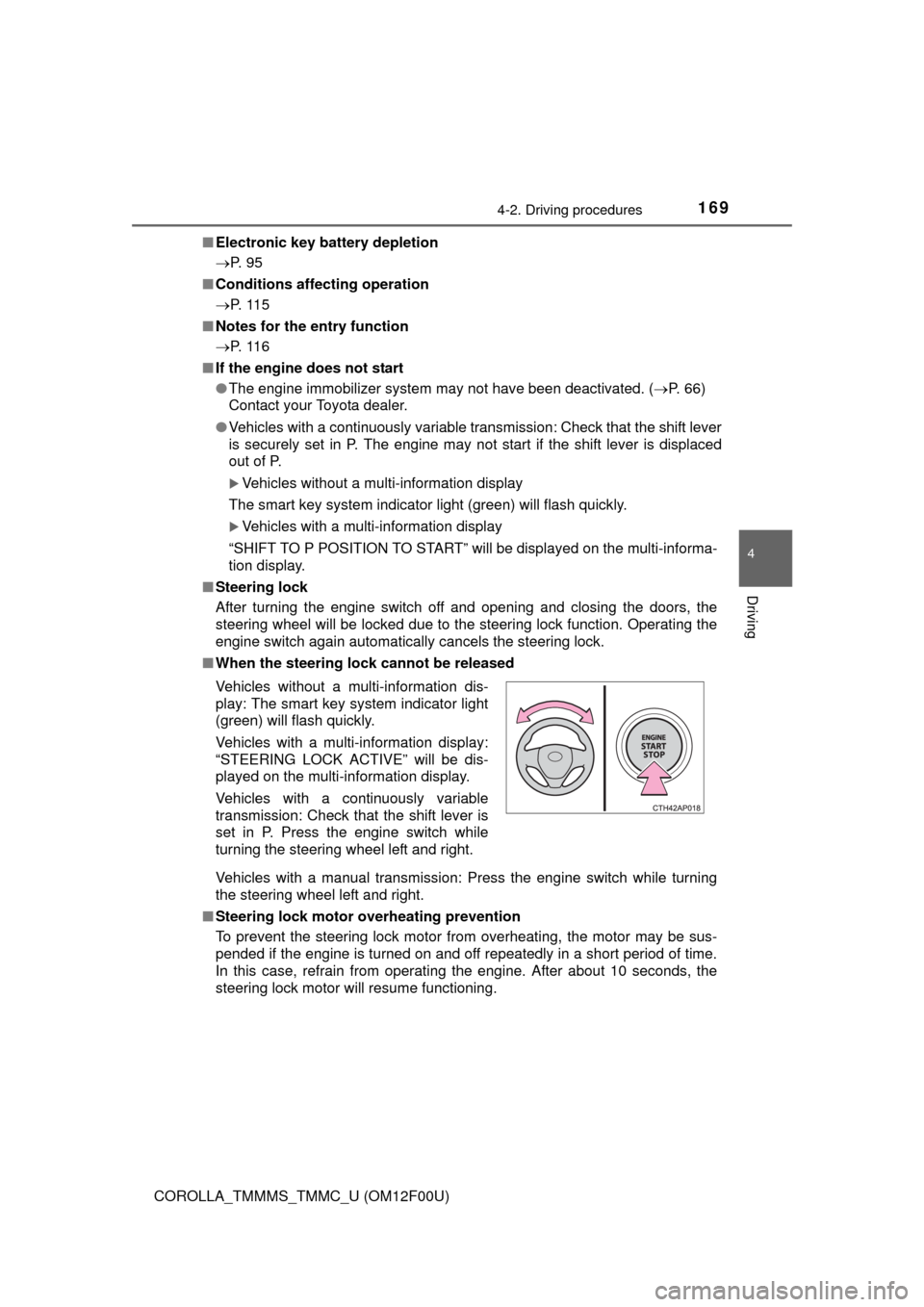
■When the steering lock cannot be released
Vehicles with a manual transmission: Press the engine switch while turning
the steering wheel left and right.
■Steering lock motor overheating prevention
To prevent the steering lock motor from overheating, the motor may be sus-
pended if the engine is turned on and off repeatedly in a short period of time.
In this case, refrain from operating the engine. After about 10 seconds, the
steering lock motor will resume functioning. Vehicles without a multi-information dis-
play: The smart key system indicator light
(green) will flash quickly.
Vehicles with a multi-information display:
“STEERING LOCK ACTIVE” will be dis-
played on the multi-information display.
Vehicles with a continuously variable
transmission: Check that the shift lever is
set in P. Press the engine switch while
turning the steering wheel left and right.
Page 170 of 612

1704-2. Driving procedures
COROLLA_TMMMS_TMMC_U (OM12F00U)■When the smart key system indicator light flashes in yellow (vehicles
without a multi-information display)
The system may be malfunctioning. Have the vehicle inspected by your
Toyota dealer immediately.
■When “CHECK SMART KEY SYSTEM” will be displayed on the multi-
information display (vehicles with a multi-information display)
The system may be malfunctioning. Have the vehicle inspected by your
Toyota dealer immediately.
■If the electronic key battery is depleted
P. 464
■Operation of the engine switch
●When operating the engine switch, one short, firm press is enough. If the
switch is pressed improperly, the engine may not start or the engine switch
mode may not change. It is not necessary to press and hold the switch.
●If attempting to restart the engine immediately after turning the engine
switch off, the engine may not start in some cases. After turning the engine
switch off, please wait a few seconds before restarting the engine.
■If the smart key system has been deactivated in a customized setting
P. 529
CAUTION
■When starting the engine
Always start the engine while sitting in the driver’s seat. Do not depress the
accelerator pedal while starting the engine under any circumstances.
Doing so may cause an accident resulting in death or serious injury.
■Caution while driving
If engine failure occurs while the vehicle is moving, do not lock or open the
doors until the vehicle reaches a safe and complete stop. Activation of the
steering lock in this circumstance may lead to an accident, resulting in
death or serious injury.
■Stopping the engine in an emergency
If you want to stop the engine in an emergency while driving the vehicle,
press and hold the engine switch for more than 2 seconds, or press it briefly
3 times or more in succession. (P. 483)
However, do not touch the engine switch while driving except in an emer-
gency. Turning the engine off while driving will not cause loss of steering or
braking control, but the power assist to these systems will be lost. This will
make it more difficult to steer and brake, so you should pull over and stop
the vehicle as soon as it is safe to do so.
Page 171 of 612
1714-2. Driving procedures
4
Driving
COROLLA_TMMMS_TMMC_U (OM12F00U)
NOTICE
■To prevent battery discharge
●Do not leave the engine switch in ACCESSORY or IGNITION ON mode
for long periods of time without the engine running.
●Vehicles without a multi-information display:
If the smart key system indicator light (green) is illuminated, the engine
switch is not off. When exiting the vehicle, always check that the engine
switch is off.
●Vehicles with a multi-information display:
If “POWER ON” is displayed on the multi-information display, the engine
switch is not off. When exiting the vehicle, always check that the engine
switch is off.
●Vehicles with a continuously variable transmission:
Do not stop the engine when the shift lever is in a position other than P. If
the engine is stopped in another shift lever position, the engine switch will
not be turned off but instead be turned to ACCESSORY mode. If the vehi-
cle is left in ACCESSORY mode, battery discharge may occur.
■When starting the engine
●Do not race a cold engine.
●If the engine becomes difficult to start or stalls frequently, have your vehi-
cle checked by your Toyota dealer immediately.
■Symptoms indicating a malfunction with the engine switch
If the engine switch seems to be operating somewhat differently than usual,
such as the switch sticking slightly, there may be a malfunction. Contact
your Toyota dealer immediately.
Page 173 of 612
1734-2. Driving procedures
4
Driving
COROLLA_TMMMS_TMMC_U (OM12F00U)
*: Shifting to the D position allows the system to select a gear suitable for
driving conditions. Setting the shift lever to the D position is recommended
for normal driving.
■Downshifting restrictions
The shift lever cannot be downshifted if the following speeds are exceeded.
mph (km/h)
■When driving with cruise control activated (if equipped)
Even when performing the following actions with the intent of enabling engine
braking, engine braking will not activate while downshifting to 3 because
cruise control will not be canceled. (P. 197)
■If the shift lever cannot be shifted from P
P. 528
■AI-SHIFT
AI-SHIFT automatically selects the suitable gear according to driver perfor-
mance and driving conditions.
AI-SHIFT automatically operates when the shift lever is in the D position.
Shift position uses
Shift positionFunction
P Parking the vehicle or starting the engine
R Reversing
N Neutral
D Normal driving
*
3 Position for engine braking
2 Position for more powerful engine braking
L Position for maximum engine braking
DownshiftingMaximum speed
3259 (94)
2L27 (43)
CAUTION
■When driving on slippery road surfaces
Be careful of downshifting and sudden acceleration, as this could result in
the vehicle skidding to the side or spinning.
Page 175 of 612
1754-2. Driving procedures
4
Driving
COROLLA_TMMMS_TMMC_U (OM12F00U)
*: To improve fuel efficiency and reduce noises, set the shift lever in D for
normal driving.
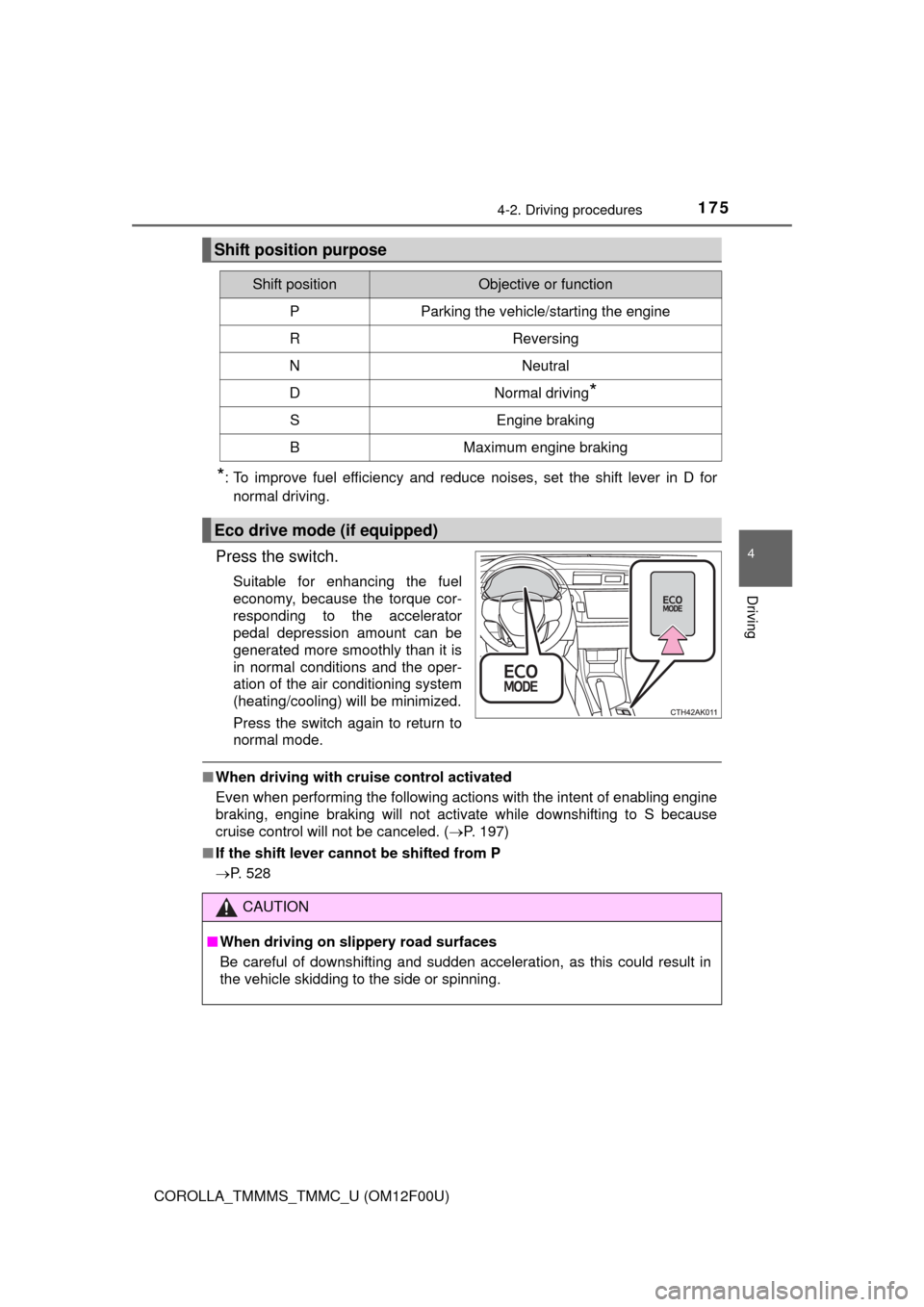
Press the switch.
Suitable for enhancing the fuel
economy, because the torque cor-
responding to the accelerator
pedal depression amount can be
generated more smoothly than it is
in normal conditions and the oper-
ation of the air conditioning system
(heating/cooling) will be minimized.
Press the switch again to return to
normal mode.
■When driving with cruise control activated
Even when performing the following actions with the intent of enabling engine
braking, engine braking will not activate while downshifting to S because
cruise control will not be canceled. (P. 197)
■If the shift lever cannot be shifted from P
P. 528
Shift position purpose
Shift positionObjective or function
PParking the vehicle/starting the engine
RReversing
NNeutral
DNormal driving*
SEngine braking
BMaximum engine braking
Eco drive mode (if equipped)
CAUTION
■When driving on slippery road surfaces
Be careful of downshifting and sudden acceleration, as this could result in
the vehicle skidding to the side or spinning.
Page 188 of 612
1884-3. Operating the lights and wipers
COROLLA_TMMMS_TMMC_U (OM12F00U)
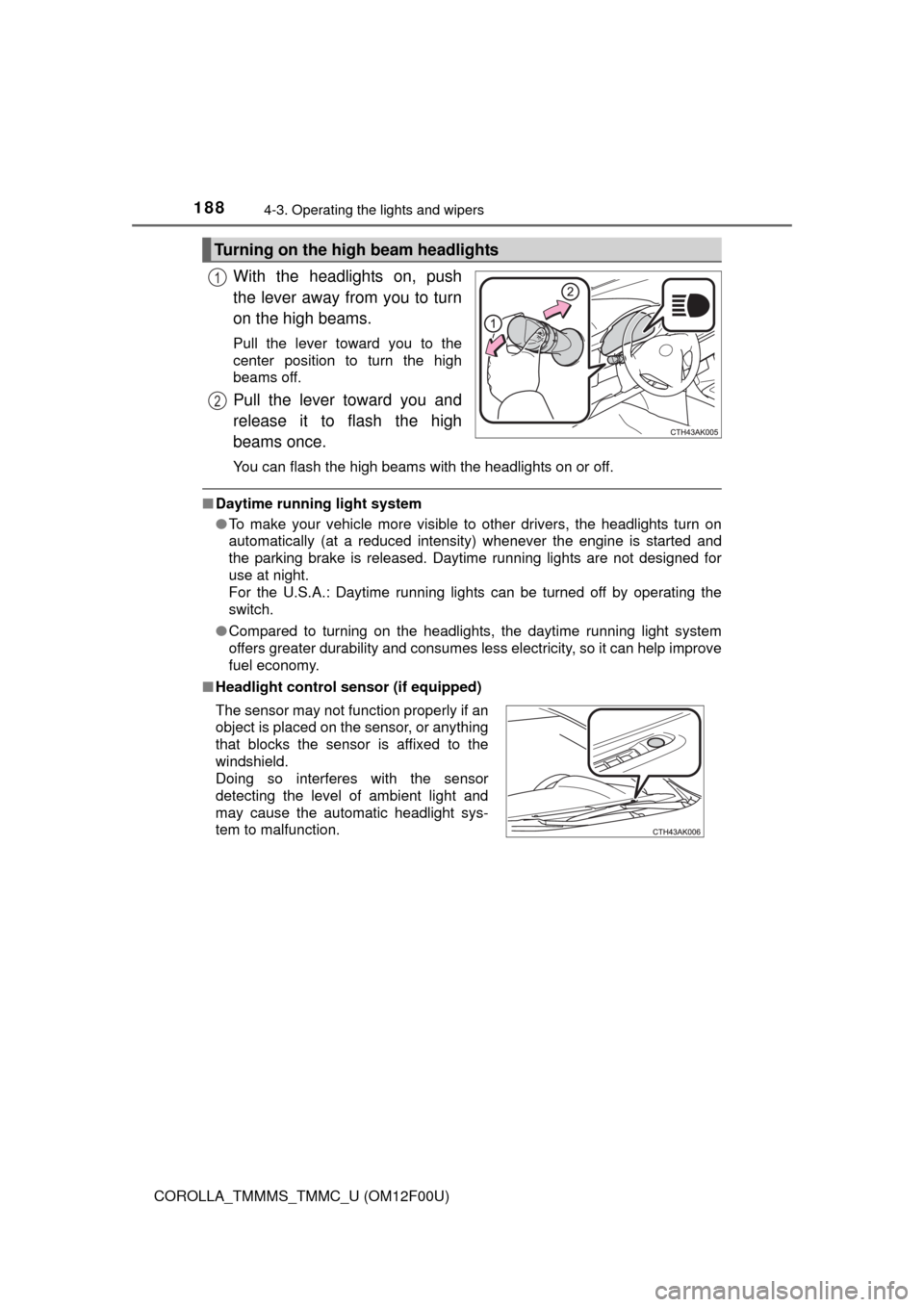
With the headlights on, push
the lever away from you to turn
on the high beams.
Pull the lever toward you to the
center position to turn the high
beams off.
Pull the lever toward you and
release it to flash the high
beams once.
You can flash the high beams with the headlights on or off.
■Daytime running light system
●To make your vehicle more visible to other drivers, the headlights turn on
automatically (at a reduced intensity) whenever the engine is started and
the parking brake is released. Daytime running lights are not designed for
use at night.
For the U.S.A.: Daytime running lights can be turned off by operating the
switch.
●Compared to turning on the headlights, the daytime running light system
offers greater durability and consumes less electricity, so it can help improve
fuel economy.
■Headlight control sensor (if equipped)
Turning on the high beam headlights
1
2
The sensor may not function properly if an
object is placed on the sensor, or anything
that blocks the sensor is affixed to the
windshield.
Doing so interferes with the sensor
detecting the level of ambient light and
may cause the automatic headlight sys-
tem to malfunction.
Page 193 of 612
1934-3. Operating the lights and wipers
4
Driving
COROLLA_TMMMS_TMMC_U (OM12F00U)
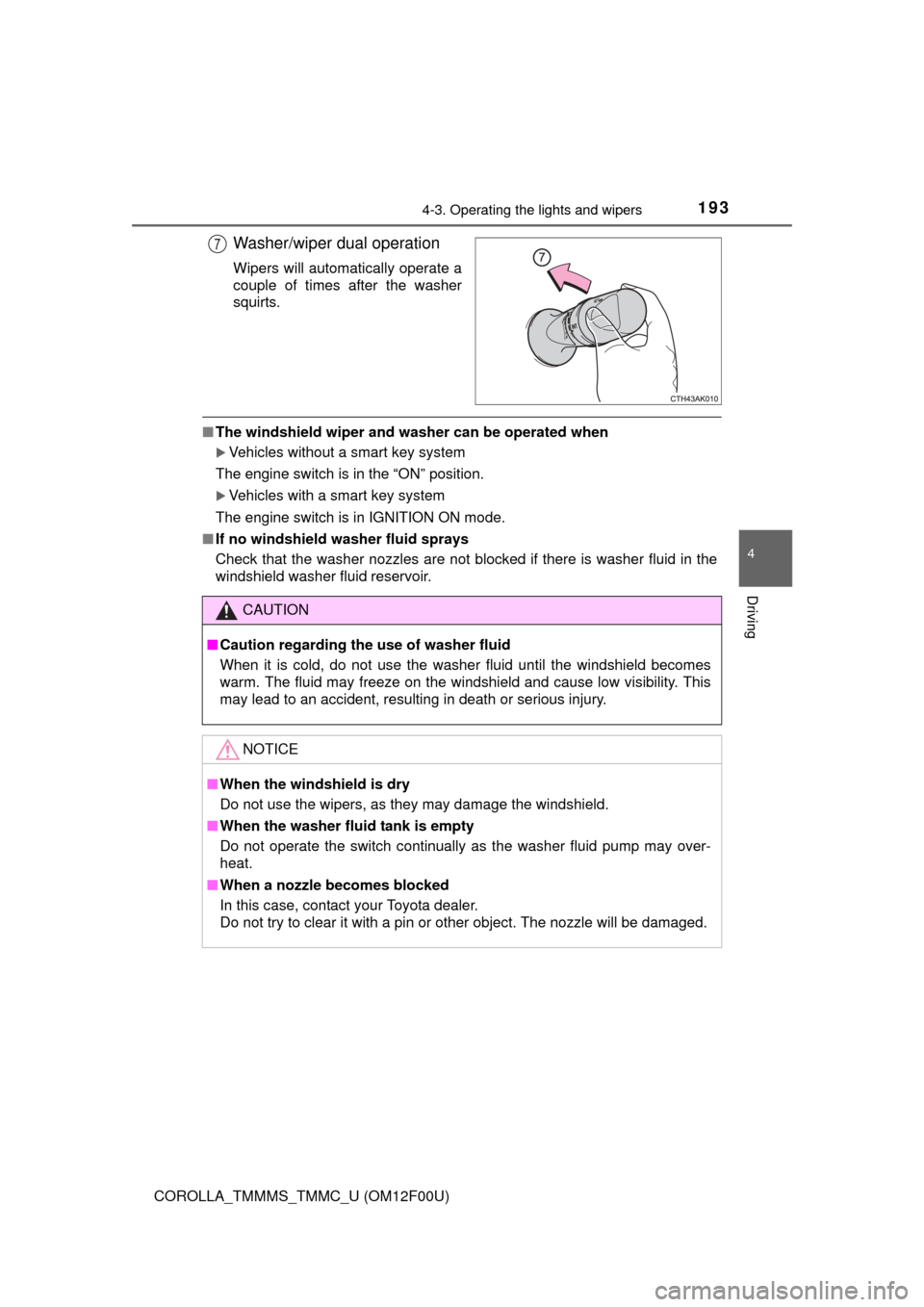
Washer/wiper dual operation
Wipers will automatically operate a
couple of times after the washer
squirts.
■The windshield wiper and washer can be operated when
Vehicles without a smart key system
The engine switch is in the “ON” position.
Vehicles with a smart key system
The engine switch is in IGNITION ON mode.
■If no windshield washer fluid sprays
Check that the washer nozzles are not blocked if there is washer fluid in the
windshield washer fluid reservoir.
7
CAUTION
■Caution regarding the use of washer fluid
When it is cold, do not use the washer fluid until the windshield becomes
warm. The fluid may freeze on the windshield and cause low visibility. This
may lead to an accident, resulting in death or serious injury.
NOTICE
■When the windshield is dry
Do not use the wipers, as they may damage the windshield.
■When the washer fluid tank is empty
Do not operate the switch continually as the washer fluid pump may over-
heat.
■When a nozzle becomes blocked
In this case, contact your Toyota dealer.
Do not try to clear it with a pin or other object. The nozzle will be damaged.
Page 197 of 612
197
4
Driving
COROLLA_TMMMS_TMMC_U (OM12F00U)
4-5. Using the driving support systems
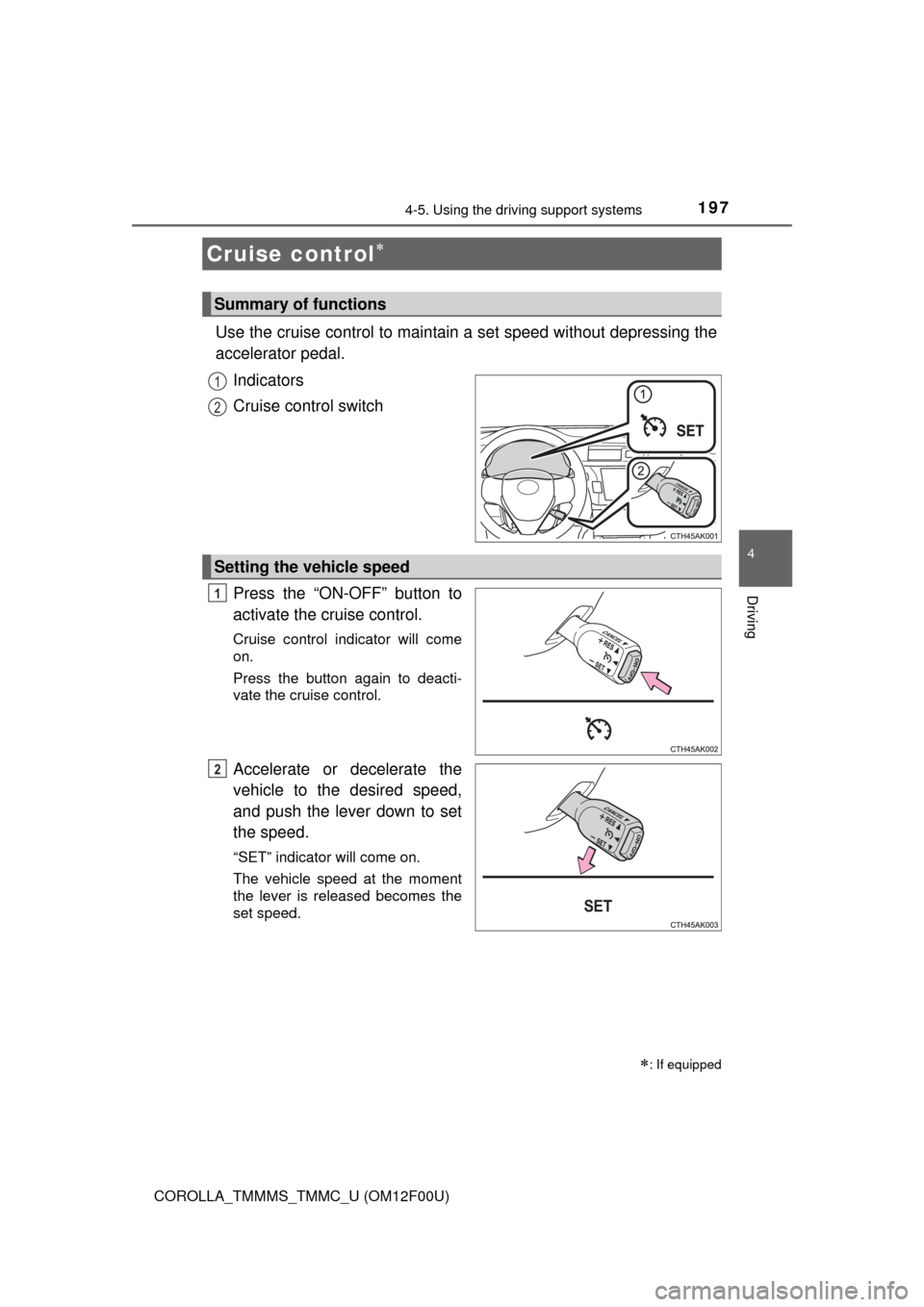
Use the cruise control to maintain a set speed without depressing the
accelerator pedal.
Indicators
Cruise control switch
Press the “ON-OFF” button to
activate the cruise control.
Cruise control indicator will come
on.
Press the button again to deacti-
vate the cruise control.
Accelerate or decelerate the
vehicle to the desired speed,
and push the lever down to set
the speed.
“SET” indicator will come on.
The vehicle speed at the moment
the lever is released becomes the
set speed.
Cruise control
: If equipped
Summary of functions
1
2
Setting the vehicle speed
1
2