radio TOYOTA COROLLA 2015 11.G Navigation Manual
[x] Cancel search | Manufacturer: TOYOTA, Model Year: 2015, Model line: COROLLA, Model: TOYOTA COROLLA 2015 11.GPages: 292, PDF Size: 3.95 MB
Page 88 of 292
88
2. RADIO OPERATION
COROLLA_13CY_Navi_U
If “Ch 000” is selected using the “TUNE/
SCROLL” knob, the ID code, which is 8
alphanumeric characters, will be dis-
played. If another channel is selected, the
ID code will no longer be displayed. The
channel (000) alternates between display-
ing the radio ID and the specific radio
code.
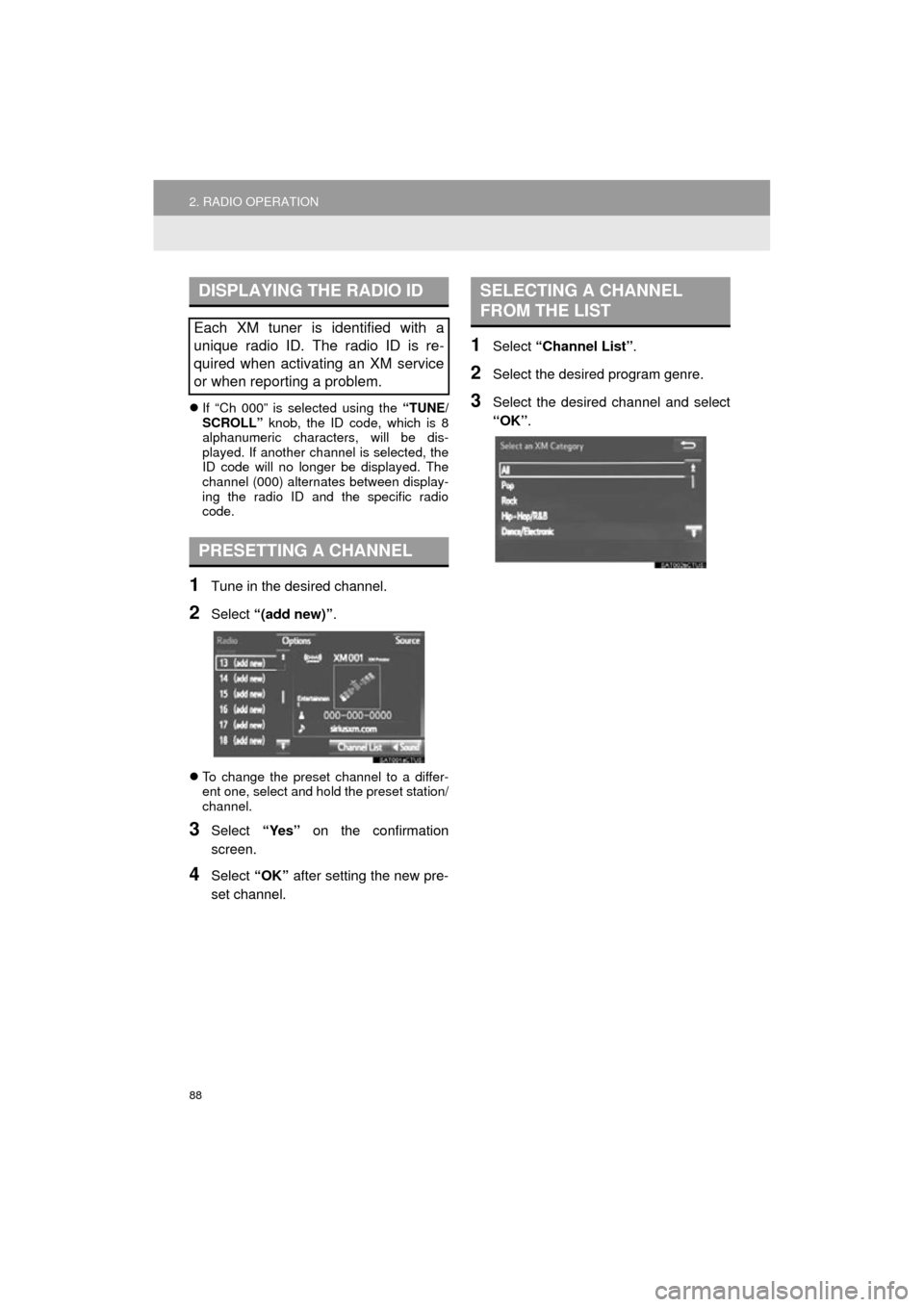
1Tune in the desired channel.
2Select “(add new)” .
To change the preset channel to a differ-
ent one, select and hold the preset station/
channel.
3Select “Yes” on the confirmation
screen.
4Select “OK” after setting the new pre-
set channel.
1Select “Channel List” .
2Select the desired program genre.
3Select the desired channel and select
“OK”.
DISPLAYING THE RADIO ID
Each XM tuner is identified with a
unique radio ID. The radio ID is re-
quired when activating an XM service
or when reporting a problem.
PRESETTING A CHANNEL
SELECTING A CHANNEL
FROM THE LIST
Page 89 of 292
89
2. RADIO OPERATION
COROLLA_13CY_Navi_U
AUDIO SYSTEM
3
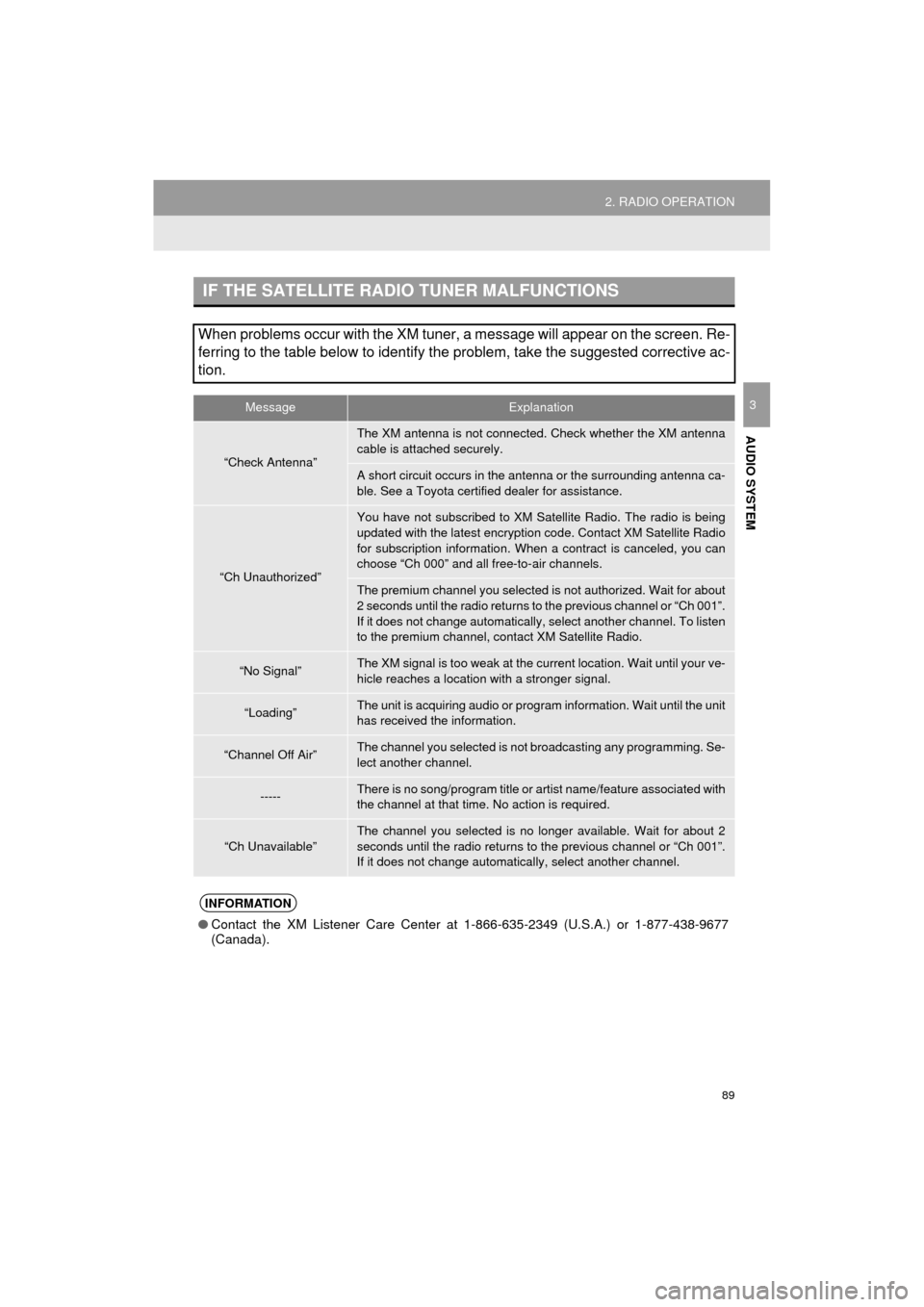
IF THE SATELLITE RADIO TUNER MALFUNCTIONS
When problems occur with the XM tuner, a message will appear on the screen. Re-
ferring to the table below to identify the problem, take the suggested corrective ac-
tion.
MessageExplanation
“Check Antenna”
The XM antenna is not connected. Check whether the XM antenna
cable is attached securely.
A short circuit occurs in the antenna or the surrounding antenna ca-
ble. See a Toyota certified dealer for assistance.
“Ch Unauthorized”
You have not subscribed to XM Satellite Radio. The radio is being
updated with the latest encryption code. Contact XM Satellite Radio
for subscription information. When a contract is canceled, you can
choose “Ch 000” and all free-to-air channels.
The premium channel you selected is not authorized. Wait for about
2 seconds until the radio returns to the previous channel or “Ch 001”.
If it does not change automatically, select another channel. To listen
to the premium channel, contact XM Satellite Radio.
“No Signal”The XM signal is too weak at the current location. Wait until your ve-
hicle reaches a location wi th a stronger signal.
“Loading”The unit is acquiring audio or program information. Wait until the unit
has received the information.
“Channel Off Air”The channel you selected is not broadcasting any programming. Se-
lect another channel.
-----There is no song/program title or artist name/feature associated with
the channel at that time. No action is required.
“Ch Unavailable”
The channel you selected is no longe r available. Wait for about 2
seconds until the radio returns to the previous channel or “Ch 001”.
If it does not change automatically, select another channel.
INFORMATION
● Contact the XM Listener Care Center at 1-866-635-2349 (U.S.A.) or 1-877-438-9677
(Canada).
Page 90 of 292
90
2. RADIO OPERATION
COROLLA_13CY_Navi_U
3. INTERNET RADIO
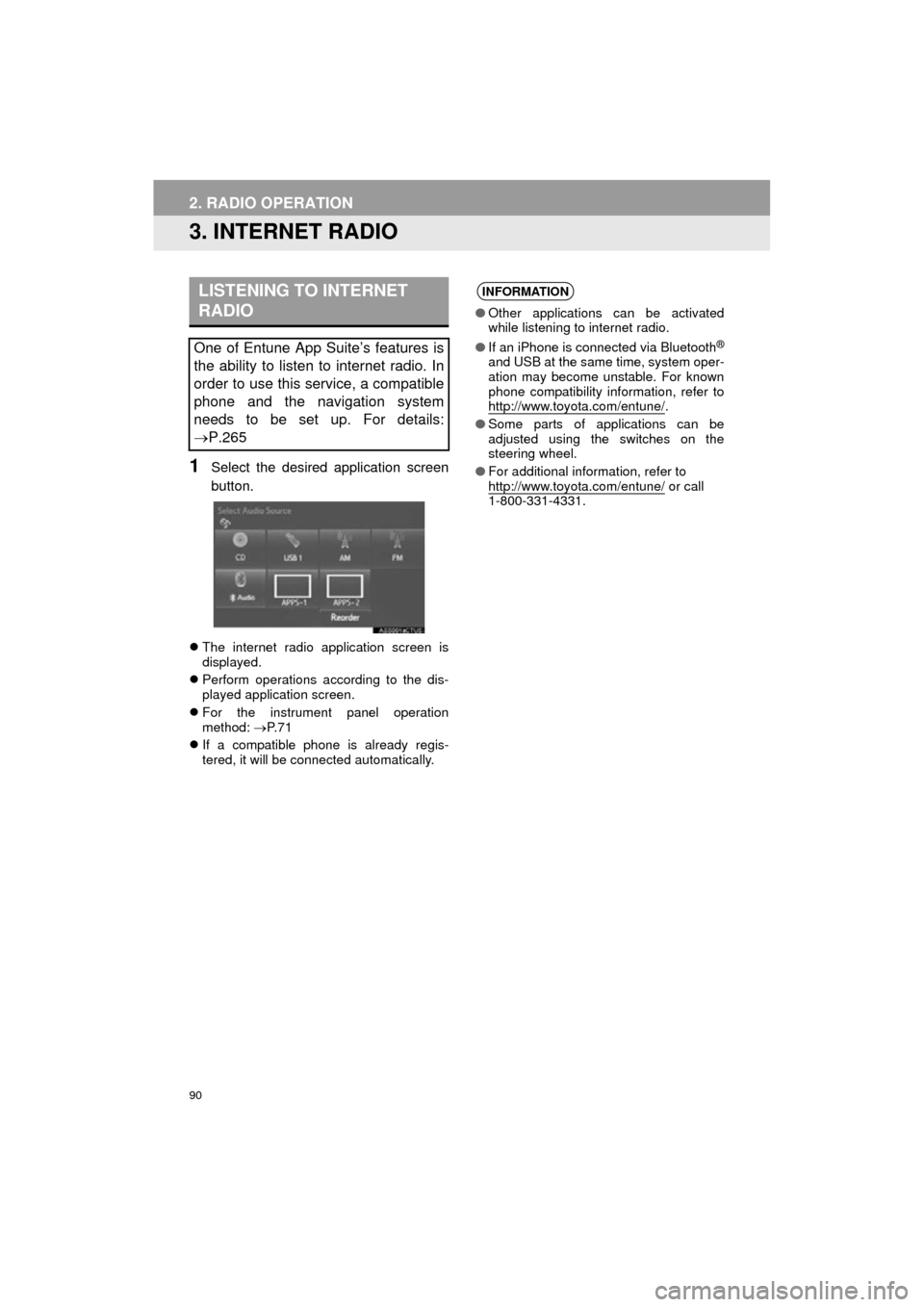
1Select the desired application screen
button.
The internet radio application screen is
displayed.
Perform operations according to the dis-
played application screen.
For the instrument panel operation
method: P. 7 1
If a compatible phone is already regis-
tered, it will be connected automatically.
LISTENING TO INTERNET
RADIO
One of Entune App Suite’s features is
the ability to listen to internet radio. In
order to use this service, a compatible
phone and the navigation system
needs to be set up. For details:
P.265
INFORMATION
●Other applications can be activated
while listening to internet radio.
● If an iPhone is connected via Bluetooth
®
and USB at the same time, system oper-
ation may become unstable. For known
phone compatibility information, refer to
http://www.toyota.com/entune/
.
● Some parts of applications can be
adjusted using the switches on the
steering wheel.
● For additional information, refer to
http://www.toyota.com/entune/
or call
1-800-331-4331.
Page 105 of 292
105
3. MEDIA OPERATION
COROLLA_13CY_Navi_U
AUDIO SYSTEM
3
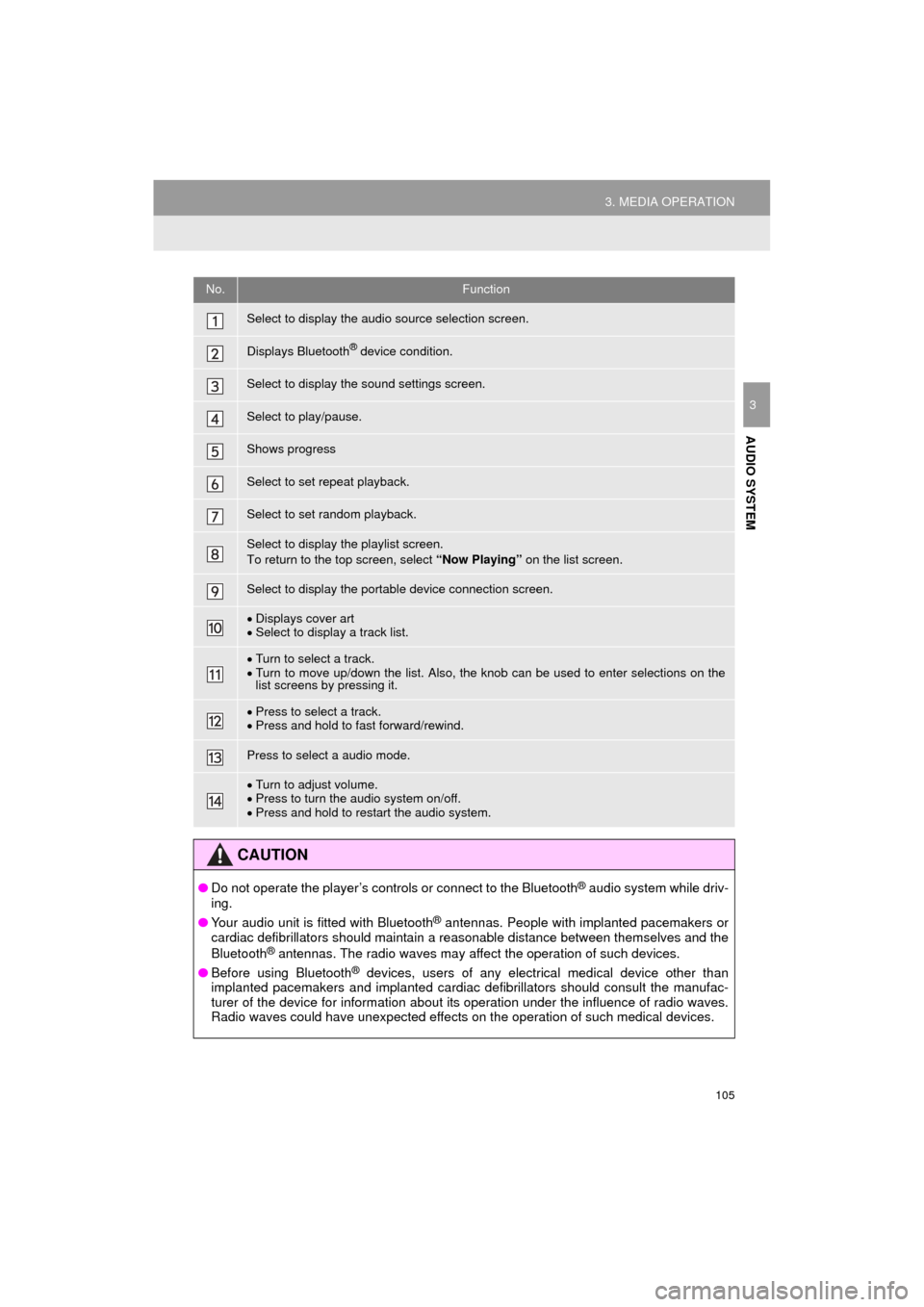
No.Function
Select to display the audio source selection screen.
Displays Bluetooth® device condition.
Select to display the sound settings screen.
Select to play/pause.
Shows progress
Select to set repeat playback.
Select to set random playback.
Select to display the playlist screen.
To return to the top screen, select “Now Playing” on the list screen.
Select to display the portable device connection screen.
Displays cover art
Select to display a track list.
Turn to select a track.
Turn to move up/down the list. Also, the knob can be used to enter selections on the
list screens by pressing it.
Press to select a track.
Press and hold to fast forward/rewind.
Press to select a audio mode.
Turn to adjust volume.
Press to turn the audio system on/off.
Press and hold to restart the audio system.
CAUTION
● Do not operate the player’s controls or connect to the Bluetooth® audio system while driv-
ing.
● Your audio unit is fitted with Bluetooth
® antennas. People with implanted pacemakers or
cardiac defibrillators should maintain a reasonable distance between themselves and the
Bluetooth
® antennas. The radio waves may affect the operation of such devices.
● Before using Bluetooth
® devices, users of any electrical medical device other than
implanted pacemakers and implanted cardiac defibrillators should consult the manufac-
turer of the device for information about its operation under the influence of radio waves.
Radio waves could have unexpected effects on the operation of such medical devices.
Page 111 of 292
111
4. AUDIO REMOTE CONTROLS
COROLLA_13CY_Navi_U
AUDIO SYSTEM
3
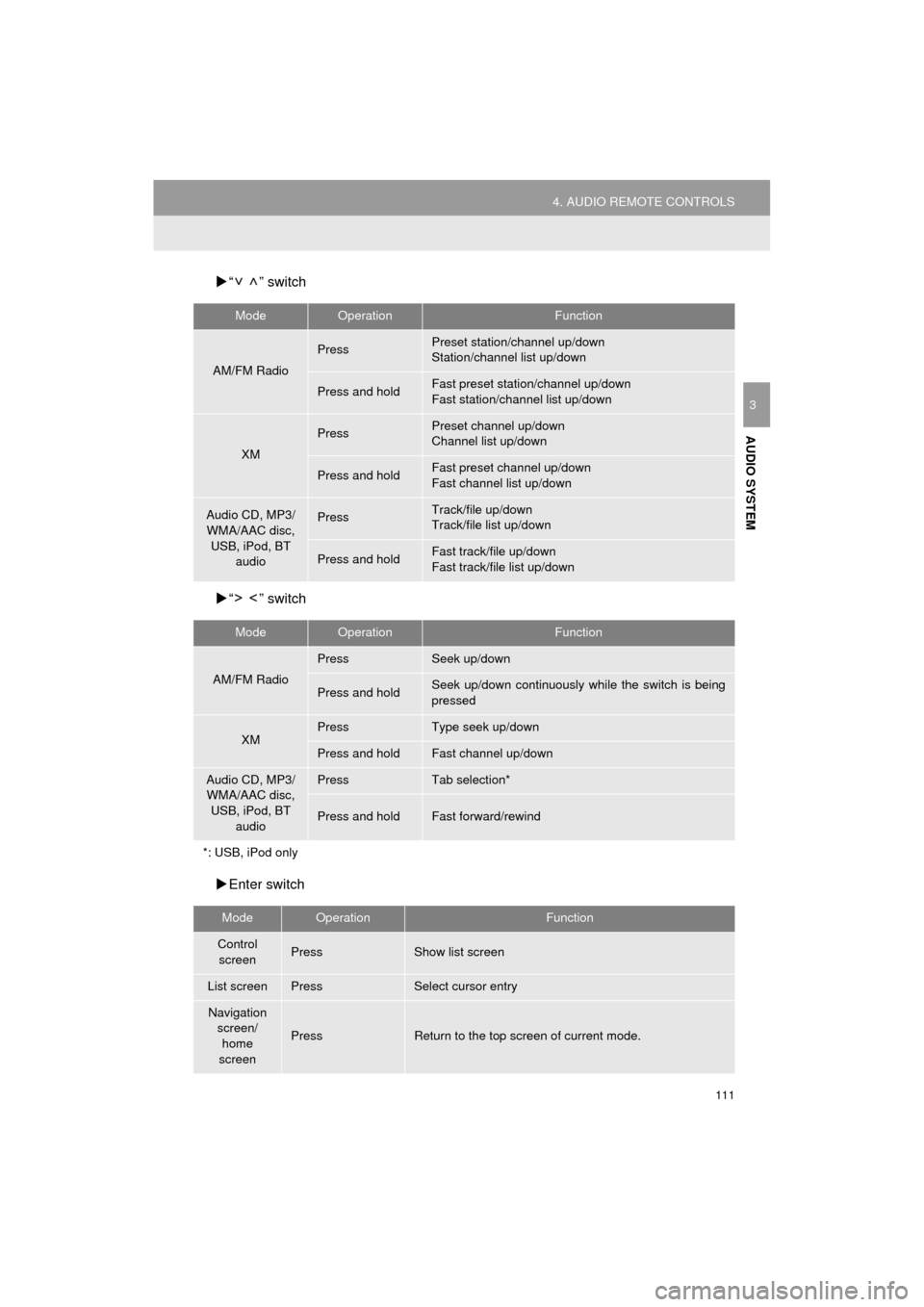
“ ” switch
“ ” switch
Enter switch
ModeOperationFunction
AM/FM Radio
PressPreset station/channel up/down
Station/channel list up/down
Press and holdFast preset station/channel up/down
Fast station/channel list up/down
XM
PressPreset channel up/down
Channel list up/down
Press and holdFast preset channel up/down
Fast channel list up/down
Audio CD, MP3/
WMA/AAC disc, USB, iPod, BT audioPressTrack/file up/down
Track/file list up/down
Press and holdFast track/file up/down
Fast track/file list up/down
ModeOperationFunction
AM/FM Radio
PressSeek up/down
Press and holdSeek up/down continuously wh ile the switch is being
pressed
XMPressType seek up/down
Press and holdFast channel up/down
Audio CD, MP3/ WMA/AAC disc, USB, iPod, BT
audioPressTab selection*
Press and holdFast forward/rewind
*: USB, iPod only
ModeOperationFunction
Control screenPressShow list screen
List screenPressSelect cursor entry
Navigation
screen/home
screen
PressReturn to the top screen of current mode.
Page 113 of 292
113
COROLLA_13CY_Navi_U
AUDIO SYSTEM
3
5. SETUP
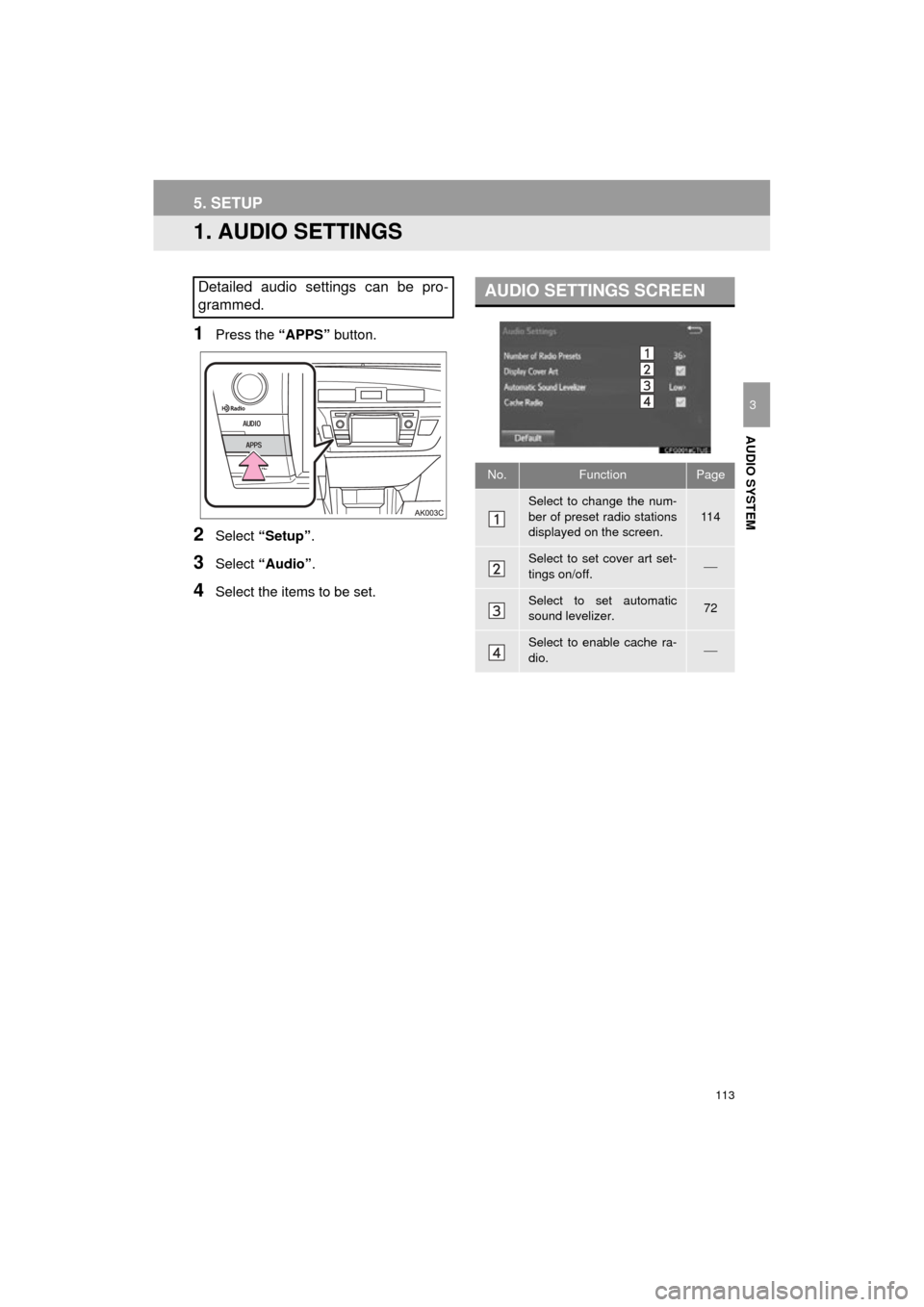
1. AUDIO SETTINGS
1Press the “APPS” button.
2Select “Setup” .
3Select “Audio” .
4Select the items to be set.
Detailed audio settings can be pro-
grammed.AUDIO SETTINGS SCREEN
No.FunctionPage
Select to change the num-
ber of preset radio stations
displayed on the screen.
11 4
Select to set cover art set-
tings on/off.
Select to set automatic
sound levelizer.72
Select to enable cache ra-
dio.
Page 114 of 292
114
5. SETUP
COROLLA_13CY_Navi_U
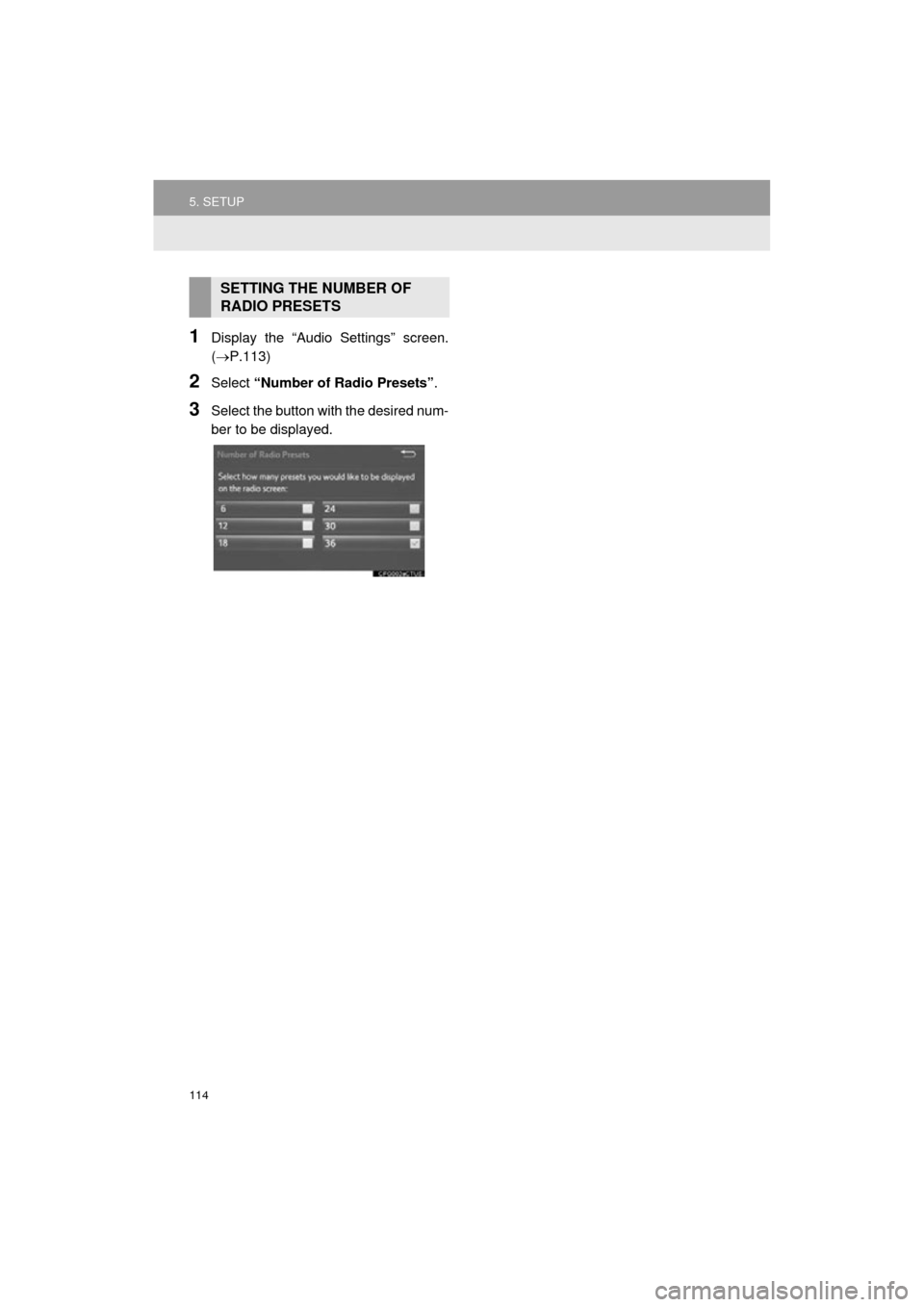
1Display the “Audio Settings” screen.
(P.113)
2Select “Number of Radio Presets” .
3Select the button with the desired num-
ber to be displayed.
SETTING THE NUMBER OF
RADIO PRESETS
Page 115 of 292
115
COROLLA_13CY_Navi_U
AUDIO SYSTEM
3
6. TIPS FOR OPERATING THE AUDIO SYSTEM
1. OPERATING INFORMATION
Fading and drifting stations: Generally, the
effective range of FM is about 25 miles (40
km). Once outside this range, you may no-
tice fading and drifting, which increase with
the distance from the radio transmitter.
They are often accompanied by distortion.
Multi-path: FM signals are reflective, mak-
ing it possible for 2 signals to reach the ve-
hicle’s antenna at the same time. If this
happens, the signals will cancel each other
out, causing a momentary flutter or loss of
reception.
Static and fluttering: These occur when
signals are blocked by buildings, trees or
other large objects. Increasing the bass
level may reduce static and fluttering.
Station swapping: If the FM signal being
listened to is interrupted or weakened, and
there is another st rong station nearby on
the FM band, the radio may tune in the
second station until the original signal can
be picked up again.
Fading: AM broadcasts are reflected by
the upper atmosphere — especially at
night. These reflected signals can interfere
with those received directly from the radio
station, causing the radio station to sound
alternately strong and weak.
Station interference: When a reflected sig-
nal and a signal received directly from a ra-
dio station are very nearly the same
frequency, they can interfere with each
other, making it difficult to hear the broad-
cast.
Static: AM is easily affected by external
sources of electrical noise, such as high
tension power lines, lightening or electrical
motors. This results in static.
NOTICE
● To avoid damage to the audio/visual
system:
• Be careful not to spill beverages over
the audio/visual system.
• Do not put anything other than an appropriate disc into the disc slot.
INFORMATION
● The use of a cellular phone inside or
near the vehicle may cause a noise from
the speakers of t he audio/visual system
which you are listening to. However, this
does not indicate a malfunction.
RADIO
Usually, a problem with radio reception
does not mean there is a problem with
the radio — it is just the normal result
of conditions outside the vehicle.
For example, nearby buildings and ter-
rain can interfere with FM reception.
Power lines or phone wires can inter-
fere with AM signals. And of course, ra-
dio signals have a limited range. The
farther the vehicle is from a station, the
weaker its signal will be. In addition, re-
ception conditions change constantly
as the vehicle moves.
Here, some common reception prob-
lems that probably do not indicate a
problem with the radio are described.
FM
AM
Page 116 of 292
116
6. TIPS FOR OPERATING THE AUDIO SYSTEM
COROLLA_13CY_Navi_U
Cargo loaded on the roof luggage carrier,
especially metal objects, may adversely
affect the reception of XM Satellite Radio.
Alternation or modifications carried out
without appropriate authorization may
invalidate the user’s right to operate the
equipment.
This CD player is intended for use with 4.7
in. (12 cm). discs only.
Extremely high temperatures can keep the
CD player from working. On hot days, use
the air conditioning system to cool the
inside of the vehicle before using the
player.
Bumpy roads or other vibrations may
make the CD player skip.
If moisture gets into the CD player, the
discs may not be able to be played.
Remove the discs from the player and
wait until it dries.
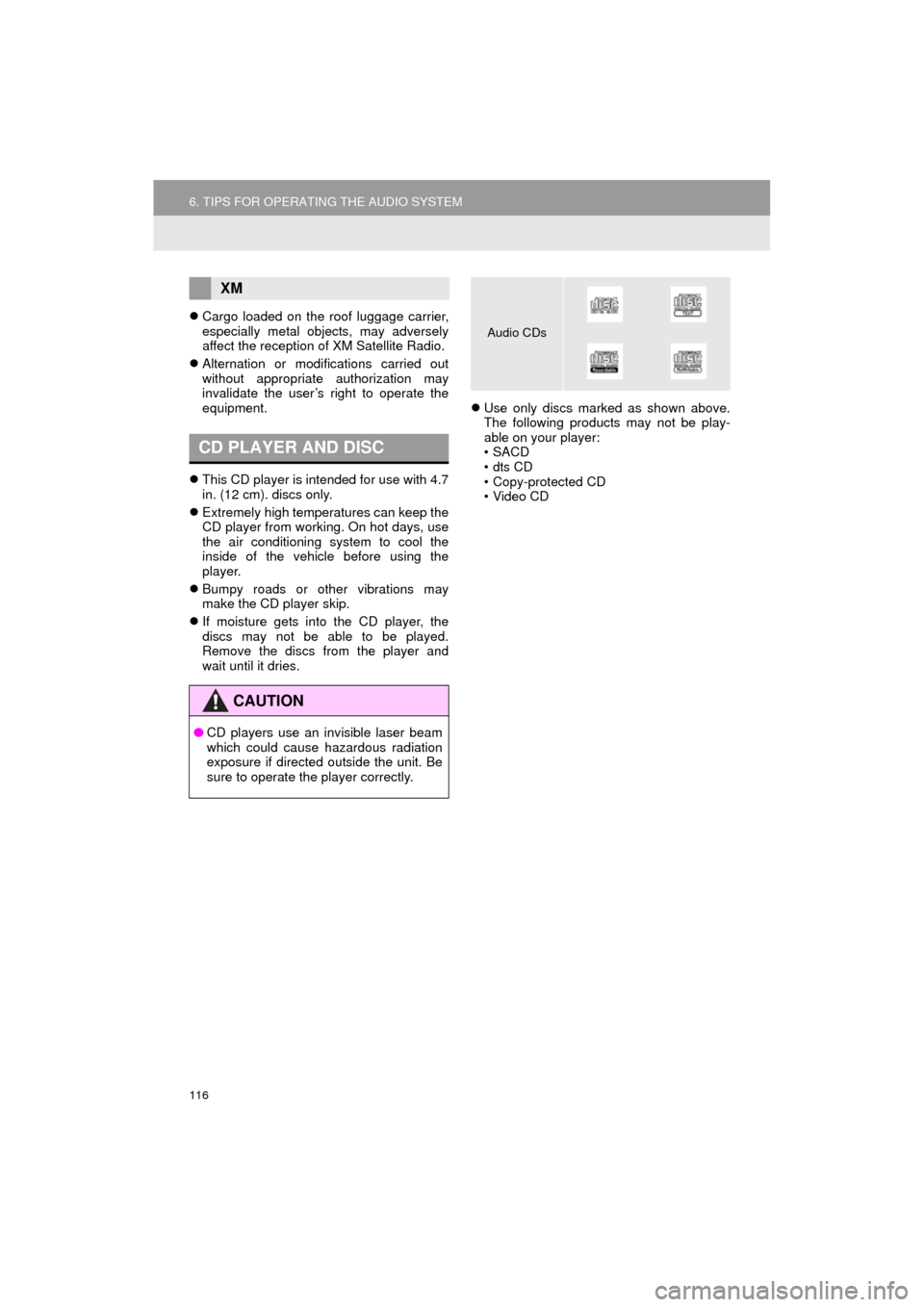
Use only discs marked as shown above.
The following products may not be play-
able on your player:
•SACD
•dts CD
• Copy-protected CD
• Video CD
XM
CD PLAYER AND DISC
CAUTION
●CD players use an invisible laser beam
which could cause hazardous radiation
exposure if directed outside the unit. Be
sure to operate the player correctly.
Audio CDs
Page 138 of 292
138
COROLLA_13CY_Navi_U
2. OTHER USEFUL INFORMATION
1. RECEIVING DOPPLER WEATHER INFORMATION
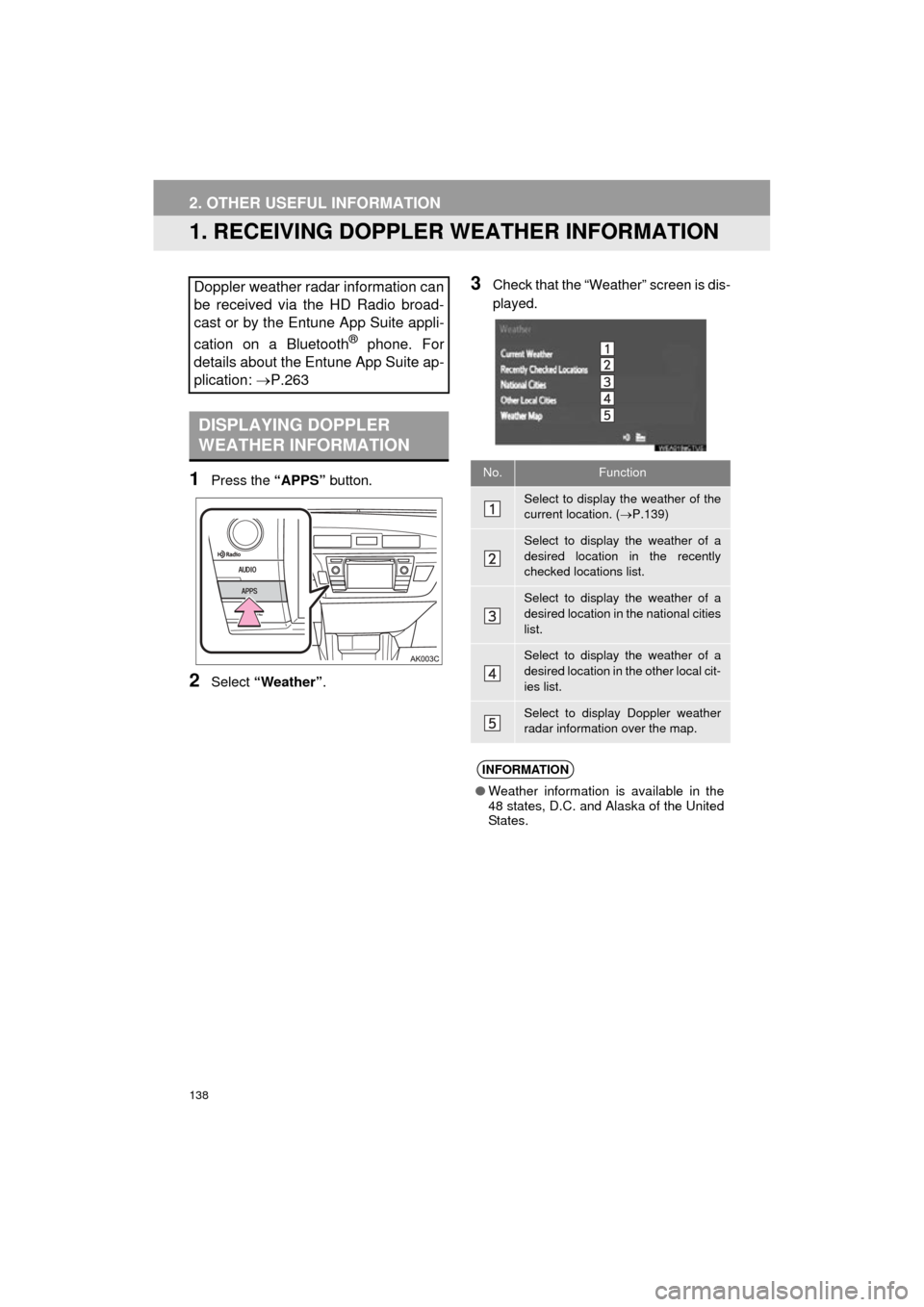
1Press the “APPS” button.
2Select “Weather” .
3Check that the “Weather” screen is dis-
played.Doppler weather radar information can
be received via the HD Radio broad-
cast or by the Entune App Suite appli-
cation on a Bluetooth
® phone. For
details about the Entune App Suite ap-
plication: P.263
DISPLAYING DOPPLER
WEATHER INFORMATION
No.Function
Select to display the weather of the
current location. ( P.139)
Select to display the weather of a
desired location in the recently
checked locations list.
Select to display the weather of a
desired location in the national cities
list.
Select to display the weather of a
desired location in the other local cit-
ies list.
Select to display Doppler weather
radar information over the map.
INFORMATION
● Weather information is available in the
48 states, D.C. and Alaska of the United
States.