battery TOYOTA COROLLA 2015 11.G User Guide
[x] Cancel search | Manufacturer: TOYOTA, Model Year: 2015, Model line: COROLLA, Model: TOYOTA COROLLA 2015 11.GPages: 612, PDF Size: 8.48 MB
Page 163 of 612

1634-2. Driving procedures
4
Driving
COROLLA_TMMMS_TMMC_U (OM12F00U)
NOTICE
■To prevent battery discharge
Do not leave the engine switch in the “ACC” or “ON” position for long peri-
ods of time without the engine running.
■ When starting the engine
● Do not crank the engine for more than 30 seconds at a time. This may
overheat the starter and wiring system.
● Do not race a cold engine.
● If the engine becomes difficult to star t or stalls frequently, have your vehi-
cle checked by your Toyota dealer immediately.
Page 168 of 612
1684-2. Driving procedures
COROLLA_TMMMS_TMMC_U (OM12F00U)
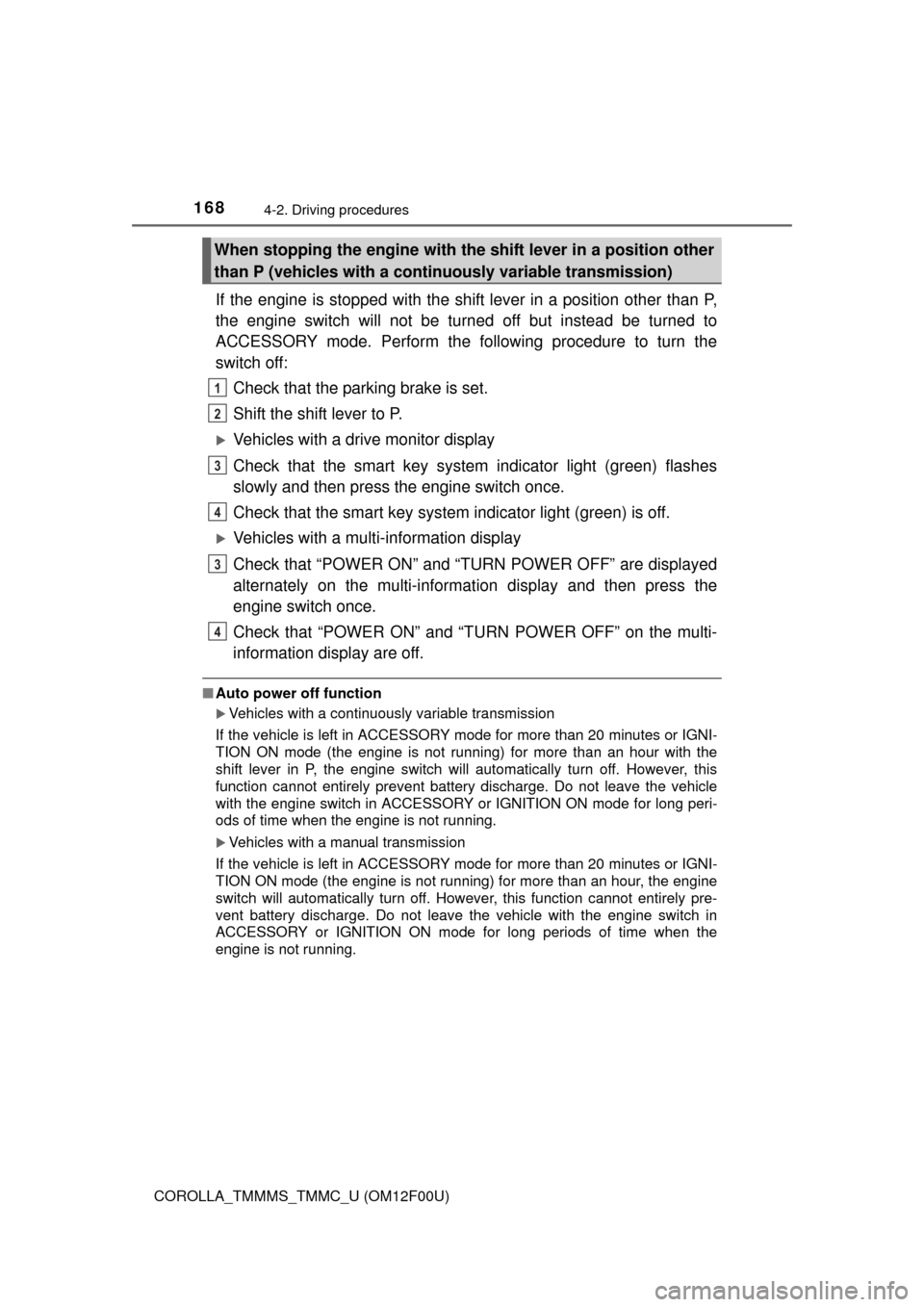
If the engine is stopped with the shift lever in a position other than P,
the engine switch will not be turned off but instead be turned to
ACCESSORY mode. Perform the following procedure to turn the
switch off:
Check that the parking brake is set.
Shift the shift lever to P.
Vehicles with a drive monitor display
Check that the smart key system indicator light (green) flashes
slowly and then press the engine switch once.
Check that the smart key system indicator light (green) is off.
Vehicles with a mult i-information display
Check that “POWER ON” and “TURN POWER OFF” are displayed
alternately on the multi-informat ion display and then press the
engine switch once.
Check that “POWER ON” and “T URN POWER OFF” on the multi-
information display are off.
■ Auto power off function
Vehicles with a continuously variable transmission
If the vehicle is left in ACCESSORY mode for more than 20 minutes or IGNI-
TION ON mode (the engine is not running) for more than an hour with th\
e
shift lever in P, the engine switch will automatically turn off. However, this
function cannot entirely prevent battery discharge. Do not leave the vehicle
with the engine switch in ACCESSORY or IGNITION ON mode for long peri-
ods of time when the engine is not running.
Vehicles with a manual transmission
If the vehicle is left in ACCESSORY mode for more than 20 minutes or IGNI-
TION ON mode (the engine is not running) for more than an hour, the engine
switch will automatically turn off. However, this function cannot entirely pre-
vent battery discharge. Do not leave the vehicle with the engine switch in
ACCESSORY or IGNITION ON mode for long periods of time when the
engine is not running.
When stopping the engine with the shift lever in a position other
than P (vehicles with a continuously variable transmission)
1
2
3
4
3
4
Page 169 of 612
1694-2. Driving procedures
4
Driving
COROLLA_TMMMS_TMMC_U (OM12F00U)■
Electronic key battery depletion
P. 9 5
■ Conditions affecting operation
P. 1 1 5
■ Notes for the entry function
P. 1 1 6
■ If the engine does not start
●The engine immobilizer system may not have been deactivated. ( P. 66)
Contact your Toyota dealer.
● Vehicles with a continuously variable transmission: Check that the shift lever
is securely set in P. The engine may not start if the shift lever is displaced
out of P.
Vehicles with a drive monitor display
The smart key system indicator light (green) will flash quickly.
Vehicles with a multi-information display
“SHIFT TO P POSITION TO START” will be displayed on the multi-informa-
tion display.
■ Steering lock
After turning the engine switch off and opening and closing the doors, the
steering wheel will be locked due to the steering lock function. Operating the
engine switch again automatically cancels the steering lock.
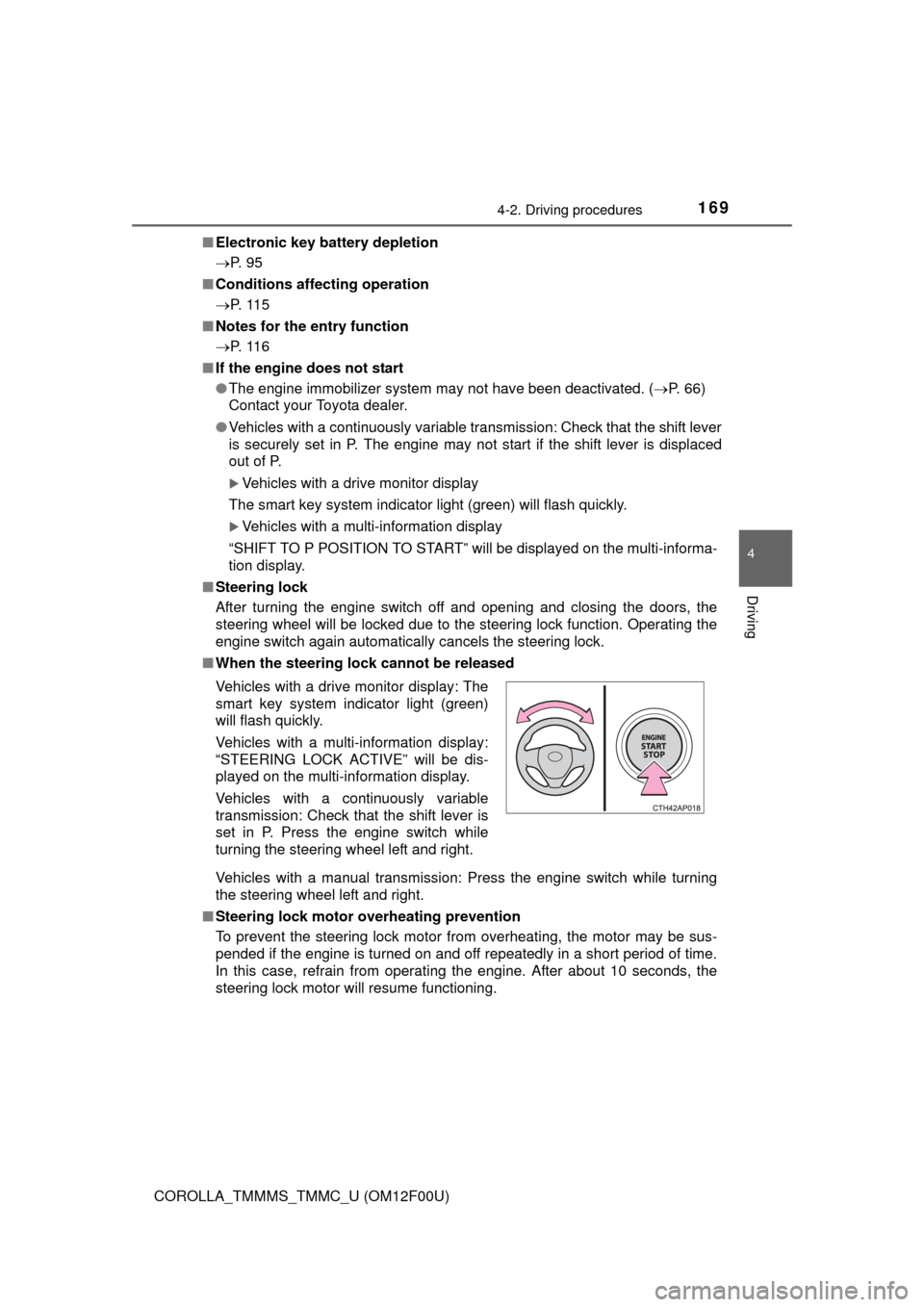
■ When the steering lock cannot be released
Vehicles with a manual transmission: Press the engine switch while turning
the steering wheel left and right.
■ Steering lock motor overheating prevention
To prevent the steering lock motor from overheating, the motor may be sus-
pended if the engine is turned on and off repeatedly in a short period of time.
In this case, refrain from operating the engine. After about 10 seconds, the
steering lock motor will resume functioning. Vehicles with a drive monitor display: The
smart key system indicator light (green)
will flash quickly.
Vehicles with a multi-information display:
“STEERING LOCK ACTIVE” will be dis-
played on the multi-information display.
Vehicles with a continuously variable
transmission: Check that the shift lever is
set in P. Press the engine switch while
turning the steering wheel left and right.
Page 170 of 612

1704-2. Driving procedures
COROLLA_TMMMS_TMMC_U (OM12F00U)■
When the smart key system indicator light flashes in yellow (vehicles
with a drive monitor display)
The system may be malfunctioning. Have the vehicle inspected by your
Toyota dealer immediately.
■ When “CHECK SMART KEY SYSTEM” will be displayed on the multi-
information display (vehicles with a multi-information display)
The system may be malfunctioning. Have the vehicle inspected by your
Toyota dealer immediately.
■ If the electronic key battery is depleted
P. 463
■ Operation of the engine switch
●When operating the engine switch, one short, firm press is enough. If the
switch is pressed improperly, the engine may not start or the engine switch
mode may not change. It is not necessary to press and hold the switch.
● If attempting to restart the engine immediately after turning the engine
switch off, the engine may not start in some cases. After turning the engine
switch off, please wait a few seconds before restarting the engine.
■ If the smart key system has been deactivated in a customized setting
P. 528
CAUTION
■When starting the engine
Always start the engine while sitting in the driver’s seat. Do not depress the
accelerator pedal while starting the engine under any circumstances.
Doing so may cause an accident resulting in death or serious injury.
■ Caution while driving
If engine failure occurs while the vehicle is moving, do not lock or open the
doors until the vehicle reaches a safe and complete stop. Activation of the
steering lock in this circumstance may lead to an accident, resulting in
death or serious injury.
■ Stopping the engine in an emergency
If you want to stop the engine in an emergency while driving the vehicle,
press and hold the engine switch for more than 2 seconds, or press it briefly
3 times or more in succession. ( P. 483)
However, do not touch the engine switch while driving except in an emer-
gency. Turning the engine off while driving will not cause loss of steering or
braking control, but the power assist to these systems will be lost. This will
make it more difficult to steer and brake, so you should pull over and stop
the vehicle as soon as it is safe to do so.
Page 171 of 612
1714-2. Driving procedures
4
Driving
COROLLA_TMMMS_TMMC_U (OM12F00U)
NOTICE
■To prevent battery discharge
● Do not leave the engine switch in ACCESSORY or IGNITION ON mode
for long periods of time without the engine running.
● Vehicles with a drive monitor display:
If the smart key system indicator light (green) is illuminated, the engine
switch is not off. When exiting the vehicle, always check that the engine
switch is off.
● Vehicles with a multi-information display:
If “POWER ON” is displayed on the multi-information display, the engine
switch is not off. When exiting the vehicle, always check that the engine
switch is off.
● Vehicles with a continuously variable transmission:
Do not stop the engine when the shift lever is in a position other than P. If
the engine is stopped in another shift lever position, the engine switch will
not be turned off but instead be turned to ACCESSORY mode. If the vehi-
cle is left in ACCESSORY mode, battery discharge may occur.
■ When starting the engine
● Do not race a cold engine.
● If the engine becomes difficult to star t or stalls frequently, have your vehi-
cle checked by your Toyota dealer immediately.
■ Symptoms indicating a malfunction with the engine switch
If the engine switch seems to be operating somewhat differently than usual,
such as the switch sticking slightly, there may be a malfunction. Contact
your Toyota dealer immediately.
Page 190 of 612

1904-3. Operating the lights and wipers
COROLLA_TMMMS_TMMC_U (OM12F00U)■
Battery-saving function
In the following conditions, the headlights and the other remaining lights will
go off automatically after 20 minutes in order to prevent the vehicle battery
from being discharged:
●The headlights and/or tail lights are on.
● Vehicles without a smart key system: The engine switch is in the “ACC” or
“LOCK” position.
● Vehicles with a smart key system: The engine switch is turned to ACCES-
SORY mode or turned off.
This function will be canceled in any of the following situations:
● Vehicles without a smart key system: When the engine switch is turned to
the “ON” position.
● Vehicles with a smart key system: When the engine switch is turned to IGNI-
TION ON mode.
● When the light switch is operated
● When the door or trunk is opened or closed
■ Customization
Settings (e.g. light sensor sensitivity) can be changed.
(Customizable features: P. 570)
NOTICE
■To prevent battery discharge
Do not leave the lights on longer than necessary when the engine is not
running.
Page 216 of 612
216
COROLLA_TMMMS_TMMC_U (OM12F00U)
4-6. Driving tips
●Use fluids that are appropriate to the prevailing outside tempera-
tures.
• Engine oil
• Engine coolant
• Washer fluid
● Have a service technician ins pect the condition of the battery.
● Have the vehicle fitted with four snow tires or purchase a set of tire
chains for the front tires.
Ensure that all tires are the same size and brand, and that chains match
the size of the tires.
Perform the following accordin g to the driving conditions:
● Do not try to forcibly open a window or move a wiper that is frozen.
Pour warm water over the frozen area to melt the ice. Wipe away
the water immediately to prevent it from freezing.
● To ensure proper operation of the climate control system fan,
remove any snow that has accumulated on the air inlet vents in
front of the windshield.
● Check for and remove any excess ice or snow that may have accu-
mulated on the exterior lights, ve hicle’s roof, chassis, around the
tires or on the brakes.
● Remove any snow or mud from the bottom of your shoes before
getting in the vehicle.
Winter driving tips
Carry out the necessary preparations and inspections before
driving the vehicle in winter. Always drive the vehicle in a man-
ner appropriate to the prevailing weather conditions.
Preparation for winter
Before driving the vehicle
Page 225 of 612

2255-1. Basic Operations
5
Audio system
COROLLA_TMMMS_TMMC_U (OM12F00U)
NOTICE
■To prevent battery discharge
Do not leave the audio system on longer than necessary when the engine is
off.
■ To avoid damaging the audio system
Take care not to spill drinks or other fluids on the audio system.
Page 231 of 612
2315-3. Using the radio
5
Audio system
COROLLA_TMMMS_TMMC_U (OM12F00U)■
Scanning preset radio stations
Press and hold until you hear a beep.
Preset stations will be played for 5 seconds each.
When the desired station is reached, press again.
■Scanning all radio stations within rangePress .
All stations with reception will be played for 5 seconds each.
When the desired station is reached, press again.
■When the battery is disconnected
Station presets are erased.
■ Reception sensitivity
●Maintaining perfect radio reception at all times is difficult due to the continu-
ally changing position of the antenna, differences in signal strength and sur-
rounding objects, such as trains, transmitters, etc.
● The radio antenna is mounted inside the rear window. To maintain clear
radio reception, do not attach metallic window tinting or other metallic
objects to the antenna wire mounted inside the rear window.
● When is used, automatic station selection may not be possible.
Scanning radio stations
1
2
1
2
Page 245 of 612

2455-5. Using an external device
5
Audio system
COROLLA_TMMMS_TMMC_U (OM12F00U)■
iPod functions
●When an iPod is connected and the audio source is changed to iPod mode,
the iPod will resume play from the same point in which it was last used.
● Depending on the iPod that is connected to the system, certain functions
may not be available. If a function is unavailable due to a malfunction (as
opposed to a system specification), disconnecting the device and recon-
necting it once again may resolve the problem.
● While connected to the system, the iPod cannot be operated with its own
controls. It is necessary to use the controls of the vehicle’s audio system
instead.
● When the battery level of an iPod is very low, the iPod may not operate. If
so, charge the iPod before use.
● Supported models ( P. 247)
■ iPod problems
To resolve most problems encountered when using your iPod, disconnect
your iPod from the vehicle iPod connection and reset it.
For instructions on how to reset your iPod, refer to your iPod Owner’s Man-
ual.
■ Display
P. 236