buttons TOYOTA COROLLA 2015 11.G User Guide
[x] Cancel search | Manufacturer: TOYOTA, Model Year: 2015, Model line: COROLLA, Model: TOYOTA COROLLA 2015 11.GPages: 612, PDF Size: 8.48 MB
Page 284 of 612
2845-11. Basic Operations (Multimedia system)
COROLLA_TMMMS_TMMC_U (OM12F00U)
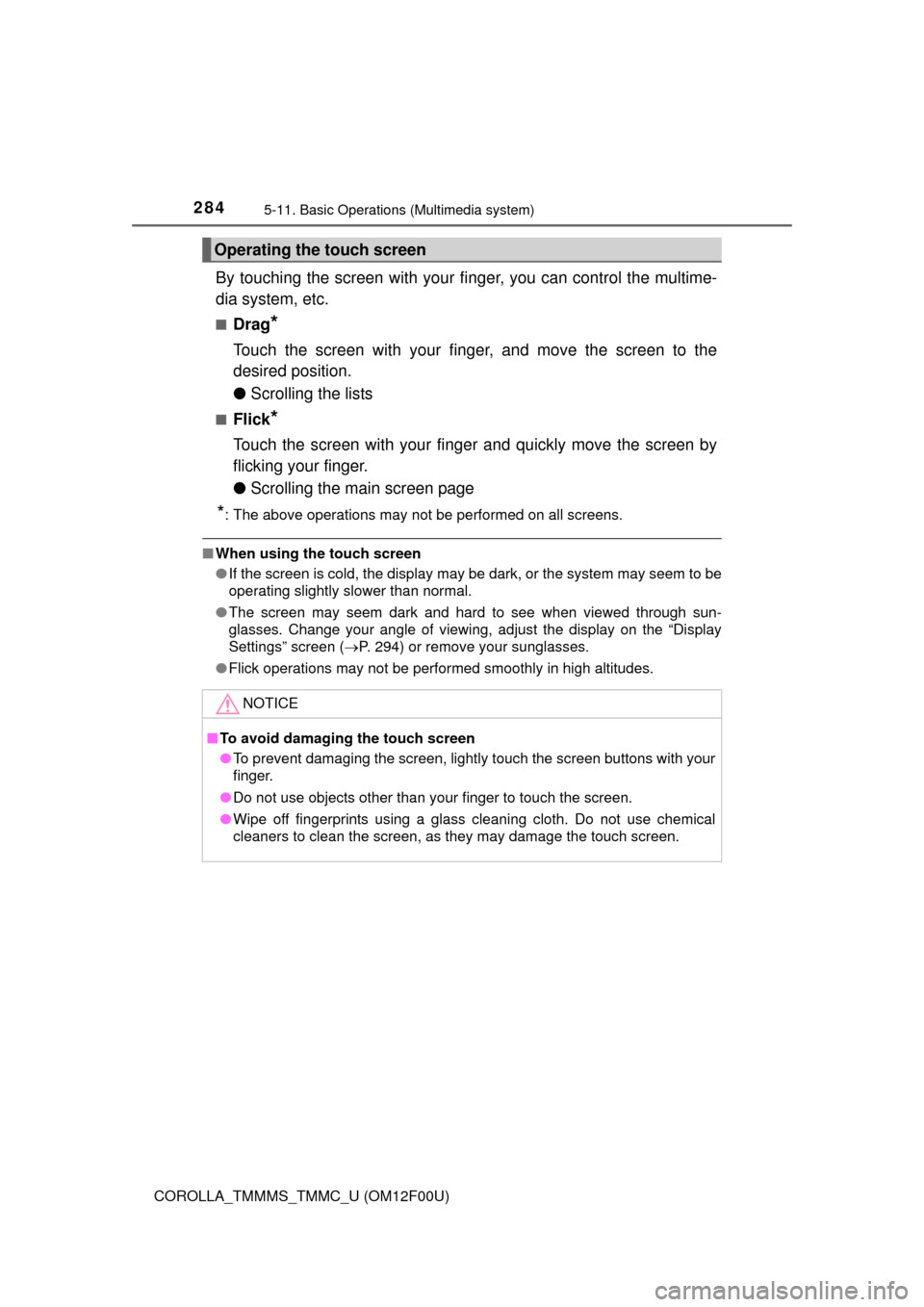
By touching the screen with your finger, you can control the multime-
dia system, etc.
■Drag*
Touch the screen with your finger, and move the screen to the
desired position.
● Scrolling the lists
■Flick*
Touch the screen with your finger and quickly move the screen by
flicking your finger.
●Scrolling the main screen page
*: The above operations may not be performed on all screens.
■When using the touch screen
●If the screen is cold, the display may be dark, or the system may seem to be
operating slightly slower than normal.
● The screen may seem dark and hard to see when viewed through sun-
glasses. Change your angle of viewing, adjust the display on the “Display
Settings” screen ( P. 294) or remove your sunglasses.
● Flick operations may not be performed smoothly in high altitudes.
Operating the touch screen
NOTICE
■To avoid damaging the touch screen
● To prevent damaging the screen, lightly touch the screen buttons with your
finger.
● Do not use objects other than your finger to touch the screen.
● Wipe off fingerprints using a glass cleaning cloth. Do not use chemical
cleaners to clean the screen, as they may damage the touch screen.
Page 297 of 612
2975-13. Using the Multimedia system
5
Audio system
COROLLA_TMMMS_TMMC_U (OM12F00U)
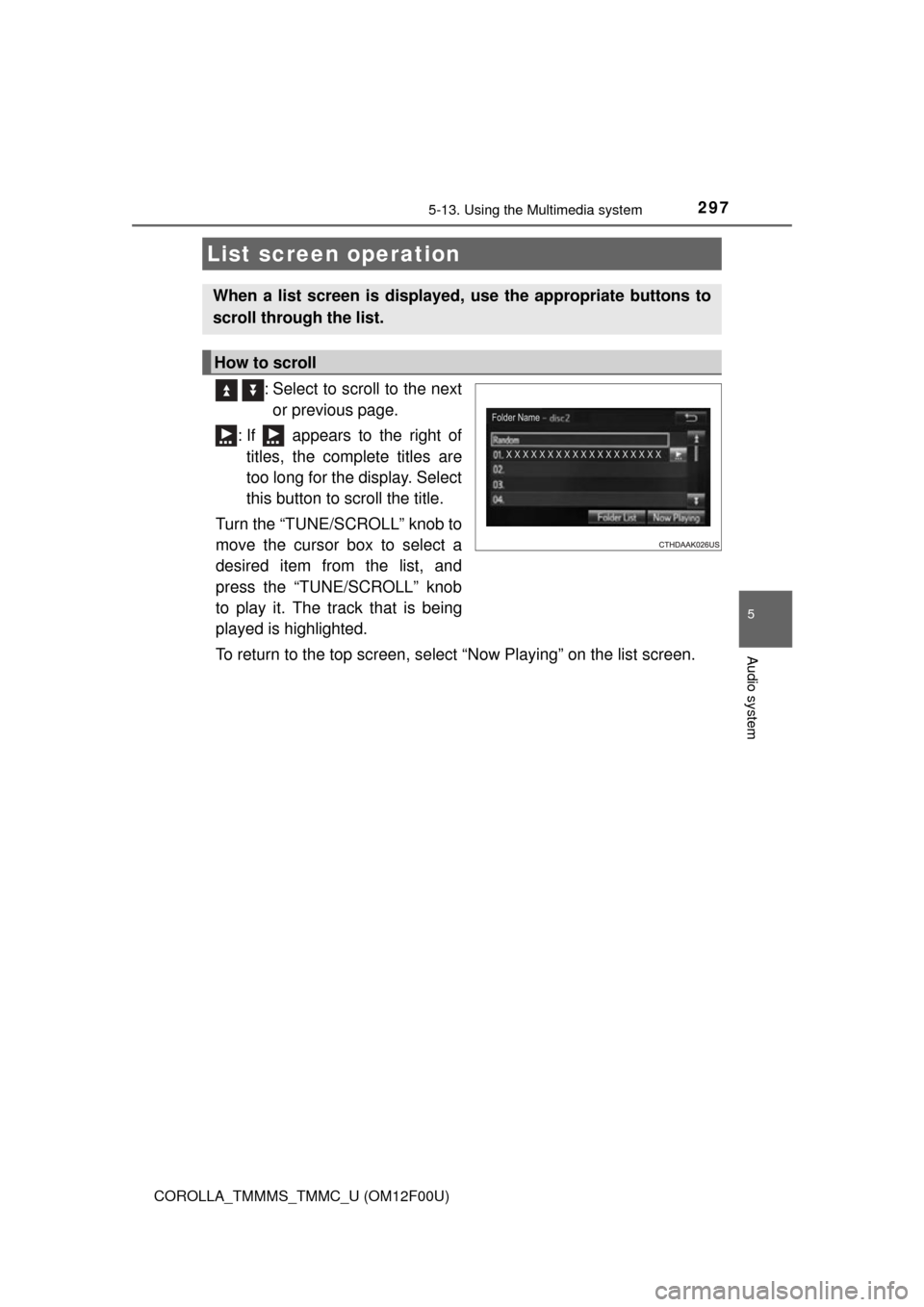
: Select to scroll to the nextor previous page.
: If appears to the right of titles, the complete titles are
too long for the display. Select
this button to scroll the title.
Turn the “TUNE/SCROLL” knob to
move the cursor box to select a
desired item from the list, and
press the “TUNE/SCROLL” knob
to play it. The track that is being
played is highlighted.
To return to the top screen, select “Now Playing” on the list screen.
List screen operation
When a list screen is displayed, use the appropriate buttons to
scroll through the list.
How to scroll
Page 463 of 612
4637-3. Do-it-yourself maintenance
7
Maintenance and care
COROLLA_TMMMS_TMMC_U (OM12F00U)
●Flathead screwdriver
● Small flathead screwdriver
● Lithium battery CR2016 (vehicles without a smart key system), or
CR2032 (vehicles with a smart key system)
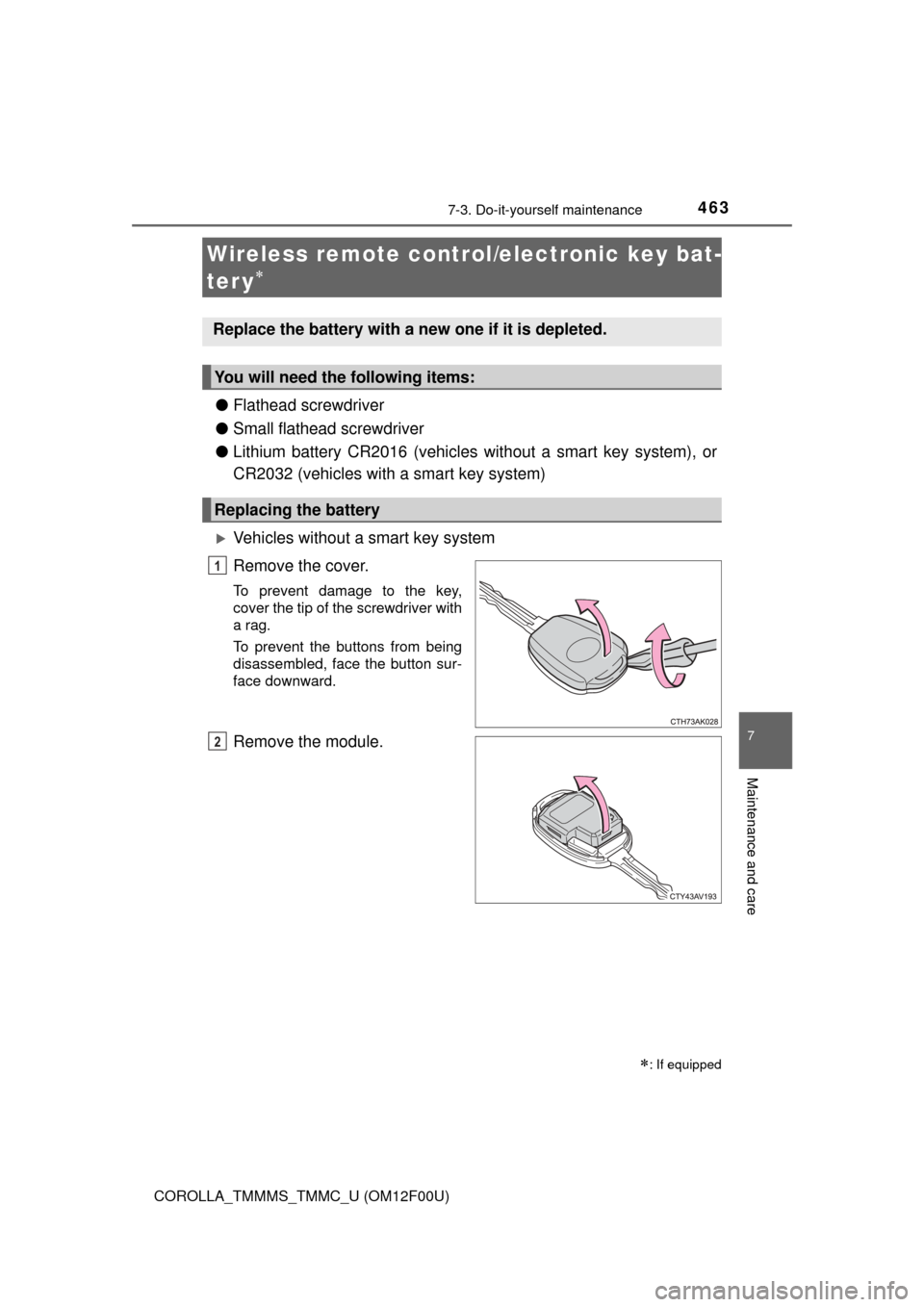
Vehicles without a smart key system
Remove the cover.
To prevent damage to the key,
cover the tip of the screwdriver with
a rag.
To prevent the buttons from being
disassembled, face the button sur-
face downward.
Remove the module.
Wireless remote control/electronic key bat-
ter y
: If equipped
Replace the battery with a new one if it is depleted.
You will need the following items:
Replacing the battery
1
2
Page 574 of 612
5749-2. Customization
COROLLA_TMMMS_TMMC_U (OM12F00U)■
Turn signal lever (
P. 182)
*1: After flashing the turn signal lights when turning left or right while this func-
tion is off and the turn signal lever is moved to the first position in the direc-
tion of the flashing light, the turn signal lights can be selected to be flashing
or off.
*2: The turn signal lights will be off if the turn signal lever is moved to the firstposition in the direction of flashing light.
■
Automatic light control system* ( P. 184)
*: If equipped
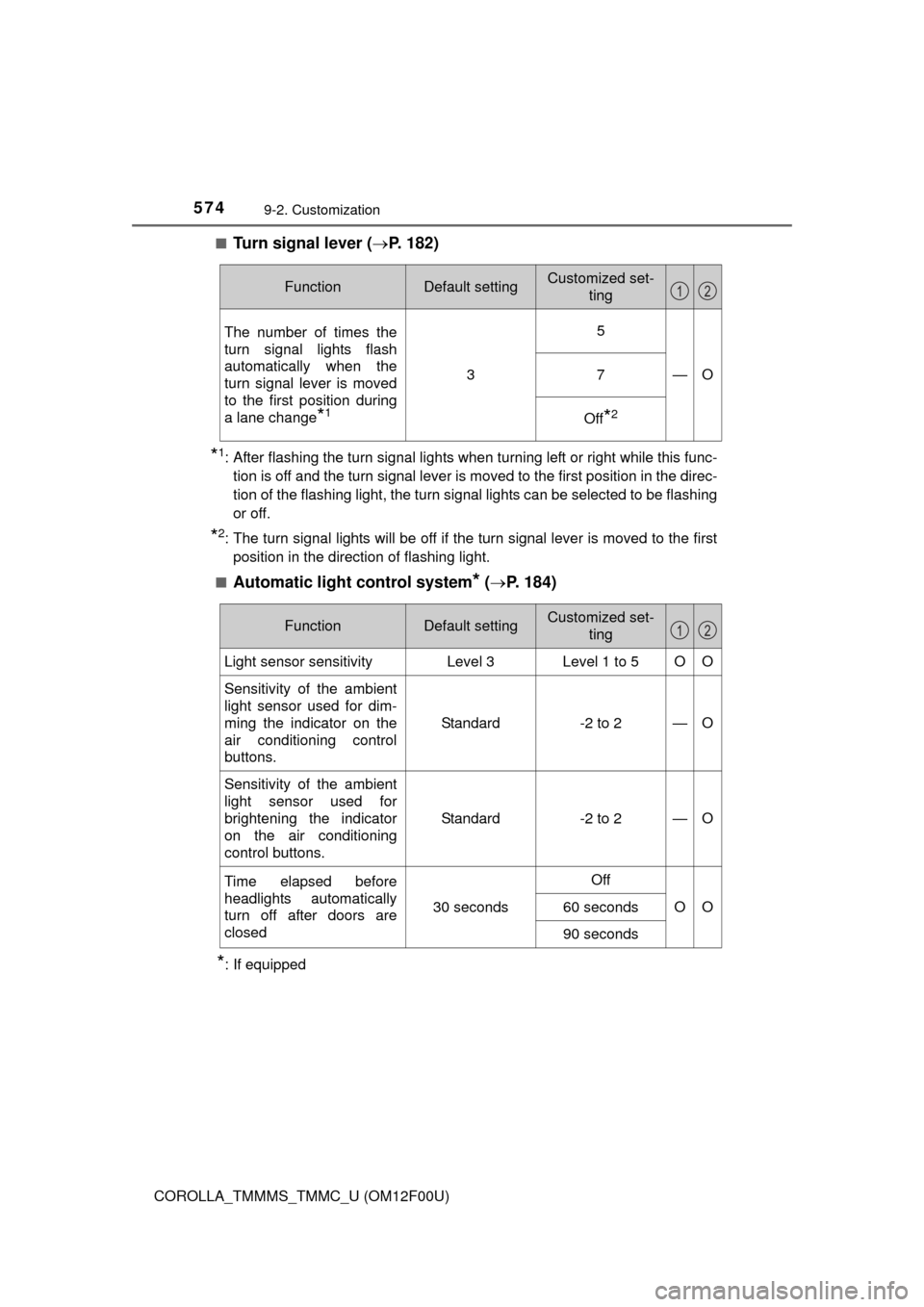
FunctionDefault settingCustomized set-
ting
The number of times the
turn signal lights flash
automatically when the
turn signal lever is moved
to the first position during
a lane change
*1
3
5
—O7
Off*2
12
FunctionDefault settingCustomized set-ting
Light sensor sensitivityLevel 3Level 1 to 5OO
Sensitivity of the ambient
light sensor used for dim-
ming the indicator on the
air conditioning control
buttons. Standard -2 to 2
—O
Sensitivity of the ambient
light sensor used for
brightening the indicator
on the air conditioning
control buttons.Standard -2 to 2
—O
Time elapsed before
headlights automatically
turn off after doors are
closed
30 seconds
Off
OO60 seconds
90 seconds
12