ignition TOYOTA COROLLA 2015 11.G User Guide
[x] Cancel search | Manufacturer: TOYOTA, Model Year: 2015, Model line: COROLLA, Model: TOYOTA COROLLA 2015 11.GPages: 612, PDF Size: 8.48 MB
Page 132 of 612

1323-4. Adjusting the steering wheel and mirrors
COROLLA_TMMMS_TMMC_U (OM12F00U)
■Mirror angle can be adjusted when
Vehicles without a smart key system
The engine switch is in the “ACC” or “ON” position.
Vehicles with a smart key system
The engine switch is in ACCESSORY or IGNITION ON mode.
■ When the mirrors are fogged up (if equipped)
The outside rear view mirrors can be cleared using the mirror defoggers. Turn
on the rear window defogger to turn on the outside rear view mirror defog-
gers. ( P. 381, 389)
CAUTION
■Important points while driving
Observe the following precautions while driving.
Failure to do so may result in loss of control of the vehicle and cause an
accident, resulting in death or serious injury.
● Do not adjust the mirrors while driving.
● Do not drive with the mirrors folded.
● Both the driver and passenger side mirrors must be extended and properly
adjusted before driving.
■ When a mirror is moving
To avoid personal injury and mirror malfunction, be careful not to get your
hand caught by the moving mirror.
■ When the mirror defoggers are operating (if equipped)
Do not touch the rear view mirror surfaces, as they can become very hot
and burn you.
Page 134 of 612

1343-5. Opening and closing the windows
COROLLA_TMMMS_TMMC_U (OM12F00U)
■The power windows can be operated when
Vehicles without a smart key system
The engine switch is in the “ON” position.
Vehicles with a smart key system
The engine switch is in IGNITION ON mode.
■ Operating the power windows after turning the engine off
Vehicles without a smart key system
The power windows can be operated for approximately 45 seconds even
after the engine switch is turned to the “ACC” or “LOCK” position. They can-
not, however, be operated once either front door is opened.
Vehicles with a smart key system
The power windows can be operated for approximately 45 seconds even
after the engine switch is turned to ACCESSORY mode or turned off. They
cannot, however, be operated once either front door is opened.
■ Jam protection function (driver’s window only)
If an object becomes caught between the window and the window frame, win-
dow travel is stopped and the window is opened slightly.
Page 135 of 612

1353-5. Opening and closing the windows
3
Operation of each component
COROLLA_TMMMS_TMMC_U (OM12F00U)■
When the power window does not clo se normally (driver’s window only)
If the jam protection function is operating abnormally and a window cannot be
closed, perform the following operations using the power window switch on
the driver’s door.
● Vehicles without a smart key system: After stopping the vehicle, the window
can be closed by holding the power window switch in the one-touch closing
position while the engine switch is turned to the “ON” position.
Vehicles with a smart key system: After stopping the vehicle, the window
can be closed by holding the power window switch in the one-touch closing
position while the engine switch is turned to IGNITION ON mode.
● If the window still cannot be closed even by carrying out the operation as
explained above, initialize the function by performing the following proce-
dure.
Hold the power window switch in the one-touch closing position. Continue
holding the switch for a further 6 seconds after the window has closed.
Hold the power window switch in the one-touch opening position. Con-
tinue holding the switch for a further 2 seconds after the window has
opened completely.
Hold the power window switch in the one-touch closing position once
again. Continue holding the switch for a further 2 seconds after the win-
dow has closed.
If you release the switch while the window is moving, start again from the
beginning.
If the window continues to close but then re-open slightly even after perform-
ing the above procedure correctly, have the vehicle inspected by your Toyota
dealer.
1
2
3
Page 138 of 612

1383-5. Opening and closing the windows
COROLLA_TMMMS_TMMC_U (OM12F00U)
■The moon roof can be operated when
Vehicles without a smart key system
The engine switch is in the “ON” position.
Vehicles with a smart key system
The engine switch is in IGNITION ON mode.
■ Operating the moon roof af ter turning the engine off
Vehicles without a smart key system
The moon roof can be operated for approximately 45 seconds after the
engine switch is turned to the “ACC” or “LOCK” position. It cannot, howe\
ver,
be operated once either front door is opened.
Vehicles with a smart key system
The moon roof can be operated for approximately 45 seconds after the
engine switch is turned to ACCESSORY mode or turned off. It cannot, how-
ever, be operated once either front door is opened.
■ Jam protection function
If an object is detected between the moon roof and the frame while the moon
roof is closing or tilting down, travel is stopped and the moon roof opens
slightly.
■ Sunshade
The sunshade can be opened and closed manually. However, the sunshade
will open automatically when the moon roof is opened.
Page 141 of 612

141
4Driving
COROLLA_TMMMS_TMMC_U (OM12F00U)4-1. Before driving
Driving the vehicle ............. 142
Cargo and luggage ........... 153
Vehicle load limits ............. 156
Trailer towing..................... 157
Dinghy towing (except vehicles with a
manual transmission) ...... 158
Dinghy towing (vehicles with a manual
transmission)................... 159
4-2. Driving procedures Engine (ignition) switch (vehicles without a
smart key system) ........... 161
Engine (ignition) switch (vehicles with a smart
key system) ..................... 164
Automatic transmission .................... 172
Continuously variable transmission (vehicles
without paddle
shift switches) ................. 174
Continuously variable transmission (vehicles
with paddle shift
switches) ......................... 176
Manual transmission ......... 180
Turn signal lever................ 182
Parking brake .................... 183 4-3. Operating the lights and
wipers
Headlight switch ................ 184
Fog light switch ................. 191
Windshield wipers and washer ............................ 192
4-4. Refueling Opening the fuel tank cap .................................. 194
4-5. Using the driving support systems
Cruise control .................... 197
Rear view monitor system ............................ 201
Driving assist systems ...... 211
4-6. Driving tips Winter driving tips ............. 216
Page 161 of 612
161
4
Driving
COROLLA_TMMMS_TMMC_U (OM12F00U)
4-2. Driving procedures
Automatic transmission or continuously variable transmission
Check that the parking brake is set.
Check that the shift lever is set in P.
Firmly depress the brake pedal.
Turn the engine switch to the “START” position and start the
engine.
Manual transmission
Check that the parking brake is set.
Check that the shift lever is set in N.
Firmly depress the clutch pedal.
Turn the engine switch to the “START” position and start the
engine.
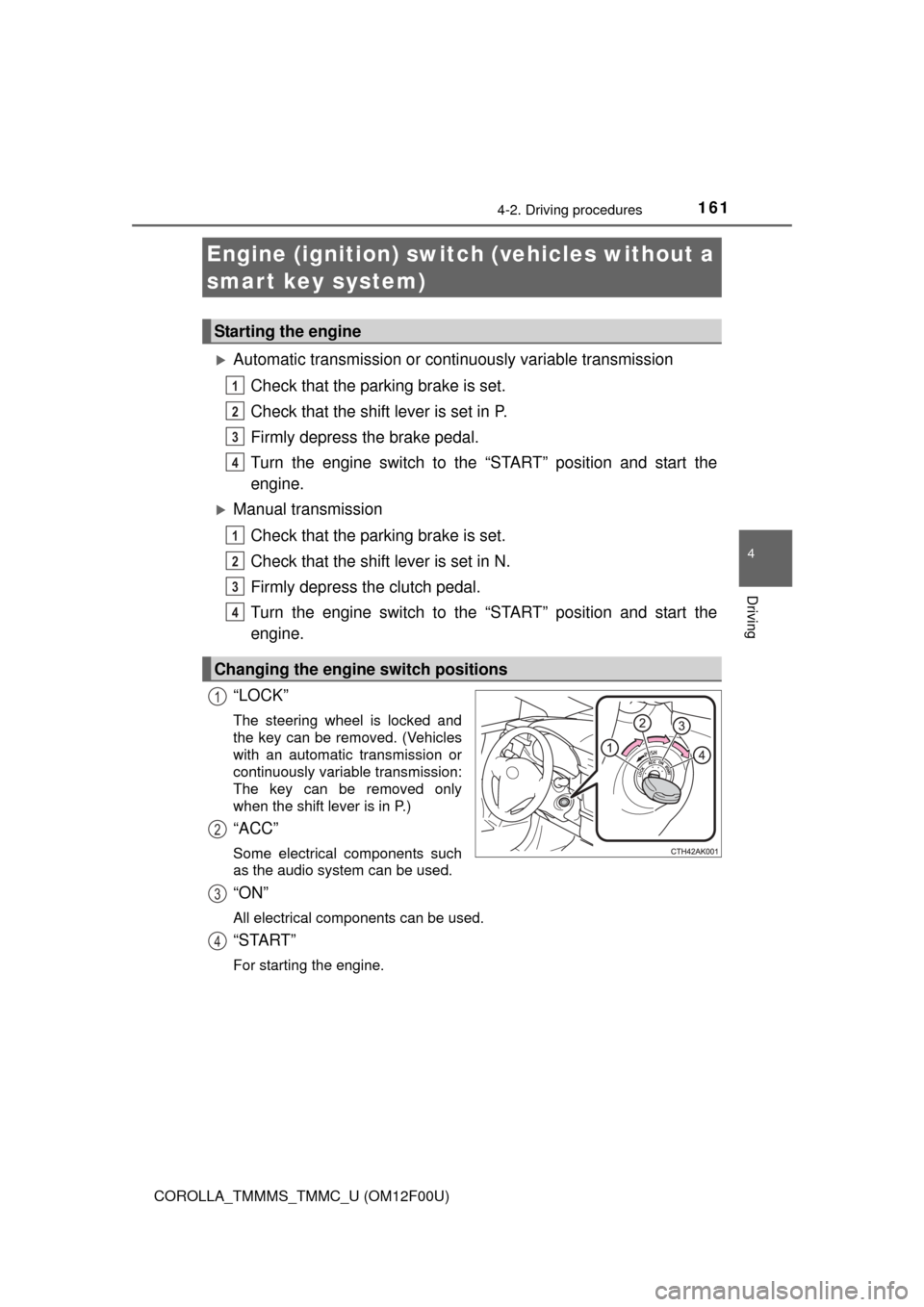
“LOCK”
The steering wheel is locked and
the key can be removed. (Vehicles
with an automatic transmission or
continuously variable transmission:
The key can be removed only
when the shift lever is in P.)
“ACC”
Some electrical components such
as the audio system can be used.
“ON”
All electrical components can be used.
“START”
For starting the engine.
Engine (ignition) switch (vehicles without a
smart key system)
Starting the engine
Changing the engine switch positions
1
2
3
4
1
2
3
4
1
2
3
4
Page 164 of 612
1644-2. Driving procedures
COROLLA_TMMMS_TMMC_U (OM12F00U)
Check that the parking brake is set.
Vehicles with a drive monitor display
Continuously variable transmission: Check that the shift lever is set
in P. Firmly depress the brake pedal.
Manual transmission: Check that the shift lever is set in N. Firmly
depress the clutch pedal.
The smart key system indicator light (green) will turn on. If the indicator
light does not turn on, the engine cannot be started.
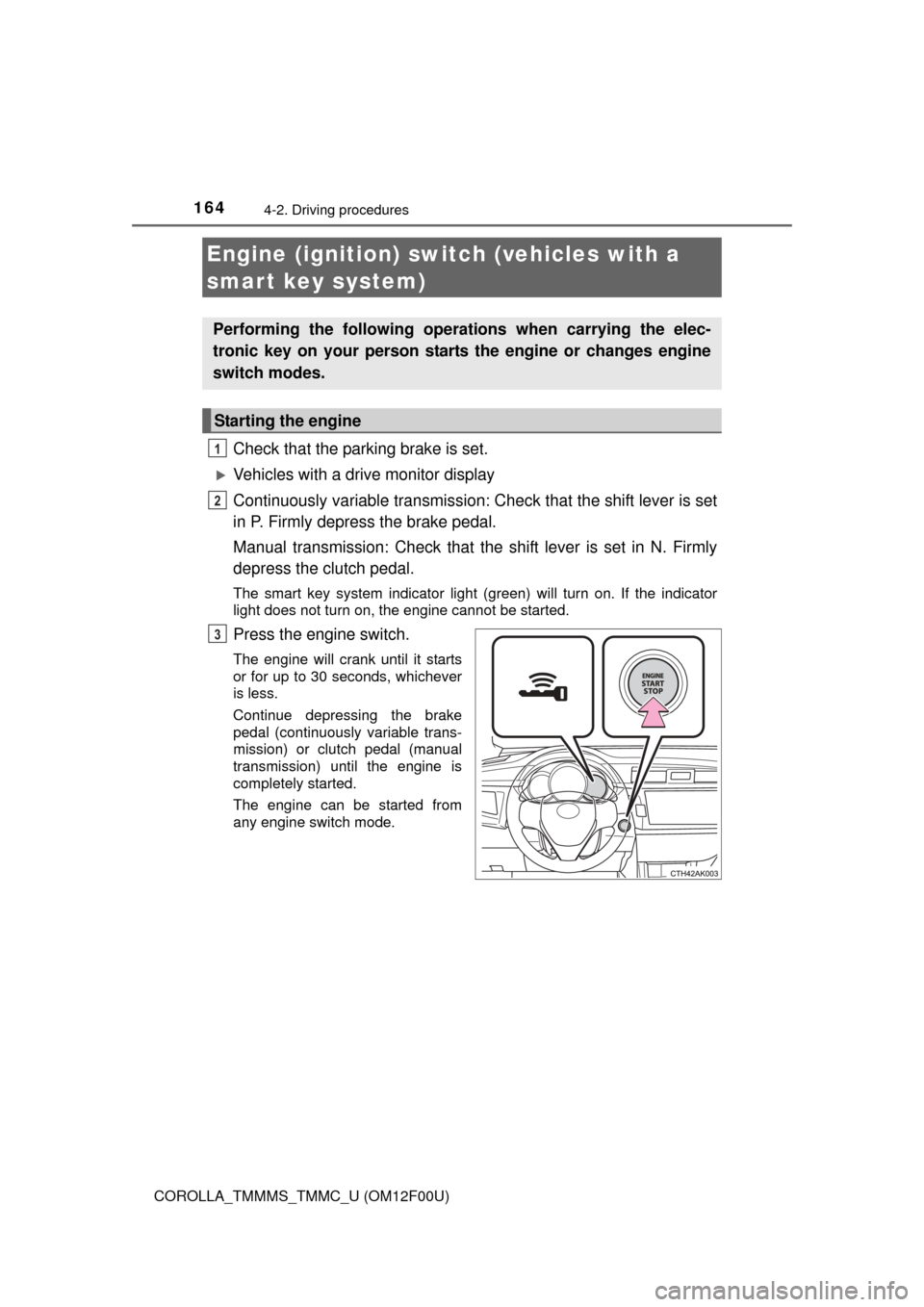
Press the engine switch.
The engine will crank until it starts
or for up to 30 seconds, whichever
is less.
Continue depressing the brake
pedal (continuously variable trans-
mission) or clutch pedal (manual
transmission) until the engine is
completely started.
The engine can be started from
any engine switch mode.
Engine (ignition) switch (vehicles with a
smart key system)
Performing the following operati ons when carrying the elec-
tronic key on your person starts the engine or changes engine
switch modes.
Starting the engine
1
2
3
Page 166 of 612
1664-2. Driving procedures
COROLLA_TMMMS_TMMC_U (OM12F00U)
Modes can be changed by pressing the engine switch with the brake
pedal (continuously variable transmission) or clutch pedal (manual
transmission) released. (The mode changes each time the switch is
pressed.)
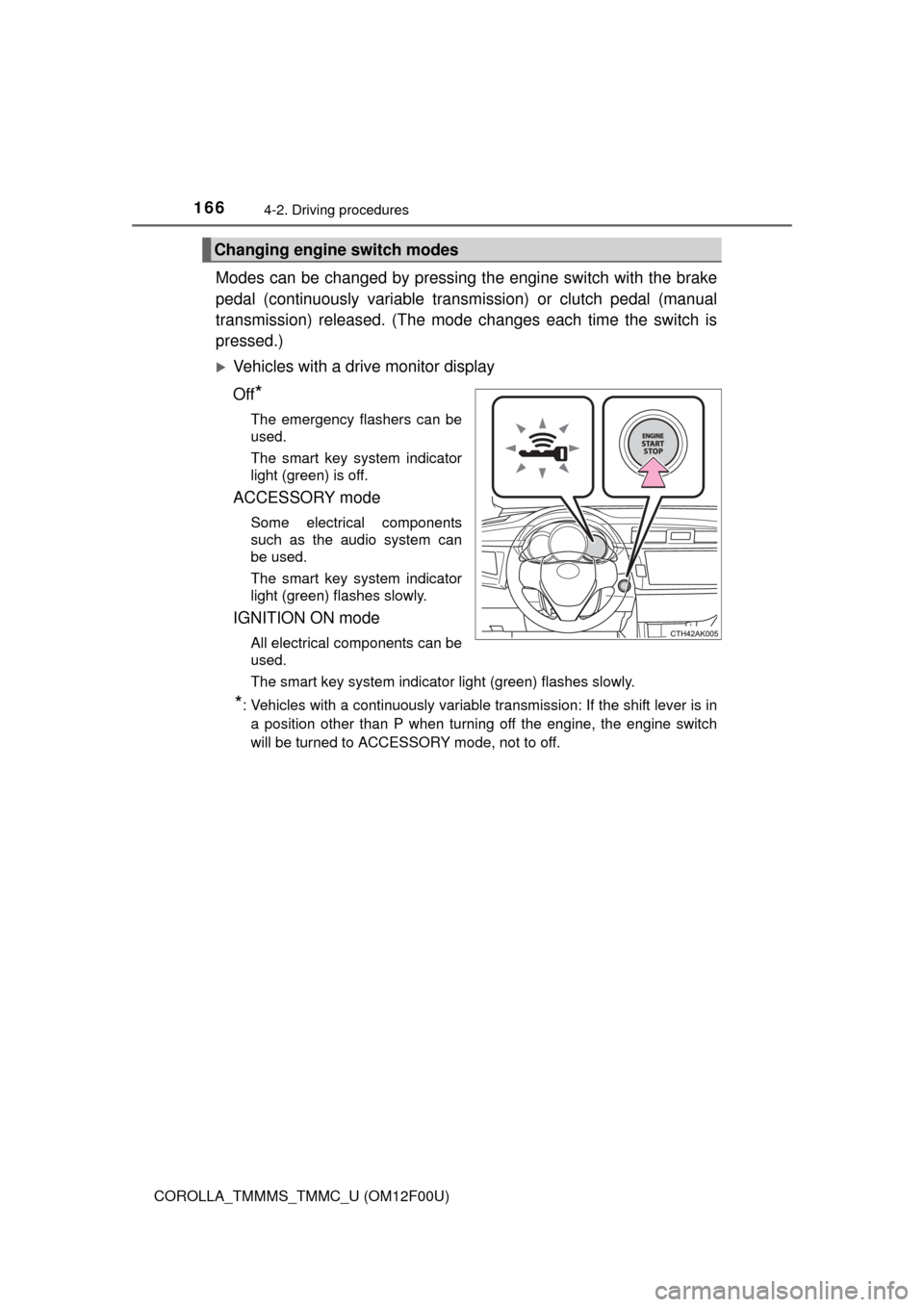
Vehicles with a drive monitor display
Off
*
The emergency flashers can be
used.
The smart key system indicator
light (green) is off.
ACCESSORY mode
Some electrical components
such as the audio system can
be used.
The smart key system indicator
light (green) flashes slowly.
IGNITION ON mode
All electrical components can be
used.
The smart key system indicator light (green) flashes slowly.
*: Vehicles with a continuously variable transmission: If the shift lever is in a position other than P when turning off the engine, the engine switch
will be turned to ACCESSORY mode, not to off.
Changing engine switch modes
Page 167 of 612
1674-2. Driving procedures
4
Driving
COROLLA_TMMMS_TMMC_U (OM12F00U)
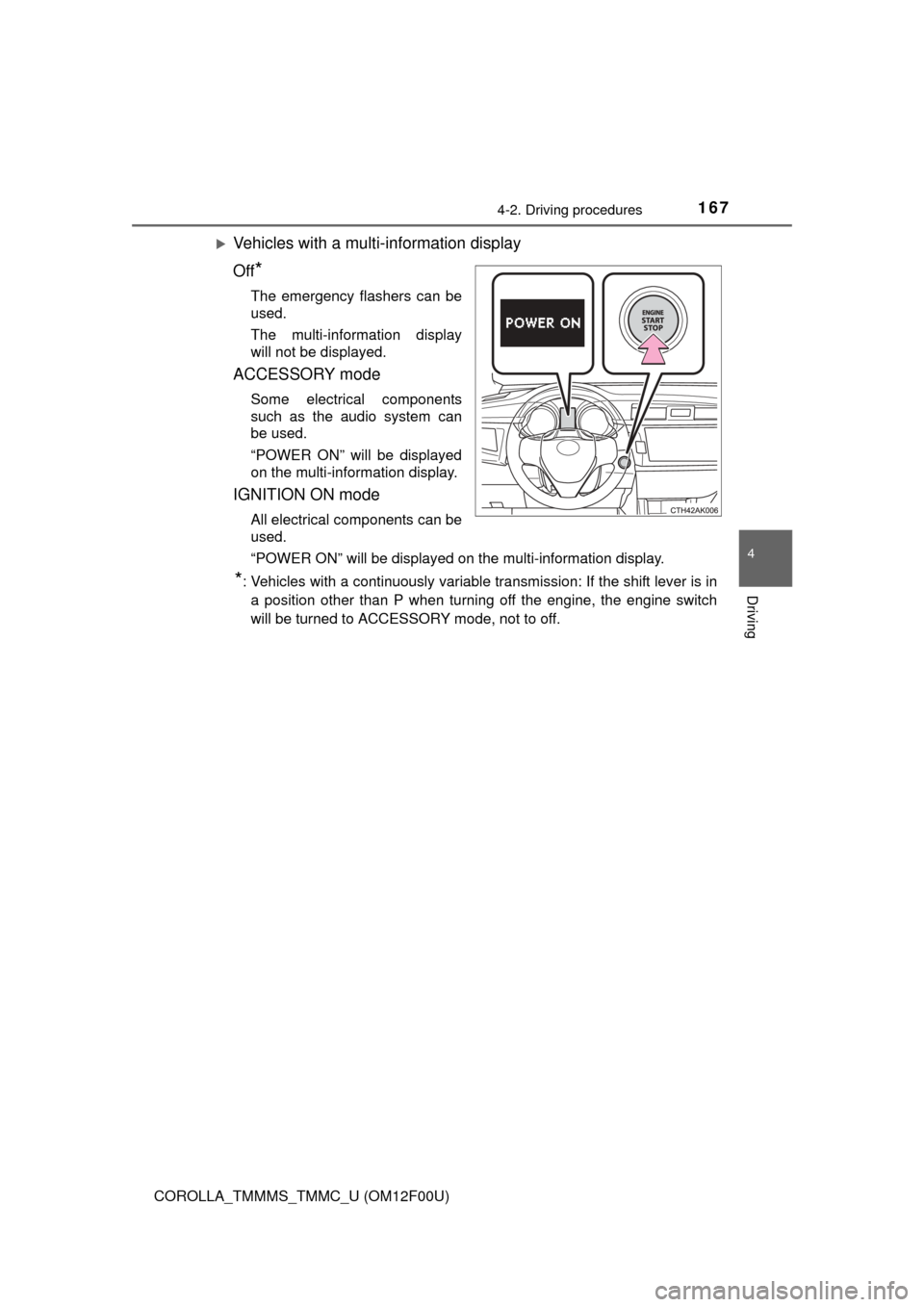
Vehicles with a multi-information display
Off
*
The emergency flashers can be
used.
The multi-information display
will not be displayed.
ACCESSORY mode
Some electrical components
such as the audio system can
be used.
“POWER ON” will be displayed
on the multi-information display.
IGNITION ON mode
All electrical components can be
used.
“POWER ON” will be displayed on the multi-information display.
*: Vehicles with a continuously variable transmission: If the shift lever is in a position other than P when turning off the engine, the engine switch
will be turned to ACCESSORY mode, not to off.
Page 168 of 612
1684-2. Driving procedures
COROLLA_TMMMS_TMMC_U (OM12F00U)
If the engine is stopped with the shift lever in a position other than P,
the engine switch will not be turned off but instead be turned to
ACCESSORY mode. Perform the following procedure to turn the
switch off:
Check that the parking brake is set.
Shift the shift lever to P.
Vehicles with a drive monitor display
Check that the smart key system indicator light (green) flashes
slowly and then press the engine switch once.
Check that the smart key system indicator light (green) is off.
Vehicles with a mult i-information display
Check that “POWER ON” and “TURN POWER OFF” are displayed
alternately on the multi-informat ion display and then press the
engine switch once.
Check that “POWER ON” and “T URN POWER OFF” on the multi-
information display are off.
■ Auto power off function
Vehicles with a continuously variable transmission
If the vehicle is left in ACCESSORY mode for more than 20 minutes or IGNI-
TION ON mode (the engine is not running) for more than an hour with th\
e
shift lever in P, the engine switch will automatically turn off. However, this
function cannot entirely prevent battery discharge. Do not leave the vehicle
with the engine switch in ACCESSORY or IGNITION ON mode for long peri-
ods of time when the engine is not running.
Vehicles with a manual transmission
If the vehicle is left in ACCESSORY mode for more than 20 minutes or IGNI-
TION ON mode (the engine is not running) for more than an hour, the engine
switch will automatically turn off. However, this function cannot entirely pre-
vent battery discharge. Do not leave the vehicle with the engine switch in
ACCESSORY or IGNITION ON mode for long periods of time when the
engine is not running.
When stopping the engine with the shift lever in a position other
than P (vehicles with a continuously variable transmission)
1
2
3
4
3
4