light TOYOTA COROLLA 2015 11.G Service Manual
[x] Cancel search | Manufacturer: TOYOTA, Model Year: 2015, Model line: COROLLA, Model: TOYOTA COROLLA 2015 11.GPages: 612, PDF Size: 8.48 MB
Page 85 of 612

852. Instrument cluster
2
Instrument cluster
COROLLA_TMMMS_TMMC_U (OM12F00U)■
Driving range
Displays the estimated maximum distance that can be driven with
the quantity of fuel remaining.
• This distance is computed based on your average fuel consumption. As
a result, the actual distance that can be driven may differ from that dis-
played.
• When only a small amount of fuel is added to the tank, the display may
not be updated.
When refueling, turn the engine switch off. If the vehicle is refueled with-
out turning the engine switch off, the display may not be updated.
■
Average vehicle speed
Displays the average vehicle speed since the engine was last
started.
■Elapsed time
Displays the elapsed time since the engine was started.
■Customization
Language and Eco Driving Indicator Light settings can be changed.
( P. 86)
■Eco Driving Indicator Zone Di splay (except vehicles with a
manual transmission)
P. 9 0
Page 86 of 612
862. Instrument cluster
COROLLA_TMMMS_TMMC_U (OM12F00U)
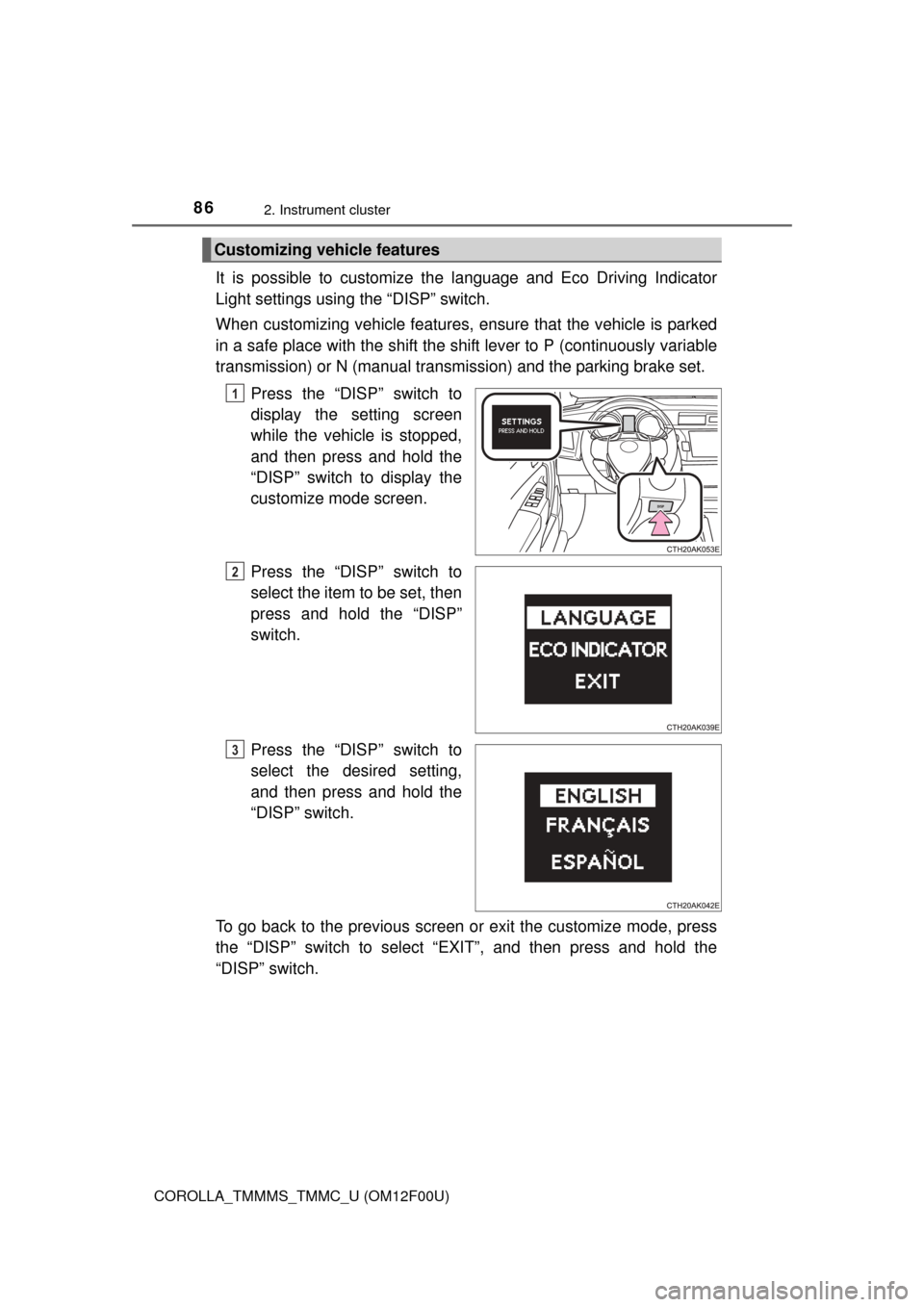
It is possible to customize the language and Eco Driving Indicator
Light settings using the “DISP” switch.
When customizing vehicle features, en sure that the vehicle is parked
in a safe place with the shift the shift lever to P (continuously variable
transmission) or N (manual transmission) and the parking brake set.
Press the “DISP” switch to
display the setting screen
while the vehicle is stopped,
and then press and hold the
“DISP” switch to display the
customize mode screen.
Press the “DISP” switch to
select the item to be set, then
press and hold the “DISP”
switch.
Press the “DISP” switch to
select the desired setting,
and then press and hold the
“DISP” switch.
To go back to the previous screen or exit the customize mode, press
the “DISP” switch to select “EXIT”, and then press and hold the
“DISP” switch.
Customizing vehicle features
1
2
3
Page 87 of 612
872. Instrument cluster
2
Instrument cluster
COROLLA_TMMMS_TMMC_U (OM12F00U)■
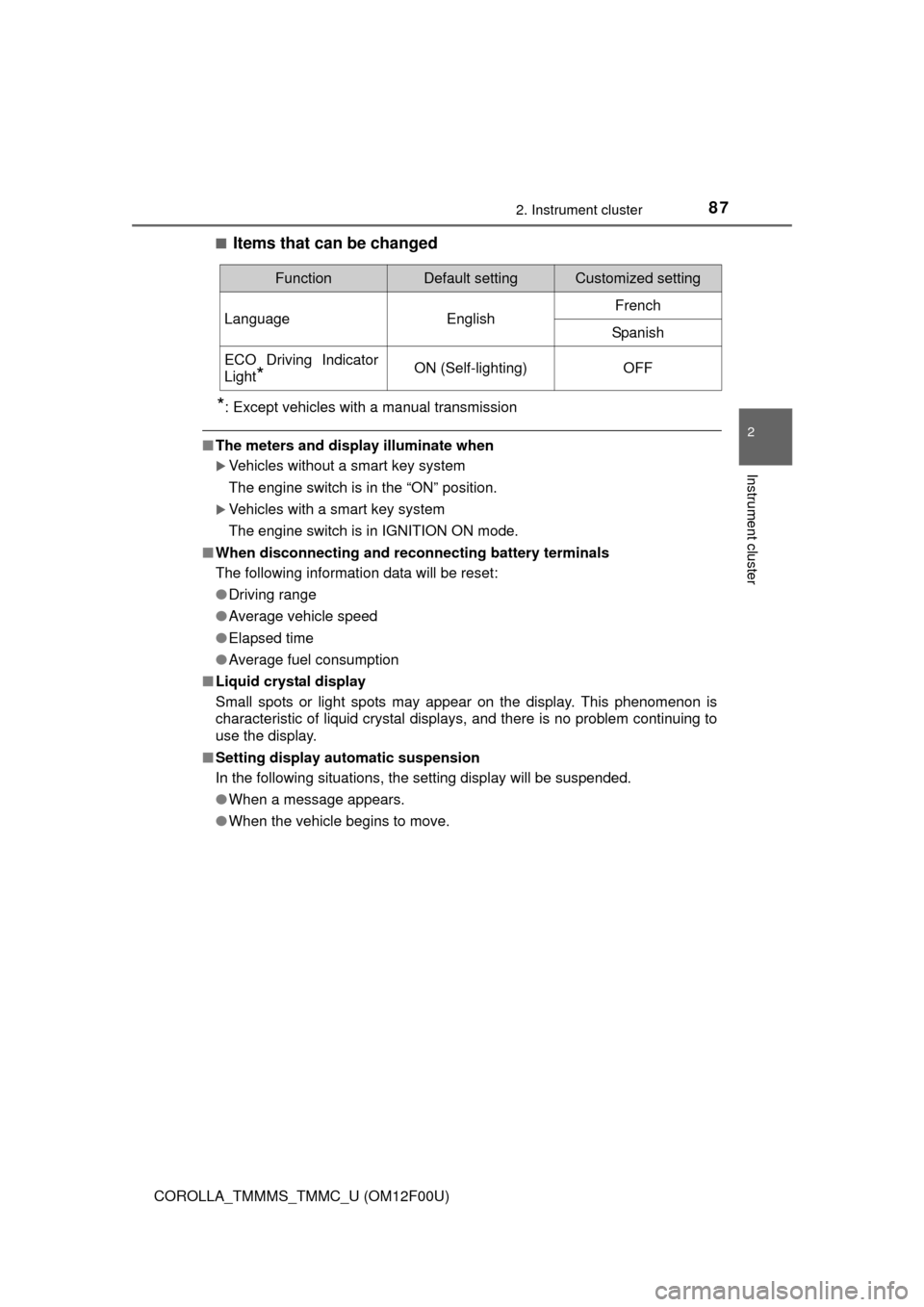
Items that can be changed
*: Except vehicles with a manual transmission
■
The meters and display illuminate when
Vehicles without a smart key system
The engine switch is in the “ON” position.
Vehicles with a smart key system
The engine switch is in IGNITION ON mode.
■ When disconnecting and reco nnecting battery terminals
The following information data will be reset:
● Driving range
● Average vehicle speed
● Elapsed time
● Average fuel consumption
■ Liquid crystal display
Small spots or light spots may appear on the display. This phenomenon is
characteristic of liquid crystal displays, and there is no problem continuing to
use the display.
■ Setting display automatic suspension
In the following situations, the setting display will be suspended.
●When a message appears.
● When the vehicle begins to move.
FunctionDefault settingCustomized setting
LanguageEnglishFrench
Spanish
ECO Driving Indicator
Light
*ON (Self-lighting)OFF
Page 89 of 612
892. Instrument cluster
2
Instrument cluster
COROLLA_TMMMS_TMMC_U (OM12F00U)
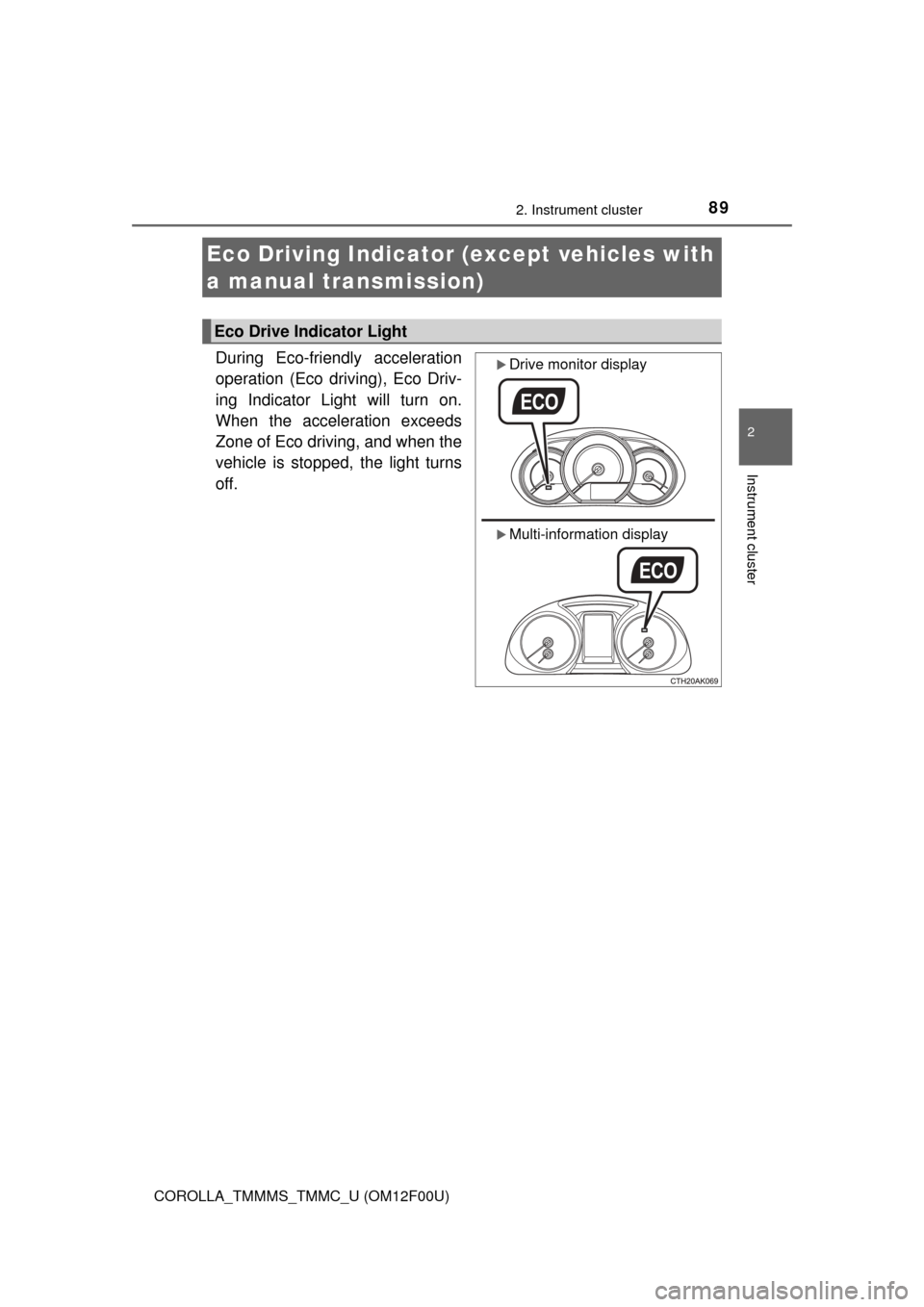
During Eco-friendly acceleration
operation (Eco driving), Eco Driv-
ing Indicator Light will turn on.
When the acceleration exceeds
Zone of Eco driving, and when the
vehicle is stopped, the light turns
off.
Eco Driving Indicator (except vehicles with
a manual transmission)
Eco Drive Indicator Light
Drive monitor display
Multi-information display
Page 90 of 612
902. Instrument cluster
COROLLA_TMMMS_TMMC_U (OM12F00U)
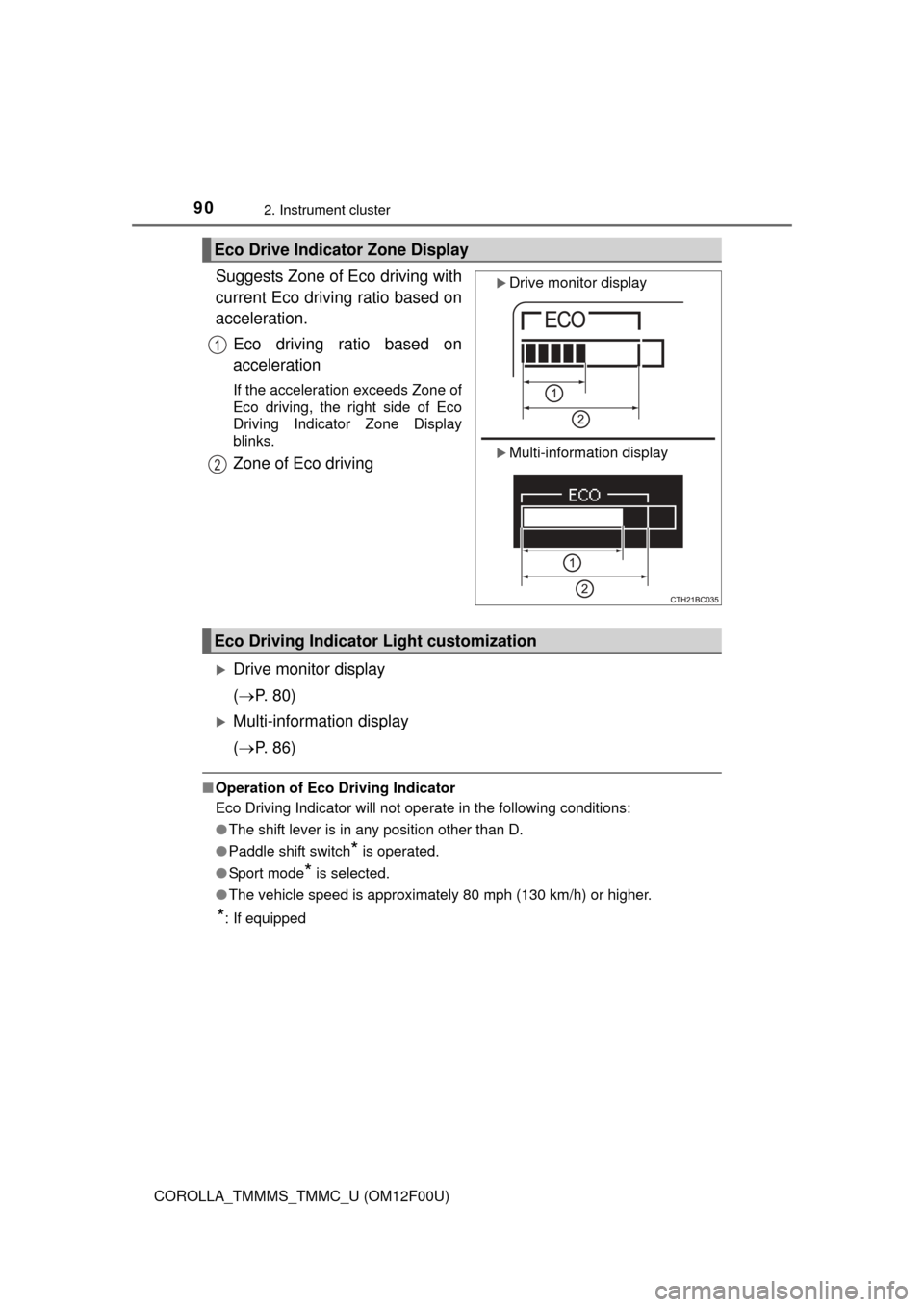
Suggests Zone of Eco driving with
current Eco driving ratio based on
acceleration.Eco driving ratio based on
acceleration
If the acceleration exceeds Zone of
Eco driving, the right side of Eco
Driving Indicator Zone Display
blinks.
Zone of Eco driving
Drive monitor display
( P. 80)
Multi-information display
( P. 86)
■Operation of Eco Driving Indicator
Eco Driving Indicator will not operate in the following conditions:
●The shift lever is in any position other than D.
● Paddle shift switch
* is operated.
● Sport mode
* is selected.
● The vehicle speed is approximately 80 mph (130 km/h) or higher.
*: If equipped
Eco Drive Indicator Zone Display
Drive monitor display
Multi-information display
1
2
Eco Driving Indicator Light customization
Page 94 of 612
943-1. Key information
COROLLA_TMMMS_TMMC_U (OM12F00U)
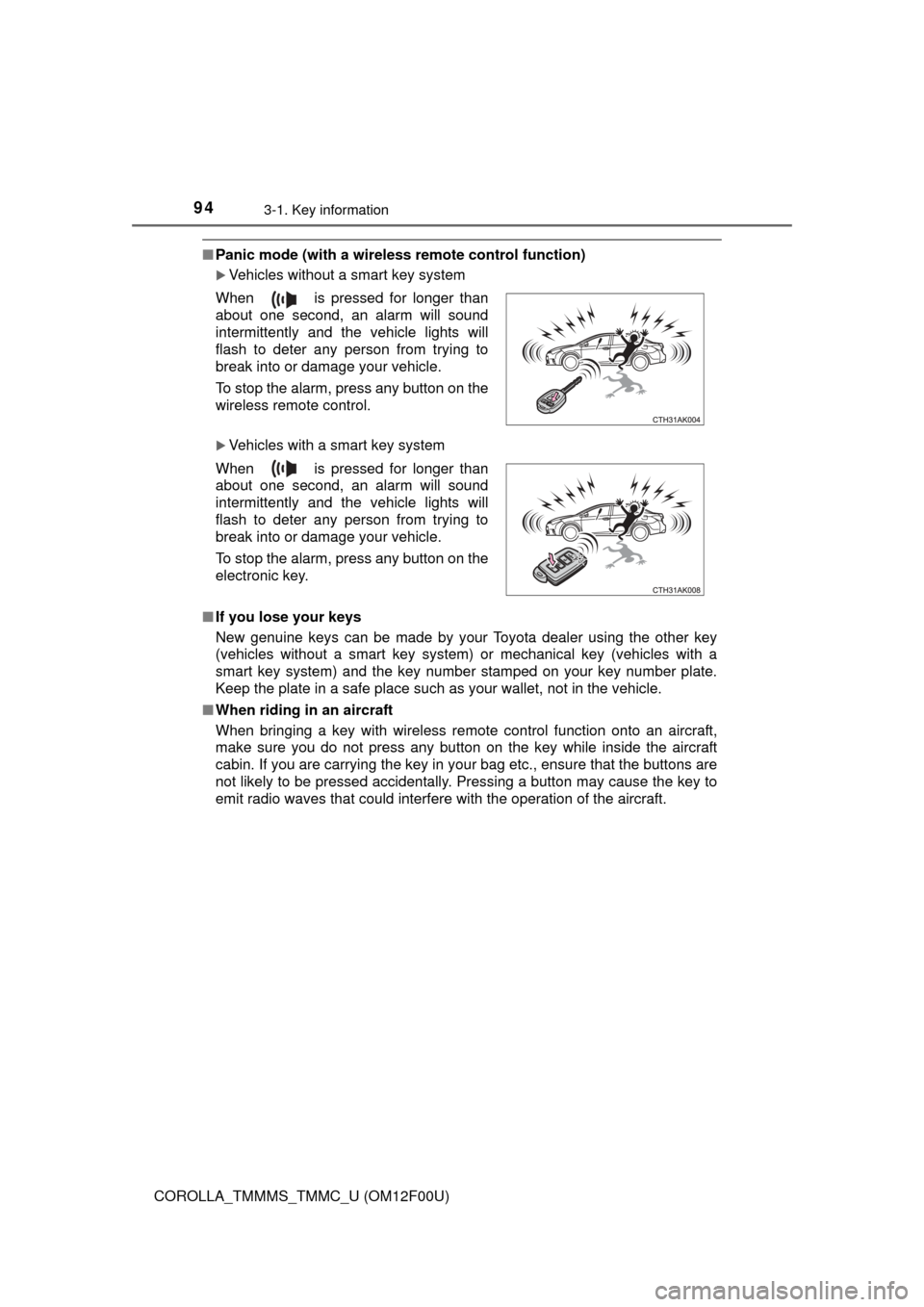
■Panic mode (with a wireless remote control function)
Vehicles without a smart key system
Vehicles with a smart key system
■ If you lose your keys
New genuine keys can be made by your Toyota dealer using the other key
(vehicles without a smart key system) or mechanical key (vehicles with a
smart key system) and the key number stamped on your key number plate.
Keep the plate in a safe place such as your wallet, not in the vehicle.
■ When riding in an aircraft
When bringing a key with wireless remote control function onto an aircraft,
make sure you do not press any button on the key while inside the aircraft
cabin. If you are carrying the key in your bag etc., ensure that the buttons are
not likely to be pressed accidentally. Pressing a button may cause the key to
emit radio waves that could interfere with the operation of the aircraft. When is pressed for longer than
about one second, an alarm will sound
intermittently and the vehicle lights will
flash to deter any person from trying to
break into or damage your vehicle.
To stop the alarm, press any button on the
wireless remote control.
When is pressed for longer than
about one second, an alarm will sound
intermittently and the vehicle lights will
flash to deter any person from trying to
break into or damage your vehicle.
To stop the alarm, press any button on the
electronic key.
Page 104 of 612
1043-2. Opening, closing and locking the doors
COROLLA_TMMMS_TMMC_U (OM12F00U)
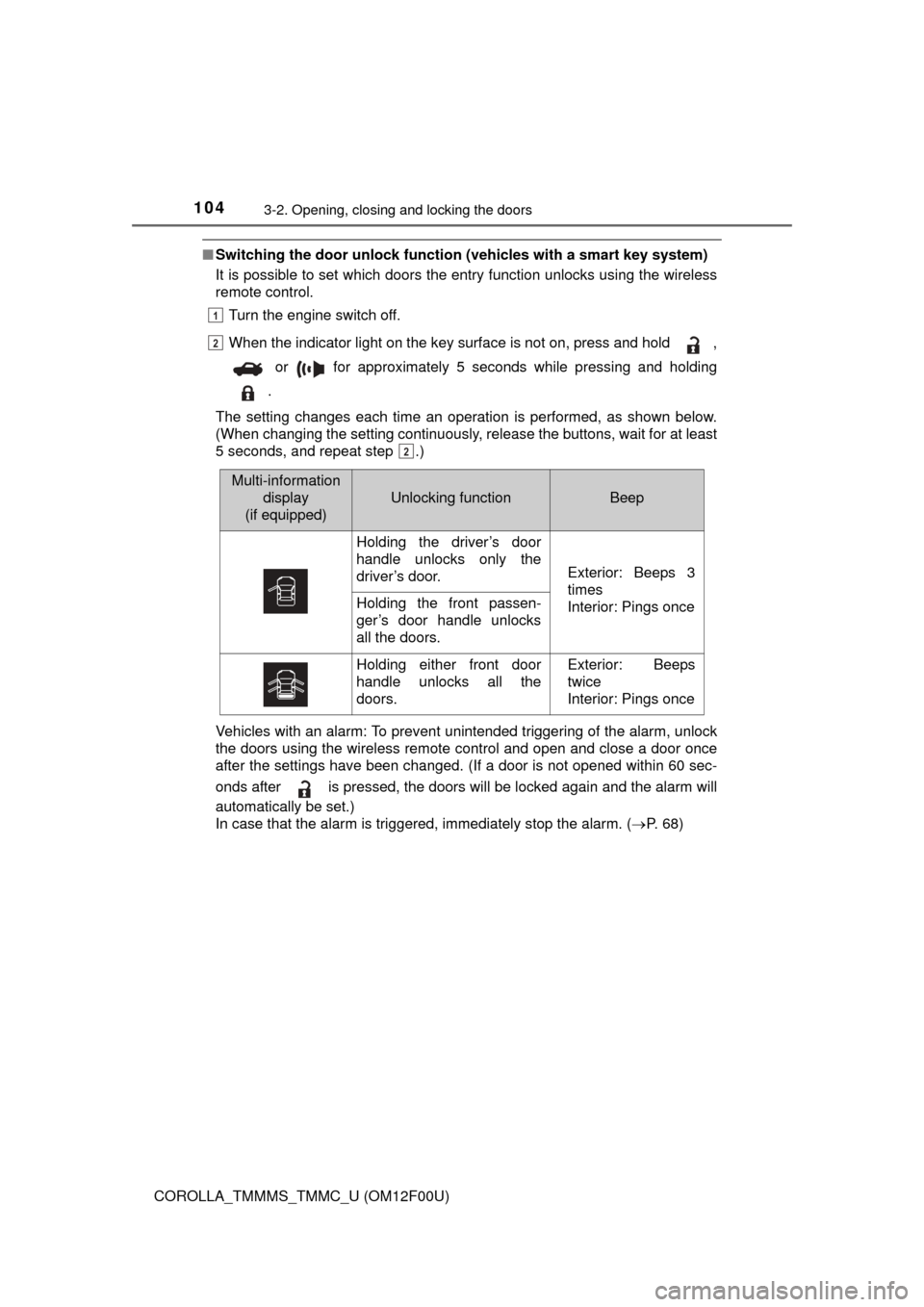
■Switching the door unlock functi on (vehicles with a smart key system)
It is possible to set which doors the entry function unlocks using the wireless
remote control.
Turn the engine switch off.
When the indicator light on the key surface is not on, press and hold ,
or for approximately 5 seconds while pressing and holding
.
The setting changes each time an operation is performed, as shown below.
(When changing the setting continuously, release the buttons, wait for at least
5 seconds, and repeat step .)
Vehicles with an alarm: To prevent un intended triggering of the alarm, unlock
the doors using the wireless remote control and open and close a door once
after the settings have been changed. (If a door is not opened within 60 sec-
onds after is pressed, the doors will be locked again and the alarm will
automatically be set.)
In case that the alarm is triggered, immediately stop the alarm. ( P. 6 8 )
1
2
2
Multi-information
display
(if equipped)
Unlocking functionBeep
Holding the driver’s door
handle unlocks only the
driver’s door.
Exterior: Beeps 3
times
Interior: Pings once
Holding the front passen-
ger’s door handle unlocks
all the doors.
Holding either front door
handle unlocks all the
doors.Exterior: Beeps
twice
Interior: Pings once
Page 108 of 612
1083-2. Opening, closing and locking the doors
COROLLA_TMMMS_TMMC_U (OM12F00U)
■Operation signal (with a wirel ess remote control function)
A buzzer sounds to indicate that the trunk has been opened.
■ Tr u n k l i g h t
The trunk light turns on when the trunk is opened.
■ Function to prevent the tr unk being locked with the electronic key inside
(vehicles with a smart key system)
● When all doors are being locked, closing the trunk lid with the electronic key
left inside the trunk will sound an alarm.
In this case, the trunk lid can be opened by pressing the trunk release but-
ton on the trunk lid.
● Even when the spare electronic key is put in the trunk with all the doors
locked, the key confinement prevention function can be activated so the
trunk can be opened. In order to prevent theft, take all electronic keys with
you when leaving the vehicle.
● Even when the electronic key is put in the trunk with all the doors are locked,
the key may not be detected depending on the places and the surrounding
radio wave conditions. In this case, the key confinement prevention function
cannot be activated, causing the doors to lock when the trunk is closed.
Make sure to check where the key is before closing the trunk.
● The key confinement prevention function cannot be activated if any one of
the doors is unlocked. In this case, open the trunk using the trunk opener.
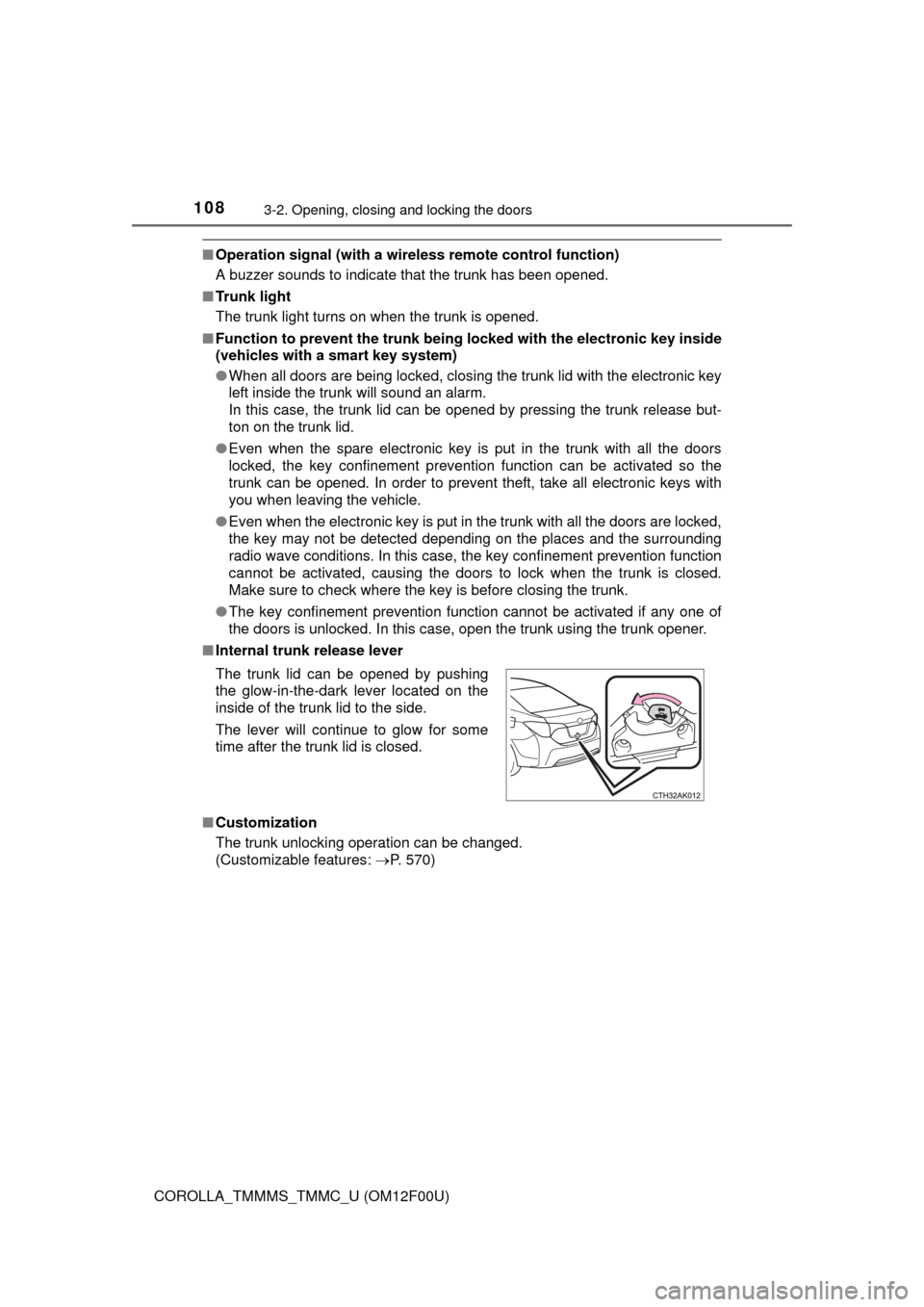
■ Internal trunk release lever
■ Customization
The trunk unlocking operation can be changed.
(Customizable features: P. 570)
The trunk lid can be opened by pushing
the glow-in-the-dark lever located on the
inside of the trunk lid to the side.
The lever will continue to glow for some
time after the trunk lid is closed.
Page 110 of 612
1103-2. Opening, closing and locking the doors
COROLLA_TMMMS_TMMC_U (OM12F00U)
CAUTION
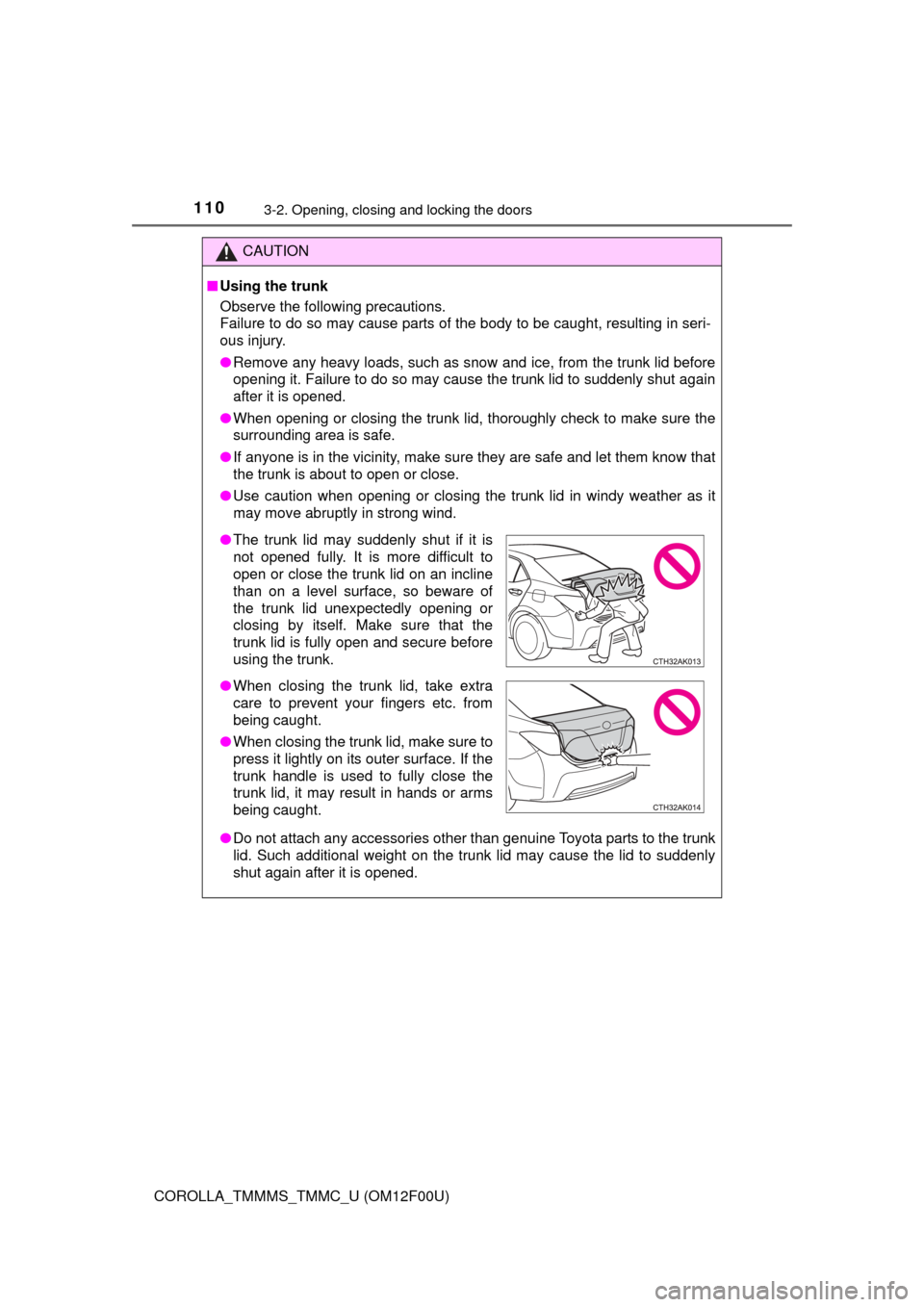
■Using the trunk
Observe the following precautions.
Failure to do so may cause parts of the body to be caught, resulting in seri-
ous injury.
● Remove any heavy loads, such as snow and ice, from the trunk lid before
opening it. Failure to do so may cause the trunk lid to suddenly shut again
after it is opened.
● When opening or closing the trunk lid, thoroughly check to make sure the
surrounding area is safe.
● If anyone is in the vicinity, make sure they are safe and let them know that
the trunk is about to open or close.
● Use caution when opening or closing the trunk lid in windy weather as it
may move abruptly in strong wind.
● Do not attach any accessories other than genuine Toyota parts to the trunk
lid. Such additional weight on the trunk lid may cause the lid to suddenly
shut again after it is opened.
●The trunk lid may suddenly shut if it is
not opened fully. It is more difficult to
open or close the trunk lid on an incline
than on a level surface, so beware of
the trunk lid unexpectedly opening or
closing by itself. Make sure that the
trunk lid is fully open and secure before
using the trunk.
● When closing the trunk lid, take extra
care to prevent your fingers etc. from
being caught.
● When closing the trunk lid, make sure to
press it lightly on its outer surface. If the
trunk handle is used to fully close the
trunk lid, it may result in hands or arms
being caught.
Page 112 of 612
1123-2. Opening, closing and locking the doors
COROLLA_TMMMS_TMMC_U (OM12F00U)■
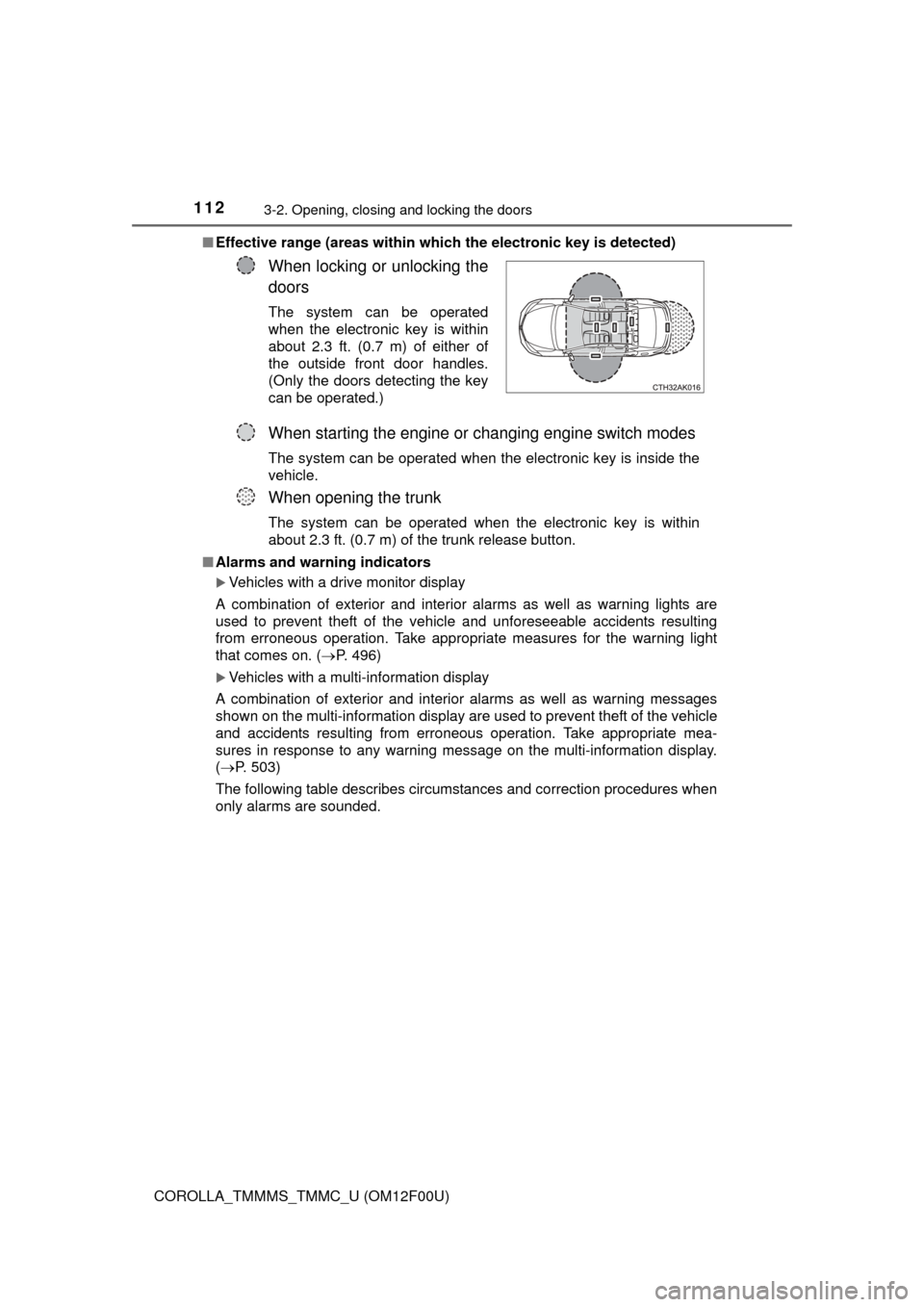
Effective range (areas within whic h the electronic key is detected)
■ Alarms and warning indicators
Vehicles with a drive monitor display
A combination of exterior and interior alarms as well as warning lights are
used to prevent theft of the vehicle and unforeseeable accidents resulting
from erroneous operation. Take appropria te measures for the warning light
that comes on. ( P. 496)
Vehicles with a multi-information display
A combination of exterior and interior alarms as well as warning messages
shown on the multi-information display are used to prevent theft of the vehicle
and accidents resulting from erroneous operation. Take appropriate mea-
sures in response to any warning message on the multi-information display.
( P. 503)
The following table describes circumstances and correction procedures when
only alarms are sounded.
When locking or unlocking the
doors
The system can be operated
when the electronic key is within
about 2.3 ft. (0.7 m) of either of
the outside front door handles.
(Only the doors detecting the key
can be operated.)
When starting the engine or changing engine switch modes
The system can be operated when the electronic key is inside the
vehicle.
When opening the trunk
The system can be operated when the electronic key is within
about 2.3 ft. (0.7 m) of the trunk release button.