Reverse TOYOTA COROLLA 2015 11.G Owners Manual
[x] Cancel search | Manufacturer: TOYOTA, Model Year: 2015, Model line: COROLLA, Model: TOYOTA COROLLA 2015 11.GPages: 612, PDF Size: 8.48 MB
Page 232 of 612
232
COROLLA_TMMMS_TMMC_U (OM12F00U)
5-4. Playing audio CDs and MP3/WMA discs
Insert a disc.
Press and remove the disc.
CD player operation
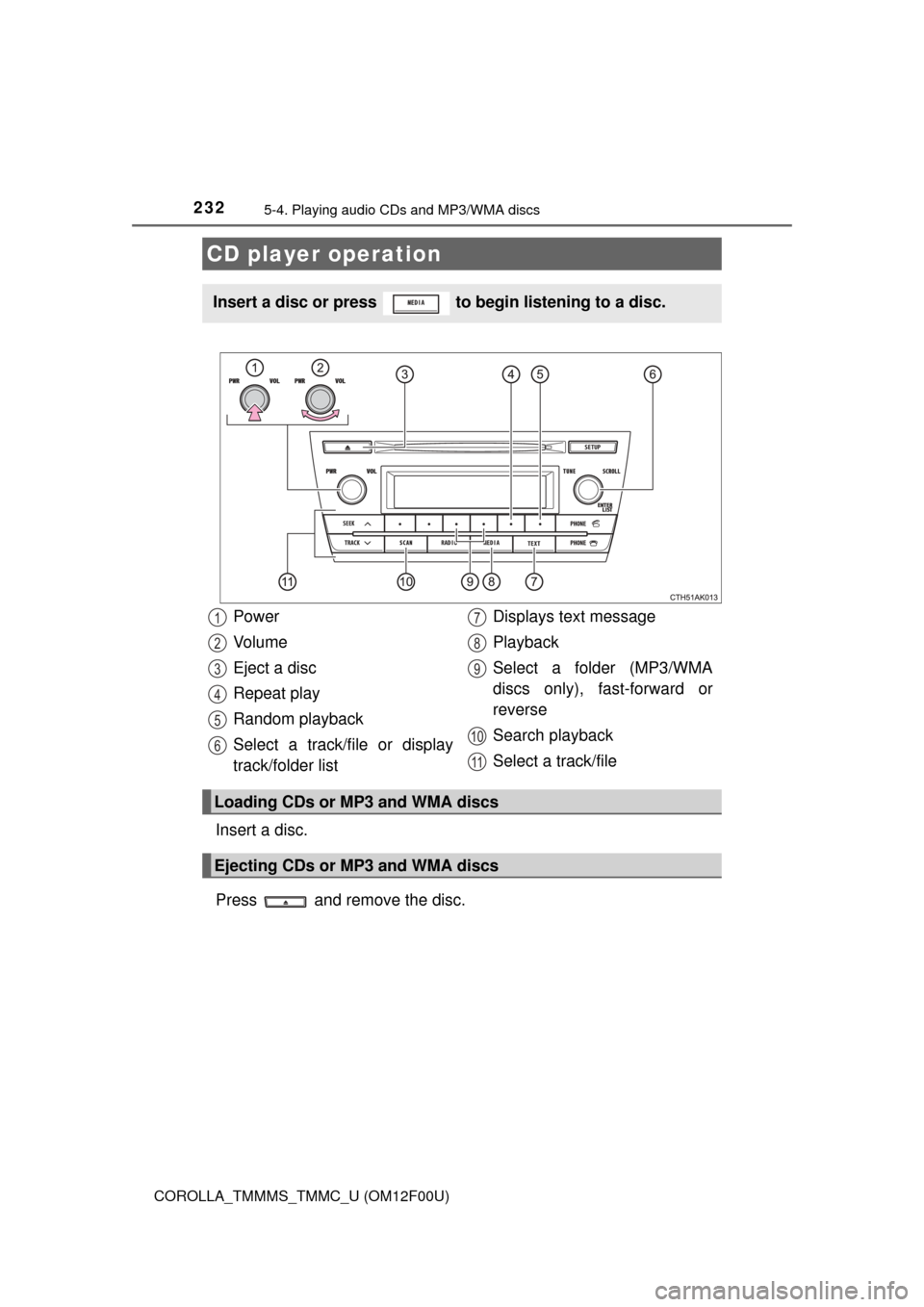
Insert a disc or press to begin listening to a disc.
Power
Vo l u m e
Eject a disc
Repeat play
Random playback
Select a track/file or display
track/folder listDisplays text message
Playback
Select a folder (MP3/WMA
discs only), fast-forward or
reverse
Search playback
Select a track/file
Loading CDs or MP3 and WMA discs
Ejecting CDs or MP3 and WMA discs
1
2
3
4
5
6
7
8
9
10
11
Page 233 of 612
2335-4. Playing audio CDs and MP3/WMA discs
5
Audio system
COROLLA_TMMMS_TMMC_U (OM12F00U)■
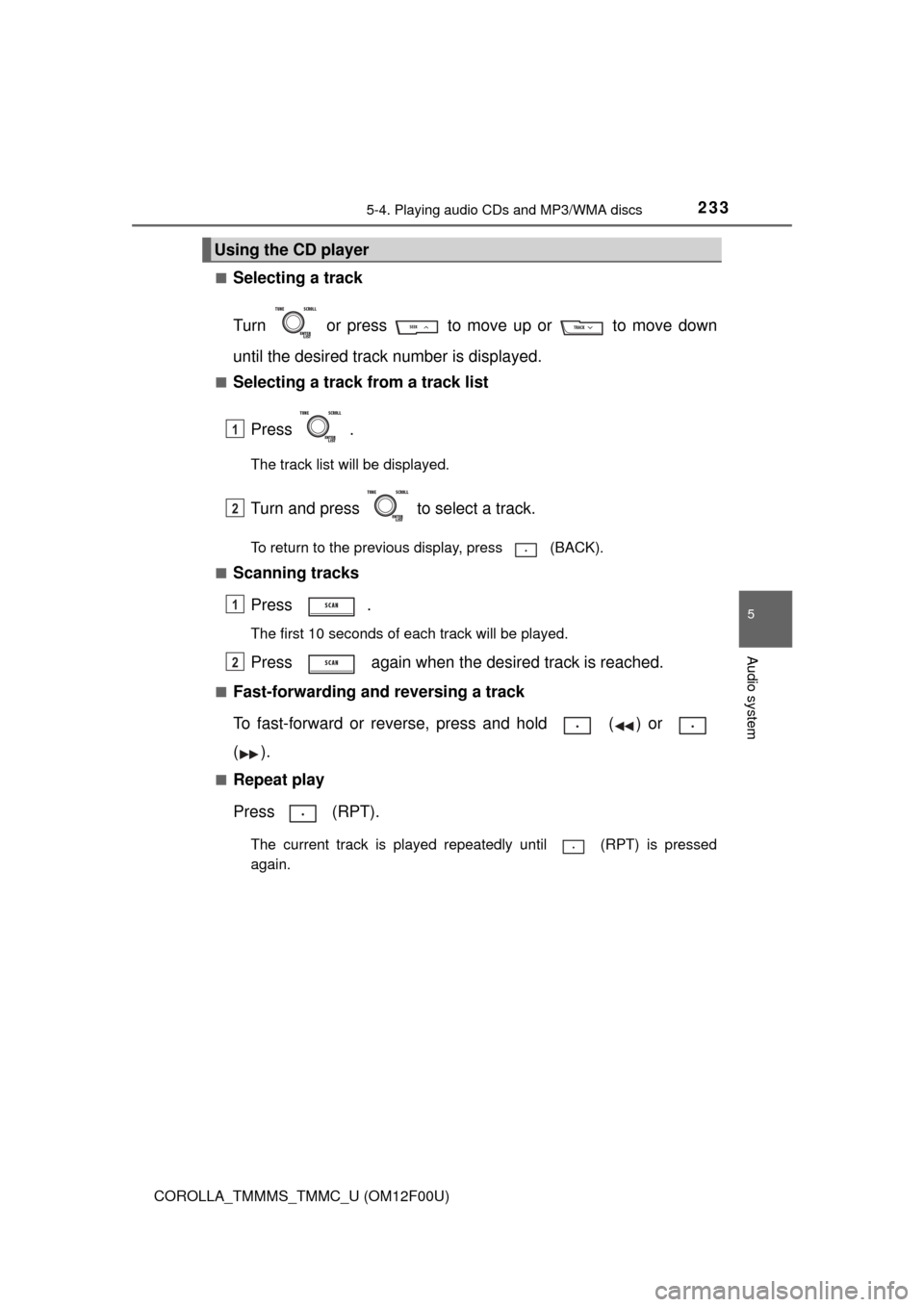
Selecting a track
Turn or press to move up or to move down
until the desired track number is displayed.
■Selecting a track from a track list
Press .
The track list will be displayed.
Turn and press to select a track.
To return to the previous display, press (BACK).
■
Scanning tracks
Press .
The first 10 seconds of each track will be played.
Press again when the desired track is reached.
■Fast-forwarding and reversing a track
To fast-forward or reverse, press and hold ( ) or
().
■Repeat play
Press (RPT).
The current track is played repeatedly until (RPT) is pressed
again.
Using the CD player
1
2
1
2
Page 235 of 612
2355-4. Playing audio CDs and MP3/WMA discs
5
Audio system
COROLLA_TMMMS_TMMC_U (OM12F00U)■
Scanning folders
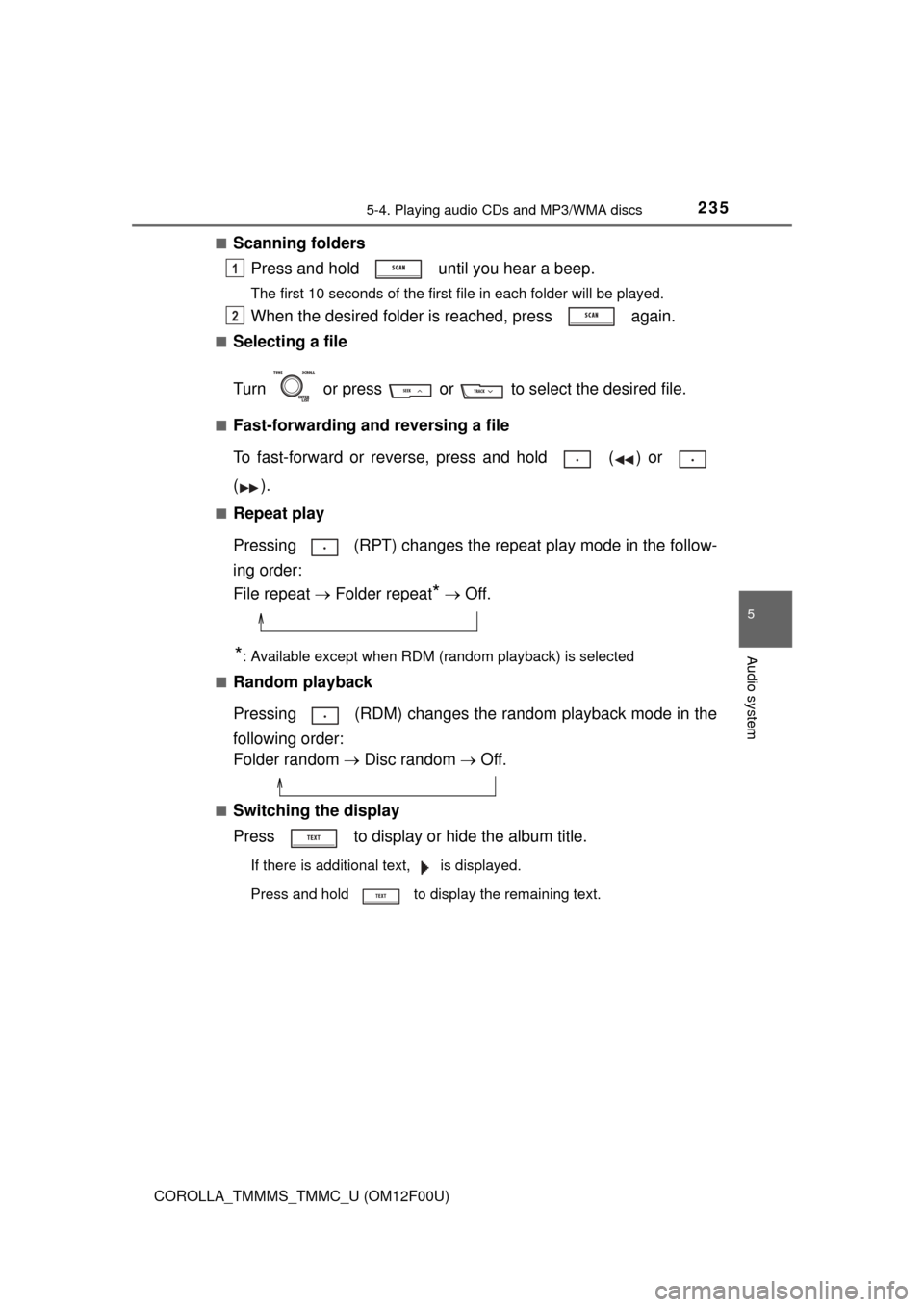
Press and hold until you hear a beep.
The first 10 seconds of the first file in each folder will be played.
When the desired folder is reached, press again.
■Selecting a file
Turn or press or to select the desired file.
■Fast-forwarding and reversing a file
To fast-forward or reverse, press and hold ( ) or
().
■Repeat play
Pressing (RPT) changes the repe at play mode in the follow-
ing order:
File repeat Folder repeat
* Off.
*: Available except when RDM (random playback) is selected
■
Random playback
Pressing (RDM) changes the random playback mode in the
following order:
Folder random Disc random Off.
■Switching the display
Press to display or hide the album title.
If there is additional text, is displayed.
Press and hold to display the remaining text.
1
2
Page 241 of 612
241
5
Audio system
COROLLA_TMMMS_TMMC_U (OM12F00U)
5-5. Using an external device
P. 2 2 7
Listening to an iPod
Connecting an iPod enables you to enjoy music from the vehicle
speakers. Press until “iPod” is displayed.
Connecting an iPod
Control panel
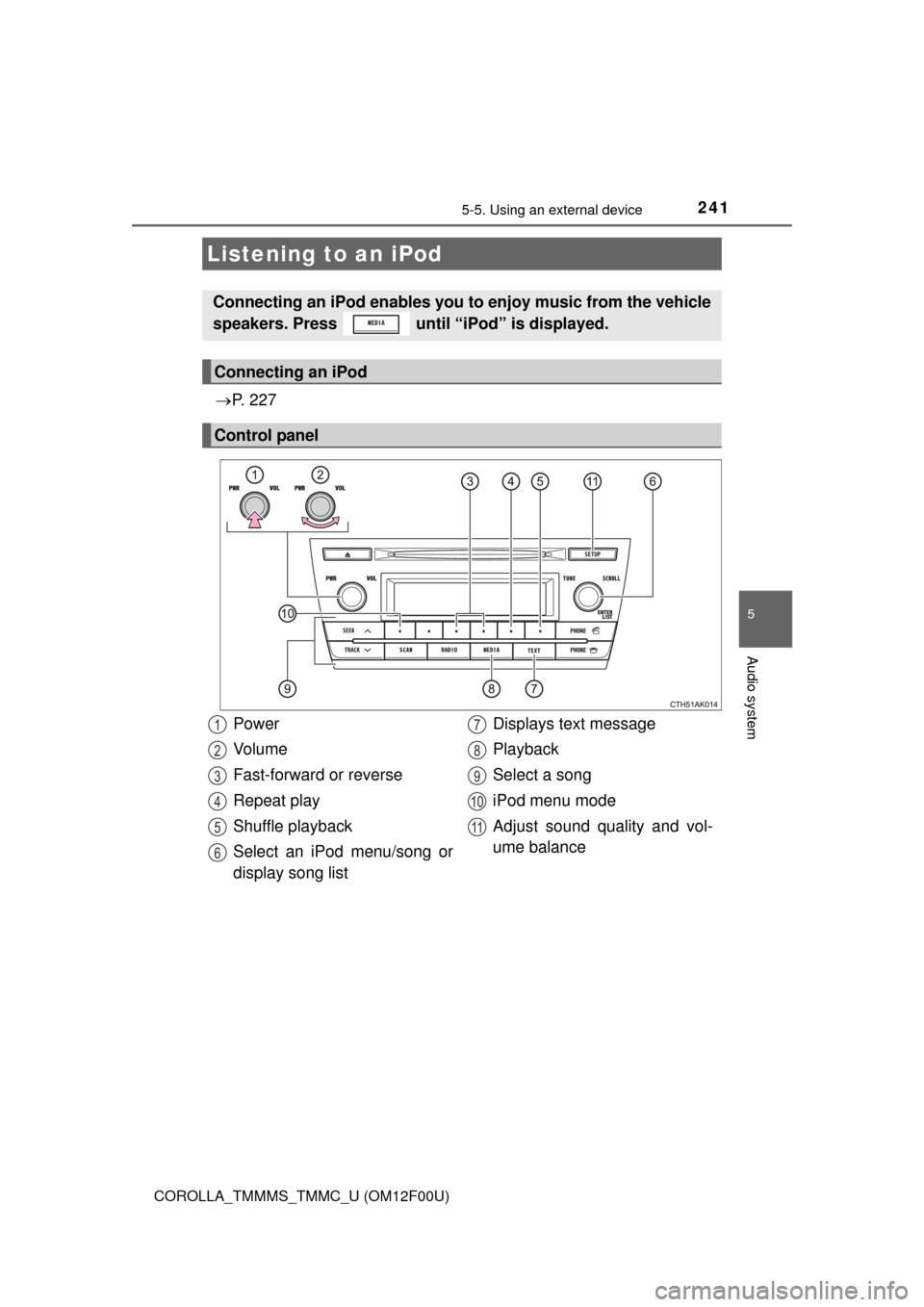
Power
Vo l u m e
Fast-forward or reverse
Repeat play
Shuffle playback
Select an iPod menu/song or
display song list Displays text message
Playback
Select a song
iPod menu mode
Adjust sound quality and vol-
ume balance1
2
3
4
5
6
7
8
9
10
11
Page 243 of 612
2435-5. Using an external device
5
Audio system
COROLLA_TMMMS_TMMC_U (OM12F00U)■
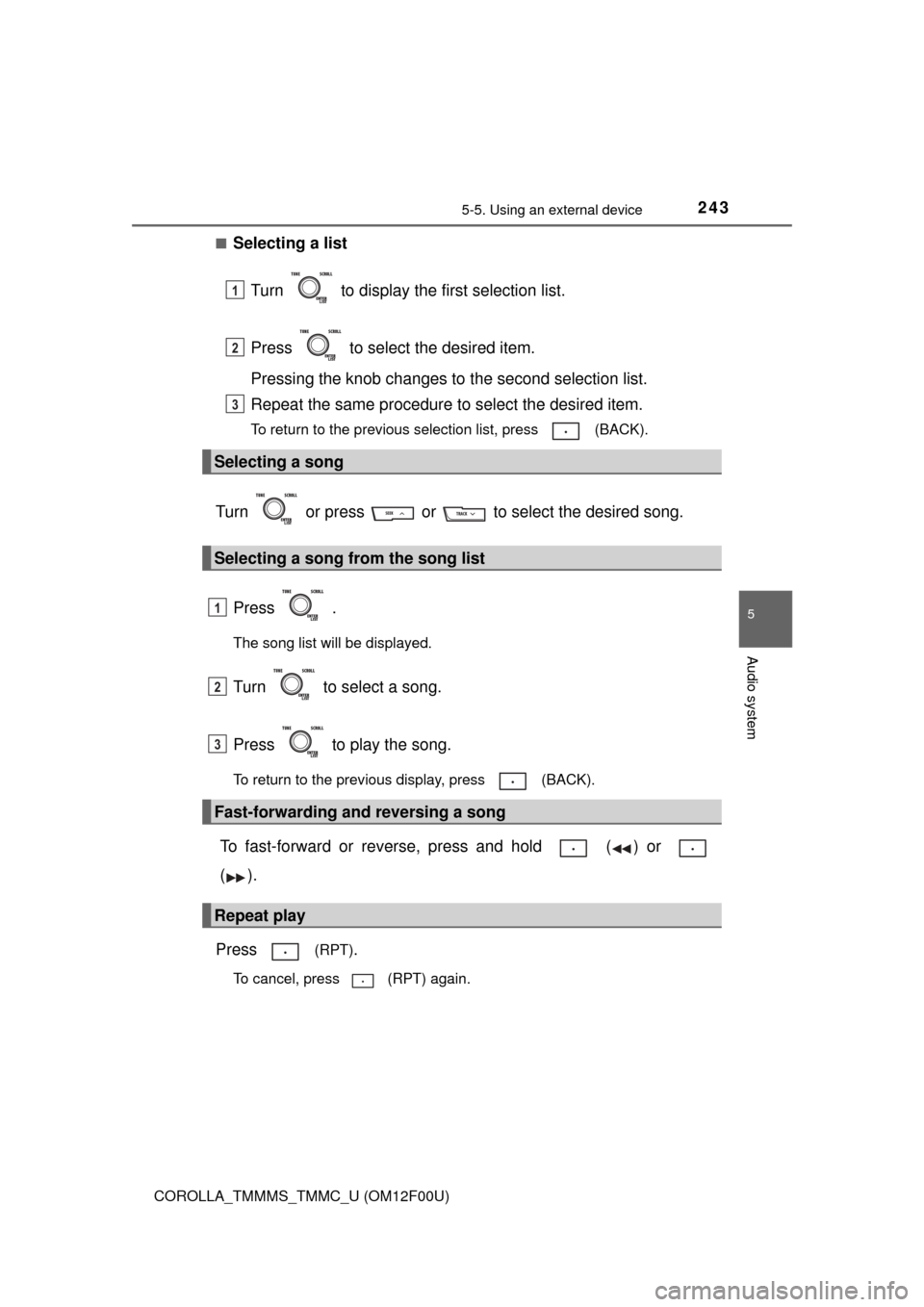
Selecting a list
Turn to display the first selection list.
Press to select the desired item.
Pressing the knob changes to the second selection list.
Repeat the same procedure to select the desired item.
To return to the previous selection list, press (BACK).
Turn or press or to select the desired song.
Press .
The song list will be displayed.
Turn to select a song.
Press to play the song.
To return to the previous display, press (BACK).
To fast-forward or reverse, press and hold ( ) or
().
Press
(RPT).
To cancel, press (RPT) again.
Selecting a song
Selecting a song from the song list
Fast-forwarding and reversing a song
Repeat play
1
2
3
1
2
3
Page 248 of 612
2485-5. Using an external device
COROLLA_TMMMS_TMMC_U (OM12F00U)
P. 2 2 7
Listening to a USB memor y device
Connecting a USB memory device enables you to enjoy music
from the vehicle speakers. Press until “USB” is dis-
played.
Connecting a USB memory
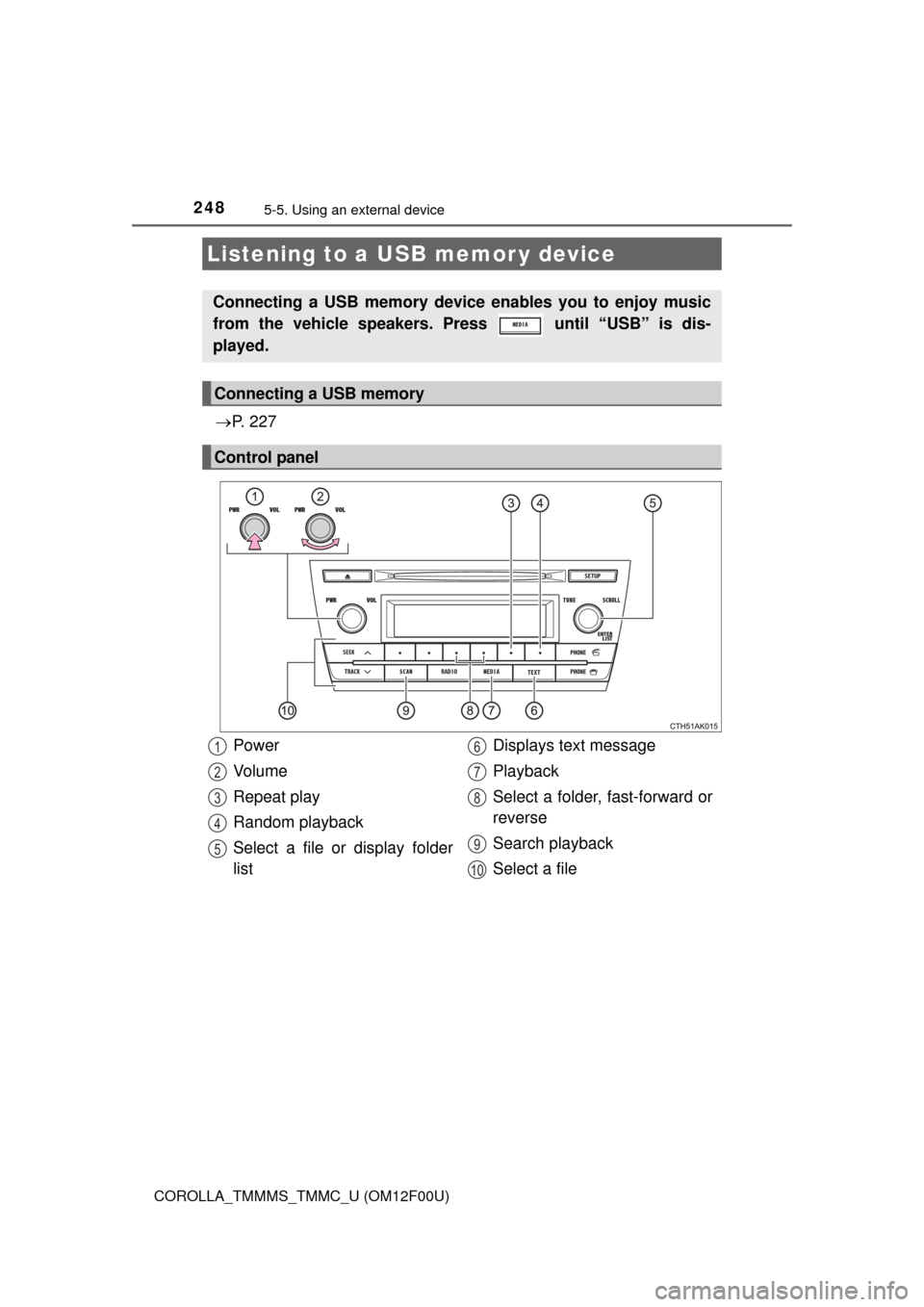
Control panel
Power
Vo l u m e
Repeat play
Random playback
Select a file or display folder
list Displays text message
Playback
Select a folder, fast-forward or
reverse
Search playback
Select a file1
2
3
4
5
6
7
8
9
10
Page 249 of 612
2495-5. Using an external device
5
Audio system
COROLLA_TMMMS_TMMC_U (OM12F00U)■
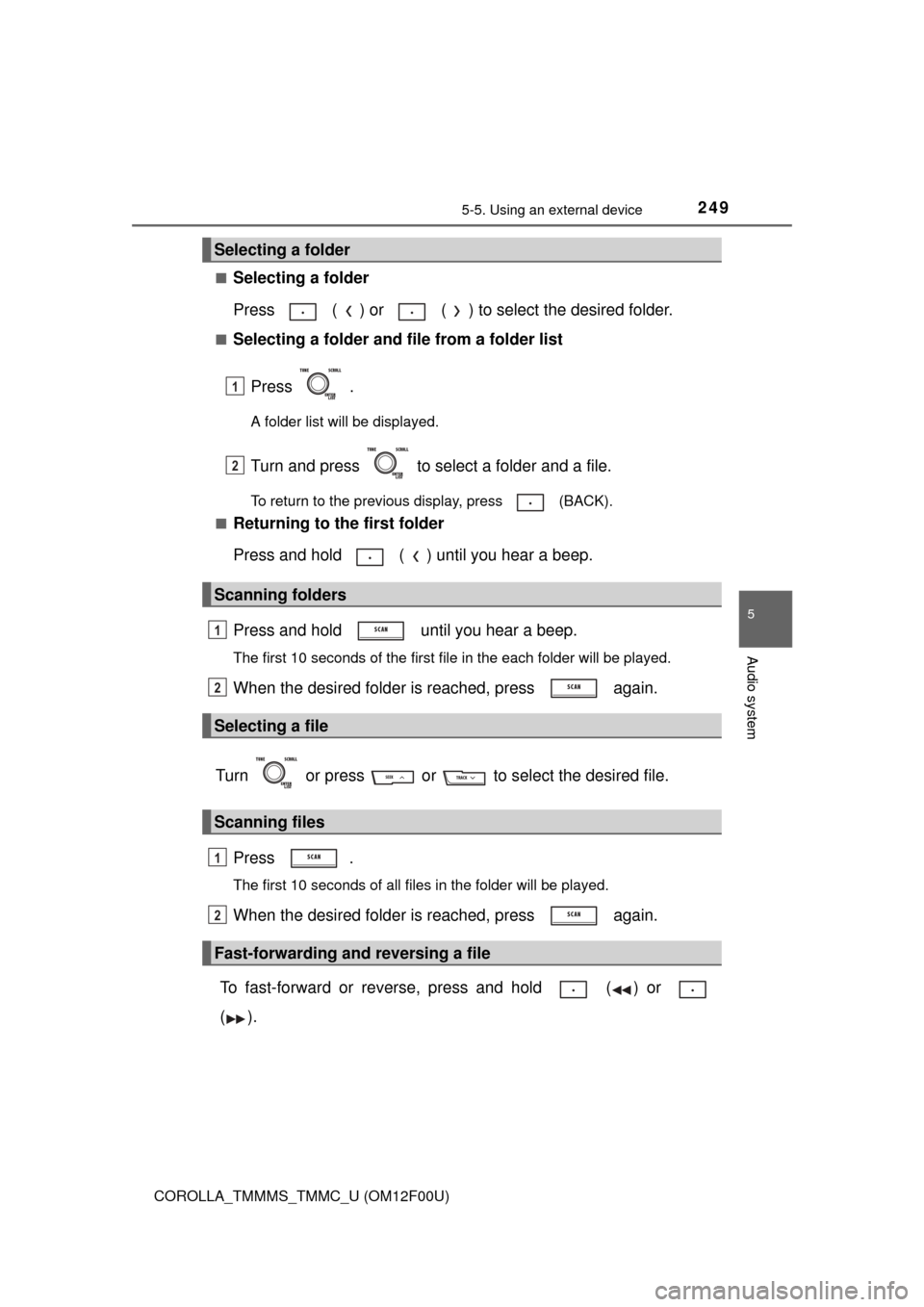
Selecting a folder
Press ( ) or ( ) to select the desired folder.
■Selecting a folder and file from a folder list
Press .
A folder list will be displayed.
Turn and press to select a folder and a file.
To return to the previous display, press (BACK).
■
Returning to the first folder
Press and hold ( ) until you hear a beep.
Press and hold until you hear a beep.
The first 10 seconds of the first file in the each folder will be played.
When the desired folder is reached, press again.
Turn or press or to select the desired file. Press .
The first 10 seconds of all files in the folder will be played.
When the desired folder is reached, press again.
To fast-forward or reverse, press and hold ( ) or
().
Selecting a folder
Scanning folders
Selecting a file
Scanning files
Fast-forwarding and reversing a file
1
2
1
2
1
2
Page 272 of 612
272
COROLLA_TMMMS_TMMC_U (OM12F00U)
5-8. Bluetooth® Audio
Operating a Bluetooth® enabled portable
player
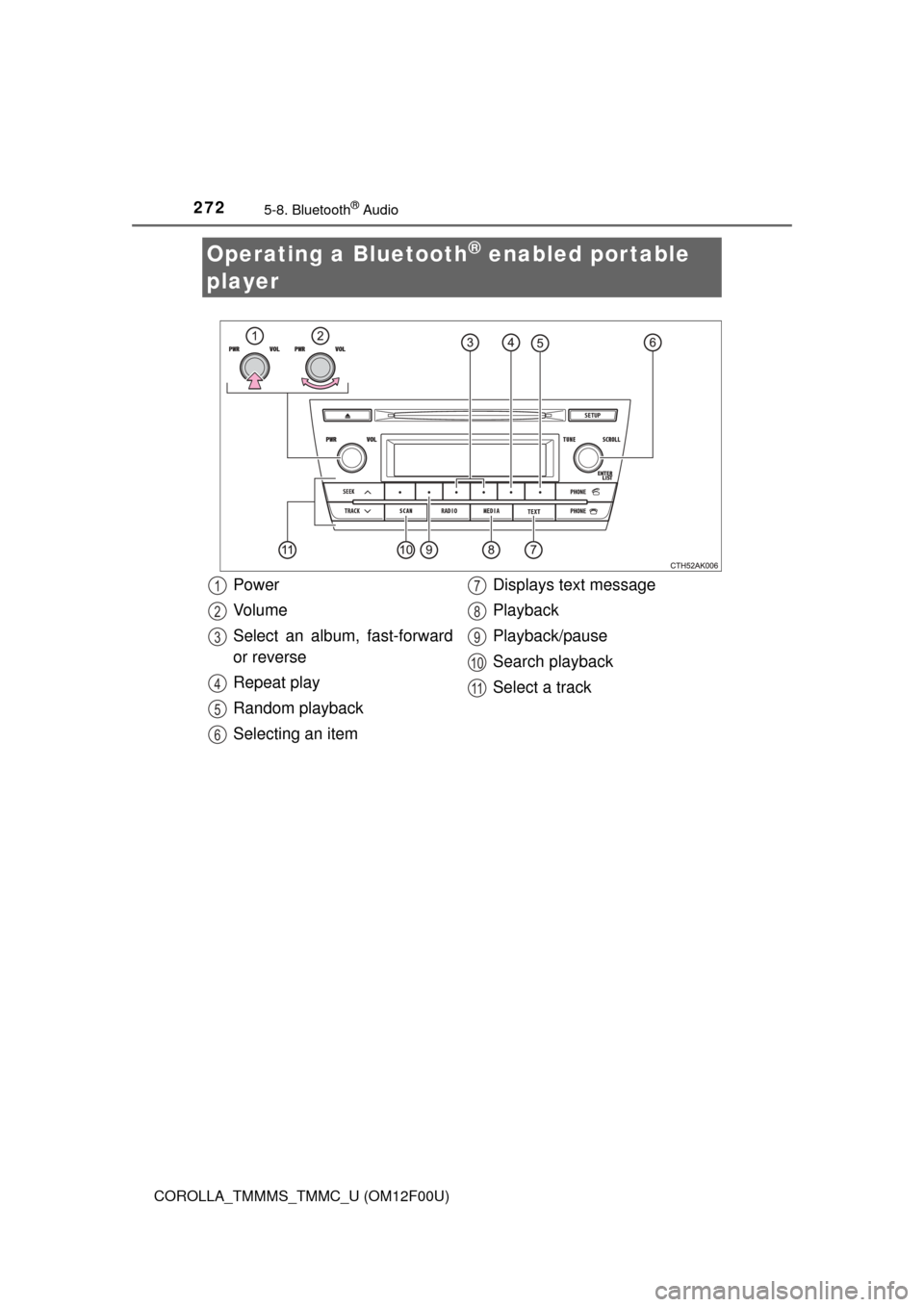
Power
Vo l u m e
Select an album, fast-forward
or reverse
Repeat play
Random playback
Selecting an item Displays text message
Playback
Playback/pause
Search playback
Select a track1
2
3
4
5
6
7
8
9
10
11
Page 273 of 612
2735-8. Bluetooth® Audio
5
Audio system
COROLLA_TMMMS_TMMC_U (OM12F00U)
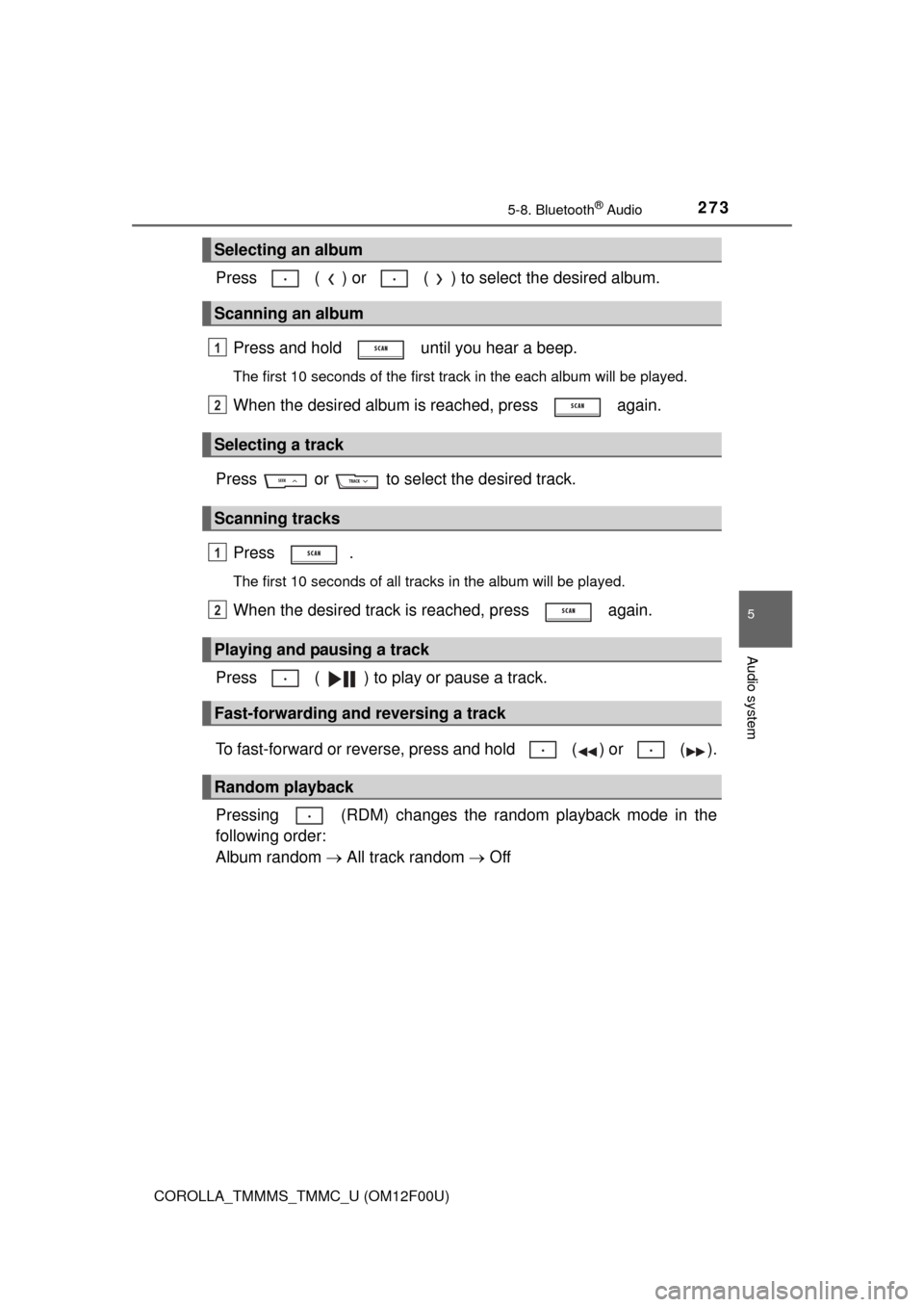
Press ( ) or ( ) to select the desired album.Press and hold until you hear a beep.
The first 10 seconds of the first track in the each album will be played.
When the desired album is reached, press again.
Press or to select the desired track. Press .
The first 10 seconds of all tracks in the album will be played.
When the desired track is reached, press again.
Press ( ) to play or pause a track.
To fast-forward or reverse, press and hold ( ) or ( ).
Pressing (RDM) changes the random playback mode in the
following order:
Album random All track random Off
Selecting an album
Scanning an album
Selecting a track
Scanning tracks
Playing and pausing a track
Fast-forwarding and reversing a track
Random playback
1
2
1
2
Page 298 of 612
2985-13. Using the Multimedia system
COROLLA_TMMMS_TMMC_U (OM12F00U)■
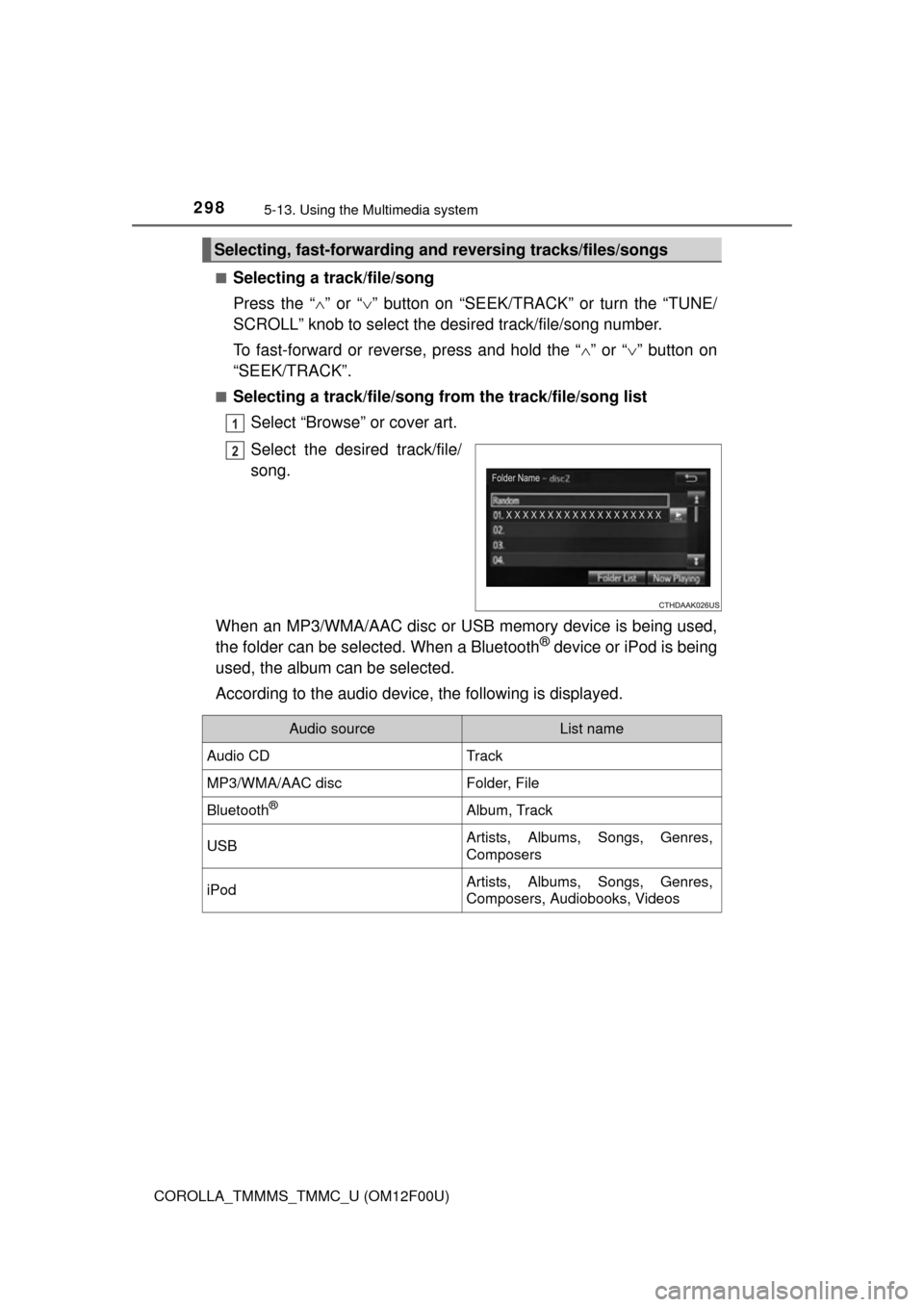
Selecting a track/file/song
Press the “
” or “ ” button on “SEEK/TRAC K” or turn the “TUNE/
SCROLL” knob to select the desired track/file/song number.
To fast-forward or reverse, press and hold the “ ” or “ ” button on
“SEEK/TRACK”.
■Selecting a track/file/song from the track/file/song list
Select “Browse” or cover art.
Select the desired track/file/
song.
When an MP3/WMA/AAC disc or USB memory device is being used,
the folder can be selected. When a Bluetooth
® device or iPod is being
used, the album can be selected.
According to the audio device, the following is displayed.
Selecting, fast-forwarding a nd reversing tracks/files/songs
1
2
Audio sourceList name
Audio CDTrack
MP3/WMA/AAC discFolder, File
Bluetooth®Album, Track
USBArtists, Albums, Songs, Genres,
Composers
iPodArtists, Albums, Songs, Genres,
Composers, Audiobooks, Videos